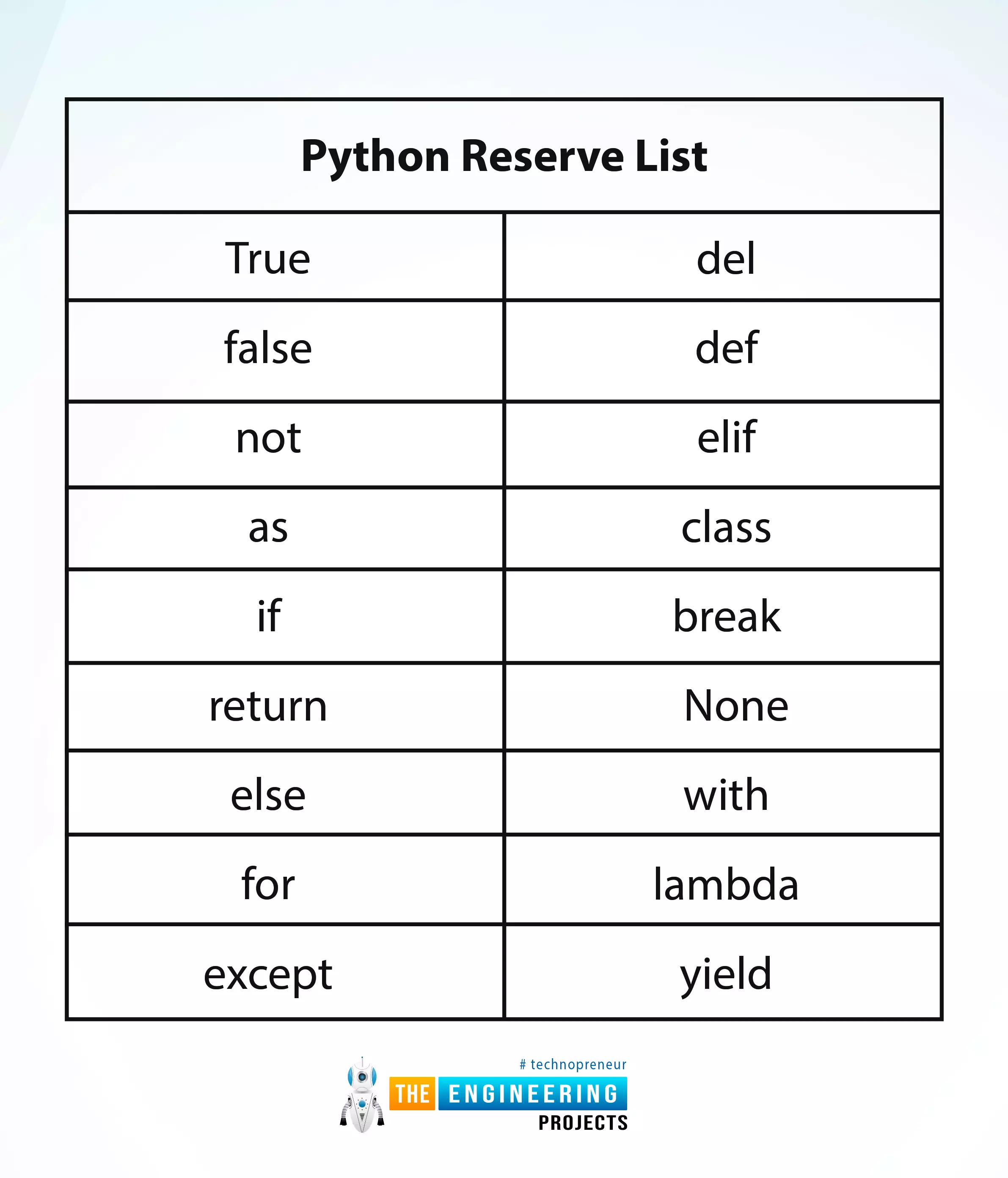
Hey peeps! Welcome to an exciting tutorial on Python in which you will learn about the Python reverse list. We are on a series of deep learning phases where Python is under our observation. In the last tutorial, we saw the variables in Python and practised many codes in the TensorFlow. Today, we are interested to practice many interesting methods in an easy way. These are the built-in functions and you do not have to be an expert in the programming to perform them in TensorFlow. All you need is to read this tutorial and have the TensorFlow working fine. Before going deep into the topic, it is important to have a look at the list of content that you will learn today:
How do you define the python reverse list?
Why we should know about the python reverse list or keywords?
How do you practi ...
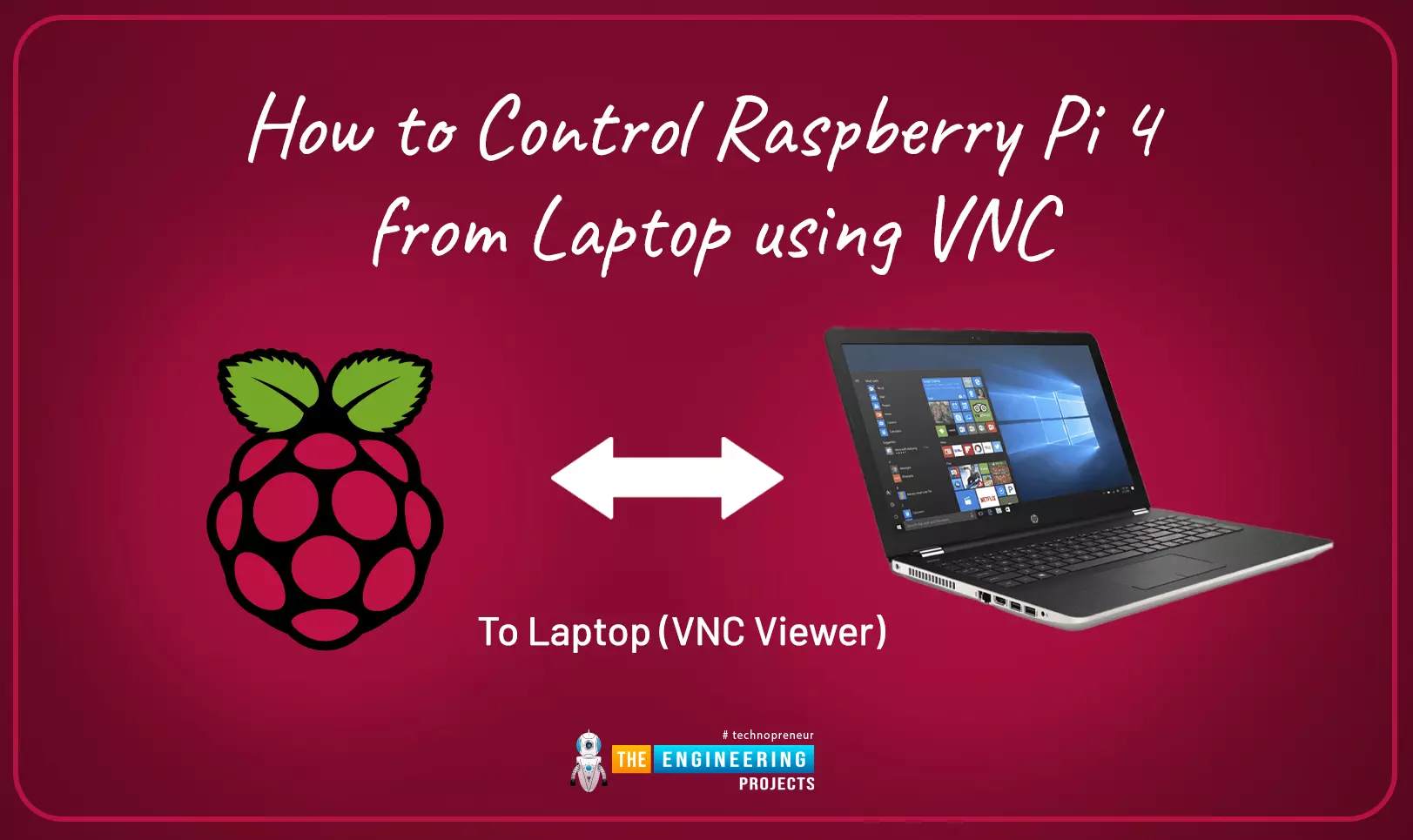
This is the third tutorial in our Raspberry Pi programming course. In the previous chapter, we learned how to install Raspbian on our Raspberry Pi mini-computer. In this chapter, we'll learn how to use a VNC server to remotely control and see its desktop from our computer.
What is VNC?
Computing over a network is known as "virtual network computing," or "VNC." To remotely control another computer, you can use this screen-sharing technology, which works on all major operating systems. As a result, a remote user can interact with a computer's display (screen, keyboard, and mouse) as if they were sitting right in front of it.
VNC takes advantage of the client/server concept. Rather than installing a VNC s ...
Hello friends, I hope you all are doing great. In today's tutorial, we will have a look at what is DbContext Class in Entity Framework Core. It's our 17th tutorial in ASP.NET Core series. In our previous tutorial, we have discussed Entity Framework Core in detail and have also installed it in our web application.
So, now we need understand how to work with Entity Framework Core and for that we have to look at its classes & functions. So, today we will discuss one of its class named DBContext in detail:
DbContext Class in Entity Framework Core
EF Core contains an important class named DbContext, which is mainly responsible for communication between Database & software objects.
We communicate with our database using this DbContext class ...
Hello friends, I hope you all are having fun. In today's tutorial, we are going to have a look at How to handle Static Files in ASP.NET Core. It's our 4th tutorial in ASP.NET Core series. If you inspect your localhost page displaying Hello World, then you will see that there isn't any HTML code in it. Instead, it's just displaying Hello World in text format.
In today's tutorial, we will have a look at How to add HTML, JavaScript, CSS or any other static file in ASP.NET Core. In our previous tutorial, we have discussed Middleware in ASP.NET Core, so if you haven't studied that then have a look at it first, as we are gonna use some new middleware components today. So, let's get started:
How to handle Static Files in ASP.NET Core
By default, ASP.N ...
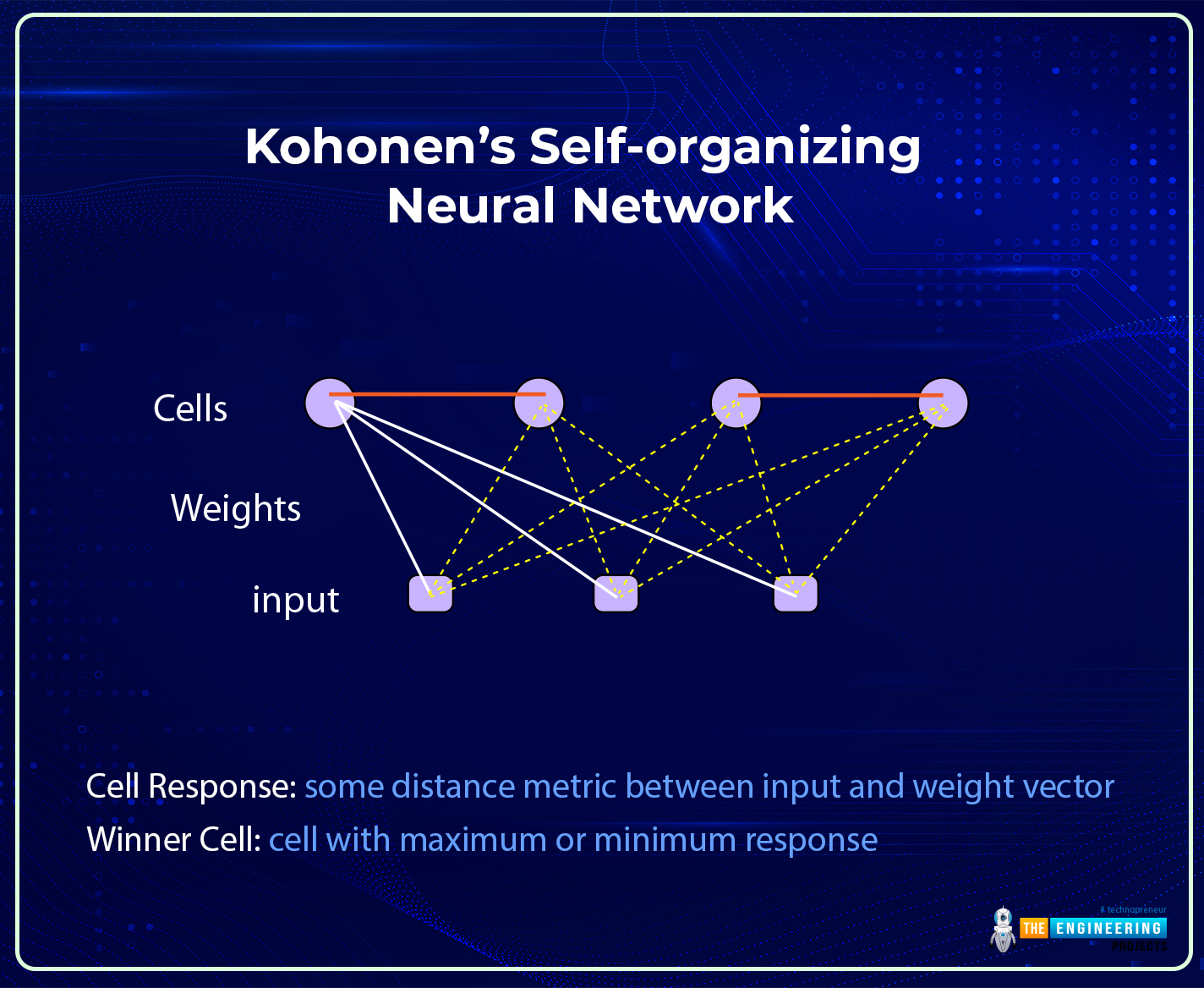
Hi there! I hope you are having a great day. The success of the field of deep learning is due to its complex and advanced neural networks. These networks can be broadly divided into traditional and modern neural networks. We have seen the details of traditional neural networks, and in the previous session, the basic introduction of modern neural networks and the details of their features were discussed. Today, we will talk about one of the most famous modern neural networks, the Kohonen Self-Organized Neural Network.
Modern neural networks are more organized and developed than traditional neural networks, but that does not make traditional neural networks less efficient than modern ones. All the networks are introduced for specific tasks, and this is one of the main reasons behind t ...
Hey learners! Welcome to another deep learning tutorial, in which we are beginning the practical implementation of Python on the TensorFlow library. We installed and checked TensorFlow in detail while we were in the previous lecture, and today we are going to use it for our practice. We have checked the presence of a perfectly installed library of TensorFlow in our tutorials and seen the basic structure of this library. As a result, we will skip the details and jump right into learning Python. In this tutorial, the main focus will be on Python instead of learning the workings of TensorFlow. You have to remember one thing: all the discussion will be from the point of view of deep learning, and it is not a general tutorial in which you will learn to develop apps or have a discussion about th ...
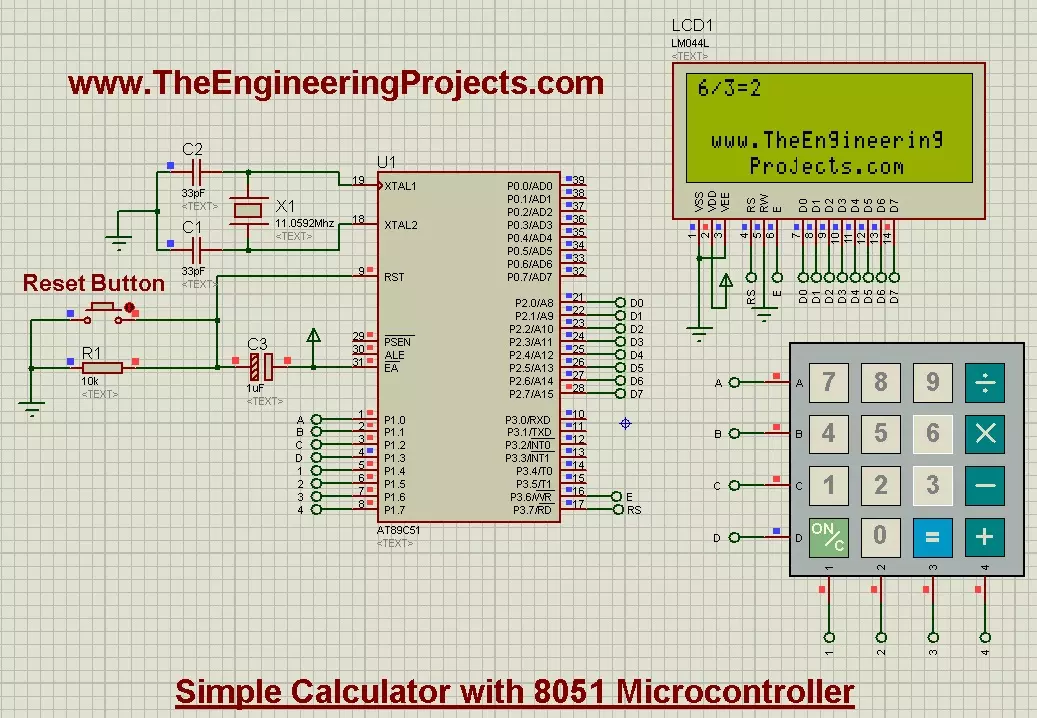
Hello friends, today's post is about designing a simple calculator with 8051 Microcontroller. In our previous post, we have seen How to Interface keypad with 8051 Microcontroller in Proteus ISIS. Moreover, we have also worked on Interfacing of LCD with 8051 Microcontroller in Proteus ISIS. If you haven't read these two posts then my suggestion is to read them first before going into the details of this post, as we are going to use both keypad and LCD in order to design the simple calculator with 8051 Microcontroller.
Actually we have already understood the working of both keypad and LCD so I thought to share this small project as it will give you the practical application of both keypad and LCD. And if you are new to 8051 Microcontroller then its ...
To become familiar with the world of microcontrollers it is necessary to have a development board (also known as a kit), which generally allows you to start working on it easily. Fortunately, the ST provides a wide portfolio of development boards. In this guide, we will describe and use the Nucleo board.
The Nucleo has been introduced a few years ago and its line is divided into three main groups:
Nucleo-32;
Nucleo-64;
Nucleo-144.
Nucleo-32 Development Board
The number of pins available, so the package, gives the name to the board: Nucleo-32 uses an LQFP-32 package; Nucleo-64 and LQFP-64; Nucleo-144 an LQFP-144. The Nucleo-64 was the first line introduced and counts 16 different boards.
The Nucleo boards have interesting advantages compa ...
Thank you for being here for today's tutorial of our in-depth Raspberry Pi programming tutorial. The previous tutorial demonstrated the proper wiring of the photoresistor sensor to the GPIO pins. Finally, we learned how it might be included in a Python script for data collection and analysis needs. We also looked at the functions of each component in the circuit. However, I'll walk you through installing a Pi 4 Print Server in this guide. While installing the program is straightforward, setting it up so that a Windows network can locate the print server requires a little more effort. Rather than spending hundreds of dollars upgrading to a laser printer, you may easily upgrade your current USB printer to laser quality by installing a print server.
Because of this software, you no longer ha ...
Hey, peep! This is a connected tutorial from the previous one where we saw the detail of numeric data types. This time, we are moving forward with the other data types in Python. We are understanding all these concepts with the help of examples and practising the little but understandable codes in TensorFlow. Different types of operations are also performed on these data types so that you may have an idea of why we are differentiating all these data types and how we can categorize all of them into different groups. Keep in mind that all of these concepts are for deep learning, and we want to make sure that we will not face any problems in the complex work of deep learning; therefore, we are moving slowly and steadily in Python. So, have a look at the content you are learning in this ...