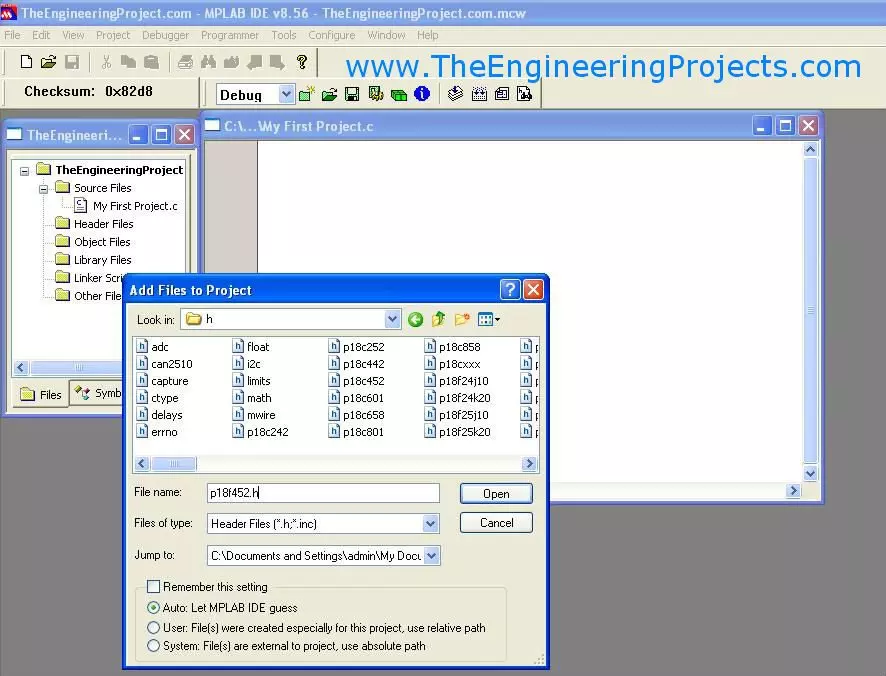
Hello friends! Today, we will create a PIC project in MPLAB and understand the files and settings needed before writing the main application. We have already covered installing MPLAB and installing the C compiler . Now we will bring those tools together in one project. The title of this older lesson refers to an MPLAB compiler, but the IDE and compiler have separate jobs. The IDE manages the project and invokes the selected language tools. The compiler and linker produce the firmware image. Understanding that distinction makes missing-file and build errors much easier to diagnose. The original screenshots show legacy MPLAB IDE with C18. We will retain that sequence for readers maintaining an older PIC18F452 project, while also explaining the corresponding decisions in MPLAB X with XC8. Do ...
Hello friends! Today, we will install a C compiler for MPLAB and make sure that a PIC project actually uses it. In the previous lesson, we covered installing the MPLAB development environment . The next step is to connect that environment to the language tools that translate our C source. The original article used MPLAB C18 and shows its historical Windows installer. Those screenshots remain useful for maintaining an older PIC18 project. For a new compatible 8-bit PIC project, MPLAB XC8 is the relevant Microchip compiler family to investigate. We will keep the two workflows distinct. By the end, you should know which compiler your project requires, how to install and select it, and how to separate an installation problem from a source-code or linker problem. We will use PIC18F452 as the ex ...