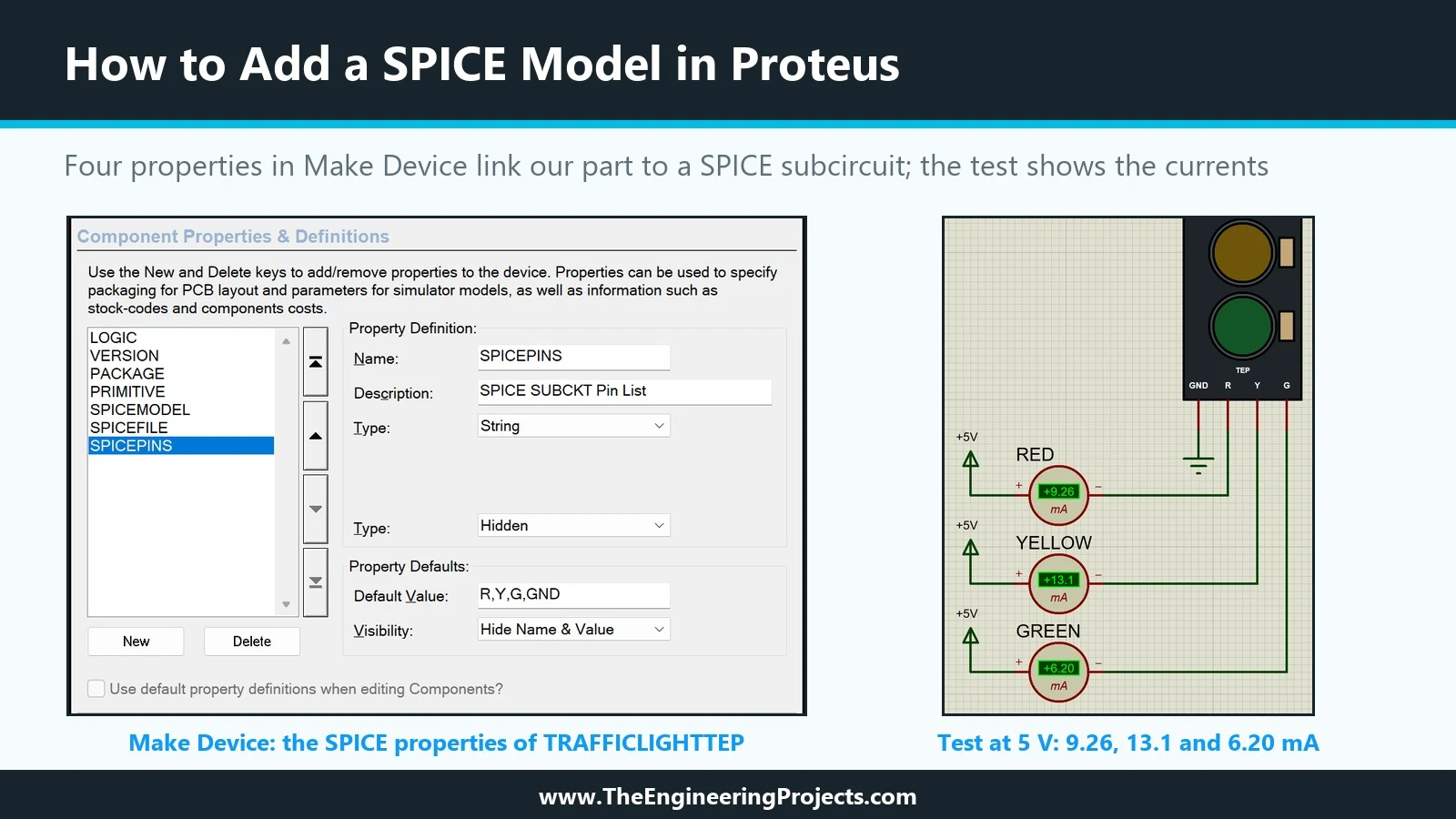
Hello friends, I hope you are doing well. This is the thirteenth tutorial in our series on how to create a Proteus library. In the previous tutorial, Proteus Simulation Models Explained , we met the four kinds of simulation model and saw that our Traffic Light Module still has none: Pick Devices labels it No Simulator Model, and a simulation stops with "No model specified". Today, we give it its first working model. Our topic is how to add a SPICE model in Proteus . We will write a small SPICE subcircuit for the module, attach it to our part with four properties in the Make Device wizard, copy the model file to the right folder and test the result with ammeters at 5 V and at 3.3 V. Then we make three typical mistakes on purpose and read the messages Proteus gives for each, pack the model i ...
Hello friends, I hope you are doing well. This is the twelfth tutorial in our series on how to create a Proteus library. In the previous tutorial, How to Edit and Update an Existing Component in Proteus , we changed our Traffic Light Module after it was in use and brought the design up to version 1.1. The part is complete as a drawing, with pins, properties and a footprint, but when we press Run, Proteus still stops with "No model specified". Today, we look at what is missing. Our topic is Proteus simulation models explained . We will see how to tell which model a part uses, go through the four kinds of model that Proteus supports, read the real property scripts of supplied parts that use each kind, find where the model files live, and separate two things that are easy to mix up: the model ...