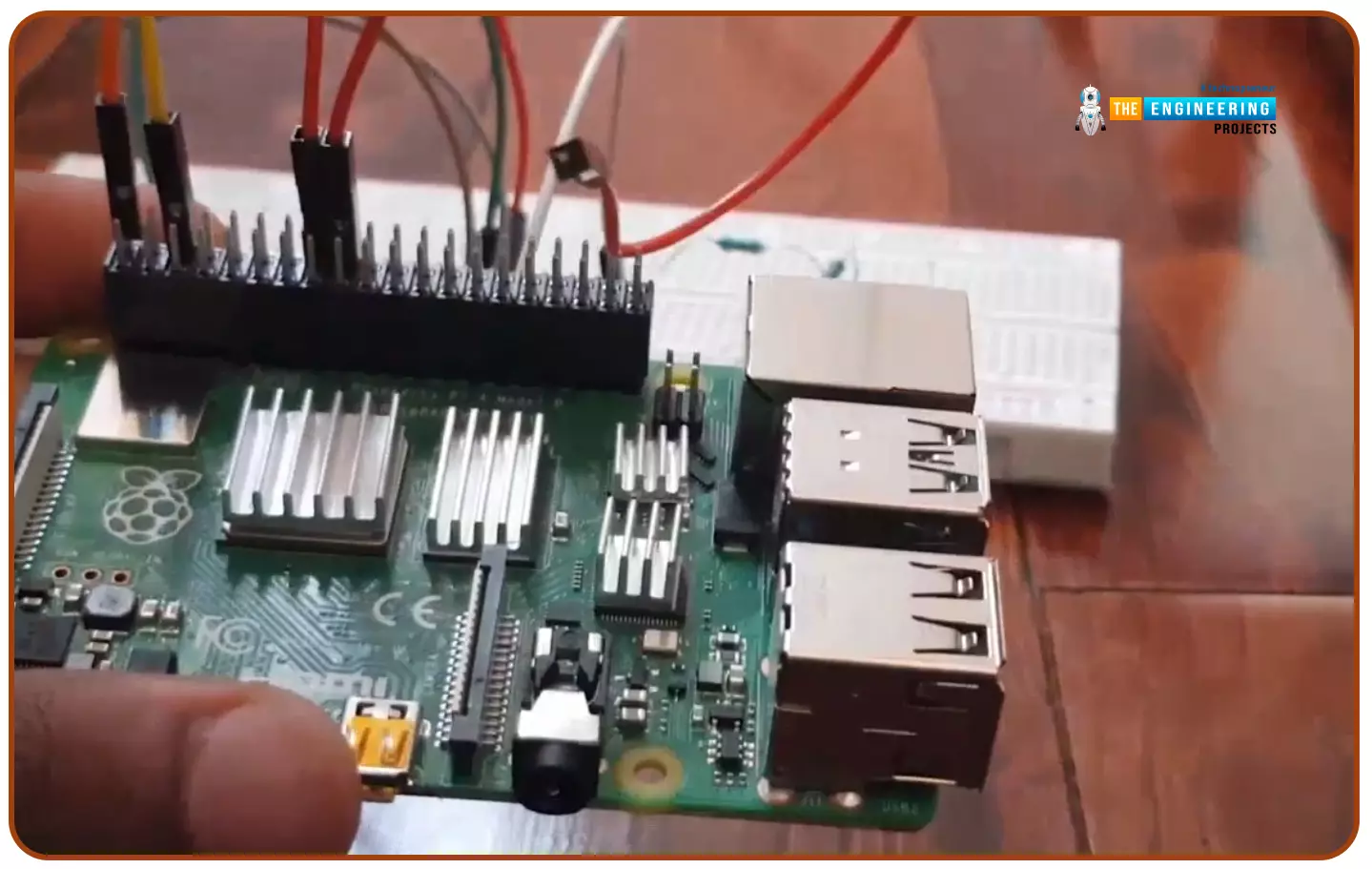
Hello friends, I hope you all are doing well. Today, I am going to share the 5th tutorial of Section-III in our Raspberry Pi Programming Course. In our previous tutorial, we have seen the interfacing of a PIR Sensor with Raspberry Pi 4. In today's tutorial, we will interface an Ultrasonic sensor with Raspberry Pi and will use Python to perform its calculations. So, let's get started:
Components:Here's the list of components, we are going to use in today's project:
Raspberry Pi 4
Ultrasonic sensor
Male-to-female jumper wires
Breadboard1k ohm resistor
2k ohm resistor
What are Ultrasonic Sensors?
An Ultrasonic Sensor consists of a transmitter and a receiver, the transmitter emits the ultrasonic wave, which after hitting some ob ...
Hello friends, I hope this article finds you happy, healthy, and content. Today, we are about to discuss one of the most commonly known types of transistors which you might have heard of many times when reading about transistors, the transistor under study is none other than the “Bipolar Junction Transistor’’, also known as BJT . In this article, we will go through the basics of the bipolar junction transistor including its meaning ,definition, types, characteristics, and applications. So, let's get started.
Definition of BJT
A BJT in its full form is written as bipolar junction transistor and we can define it as,
"A bipolar junction transistor is a three-terminal semiconductor device which is made up of two PN junctions within its structure a ...
Hello friends! I hope you all will be absolutely fine and having fun. Today, I am going to give you an elaboration on Introduction to 2SC3320. I have shared the basic knowledge of different electronic devices in my previous articles like Introduction to ULN2003, LM317, LM393, IRF540, BC547, UA741 and MC34063. 2SC-3320 is a Negative Positive Negative (NPN) transistor. It is made up of silicon. It is basically a power transistor. Power transistor is an electronic device which is able to handle certain level of power. 2SC-3320 has three terminals whose detail will be given later. Its an efficient device with higher efficiency available at at lower cost in the market these days. Due to cost efficiency and its unique features it is more popular devic ...
Hello friends, in today's post we are gonna have a look at Interfacing of Keypad with 8051 Microcontroller in Proteus ISIS. In the previous project, we have seen the Interfacing of LCD with 8051 Microcontroller and I have told there that LCD is a great debugging tool as we can print our data on it and can display different values and that's what is gonna done in today's post. Today, I will get the values from keypad and then question is how to know that we are getting the correct values. So in order to do so, we will display these values over LCD. So, that's how we are gonna use LCD as a debugging tool. As the debugging is concerned, there's another great tool for debugging which is called Serial port, we can also display these values over to Seri ...
Hello friends, today's the last post of this Proteus tutorial. I have tried my best to explain everything but knowledge is limitless so explore this software, play with it and you will know many new things. Today's topic is about the PCB designing in Proteus. When you install Proteus, you have seen that along with ISIS there's also another package named as Proteus ARES. This Proteus ARES is used for PCB designing. You should also check the Arduino UNO PCB Design for Proteus ARES.
In order to design the PCB in Proteus ARES, first you need to make the circuit of that PCB in Proteus ISIS. You can also make PCB directly but I recommend that use Proteus ISIS first, its quite the easy approach as you don't need to do anything in it and the software in ...
Moving complex machinery across the country is no small feat. It demands meticulous planning, organization, and utmost caution throughout each step of the process. To that end, let’s discuss eight best practices that can streamline your move and ensure your equipment arrives at its new home intact and functional.Understanding Your Equipment
When gearing up for a cross-country move of complex machinery, the importance of gaining deep insights about your equipment cannot be overlooked. Here are several points you need to consider:Identify sensitive components: Knowing which parts of your machinery are delicate or more vulnerable can help avoid potential damage during transit.Analyze dismantling options: In some instances, disassembly may simplify transportation and reduce risks.Evaluate wei ...
Hello everyone, I hope you all are doing great. In today's tutorial, we are gonna have a look at Reasons You Should Consider Buying An iMac. Are you on the verge of buying a new computer? If so, you should most definitely think about investing in a computer made by Apple. The company is best known for its smartphones, but their computers are pretty amazing as well. The company offers the Macbook and the iMac. If you’re looking for a desktop, you’ll definitely want to think about investing in an iMac. Why? You’ll find out in the guide below.
Great Software
First and foremost, you should know that Apple makes some of the best software on the planet. Apple computers do not have the versatility of Windows computers. Your software options will be limi ...
Engineers tend to buy tools the way they build them: check the spec sheet, ignore the marketing, and pay for what the job actually requires. A VPN should be no different, yet the category is built to work against that instinct. Every provider claims military-grade encryption, the plans blur together, and the pricing is designed to push you toward a longer commitment before you've decided whether you need one at all.
The problem is that "a VPN" means very different things depending on what you do. Programming a PLC over a public network, accessing a company git server from a hotel, and protecting proprietary CAD files on a personal laptop are three different threat models. Pick by brand or by the biggest discount and you'll usually end up overpaying for features you never touch or, worse, ...
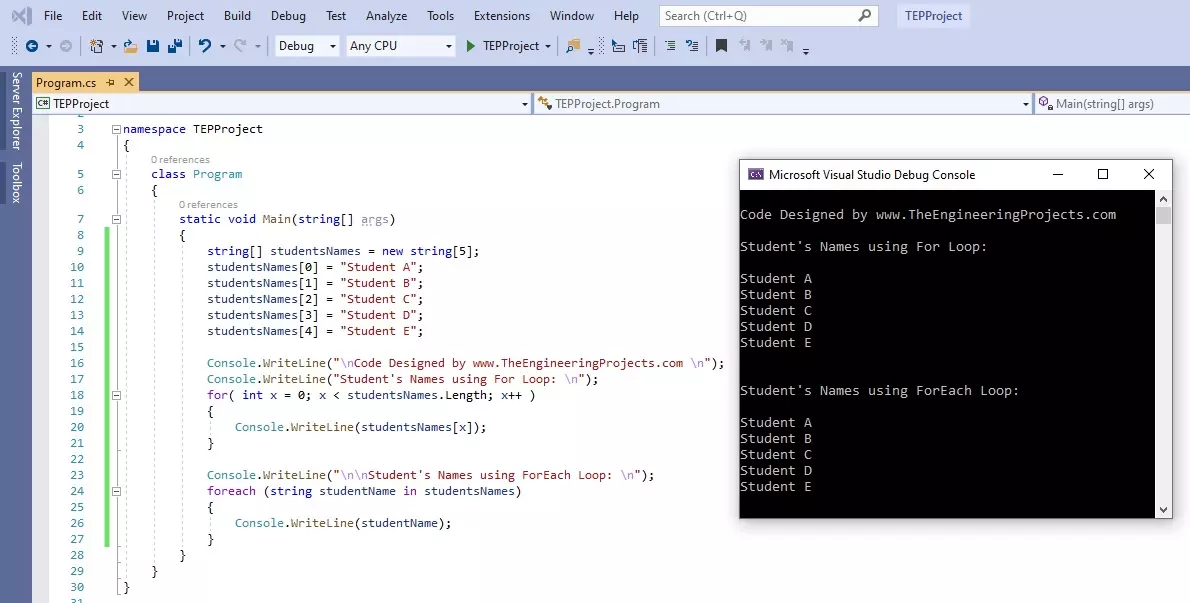
Hello friends, I hope you all are doing great. In today's tutorial, we are gonna have a look at How to use For Loop in C#. It's our 11th tutorial in C# series. Till now, we have seen two loops in C# which are IF Loop and while Loop and today we are gonna have a look at for Loop.
For Loop is most commonly used loop in any programming language and if you have worked on any other language then you must be aware of its syntax. It is used to create repeated loop with specified number. Let's have a look at it in detail:
How to use for Loop in C#
For loop in C# takes an integer variable as a Controlling agent, initialized at value V1 and ends at value V2, and the travel from value V1 to V2 depends on the Condition specified in () brackets.
In bot ...
Hello Guys! I welcome you on board. Happy to see you around. In this post today, I’ll walk you through the Introduction to Arduino MKR GSM 1400.
The Arduino MKR GSM 1400 is a microcontroller board that is based on the SAMD21 microcontroller. This device connects with a cellular network for developing communication. This GSM board is a one-stop solution for developing your sensor network or you can use it as a device sending a text message about the occurring of certain events remotely.
A module from u-blox, the SARA-U201 (which is a power chipset that activates using multiple cellular range bands) is responsible for GSM / 3G connectivity inside the device.
I recommend you read this post till the end as I’ll detail the complete Introduction to A ...