Hello friends, I hope you all are fine and having fun with your lives. Today, I am going to share a tutorial on new board and as you can see in the title, this new board is named as Myrio. So, today, we are gonna have a look at getting started with Myrio. NI myRIO is a combination of dual-core ARM Cortex™-A9 real-time processing and Xilinx FPGA customizable I/O. It is specially designed for engineering students by National Instruments and is a cheap as well as an awesome piece for building your dream projects.
Recently I got a chance to work on this NI Myrio board and I really enjoyed while working on them as they not only awesome but also easy in programming. Moreover, because of its awesome speed you can ask it to do any kind of embedded work. Y ...
Hello friends, hope you all are fine and having fun with your lives. Today, I am going to share all the LabView Projects, posted on our blog. These LabView projects are entirely designed by the TEP team and I hope they will help you in some way. Rite now the list is quite small but I am gonna post more tutorials and projects related to LabView soon. So, keep visiting or subscribe us via email so that you get these exciting tutorials straight to your inbox.
Moreover, LabView is really a difficult software and it really took us a lot of time in designing these projects so other blogger are more than welcome to share our projects on their blog but do mention the respective link from where you copied as a favor. I am gonna share the complete list here ...
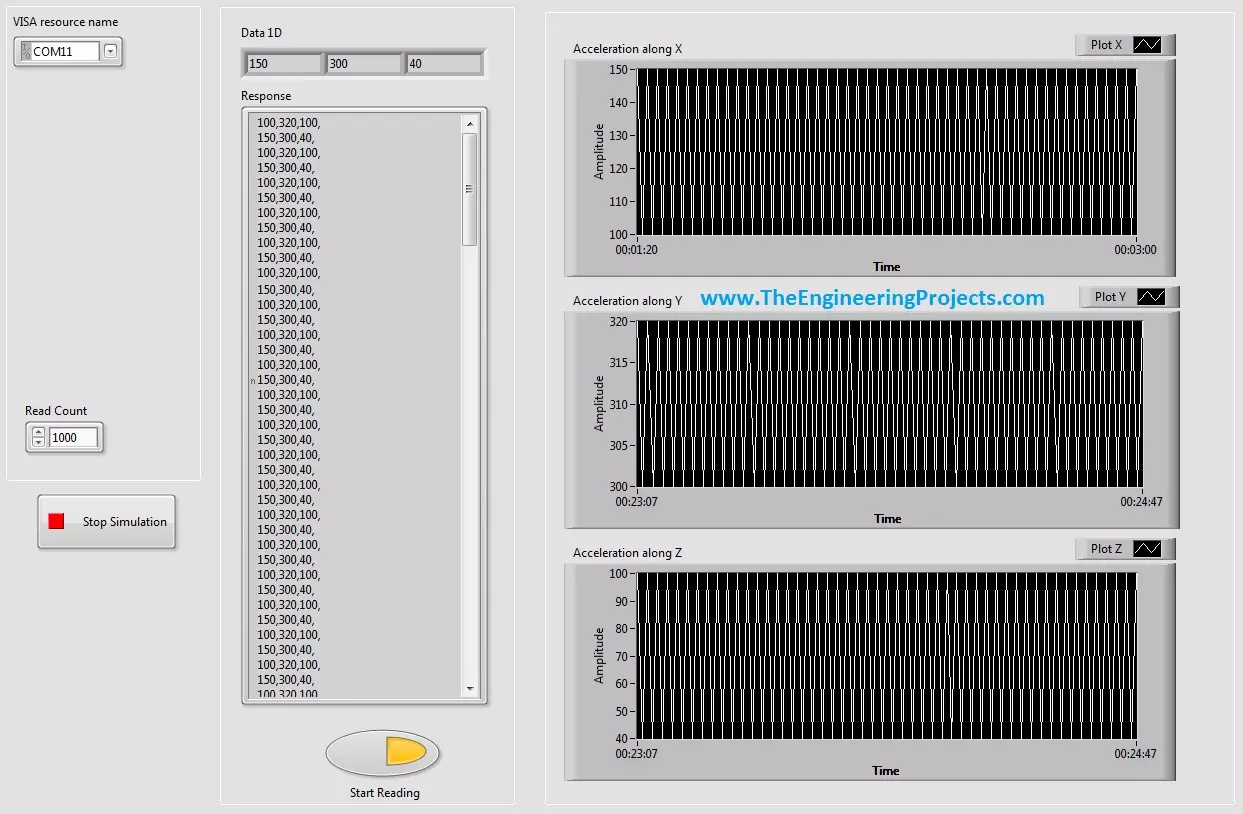
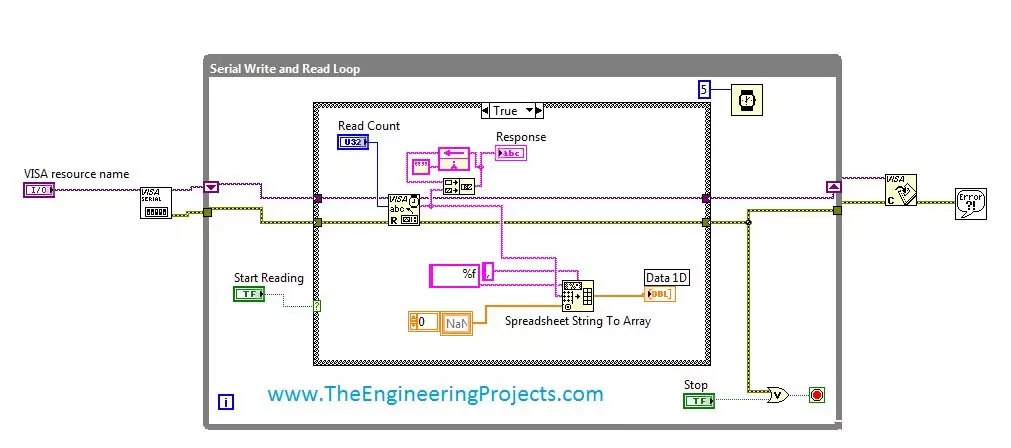
Hello friends, hope you all are fine and having fun with your life. Today's post, as the name suggests is about How to Display Serial Data on Real Time Graph in Labview. In our previous post, we have seen that how to Get Continuous Data From COM Port in Labview. Today's post is a sequel of this previous post so I would recommend that if you haven't had a look on that post then first visit it as I am gonna start today's post from where I stopped the previous one.
In the last post, we were able to get the continuous data from COM port using Labview and we have also separated the data based on a character which I have used this one "," i.e. comma. Now, suppose you are sending 3 values from your COM port and these are the sensors' values so tthe best ...
Hello friends, hope you all are fine and enjoying good health. Today's post is my first post on LabView Software. I have worked on LabView quite a lot in past but these days I am continuously working on LabvView so I thought to write some tutorials on it. In today's tutorial, I will explain in detail How to get continuous data from COM Port in LabView software. LabView is a very handy tool for the engineers. One can easily plot graphs and can work on different hardware modules with it. One of the best feature of LabView is its extensive help desk. There are many examples present in it which are ready to run and can help a lot, moreover their online is also very extensive. I got into many problems while working on it and I never get stuck, I just s ...