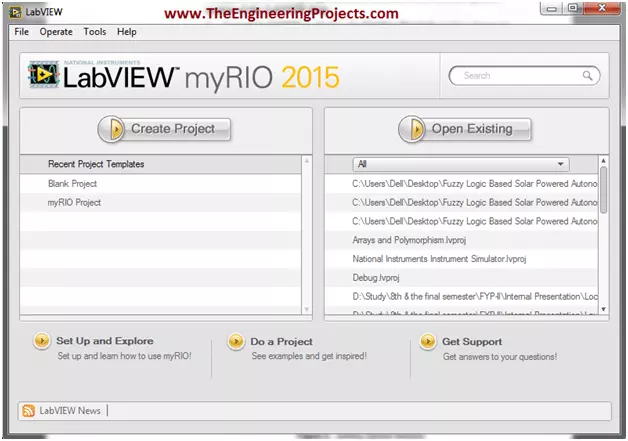
Hello everyone. I hope you all will be absolutely fine. Today, I am going to share an Introduction to LabView. LabView is a really exciting software and recently I have worked on many LabView Project so I thought to start this new set of series in which I am gonna explain all about LabView from beginners level to Pro Level. So, today I am gonna upload the first tutorial in this LabVIEW series so that's why I have named it Introduction to LabView and I hope you are gonna like this tutorial. :)
LabVIEW basically stands for “Laboratory Virtual Instrument Engineering Workbench”. This software is designed by the National Instruments (NI) for the control and design of the projects. You can use it for simulation purposes, can also interface hardware with ...
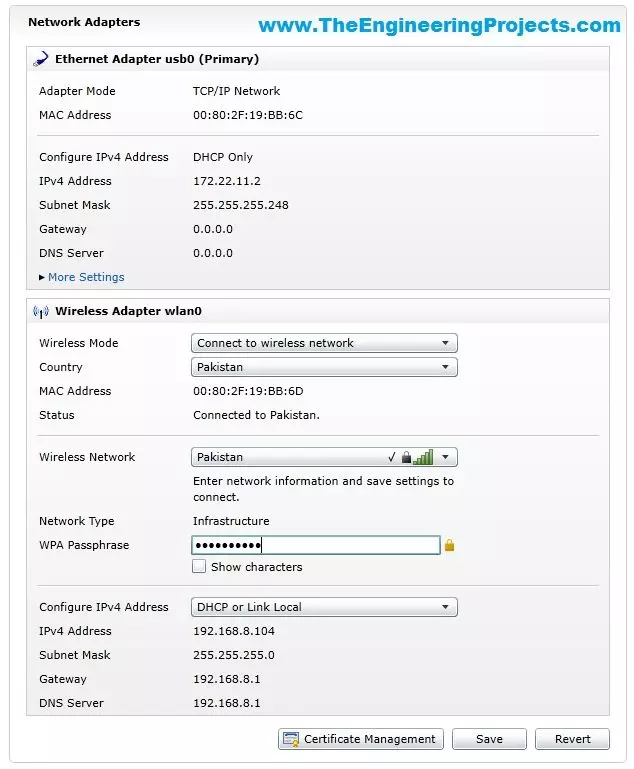
Hello friends, hope you all are fine and having fun with your lives. In today's tutorial, I am gonna show you How to Configure NI MyRio on Wifi. In our previous tutorial, Getting Started with NI MyRio I have show you how to get started with NI MyRio and control LEDs of NI MyRio but you have seen that we have done that over USB. In simple words, we have controlled the LEDs and gyroscope of MyRio over USB but in today's tutorial, first of all, we are gonna configure NI MyRio on Wifi and then we are gonna control all those things over Wifi instead of USB.
If you have a project on MyRio then its my recommendation to use Wifi instead of USB for upload and testing your codes because Wifi is quite flexible in use and you no more restricted to use the USB ...
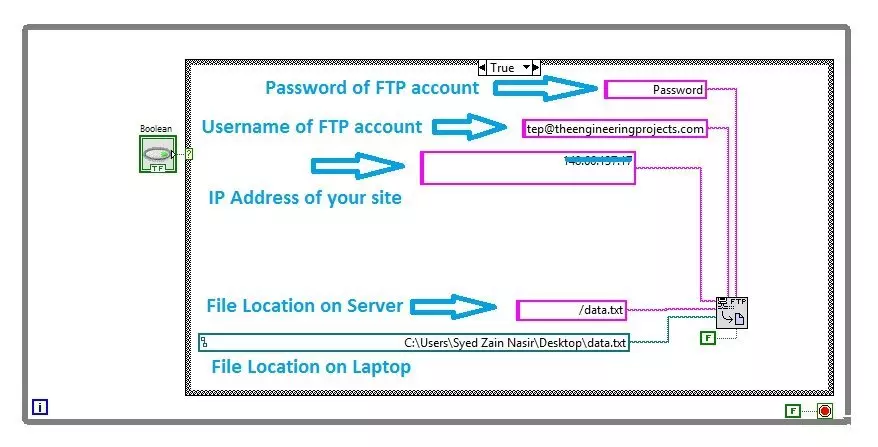
Hello friends, I hope you all are doing great. In today's tutorial, I am gonna show you How to upload Files using FTP in LabView. It's gonna be a quick tutorial as there's not much to do :) but you have to read and follow it carefully because if you made even a small mistake then it won't work.
FTP is an abbreviation of File Transfer Protocol and using FTP we can easily upload or download files from our web server. We can use different FTP clients like FileZilla in order to do it manually but today we are gonna have a look at How to upload files automatically using FTP in LabView. So, let's get started with FTP in LabView:
How to Upload Files using FTP in LabView
When you are working on some Embedded project where you need to upload your sensor ...
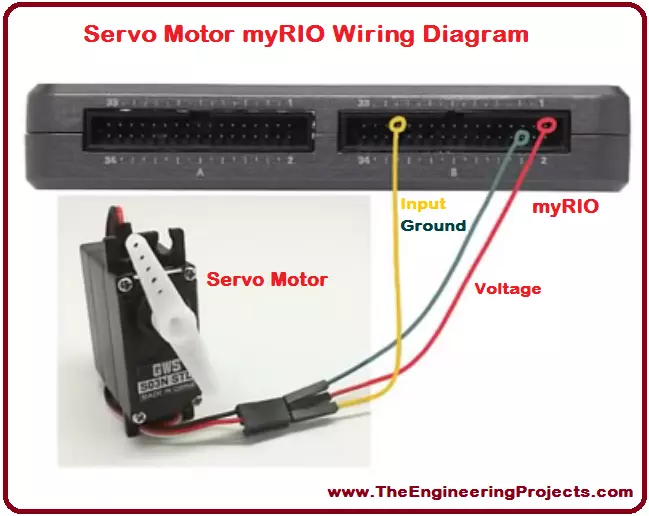
Hello everyone! I hope you all will be absolutely fine and having fun. Today, I would like to provide a complete discussion on Servo Motor Control using myRIO. In this tutorial I will tell you about the control of a servo motor using NI myRIO. First of all, I will give you a brief introduction on servo motors and then we will proceed towards their interfacing with myRIO. Servo motor is an electronic device with a small output shaft. This shaft can be adjusted at different angles for the different purposes. We can adjust this shaft by sending a signal usually known as servo coded signal. Servo motor is able maintain a particular angle as long as it has the servo coded signal at its input.
Servo motor changes the angular position of its shaft with ...
Hello friends! I hope you all will be absolutely fine and having fun. Today, I am going to share my knowledge with all of you about how to make a simple program for DC Motor Direction Control in LabVIEW. In my previous tutorials, I have also worked on DC Motor Direction Control using Arduino. You should go through these tutorials they will be helpful in better understanding of the tutorial DC Motor Direction control using NI LabVIEW. The word DC is basically an abbreviation of Direct current. So, a direct current motor is commonly used motor having two input terminals, one is positive and the other one is negative. If we connect these terminals with the voltage supply the motor will rotate. If you change the polarity then motor will rotate in oppo ...
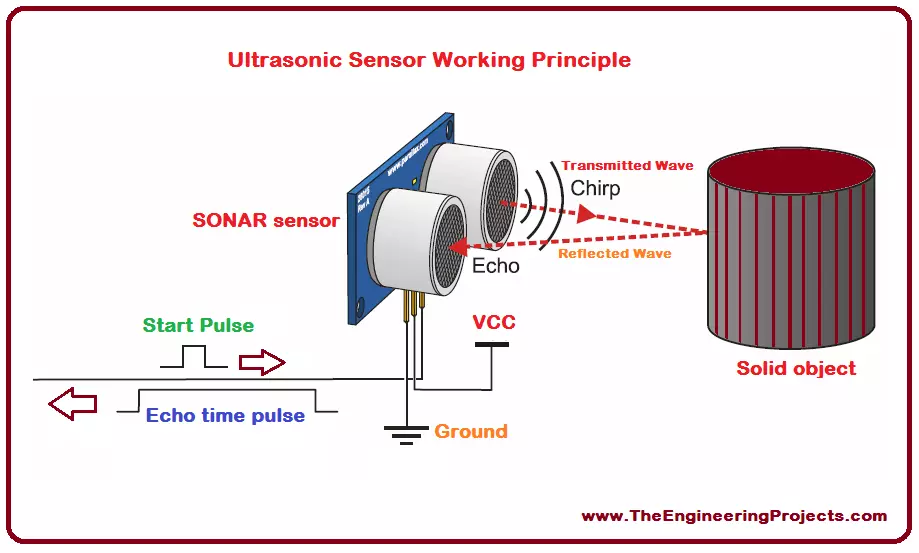
Hello everyone! I hope you all will be absolutely fine and having fun. Today, I will give you a detailed discussion on myRIO Ultrasonic Sensor Interfacing. In this tutorial, you will learn about NI myRIO ultrasonic sensor interfacing. We will go into the details of the ultrasonic sensor and then will move forward towards its interfacing with myRIO. I have already shared many articles on ultrasonic sensors and will share their link in this article as well.
The ultrasonic sensor is also known as SONAR (Sound Navigation and Ranging). As it is clear from its name, it transmits sound waves and these waves are received back to it after getting reflected from any object. It measures the total time elapsed during the entire transmission as well as during the reception of the reflected waves. The ...
Hello everyone! I hope you all will be fine. Today, I am going to elaborate that how to create your First Project using NI LabVIEW Programming. This software is very easy to use in comparison to the other software. You do not have to write the complete source code for the desired output, like in other software e.g. Arduino, MATLAB, Dev C++, Eclipse etc. instead you have to just implement your logic using Field Programmable Gate Array (FPGA) blocks. The program is designed with the help of the FPGA blocks, is usually known as “Virtual Instruments”.
Normally we used to call it as VI’s. We create in “Block Diagram” window as described in our previous tutorial on Introduction to LabView. If you haven't read that tutorial then I owuld suggest you to ...
Legacy software refers to a business operating software that has been in use for a long time. This is older system software that is still relevant and fulfills the business needs. The software is critical to the business mission and the software operates on specific hardware for this reason.
Generally, the hardware in this situation has a shorter lifespan than the software. With time, the hardware becomes harder to maintain. Such a system will either be too complex or expensive to replace. For that reason, it continues operating.
What is a Legacy System?
Legacy software and legacy hardware are often installed and maintained simultaneously within an organization. The main changes to the legacy system typically only replace the hardware. That helps ...
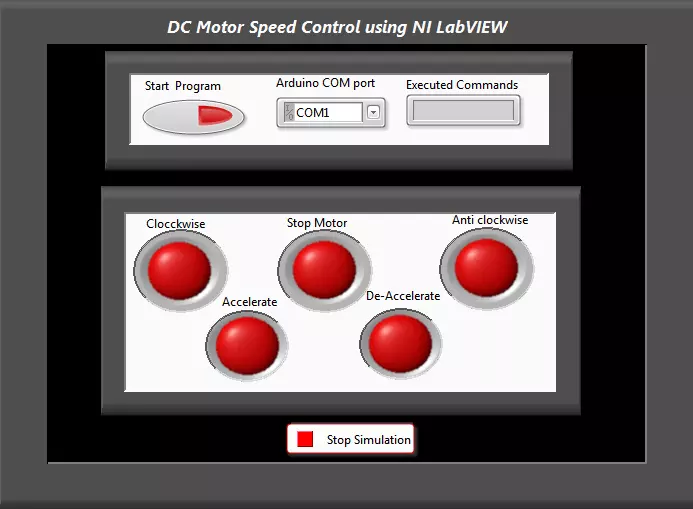
Hello everyone! I hope you all will be absolutely fine and having fun. Today, I am going to share my knowledge with all of you guys, about how to make a simple Virtual Instrument (VI) for DC Motor Speed Control in LabVIEW. In my previous tutorials, I have worked on DC Motor Speed Control using Arduino, in which I have controlled the DC Motor Speed using Arduino and after that I made some advancements in it and then created DC Motor Speed Control in Matlab in which commands were sent from Matlab. So, now we are gonna do the DC Motor Speed Control in LabVIEW.If you are working on DC Motor then you should also have a look at DC Motor Direction Control using Arduino.
In this tutorial, I am going to work on the program for DC Motor speed Control usin ...
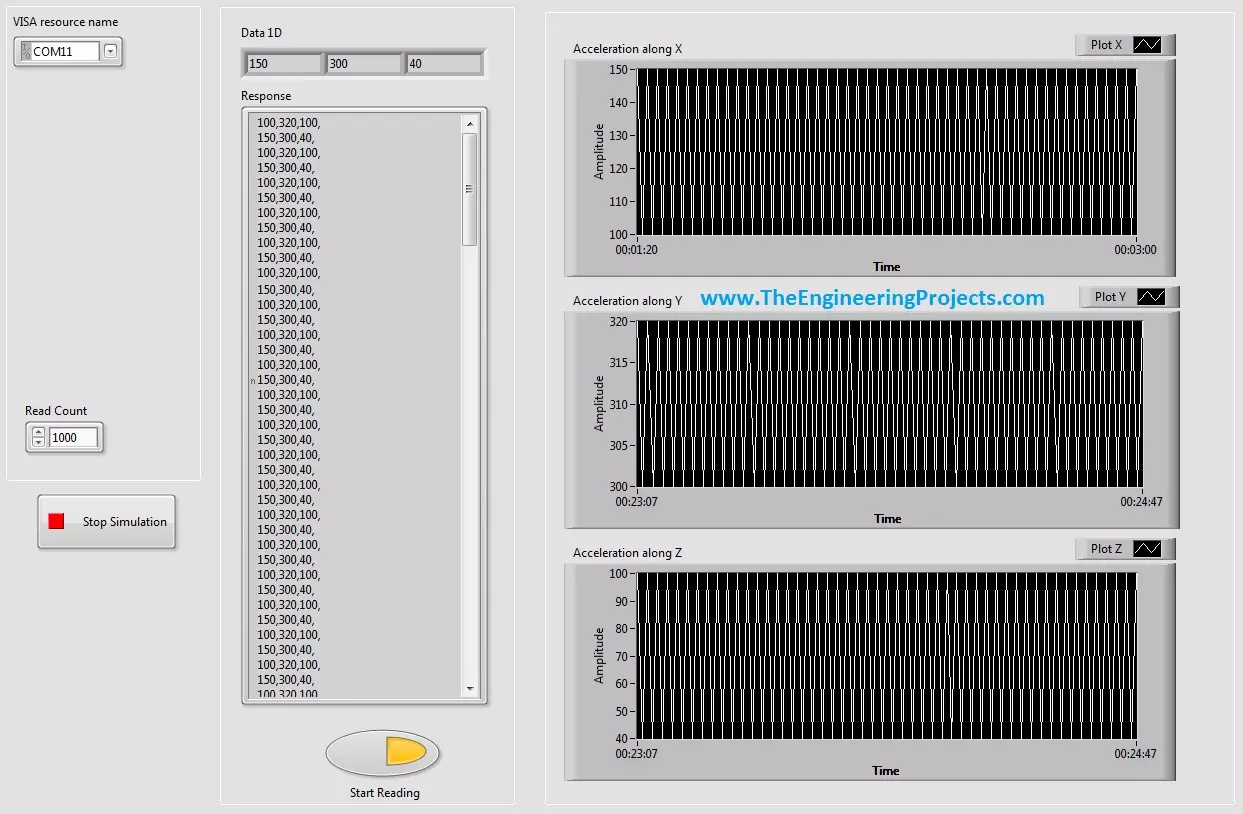
Hello friends, hope you all are fine and having fun with your life. Today's post, as the name suggests is about How to Display Serial Data on Real Time Graph in Labview. In our previous post, we have seen that how to Get Continuous Data From COM Port in Labview. Today's post is a sequel of this previous post so I would recommend that if you haven't had a look on that post then first visit it as I am gonna start today's post from where I stopped the previous one.
In the last post, we were able to get the continuous data from COM port using Labview and we have also separated the data based on a character which I have used this one "," i.e. comma. Now, suppose you are sending 3 values from your COM port and these are the sensors' values so tthe best ...