Welcome to the next tutorial of our Raspberry Pi programming course. Our previous tutorial taught us to how to print from a Raspberry pi. We also discussed some libraries to create a print server in our raspberry pi. We will learn how to take screenshots on Raspberry Pi using a few different methods in this lesson. We will also look at how to take snapshots on our Raspberry Pi using SSH remotely. Why should you read this article? This article will assist you when working with projects that require snapshots for documenting your work, sharing, or generating tutorials. So, let us begin. Screenshots are said to be the essential items on the internet today. And if you have seen these screenshots in tutorial videos or even used them in regular communication, you're already aware of how effectiv ...
Welcome to the next tutorial of our Raspberry Pi programming course. Our previous tutorial taught us to how to tweet from Raspberry pi. We also discussed some methods used by the tweepy library to perform some API calls in our project. We will learn how to print from a Raspberry pi in this lesson. Let us get started There are several benefits of having a print server. Print servers may link numerous computers to one or multiple printers, either physically or wirelessly, allowing you to access the printer with various devices and send print instructions from all the other connected computers. It is not easy to print from an Android smartphone to a cabled printer; however, a printer server makes it simple. A print server is useful in small workplaces where employees may print from any busine ...
Welcome to the next tutorial of our Raspberry Pi programming course. Our previous tutorial taught us to configure our raspberry pi for voice control. We also discussed some methods of reducing vexing noises so that the voice command program understands you. However, in this lesson, we will learn how to tweet from Raspberry pi. What will we learn? Assume you wish to add tweeting into a Raspberry Pi software you're developing. This article will show you how to build a Twitter app, get access privilege tokens, and post a tweet. On our Raspberry Pi, we'll make a simple program that tweets the result of the uptime command. This is a made-up example, but it demonstrates what is needed to tweet from a raspberry pi. For this session, a repo has been set up. Because we'll be referring to code withi ...
Welcome to the next tutorial of our Raspberry Pi programming course. Our previous tutorial taught us to make a button-controlled "music box" that plays different sounds depending on which buttons are pressed. In this lesson, we will configure our raspberry pi for voice control. What will you learn? Like the Amazon Echo, voice-activated gadgets are becoming increasingly popular, but you can also construct your own with a Raspberry, a cheap USB mic, and some appropriate software. Simply speaking to your Raspberry Pi will allow you to search YouTube, view websites, activate applications, and even answer inquiries. What will you need? Because the Raspberry Pi lacks a soundcard or audio port, this project requires a USB microphone or a camera with a built-in microphone. If your mic only has an ...
Welcome to the next tutorial of our Raspberry Pi programming course. In our previous tutorial, we learned how to create a timelapse video with still images and understand how phototimer and FFmpeg work. In this lesson, you'll make a button-controlled "music box" that plays different sounds depending on which buttons are pressed. What you will learn Connect button pushes to function calls using the Python gpiozero package and uses the Python dictionary data structure Components Raspberry Pi Breadboard Buttons Jumper wires Speaker Set up your project For this project, you'll need some audio samples. On Raspbian, there are many audio files; however, playing them with Python can be challenging. You can, however, transform the audio files to a more simply used format for Python. Please make a n ...
Welcome to the next tutorial of our Raspberry Pi programming course. Our previous tutorial looked at how to Interface DS18B20 with Raspberry Pi 4 . This tutorial will teach us how to create a time-lapse video with still images and understand how phototimer and FFmpeg work. What is time-lapse? When photographing something over a lengthy period, "time-lapse" comes to mind. A video can be created by mixing the still photos. Plant development may be tracked with time-lapse movies, as can the changing of the seasons. They can also be utilized as low-resolution security cameras. Components Raspberry pi 4B Pi camera Connect to the Raspberry Pi Cameras that can be used with the Raspberry Pi are a bit limited. A powered USB hub is required for most webcams that are compatible. For this post, we’ll ...
This is the third tutorial in our Raspberry Pi programming course. In the previous chapter, we learned how to install Raspbian on our Raspberry Pi mini-computer. In this chapter, we'll learn how to use a VNC server to remotely control and see its desktop from our computer. What is VNC? Computing over a network is known as "virtual network computing," or "VNC." To remotely control another computer, you can use this screen-sharing technology, which works on all major operating systems. As a result, a remote user can interact with a computer's display (screen, keyboard, and mouse) as if they were sitting right in front of it. VNC takes advantage of the client/server concept. Rather than installing a VNC server on the distant device, users will instead use a VNC viewer or client on the device ...
Welcome to the second chapter of our beginner's course on the Raspberry Pi. In the previous tutorial, we learned about the components of this little computer. We also considered its uses, as well as the most important advantages and disadvantages. Let's get started with setting up our little computer to run the Raspbian operating system in this lesson. How to Install Raspbian using an imager The next step is to make sure you have your board and SD card. The Raspberry Pi has an operating system because it is a full computer. For those who prefer a GUI desktop experience, a headless mode is still an option. Most people use Raspbian, a Debian-based operating system tailored specifically for the Raspberry Pi. However, there are other options. An excellent starting point is this operating syste ...
to our new beginner’s course on Raspberry Pi. This course is appropriate for anyone using either a traditional Raspberry Pi board or the new Raspberry Pi 400 board that includes an integrated keyboard and display. Learning how to code, building robots, and doing plenty of other strange and exciting things are all possible with this low-cost computer setup. The Raspberry Pi can do everything a computer can do, from surfing the web to viewing movies and music, and playing video games. Raspberry Pi is much more than a modern computer. It`s created to educate young people on how to program in languages such as Scratch and Python, and it comes with all of the major programming languages pre-installed. The world is in desperate need of programmers now more than ever, and Raspberry Pi has sparked ...
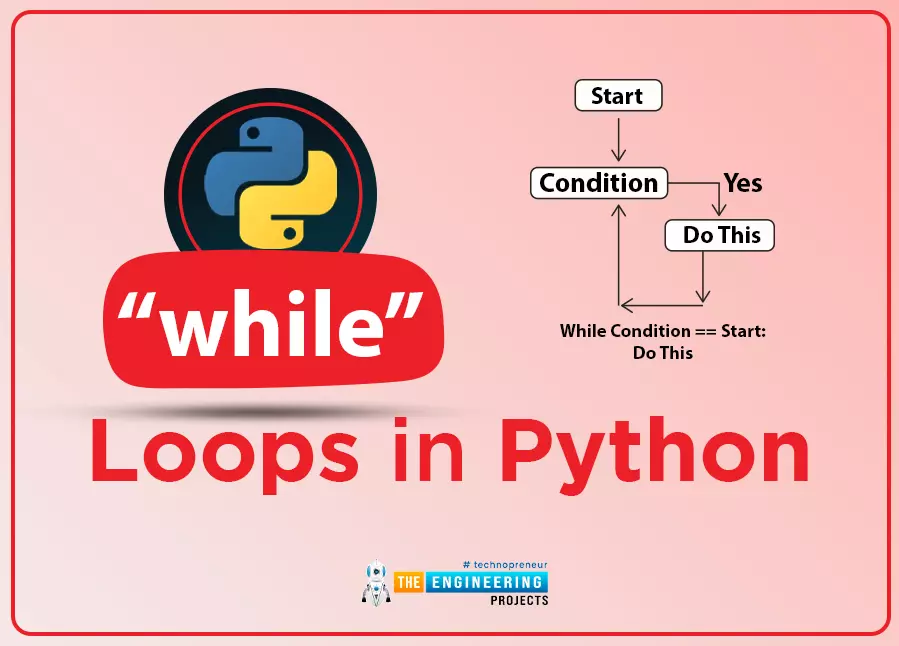
Welcome to the next lesson of our python programming class. In the last session, we looked at the use of If-else statements and created simple programs to demonstrate the concept. While loops are another type of conditional statement, and in this tutorial, we'll look at how they're used. What will you learn? In this article, you'll learn how to prematurely exit a while loop, a Python control structure for endless iteration. You will also learn how to write conditions in a single line to produce short and readable code. Iteration in while loop The term "iteration" refers to the practice of repeatedly running the same piece of code. A loop is a type of programming structure that implements iteration. Both indefinite and definite iterations are recognized as valid programming constructs. Infi ...