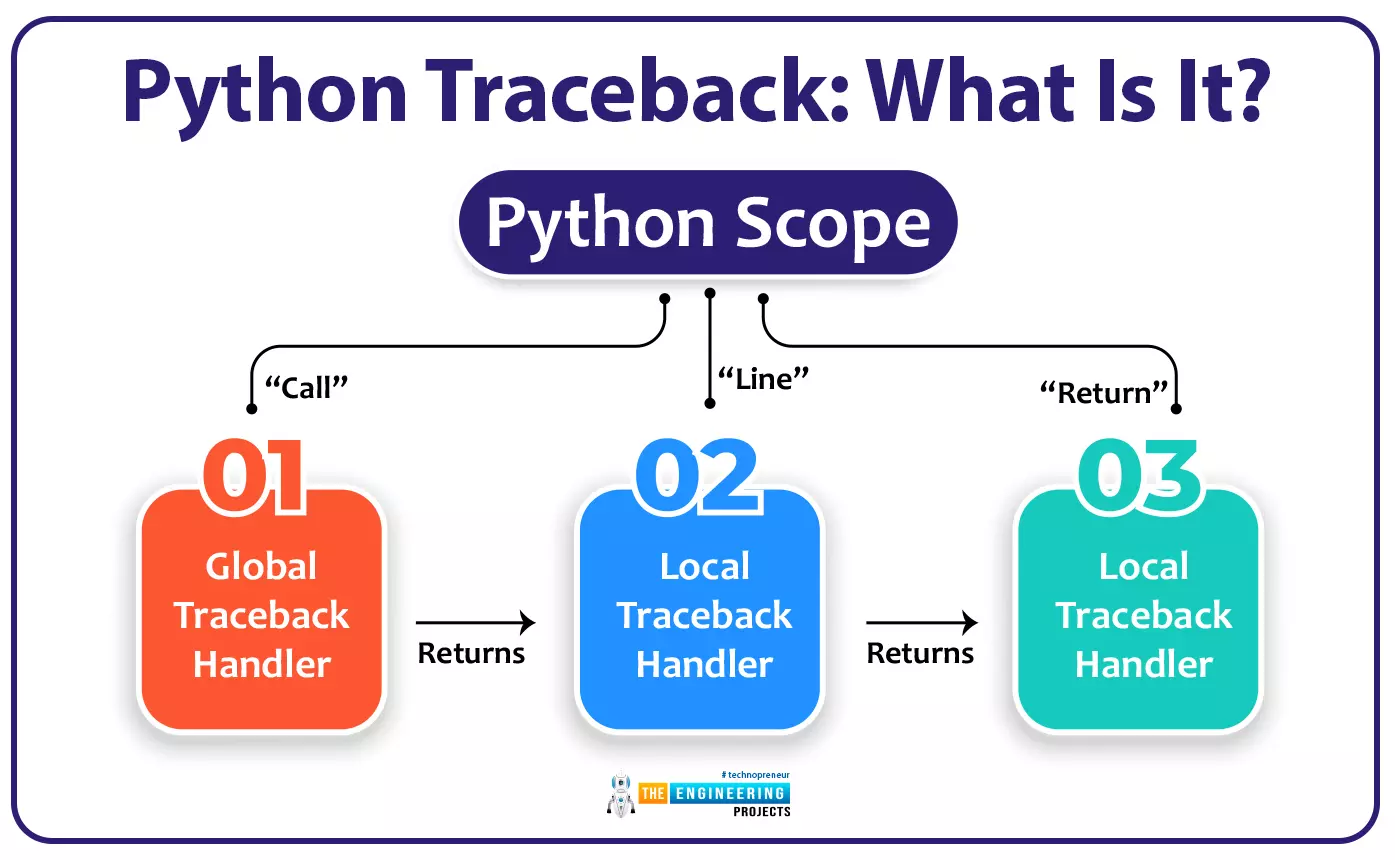
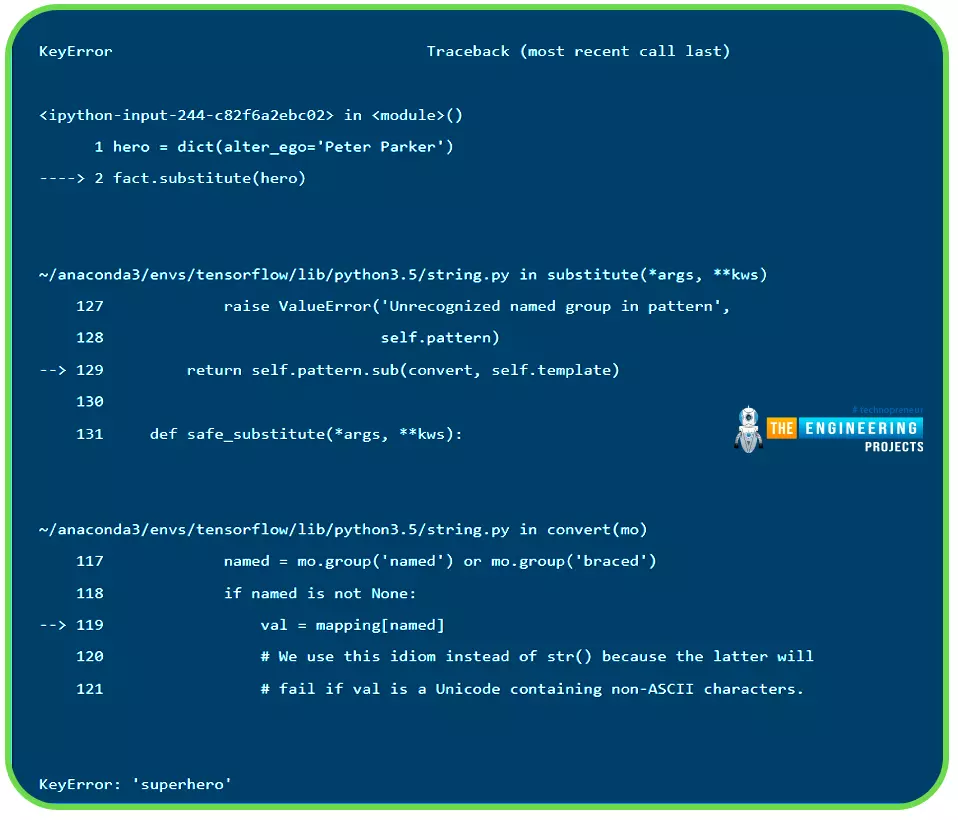
Welcome to the tenth lesson of our python course. In the previous tutorial, you learned about syntax errors in Python, and in this lesson, we will look at one more error notice that is given by Python when there is an error in your code. So, without further ado, let's get started. Any time an exception is thrown in your code, Python shows you the stack trace. If you don't know what the traceback output is showing you, it can be a little overwhelming. Python's traceback, on the other hand, provides a goldmine of information that can assist you in figuring out why an exception was triggered in your code and fix it. It's essential to learn how to use Python traceback to become a better coder. After completing this session, you will be able to do the following: Interpret the next error message ...
Welcome to chapter 9 of our python tutorial. In the previous chapter, we looked at frequent examples of invalid Python syntax and learned how to fix them. Up to this point, you are well aware of errors that may occur in your Python program and how you can solve them easily and quickly. Therefore, in this tutorial, we will look at a few more causes of syntax errors and zero-error divisions. Mistaking Dictionary Syntax As you learned before, omitting the comma from a dictionary element can result in a syntax error. In Python dictionaries, the equals symbol (=) is used instead of a colon to separate key and value pairs. This error message is once again useless. In this case, the repeated line and caret come in handy! All signs lead to the main antagonist. In addition, if you mistakenly believ ...
Welcome to chapter 8 of our python tutorial. In the previous chapter, we learned about Python numbers and how to use them in expressions. Throughout this chapter, you'll look at frequent examples of incorrect Python syntax and learn how to fix them. At the end of this tutorial, you will: Distinguish incorrect syntax in Python Get familiar with SyntaxError tracebacks Fix improper syntax or avoid it altogether In Python, what is an invalid syntax? Before transforming your Python code to Python byte code, the interpreter parses it. The parsing stage is where the interpreter searches for any instances of improper syntax in the program. Using the wrong syntax in your Python code will lead the interpreter to be unable to decipher it. The interpreter will try to show you exactly where the issue o ...
Hello friends, I hope you all are doing great. This is the 7th lesson of our Python tutorial. We were introduced to Python numbers in the previous chapter and learned how they are utilized with expressions, so we have a good understanding of math operations. We'll go over a couple more arithmetic functions and complex numbers in this lesson. I will try my best to keep it simple. Let's get started! Python round function You can work with numbers in Python using a few built-in functions. Three of the most common will be discussed in this section: Rounding to a specific number of decimal places can be done with round(). abs(), which returns a number's absolute value. pow(), which raises a number to a certain power As an added bonus, you'll discover how to test for the existence of an integer ...
Welcome to chapter 6 of our python course. Previously, we introduced integers and saw how they may be combined with strings and stored in variables. Today, we'll take a closer look at the python number types and how they're stored in variables to see what actions are possible. What you'll learn in this tutorial is how to: Add, subtract, multiply, and divide numbers. Work with modular. Use exponents. Use expressions. Use a predetermined number of decimal places to round numbers Use strings to format and show numeric data. With this in mind, let`s start. How are integers created? Integers can be created by simply inputting a number. For example, the tutorial variable is assigned the integer 6 in the following way: >>>Tutorial = 6 In this case, the integer literal is 6 since it is written int ...
Welcome back! This is the fifth lesson in our Python programming course. In the last chapter, we discussed how string data types are used in Python. In this tutorial, we’re going to discuss variables in python and the rules for naming them in Python. In addition, you'll learn the fundamentals of working with numbers and strings. What are variables? All programming languages use variables as a fundamental building block of their language. It is the allocation of memory that is dedicated to data storage and manipulation. Variables are program elements that keep track of data. The following is an example of a variable. x = 100 It's called x in the diagram below, and it has a value of 100 in it. In this case, the variable name is x, and the data it contains is the number. For a variable, its d ...
Welcome to the fourth lesson of this python course. Our previous session taught us how to utilize the print function in python , so we have a firm grasp of the terminology and the functions themselves. In this lesson, we'll cover a few more Python terms, such as: Strings Operators Input function Also, we'll build a simple program to print out an imagined dog so that we may better grasp how these concepts are employed. So, let's get started now. Why do we need to understand these terms? Programming is a lot like building a structure out of blocks. Even with just a few types of children's toy blocks and some time and imagination, you can build anything. Because we'll be utilizing these phrases all the time in programming, it's critical that you know what they mean and how to use them. What e ...
The "Hello, World!" program is a computer programming classic that has stood the test of time. For beginners, "Hello, World!" is a simple and full first program that introduces the basic syntax of programming languages and can be used to evaluate systems and programming environments. The more you learn about Python, the more you may use it for your own purposes. Data analyst, application developer, or the ability to automate your work processes are all examples of jobs that can be automated. This Python 3 tutorial will show you how to create a simple "Hello, World" program. Python's basic syntax and components include the following: Variable-types Data structures Math operators loops Different function calls Input and output functions Interfaces and classes APIs memorize the syntax. Python ...
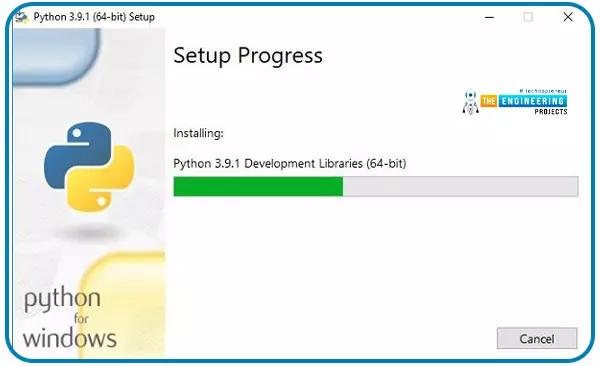
The first step to becoming a Python coder is to install or update Python on your computer. Python can be installed in a variety of ways, including through the official Python.org distribution, a software package manager, the IoT (Internet of Things) and scientific computing, just to name a few. In this article, we'll be using official Python distributions, which are often the best option for beginners. What will you learn from this? How to check if you have the right Python release installed on your computer before proceeding. Installation of Python3 on Windows pc and Linux machine. How to use Python on the web with the help of online interpreters. INSTALLING REQUIRED PYTHON ENVIRONMENTS Installing the most recent versions of Python and the packages you'll need to experiment with is a good ...
Greetings! I sincerely hope everything is going well for you all. In this course, we are going to learn step-by-step how to program in Python. The course covers all you need to know about the Python language, from installation to advanced topics. In addition, we'll talk about Python career jobs and do a few projects to strengthen your skills. According to my research, Python is among the top programming languages in use today. (I mean, no offense). Since I am also a Python programmer, I may sound a little prejudiced, but I can certainly declare that I am a huge fan of the language. This tutorial series is meant for absolute beginners with no prior knowledge of python programming, it is also of great help for experienced python programmers looking to brush up on their knowledge. Anyway, let ...