The choice of operating system for a virtual private server depends on the needs of a particular company. But if you are looking for a reliable, efficient, and flexible solution to host your web projects, in most cases it will be Windows VPS. In this article, we'll analyze why many people prefer Microsoft solutions, and what benefits and limitations you can expect if you decide to buy a Windows VPS
.
What is a Windows VPS and what it is used for?
Windows VPS is a virtual private server that uses Windows Server as the underlying operating system. Windows VPS functions effectively as a cloud server with elastic scalability. This means that you get a dedicated server resource that you can use as you see fit, and you can easily add resources as ...
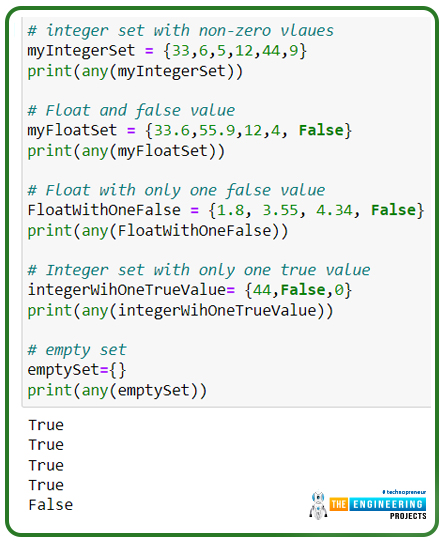
Hey people! Welcome to another tutorial on Python programming. We hope you are doing great in Python. Python is one of the most popular languages around the globe, and it is not surprising that you are interested in learning about the comparatively complex concepts of Python. In the previous class, our focus was to learn the basics of sets, and we saw the properties of sets in detail with the help of coding examples. We found it useful in many general cases, and in the present lecture, our interest is in the built-in functions that can be used with the sets. Still, before going deep into the topic, it is better to have a glance at the following headings:
What are the built-in functions?
How do we perform the all() function with examples?
What is the difference between any() and all()? ...
Hey learners! Welcome to another deep learning tutorial, in which we are beginning the practical implementation of Python on the TensorFlow library. We installed and checked TensorFlow in detail while we were in the previous lecture, and today we are going to use it for our practice. We have checked the presence of a perfectly installed library of TensorFlow in our tutorials and seen the basic structure of this library. As a result, we will skip the details and jump right into learning Python. In this tutorial, the main focus will be on Python instead of learning the workings of TensorFlow. You have to remember one thing: all the discussion will be from the point of view of deep learning, and it is not a general tutorial in which you will learn to develop apps or have a discussion about th ...
Hello students! Welcome to the new Python tutorial, where we are learning a lot about this programming language by applying the codes in a Jupyter notebook. It is interesting to see how simple codes with easy syntax can be useful to store, retrieve, and use data in different ways. Many things in Python are so unadorned and pre-defined that programmers may use them in a productive way without any issue.
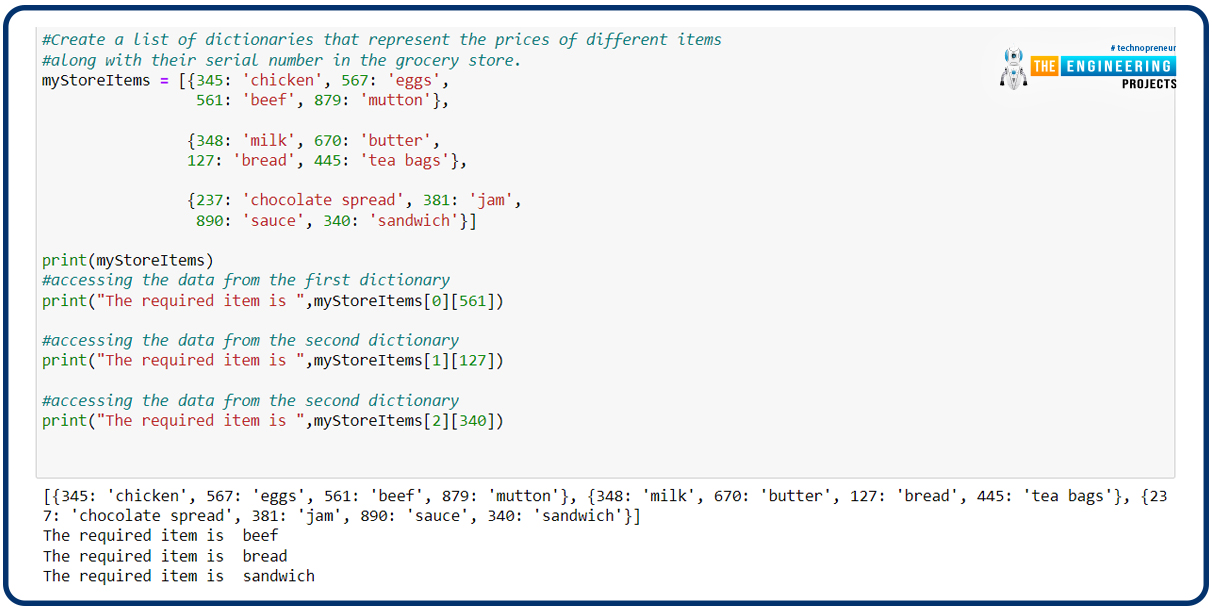
In the previous lecture, we have seen the details of the sets and how different types of mathematical operations are used to get the required results. We have seen many codes, the examples of which were taken from day-to-day life. In the present lecture, the mission is to learn a new topic that is related to the concepts of previous lectures. Yet, it is important to have a glance at t ...
Introduction
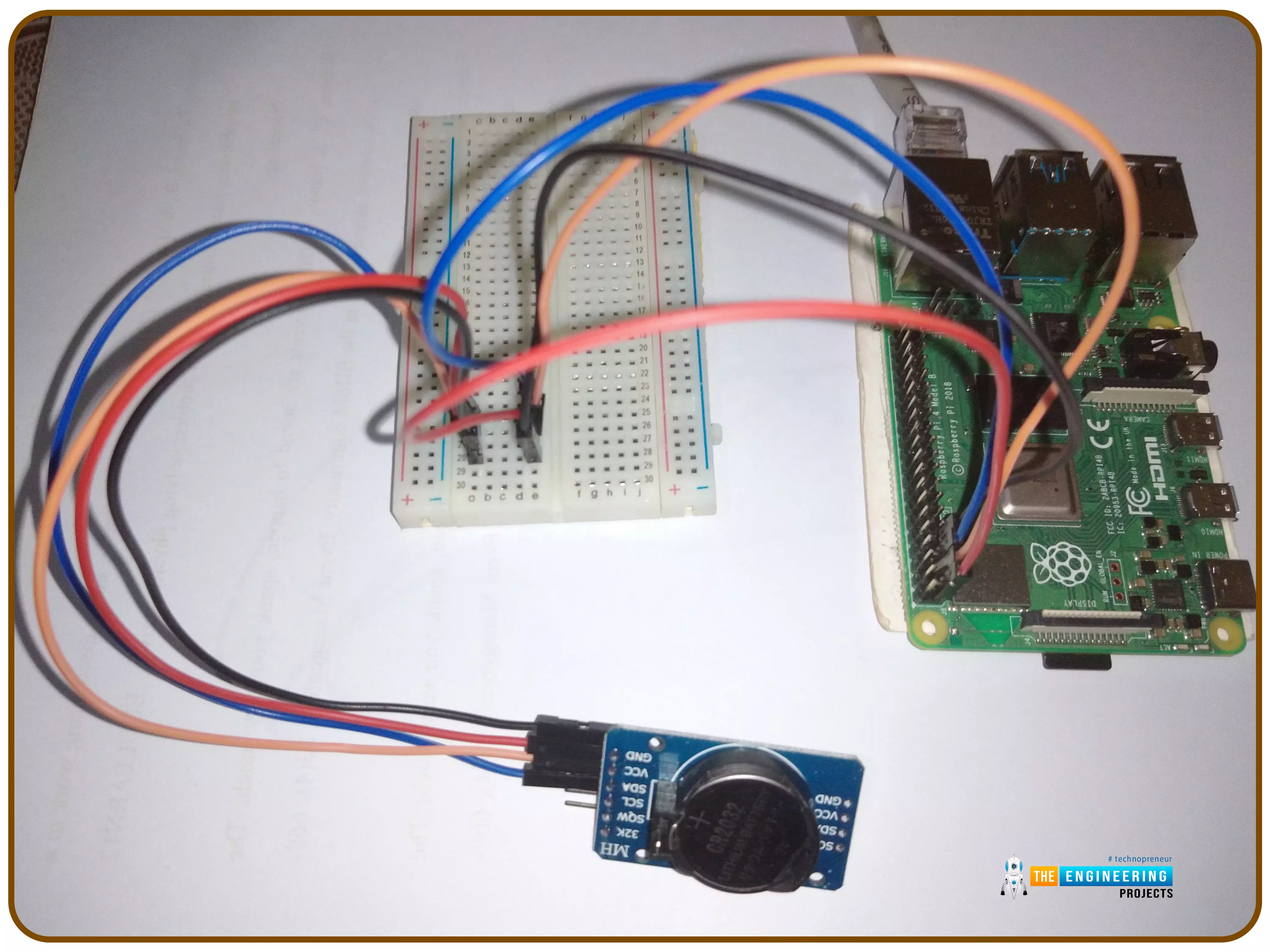
Thank you for joining us for yet another session of this series on Raspberry Pi programming. In the preceding tutorial, we implemented a speech recognition system using raspberry pi and used it in our game project. We also learned the fundamentals of speech recognition and later built a game that used the user's voice to play. However, this tutorial will integrate a real-time clock with our raspberry pi four and use it to build a digital clock. First, we will learn the fundamentals of the RTC module and how it works, then we will build a digital clock in python3. With the help of a library, we'll demonstrate how to integrate an RTC DS3231 chip with Pi 4 to keep time.
Real-Time Clocks: What Are They?
RTCs are clock units, as the name ...
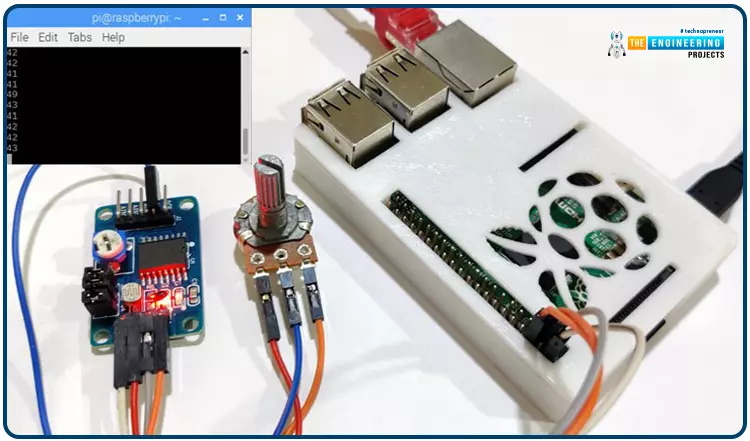
Welcome back to another Python tutorial for the Raspberry Pi 4! The previous tutorial showed us how to construct a Raspberry Pi-powered cell phone with a microphone and speaker for making and receiving calls and reading text messages (SMS). To make our Raspberry Pi 4 into a fully functional smartphone, we built software in Python. As we monitored text and phone calls being sent and received between the raspberry pi and our mobile phone, we experienced no technical difficulties. But in this tutorial, you'll learn how to hook up the PCF8591 ADC/DAC module to a Raspberry Pi 4.
Since most sensors only output their data in analog values, converting them to binary values that a microcontroller can understand is a crucial part of any integrated electroni ...
This is the next lesson in our Python course. Previously, we looked at an overview of the different data types in python such as dictionaries, Boolean and sets. This tutorial will focus on Python sets to get a deeper understanding of this data type, so let's get started. During your schooling, there is a good chance you learned about sets and set theory. Venn diagrams may even be familiar to you:
Don't worry if you don't recognize this! You should still be able to access this tutorial without any problems. Rigidly defining a set in mathematics can be both abstract and difficult to understand. A set is thought of as a well-defined group of unique objects, which are sometimes called "elements."
Python's built-in set type facilitates the grouping of ...
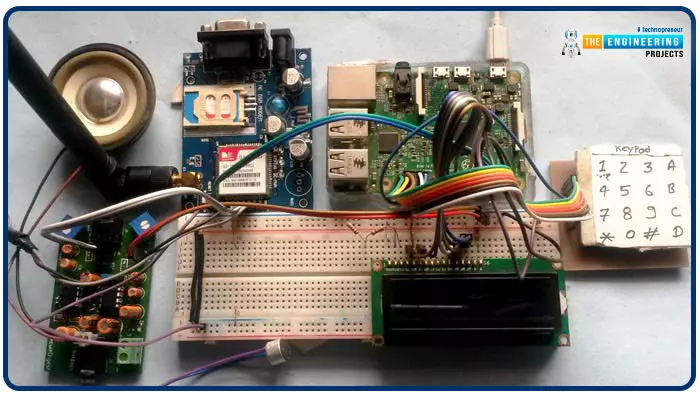
Greetings, and welcome to another tutorial in our series on the raspberry pi 4 Python programming. The previous guide covered the basics of transmitting data over the radio using the nrf24l01 chip in Pi 4. We also learned about interfacing Arduino and raspberry pi 4 and sending radio signals between the two devices. However, this tutorial will walk you through building a Raspberry Pi-based mobile phone with a microphone and speaker for making and receiving calls and reading text messages (SMS). This Project also serves as a proper GSM Module for the Raspberry Pi interface, with all the necessary Code to run the most fundamental features of any modern smartphone. First, we will understand what gsm is, its architecture and how it works, then we will learn how to program it in our pi 4; there ...
Java developers are the backbone of many successful businesses. They bring a wealth of experience and knowledge to the table, making them an invaluable asset for any company looking to stay competitive in today’s market. With Java being one of the most widely used programming languages, hiring a Java developer is often seen as the best investment for any business looking to develop their own software applications or products. From its wide industry usage to its mature ecosystem and strong community, there's no doubt that Java developers are some of the most sought-after professionals in tech today. In this article, we'll discuss why investing in a skilled Java developer may be your best bet when it comes to taking your business forward. Java competitors are C#(C Sharp), Python, PHP etc.
...
Thank you for being here for today's tutorial of our in-depth Raspberry Pi programming tutorial. The previous tutorial demonstrated the proper wiring of the photoresistor sensor to the GPIO pins. Finally, we learned how it might be included in a Python script for data collection and analysis needs. We also looked at the functions of each component in the circuit. However, I'll walk you through installing a Pi 4 Print Server in this guide. While installing the program is straightforward, setting it up so that a Windows network can locate the print server requires a little more effort. Rather than spending hundreds of dollars upgrading to a laser printer, you may easily upgrade your current USB printer to laser quality by installing a print server.
Because of this software, you no longer ha ...