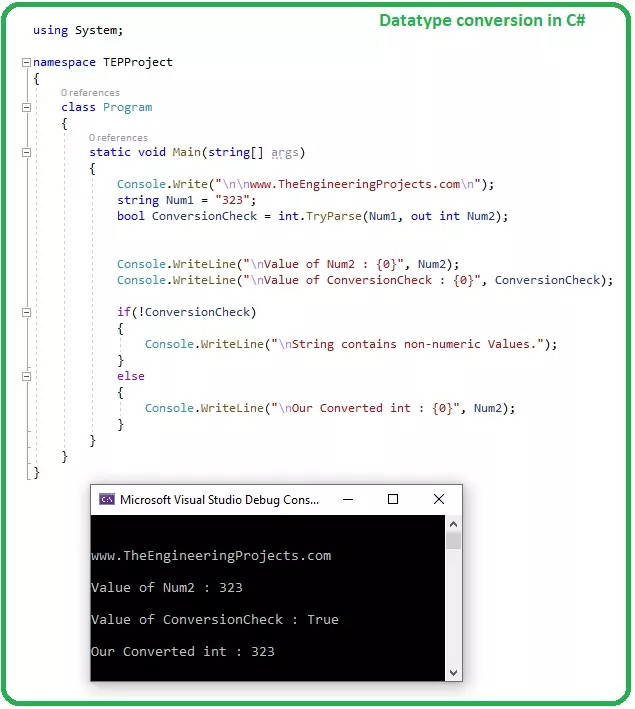
Hello friends, I hope you all are doing great. In today's tutorial, we are gonna have a look at Datatype Conversions in C#. We have discussed C# Data Types in our 3rd tutorial and today we will discuss How to convert one datatype into another. If you are working on some complex project, then you have to convert one form of data into another i.e. let's say you are getting bill value from barcode reader, this value must be a string and if you want to apply any arithmetic operation on it then you need to convert that string into integer or float. So, let's get started with Datatype Conversions in C#: Datatype Conversions in C# If you are working on some data driven application, then there's always a need to convert one form of data into another and that's where Datatype Conversions are requir ...
Hello friends, I hope you all are doing great. In today's tutorial, we are going to have a look at few Common Operators in C#. It's 4th tutorial in C# series and before going forward, we have to first understand the working operation of these C# operators. We have a lot of operators in C# but I have discussed few of them, which are most commonly used. If you got into any trouble then ask in comments. So, let's get started with Common Operators in C#: Common Operators in C# Operators are used to create a link, relation or operation between two entities/variables. Few of these C# operators are as follows: Assignment Operator ( = ) Arithmetic Operators ( + , - , * , / , % ) Comparison Operators ( == , != , > , < , >= , <= ) Conditional Operators ( && , | | ) Ternary Operator ( ? : ) Null Coal ...
Hello friends, I hope you all are doing great and having fun with your lives. In today's tutorial, we will discuss in detail about NuGet Package Management in ASP.NET MVC. It's 15th tutorial in ASP.NET MVC series. Today's tutorial is not about programming, instead we are gonna discuss this pre installed tool NuGet Package Management in ASP.NET MVC. NuGet Package Management is use to install packages and libraries, which you want to use in your project. It downloads the files online and then installs it. So, let's discuss this ASP.NET MVC tool in detail: NuGet Package Management in ASP.NET MVC NuGet Package Management is a package manager for ASP.NET MVC, which is used for downloading and installing different packages & Libraries online. If any of your packages needs to be updated, then it ...
Hello friends, I hope you all are doing great. In today's tutorial, we will discuss Validation in ASP.NET MVC . It's our 14th tutorial in ASP.NET MVC series. In our previous tutorial, we have seen Model Binding in ASP.NET MVC and you have seen we have created a View for our Model class. In today's tutorial, we are gonna add some validations on the data provided by the users in those Text box fields. We will place some constraints like the age must be above 13 or the characters of name must be between 4 to 20. So, let's have a look at How to deal with Validation in ASP.NET MVC: Validation in ASP.NET MVC Validation uses built-in attribute of ASP.NET called DataAnnotations and is used to validate inputs provided by the user. Validation is a very powerful attribute of ASP.NET MVC and it can be ...
Hello friends,I hope you all are doing great and having fun with your lives. In today's tutorial, we are gonna have a look at Model Binding in ASP.NET MVC . It's our 13th tutorial in ASP.NET MVC series. Today, we are gonna discuss a new concept in ASP.NET MVC and it's more of a luxury as it automates the job and makes our work easy. Suppose, in your application, you want to create a registration form and thus you need to pass this data from View to your model, so that it could be saved in your database. So, in order to bind this HTTP request data from View to Model, we use Model Binding. Let's have a look at Model Binding in ASP.NET MVC in detail: Model Binding in ASP.NET MVC Model Binding in ASP.NET MVC is used to bind the data sent by the HTTP request with Model. You must have viewed dur ...
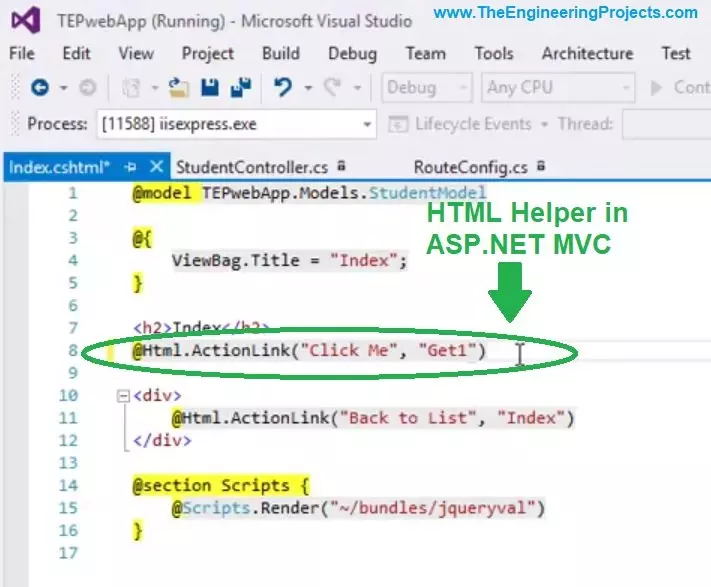
Hello friends, I hope you all are doing great. In today's tutorial, we are gonna have a look at HTML Helpers in ASP.NET MVC . It's our 12th tutorial in ASP.NET MVC series. I know every tutorial is a new concept for you to understand but we have to cover all of them before starting working on our project in ASP.NET MVC. If you have worked on ASP.NET web forms or C# / Visual Basic projects then you must be aware of toolboxes, from where we can drag and drop our visual components like textbox, editbox, button etc. But in ASP.NET MVC applications, we don't have this luxury of drag and drop. Instead we have HTML Helper classes which are used to created these html components in ASP.NET MVC. So, let's have a look at How to use HTML Helpers in ASP.NET MVC: HTML Helpers in ASP.NET MVC HTML Helpers ...
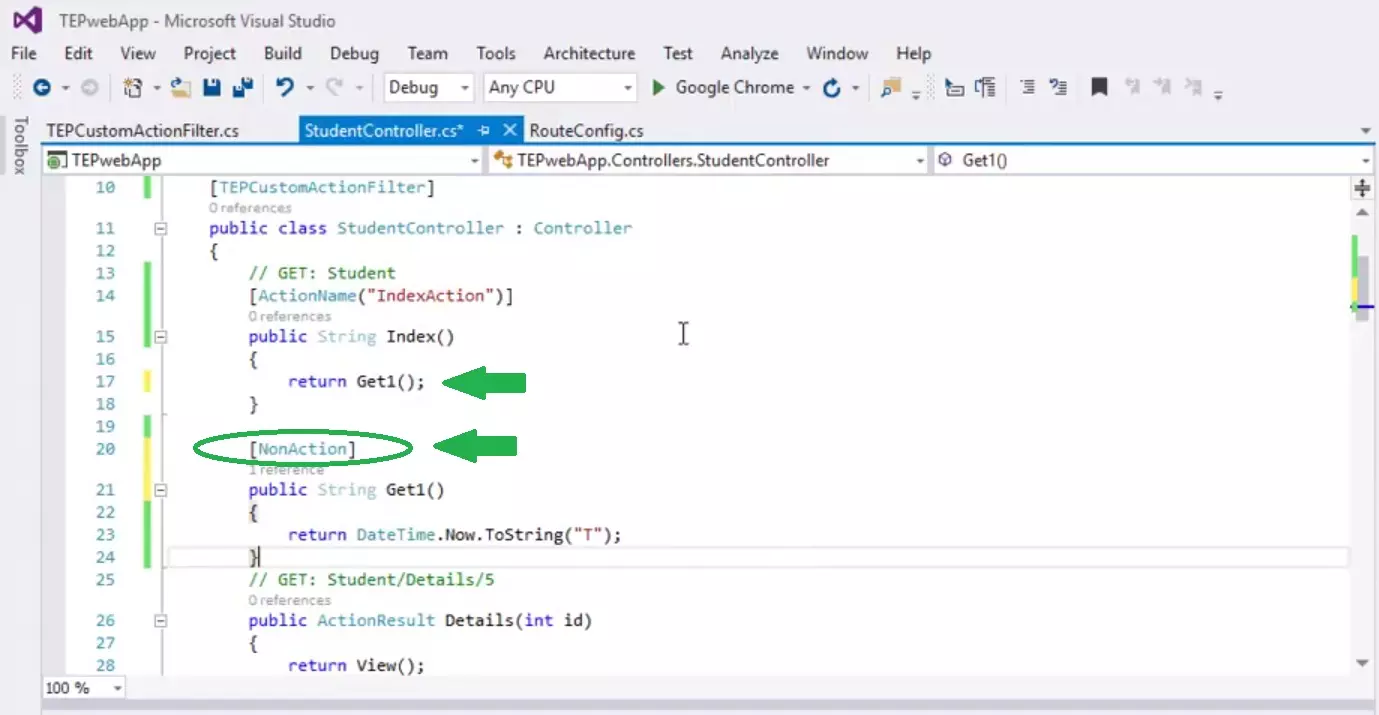
Hello friends, I hope you all are having fun with your lives. In today's tutorial, we are gonna have a look at Action Selectors in ASP.NET MVC. It's the 11th tutorial in ASP.NET MVC series and if you have covered so far then that means you really want to learn this language. Action Selectors are also new for you as we haven't discussed them yet but they are not that difficult to understand. Action Selectors are built-in attributes of ASP.NET which are directly applied to action methods of Controllers. We use Action Selectors to influence on Controller's action methods. In simple words, we use Action Selectors to guide URL Routers in selection of correct action method. Let's have a detailed overview of Action Selectors: Action Selectors in ASP.NET MVC Action Selectors are built-in attribute ...
Hello friends, I hope you all are doing great. In today's tutorial, we will have a look at How to Create a Custom Filter in ASP.NET MVC. It's our 10th tutorial in ASP.NET MVC series. In our previous tutorial, we have cleared our concepts about Filters in ASP.NETMVC and we have also implemented one built-in filter of ASP.NET MVC. Now, its time to have a look at How to Create a Custom Filter in ASP.NET MVC, in which you can specify your own authentications or handling etc. In our ASP.NET applications, we have use custom built filters a lot for different purposes. So, let's have a look at How to Create a Custom Filter in ASP.NET MVC: Create a Custom Filter in ASP.NET MVC In ASP.NET MVC, custom filters are handled by a base class named as ActionFilterAttribute. This ActionFilterAttribute class ...
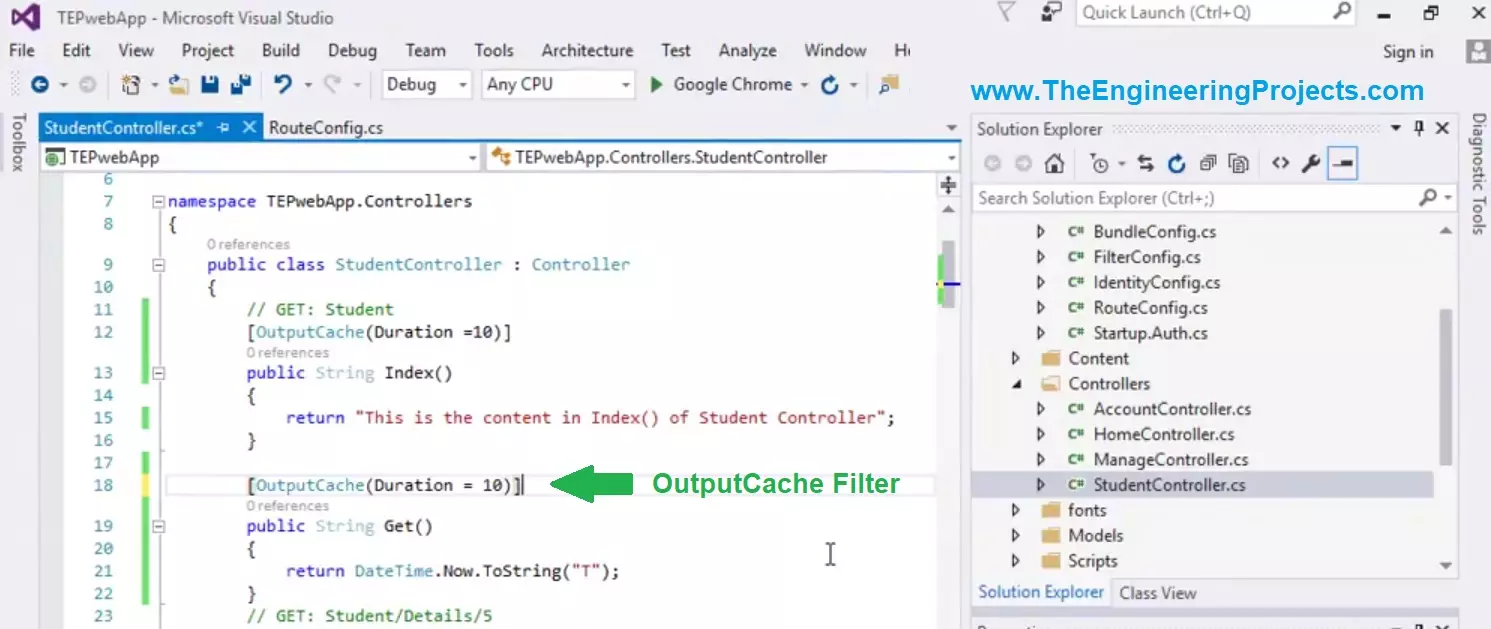
Hello friends, I hope you all are doing great. In today's tutorial, we are gonna have a look at Filters in ASP.NET MVC . It's our 9th tutorial in ASP.NET MVC series. It's also a new concept which is essential to discuss as it's used almost in every form submission. We have already understand Controllers in ASP.NET MVC and we know that Controllers have action methods in it which are directly assigned to respective Views, which are then displayed to the user. But in some cases, we have to place some checks (called Filters) before or after this action method called. So, let's have a look at these Filters in ASP.NET MVC in detail: Filters in ASP.NET MVC Filters are attributes which we can use before or after action method called in a Controller. Controllers are normally directly connected with ...
Hello friends, I hope you all are doing great. In today's tutorial, we will have a look at URL Routing in ASP.NET MVC . It's the 8th tutorial in this ASP.NET MVC series. Today's tutorial is on a new concept in asp.net and it's essential to understand URL routing before going any further. URL Routing is actually a part of core ASP.NET but MVC applications also use it. URL Routing is implemented by System.Web.Routing and ASP.NET MVC uses System.Web.Routing. So, let's have a look at what's URL Routing in ASP.NET MVC: URL Routing in ASP.NET MVC URL Routing is used for directing the HTTP request (generated by the user) to the respective controller in ASP.NET MVC. Whenever a user types some url in the browser and hit enter then an HTTP request is generated and this HTTP request is then handled b ...