Hello friends, I hope you are doing well. This is the fifteenth tutorial in our series on how to create a Proteus library. In the previous tutorial, How to Create a Schematic Simulation Model (MDF) in Proteus , we drew the circuit of our Traffic Light Module, compiled it into TRAFFICLIGHT.MDF and let each placed module have its own resistor values. The currents were right, but the three lamps stayed dark whatever we did. Today, we make them light up. Our topic is how to create an animated component in Proteus . We will see how Proteus animates a part, how it names the pictures of each state, and how a probe inside the model tells the part which picture to show. Then we draw the six lamp states of our module, declare them in Make Device, add a common symbol for the parts of the drawing that ...
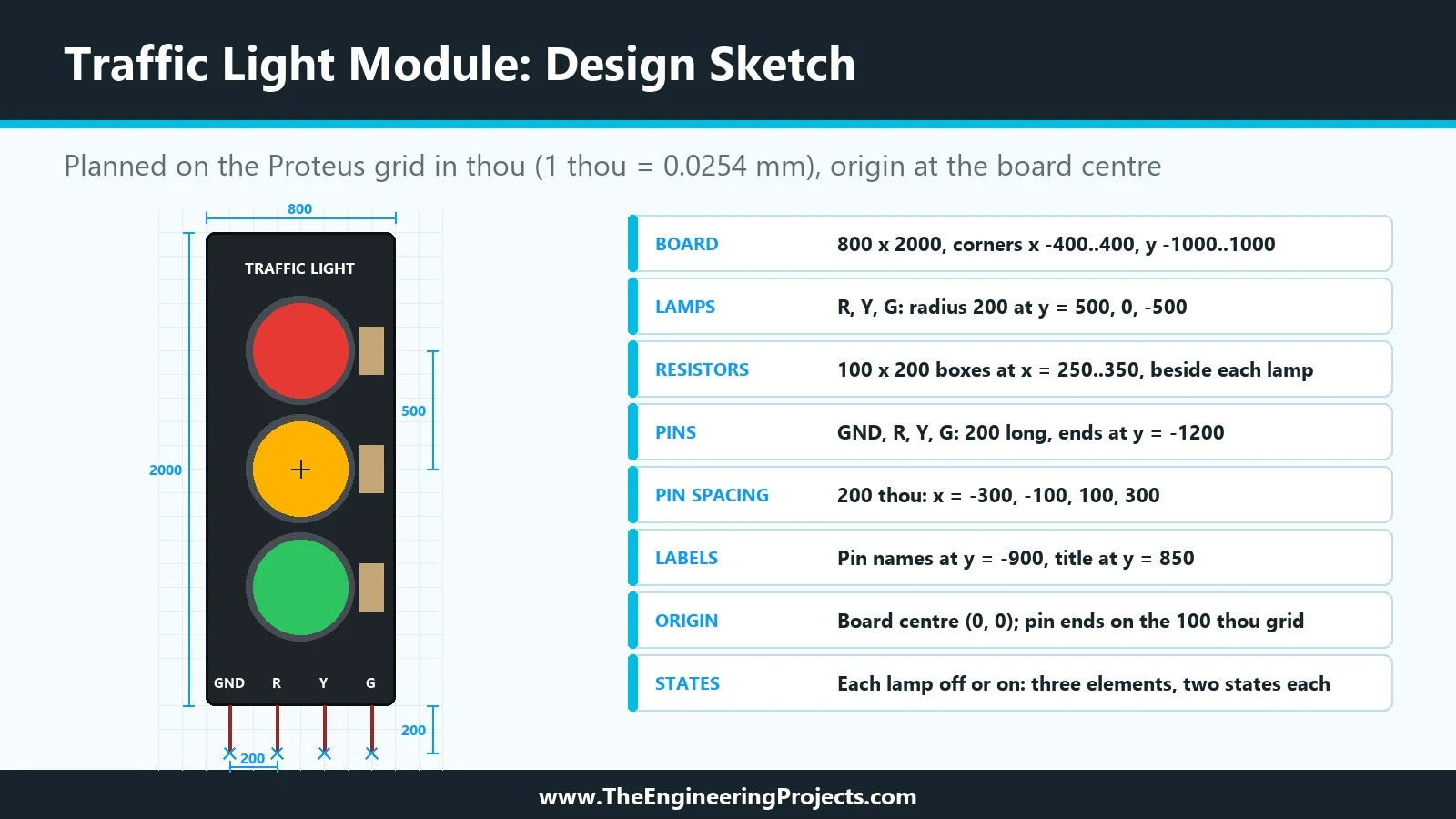
Hello friends, I hope you are doing well. This is the second tutorial in our series on how to create a Proteus library. In the previous tutorial, How to Create a Proteus Library: How It Works Behind the Scenes , we looked at what a library part is made of: the symbol, the pins, the properties, the package, the index and the simulation model, and at what Proteus does with them when you press Run. Today, we start building our own part, and we start the way every good component starts: on paper, before the first line is drawn. Our topic is how to design a new component in Proteus . Our running example is a Traffic Light Module , a small board with a red, a yellow and a green lamp that an Arduino switches through three pins. In this tutorial, we will decide what the component must do, choose b ...