Hello friends, I hope you all are doing great. Today, I am going to share a list of the Top IoT Libraries for Proteus. The Internet of Things (IoT) is the most popular topic for final year projects right now: smart homes, smart farms, weather stations, trackers and health monitors that send their data to a phone or a cloud dashboard. Every one of these projects is made of the same building blocks: sensors that measure something, a microcontroller that decides what to do, and a wireless module that sends the result somewhere.
Our team has designed Proteus libraries for all of these building blocks. In this list, I have picked the libraries that matter most for IoT and grouped them by the job they do in your project: connectivity, sensing, location, identification and debugging. So, instead of a long catalogue, you get a toolkit: choose one module from each group, connect them to an Arduino and you have the simulation of a complete IoT project.
Our new 2026 libraries come first in every group, and our older IoT boards are at the end. I have also added a few IoT project ideas that you can build from these libraries. If you are new to Proteus libraries, read How to Add New Library in Proteus 8 first. So, let's get started with the Top IoT Libraries for Proteus:
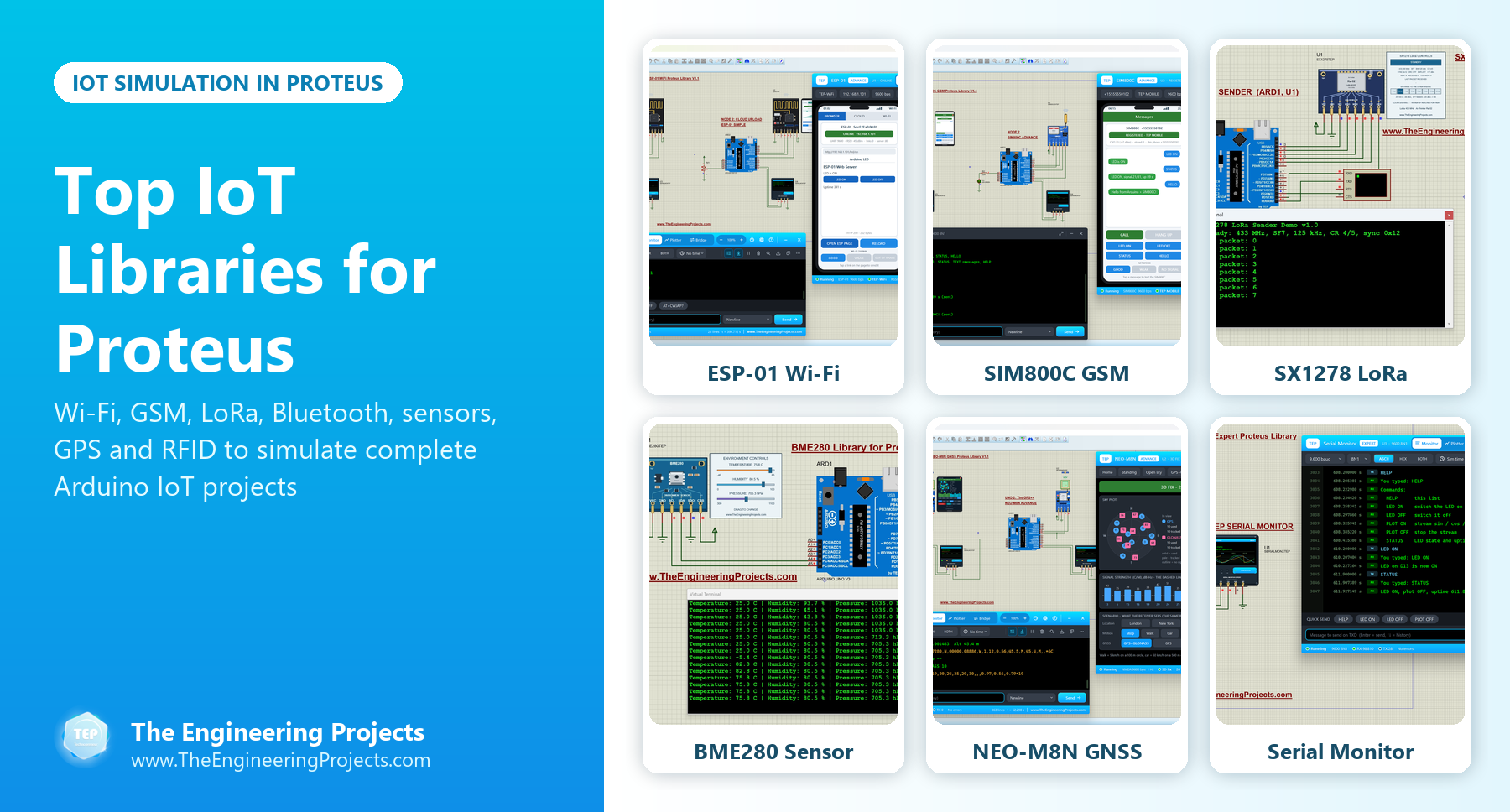
The Building Blocks of an IoT Project
Here is how the libraries of this list fit together in a typical IoT project:
| Building block | Its job | Libraries in this list |
|---|---|---|
| Connectivity | Sends the data to a phone, a router, the cloud or another node | ESP-01, SIM800C, SIM800L, HC-05 & HC-06, HC-12, SX1278, SX1262 |
| Sensing | Measures the world: temperature, humidity, pressure, light, motion, pulse | BME280, SHT31, BH1750, MPU6050, MAX30102 |
| Location | Tells the project where it is | NEO-M8N, SIM808 |
| Identification | Tells the project who is there | MFRC522 |
| Debugging | Shows the data and connects the simulation to your PC | Serial Monitor Expert |
| Boards | The microcontroller in your circuit diagram | ESP32, NodeMCU (plus our Arduino boards) |
IoT Connectivity Libraries for Proteus
The connectivity module is the heart of an IoT project, so let's start with it.
1. ESP-01 Wi-Fi Library for Proteus V1.1
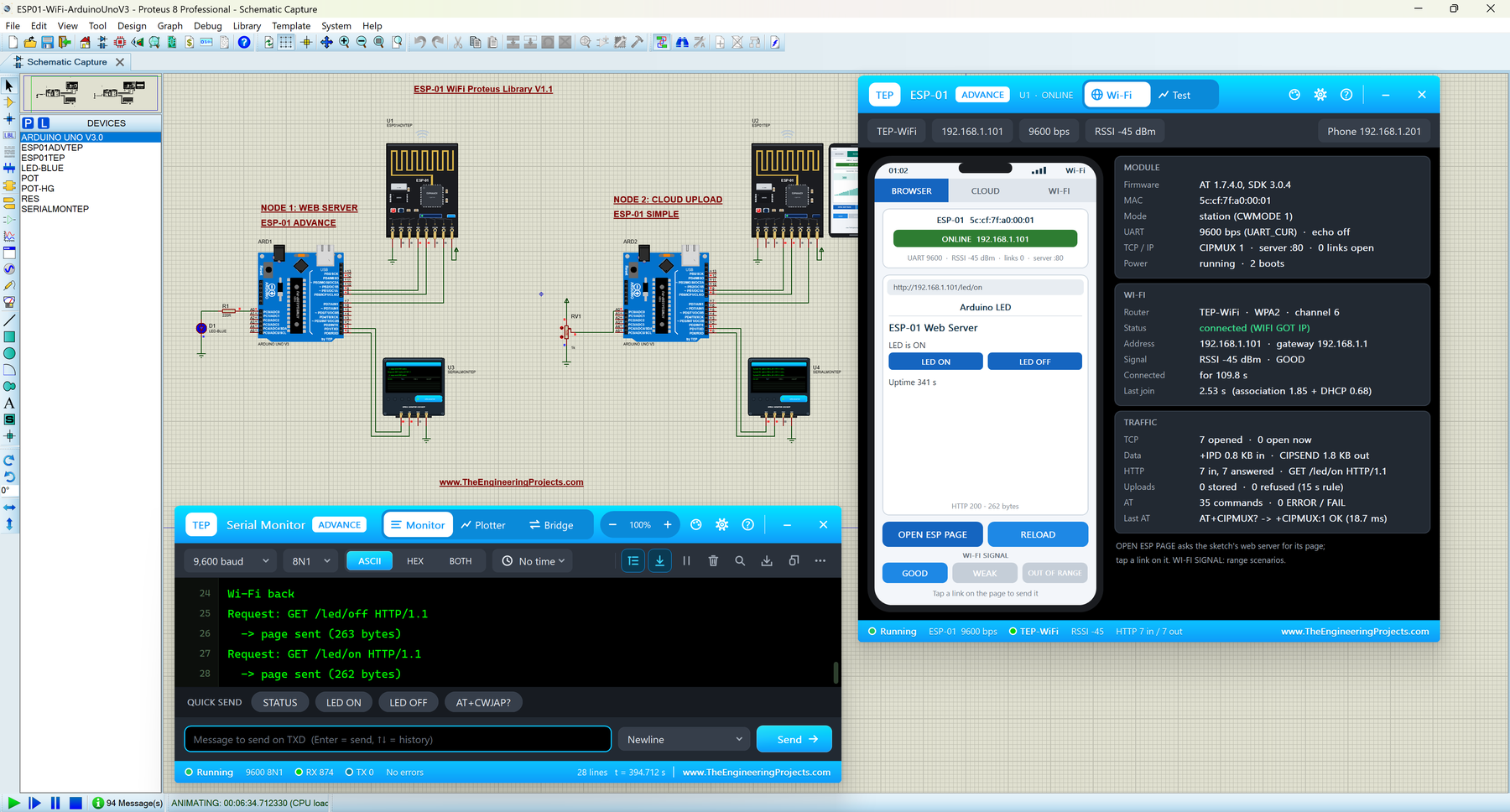
The ESP-01 is the classic way to put an Arduino on Wi-Fi. Our model brings a virtual router, a phone with a browser and an internet host into Proteus. Its demo shows both sides of IoT: one Arduino UNO runs a web server that switches an LED from the phone, and the other one uploads a potentiometer reading to a cloud service every 20 seconds. The Advance device checks your code with a Wi-Fi join test, a web request test and a cloud upload check. Read the complete tutorial: ESP-01 Library for Proteus V1.1
2. SIM800C GSM Library for Proteus V1.1
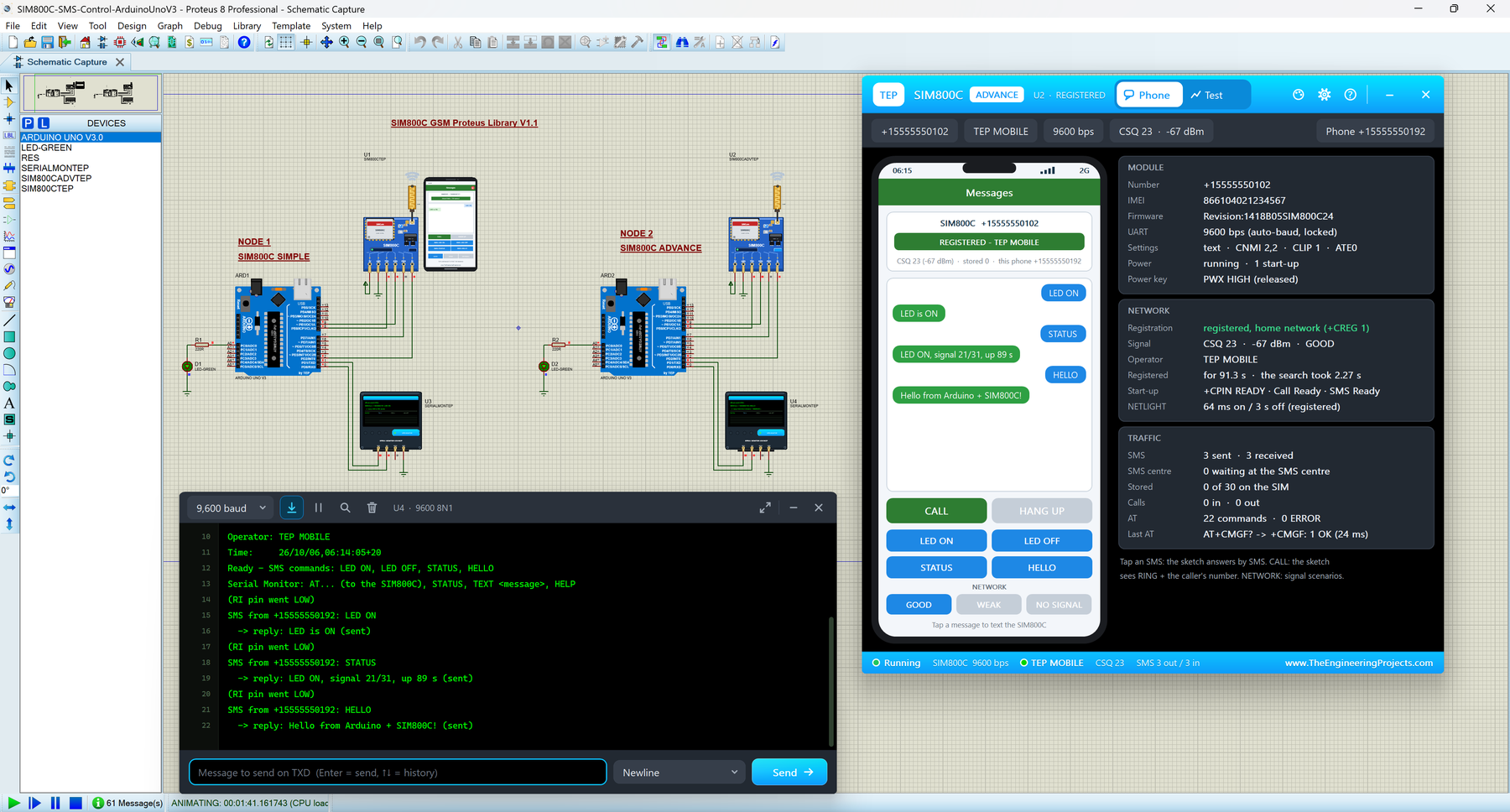
When there is no Wi-Fi, as on a farm or in a car, GSM is the answer. The SIM800C lets your project send SMS alerts and take commands by SMS from anywhere with 2G coverage. Our model follows its PWX power key and start-up sequence, and the demo switches an LED by SMS. Read the complete tutorial: SIM800C Library for Proteus V1.1
3. SIM800L GSM Library for Proteus V1.1
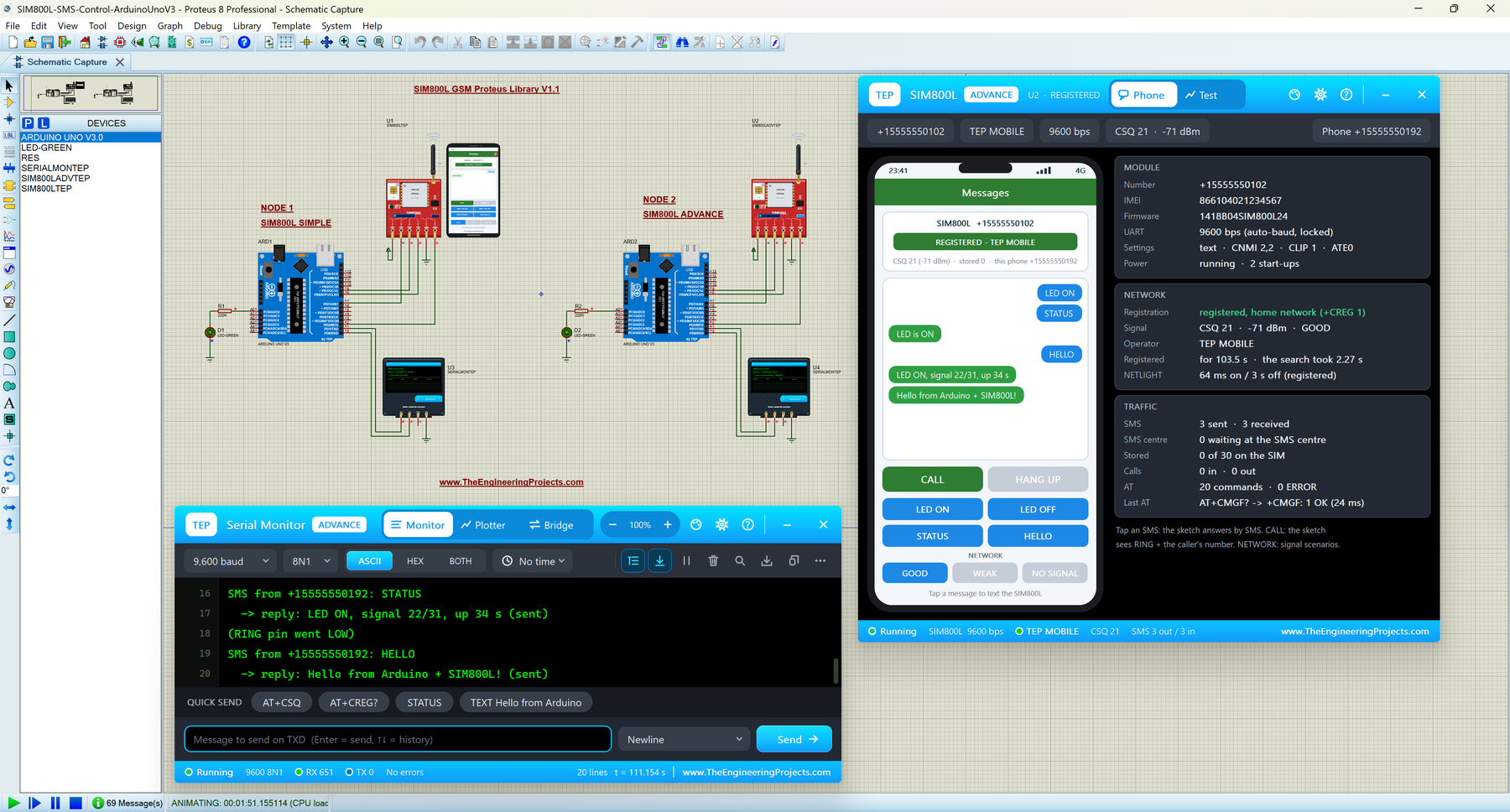
The SIM800L is the GSM module of most student projects. Its library has a virtual phone, four GSM test tools and an SMS remote-control demo, which is the starting point of every "control it by SMS" IoT project. Read the complete tutorial: SIM800L Library for Proteus V1.1
4. HC-05 & HC-06 Bluetooth Library for Proteus V1.1
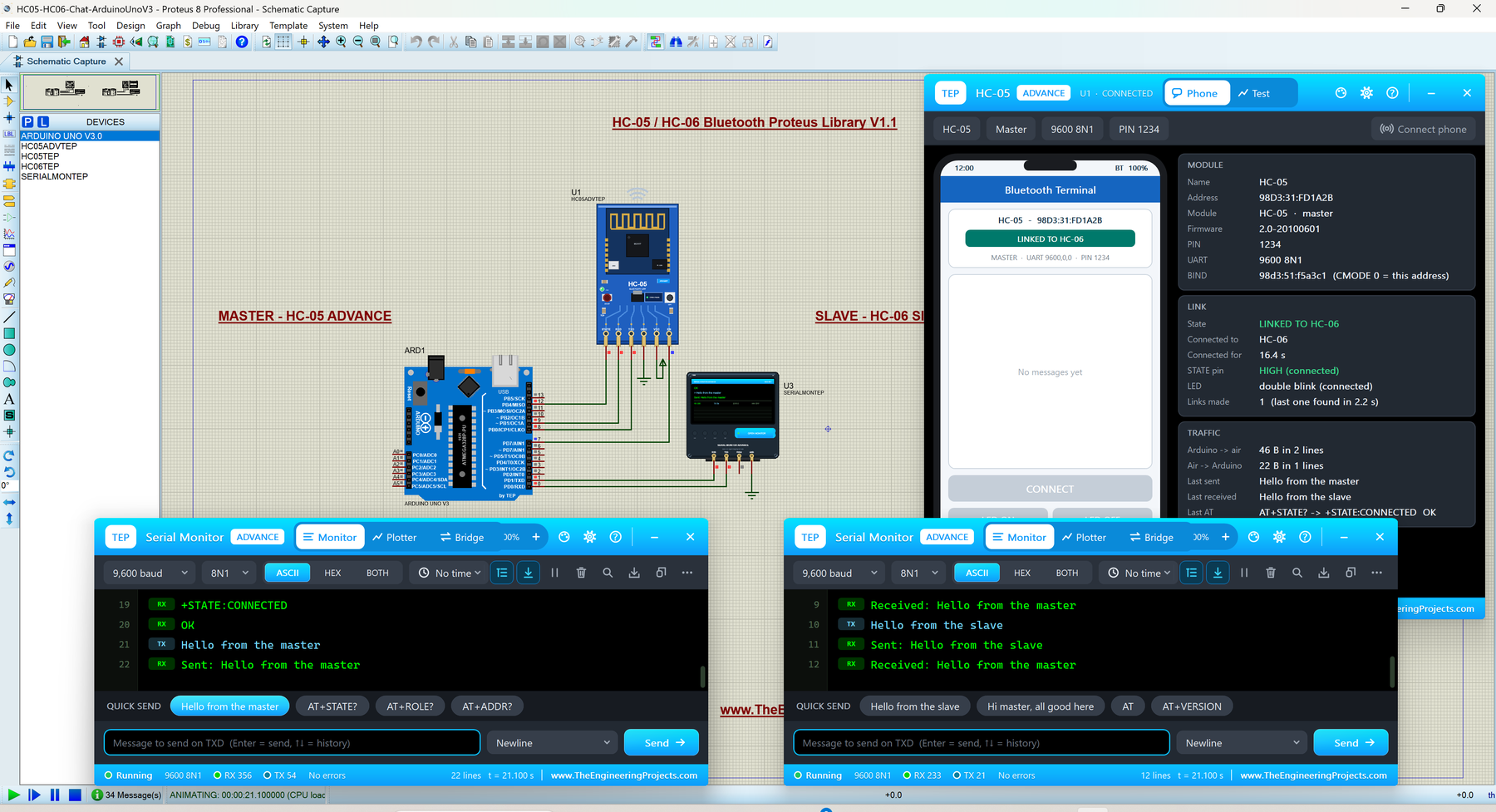
For a phone app in the same room, Bluetooth is the simplest link. Our HC-05 and HC-06 models pair with a virtual phone or with each other, and the demo switches an LED from the phone. Read the complete tutorial: HC-05 Library for Proteus V1.1
5. HC-12 Library for Proteus V1.1
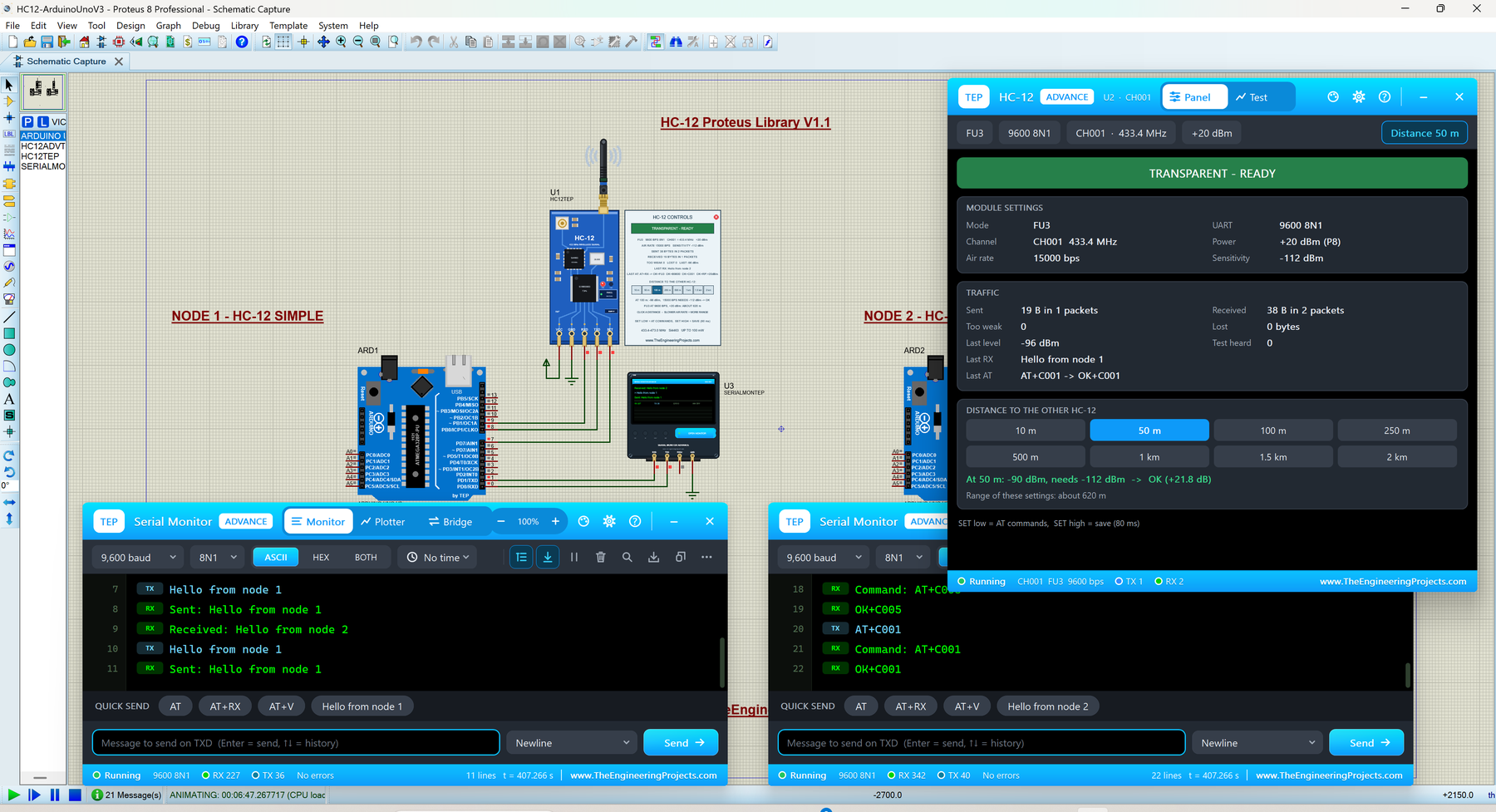
Many IoT systems have sensor nodes that report to one base station. The HC-12 makes that easy: it is a 433 MHz serial link between two Arduino boards, with no network and no radio library. Read the complete tutorial: HC-12 Library for Proteus V1.1
6. SX1278 LoRa (Ra-02) Proteus Library
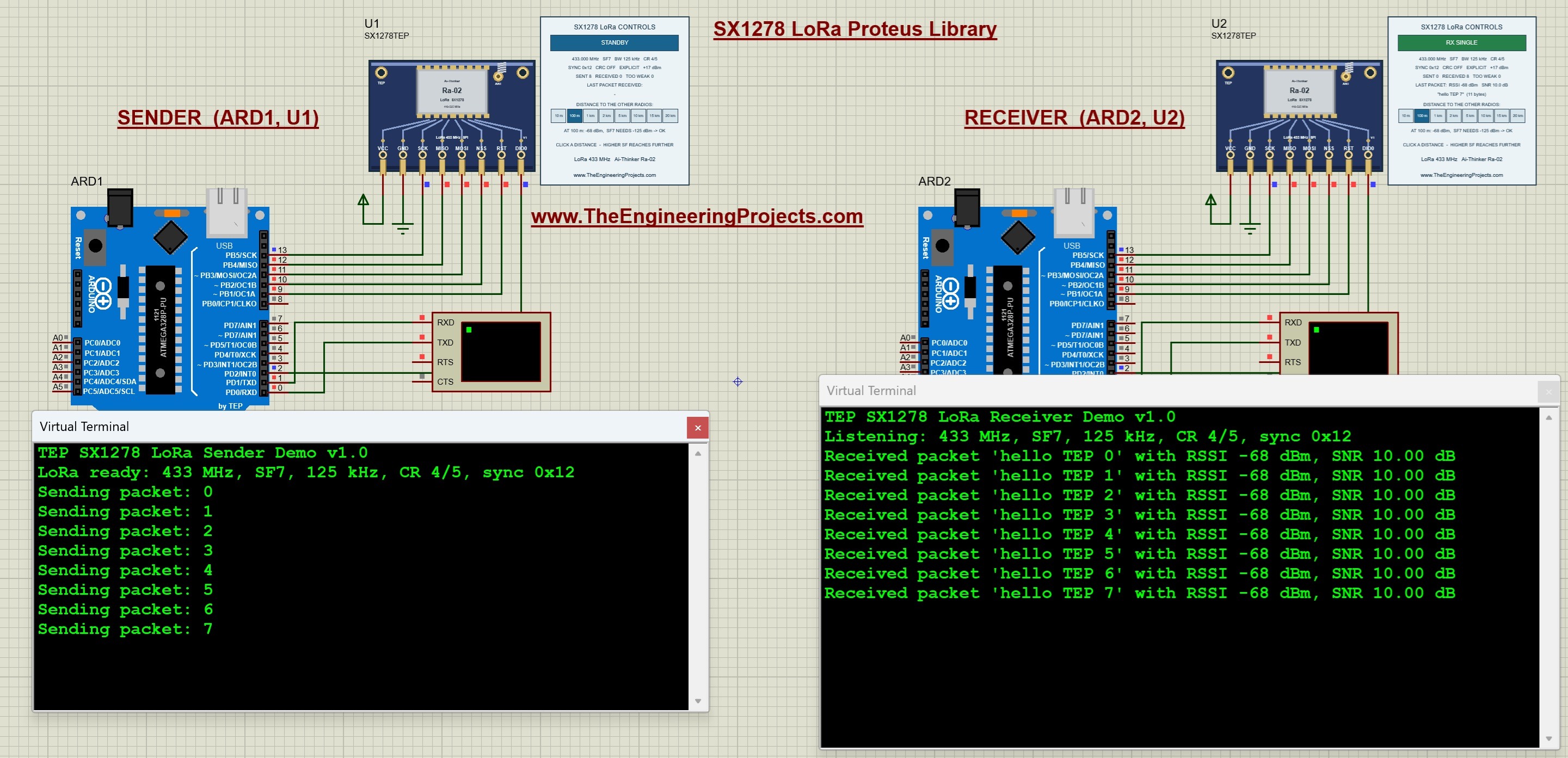
LoRa is the long-range network of IoT. The SX1278 library sends packets between two Arduino Uno boards at 433 MHz, with RSSI, SNR and distance buttons up to 20 km, which is perfect for testing a farm or a water tank monitor before you install it. Read the complete tutorial: SX1278 LoRa Proteus Library
7. SX1262 LoRa Proteus Library
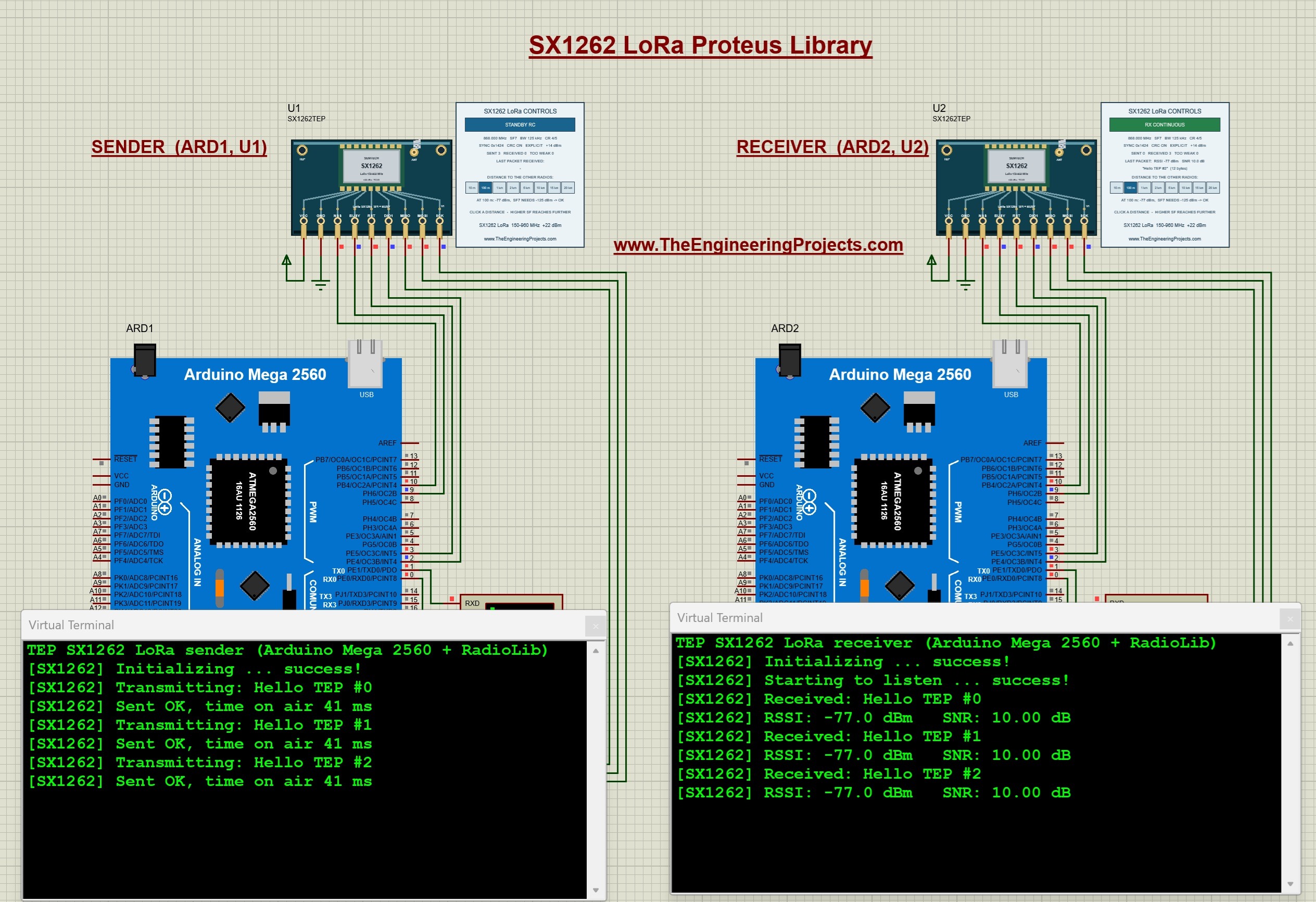
The SX1262 is the newer LoRa chip, and our model runs the unmodified RadioLib driver on Arduino Mega 2560 boards at 868 MHz. Read the complete tutorial: SX1262 LoRa Proteus Library
IoT Sensor Libraries for Proteus
An IoT project is only as good as its data. These sensors all talk to the Arduino over I2C and have interactive controls, so you can change the measured values while your IoT code is running.
8. BME280 Sensor Library for Proteus
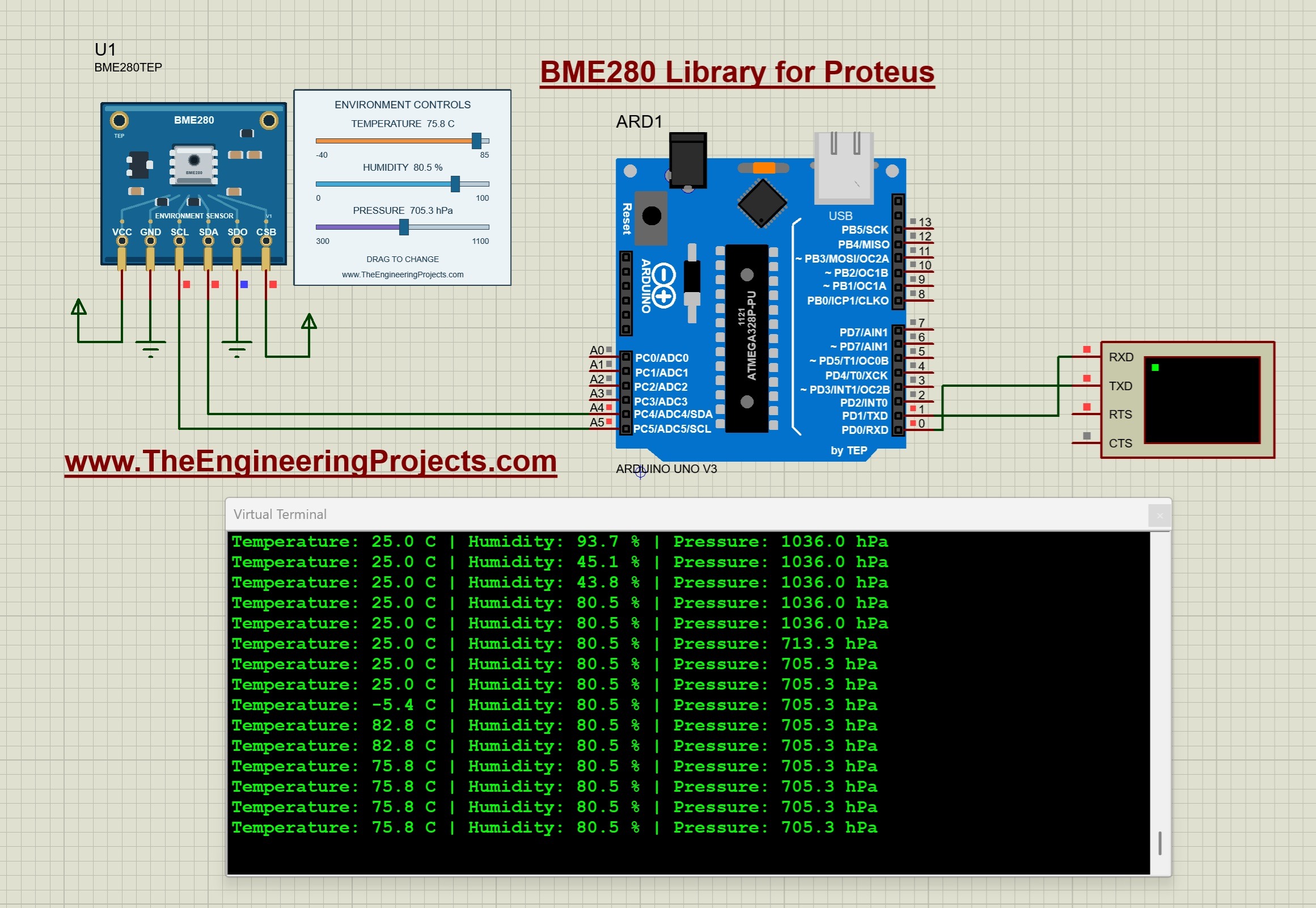
The BME280 measures temperature, humidity and pressure, which makes it the sensor of most IoT weather stations. Read the complete tutorial: BME280 Sensor Library for Proteus
9. SHT31 Proteus Library

The SHT31 is a precise temperature and humidity sensor for greenhouses and smart homes, and its tutorial explains the CRC check that protects every reading. Read the complete tutorial: SHT31 Proteus Library
10. BH1750 Light Sensor Library for Proteus
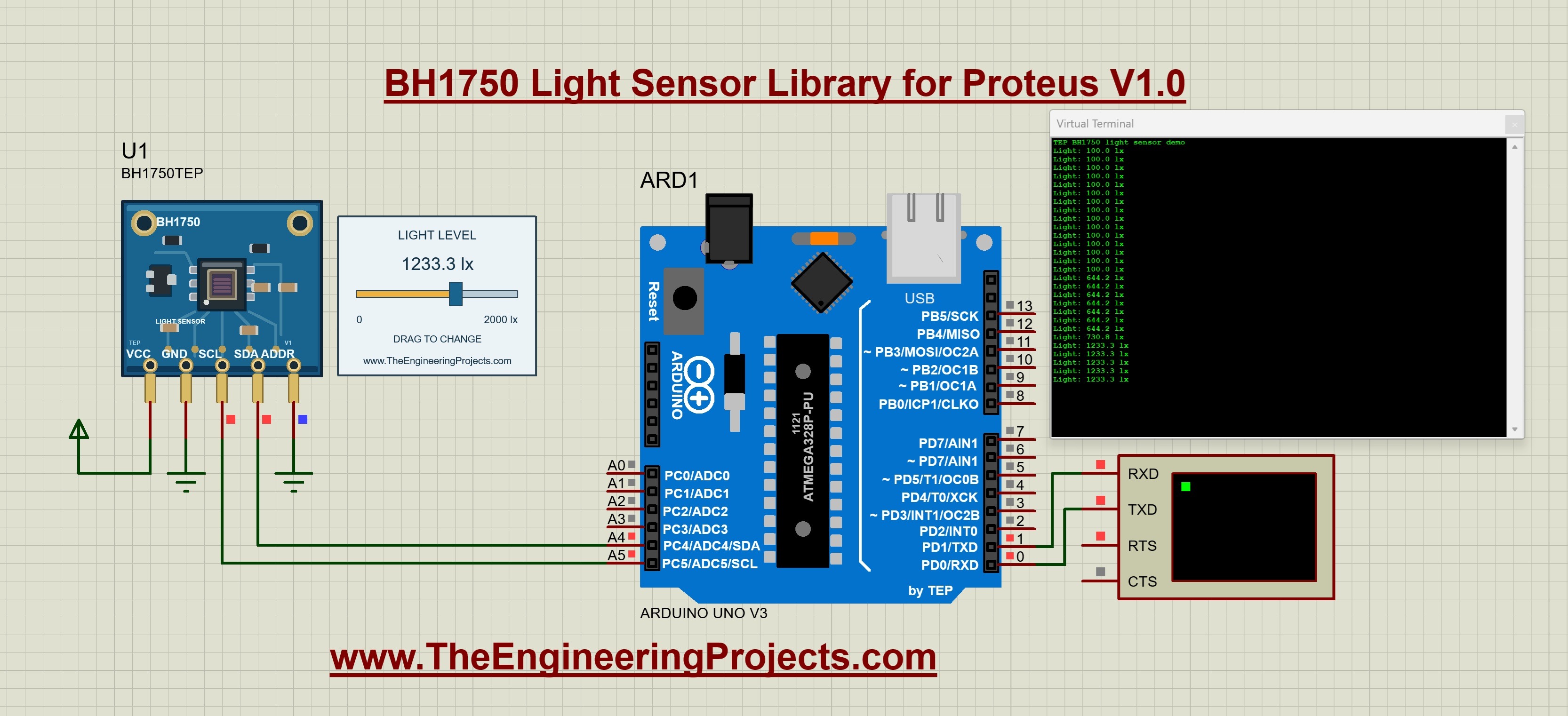
The BH1750 measures light in lux, for smart lighting and plant monitors. Its tutorial ends with an automatic-lighting exercise. Read the complete tutorial: BH1750 Light Sensor Library for Proteus
11. MPU6050 Proteus Library
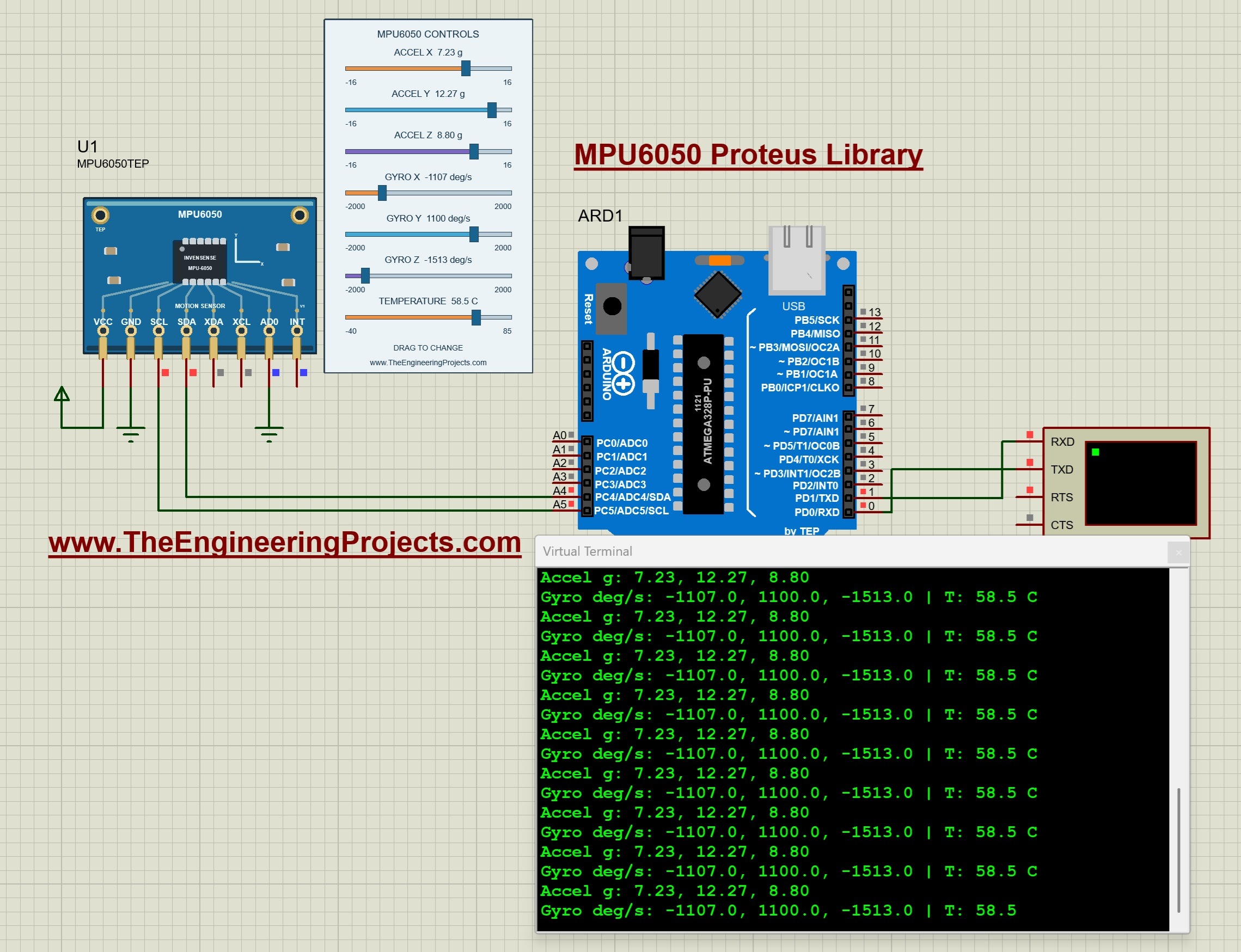
The MPU6050 measures acceleration and rotation, for fall detectors, vibration monitors and anti-theft alarms. Read the complete tutorial: MPU6050 Proteus Library
12. MAX30102 Proteus Library
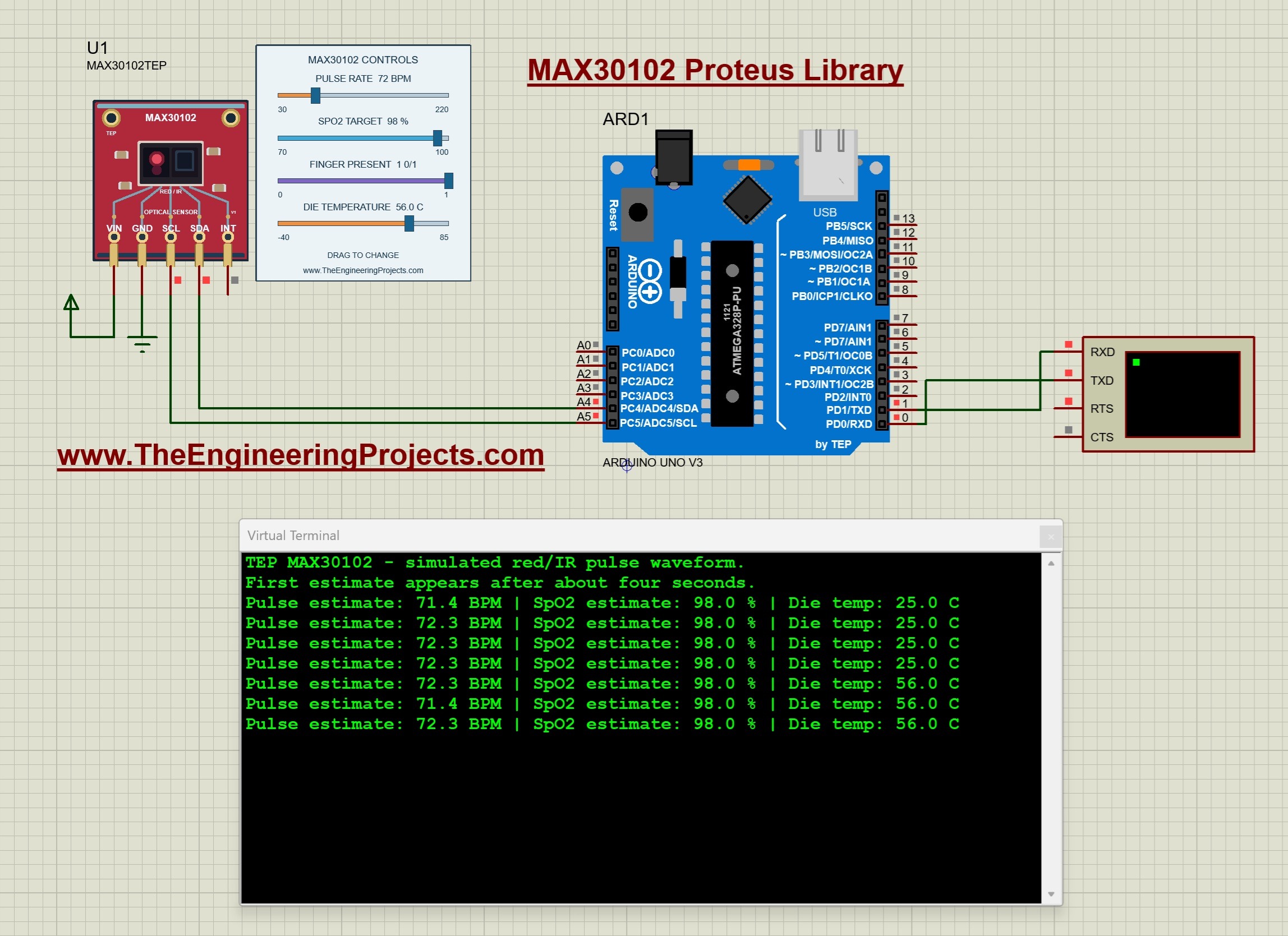
The MAX30102 is the optical sensor of pulse oximeters. Its simulated pulse and SpO2 inputs are great for learning a health-monitor project (it is not for medical use). Read the complete tutorial: MAX30102 Proteus Library
IoT Location and Identification Libraries
13. NEO-M8N GNSS Library for Proteus V1.1
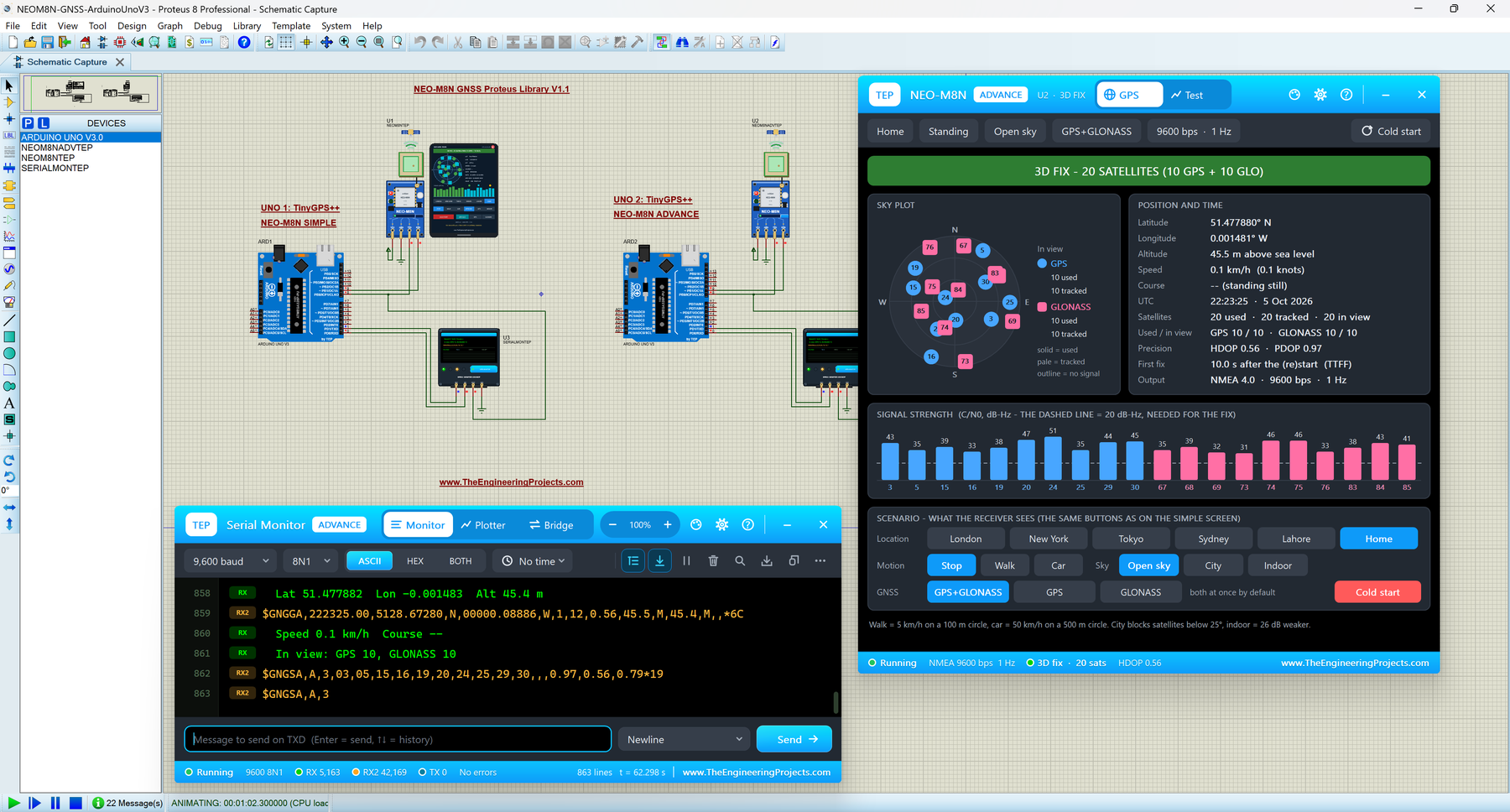
For trackers and drones, the NEO-M8N uses GPS and GLONASS together, and its Constellations test shows how much the second system helps. Read the complete tutorial: NEO-M8N Library for Proteus V1.1
14. SIM808 GSM + GPS Library for Proteus V1.1
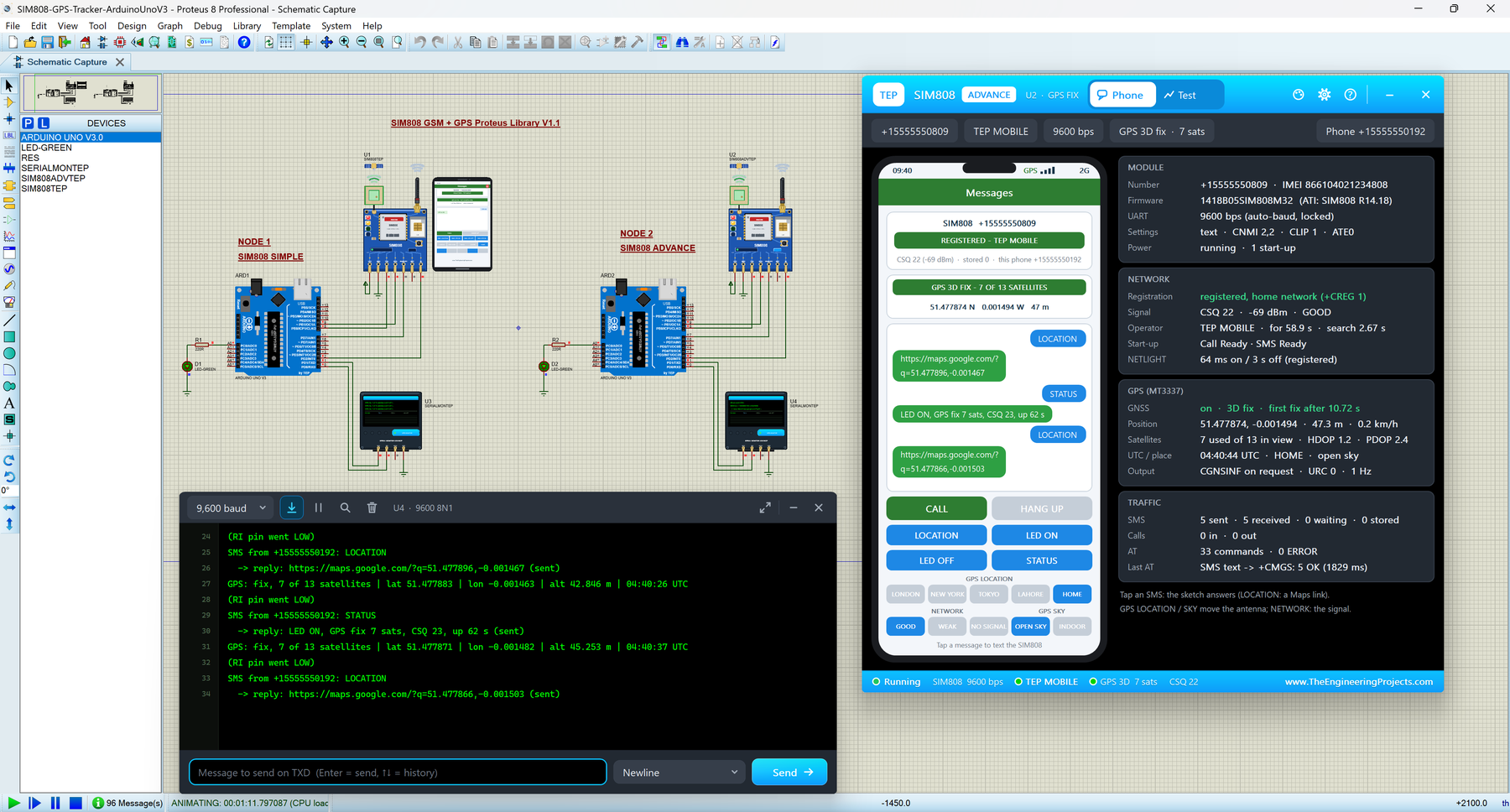
The SIM808 is a complete IoT tracker in one module: GSM and GPS together. Its demo answers a "LOCATION" SMS with a Google Maps link. Read the complete tutorial: SIM808 Library for Proteus V1.1
15. MFRC522 RFID Proteus Library
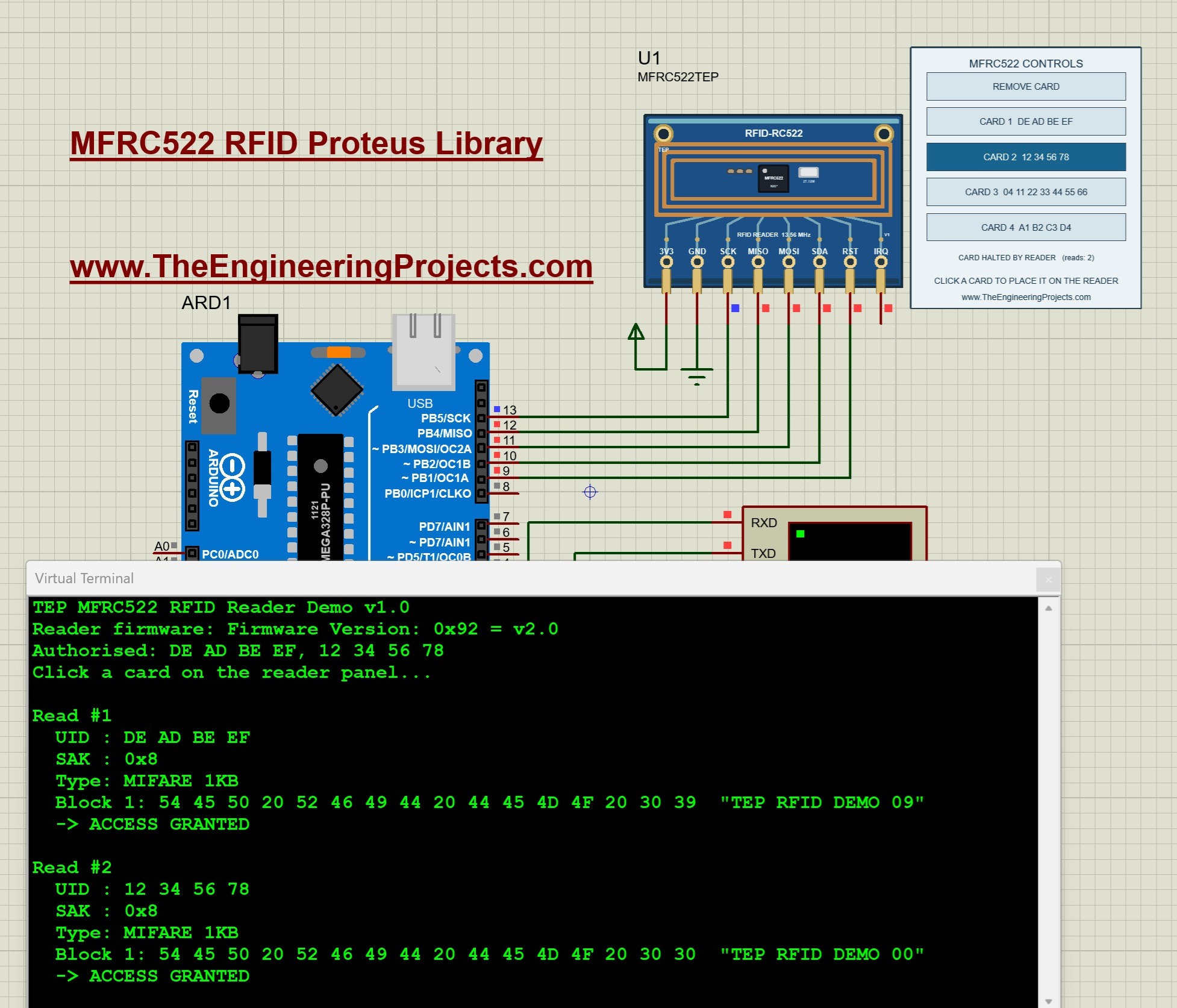
Smart door locks and attendance systems start with an RFID reader. The MFRC522 library reads card UIDs and MIFARE blocks and prints whether access is granted or denied. Read the complete tutorial: MFRC522 RFID Proteus Library
The IoT Debugging Tool
16. Serial Monitor Expert Proteus Library
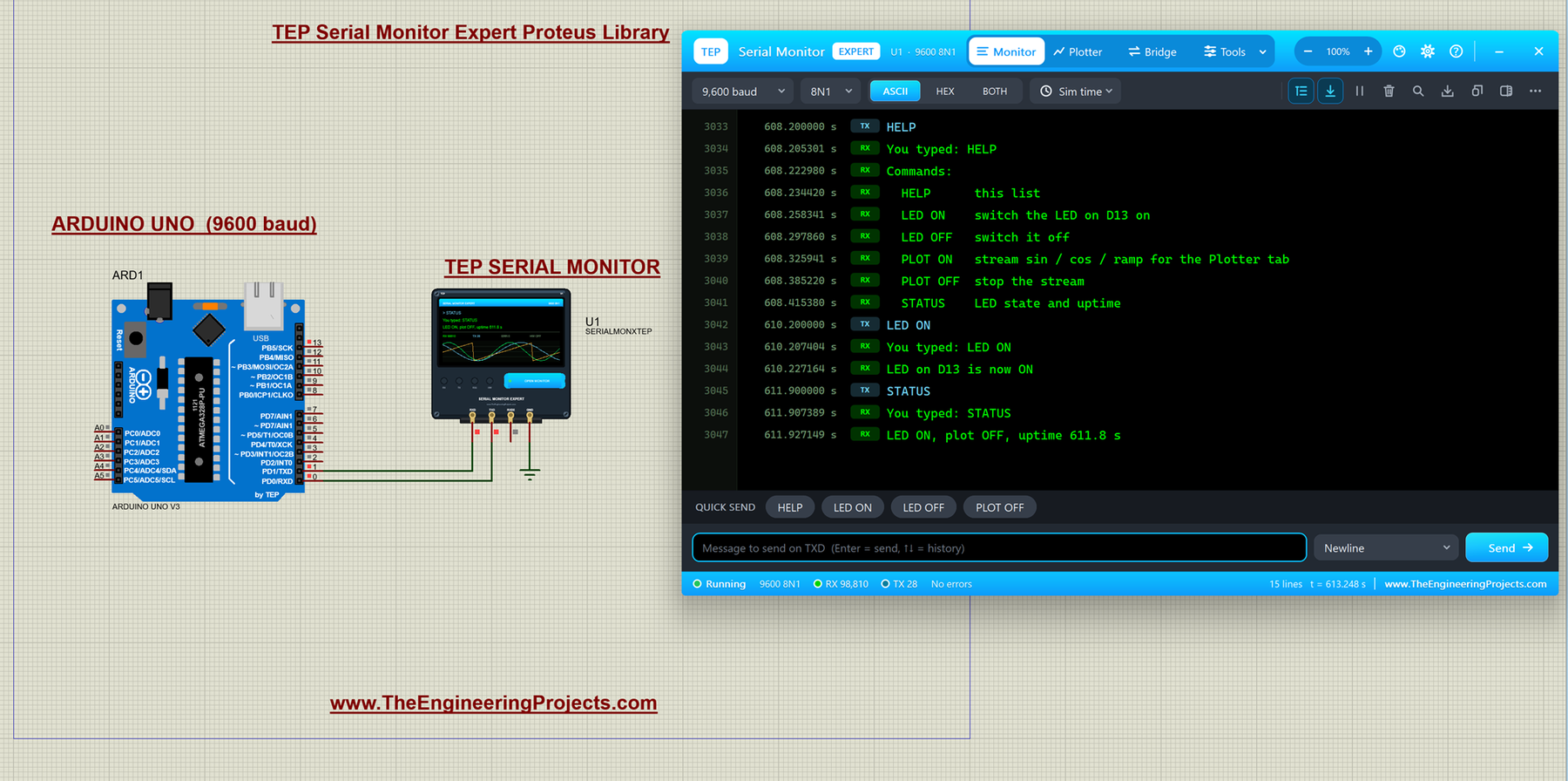
This one is a hidden gem for IoT students. The Serial Monitor Expert has a network bridge that joins the serial line of your simulated Arduino to a network socket on your PC. It can work as a TCP server, a WebSocket server with a built-in web page at http://127.0.0.1:5000/, or a TCP client, so your simulation can talk to a Python script, a Node-RED flow or your own web dashboard. It can also export your data to CSV for Excel or MATLAB. Read the complete tutorial: Serial Monitor Expert Proteus Library
Older IoT Boards for Proteus
17. ESP32 Library for Proteus
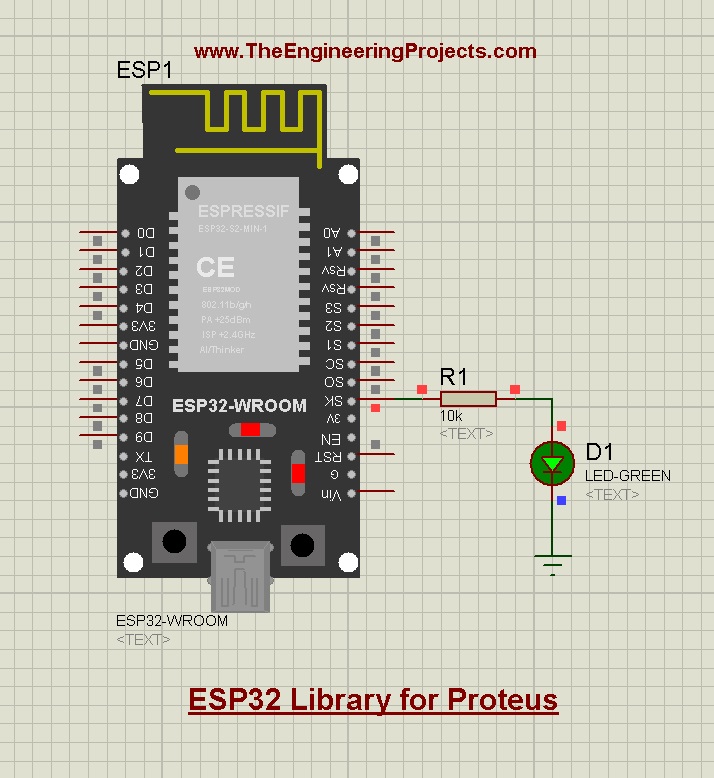
The ESP32 is the favourite IoT board. Our library simulates its pins, PWM and sensors for your circuit diagram; Proteus can't run its Wi-Fi radio, so use the ESP-01 above for the Wi-Fi side. Read the complete tutorial: ESP32 Library for Proteus
18. NodeMCU Library for Proteus
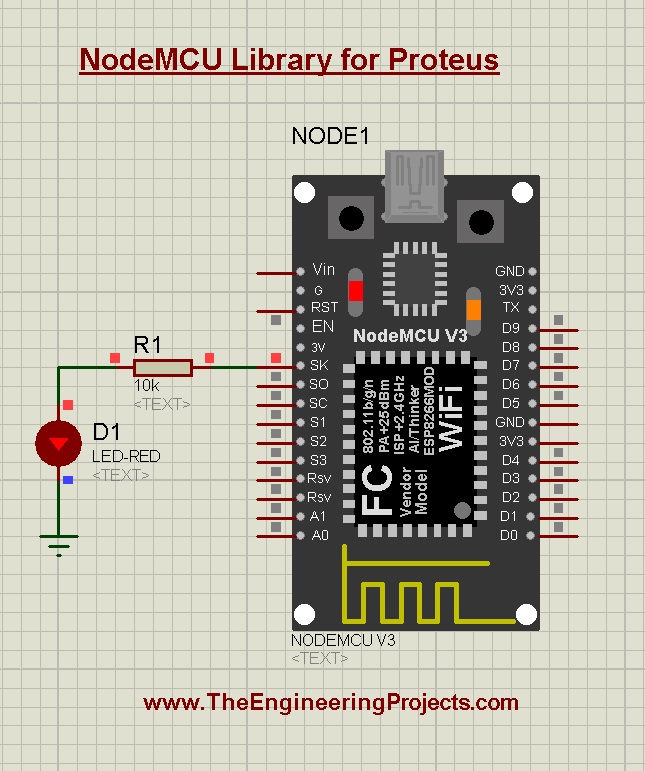
The NodeMCU library works the same way: basic I/O, PWM and sensor interfacing for code tests and circuit diagrams. Read the complete tutorial: NodeMCU Library for Proteus
IoT Project Ideas You Can Simulate
Here are a few IoT projects that you can build from these libraries. Each one starts from the Arduino example of a library and adds one more module:
- Cloud weather station: a BME280 for the weather and the ESP-01 cloud upload example to send the readings to a dashboard.
- SMS greenhouse alarm: an SHT31 for temperature and humidity, and a SIM800L or SIM800C that sends an SMS when a limit is crossed.
- LoRa farm node: a sensor on one Arduino and an SX1278 that sends its readings to a second Arduino several kilometres away.
- Vehicle tracker: the SIM808 tracker, or a NEO-M8N with a SIM800C, that replies to an SMS with its position.
- Smart door lock: an MFRC522 that grants access and an HC-05 that reports every entry to a phone.
- Live dashboard on your PC: any of the sensors above, with the Serial Monitor Expert sending the data to a Python script or a web page.
Combining two libraries is usually easy, because each one already has a working Arduino example. Just watch the Arduino pins and serial ports that each module needs, and test one module at a time before you join them.
What to Keep in Mind
These libraries simulate the modules and their behaviour, but the networks in Proteus are virtual: the cloud host, the GSM network and the Wi-Fi router are part of our models, and the radios use a simple range calculation without walls or interference. That's exactly what you need to get your IoT code right. Before you install a real project, test the range, the power supply and the real cloud account on hardware.
You can find all of these libraries, and many more, in our Proteus Libraries tutorial series. For the full list of wireless modules, see our List of Wireless Modules for Proteus.
More Lists of Proteus Libraries
We have grouped our Proteus libraries into several lists, so you can quickly find the right ones for your project:
- 30 New Proteus Libraries for Engineering Students (2026)
- GSM Libraries for Proteus
- GPS Libraries for Proteus
- RF Module Libraries for Proteus
- LoRa and RF Libraries for Proteus
- Wi-Fi and Bluetooth Libraries for Proteus
- List of Wireless Modules for Proteus
- RFID and NFC Libraries for Proteus
- List of Embedded Sensors in Proteus
- I2C Sensor Libraries for Proteus
- Environmental Sensor Libraries for Proteus
- Motion and Distance Sensor Libraries for Proteus
- Smart Agriculture Sensor Libraries for Proteus
- Medical Sensor Libraries for Proteus
- Must-Have Proteus Libraries for Arduino Simulation
- Microcontroller Board Libraries for Proteus
Conclusion
So, that was all about the Top IoT Libraries for Proteus. I hope this toolkit helps you plan your IoT project and test it on your PC, block by block, before you buy the hardware. If you build an IoT project with our libraries, please share it with us in the comments or in the Proteus Libraries category of our forum. Till the next tutorial, take care and have fun!