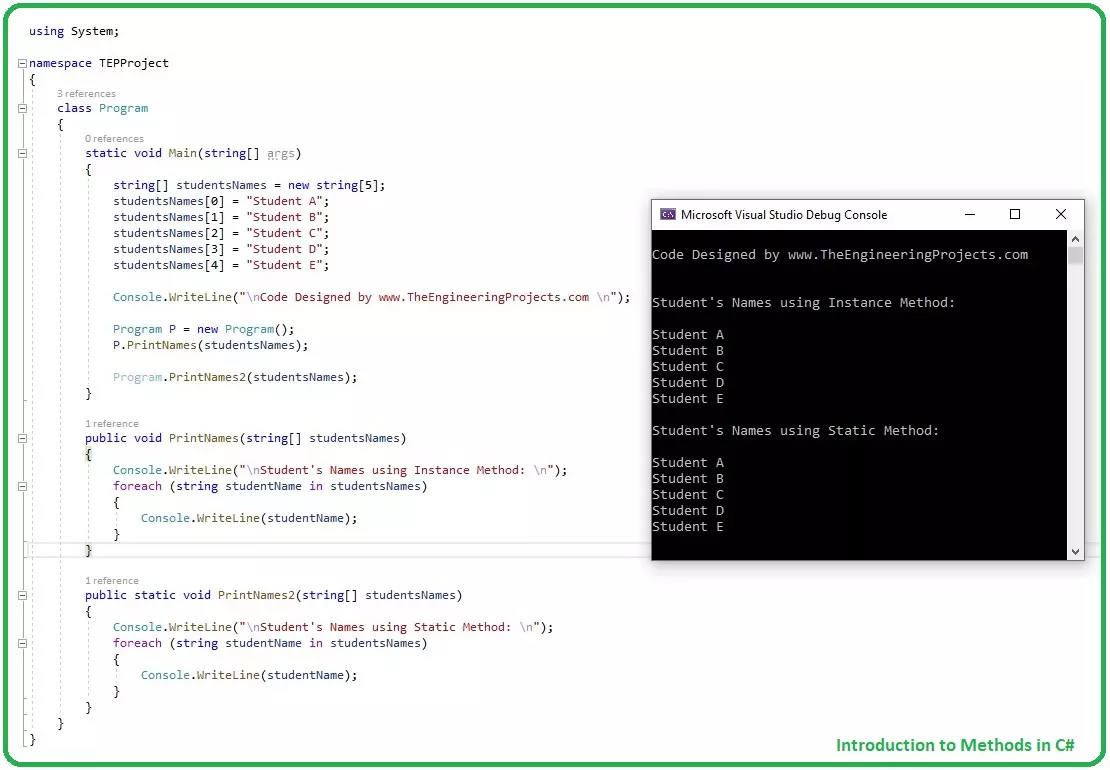
Hello friends, I hope you all are doing great. In today tutorial, I am going to give you a detailed Introduction to Methods in C#. It's our 12th tutorial in C# series. So far, we have covered all the basic concepts in C# and now it's time to move forward and have a look at some complex concepts.
Methods have an important role in C# programming and if you want to be an efficient programmer then you must set your method controls correctly. Some methods have secret codes in them, which you don't want to give access to your developers, then you can set it private. We will cover such things in detail later, let's first have a look at Introduction to Methods in C#:
Introduction to Methods in C#
Methods in C#, also called Functions, are extremely usef ...
Hey, everyone, hope you are doing great. In today's article, we are going to explore C# Checked ListBox Control. In the previous article, we discussed in details about C# TextBox, C# Label, C# ListBox, C# ComboxBox and C# Button. C# Checked ListBox plays very important role in Point Of Sale applications. In some words, we can say this is a combination of check boxes and list. C# Checked ListBox is used to gain specific information from end-user. It's mostly used in survey-based application to gain the voting for a specific purpose.
We will work with Checked ListBox same as we have worked with ListBox & ComboBox. You can use C# Checked ListBox for multiple purposes. You can use this as the attendance taker to mark the attendance of students.
C# ...
Hello friends, I hope you all are doing great. In today's tutorial, we will have a look at detailed Introduction to Abstract Classes in C#. It's our 19th tutorial in C# series. Today, we are gonna discuss another new concept in C# and I would recommend you to follow these tutorials at least 3 to 4 times, so that these concepts find the right place in your brain and stick there.
C# Abstract Classes are quite similar to C# Interface in many respects, so if you have studied previous tutorial in C# Series, then do read it first. So, let's get started with Introduction to Abstract Classes in C#:
Introduction to Abstract Classes in C#
Abstract Classes in C# are created by using Abstract Keyword, and are used to create abstract members, which have the ...
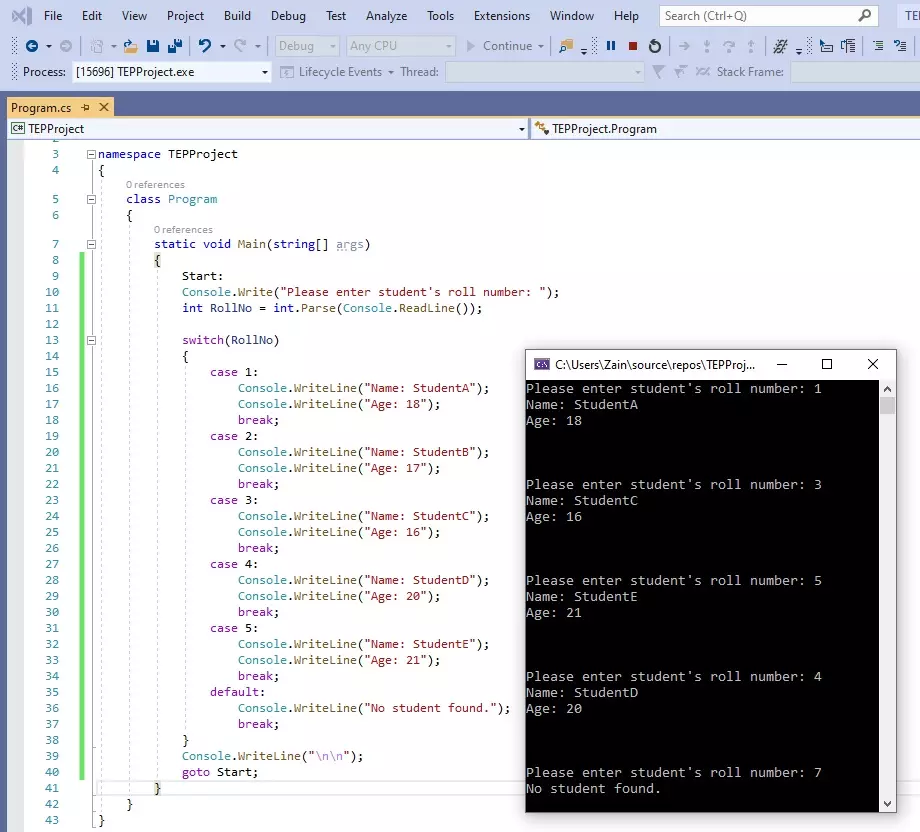
Hello friends, I hope you all are doing great. In today's tutorial, we are gonna have a look at How to use switch Statement in C# and its our 9th tutorial in C# series. In our previous tutorial, we have seen IF Loop in C# and this switch statement is also a loop but works slightly different than IF loop and it totally depends on your application, which one you want to use.
First we will have a look at How to use switch statement in C# and after that we will also study goto statement, because switch and goto statements are normally used together. So, let's get started with it:
How to use switch Statement in C#
Switch Statement is a loop in C# which takes a variable as a condition, and then creates its different cases and we can deal each case se ...
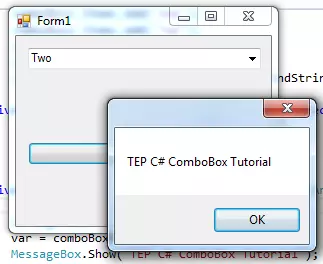
Hey everyone how are you, hope you are doing great. In this article I will guide you about the C# comboBox. In my previous article, I have explained about C# button control and their features. C# ComboBox is quite similar to button control but its major properties are different. The combo box can hold multiple values at the same time, it's like drop-down box in appearance and you can select any value inside it. Most of the time, combo box is used to give the user multiple selection options. But in signup forms, it's used for country selection where you have to select your country from drop down. You can use combo box according to your requirements.
You can add the combo box from the toolbar and drag it on the form. When you drag that you can set t ...
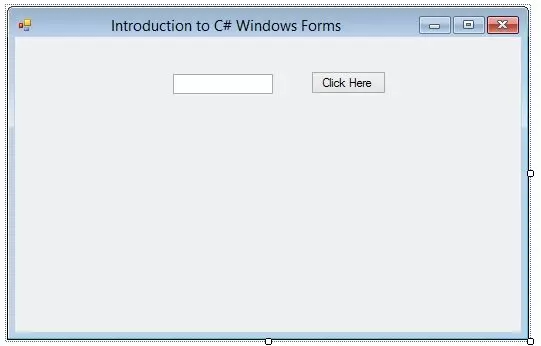
Hello everyone, hope you all are fine and having fun with your lives. Today, I am going to show you How to add C# Controls in your project. In our previous tutorial, we have seen an Introduction to C# Windows Forms in which we have created our first project and then we have discussed all about its different features like How to use Properties etc. and if you haven't read it yet then I would suggest you to read that one first as I am gonna continue from that tutorial onward.
So, I am assuming that you have read Introduction to C# Windows Forms and you have your first project created and ready to use. So, if you have dne exactly as I have shown in my previous tutorial then you have a for as shown in the below figure:
...
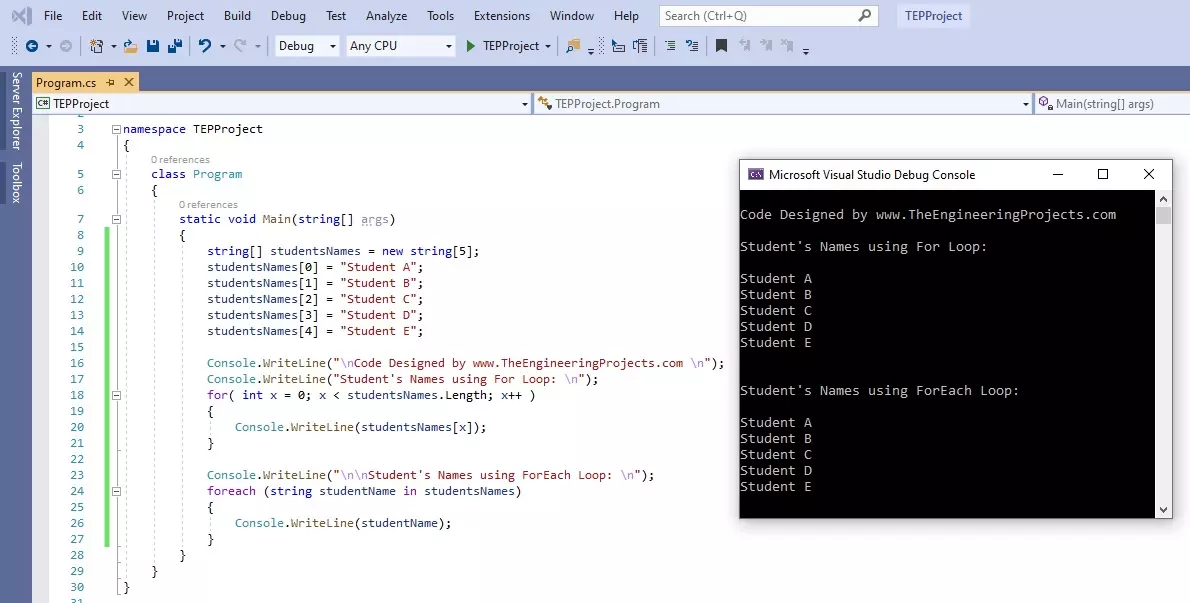
Hello friends, I hope you all are doing great. In today's tutorial, we are gonna have a look at How to use For Loop in C#. It's our 11th tutorial in C# series. Till now, we have seen two loops in C# which are IF Loop and while Loop and today we are gonna have a look at for Loop.
For Loop is most commonly used loop in any programming language and if you have worked on any other language then you must be aware of its syntax. It is used to create repeated loop with specified number. Let's have a look at it in detail:
How to use for Loop in C#
For loop in C# takes an integer variable as a Controlling agent, initialized at value V1 and ends at value V2, and the travel from value V1 to V2 depends on the Condition specified in () brackets.
In bot ...
Hey Guys! I hope you all are doing great. Today, I am going to give a detailed Introduction to Data types in C#. It's our 3rd tutorial in C# series & it's a theoretical tutorial so you just need to read it once.
I'll try to cover every aspect related to Data types in C# so you get a clear picture of what are data types and why we need them? So, let's get started with Introduction to Data types in C#:
Introduction to Data types in C#
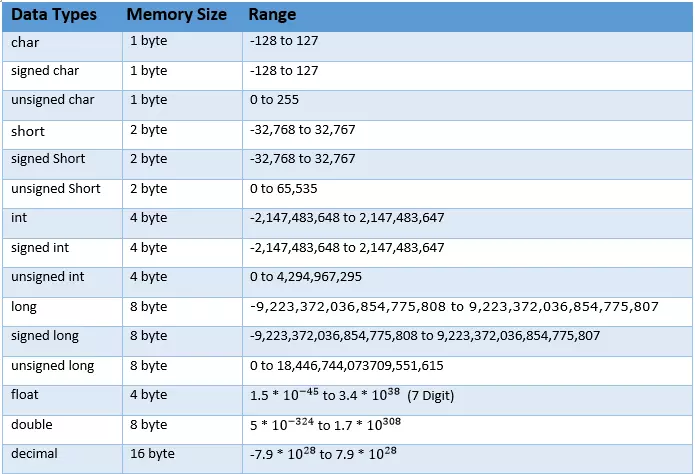
Data Types in C# are used to inform the compiler about the type, size & nature of data that can be stored in a variable.
Whenever we need to declare a variable, we need to inform the compiler about the data size & type of the variable.
There are 3 types of data types available in C# programming, ...
Hello everyone, I hope you all are fine and having fun with your lives. Today, I am going to share the list of all the C# tutorials, which I have posted on my blog till now. So, this post will be like a complete C# tutorial, which will have all the small and big C$ tutorials, I have posted on my blog. This list is quite small right now but I will post more C# tutorials soon and will add their links here. Actually, the C# tutorials are quite random on the blog so I am kind of compiling the list and pasting them all here so that readers won't get into much trouble finding them.
Till now, I have mostly posted the project on our blog in which I don't teach any language but provide you the code for that project. But now I have thought of writing comple ...
Hello friends, I hope you all are having fun. In today's tutorial, we are going to discuss How to use Arrays in C#. It's our 6th tutorial in C# series and currently we are focusing on basic concepts in C#.
Without understanding these simple concepts, we can't move forward. So, let's get started with Arrays in C#:
How to use Arrays in C# ???
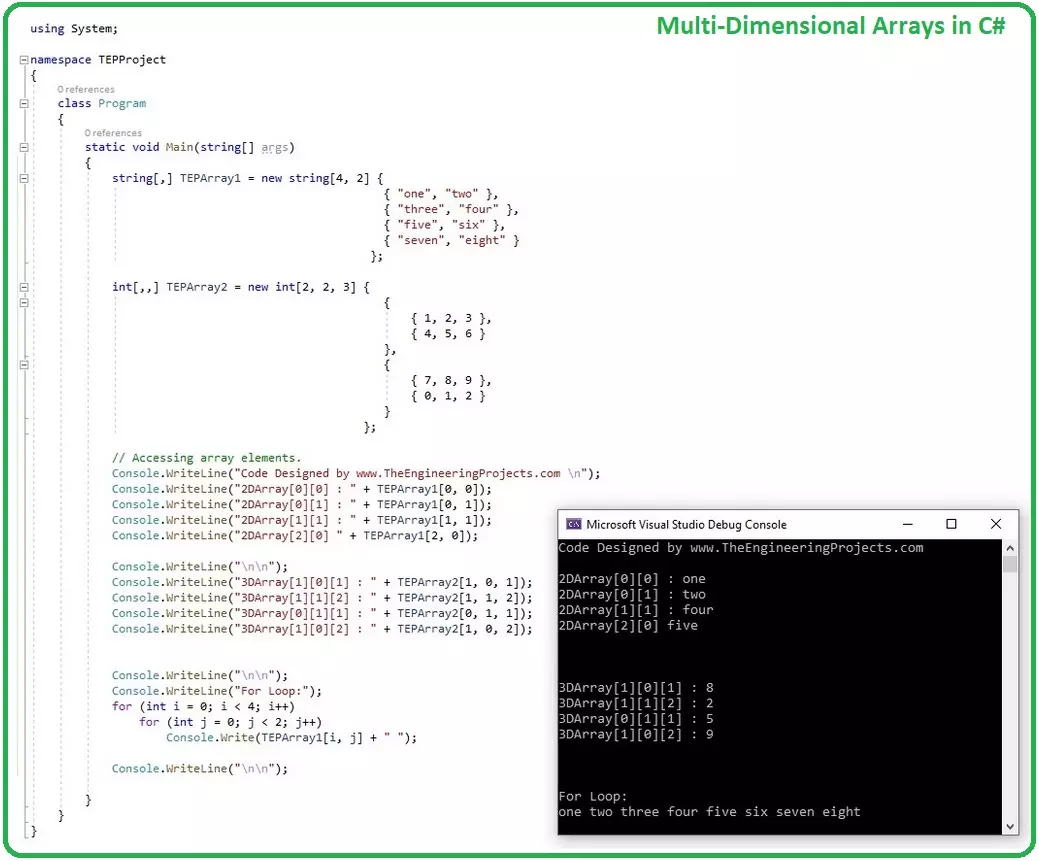
An array (base type System.Array) is a collection of similar (like-typed) data types, called by a common name. Each data item is referred as an element of array and is assigned an index starting from 0.
As C# array is an object so we can find its length using member length, which is actually a count of total number of data items in that array.
Arrays are reference types and implement IEnumerable that' ...