Hello everyone! I hope you all will be absolutely fine and having fun. In this tutorial, I am going to give you a detailed Introduction to MATLAB. I will explain in detail, step by step procedure of using MATLAB for the first time. First of all, I would like to tell you a bit about the MATLAB software. MATLAB basically works on matrices and it is an excellent software for different kinds of simulation based projects as well as hardware based projects and specially, it is good for the Engineering Projects.
MATLAB can be used for the manipulation purpose in order to obtain the proper results. It is very easy to use this software and most of the students prefer to use this software for their projects. So, this shows that MATLAB is a user friendly s ...
Hello, readers. Welcome to another lecture on signals and systems where, on the previous day, we studied the transforms. A Z transform is used to change the domain of a signal or function. It is used to convert the signal from the time domain into the z plane. Now we are going a little deep into the discussion. Have a quick promo of the topic of today:
What are the properties of z transform?
What is the unit impulse of z transform?
What is the unit ramp of z transform?
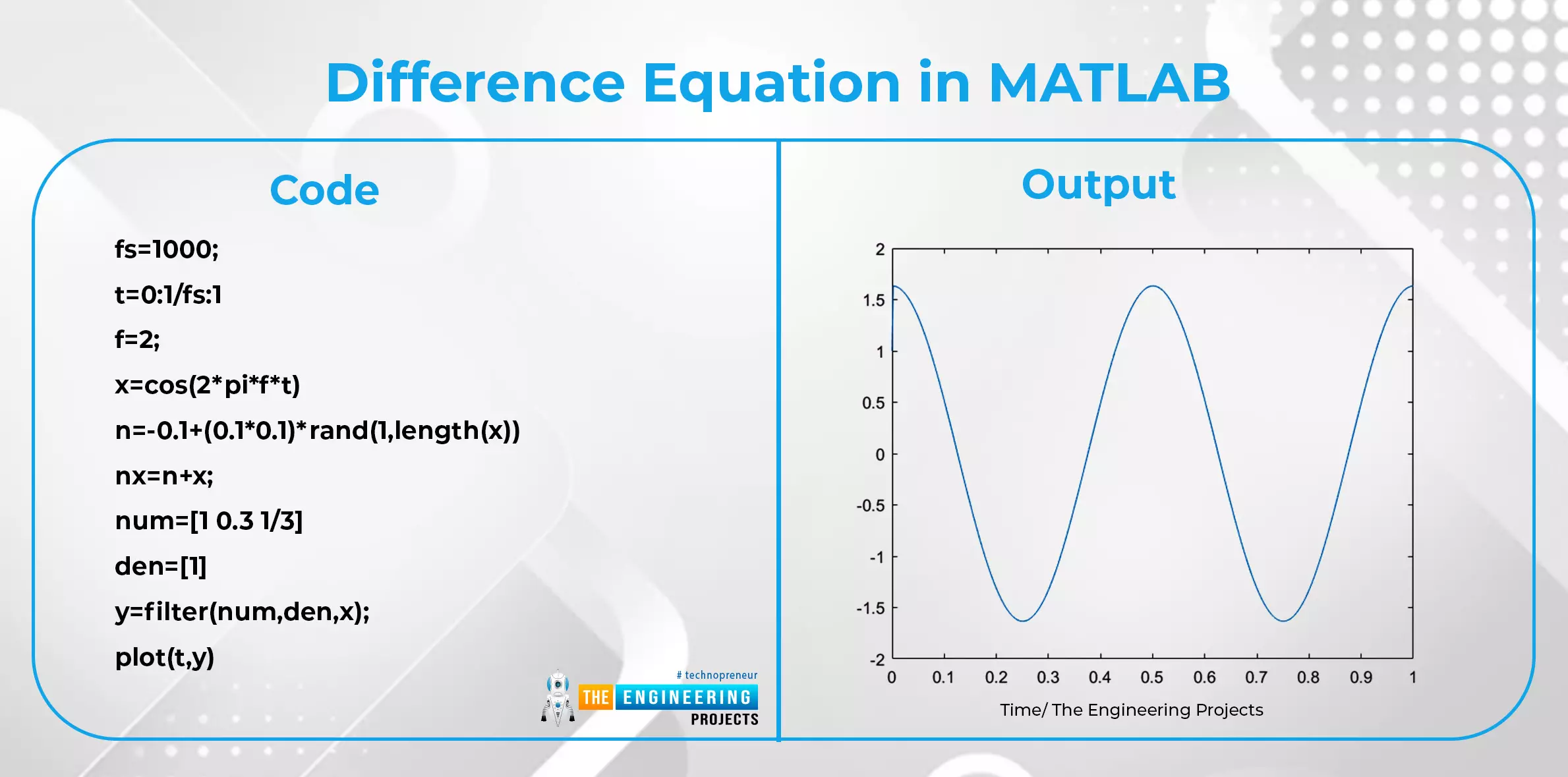
What is the difference equation and how is it related to the z transform?
What are some important applications of z transform?
We’ll go through each of these topics in detail, so stay with us to learn about all of them.
Properties of z Transform
Till now, we have seen the introduction of z transform along with s ...
Hello, learners welcome to The Engineering Projects. We are working on MATLAB, and in this tutorial, you are going to learn a lot about matrices in MATLAB. We are going to learn them from scratch, but we will avoid unnecessary details about the topic. So, without wasting time, have a look at the topics that you will learn in detail.
What is an array?
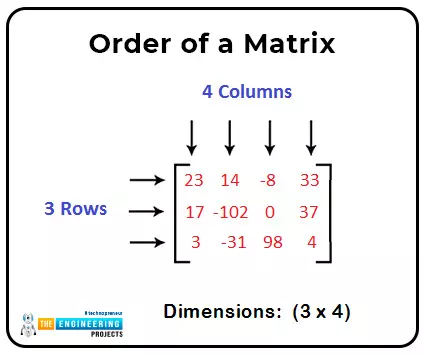
What is the matrix?
How can we declare a matrix in MATLAB?
What are the different types of matrices?
Can we find the unknown values of two equal matrices?
How can we solve the simultaneous equation in MATLAB?
What is an Array?
In this world of technology, the use of data is everywhere, and therefore, we can say there is a need for arrays in every field. You will find the reason soon. But before this, look at the introduction of a ...
Hello people! Welcome to an exciting series on The Engineering Projects in which we are studying MATLAB. This series is not just organized just for technical people but for anyone with a basic knowledge of programming and mathematics. We will define each and every concept from scratch and you are not going to bore in any lesson because you will learn new and exciting things in every lecture. If you are wondering what MATLAB can do and what some of its features make it the best calculator and it performs complex calculations in just seconds. You will also see some other parts of MATLAB that make it the best. Have a look at the list of the topics that we are going to discuss with you:
What is MATLAB?
What are some basic features of MATLAB?
If I need to have some prerequisites in MATLAB?
...
Hello friends, hope you all are fine and having fun with your lives. In today's post, I am gonna design a Convolution Calculator in MATLAB. We all know about convolution but if you don't know then here's the wiki page for convolution which has a detailed description of Convolution. In simple words, convolution is a mathematical operation, which applies on two values say f and g and gives a third value as an output say v. In convolution, we do point to point multiplication of input functions and gets our output function.
Convolution is an important technique and is used in many simulating projects. It has a vital importance in image processing. So, today we are gonna do convolution in MATLAB and will check the output. You should also check Image Zo ...
Hello everyone! I hope you all will be absolutely fine and having fun. Today, I am going to share my knowledge about How to Create m File in MATLAB. It is also known as New Script or Editor in the MATLAB. It's an amazing MATLAB tool. We can write the complete source code on editor. If we want to visualize the result of the particular statement we should not put a semicolon after that statement in MATLAB. Before going into the details of this tutorial, you must first have a look at Introduction to MATLAB and if you don't know about MATLAB variables then you must read Declaration of Variables in MATLAB.
By doing this and by pressing the Run (Green Color) button at the top of the editor we will be able to see the result on the command window. In ot ...
Hello Friends! I hope you all are doing great welcoming 2022. With the start of the New Year, we would like to bring to you a new tutorial series. This tutorial series is on a programming language, plotting software, a data processing tool, a simulation software, a very advanced calculator and much more, all wrapped into one package called MATLAB.
We would welcome all the scientists, engineers, hobbyists and students to this tutorial series. MATLAB is a great tool used by scientists and engineers for scientific computing and numerical simulations all over the world. It is also an academic software used by PhDs, Masters students and even advanced researchers.
MATLAB (or "MATrix LABoratory") is a programming language and numerical computing environm ...
Hey fellows, in the previous lecture, we read the basics of Laplace transform and now, we want to go into a deep study about the same topic. Usually, it is important to learn all the properties of a mathematical tool to use it well, but we’ll focus on the basic and important properties of the Laplace transform to understand its concepts. Here are these:
Linearity
Time delay
Nth derivative
Frequency shifting
Multiplication with time
Complex shift property
Convolution of the Laplace transform
Time shifting
Time reversal
If you have read the previous concepts clearly, then these concepts should be clear in your mind. We’ll define all of them one after the other, and you'll understand each of them clearly.
Linearity in the Laplace Transform
We all know what linearity is. Yet, t ...
Hello learners. Welcome to The Engineering Projects. We all know that matrices have been used in the engineering field for a long time, and they have a vital role in the calculation of different data. Therefore, we are learning about some very special kinds of matrices that are usually introduced to engineers at a higher level. Till now, we have seen some general operations on matrices and also examined the special kinds of matrices. Yet, today, we are moving a step forward and learning about some complex types of matrices that require strong basic concepts. So, have a glimpse at the topics that you are going to learn, and then, we’ll start practicing.
What is a matrix?
What are the different types of matrices that are less common?
How can we implement some interesting commands in MAT ...
Hello friends! I hope you all will be absolutely fine and having fun. Today, I am going to tell you guys that how to design a simple algorithm for Stepper Motor Speed Control in MATLAB by simply sending different commands to the serial port from Matlab to Arduino. You should first read Stepper Motor Speed Control using Arduino because I am gonna take that tutorial further and will do the Stepper Motor Speed Control in Matlab. So, I would suggest you to first have a look at that tutorial before reading this one. Moreover, you should also have a look at DC Motor Direction Control in Matlab, DC Motor Speed Control using Arduino. Stepper Motor Direction Control Direction Control in Matlab, Stepper Motor Direction Control using NI LabVIEW and Stepper ...