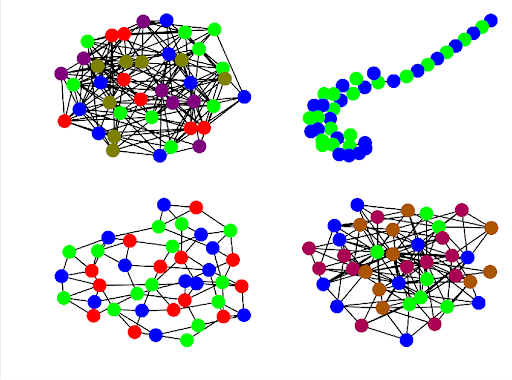
Hi readers! I hope you are doing great. We are learning about modern neural networks in deep learning, and in the previous lecture, we saw the capsule neural networks that work with the help of a group of neurons in the form of capsules. Today we will discuss the graph neural network in detail.
Graph neural networks are one of the most basic and trending networks, and a lot of research has been done on them. As a result, there are multiple types of GNNs, and the architecture of these networks is a little bit more complex than the other networks. We will start the discussion with the introduction of GNN.
Introduction to Graph Neural Networks
The work on graphical neural networks started in the 2000s when researchers explored graph-based semi-supervised learning in the neural network. The ...
Introduction
Welcome to the next tutorial in our raspberry pi programming. In the previous tutorial, we learned how we could run Xbox cloud on our pi 4. We found that we can run any game easily without lag or having raspberry pi shut down, proving that pi 4 is quite a powerful minicomputer. However, this tutorial will demonstrate how to use Python on raspberry to monitor websites. This Python program will execute on Pi 4 and watch over a website, alerting you whenever it changes or goes down. This is accomplished by keeping a straightforward webpage duplicate locally and monitoring for updates. This webpage monitor is straightforward, so it should work well on pi Zero. Throughout this tutorial, we will demonstrate how to develop your custom code to monitor a webpage. With this information ...
The SPI (Serial Peripheral Interface) protocol, or rather the SPI interface, was originally devised by Motorola (now Freescale) to support their microprocessors and microcontrollers. Unlike the I2C standard designed by Philips, the SPI interface has never been standardized; nevertheless, it has become a de-facto standard. National Semiconductor has developed a variant of the SPI under the name Microwire bus. The lack of official rules has led to the addition of many features and options that must be appropriately selected and set in order to allow proper communication between the various interconnected devices. The SPI interface describes a single Master single Slave communication and is of the synchronous and full-duplex type. The clock is transmitted with a dedicated line (not necessari ...
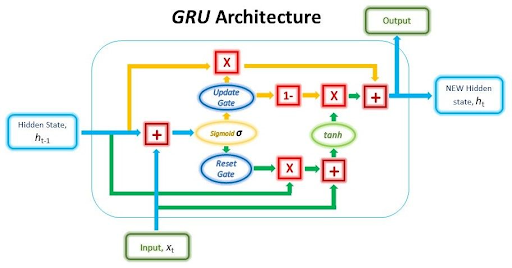
Hello! I hope you are doing great. Today, we will talk about another modern neural network named gated recurrent units. It is a type of recurrent neural network (RNN) architecture but is designed to deal with some limitations of the architecture so it is a better version of these. We know that modern neural networks are designed to deal with the current applications of real life; therefore, understanding these networks has a great scope. There is a relationship between gated recurrent units and Long Short-Term Memory (LSTM) networks, which has also been discussed before in this series. Hence, I highly recommend you read these two articles so you may have a quick understanding of the concepts.
In this article, we will discuss the basic introduction of gated recurrent units. It is better ...
Hello friends, I hope you all are fine. In today's tutorial, I am going to share the Raspberry Pi Pico Library for Proteus. It's a dummy library, we have just designed the display. We can't add the Python Code to it, but we can make it work with Arduino code. A mixture of Arduino and Raspberry Pi, I have given it an unofficial name "Arduino Pi". It's better to have something than nothing. You can design circuit diagrams using this library and can also demonstrate your project in presentations by designing simulations.So, let's have a look at How to simulate Raspberry Pi Pico by adding this Proteus Library:
Raspberry Pi Pico Library for Proteus
First of all, we need to download the zip file of Proteus Library for Raspberry Pi Pico, by clicking the below button:Raspberry Pi Pico Library ...
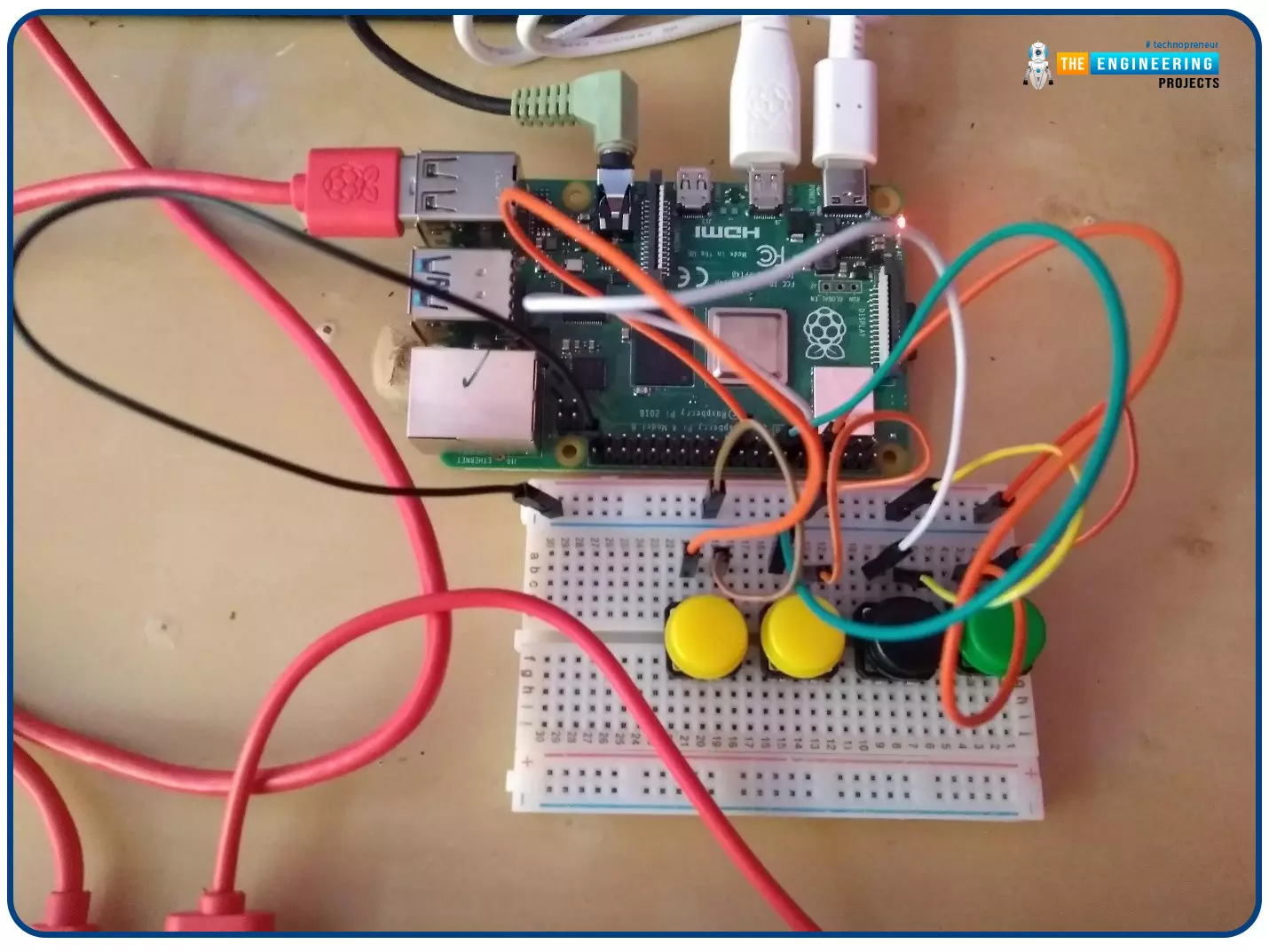
Welcome to the next tutorial of our Raspberry Pi programming course. In our previous tutorial, we learned how to create a timelapse video with still images and understand how phototimer and FFmpeg work. In this lesson, you'll make a button-controlled "music box" that plays different sounds depending on which buttons are pressed.
What you will learn
Connect button pushes to function calls using the Python gpiozero package and uses the Python dictionary data structure
Components
Raspberry Pi
Breadboard
Buttons
Jumper wires
Speaker
Set up your project
For this project, you'll need some audio samples. On Raspbian, there are many audio files; however, playing them with Python can be challenging. You can, however, transform the audio files ...
Hello friends, I hope you all are having fun. Today, we are bringing you one of the most advanced and trending courses named "Deep Learning". Today, I am sharing the first tutorial, so we will discuss the basic Introduction to Deep Learning, and in my upcoming lectures, we will explore complex concepts related to it. Deep Learning has an extensive range of applications and trends and is normally used in advanced research. So, no matter which field you belong to, you can easily understand all the details with simple reading and practicing. So without any further delay, let me show you the topics that we are going to cover today:What is deep learning?What are artificial intelligence and machine learning?Working with deep learning using neural networks.Trends in deep learning.Deep learning as ...
Hey peeps! Welcome to the Engineering Projects where you are learning the basics of Python in detail. We are working a lot with the arrays as these are important concepts in most of the high-level programming languages till now, the numeric data was used in the arrays but for our practice, we are moving towards the next step where the focus will be on the string data type. The practice is done on the Jupyter notebook and every step is going to be explained well without skipping any concepts but to keep things easy, we are not emphasising unnecessary details and concepts. So, before going deep into the topic, have a look at the list of the contents that will be discussed in this lecture:
What are the strings?
How do we use the string in arrays?
What is the list?
How do we extract the ch ...
Hello friends, I hope you all are doing great. Today, I am going to share the Raspberry Pi 4 Library for Proteus. In our previous tutorial, we shared the Raspberry Pi 3 Library for Proteus and as we mentioned in that tutorial, these Raspberry Pi libraries will have dummy modules i.e. We have just designed the exterior but these boards won't be able to read the Python code. Although just for fun, we have added the Arduino firmware in these boards, so we can upload the Arduino code in it. As the legends say, something is better than nothing. We have given these boards an unofficial name "Arduino Pi".You can use these Pi boards to design your circuit diagram or can also use it in your presentation/demonstration of your projects. I hope you will enjoy these simulated Raspberry Pi boards. Befor ...
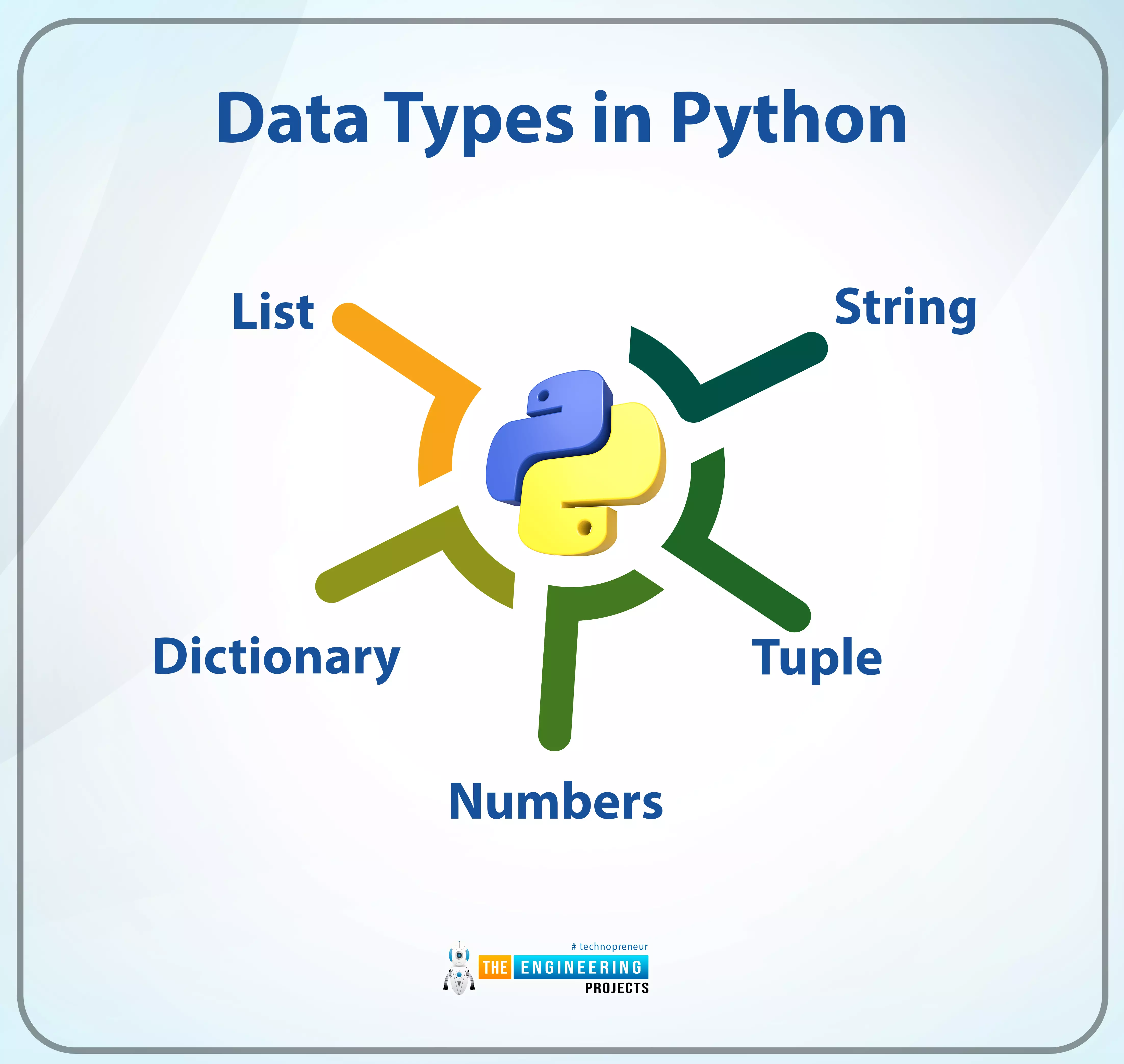
Hello learners! Welcome to the engineering projects where we are working on deep learning. In this series, we are at the part where Python is under our observation. In the last session, we saw the Python built-in functions and the practical implementation of some important pre-defined functions of Python. In the current lecture, you will learn about the fundamental concept of Python. It is not wrong to say that if you want to work in any high-level programming language, you have to understand its data types; otherwise, you will not be able to code complex or long programs using it. More details will be discussed in the next section, but before this, you should have a glance at the concepts you will learn in this tutorial.
What are the data types?
How are Python data types different from ...