Hello friends, I hope you all are fine and having fun with your lives. In today's tutorial, I am going to show you How to use Arduino Serial Monitor . It's not gonna be a very big post but its really very essential if you wanna learn Arduino coding. Because Arduino Serial Monitor is a great debugging tool and it helps a lot in Arduino Projects. In the previous post we have seen How to use digitalRead in Arduino and if you recall that tutorial then you must remember that in it we have used some Serial printing. So that's what we are gonna cover in today's tutorial. Before going into the details, I must suggest you to first read these two posts because in those tutorials I have shown the serial communication which is essential for Serial Monitor Working. So, you guys must first read them and ...
Hello everyone, I hope you all are fine and having fun. Today's tutorial is the next episode in the series of basic Arduino tutorial for Beginners . In today's tutorial, we are gonna have a look at How to use digitalRead in Arduino . In the previous tutorial, we have seen How to use pinMode Arduino Command , which sets the Arduino Pin either as Input or Output. So, if you are using this pin as input then you have to read its status and that's where you need to use this digitalRead Arduino Command. Other than Serial Pins in Arduino UNO, we also have 12 digital Pins. Serial Pins are also digital Pins so in total we have 14 digital Pins in Arduino UNO starting from 0 to 13. I am gonna explain them in detail in today's tutorial and we will also have a look at How to use this digitalRead comman ...
Hello everyone, I hope you all are fine and having fun with your lives. Today, I am going to share the next tutorial in this series of basic Arduino tutorials and it's named How to use Arduino Serial Write . In this tutorial, I have given an overview of How to use the Arduino Serial Write Command. In the previous tutorial, we have seen How to use Arduino Serial Read? in which we have read the data coming from the serial port. While today we will have a look at how to send the data through a serial port in Arduino and for that, I am going to use the Arduino Serial Write command . It's also going to be a very simple and basic Arduino tutorial but if you are new to Arduino then you must read it completely as it will gonna help you out. I have also designed a Proteus Simulation and explained i ...
Hello friends, I hope you all are fine and having fun with your lives. Today, I am going to share a very basic and introductory tutorial named How to use Arduino Serial Read . I am sharing this tutorial because I am getting a lot of emails in which users normally ask about basic Arduino tutorials as they are very new to them. So, I thought of sharing this very basic Arduino tutorial in which we are going to have a look at how we can use the Arduino Serial Read command. Libraries Libraries used in this tutorial Arduino Library for Proteus: V1.0 (2015, used in this tutorial) · latest version: V4.0 (October 2026) LCD Library for Proteus: V1.0 (2016, used in this tutorial) · latest version: V3.0 (October 2026) Helping Tools Serial Monitor Advance : a serial terminal window for the UART of your ...
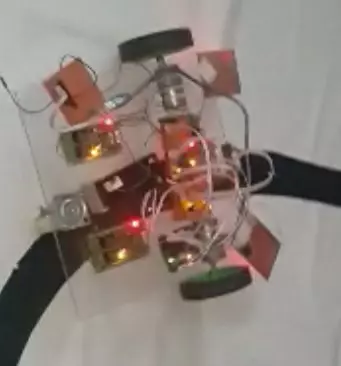
Hello everyone, I hope you all are fine and having fun with your lives. Today, I am going to share a very basic project named as Line Following Robot using Arduino. I have designed a three wheeler robot and have placed IR sensors beneath it to detect the black line and then I have made it move over this Black Line. This Line Following Robot is not doing any extra feature i.e. turning or rotating back. It will just simply move in the straight line. I have also posted a short video at the botton of this tutorials which will give you better idea of how this robot moves. You should first read this tutorial and design the basic robot and once you are successful in designing the basic Line Following Robot then you should have a look at my recent Project Line following Robotic Waiter in which I h ...
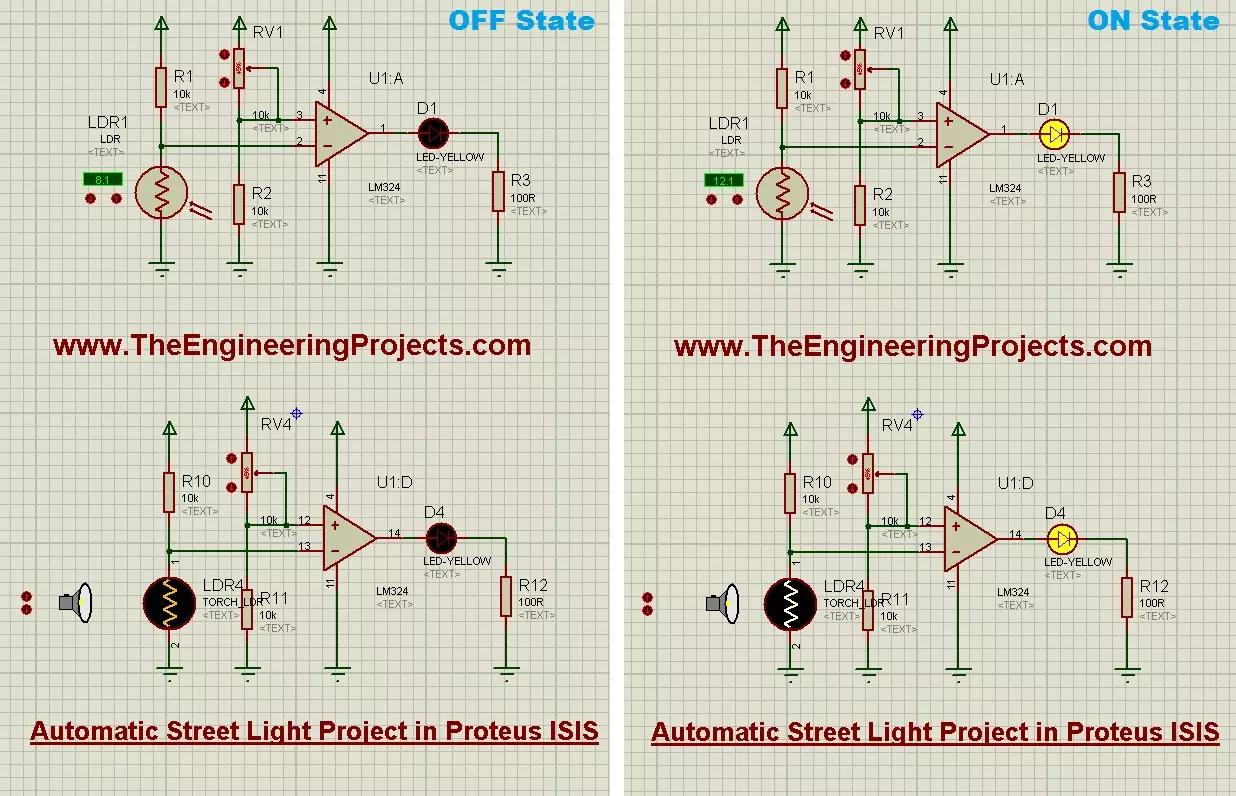
Hello everyone, I hope you all are fine and having fun with your lives. Today, I am going to share a semester project which is named as Automatic Street Light Project . I have designed this project in Proteus ISIS and the simulation is also given below for download. Btw this was my first project during my engineering course. :D I had really enjoyed while working on this project as I was new to electronics then. This project is about Automatic Street Light. You must have examined on your streets that the street lights turn ON at night while they turn OFF in the day. When I was a child then I think that someone turns ON the switch in the day and then turns it OFF at night but that's really not the case. :P In fact, these lights are automatic and have a sensor in them which is known as LDR se ...
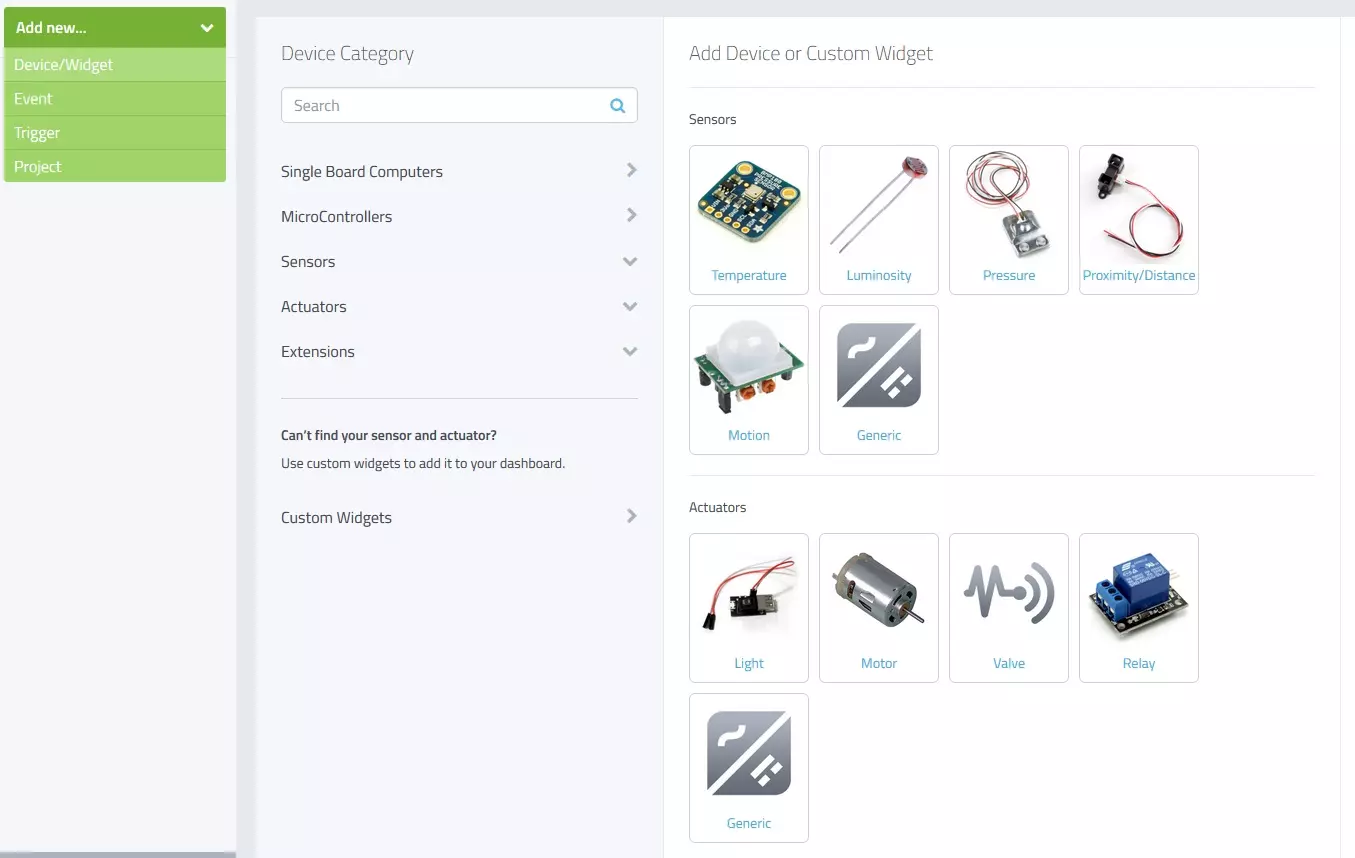
Hello friends, I hope you all are fine and having fun with your lives. Today, I am going to share a new and very exciting service with you guys which is named as myDevices Cayenne , we will have a look at getting started with Cayenne. Its really an awesome platform for students and hobbyist who wants to work on embedded systems but are afraid of programming codes. Cayenne is an online project building platform using drag and drop. Currently it supports Arduino and Raspberry Pi. In simple words, you can design any of your Arduino or Raspberry Pi project simply by drag and drop different components. You don't need to write any code, you just need to place your blocks and upload it to your Arduino board. Its also known as the Graphical coding. I came to know about Cayenne a few days ago and I ...
Hello friends, hope you all are fine and having fun with your lives. Today, I am going to share a new project named LPG Gas Leak Detector using Arduino in Proteus ISIS . Before reading this tutorial, you must first download the Gas Sensor Library for Proteus because we are gonna use that Library and will simulate the Gas Sensor in Proteus. Libraries Libraries used in this project Arduino Library for Proteus: V1.0 (2015, used in this project) · latest version: V4.0 (October 2026) Gas Sensor Library for Proteus: V1.0 (2016, used in this project) · latest version: V2.0 (October 2026) LCD Library for Proteus: V1.0 (2016, used in this project) · latest version: V3.0 (October 2026) Helping Tools Serial Monitor Advance : a serial terminal window for the UART of your board Serial Monitor Expert : ...
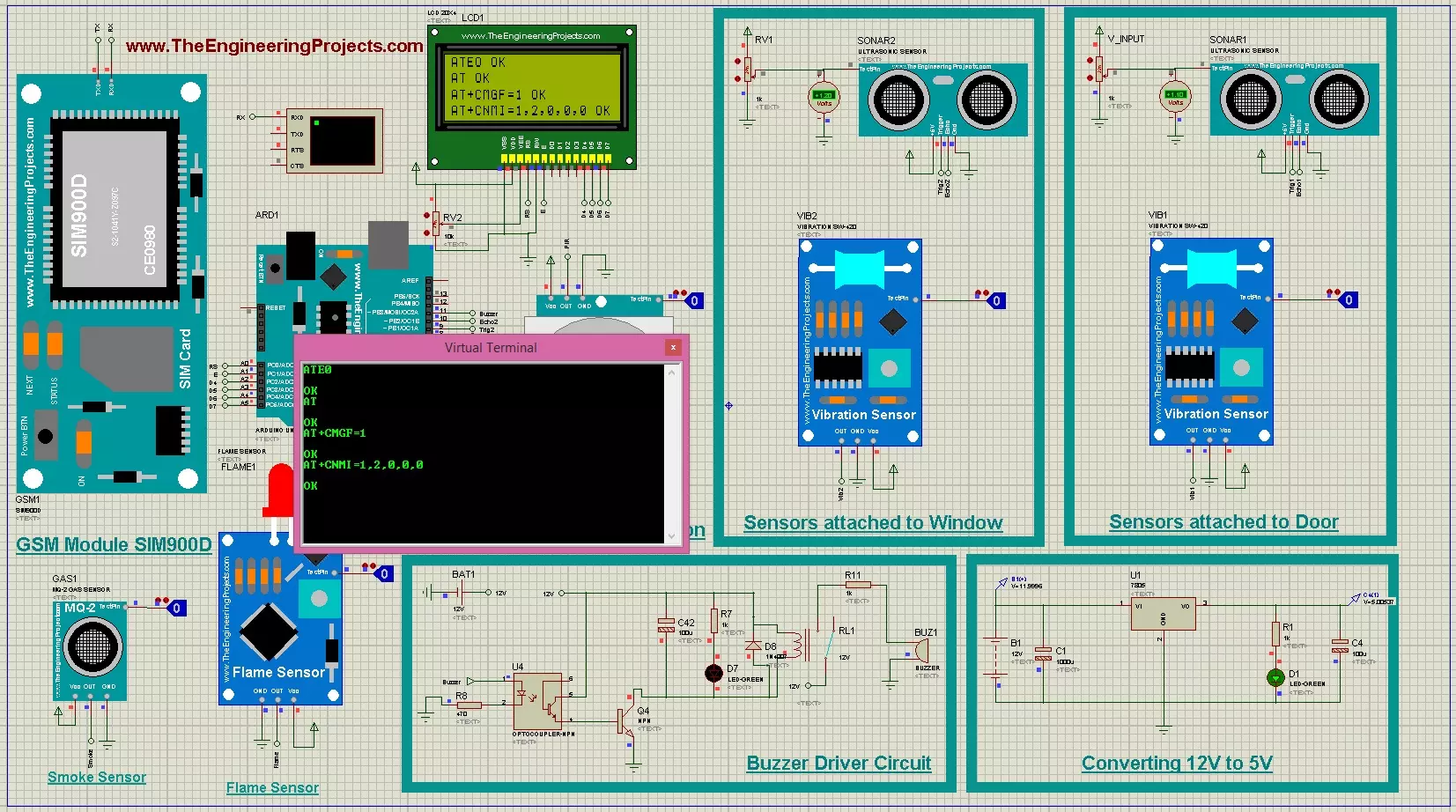
Hello friends, I hope you all are fine and having fun with your lives. Today, I am going to share a complete project named as GSM Based Home Security System. I have designed its complete working simulation in Proteus and have used different libraries which you can also download from our blog. In the previous post, I have posted Home Automation Project using XBee & Arduino and today we are gonna work on Home Security System. Libraries Libraries used in this project GSM Library for Proteus: V1.0 (2016, used in this project) Newer GSM modules: SIM800L · SIM800C · SIM900A · SIM808 Helping Tools Serial Monitor Advance : a serial terminal window for the UART of your board Serial Monitor Expert : the serial monitor with extra debugging tools LCD Library for Proteus V3.0 : 16x2, 20x4 and I2C LCDs ...
Hello friends, I hope you all are fine and having fun with your lives. Today, I am going to share a new Home Automation Project using XBee & Arduino. Home Automation Project is a most commonly designed project by the engineering students. So, that's why I have thought to create a complete Home Automation Project so that engineering students can get benefit out of it. Libraries Libraries used in this project XBee Library for Proteus: V1.0 (2016, used in this project) LCD Library for Proteus: V1.0 (2016, used in this project) · latest version: V3.0 (October 2026) Gas Sensor Library for Proteus: V1.0 (2016, used in this project) · latest version: V2.0 (October 2026) Flame Sensor Library for Proteus: V1.0 (2016, used in this project) · latest version: V2.0 (October 2026) Helping Tools Serial M ...