Hello friends, I hope you all are doing great. Today, I am going to start a new tutorial series on Raspberry Pi 4. It's our first lecture today, so I will explain the basics of Raspberry Pi boards. In this tutorial series, I will teach you each and everything about Raspberry Pi and its programming. I have designed this guide for beginners, so we will start from the very basics and will slowly move toward complex concepts. Python programming language is used in Raspberry Pi boards, so we will study Python as well. So, we will learn both programming and hardware circuit designing in this tutorial series. Let's first have a look at What is Raspberry Pi?
What is Raspberry Pi?
Raspberry Pi is a series of Single Board Computer, developed by the Raspberry Pi Foundation in England, to teach co ...
JLCPCB (JiaLiChuang Co. Limited) is a worldwide PCB & PCBA Fabrication enterprise. It is a leading company in high-tech manufacturing products specializing in PCB and PCBA production. With over a decade of experience in PCB manufacturing JLCPCB has made over a million customers through online ordering by the customers of PCB manufacturing and PCBA production.
JLCPCB is a professional manufacturer of large-scale manufacturing of PCBs, well equipment, strict management, and superior quality. It deals with the production of all types of PCBs, Stencils, and SMT.
In this article, we are going to discuss widely how the company operates its ordering system of the PCBs by their customers for production through the online booking process.
JLCPCB SMT ...
Hi Friends! Glad to have you on board. Thank you for clicking this read. In this post today, I’ll walk you through Edge Computing vs Cloud Computing.
Cloud computing has been around for many years while edge computing, on the other hand, has just become the prime topic of mainstream organizations. But what is the key difference between both edge computing and cloud computing, how do they work, can we implement both in the IT model of any business? These are the main questions that arise every time someone tries to get a hold of these terms. Don’t worry. We’ll discuss them in detail so you know when to pick a cloud model and when to choose edge computing.
Keep reading.
Edge Computing vs Cloud Computing
Before we go further to describe the comparison between edge and cloud, know that, both ...
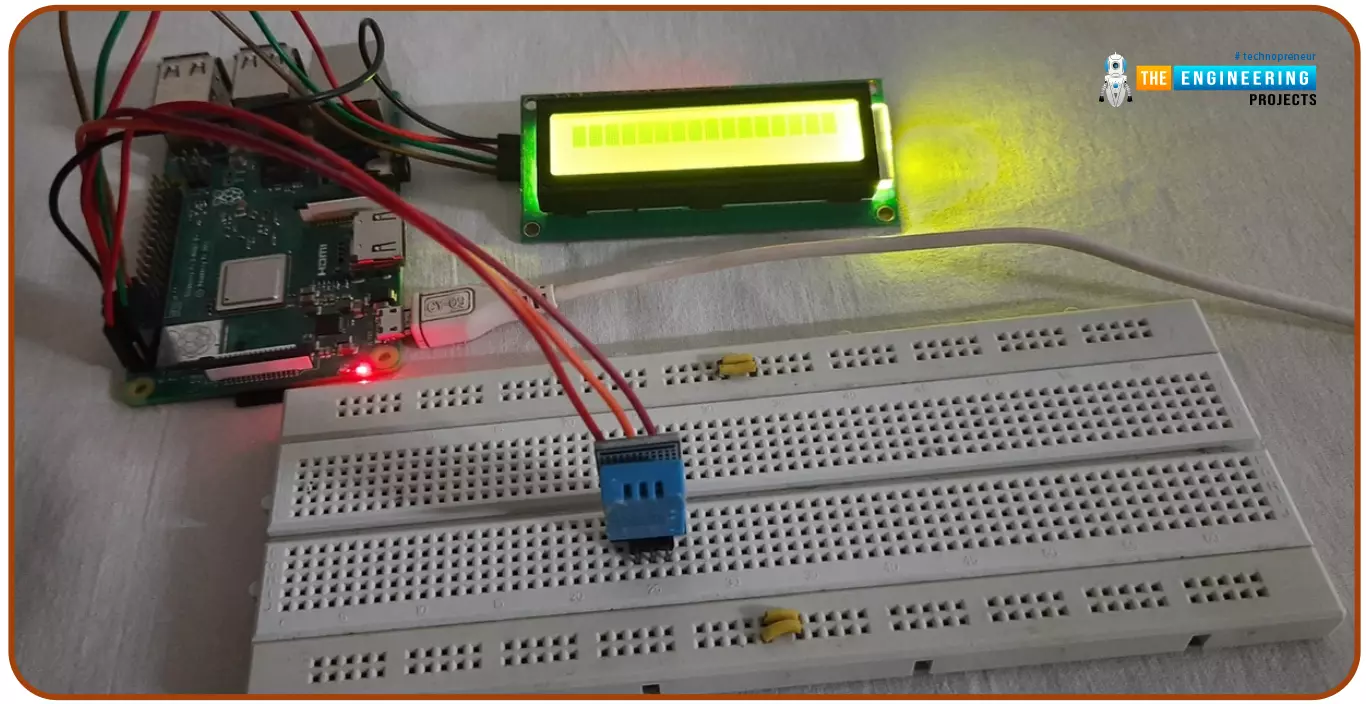
Hello friends, I hope you all are doing great. Today, I am going to share the 6th tutorial of Section-III in the Raspberry Pi Programming Course. In our previous tutorial, we have seen how to interface an Ultrasonic Sensor with Raspberry Pi 4 and used Python to perform its calculations. In today's tutorial, we'll discuss how to interface a DHT11 temperature and humidity sensor to a Raspberry Pi. So, let's get started:
ComponentsHere's the list of components, we are going to use in today's circuit:
LCD display
DHT11 sensor
Raspberry pi
Breadboard
Male-to-female jumper wires
What is a DHT11 sensor?
DHT11 is a low-cost digital sensor, used to measure temperature and humidity in the surr ...
Hi guys! Hope you’re well today. In this post today, I’ll cover What is Industrial IoT (Internet of Things?)
IIoT is now a talk of mainstream conversation. This term has blown up in the past couple of years. Before we move further to describe IIoT, it is evident that industries are no longer dependent on the traditional production processes that happened to be costly and guaranteed no optimal results. Now companies are willing to incorporate automation in manufacturing and production processes. Smart systems, no doubt, are dangerous for the traditional labor workforce, but on the other hand, they create more opportunities for the people equipped with the latest business trends.
Curious to know more about Industrial IoT, how does it work, the difference between IoT and IIoT, examples of II ...
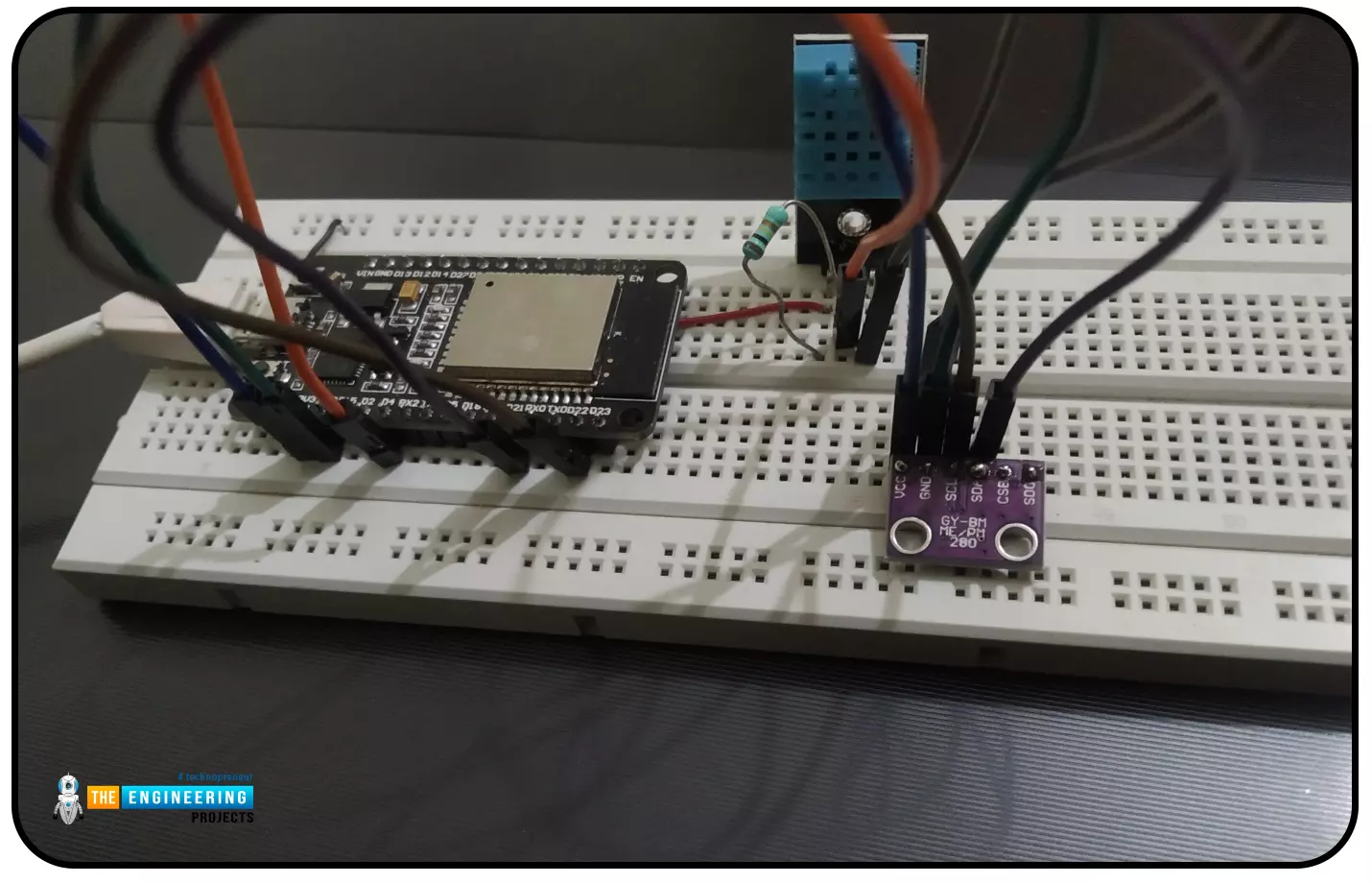
Abstract: This paper is written to represent a web-server based real-time weather monitoring system implemented using the ESP32 module. The system is designed to measure the weather conditions like temperature, pressure, humidity etc, in its vicinity. This system continuously provides real-time data (weather conditions) over limited or controlled areas, for example, agriculture fields, homes or a particular room, industries etc. Although we have satellites for weather monitoring but to perform research over a particular area, the data observed should be highly accurate which is not possible with satellites. To implement an IoT network we need to use a webserver to continuously store and display the real-time data which can be accessed globally. ’T ...
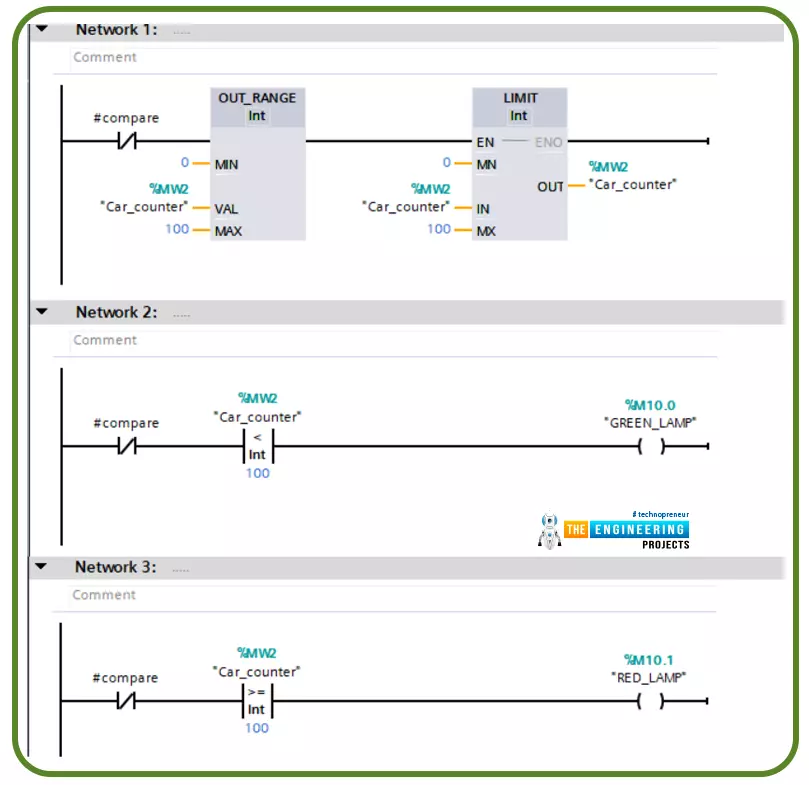
Hi friends. Today we are going to go through one of the most commonly used topics in writing ladder logic programming which is using comparator operations. This includes the logical and mathematical comparison between variables to decide where the logic goes.
There are many comparator operations like equal (==), not equal (<>), less than (<), greater than (>), less than or equal (<=), greater than or equal (>=). All these comparator operations might be used in different logic scenarios while writing a ladder logic program. In this tutorial, we are going to go over each operator showing the input operators and output as well. In addition, we will practice some examples with the simulator to familiarize how to use them flexibly whi ...
Hello, Students here I am present to cover an article on a series of Electronic devices and circuit theory. The foremost article of this series is Ideal diode vs practical diode. I try to elaborate on basic to modern theory related to the diode. This component act as fundamental to many important circuit devices such as rectifiers, transformers, etc. The question which we cover in this article are;
What is a diode?
How a diode is formed? Which methodology manufacturer utilized while the formation of the diode?
What is the concept of doping and PN junction in diode theory?
How does a Diode work?
What type of biasing allows a diode to conduct? Under which situation of biasing diode offers a restriction while conducting?
Upon which cha ...
Hi Friends! Hope you’re well today. I welcome you on board. In this post, I’ll walk you through How Workflow Automation Can Benefit Small Businesses?
Reduce the possibility of human error, save time and improve efficiency – The main goal of workflow automation. If your employees spend a lot of time on mundane and repetitive tasks, it’s a high time to invest in workflow automation. Especially if your business is small and you are in the early stages to leave a footprint in the competitive market. You can’t afford to hire scores of employees to do predictable tasks that you can automate with workflow automation. For instance, follow-up emails and sales calls, finance approval and invoice generation, and onboarding new employees, you can automate these tasks without having to worry about hir ...
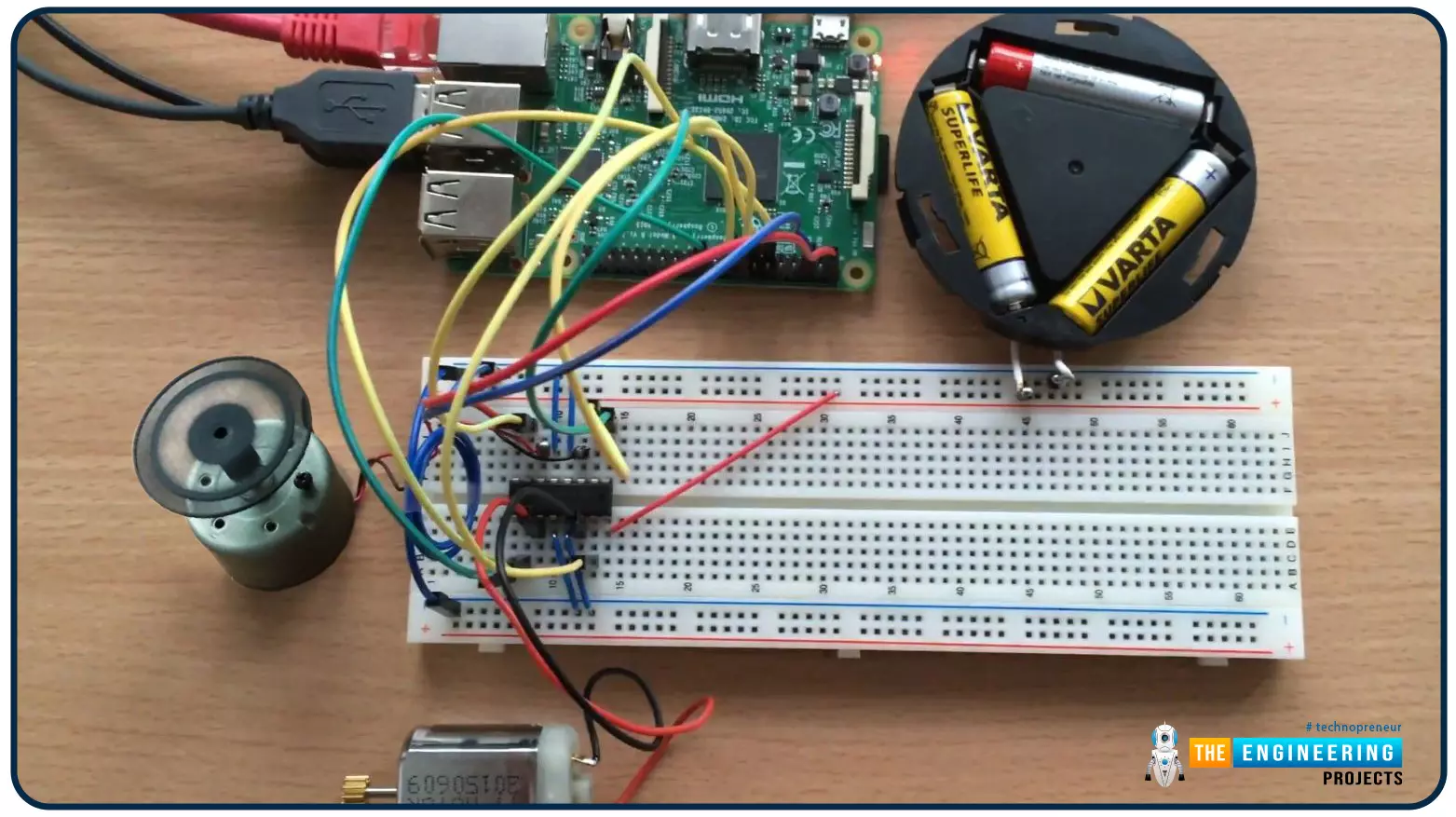
Hello friends, I hope you all are doing well. Welcome to the 9th tutorial of our Raspberry Pi programming course. In the last chapter, we generated a PWM signal from our Raspberry Pi to control the brightness of an LED. We also studied different functions used in Python to perform PWM. In this chapter, we'll get a bit advanced with PWM and use it to control the speed and direction of a DC motor with the help of a motor driver IC.
To control the speed & direction of the DC Motor, we will:
Design a Circuit Diagram.Write Python code.
Components RequiredWe will use the following components to control the DC motor speed:
Raspberry Pi 4.DC Motor.Motor driver IC(L293D).Breadboard.
Jumper wires.
Controlling DC Motor speed wi ...