Hello friends, I hope you all are doing great. Today, I am going to share the Raspberry Pi 2 Model B Library for Proteus . The Raspberry Pi 2 kept the shape and the 40-pin GPIO header of the Model B+ and put a quad-core 900 MHz BCM2836 with 1 GB of RAM on it - the board that turned the Pi from a slow single-core computer into a useful one. With this library the board runs your Python program against the circuit in Proteus 8.5. Updates Raspberry Pi 2 Model B Library for Proteus Latest version: V1.0 (October 2026, this tutorial) Other Raspberry Pi boards: Pico · Pico W · Pico 2 W · Pico 2 · Pico W MicroPython · Pi Model B · Pi 1 B+ · Pi 3 Model B · Pi 3 Model B+ · Pi 3 Model A+ · Pi 4 Model B · Pi 5 · Pi Zero W · Pi Zero 2 W · Pi 400 · Pi 500 · Pi CM4 · Pi 2 · Pi 3 · Pi 4 · Zero W Temperatur ...
Hello friends, I hope you all are doing great. Today, I am going to share the Raspberry Pi 1 Model B+ Library for Proteus . The Model B+ is the 2014 redesign of the first Raspberry Pi: the same BCM2835 and 512 MB of RAM, but the 40-pin GPIO header every Pi since has kept, four USB ports, a microSD slot and the shape and mounting holes of today's boards. With this library the board runs your Python program against the circuit in Proteus 8.5. Updates Raspberry Pi 1 Model B+ Library for Proteus Latest version: V1.0 (October 2026, this tutorial) Other Raspberry Pi boards: Pico · Pico W · Pico 2 W · Pico 2 · Pico W MicroPython · Pi Model B · Pi 2 Model B · Pi 3 Model B · Pi 3 Model B+ · Pi 3 Model A+ · Pi 4 Model B · Pi 5 · Pi Zero W · Pi Zero 2 W · Pi 400 · Pi 500 · Pi CM4 · Pi 2 · Pi 3 · Pi 4 ...
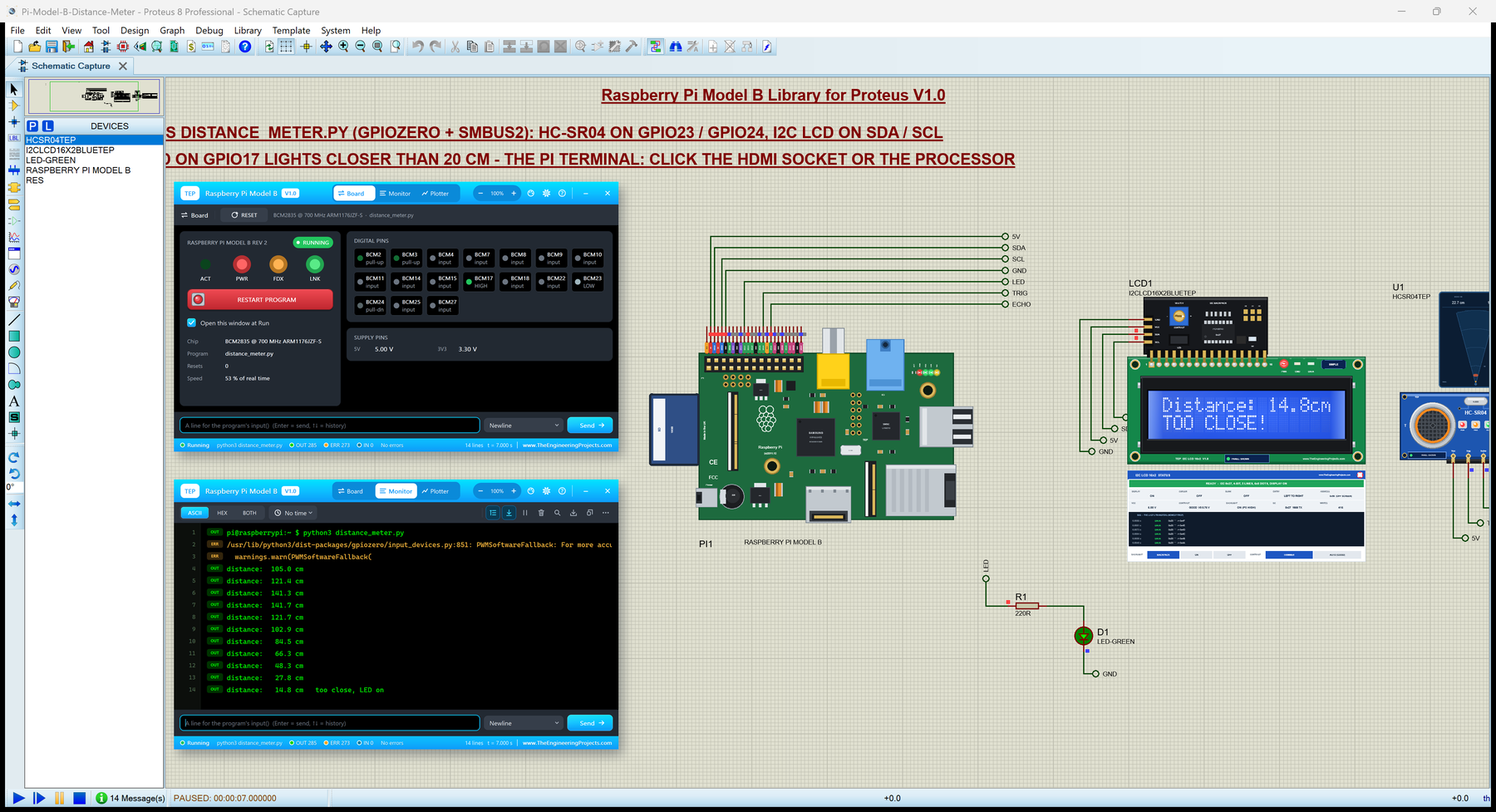
Hello friends, I hope you all are doing great. Today, I am going to share the Raspberry Pi Model B Library for Proteus . The Raspberry Pi Model B is the board that started it all in 2012: a credit-card sized computer with a 700 MHz BCM2835, 512 MB of RAM, Ethernet and a 26-pin GPIO header. With this library you can test a Pi project in Proteus 8.5: the board runs your Python program against the circuit on the sheet, with RPi.GPIO, gpiozero, I2C, SPI, the UART, 1-Wire and the network. Updates Raspberry Pi Model B Library for Proteus Latest version: V1.0 (October 2026, this tutorial) Other Raspberry Pi boards: Pico · Pico W · Pico 2 W · Pico 2 · Pico W MicroPython · Pi 1 B+ · Pi 2 Model B · Pi 3 Model B · Pi 3 Model B+ · Pi 3 Model A+ · Pi 4 Model B · Pi 5 · Pi Zero W · Pi Zero 2 W · Pi 400 ...
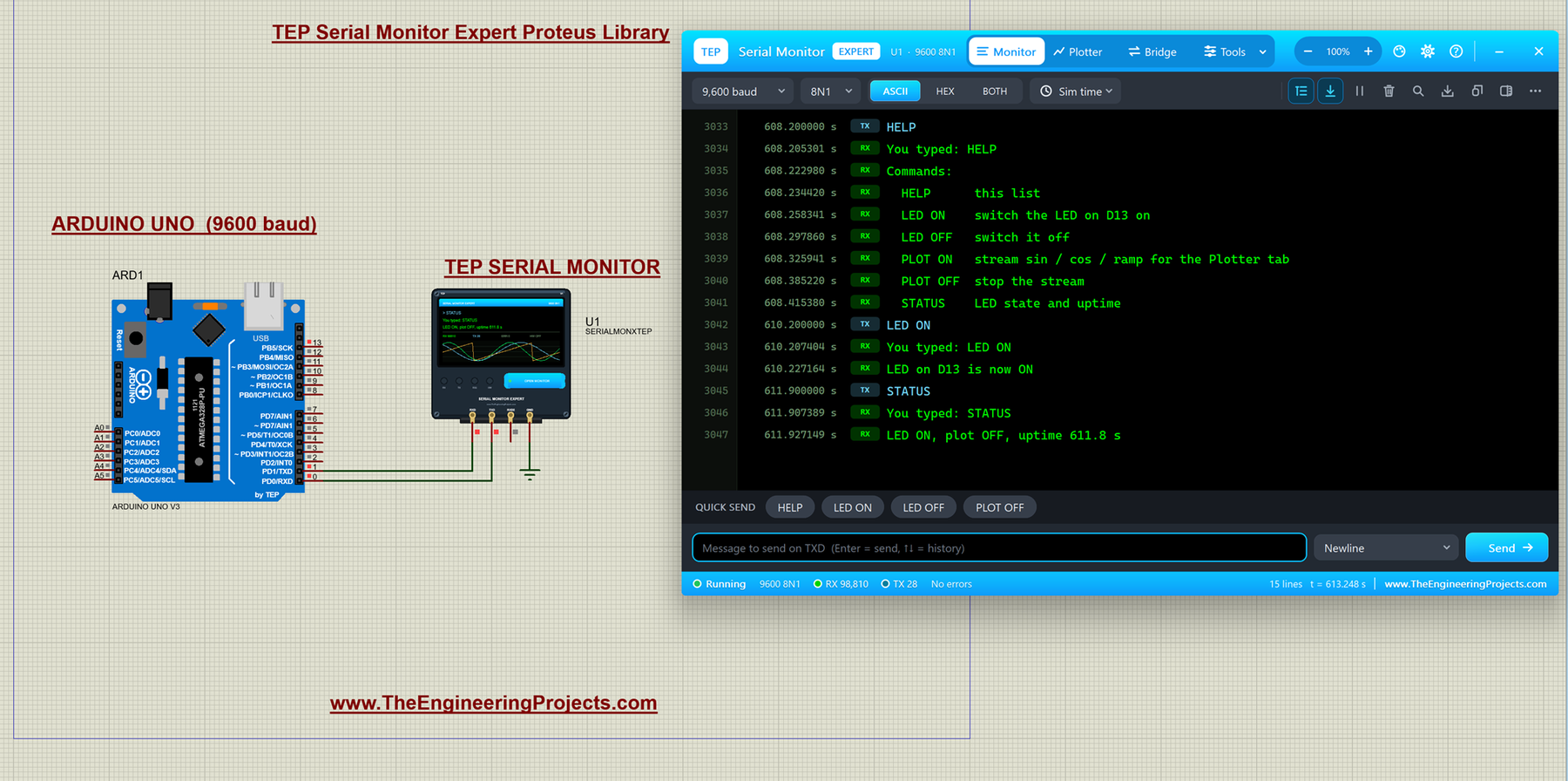
Hello friends, I hope you all are doing great. Today, I am going to share the Serial Monitor Expert for Proteus . It has everything in our TEP Serial Monitor Advance for Proteus (monitor, plotter, hardware bridge, settings, themes and help), plus six professional tools : an auto-responder, a network bridge, triggers and alarms, record and replay, smart decoders and data export. I explained the shared features in the Advance article, so today I will only teach you the new tools, one by one, with real examples from Proteus. Updates Serial Monitor Expert Library for Proteus Latest version: October 2026 (this tutorial) Arduino boards: UNO · Mega 2560 · Mega 1280 · Nano · Pro Mini · Mini (V4.0) Helping Tools Serial Monitor Advance : a serial terminal window for the UART of your board Laptop WiF ...
Hello friends! Today we will learn what a serial port is, how it transfers information and how to connect serial devices without confusing their electrical interfaces. We will begin with bits and bytes, then examine UART framing, the familiar nine-pin RS-232 connector and the settings needed for a useful conversation between two devices. You may encounter a serial port as a connector on an instrument, a small header on a microcontroller board or a COM port that appears when a USB adapter is plugged into a computer. These can provide similar software interfaces while using very different voltages and wiring. Understanding that distinction is the first step toward a reliable connection. The original article introduced the connector and its applications. This revised tutorial keeps that progr ...
Hello friends! Today we will connect to the Linux side of an Arduino Yún using PuTTY on Windows. After signing in, we will inspect the filesystem, locate attached storage and create a small Python script. This gives you a practical way to work with the board's Linux environment directly. The Yún contains two processing environments. Its ATmega32U4 runs the Arduino sketch, while the Atheros AR9331 runs the Linux system. An SSH session opens a shell on Linux; it does not turn PuTTY into an Arduino sketch editor or automatically provide direct access to every microcontroller pin. This tutorial concerns the original Yún and its historical OpenWrt-Yun software. Begin with Getting Started with Arduino Yún if the network connection is not configured. We will preserve the original screenshots whil ...