Hello friends, I hope you all are doing great. Today, I am going to share the new TFT ILI9341 Library for Proteus V1.0 . The red 2.4" and 2.8" TFT with touch is the colour screen that turns an Arduino project into a real device: 240 x 320 pixels, 65,536 colours, a bright backlight and a resistive touch screen you can press, all on a few SPI wires. Buttons, sliders, menus and drawing pads become possible. With this TFT ILI9341 Library for Proteus , your sketch draws on a TFT that behaves like the real one, and you touch it with the mouse: click and drag on the glass, and the touch controller reports the point, just as a finger would. This is our own model of the module, with two chips written from their datasheets: the ILI9341 display controller, with the SPI interface bit by bit, every com ...
Hello friends, I hope you all are doing great. Today, I am going to share the new 3.5" TFT LCD Shield Library for Proteus V1.0 . When the 2.4" screen gets too small for your menus, meters and buttons, the next step on an Arduino UNO is the red 3.5 inch TFT LCD shield : 480 x 320 pixels, twice the pixels of the 2.4" shield, the same 65,536 colours and the same resistive touch screen , and it still plugs straight on the UNO. With this 3.5" TFT LCD Shield Library for Proteus , you can design a full-size touch interface, test it in the simulation and see exactly what the real shield would show, pressing the glass with your mouse. Inside the shield sits the ILI9486 controller, and that is what our own model simulates, written from the ILI9486 datasheet: the 320 x 480 frame memory, the 8-bit par ...
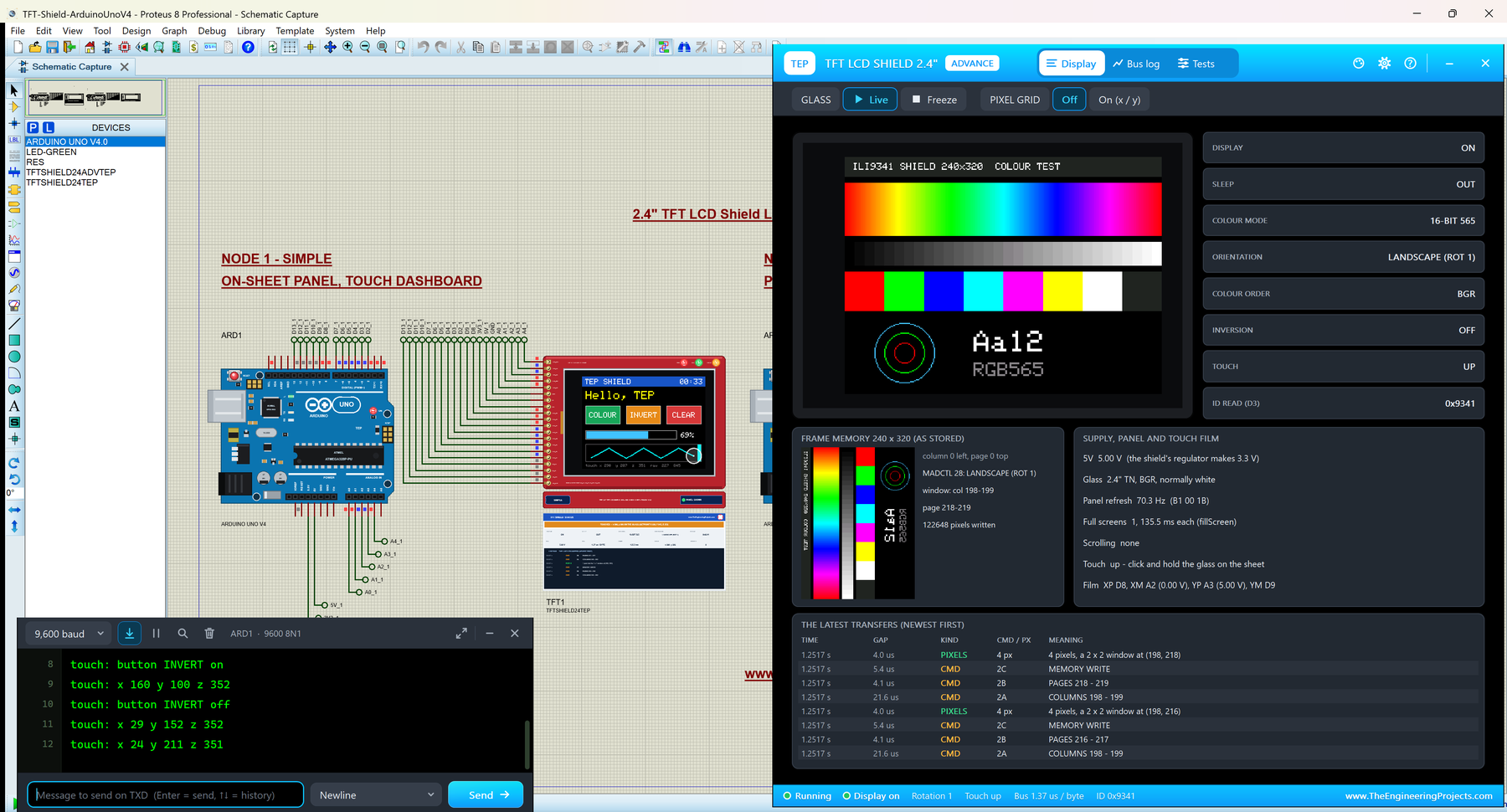
Hello friends, I hope you all are doing great. Today, I am going to share the new TFT LCD Shield Library for Proteus V1.0 . The red 2.4" TFT LCD shield is the easiest colour touch screen for an Arduino UNO: it plugs straight on the board, with no wires at all, and gives you 240 x 320 pixels, 65,536 colours and a resistive touch screen . It is the shield of countless Arduino projects: menus, games, meters, paint programs, home controls. With this TFT LCD Shield Library for Proteus , your sketch draws on a shield that behaves like the real one, and you touch it with the mouse: click and drag on the glass, and the sketch reads the point with analogRead() , exactly as on the real board. This is our own model of the shield, written from the datasheet and from the physics of the touch film: the ...