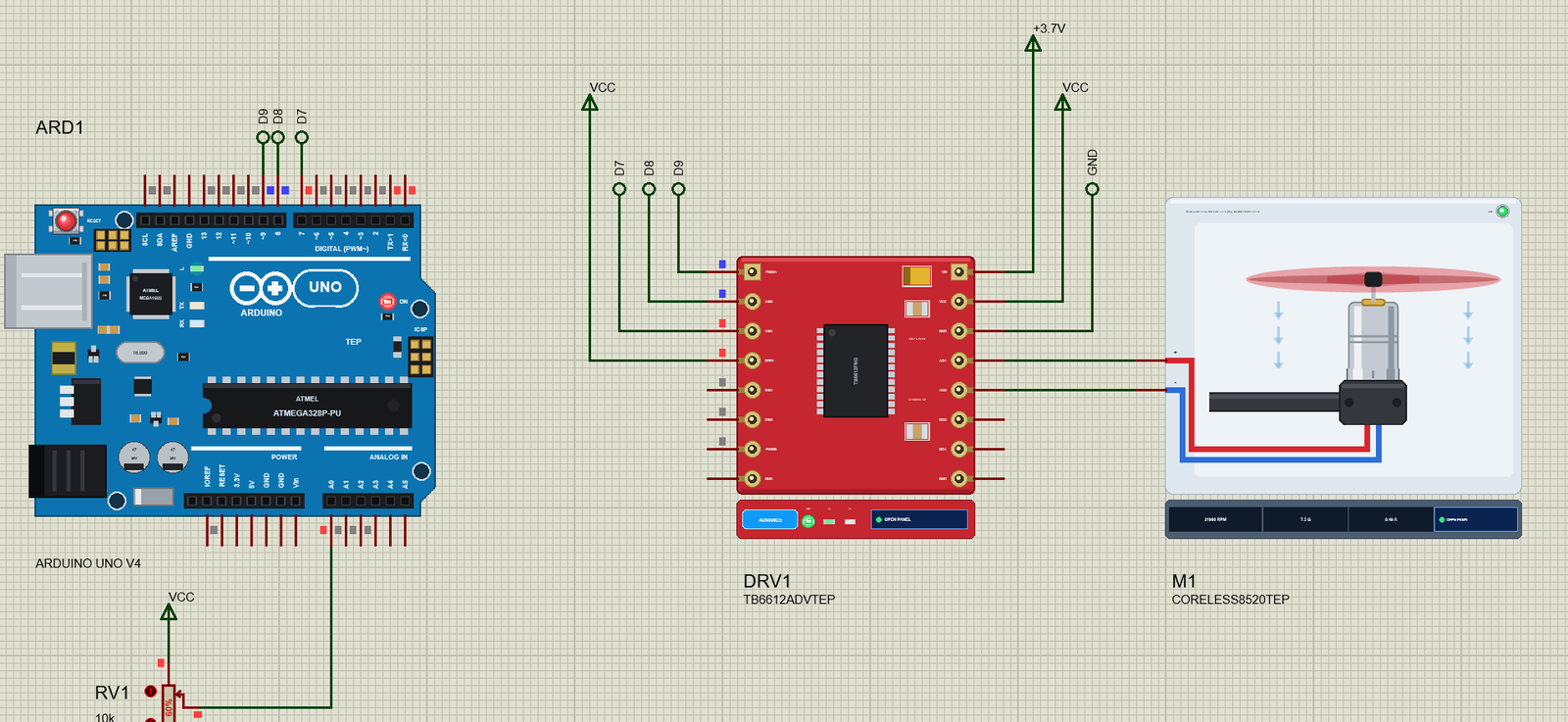
… also lets the demo run the motor backwards and brake it. The Arduino Code The sketch needs no library. New to Arduino? Start with Arduino Tutorial for Beginners and Introduction to Arduino UNO . The pins come first: const byte PWMA = 9, AIN1 = 7, AIN2 = 8; // …
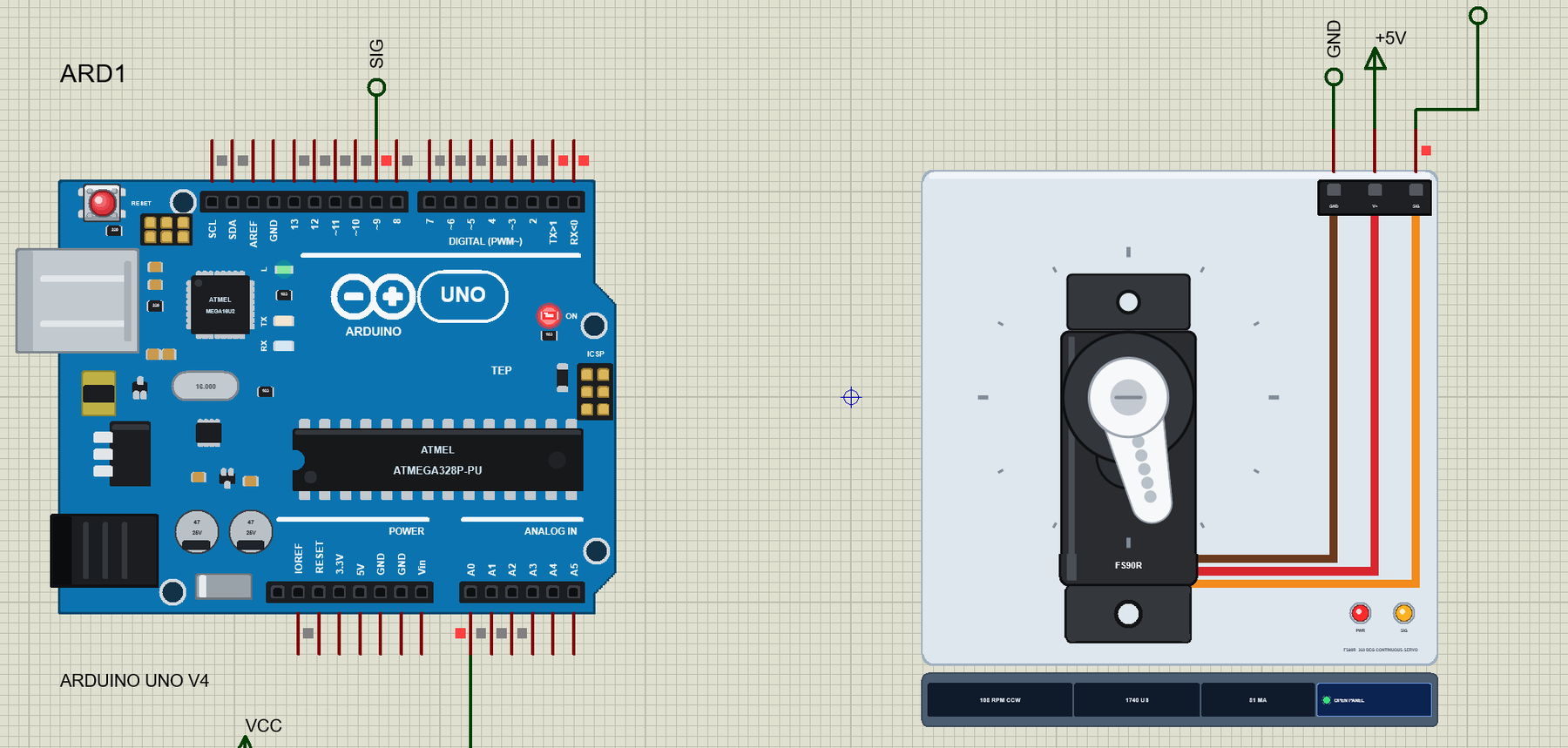
… because it is built into the UNO V4.0. The Arduino Code The sketch uses the Servo library that comes with the Arduino IDE. New to Arduino? Start with Arduino Tutorial for Beginners and Introduction to Arduino UNO . The neutral gets a name of its own, because …
… you can change it in the Arduino IDE. New to Arduino? Start with our Arduino Tutorial for Beginners . Export the compiled binary, and set the UNO's PROGRAM property to the new file. Our guide on How to get the HEX file from Arduino shows you where the file …
… you can change it in the Arduino IDE. New to Arduino? Start with our Arduino Tutorial for Beginners . Export the compiled binary, and set the UNO's PROGRAM property to the new file. Our guide on How to get the HEX file from Arduino shows you where the file …
… you can change it in the Arduino IDE. New to Arduino? Start with our Arduino Tutorial for Beginners . Export the compiled binary, and set the UNO's PROGRAM property to the new file. Our guide on How to get the HEX file from Arduino shows you where the file …
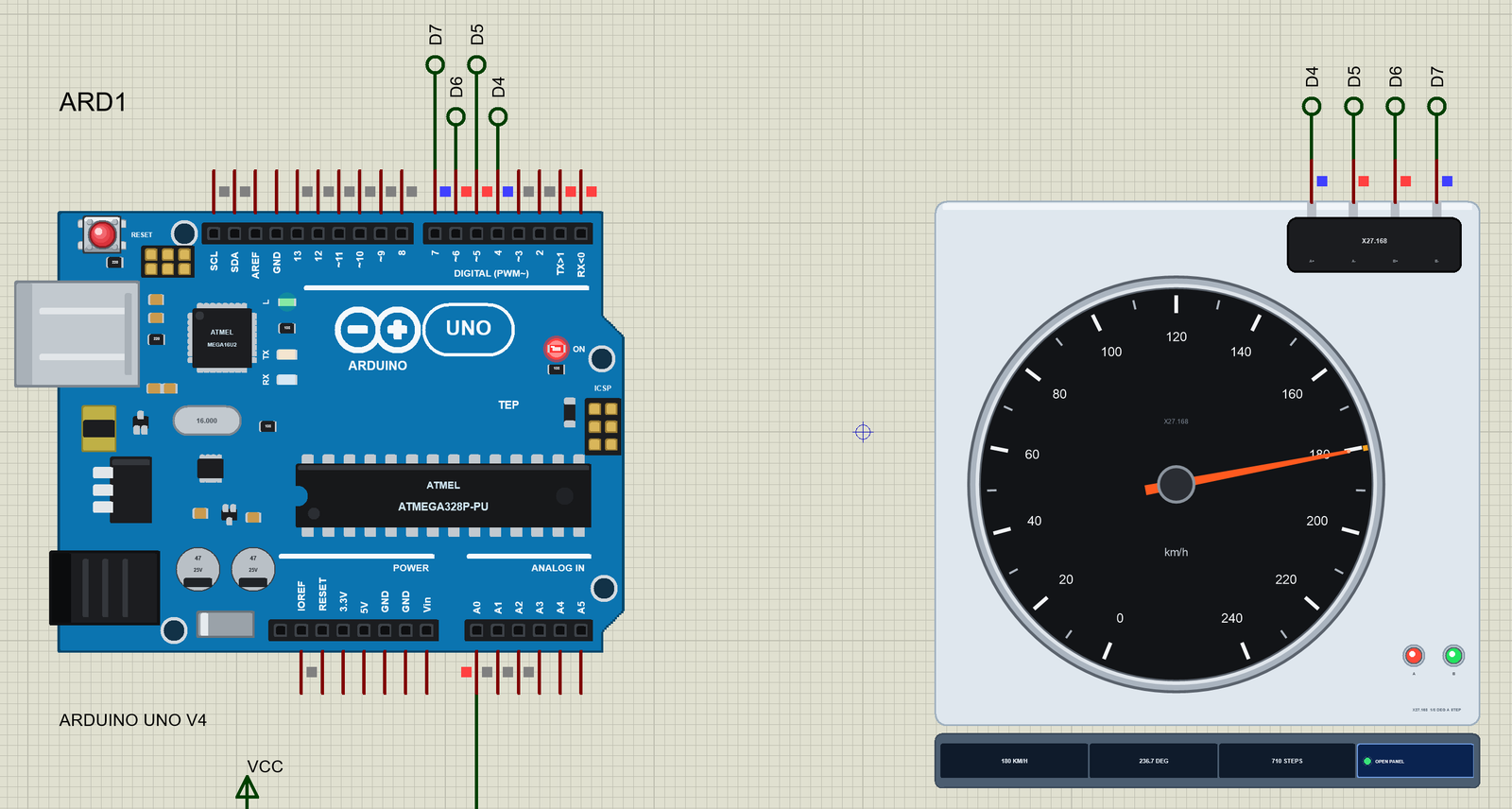
… because they sit side by side. The Arduino Code The demo needs no library at all: it writes the six states itself and makes its own ramp. New to Arduino? Start with Arduino Tutorial for Beginners and Introduction to Arduino UNO . The pins and the state table …
… and the esp8266. Components Required 1x Computer/notebook with Arduino 1x Mini-USB cable. 1x NodeMCU (ESP8266 Breakout Board) Internet Browser (Chrome, Firefox, IE…) ESP8266 Libraries for Arduino IDE For this project, we will use two libraries: ESP8266WiFi : …
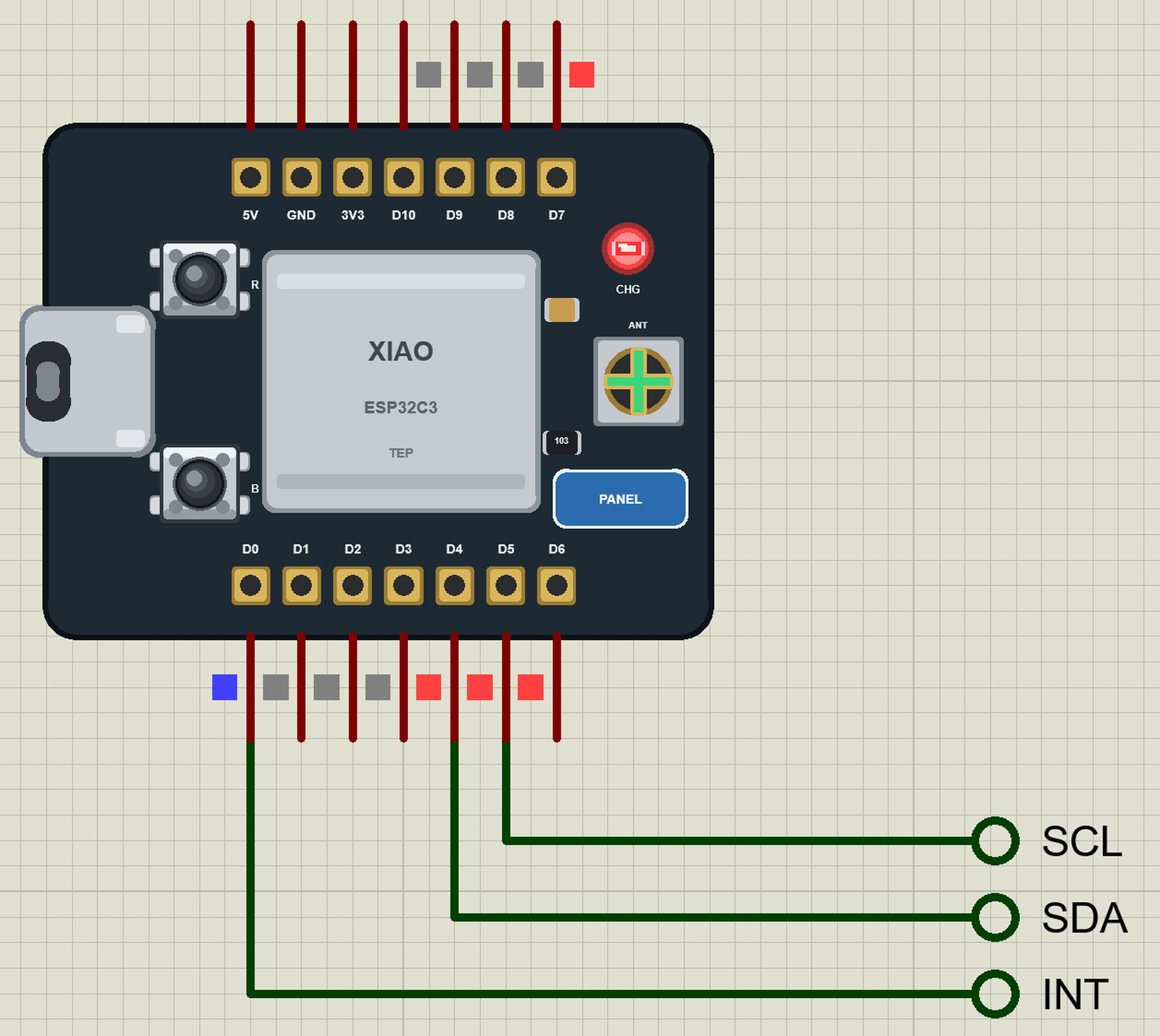
… from the LIBRARY folder if it is there. For your own sketches, copy Arduino Code\TEP Boards for Proteus\hardware into your Arduino sketchbook (Documents\Arduino) and restart the Arduino IDE; the board is XIAO ESP32-C3 (TEP Proteus) . Install Adafruit ADXL345 …
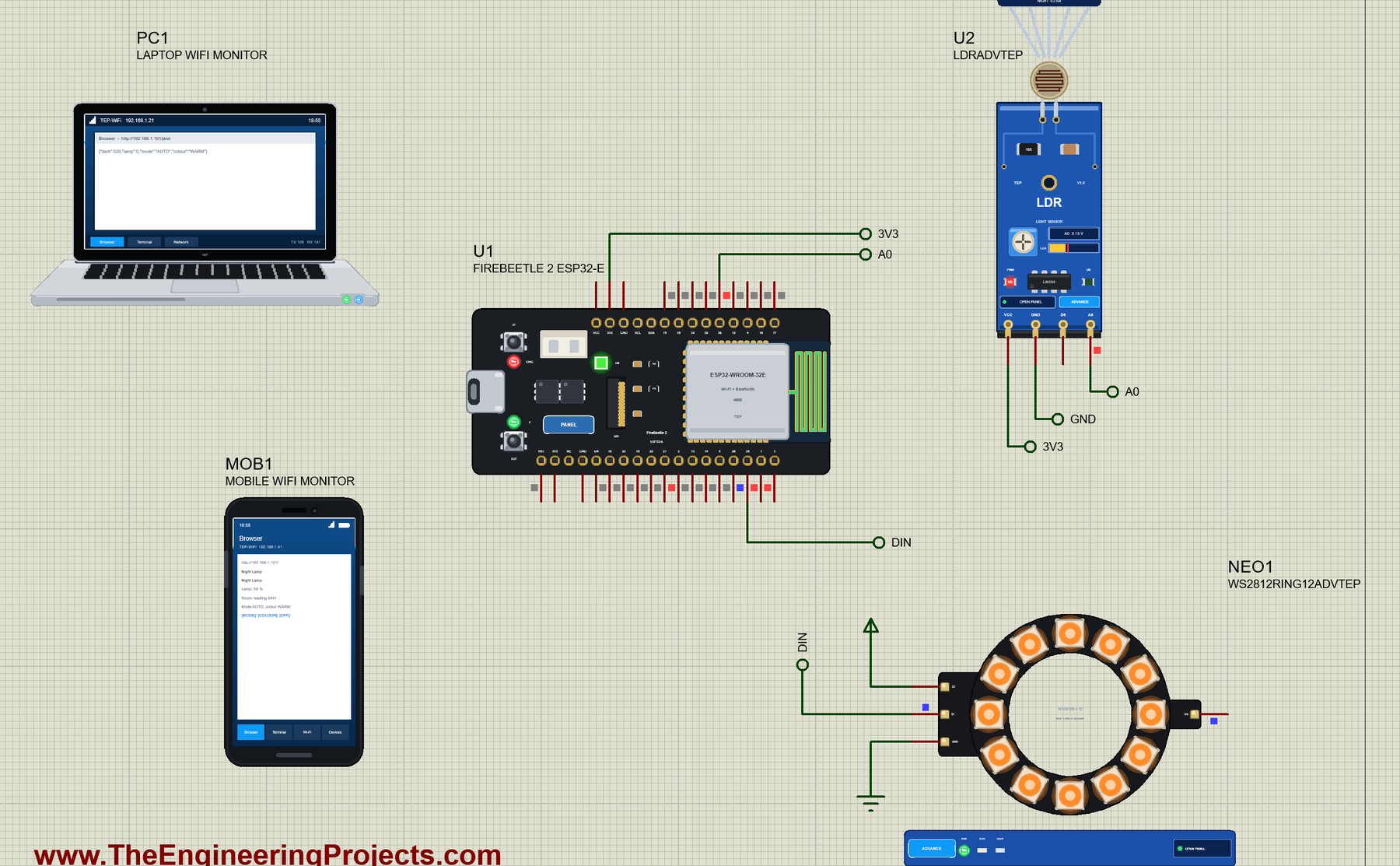
… from the LIBRARY folder if it is there. For your own sketches, copy Arduino Code\TEP Boards for Proteus\hardware into your Arduino sketchbook (Documents\Arduino) and restart the Arduino IDE; the board is FireBeetle 2 ESP32-E (TEP Proteus) . Install Adafruit …