… Launch the Visual Studio code Once the Visual Code studio is launched successfully, a “Get started- Visual Studio” screen will pop-up automatically, as shown below: Fig. 30 Visual Studio Code launched successfully Installing CMake in Visual Studio Code After …
… your project actually uses. Step 1: Create the Visual Basic Project Open Visual Studio and choose New Project . Figure: Start a new Windows Forms project from the Visual Studio Start Page. Select Visual Basic and the Windows Forms application template. Give …
Hello friends! Today we will add a delay to a Visual Basic application in Visual Studio 2010. The short answer is System.Threading.Thread.Sleep(1000) for a one-second pause, but choosing where to put that statement is just as important as choosing the number. …
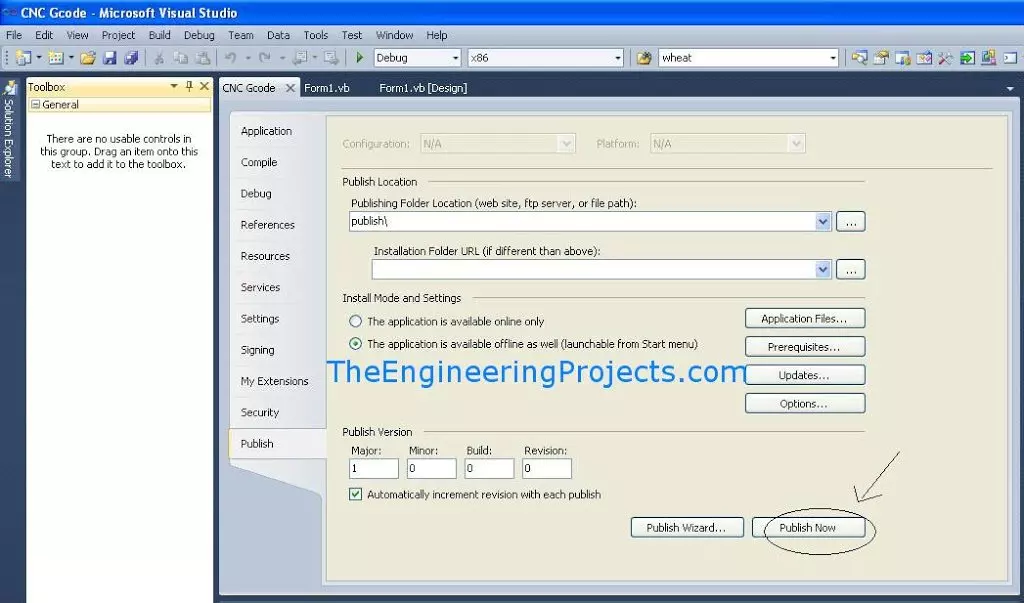
… from Visual Studio 2010 by using ClickOnce. This is useful when you have completed a desktop program, such as the serial terminal from our Serial Port in VB 2010 tutorial , and want to install it on another Windows computer. Visual Studio 2010 is a legacy …
… the Visual Basic Windows Forms Project Open Visual Studio and create a new project. The first screenshot preserves the original starting point of this tutorial. Figure: Begin the original tutorial by creating a project in Visual Studio. Choose Visual Basic and …
… form instead of changing those values inside the source code. If you have not completed How to Send Email in Microsoft Visual Studio 2010 , start there. That lesson explains SMTP settings, permitted sender accounts, STARTTLS and the limitations of the legacy …
… install Visual Studio 32 or 64 bit. This is it for now. I hope you now have got the idea about How to install Android studio in windows. In the next tutorial we’ll develop our first Android Application and discuss some of the basics of Android Studio. If you …
… Visual Basic 2010 because that is the environment used in the original project and screenshots. According to the official Microsoft lifecycle record , Visual Studio 2010 reached the end of support in July 2020, so you should use a supported Visual Studio and …
… Visual Studio 2017. March 7, 2017, was its launching date. In the most recent release of Visual Studio, the .Net Platform variants facilitated range from 3.5 to 4.7. Editions Of Visual Studio Microsoft has released three different editions of Visual Studio. …
… TableAdapter. If you have not built that form yet, first follow creating a database in Microsoft Visual Studio . This lesson retains the original Visual Studio 2010 Windows Forms example, with clearer event handlers and explanations of what each button …