Hello friends, I hope you all are doing great. Today, I am going to share a list of Must-Have Proteus Libraries for Arduino Simulation . Whatever your project is, a GSM alarm, a weather station or a line follower, its Proteus simulation always needs the same basic things: an Arduino board, a way to see what the code is printing, a display, maybe a real-time clock, a driver for motors and something to power the circuit. These are the libraries you will install once and use in almost every project. Proteus does have some of these parts in its own library, but often in a very basic form. Our versions look like the real boards and modules, which makes your circuit diagrams and project reports much clearer, and our new TEP Serial Monitor replaces the small Proteus Virtual Terminal with a modern ...
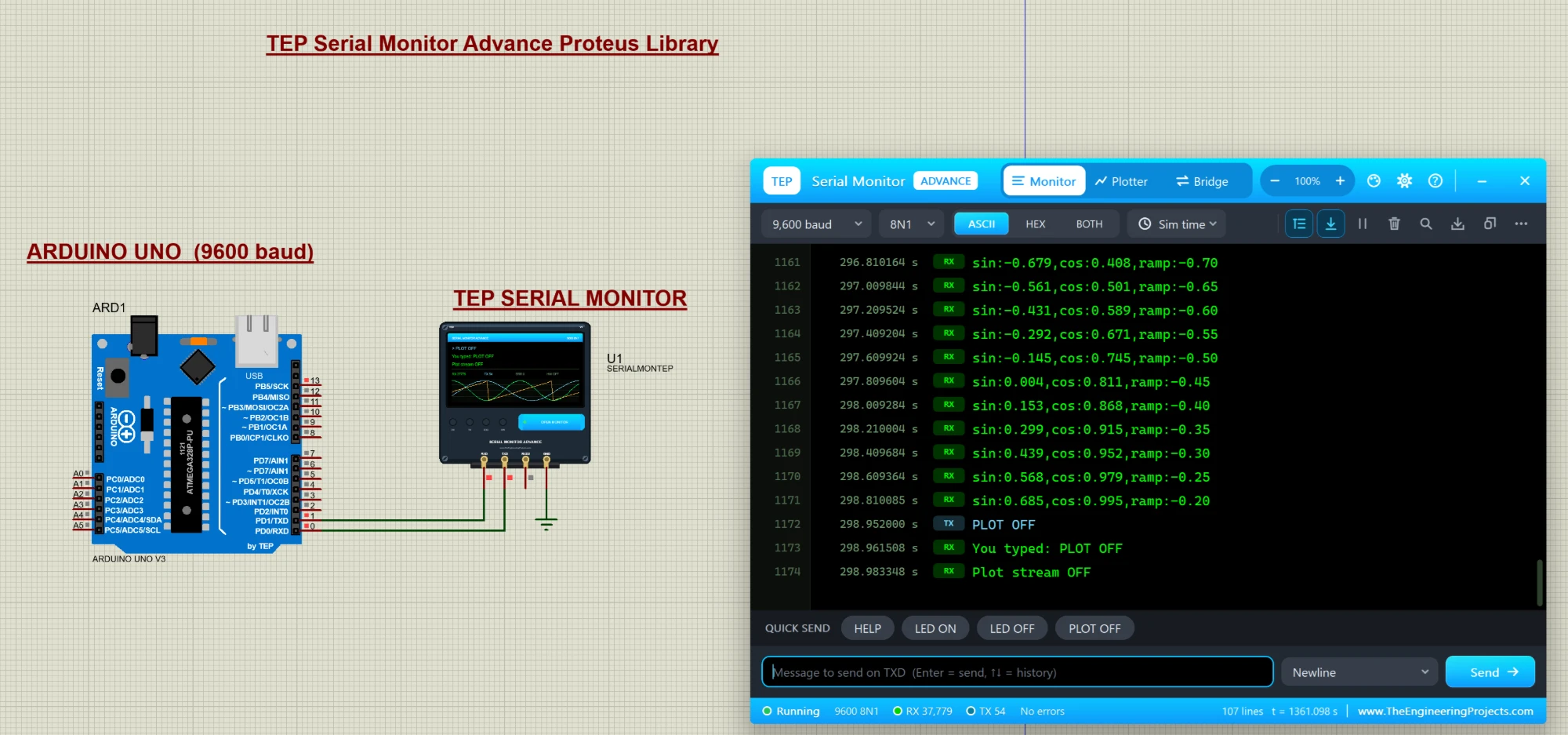
Hello friends, I hope you all are doing great. Today, I am going to share a new library, and this one is not a sensor or a module, it is a tool: the TEP Serial Monitor for Proteus , in its Advance edition. If you have simulated an Arduino in Proteus, you have used the Virtual Terminal to see what your code prints with Serial.println() . Our serial monitor does the same job in a modern window that works like the Serial Monitor of the Arduino IDE. You get a Serial Monitor , a Serial Plotter in Proteus (live graphs of your variables) and a hardware Bridge to a real COM port of your PC, plus a ready-made Arduino UNO demo. If you are new to Proteus, have a look at A complete tutorial on Proteus first. NOTICE: We are really proud of this one. As far as we know, our team is the first to design su ...