Hello friends, I hope you all are doing great. Today, I am going to share our new Arduino Mini Library for Proteus V4.0 . The Arduino Mini is one of the smallest classic Arduino boards: the same ATmega328P at 16 MHz as the Arduino UNO, on a tiny teal board of only 30 x 18 mm, with no USB port. With this library, you place Arduino's Mini 05 in Proteus, load your sketch's HEX file and watch the board behave like the real one: its pin-13 LED follows your code, its reset button restarts the sketch through the bootloader, and its +5V pin powers the other parts of your circuit. Updates Arduino Mini Library for Proteus Latest version: V4.0 (October 2026, this tutorial) Earlier versions: V3.0 (2023) · V2.0 (2021) · V1.0 (2020) Other boards: UNO · Mega 2560 · Mega 1280 · Nano · Pro Mini (V4.0) All ...
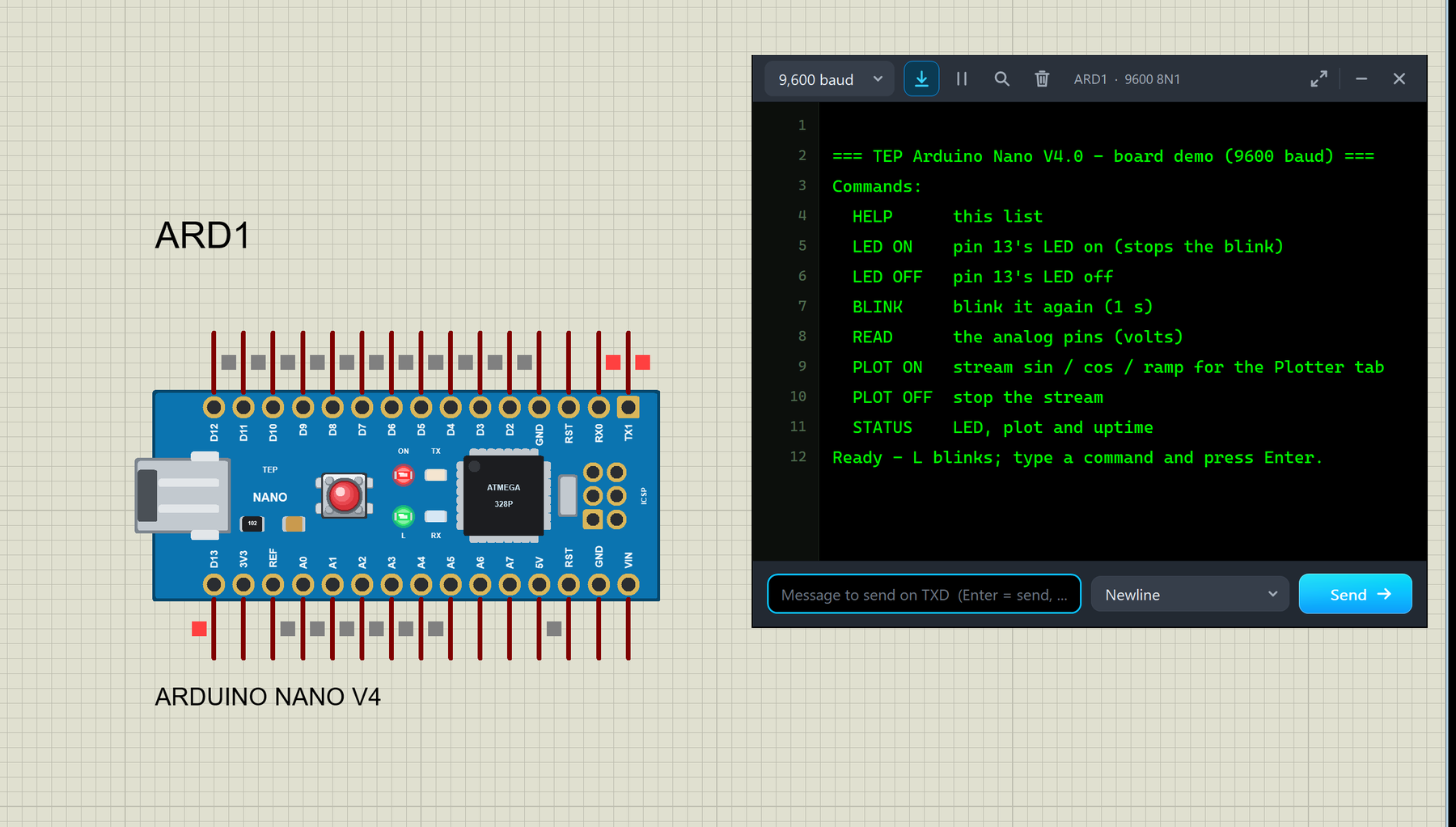
Hello friends, I hope you all are doing great. Today, I am going to share the new Arduino Nano Library for Proteus V4.0 . The Arduino Nano is the small, breadboard-friendly Arduino: the same ATmega328P microcontroller as the Arduino UNO on a board of only about 18 x 45 mm, with a mini-USB socket and two rows of pins. With this Arduino Nano Library for Proteus V4.0 , the Nano in your Proteus simulation looks like the real blue board and behaves like one: its ON, L, TX and RX LEDs work , the RESET button works with the bootloader, the 5V and 3V3 pins really supply power, and a serial monitor is built into the board , so you do not need to wire a Virtual Terminal any more. Updates Arduino Nano Library for Proteus Latest version: V4.0 (October 2026, this tutorial) Earlier versions: V3.0 (2023) ...
Hello friends, I hope you all are doing great. Today, I am going to share the new Arduino Mega 1280 Library for Proteus V4.0 . The Arduino Mega 1280 is the very first Arduino Mega, from 2009: the long blue board with the ATmega1280 microcontroller, an FT232RL USB chip, 54 digital pins and 16 analog inputs. With this Arduino Mega 1280 Library for Proteus , you place the board on your sheet, load your sketch's HEX file and press Run. The board then behaves like the real one: the ON LED lights up, the L LED follows pin 13, TX and RX flash with the serial data, and the RESET button really resets the chip. Updates Arduino Mega 1280 Library for Proteus Latest version: V4.0 (October 2026, this tutorial) Earlier versions: V3.0 (2023) · V2.0 (2021) · V1.0 (2020) Other boards: UNO · Mega 2560 · Nano ...
Hello friends, I hope you all are doing great. Today, I am going to share the new Arduino UNO Library for Proteus V4.0 . The Arduino UNO is the board most of us learned with, and it is the heart of most of our Proteus simulations. With this Arduino UNO Library for Proteus , the UNO on your Proteus sheet behaves much more like the one on your desk: its LEDs work , the RESET button runs the bootloader, the 5V and 3.3V pins really power your parts, and a serial monitor is built into the board , so you no longer have to wire a Virtual Terminal to see what your sketch prints. Updates Arduino UNO Library for Proteus Latest version: V4.0 (October 2026, this tutorial) Earlier versions: V3.0 (2023) · V2.0 (2021) · V1.0 (2015) Other boards: Mega 2560 · Mega 1280 · Nano · Pro Mini · Mini (V4.0) All s ...
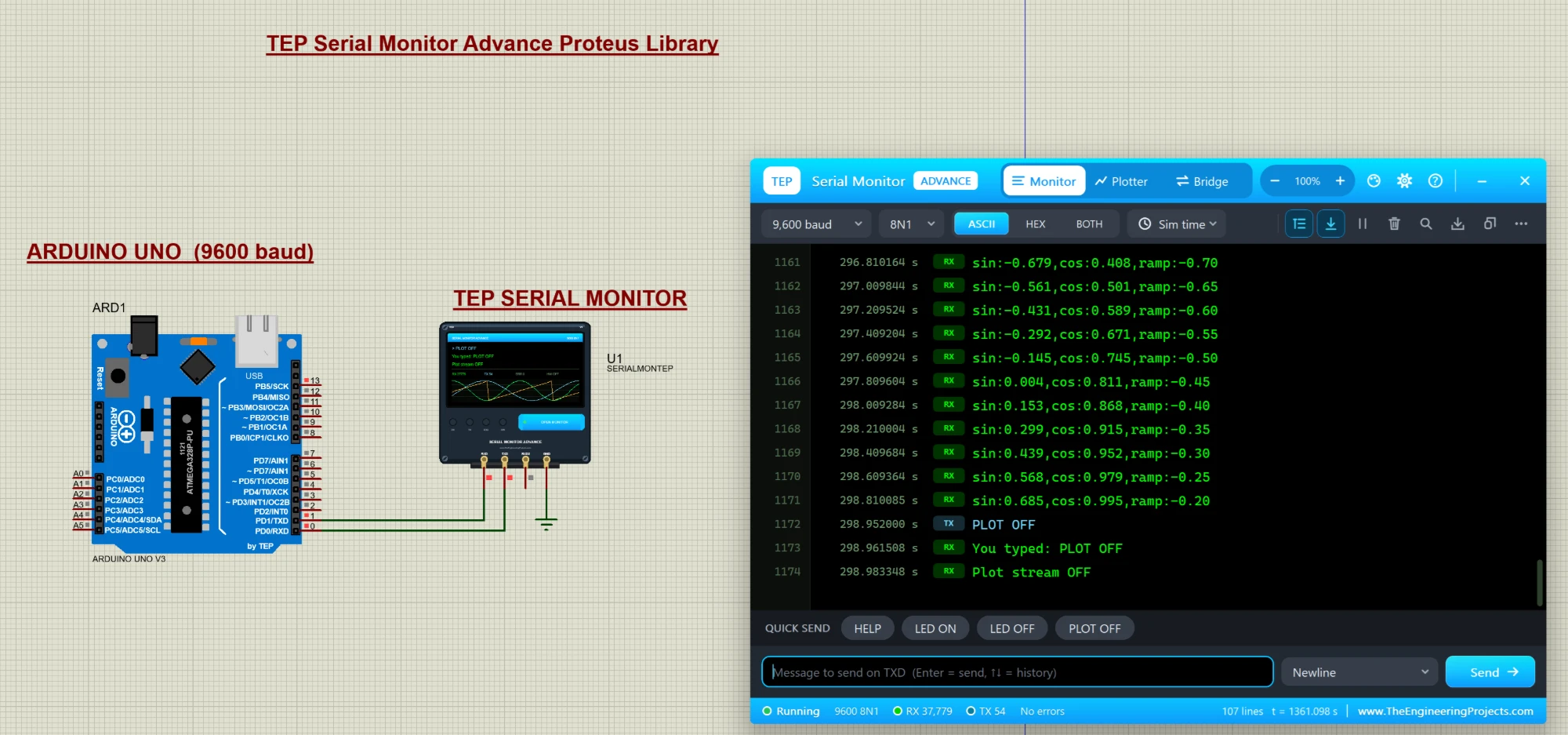
Hello friends, I hope you all are doing great. Today, I am going to share a new library, and this one is not a sensor or a module, it is a tool: the TEP Serial Monitor for Proteus , in its Advance edition. If you have simulated an Arduino in Proteus, you have used the Virtual Terminal to see what your code prints with Serial.println() . Our serial monitor does the same job in a modern window that works like the Serial Monitor of the Arduino IDE. Updates Serial Monitor Advance Library for Proteus Latest version: October 2026 (this tutorial) Arduino boards: UNO · Mega 2560 · Mega 1280 · Nano · Pro Mini · Mini (V4.0) Helping Tools Serial Monitor Expert : the serial monitor with extra debugging tools Laptop WiFi Monitor : a laptop on the Wi-Fi of your design: a browser, a TCP / UDP terminal an ...
Hello friends! Today, we will get started with Arduino software and upload our first sketch. If you have just connected an Arduino board and are wondering what to do next, this tutorial will take you through the essential steps: installing the editor, selecting the board, writing a small program, compiling it and transferring it to the hardware. Libraries Arduino Simulation Libraries Arduino boards: UNO · Mega 2560 · Mega 1280 · Nano · Pro Mini · Mini (V4.0) All six V4.0 boards in one package: Arduino Library for Proteus V4.0 Helping Tools Serial Monitor Advance : a serial terminal window for the UART of your board Serial Monitor Expert : the serial monitor with extra debugging tools LCD Library for Proteus V3.0 : 16x2, 20x4 and I2C LCDs to show your readings The original article used Ardu ...