


Project Files of AMG8833 Thermal Stove Guard on Raspberry Pi 5 - Proteus Simulation
 Libraries
 Code
 Projects
 Simulation
14e32b24bd9543eabf0d3e8790174868.zip

AMG8833 Thermal Stove Guard on Raspberry Pi 5 - Proteus Simulation V1.0
AMG8833 Thermal Stove Guard on Raspberry Pi 5 - Proteus Simulation V1.0 comes as a ZIP archive of 153 files (15.3 MB, 30.5 MB unpacked) holding Proteus library files, simulation model DLLs, a Proteus simulation, source code and a nested archive.
- LIBProteus library
- DLLProteus model
- DSNProteus simulation
- SRCSource code
- ZIPNested archive
Description
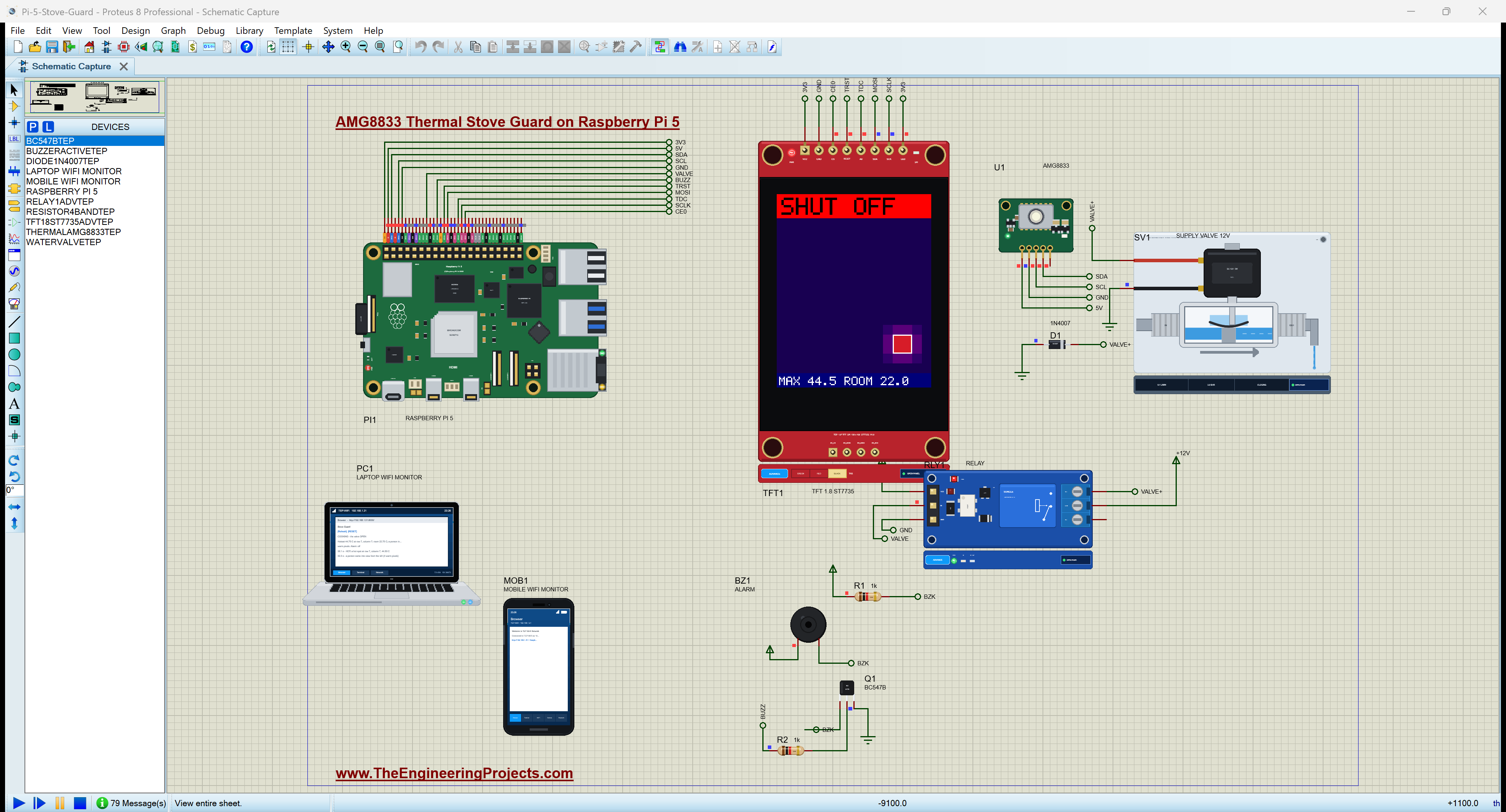
AMG8833-Thermal-Stove-Guard-Raspberry-Pi-5-Proteus-Simulation-v1.0.zip: the complete Proteus simulation project (a Raspberry Pi 5, an AMG8833 thermal camera, a 1.8 inch ST7735 TFT, a relay, a 12 V solenoid valve, a buzzer, the Laptop and Mobile WiFi Monitors), the Python program stove_guard.py, every LIB and DLL, the TEP Pi runtime and a README.

File Structure
 File Structure
9.7 KB16.1 KB18.6 KB9.9 KB39.5 KB13.1 KB490.4 KB306.9 KB60.5 KB58.4 KB18.4 KB3.3 MB34.3 KB620.8 KB36 KB169.8 KB628.1 KB99.3 KB65.3 KB4.8 MB4.1 MB80 B97.8 KB26.8 KB1.2 MB1.1 MB88.9 KB27.3 KB55.8 KB79.8 KB105.8 KB193.8 KB113.8 KB48.8 KB145.8 KB36.8 KB29.3 KB42.3 KB28.8 KB67.3 KB89.3 KB153.8 KB22.8 KB38.8 KB2.1 KB9.9 KB4.1 KB1.3 KB4.7 KB431 B2.5 KB17.5 KB283 B6.5 KB37.9 KB11.1 KB5.5 KB885 B13.6 KB9 KB878 B1.5 KB4 KB1004 B10 B110 B2.6 KB1.1 KB8.9 KB58.5 KB12.4 KB6.6 KB18.5 KB20.7 KB27.8 KB21.1 KB7.1 KB7.7 KB2.7 KB51.2 KB100.9 KB1.2 KB24.3 KB7.4 KB53.6 KB26.1 KB20.5 KB60.5 KB19.6 KB1.6 KB8.4 KB20.9 KB2.6 KB539 B1.4 KB9.7 KB2.8 KB21 B92 B7.9 KB264 B3.4 KB3.8 KB17.5 KB55.2 KB3.3 KB10.8 KB1.5 KB4.2 KB7.3 KB2.5 KB32.6 KB14.5 KB283 B17.4 KB257 B691 B14.5 KB12.8 KB3.6 KB1.7 KB37 KB418 B6.2 KB7 KB37.3 KB10.6 KB23.7 KB28.7 KB8.8 KB16.9 KB286.5 KB328.5 KB292 KB276 KB3.0 MB330 KB311 KB310.5 KB281 KB40.7 KB25.4 KB286.5 KB328.5 KB292 KB276 KB3.0 MB330 KB311 KB310.5 KB281 KB25.4 KB13.3 KBGallery12 images from the tutorialOpen the tutorial
 Gallery12 images from the tutorial
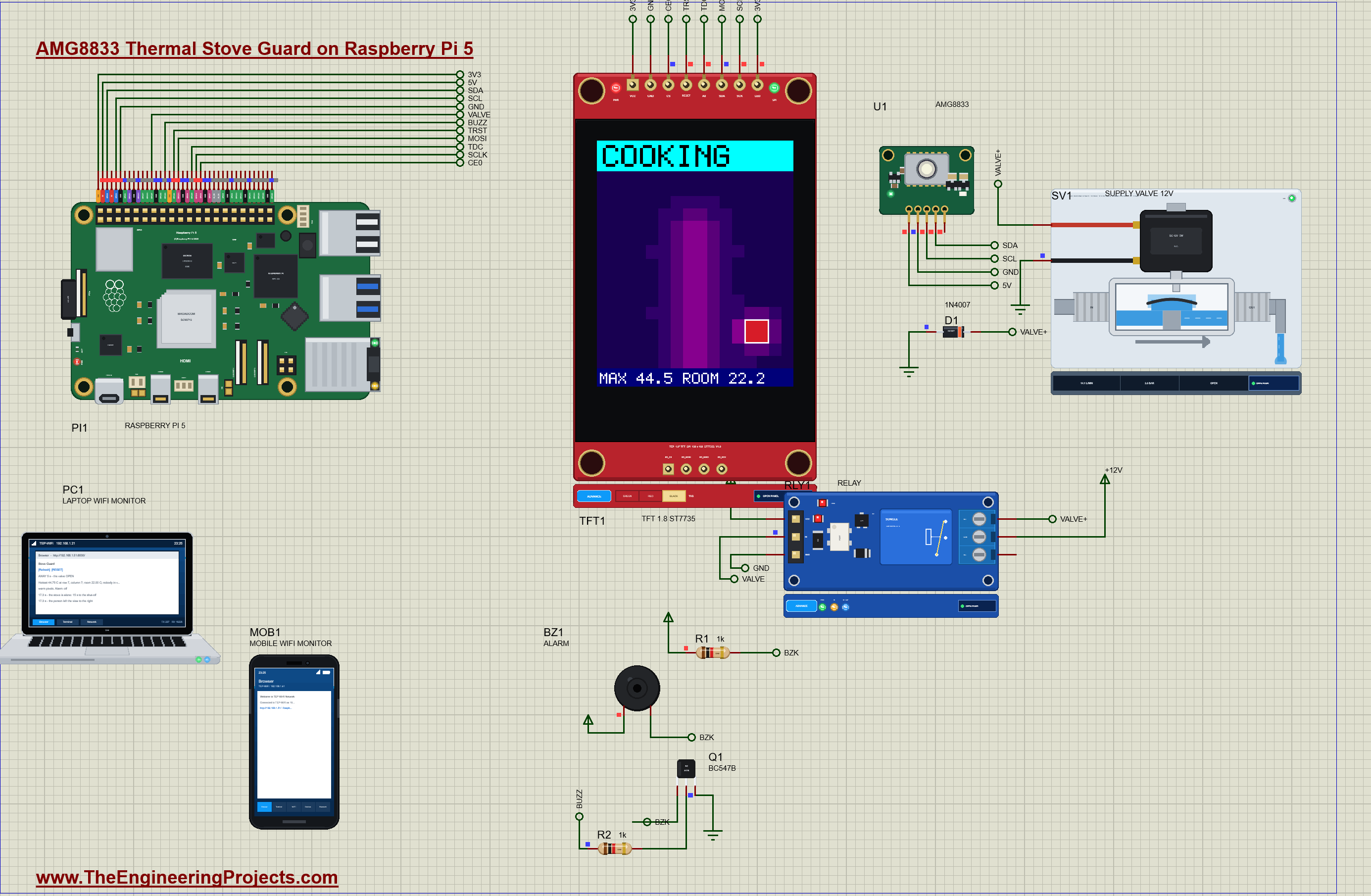
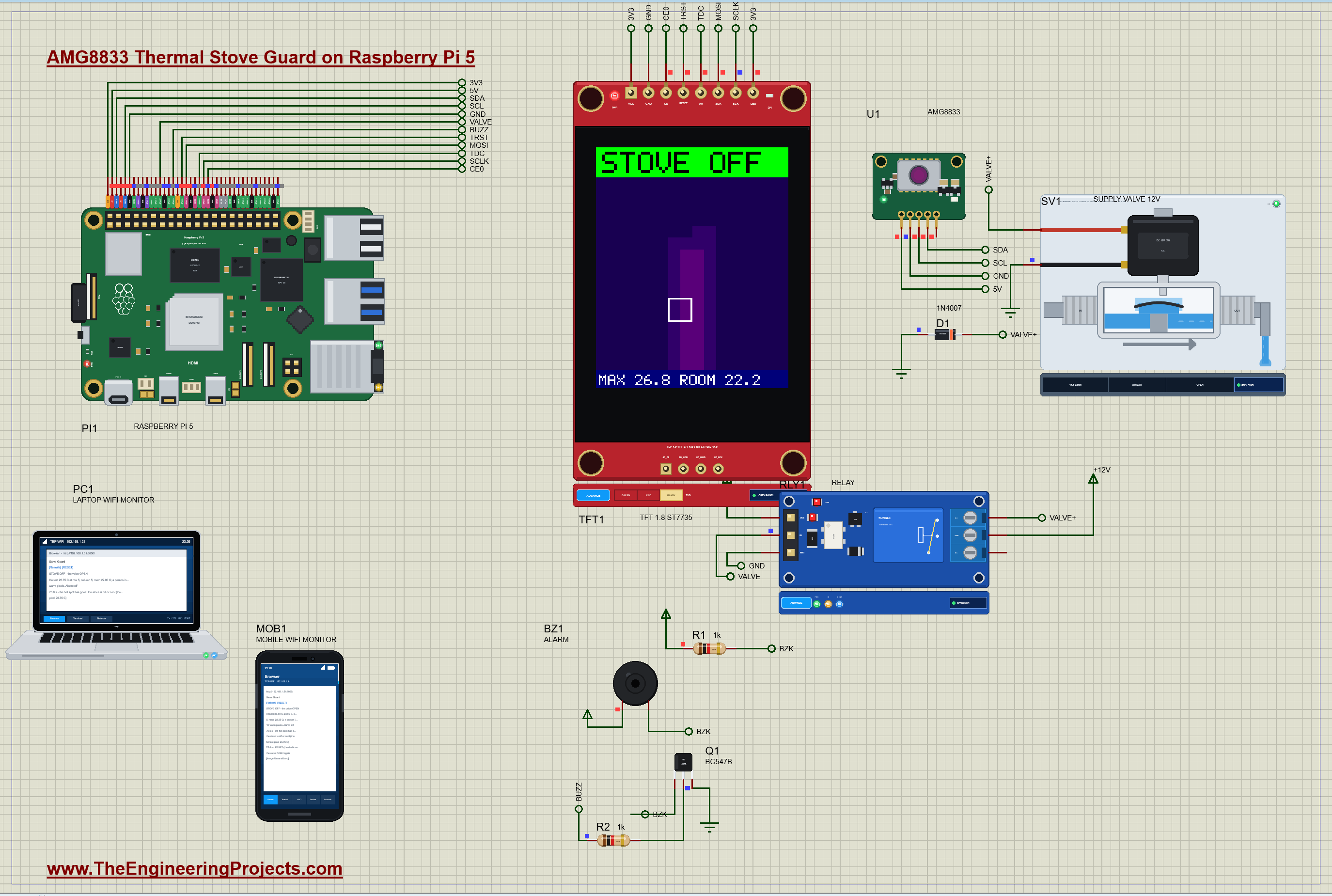
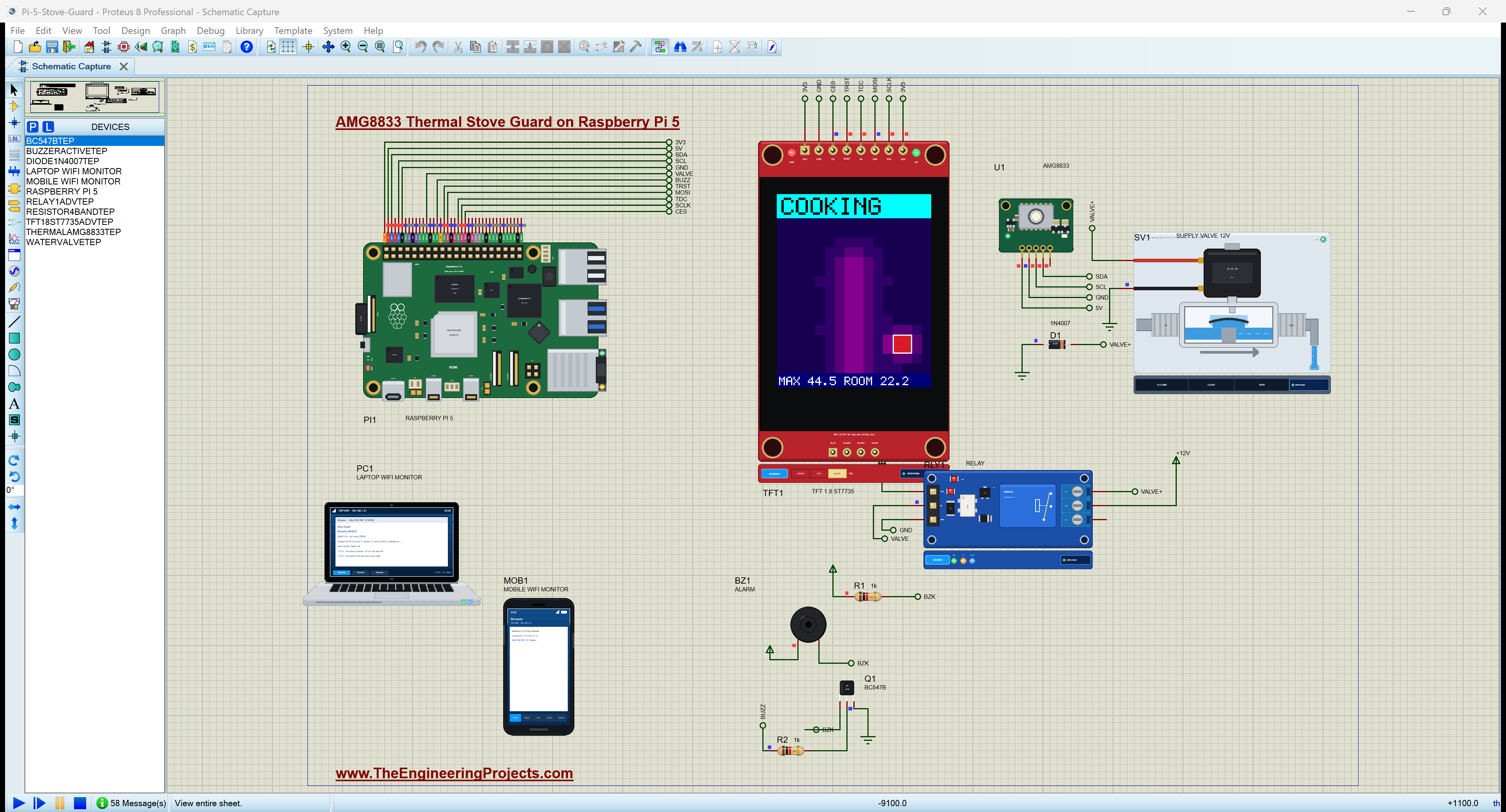
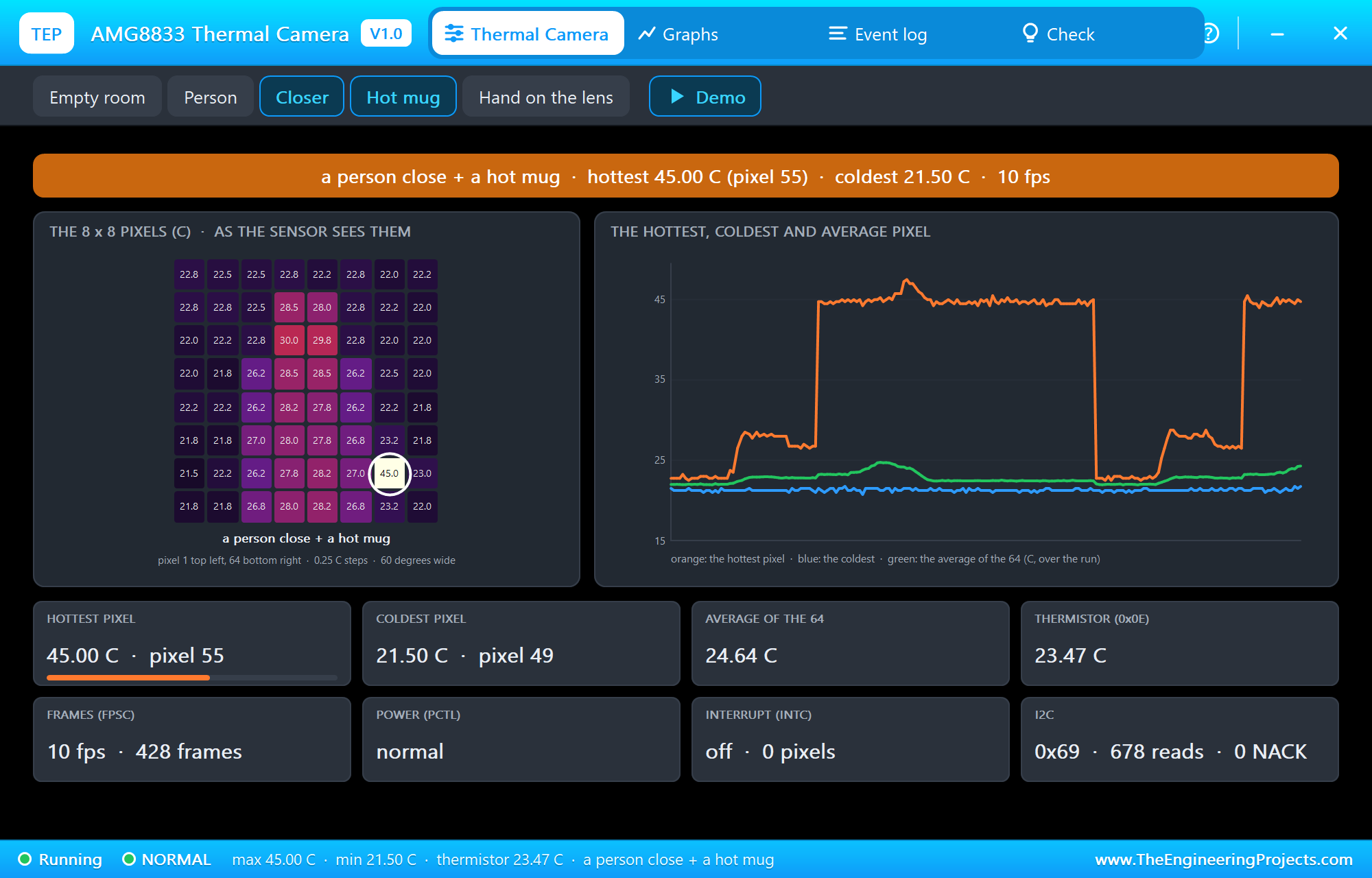
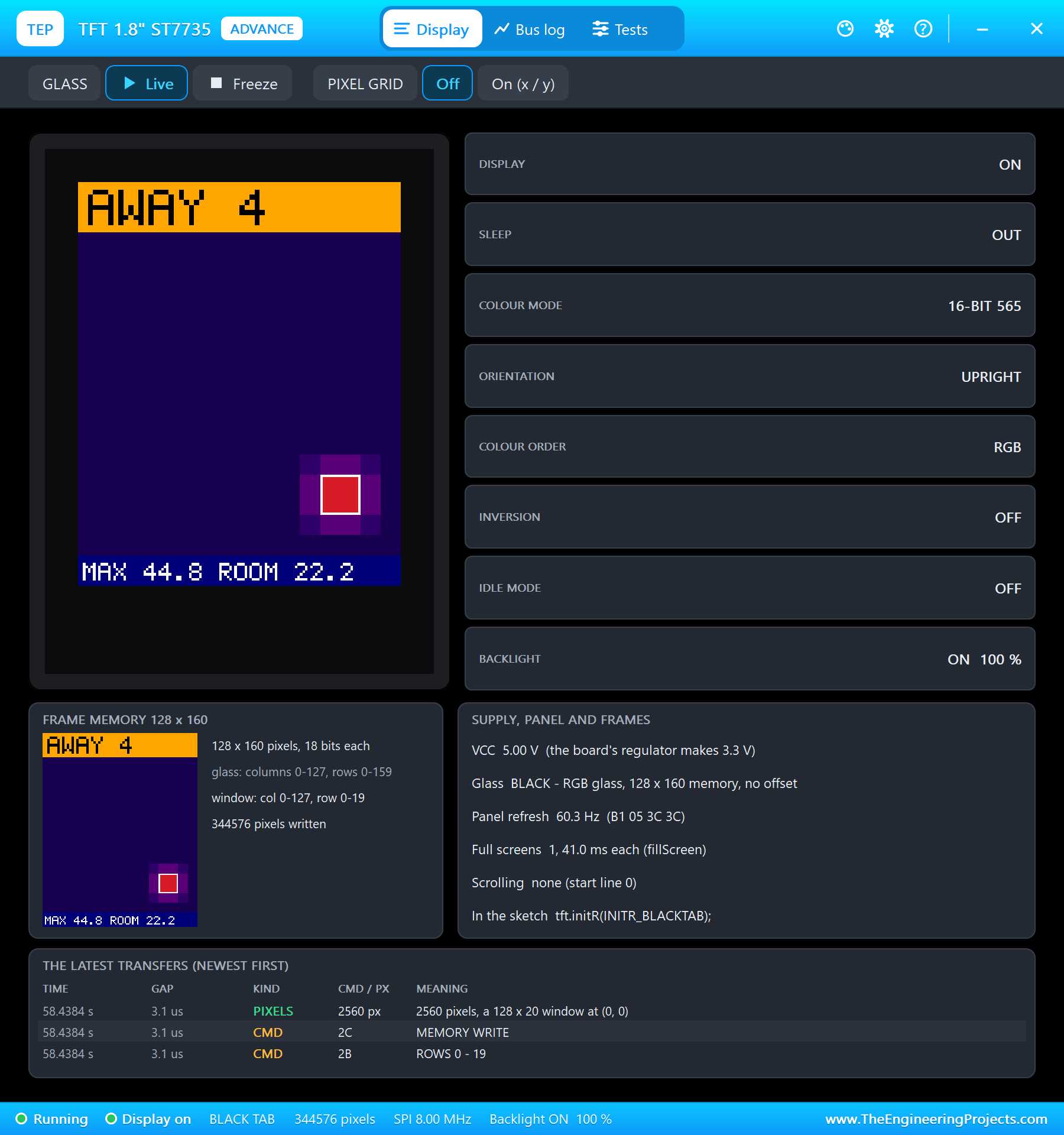
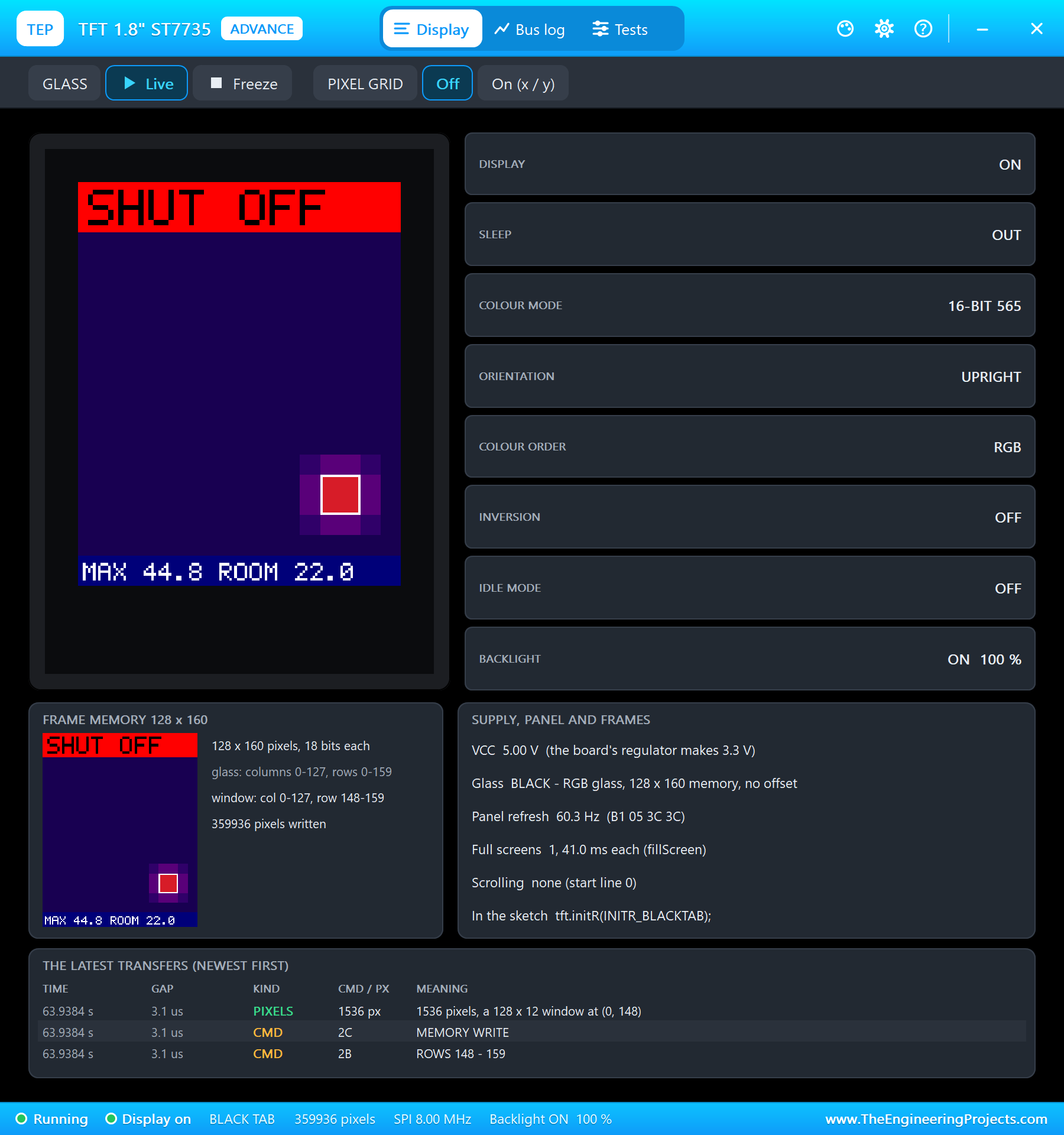
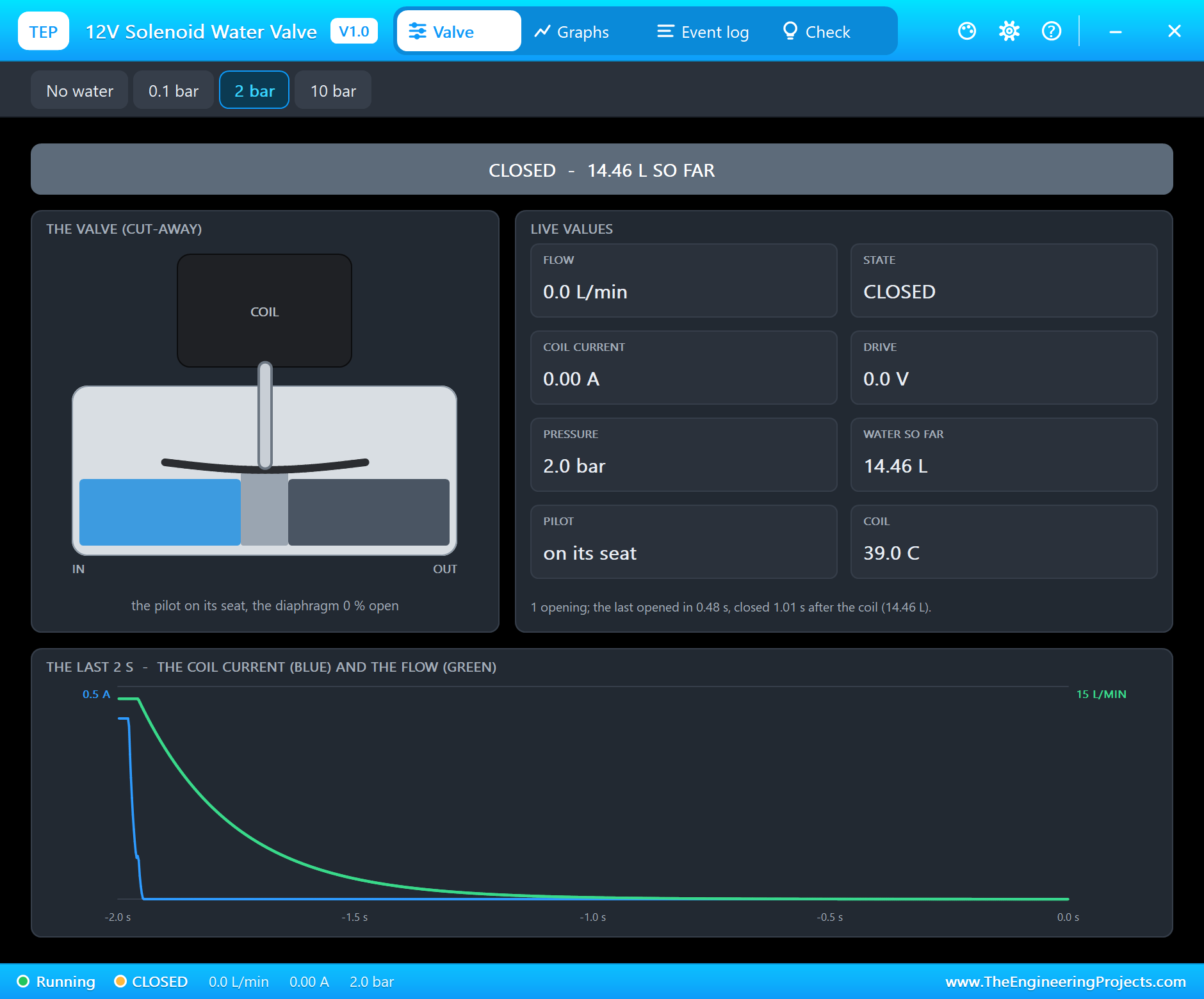
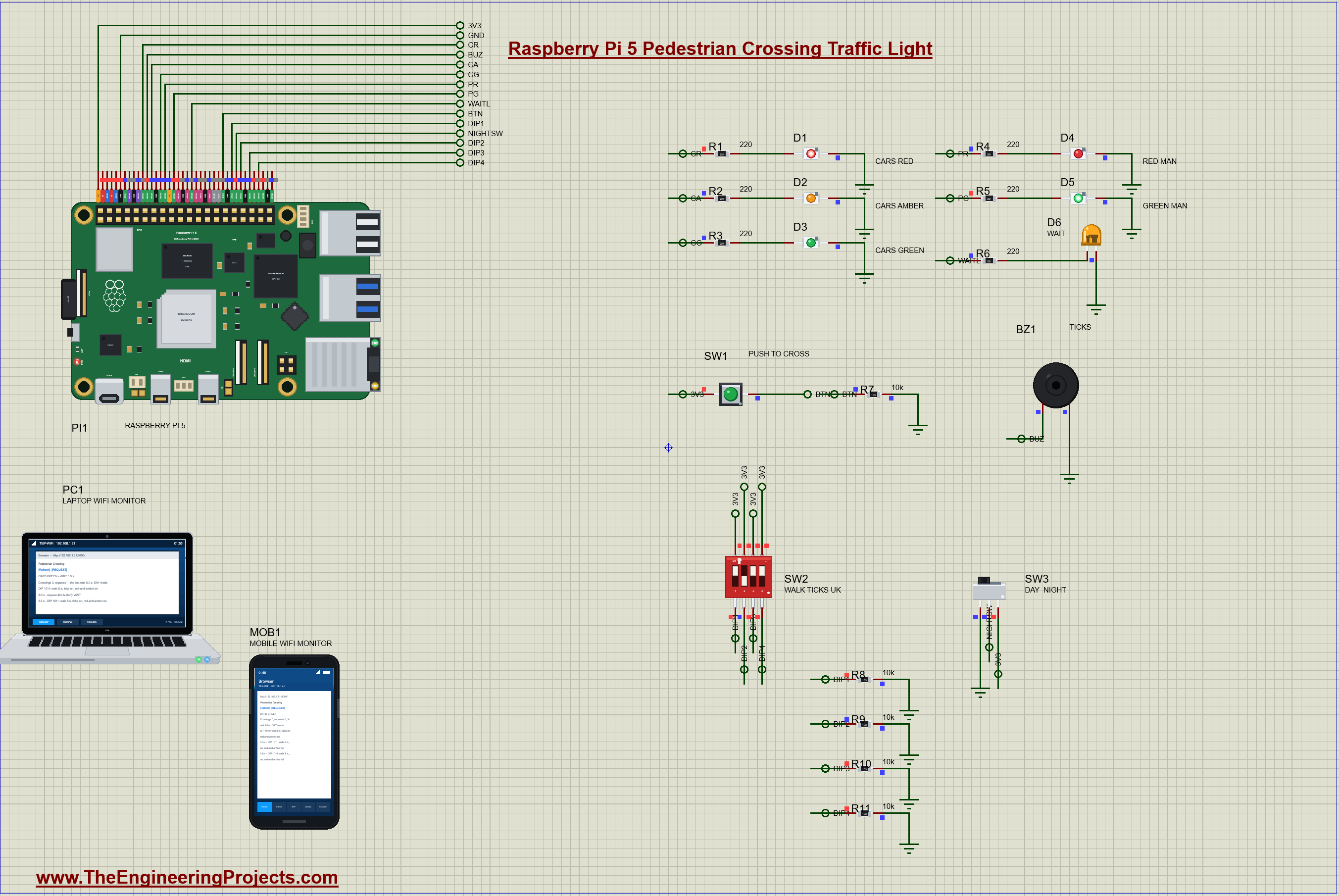
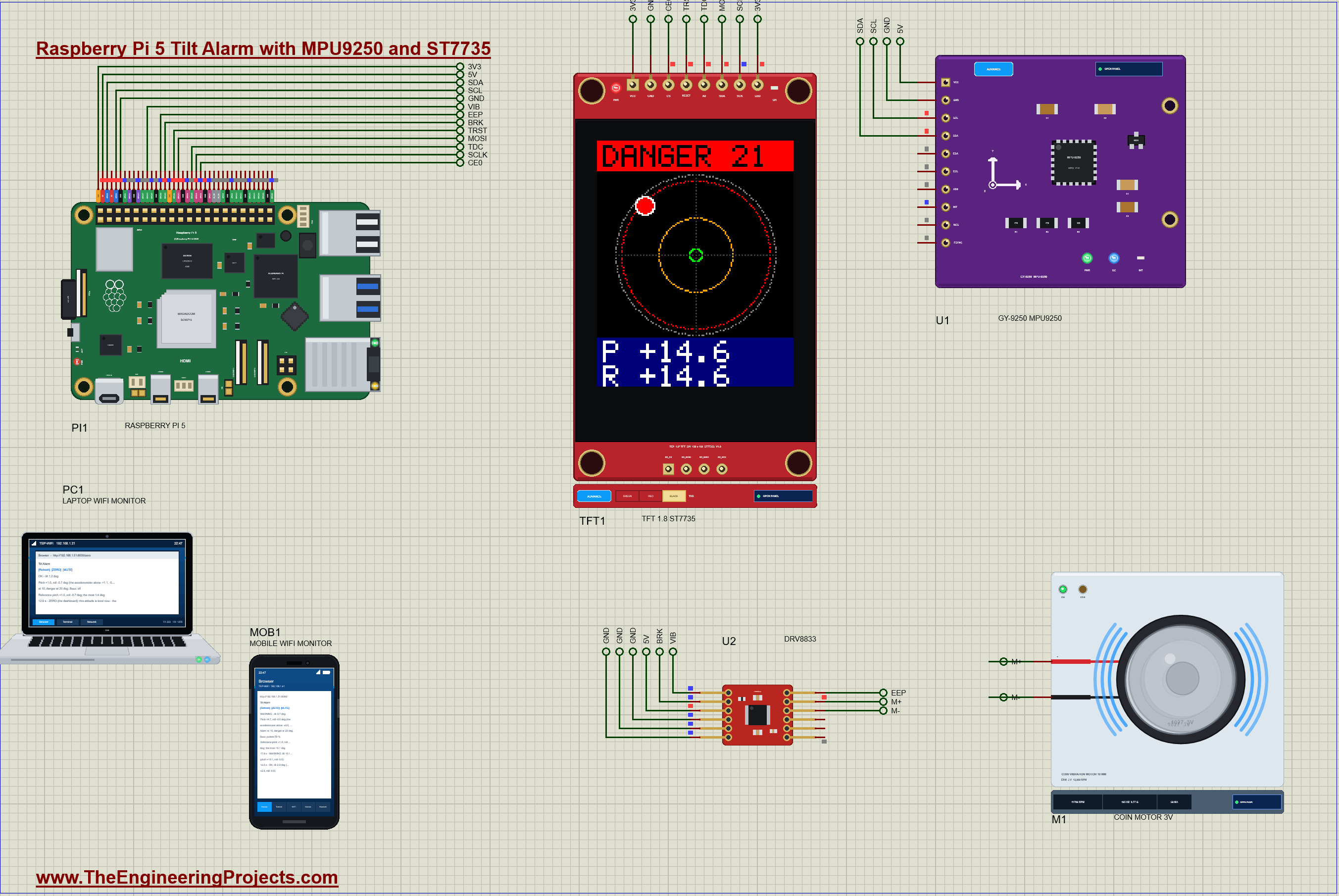
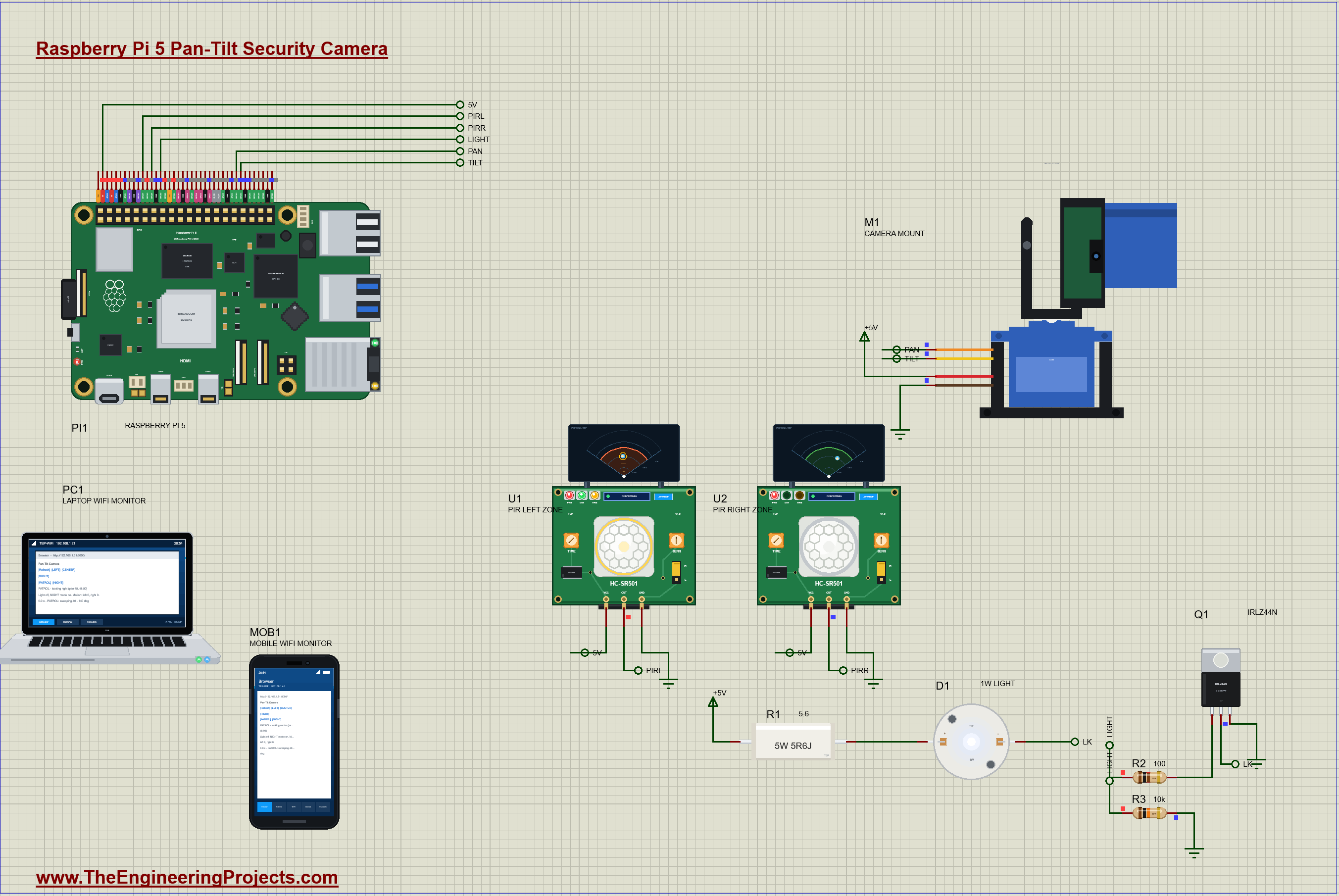
The circuit, the board and the results as they appear in AMG8833 Thermal Stove Guard on Raspberry Pi 5 - Proteus Simulation. Open an image for its full size.
README
 README
===============================================================================================================
  AMG8833 Thermal Stove Guard on Raspberry Pi 5 - Proteus Simulation - Project V1.0
  The Engineering Projects - www.TheEngineeringProjects.com
===============================================================================================================

IMPORTANT LINKS
  The project tutorial (circuit, code, simulation results):
  https://www.theengineeringprojects.com/2026/11/amg8833-thermal-stove-guard-raspberry-pi-5-proteus-simulation.html
  The libraries this project is built from (each post has its own full download and tutorial):
    Raspberry Pi 5 board:
      https://www.theengineeringprojects.com/2026/10/raspberry-pi-5-library-for-proteus.html
    AMG8833 thermal camera:
      https://www.theengineeringprojects.com/2026/11/amg8833-thermal-camera-library-for-proteus.html
    TFT ST7735:
      https://www.theengineeringprojects.com/2026/10/tft-st7735-library-for-proteus-v1-0.html
    Relay module:
      https://www.theengineeringprojects.com/2026/10/relay-module-library-for-proteus-v1-0.html
    12V solenoid valve:
      https://www.theengineeringprojects.com/2026/11/12v-solenoid-water-valve-library-for-proteus-v1-0.html
    1N4007 diode:
      https://www.theengineeringprojects.com/2026/11/1n4007-diode-library-for-proteus.html
    Active buzzer:
      https://www.theengineeringprojects.com/2026/11/active-buzzer-library-for-proteus.html
    Small transistors (BC547):
      https://www.theengineeringprojects.com/2026/11/small-transistors-library-for-proteus.html
    Resistor:
      https://www.theengineeringprojects.com/2026/11/resistor-library-for-proteus.html
    Laptop WiFi Monitor:
      https://www.theengineeringprojects.com/2026/10/laptop-wifi-monitor-library-for-proteus.html
    Mobile WiFi Monitor:
      https://www.theengineeringprojects.com/2026/10/mobile-wifi-monitor-library-for-proteus.html
  Support our free work: https://www.theengineeringprojects.com/donate

FILE STRUCTURE
Pi-5-Stove-Guard-TEP-v1.0/
|-- Proteus Library Files/
|   |-- TEP1N4007.LIB                                   9.7 KB   a part of the project -> LIBRARY folder
|   |-- TEPAMG8833.LIB                                 16.1 KB   a part of the project -> LIBRARY folder
|   |-- TEPBJT.LIB                                     18.6 KB   a part of the project -> LIBRARY folder
|   |-- TEPBUZZER.LIB                                   9.9 KB   a part of the project -> LIBRARY folder
|   |-- TEPLAPTOP.LIB                                  39.5 KB   a part of the project -> LIBRARY folder
|   |-- TEPMOBILE.LIB                                  13.1 KB   a part of the project -> LIBRARY folder
|   |-- TEPRELAY.LIB                                  490.4 KB   a part of the project -> LIBRARY folder
|   |-- TEPRESISTOR.LIB                               306.9 KB   a part of the project -> LIBRARY folder
|   |-- TEPRPI5.LIB                                    60.5 KB   a part of the project -> LIBRARY folder
|   |-- TEPTFT.LIB                                     58.4 KB   a part of the project -> LIBRARY folder
|   |-- TEPVALVE.LIB                                   18.4 KB   a part of the project -> LIBRARY folder
|-- Proteus Model Files/
|   |-- TEP1N4007.DLL                                 286.5 KB   a model -> MODELS folder
|   |-- TEPAMG8833.DLL                                328.5 KB   a model -> MODELS folder
|   |-- TEPBJT.DLL                                    292.0 KB   a model -> MODELS folder
|   |-- TEPBUZZER.DLL                                 276.0 KB   a model -> MODELS folder
|   |-- TEPNET.DLL                                     3.01 MB   a model -> MODELS folder
|   |-- TEPRELAY.DLL                                  330.0 KB   a model -> MODELS folder
|   |-- TEPRESISTOR.DLL                               311.0 KB   a model -> MODELS folder
|   |-- TEPTFT.DLL                                    310.5 KB   a model -> MODELS folder
|   |-- TEPVALVE.DLL                                  281.0 KB   a model -> MODELS folder
|   |-- TEPPi/python/                                 17.54 MB   Python 3.11 embeddable -> MODELS\TEPPi (33 files)
|   |-- TEPPi/runtime/                                 1.11 MB   TEP Pi runtime, gpiozero -> MODELS\TEPPi (87 files)
|-- Proteus Simulation/
|   |-- Pi-5-Stove-Guard.pdsprj                        40.7 KB   the project simulation
|   |-- stove_guard.py                                 25.4 KB   the program PI1 runs
|   |-- TEP1N4007.DLL                                 286.5 KB   copy of the model
|   |-- TEPAMG8833.DLL                                328.5 KB   copy of the model
|   |-- TEPBJT.DLL                                    292.0 KB   copy of the model
|   |-- TEPBUZZER.DLL                                 276.0 KB   copy of the model
|   |-- TEPNET.DLL                                     3.01 MB   copy of the model
|   |-- TEPRELAY.DLL                                  330.0 KB   copy of the model
|   |-- TEPRESISTOR.DLL                               311.0 KB   copy of the model
|   |-- TEPTFT.DLL                                    310.5 KB   copy of the model
|   |-- TEPVALVE.DLL                                  281.0 KB   copy of the model
|-- Python Code/
|   |-- stove_guard.py                                 25.4 KB   the program (the same file)
|-- README.txt                                        ~12.2 KB   this file
Total: 30.52 MB (unzipped). The C++ source code of the models is not included.

WHAT IS IT?
  Unattended cooking is the biggest cause of kitchen fires. A Raspberry Pi 5 watches the stove with an 8 x 8
  thermal camera: it knows a hot pan from a person, starts a countdown when the pan is left alone, beeps, and then
  closes the stove's supply valve. A hand or a cloth over the lens is noticed too.
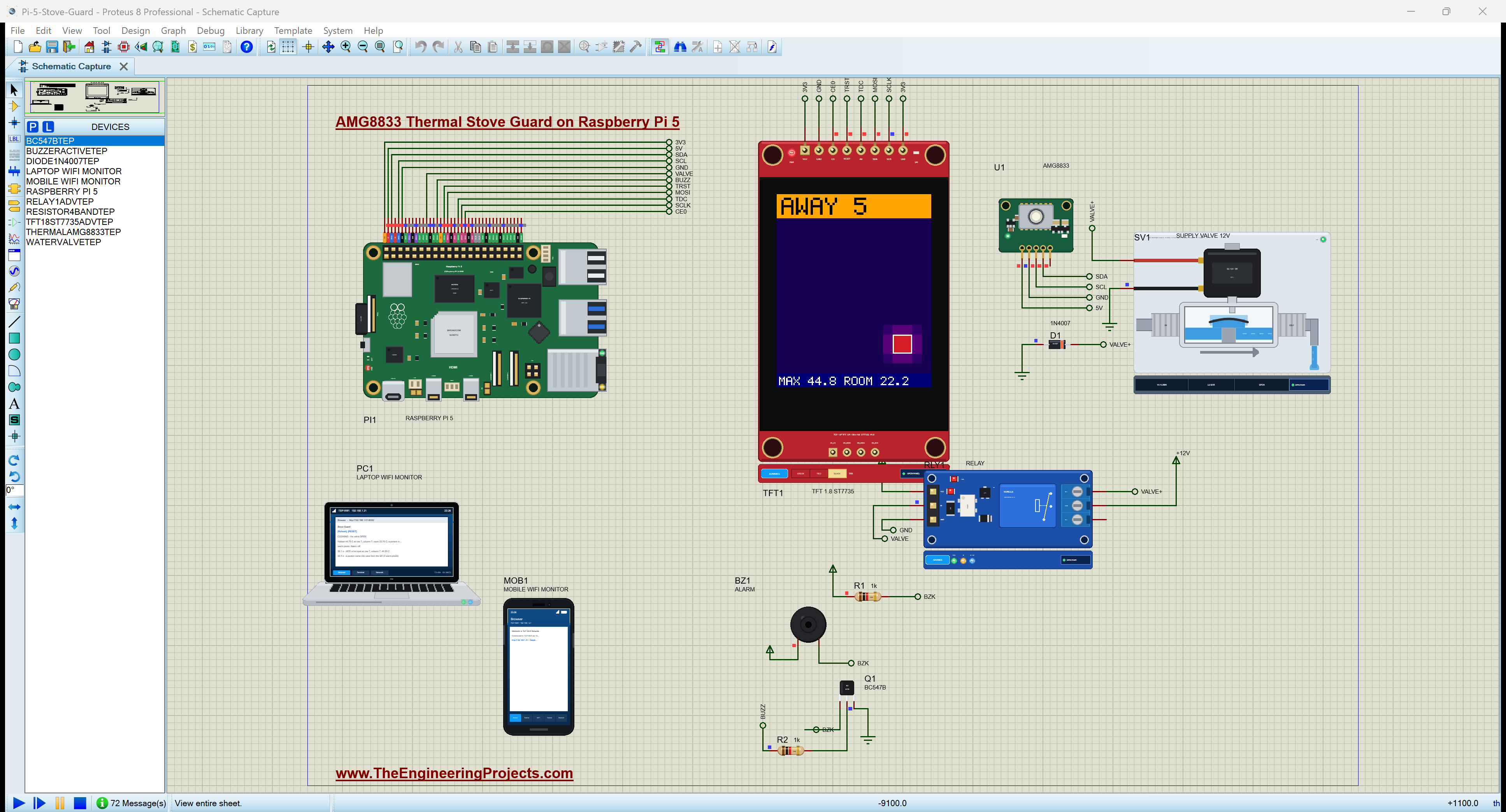
    * PI1 RASPBERRY PI 5 runs stove_guard.py on Ethernet at 192.168.1.51 (port 8000).
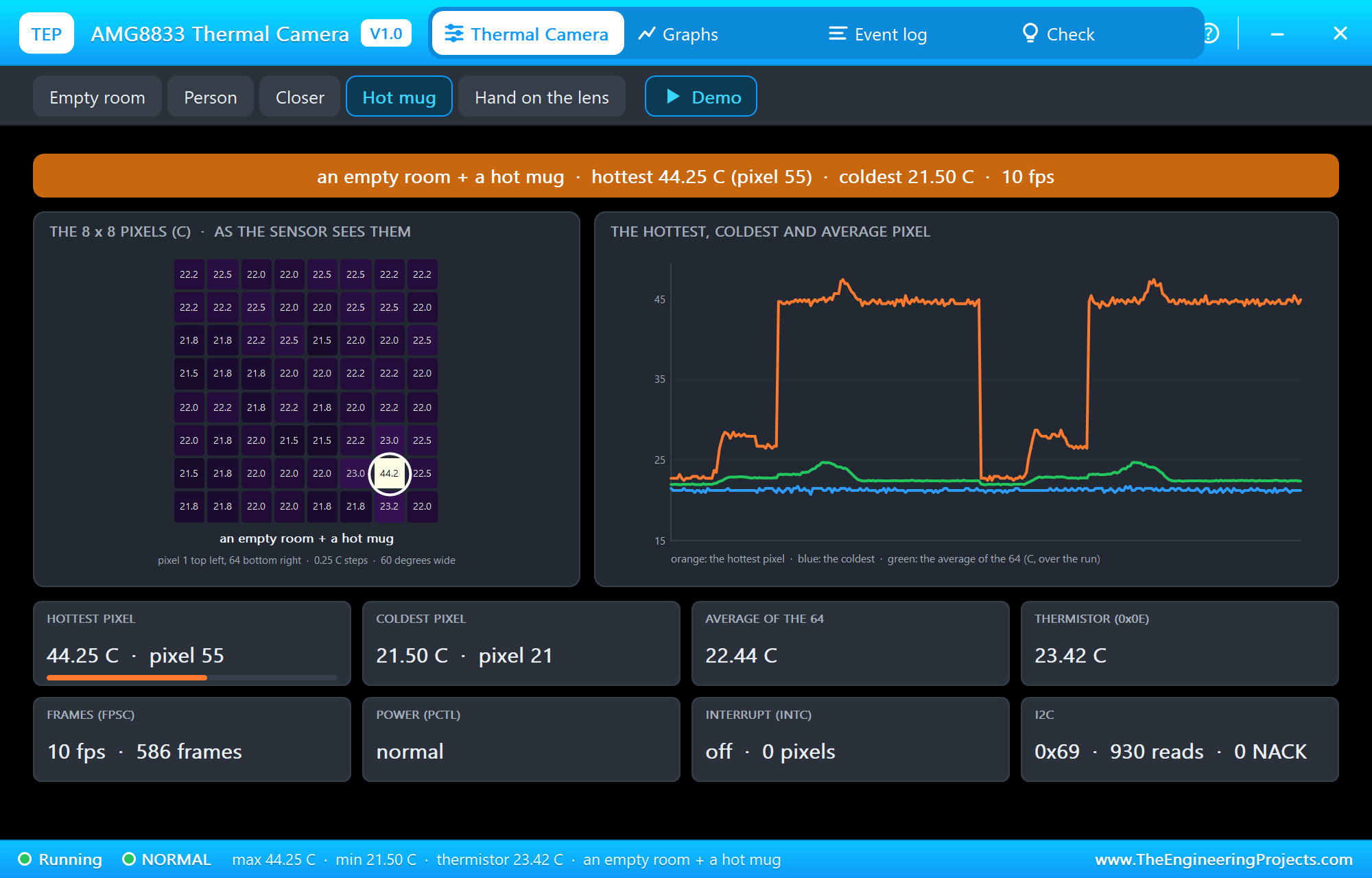
    * U1 the AMG8833 thermal camera (THERMALAMG8833TEP, I2C 0x69, PROFILE DEMO) on I2C1: SDA GPIO2 (pin 3), SCL
      GPIO3 (pin 5), VIN from the Pi's 5V (pin 2). The DEMO scene: someone walks in from the left at 3 s, a hot pan
      (a 60 C object in the corner of the view) at 10 s, they come closer at 12 s and walk out to the right at 15 s.
    * TFT1 a TFT 1.8" ST7735 (TFT18ST7735ADVTEP) on SPI0: SDA = MOSI GPIO10 (pin 19), SCK = SCLK GPIO11 (pin 23),
      CS = CE0 GPIO8 (pin 24), A0 = GPIO25 (pin 22), RESET = GPIO24 (pin 18), VCC / LED on 3.3 V (pin 1).
    * RLY1 a 1-channel relay module (RELAY1ADVTEP): IN = GPIO27 (pin 13, active LOW), VCC on the 5 V rail; COM on
      +12V, NO to SV1, the 12 V solenoid valve (WATERVALVETEP, normally closed: it stands in for the stove's gas
      valve) with D1 1N4007 (DIODE1N4007TEP) across its coil.
    * BZ1 an active buzzer (BUZZERACTIVETEP) switched by Q1 BC547B (BC547BTEP, base through R2 1k from GPIO23, pin
      16), R1 1k across the buzzer.
    * Laptop WiFi Monitor (PC1) and Mobile WiFi Monitor (MOB1) open http://192.168.1.51:8000/.
  What the program does (4 frames a second; the sensor makes 10):
    the frame     64 pixels in four 32-byte bursts (12 bits, 0.25 C); the room = the median pixel
    a HOT spot    a pixel at 40 C or more (a person is never that hot at a distance: a pixel sees about 7.5
                  degrees and mixes a face with the room)
    a PERSON      a group of 2 or more touching pixels at least 2.5 C above the room that is not hot; the side it
                  came from and the side it left by are logged
    BLOCKED       the whole frame within 2 C and 5 C above the last room temperature (a hand on the lens)
    the states    STOVE OFF (no hot spot), COOKING (hot + a person), AWAY (hot, nobody: a 15 s countdown, beeps
                  in the last 5 s; minutes in a real kitchen), SHUT OFF (the valve closed, the alarm on; also
                  after 5 s of a covered lens), VALVE OFF (someone came back: the alarm silenced, the valve stays
                  closed until RESET; RESET needs a person in view)
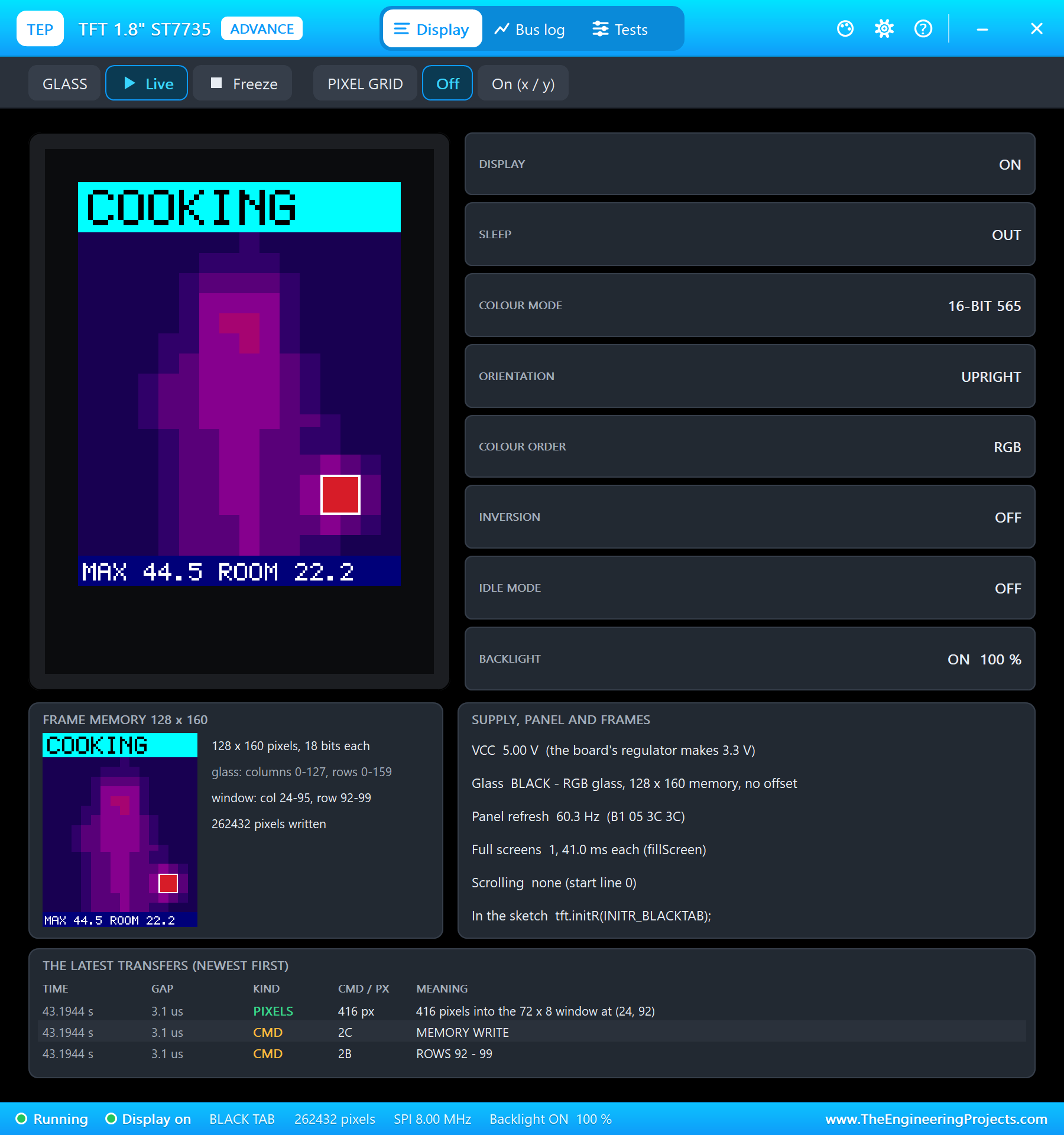
    the screen    the thermal picture (8 x 8 interpolated to 32 x 32, the iron palette, 18 - 50 C), the hottest
                  pixel framed, the state and the countdown, the hottest pixel and the room
  Its pages:
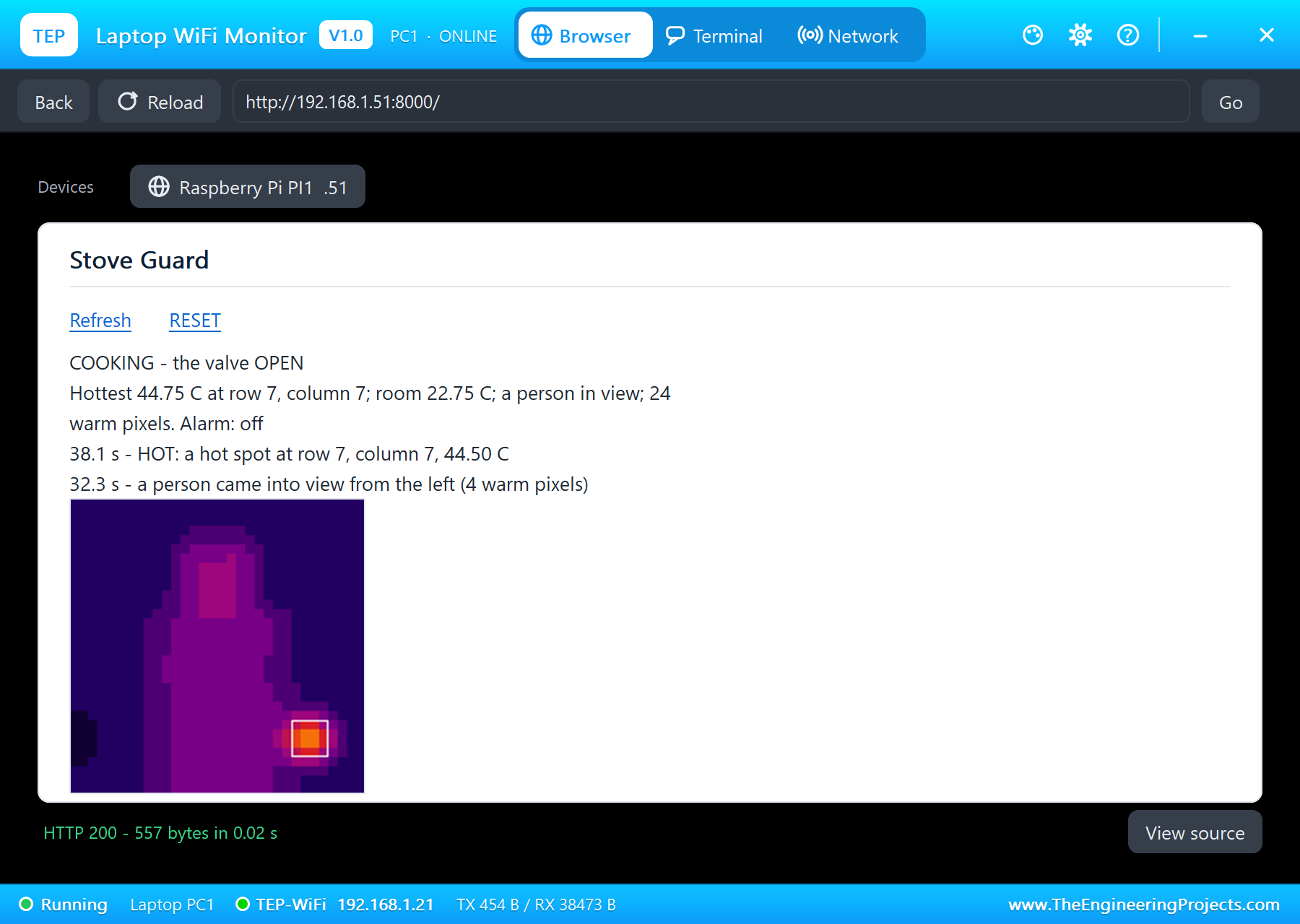
    /             the dashboard with the links Refresh and RESET
    /thermal.bmp  the thermal picture (192 x 192, 16 colours)       /data   JSON (the 64 pixels too)
    /reset        open the valve again (refused while nobody is in view or the lens is covered)
  Python libraries: lgpio and spidev (both in the TEPPi runtime; on Raspberry Pi OS: python3-lgpio and
  python3-spidev); threading, http.server.

TEST STATUS
  Tested in Proteus 8 Professional on Windows 11, the run that made the tutorial's screenshots (the program's times):
  - Start: "AMG8833 at 0x69: room 22.0 C (the median pixel), the sensor itself 23.6 C"; the valve OPEN.
  - The module's own scene ran from power-up (someone in at 3.3 s, the pan at 9.1 s: COOKING; alone at 17.3 s:
    AWAY); Demo on its pop-up restarted the scene at 28.1 s - the pan vanished: "the hot spot has gone", STOVE OFF
    (the countdown stopped).
  - The scene again: a person in from the left at 32.3 s; the pan at 38.1 s, row 7, column 7, 44.50 C: COOKING
    (24 warm pixels with the person at 1 m); they left the view to the right at 46.3 s: AWAY, 15 s to the shut-off
    (beeps in the last 5 s).
  - 61.3 s: "SHUT-OFF: a hot stove alone for 15 s - the valve CLOSED, the alarm on" (SV1 closed, 0.0 L/min).
  - Person on U1's pop-up: in view at 65.1 s - the alarm silenced, VALVE OFF; RESET on the dashboard at 66.7 s:
    the valve OPEN, COOKING.
  - Hand on the lens at 67.6 s: BLOCKED (the whole frame 32.00 - 33.25 C); 72.6 s: "SHUT-OFF: the lens covered for
    5 s"; the hand away: the pan seen again, VALVE OFF; RESET at 75.0 s; the pan taken away: STOVE OFF at 75.6 s.
  - 80.0 s of simulation in 1,326 s (the AMG8833 model steps at 1 ms at most).

INSTALLATION
  1. Close Proteus. Extract the WHOLE zip file, for example to your Desktop.
  2. Copy the files from "Proteus Library Files" into the LIBRARY folder of Proteus, for example
     C:\Program Files (x86)\Labcenter Electronics\Proteus 8 Professional\LIBRARY
  3. Copy everything in "Proteus Model Files" - the DLL files and the TEPPi folder - into the MODELS folder (next
     to LIBRARY).
  4. Start Proteus. Press P in the schematic and search for RASPBERRY PI 5 or THERMALAMG8833TEP to check that the
     parts are there.

RUN THE SIMULATION
  1. Open "Proteus Simulation\Pi-5-Stove-Guard.pdsprj". Keep stove_guard.py and the DLL files beside it.
  2. Press Play. Click U1 for its pop-up and press Demo to start the scene when the Pi's terminal says
     "serving on" (the scene runs from the start of the simulation, while the Pi is still booting).
  3. Watch the TFT and the Laptop WiFi Monitor (PC1, press Go): COOKING, then AWAY with the countdown, then SHUT OFF.
  4. On U1's pop-up press Person: someone is back - the alarm stops. Click RESET on the dashboard to open the valve.
     Press Hand on the lens for the BLOCKED test, Hot mug to take the pan away.

PROPERTIES USED IN THIS PROJECT
  PI1 RASPBERRY PI 5           PROGRAM=stove_guard.py, ETHERNET=IN (192.168.1.51)
  U1 THERMALAMG8833TEP         PROFILE=DEMO, ROOM_T=22, PERSON_T=32
  SV1 WATERVALVETEP; RLY1 RELAY1ADVTEP; BZ1 BUZZERACTIVETEP; Q1 BC547BTEP; R1, R2 1k; D1 DIODE1N4007TEP
  TFT1 TFT18ST7735ADVTEP;  PC1, MOB1 HOMEPAGE=http://192.168.1.51:8000/

TROUBLESHOOTING
  * The TFT stays black: its header is CS / RESET / A0 / SDA / SCK to pins 24 / 18 / 22 / 19 / 23, VCC and LED on 3.3 V.
  * No person is ever seen: PERSON_T must be a few degrees above ROOM_T (32 against 22 here).
  * The valve never opens: the relay's IN is active LOW (GPIO27 low = the relay on), COM needs +12V.
  * RESET is refused: someone must be in view (press Person on U1's pop-up) and the lens must be clear.
  * The terminal cannot start Python: the TEPPi folder is not in MODELS.

FROM SIMULATION TO A REAL KITCHEN
  * A real stove guard must use a certified gas valve (or a contactor for an electric hob) and keep the gas
    supplier's safety devices; this project shows the sensing and the logic, it is not a certified safety device.
  * Mount the camera above and in front of the hob so that the pans and the cook are both in its 60 degree view.
  * Set the countdown from the kitchen: 5 - 10 minutes is usual; 15 s here only keeps the simulation short.

LICENCES
  * The project, the program, the parts (LIB files) and the models (DLL files) are made by The Engineering Projects
    and are free for learning and for your own projects. The models use only standard Windows libraries.
    The C++ source code of the models is not included; the source code is not included for any model.
  * TEPPi\python is the Python 3.11 Windows embeddable package (Python Software Foundation License); TEPPi\runtime
    holds our TEP Pi runtime with gpiozero and colorzero (BSD licences) - their licence files are inside the folders.
  * Proteus is a product of Labcenter Electronics and is not included. Raspberry Pi is a trademark of Raspberry Pi
    Ltd; Grid-EYE is a trademark of Panasonic. This project is not made or endorsed by them.

VERSION
  V1.0 - the first release of the project.
===============================================================================================================Development1 release
 Development1 release
-
V1.0AMG8833 Thermal Stove Guard on Raspberry Pi 5 - Proteus Simulation V1.0this page
V1.0 is the only release in the Download Center so far. When a newer version is published, it appears above with its own download page.
Installation7 steps
 Installation7 steps
From the download to a working project, in order. The steps follow what the package contains.
You will need
- Proteus Design SuiteProteus 8 or newer (Labcenter), on Windows
- Pythonto build the source files into firmware
- Any archive toolWindows, macOS and Linux extract ZIP files on their own

Steps
- 1
Extract the archive
Right-click 14e32b24bd9543eabf0d3e8790174868.zip and choose Extract All (or open it with 7-Zip or WinRAR) into a folder you can find again. Keep its folder structure (Pi-5-Stove-Guard-TEP-v1.0) as it is.
- 2
Copy the library files into Proteus
Move TEP1N4007.LIB, TEPAMG8833.LIB and TEPBJT.LIB and 8 more and the files into the LIBRARY folder of your Proteus installation: C:\Program Files (x86)\Labcenter Electronics\Proteus 8 Professional\LIBRARY for Proteus 8, or the matching Proteus 7 folder. Older versions keep it under ProgramData\Labcenter Electronics. If Proteus is open, close it first.
- 3
Add the simulation model
Copy TEP1N4007.DLL, TEPAMG8833.DLL and TEPBJT.DLL and 13 more into the MODELS folder next to LIBRARY, so the component can run, not only be drawn.
- 4
Restart Proteus and place the component
Start Proteus, open a schematic, press P (Pick Devices) and search for the component by the name used in the tutorial. It appears with its pins ready to wire.
- 5
Build the source code
Open stove_guard.py, attr.py and color.py and 28 more in the compiler named in the tutorial (MikroC, Keil, MPLAB, Code Composer or the Arduino IDE) and build it to get the firmware.
- 6
Open the example simulation
Open Pi-5-Stove-Guard.pdsprj in Proteus to see the wiring exactly as in the tutorial. Check the controller's Program File path, then press Play.
- 7
Follow the tutorial
AMG8833 Thermal Stove Guard on Raspberry Pi 5 - Proteus Simulation explains every connection and setting in order; keep it open beside the files while you build.
FAQs8 questionsContact TEP
 FAQs8 questions
How do I download AMG8833 Thermal Stove Guard on Raspberry Pi 5 - Proteus Simulation V1.0?
Wait for the 30-second guest countdown on this page, then press the download button; the file comes straight from our storage. Members who are logged in skip the wait. If the browser opens the file instead of saving it, use its Save as option. The download link is made for you when the countdown ends and works for 15 minutes; a saved or shared link stops working, so share this page instead.
What is inside the archive?
AMG8833 Thermal Stove Guard on Raspberry Pi 5 - Proteus Simulation V1.0 comes as a ZIP archive of 153 files (15.3 MB, 30.5 MB unpacked) holding Proteus library files, simulation model DLLs, a Proteus simulation, source code and a nested archive. Open the File Structure tab for the full list of 153 files.
What should I do if the download does not start?
Check the browser's download list first; an ad blocker or a company firewall can also hold it back, so try another browser or network. If the file arrives incomplete, download it again. For an installation problem, read the Install tab or tell us in the comments with your software version and the exact error message.
Is this file free?
Yes. Every file in the TEP Download Center is free for learning, personal and student projects. If you share it, link back to this page or the tutorial so others find the latest version.
How do I check that the file arrived complete?
Compare its SHA-256 with the one on this page, 04969b25978139dc743f586a7e97e8c3d6a1bb80563a1bc4e49bf287af9cfcaf. In PowerShell run Get-FileHash "14e32b24bd9543eabf0d3e8790174868.zip"; on macOS or Linux run shasum -a 256 "14e32b24bd9543eabf0d3e8790174868.zip". The same value means the file is exactly the one in our storage; a different one means the download broke off, so download it again.
Do I need WinRAR to open the ZIP file?
No. Windows, macOS and Linux open ZIP archives on their own (Extract All, or double-click). WinRAR and 7-Zip work too. Extract the whole archive before using the files.
Where do I put the LIB and IDX files?
Both files go into the LIBRARY folder of your Proteus installation (Proteus 8: C:\Program Files (x86)\Labcenter Electronics\Proteus 8 Professional\LIBRARY; Proteus 7 has the same folder under its own name). Restart Proteus afterwards and search for the component with P.
Which Proteus version does the library need?
The tutorial names the Proteus version the library was made and tested with. Most TEP libraries work in Proteus 7 and Proteus 8; if the component does not appear after a restart, check that both the LIB and the IDX file were copied and that Proteus was fully closed while copying.
Members skip the wait. Log in or join TEP.

- 0Total downloads
- 4%Popularity
- Raspberry PiCategory
- 0Comments
- ssyedzainnasirUploaded by
- 27 Nov 2026Uploaded at


 SHA-256
04969b25978139dc743f586a7e97e8c3d6a1bb80563a1bc4e49bf287af9cfcaf


 Need help with this file?
 Tags
Related Raspberry Pi
All Raspberry Pi tutorials




More Raspberry Pi project files
All Raspberry Pi tutorials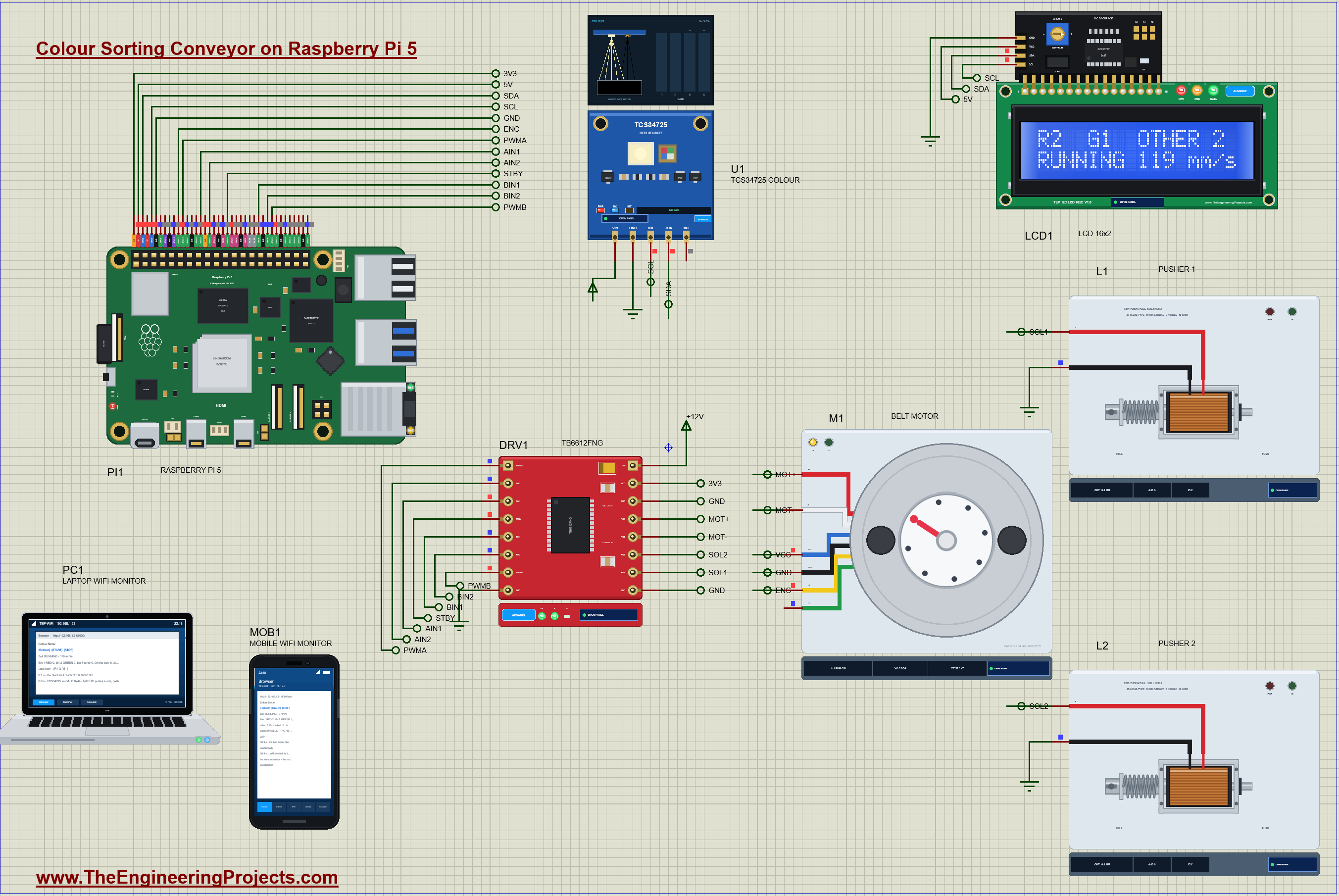



Comments
0