


Project Files of Raspberry Pi Pico W Library for Proteus: Wi-Fi Web Simulation
 Libraries
 Code
Code Projects
 Simulation
raspberry-pi-pico-w-tep-v1-0-fb1585d18c134ac0bcc7b185fab858c6.zip
Raspberry Pi Pico W Library for Proteus V1.0
Raspberry Pi Pico W Library for Proteus V1.0 comes as a ZIP archive of 158 files (2.1 MB, 4.6 MB unpacked) holding Proteus library files, simulation model DLLs, a Proteus simulation, an Arduino sketch, an Arduino library, compiled HEX firmware and source code.
- LIBProteus library
- DLLProteus model
- DSNProteus simulation
- INOArduino sketch
- LIBArduino library
- HEXHEX firmware
- SRCSource code
Description
Looking for the files of Raspberry Pi Pico W Library for Proteus: Wi-Fi Web Simulation? Raspberry Pi Pico W Library for Proteus V1.0 is the ZIP package (2.1 MB) you need. It holds the Proteus library files (LIB and IDX), the simulation model (DLL), a ready Proteus simulation, an Arduino sketch, an Arduino library, the compiled HEX firmware and the source code. Below are the file structure, the README and the installation steps, so you can go from download to a working Proteus simulation in a few minutes.
What this library is
Raspberry-Pi-Pico-W-Library-for-Proteus-v1.0.zip with the Raspberry Pi Pico W in Proteus that runs your arduino-pico sketch (the 40 pins, GP0 - GP22, GP26 - GP28 0-1023 for 0-3.3 V, Wi-Fi with WiFi, WebServer and LEAmDNS, BOOTSEL, analogReadTemp, the LED, RUN, a virtual router and a phone panel; TEPPICOW.LIB and TEPNET.DLL), the TEP Boards for Proteus 1.13.0 board package for the Arduino IDE, our Laptop and Mobile WiFi Monitors (TEPLAPTOP.LIB, TEPMOBILE.LIB), the web thermometer demo projects with their HEX file, the sketch and a README.
This is version 1.0; older or newer releases, when they exist, are listed in the Development tab.
What is inside the ZIP file
- TEPLAPTOP.LIB – Proteus library, 39.5 KB
- TEPMOBILE.LIB – Proteus library, 13.1 KB
- TEPPICOW.LIB – Proteus library, 32.1 KB
- TEPNET.DLL – Simulation model, 1.9 MB
- Pico-W-Web-Thermometer-with-Laptop-and-Mobile.pdsprj – Proteus simulation, 22.5 KB
- Raspberry-Pi-Pico-W-Board.pdsprj – Proteus simulation, 15.6 KB
- and 152 more, all listed in the File Structure tab
The archive unpacks to 4.6 MB and carries its own README (README.txt), shown in the README tab above.
How to download
Use the download panel at the top of this page: after the counter (30 seconds for guests, 10 for members) the black button unlocks and the ZIP file comes straight from our content network. If the browser opens it instead of saving, use Save as; extract the whole archive before using anything inside it.
How to install
- Step 1: Extract the ZIP file with Windows (Extract All), 7-Zip or WinRAR, keeping its folders.
- Step 2: Close Proteus and copy TEPLAPTOP.LIB, TEPMOBILE.LIB and TEPPICOW.LIB into its LIBRARY folder (Proteus 8: C:\Program Files (x86)\Labcenter Electronics\Proteus 8 Professional\LIBRARY).
- Step 3: Copy TEPNET.DLL into the MODELS folder next to it, so the part simulates.
- Step 4: Start Proteus, press P and search for "TEPLAPTOP"; place and wire it as in the tutorial.
- Step 5: In the Arduino IDE use Sketch → Include Library → Add .ZIP Library, then restart the IDE.
- Step 6: Open PicoW_Web_Thermometer.ino, eeprom_clear.ino and eeprom_crc.ino and 15 more in the Arduino IDE, pick board and port and Verify (Export Compiled Binary gives the HEX).
- Step 7: Build abi.cpp, Arduino.h and binary.h and 49 more with the compiler the tutorial names.
- Step 8: In Proteus set the controller's Program File to PicoW_Web_Thermometer.hex; on hardware, flash the same file.
- Step 9: Open Pico-W-Web-Thermometer-with-Laptop-and-Mobile.pdsprj and Raspberry-Pi-Pico-W-Board.pdsprj in Proteus and press Play.
Read the detailed guide
This page is for the files. The full tutorial, Raspberry Pi Pico W Library for Proteus: Wi-Fi Web Simulation, explains the circuit and the code step by step and shows the working results and the simulation; read it before you build. Questions about the download or the installation go in the comments below; more Proteus downloads are listed further down this page.

File Structure
 File Structure
4.4 KB1.1 KB7.7 KB11 KB8.5 KB1.5 KB1.7 KB1.8 KB5.6 KB4.9 KB1.1 KB5.8 KB9.6 KB5.9 KB2.5 KB1.9 KB4.4 KB1.1 KB3 KB3 KB1.3 KB2.5 KB3.5 KB149 B2.7 KB2 KB6.4 KB3.2 KB1.3 KB963 B8.6 KB5.9 KB5.4 KB6.2 KB1.1 KB14.7 KB4.3 KB6.1 KB20.1 KB8.2 KB2 KB4.5 KB311 B12.1 KB5.6 KB3.6 KB2.2 KB3.4 KB5.9 KB1.5 KB1.6 KB16.6 KB9.7 KB3.1 KB2.2 KB504 B918 B1.4 KB1.8 KB1 KB1.3 KB1.4 KB1.8 KB1.4 KB5.7 KB502 B463 B5 KB1.6 KB368 B406 B466 B404 B444 B460 B477 B739 B448 B1.3 KB350 B7.2 KB4.1 KB371 B390 B478 B5.1 KB4.6 KB371 B294 B358 B4.4 KB1.9 KB5.6 KB10.4 KB835 B518 B9.1 KB4.4 KB439 B3.9 KB1.2 KB9.3 KB5.6 KB4.4 KB2.4 KB388 B893 B667 B1.3 KB2.7 KB2.3 KB1.8 KB468 B882 B530 B791 B487 B894 B2 KB730 B646 B2.6 KB977 B702 B20.6 KB1.8 KB10.4 KB3.2 KB596 B406 B5.9 KB6.4 KB5.3 KB7.7 KB6.4 KB6.3 KB6.1 KB6.3 KB6.1 KB5.8 KB6.5 KB7.7 KB5.9 KB5.9 KB7.1 KB25.9 KB1.3 KB8.5 KB10.4 KB39.5 KB13.1 KB32.1 KB1.9 MB22.5 KB59.8 KB15.6 KB1.9 MB18.8 KBGallery12 images from the tutorialOpen the tutorial
 Gallery12 images from the tutorial
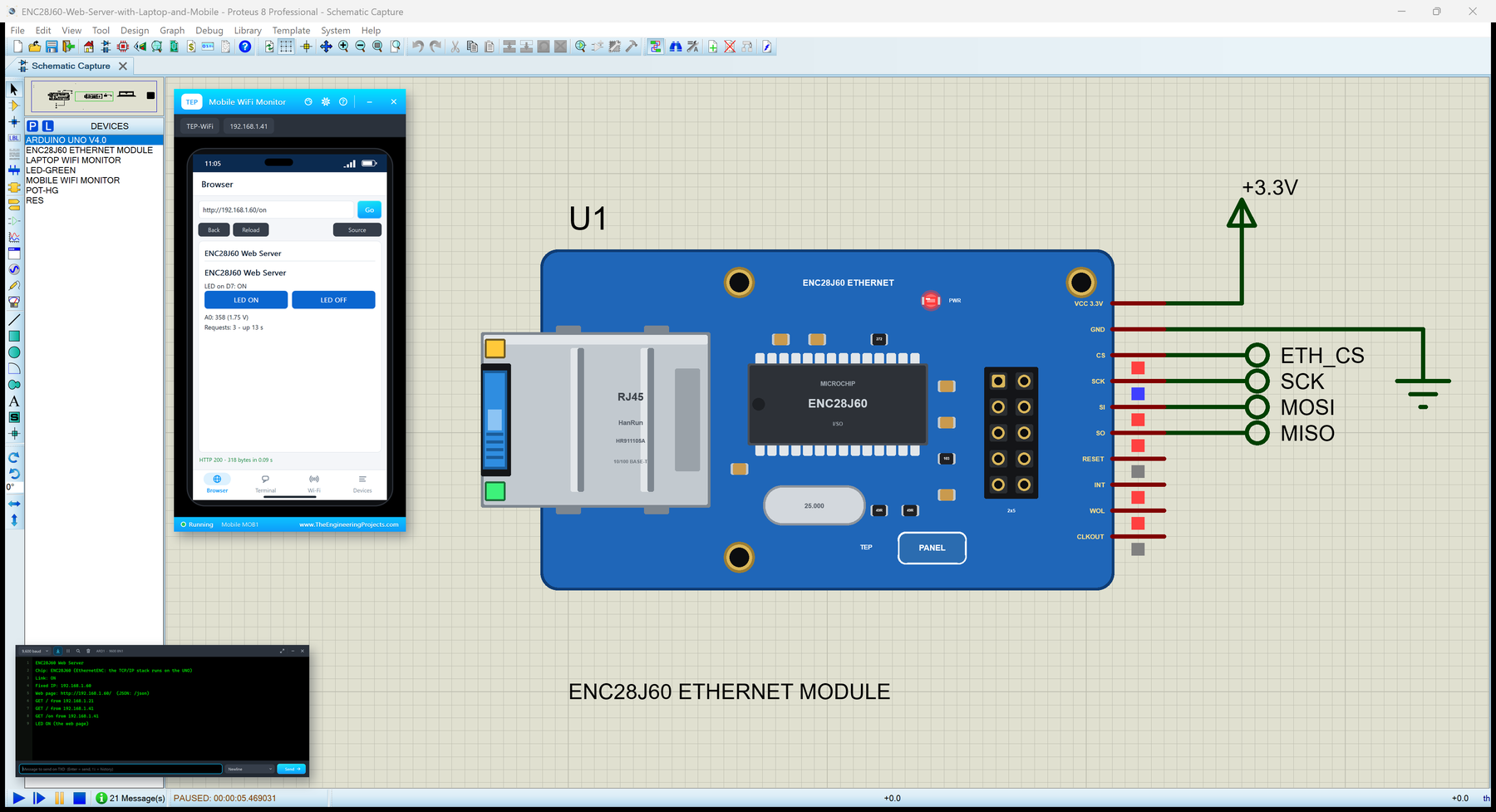
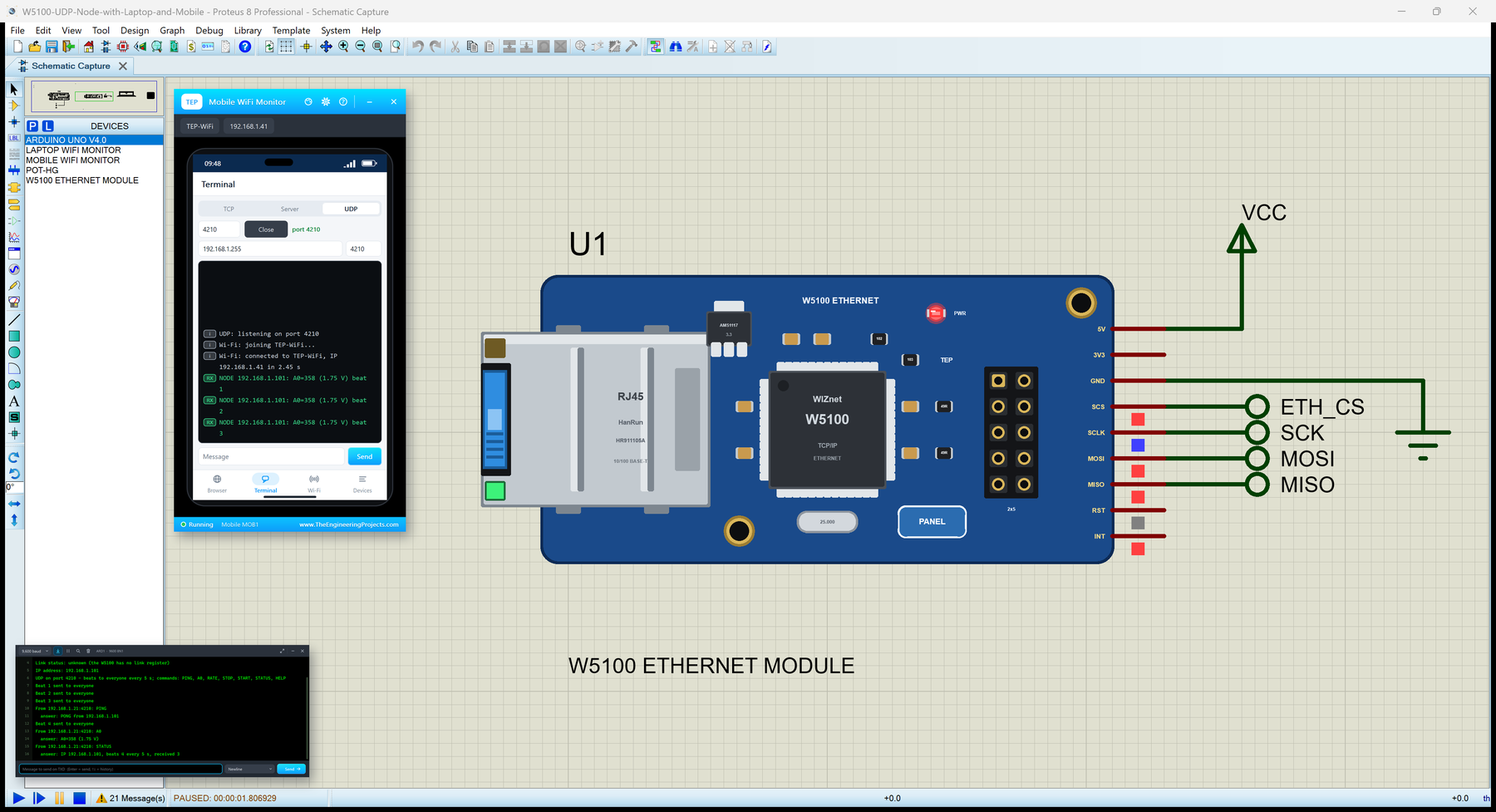
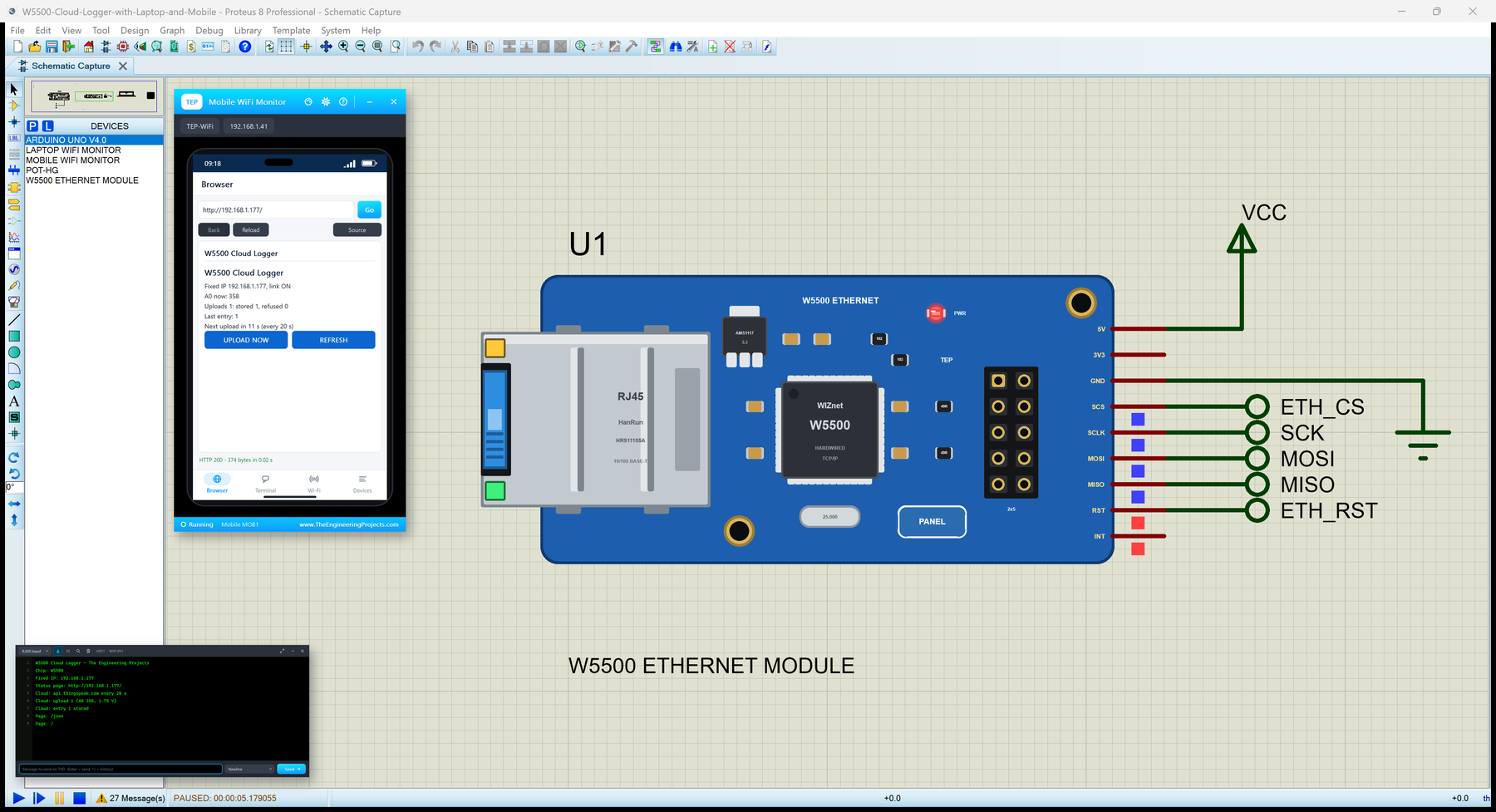
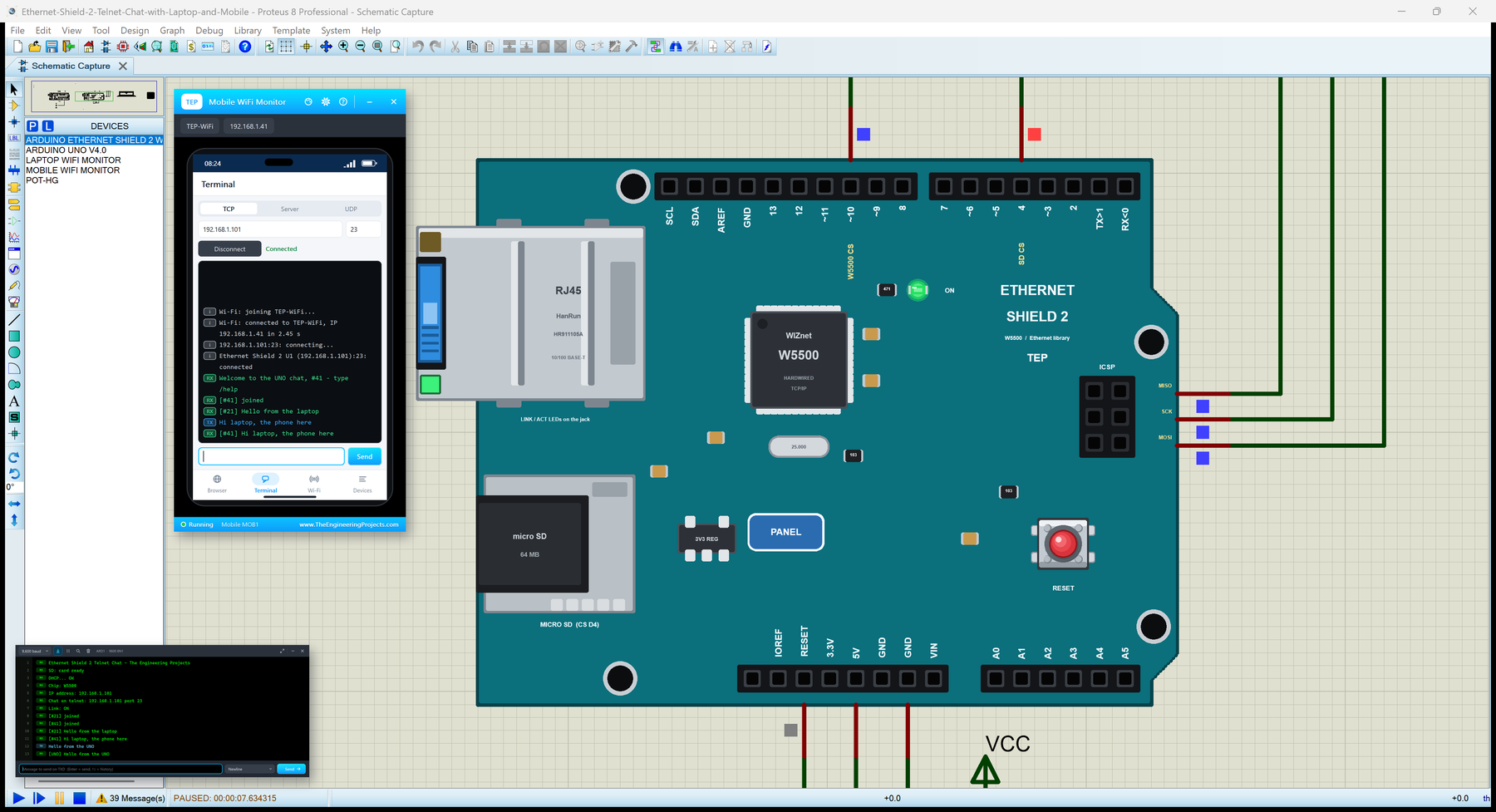
The circuit, the board and the results as they appear in Raspberry Pi Pico W Library for Proteus: Wi-Fi Web Simulation. Open an image for its full size.
README
 README
RASPBERRY PI PICO W LIBRARY FOR PROTEUS - V1.0 (YOUR PICO W ARDUINO SKETCH, WI-FI, BOOTSEL, LAPTOP + PHONE)
Designed by The Engineering Projects
www.TheEngineeringProjects.com
IMPORTANT LINKS
Article (read it first - pictures, step by step, every feature explained):
https://www.theengineeringprojects.com/2026/10/raspberry-pi-pico-w-library-for-proteus.html
Report a bug or suggest a feature (our forum):
https://www.theengineeringprojects.com/forum/category/raspberry-pi-pico-w-proteus-library
The demo talks to our Laptop WiFi Monitor and Mobile WiFi Monitor (both included) - their articles:
https://www.theengineeringprojects.com/2026/10/laptop-wifi-monitor-library-for-proteus.html
https://www.theengineeringprojects.com/2026/10/mobile-wifi-monitor-library-for-proteus.html
Another Wi-Fi board with the same Arduino-ESP32 style WiFi and WebServer on our board package, our Arduino Nano ESP32:
https://www.theengineeringprojects.com/2026/10/arduino-nano-esp32-library-for-proteus.html
Support us (the libraries are free):
https://www.theengineeringprojects.com/donate
FILE STRUCTURE
Raspberry-Pi-Pico-W-TEP-v1.0/
|-- Proteus Library Files/
| |-- TEPLAPTOP.LIB 39.5 KB our Laptop WiFi Monitor (the demo), to LIBRARY
| |-- TEPMOBILE.LIB 13.1 KB our Mobile WiFi Monitor (the demo), to LIBRARY
| |-- TEPPICOW.LIB 32.1 KB the Raspberry Pi Pico W board, to LIBRARY
|-- Proteus Model Files/
| |-- TEPNET.DLL 1.90 MB the boards + the Wi-Fi network, to MODELS
|-- Proteus Simulation/
| |-- PicoW_Web_Thermometer.hex 59.8 KB U1 of both demos
| |-- Pico-W-Web-Thermometer-with-Laptop-and-Mobile.pdsprj 22.5 KB demo 2: web thermometer + laptop + phone
| |-- Raspberry-Pi-Pico-W-Board.pdsprj 15.6 KB demo 1: the board alone
| |-- TEPNET.DLL 1.90 MB copy of the model
|-- Arduino Code/
| |-- PicoW_Web_Thermometer/PicoW_Web_Thermometer.ino 4.4 KB the Pico W sketch
| |-- TEP Boards for Proteus/hardware/tep/avr/ 579.2 KB the Arduino IDE add-on 1.13.0 (148 files)
|-- README.txt ~19.9 KB this file
Total: 4.57 MB (unzipped). The C++ source code of the models is not included.
WHAT IS IT?
Proteus 8 has no Raspberry Pi RP2040 (dual Arm Cortex-M0+) model and no Infineon CYW43439 Wi-Fi chip, so this is NOT a real
RP2040. It is the Raspberry Pi Pico W - the 51 x 21 mm board with its 2 x 20 castellated pins, the RP2040, the CYW43439 under its
can, the PCB antenna, micro-USB, the BOOTSEL button and the LED - that runs YOUR Pico W Arduino sketch in Proteus:
* You write a normal Pico W sketch for the arduino-pico core (Earle Philhower's "Raspberry Pi Pico/RP2040" board package):
GP0 .. GP22 and GP26 .. GP28 as pins 0 .. 28, A0 .. A2, LED_BUILTIN, BOOTSEL, analogReadTemp(), Serial, Serial1, Wire, SPI,
WiFi (WiFi.begin, WiFiClient, WiFiServer, WiFiUDP), WebServer, HTTPClient and LEAmDNS (MDNS) - and compile it in the Arduino
IDE with our board package "TEP Boards for Proteus" 1.13.0 (in Arduino Code - see INSTALLATION).
* Inside the board, Proteus's own ATmega2560 model runs the compiled sketch at 16 MHz; our model (TEPNET.DLL) wraps it: the
Pico's pins, 3.3 V logic, GP26 .. GP28 (0 .. 1023 for 0 .. 3.3 V), the RP2040's temperature, the LED, the BOOTSEL button, the
RUN pin, the built-in serial monitor on the USB (Serial) and the Wi-Fi radio (the CYW43439's job on the real board).
* Wi-Fi: a virtual router (TEP-WiFi, password 12345678 - the WIFISSID / WIFIPASS properties) with DHCP (192.168.1.101 for U1,
.102 for U2 ...), mDNS names (picow.local), a scan list, RSSI, NTP time, TCP and UDP between all the TEP Wi-Fi parts in the
design (boards, modules, the Laptop and Mobile WiFi Monitors), and a virtual internet host that answers HTTP.
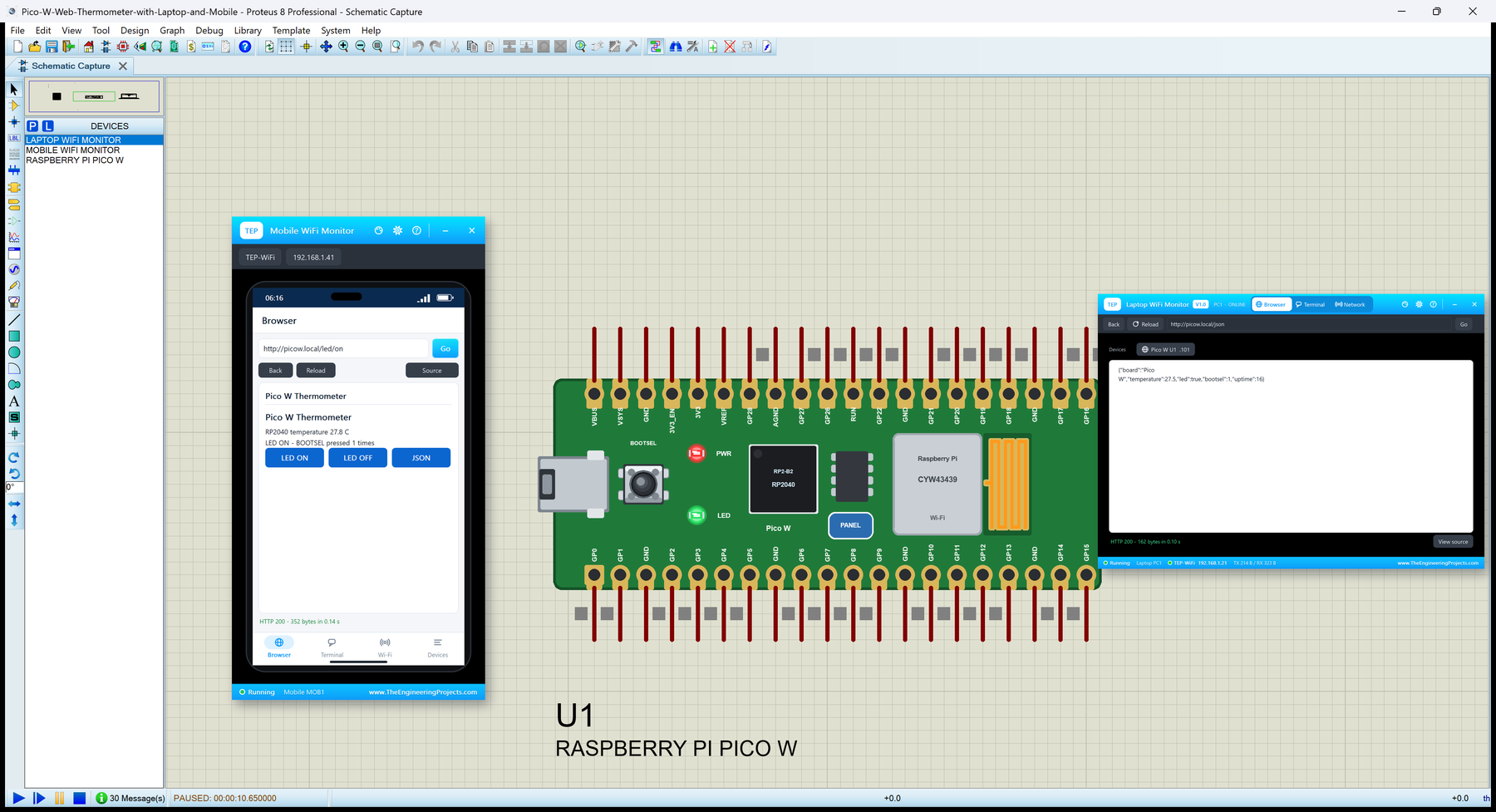
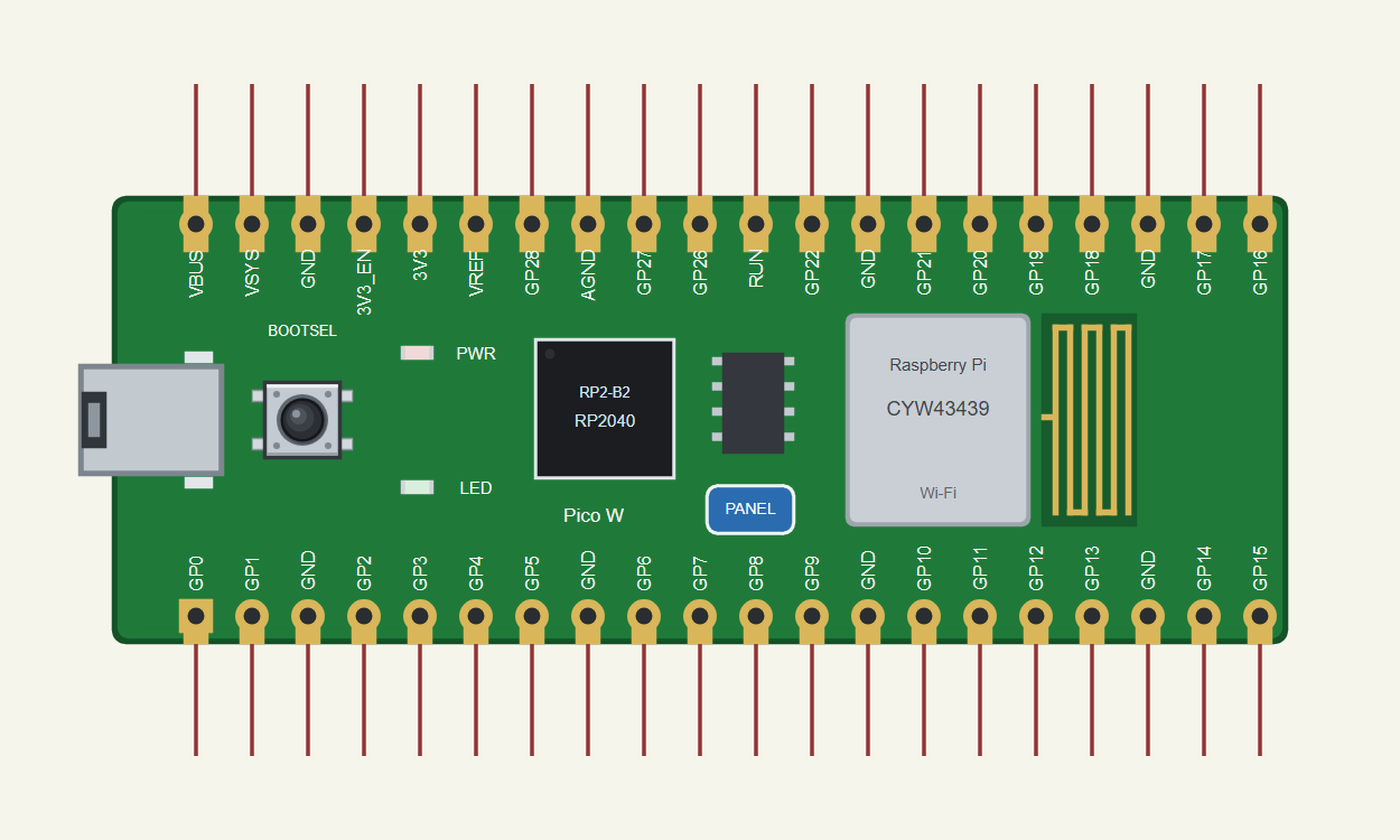
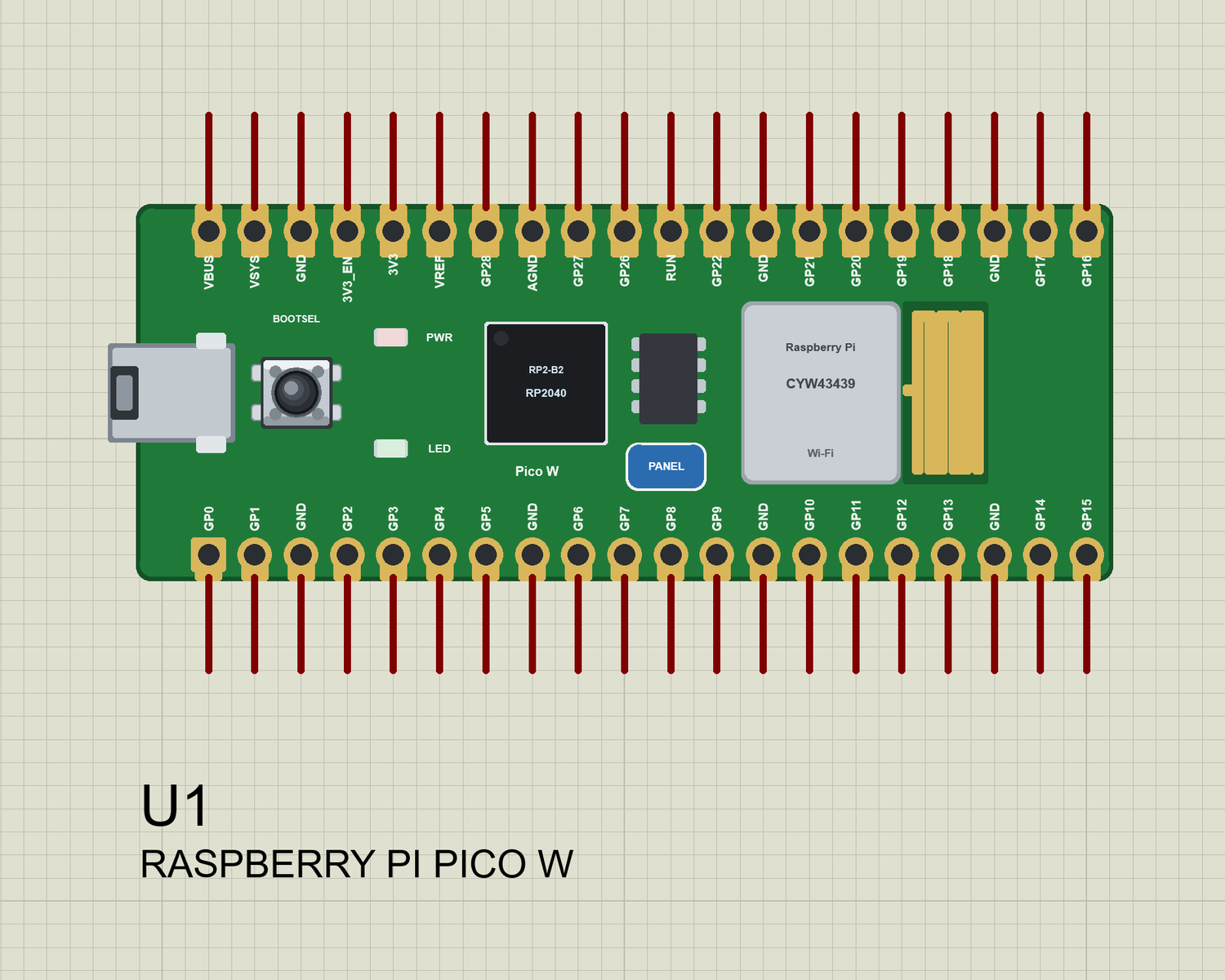
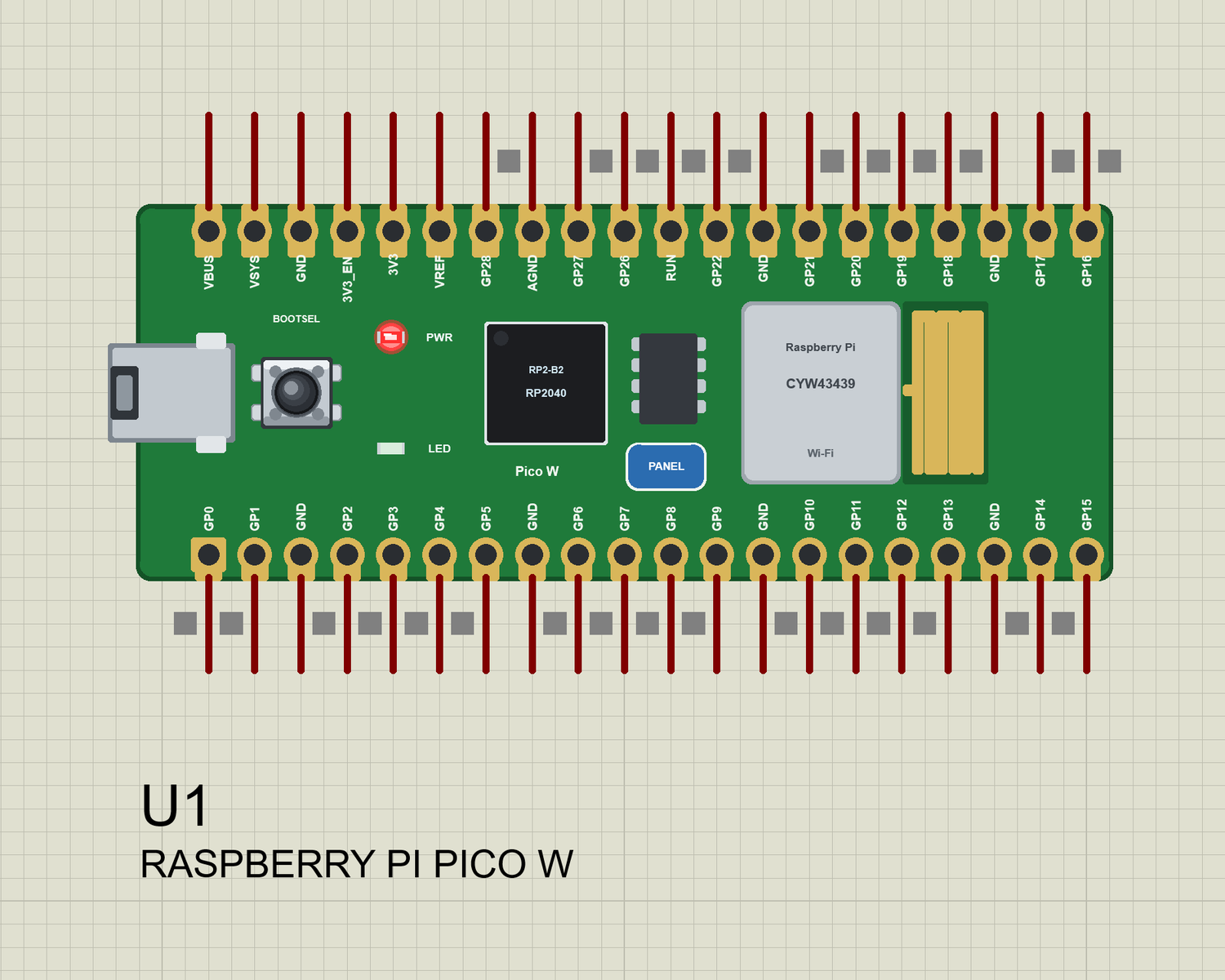
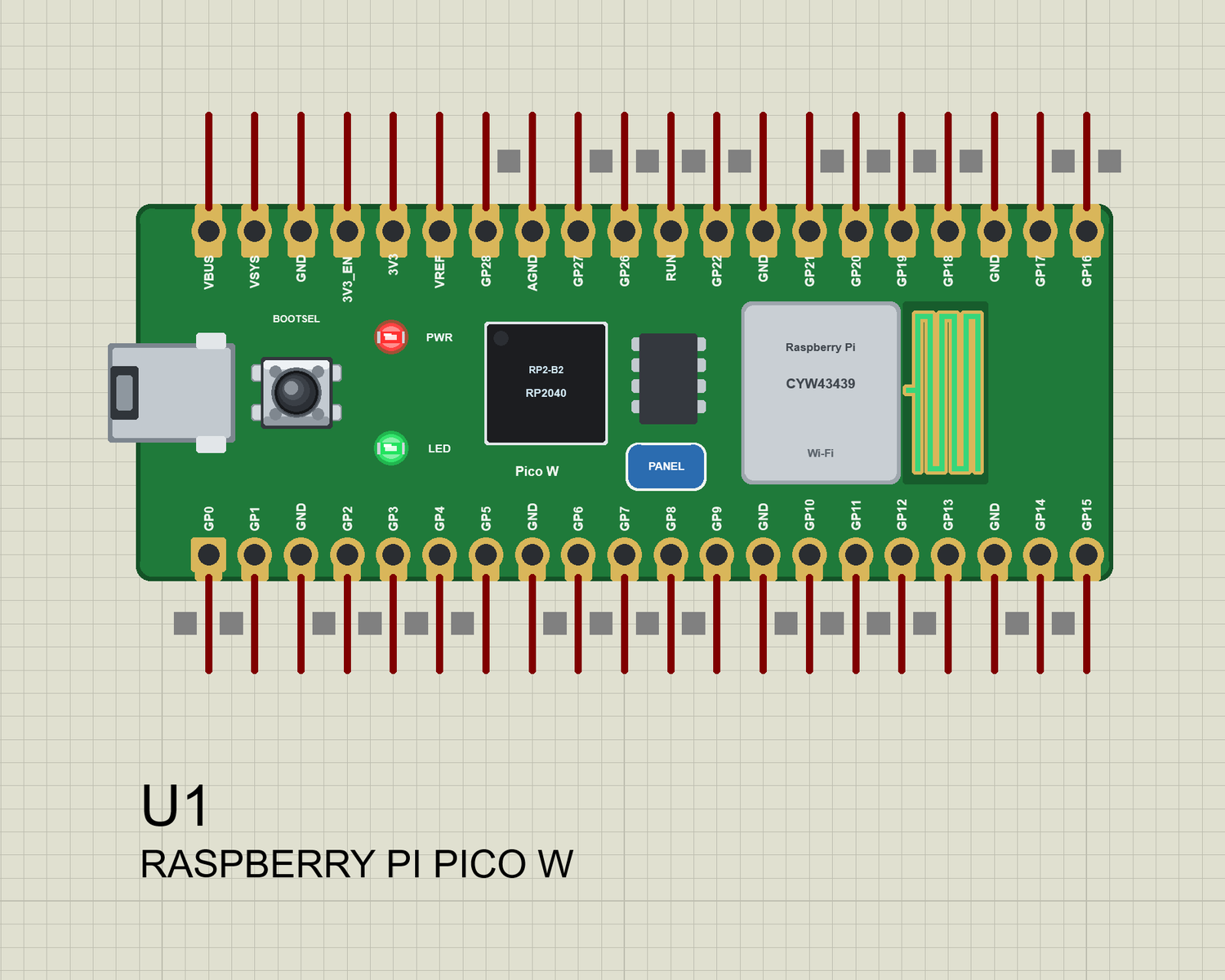
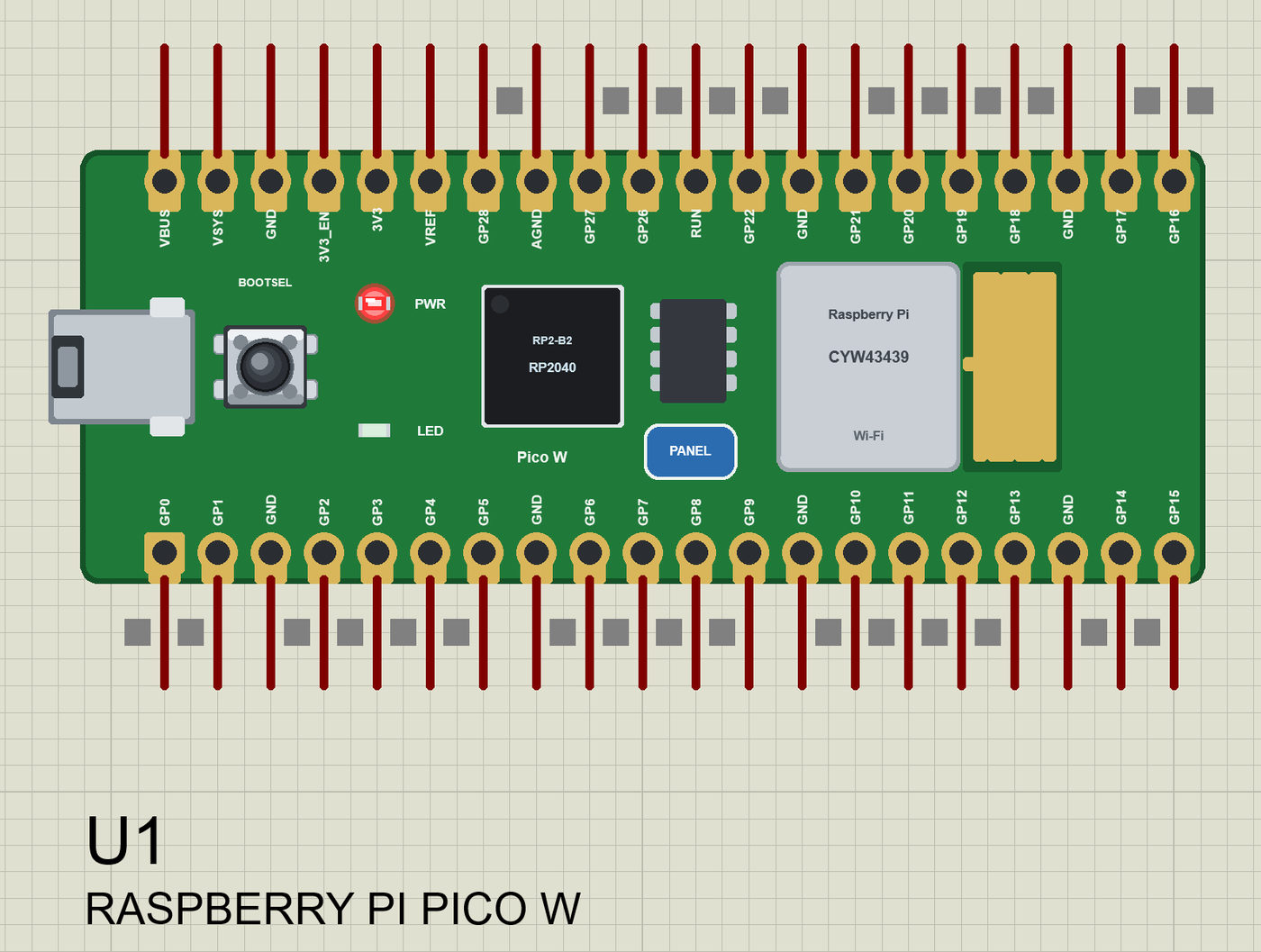
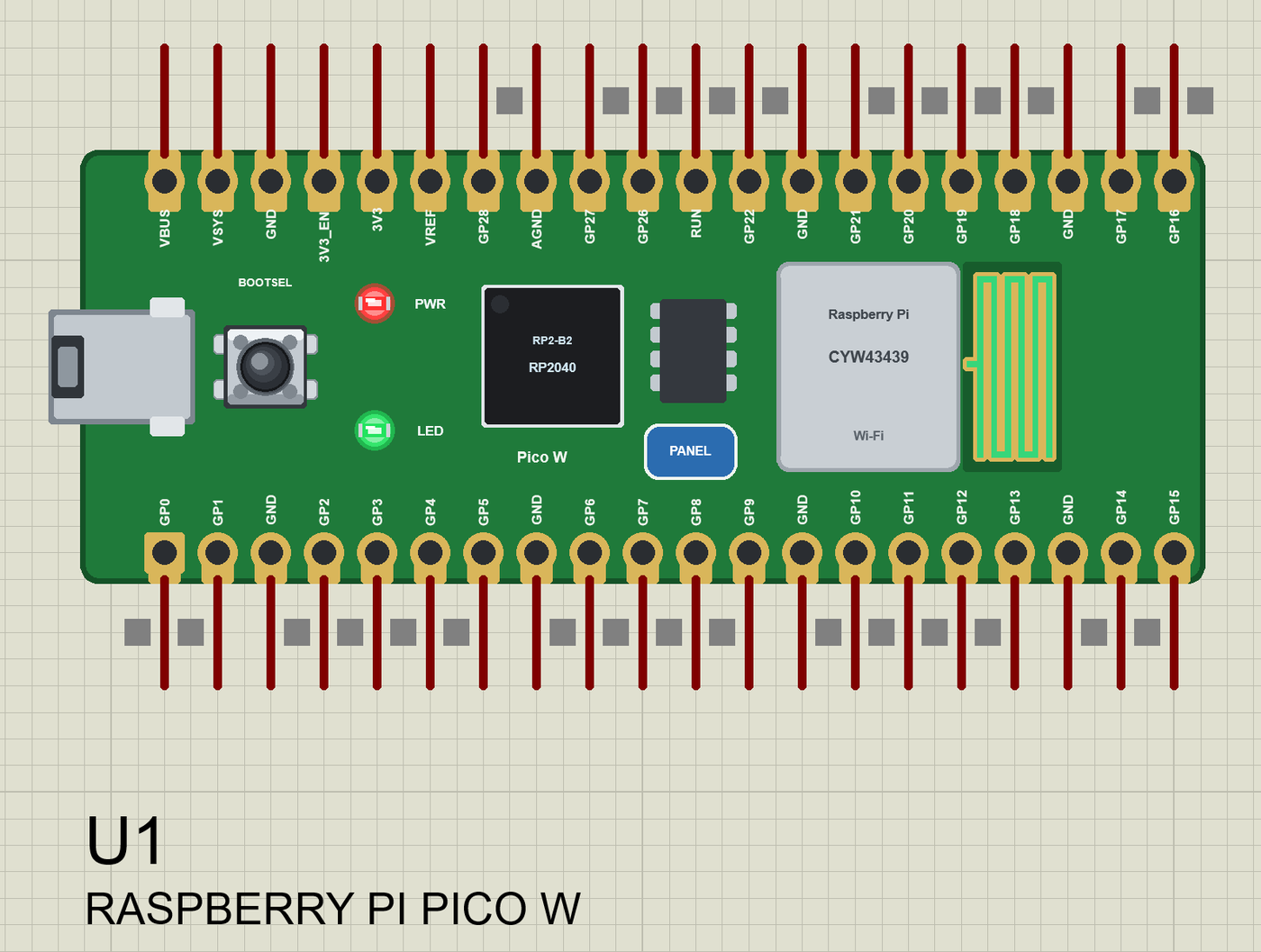
The board is drawn our way at its real proportions (Raspberry Pi green), lying with micro-USB on the left: BOOTSEL, the LED, the
RP2040, the flash chip, the CYW43439 can, the PCB antenna and the PANEL pad; the rows VBUS VSYS GND 3V3_EN 3V3 VREF GP28 AGND GP27
GP26 RUN GP22 GND GP21 GP20 GP19 GP18 GND GP17 GP16 (top: pins 40 .. 21) and GP0 GP1 GND GP2 GP3 GP4 GP5 GND GP6 GP7 GP8 GP9 GND
GP10 GP11 GP12 GP13 GND GP14 GP15 (bottom: pins 1 .. 20).
TEP additions: a red PWR LED (the real Pico W has none), the antenna colours (gold not joined, green on Wi-Fi, orange sending,
cyan receiving), the PANEL pad (or the can) opens the board's panel, the micro-USB opens the serial monitor.
Limits (say them before you start): 16 MHz, 8 KB of RAM (the real RP2040: 133 MHz, 264 KB), int is 16 bits (the real board: 32
bits - use long / int32_t for big numbers), no second core, no PIO, no FreeRTOS tasks, no Bluetooth, no MicroPython (the board
runs Arduino sketches), no real TLS, no soft AP. See MODEL SCOPE AND LIMITS.
ONE DEVICE (search "PICO W" in Pick Devices):
RASPBERRY PI PICO W "Raspberry Pi Pico W" V1.0 (category Microprocessor ICs > Raspberry Pi Boards), prefix U, model TEPNET.DLL
The panel (a TEP pop-up window, the look of the TEP Serial Monitor; it opens at Run, the PANEL pad opens it again). Tabs:
Wi-Fi a phone with three tabs - BROWSER (OPEN PICO PAGE: the phone opens the sketch's web page, tap its links),
ROUTER (the DHCP list of every board and phone), CLOUD (the internet host's requests); WI-FI SIGNAL GOOD / WEAK /
OUT OF RANGE; the cards BOARD, WI-FI, TRAFFIC
Pins the 27 pins live (HIGH, LOW, PWM with its duty, interrupt, input, pull-up) and GP26 .. GP28 with their voltage
Test Web request test (the phone opens the page n times - measured) and Wi-Fi re-join test
Settings theme, text size, open at Run, window size
Help report a bug, suggest a feature, article, updates, donate, forum; Copy diagnostics
The serial monitor (115200 baud by default) has its own window with Monitor, Plotter and Board tabs (the Board tab shows the PWR
and LED, the RUN (reset) and BOOTSEL keys side by side and every pin). Like every TEP window it has no Windows title bar.
BOOTSEL: hold it on the board with the mouse, or click BOOTSEL in the monitor's Board tab (a press of 0.3 s of simulation).
The same TEPNET.DLL also runs our Arduino boards (UNO WiFi Rev2, Nano 33 IoT, UNO R4 WiFi, Nano ESP32), the WeMos and NodeMCU
boards, the ESP32 boards, the ESP-01 / ESP-07 / ESP-12 modules, the AirLift and WiFi shields and the Laptop / Mobile WiFi Monitors
(TEPLAPTOP.LIB, TEPMOBILE.LIB, included for the demo); it replaces any older TEPNET.DLL (keep only this newest one in MODELS).
TEST STATUS
V1.0: verified in Proteus 8.5 on 24 Oct 2026 (the two demo projects as shipped, the window off-screen, posted clicks and keys).
What the runs showed:
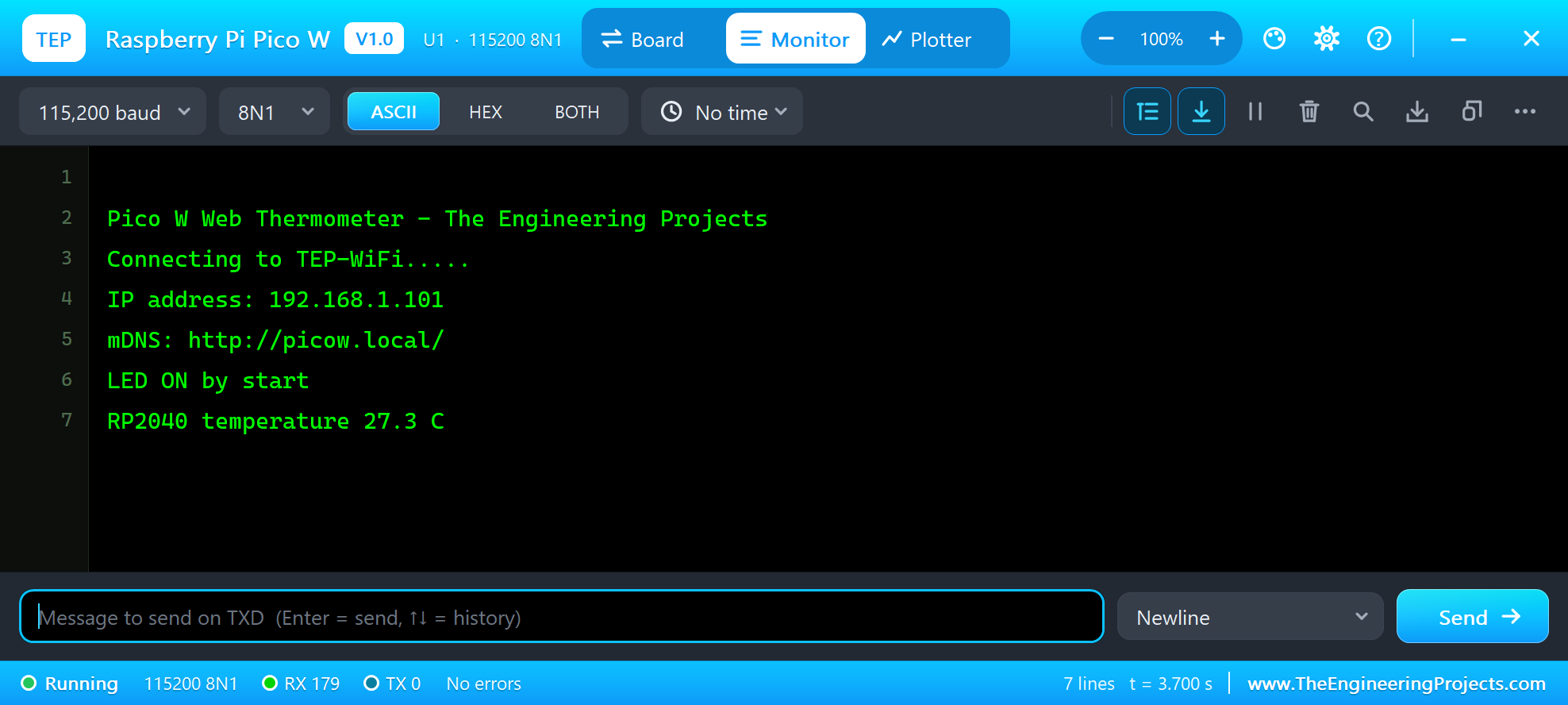
* The LED stayed off while the board joined TEP-WiFi in 2.18 s (IP 192.168.1.101, MAC 28:CD:C1:01:00:01); the monitor printed
"mDNS: http://picow.local/", "LED ON by start" and "RP2040 temperature 27.3 C" (analogReadTemp).
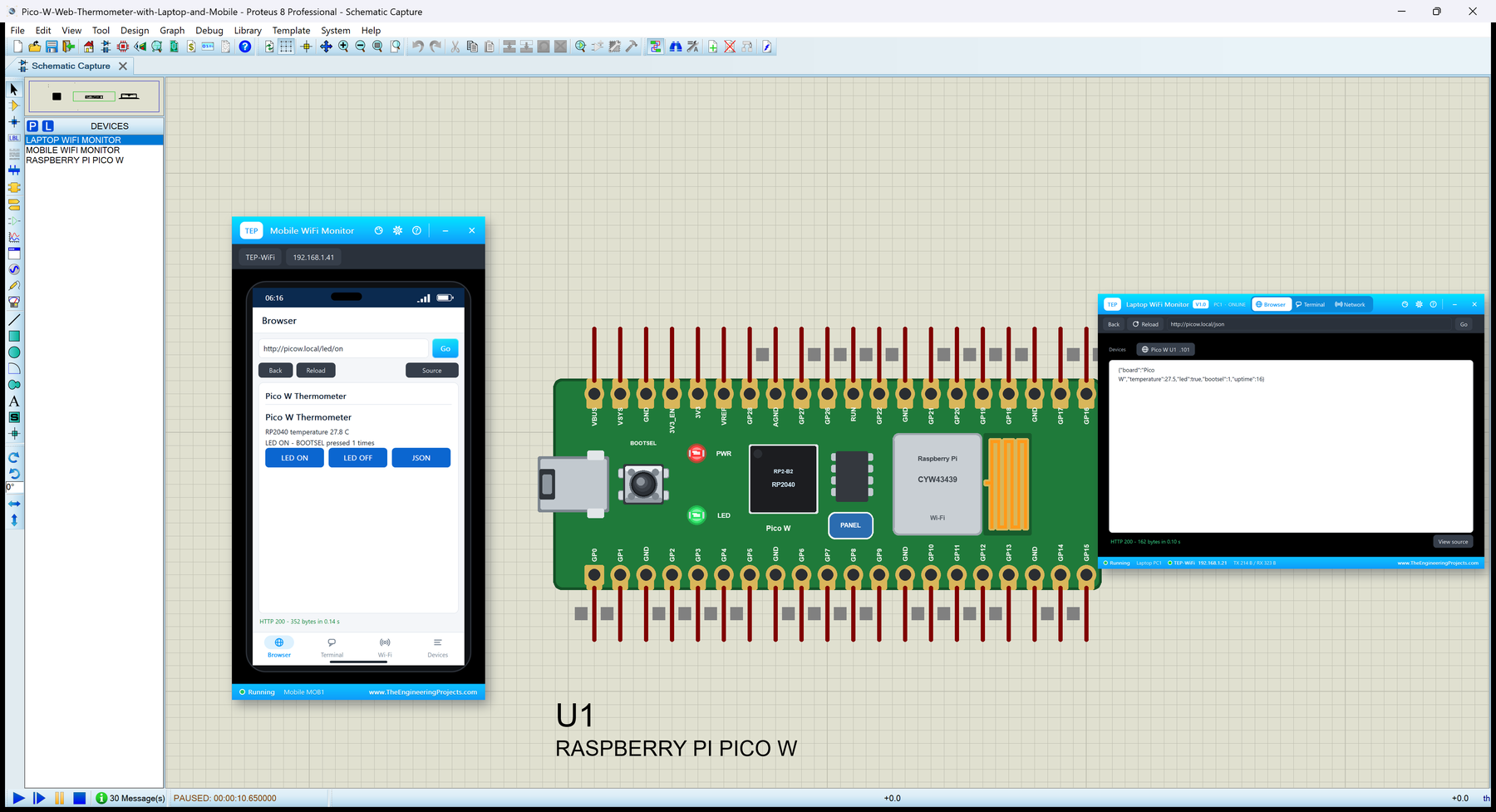
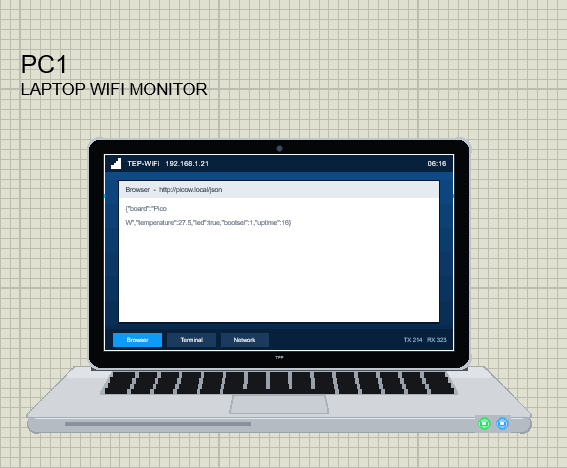
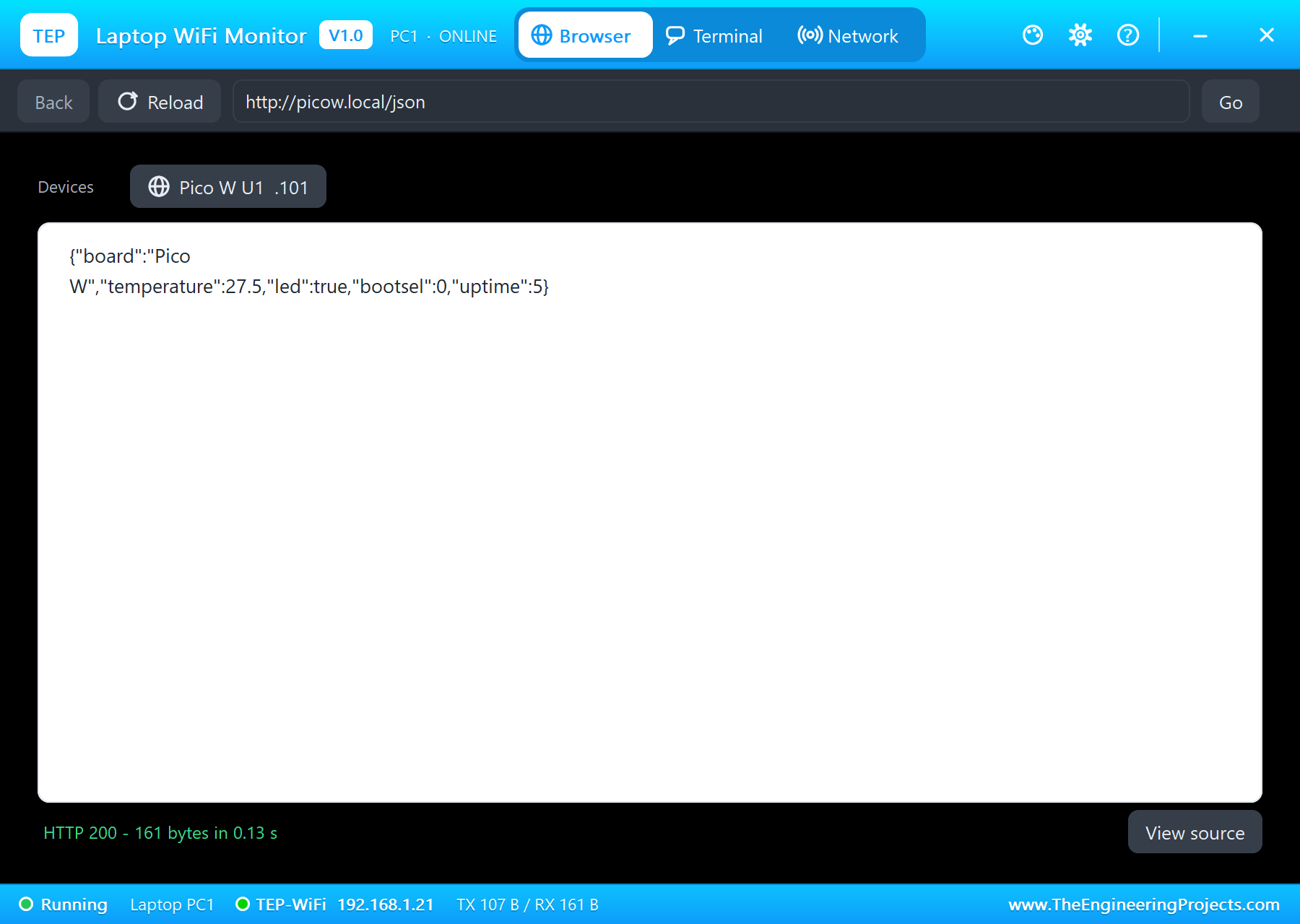
* The laptop (192.168.1.21) opened http://picow.local/json: {"board":"Pico W","temperature":27.5,"led":true,"bootsel":0,...}.
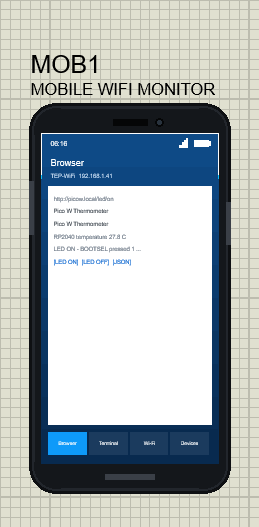
The phone (192.168.1.41) opened http://picow.local/ (HTTP 200, 352 bytes) with the LED ON / LED OFF / JSON buttons.
* BOOTSEL clicked in the monitor's Board tab: "BOOTSEL pressed (1)", "LED OFF by BOOTSEL"; LED ON on the phone lit it again.
* In the monitor: TEMP ("RP2040 temperature 27.8 C"), STATUS ("Temperature 27.8 C, LED ON, BOOTSEL pressed 1 times, up 12 s")
and HELP; the laptop's /json then showed "bootsel":1.
* Speed: about 0.4 x real time with the two monitors.
INSTALLATION (about 3 minutes)
1. Close Proteus. Extract the WHOLE ZIP to a normal folder (e.g. Desktop).
2. Copy everything in "Proteus Library Files" to the LIBRARY folder of Proteus, for example:
C:\Program Files (x86)\Labcenter Electronics\Proteus 8 Professional\LIBRARY
(on some PCs: C:\ProgramData\Labcenter Electronics\Proteus 8 Professional\LIBRARY - use the folder that already holds
Proteus's own .LIB files). TEPPICOW.LIB is the Pico W; TEPLAPTOP.LIB and TEPMOBILE.LIB are our Laptop WiFi Monitor and Mobile
WiFi Monitor (the demo's tools).
3. Copy TEPNET.DLL from "Proteus Model Files" to the MODELS folder (...\Proteus 8 Professional\MODELS) - replace an older
TEPNET.DLL (this one is the first that knows the Pico W and has the BOOT key in the Board tab).
4. Delete TEPPICOW.IDX, TEPLAPTOP.IDX and TEPMOBILE.IDX from the LIBRARY folder if they are there.
5. The Arduino IDE (only to compile your own sketches - the demos have their HEX file): copy the folder
"Arduino Code\TEP Boards for Proteus\hardware" into your sketchbook folder (normally Documents\Arduino), so that
Documents\Arduino\hardware\tep\avr\boards.txt exists (replace an older copy); restart the IDE. The Arduino AVR Boards
platform must be installed (it comes with IDE 1.8.x; in IDE 2.x install "Arduino AVR Boards" from the Boards Manager once).
WiFi, WebServer, HTTPClient and LEAmDNS are inside the package - nothing else to install.
Tools > Board > TEP Boards for Proteus > Raspberry Pi Pico W (TEP Proteus).
6. Start Proteus. In Pick Devices (P) search "PICO W".
RUN THE DEMOS
Keep the .hex file and TEPNET.DLL beside the projects in "Proteus Simulation".
1. Raspberry-Pi-Pico-W-Board.pdsprj - the board alone (PicoW_Web_Thermometer.hex): press Run. The monitor and the panel open (move
them aside); the LED lights when the board is on Wi-Fi. Type TEMP, LED OFF or STATUS in the monitor; press BOOTSEL (on the
board or in the Board tab) to switch the LED; the panel's phone (OPEN PICO PAGE) shows the page.
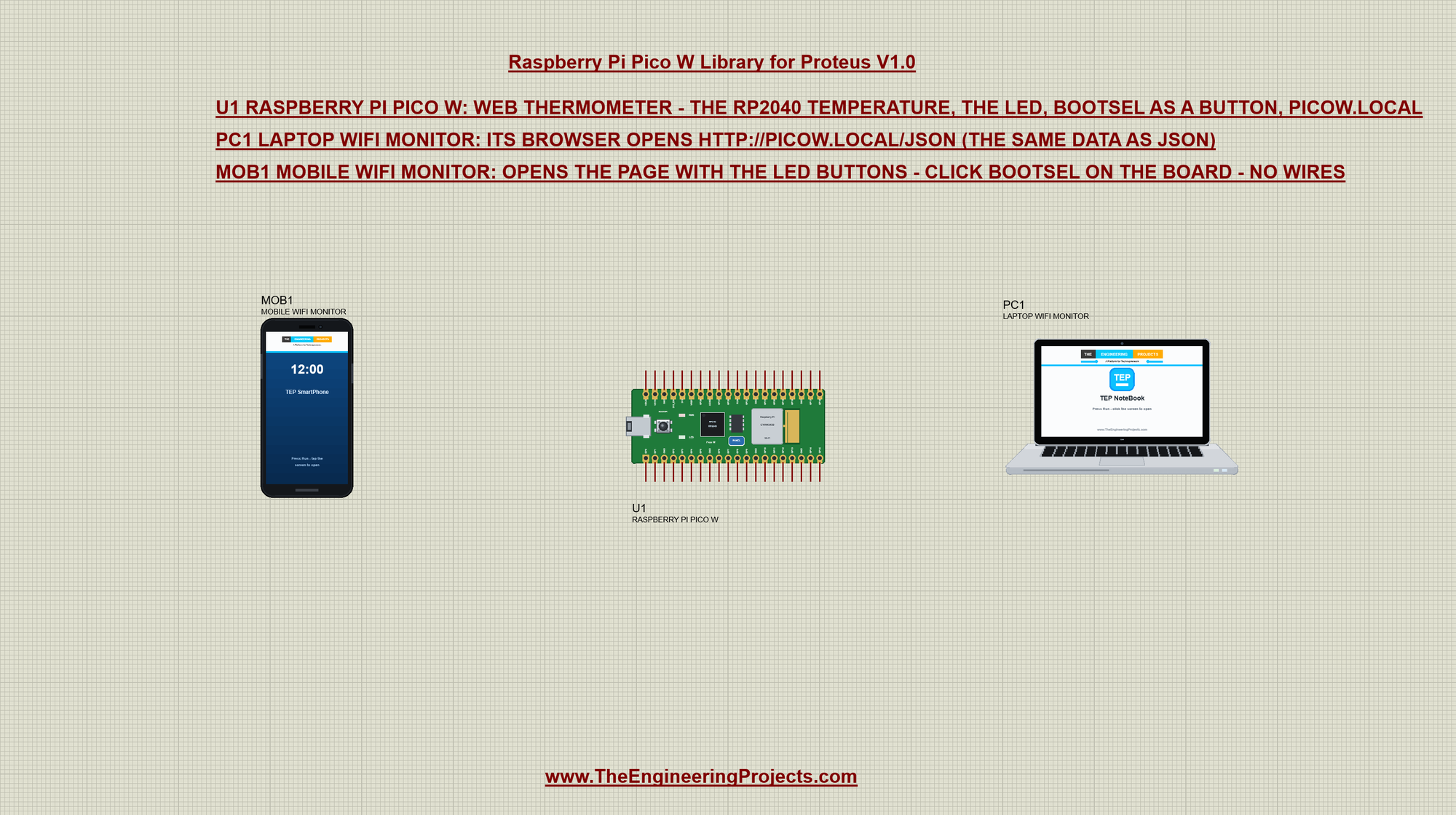
2. Pico-W-Web-Thermometer-with-Laptop-and-Mobile.pdsprj - U1 the Pico W (PicoW_Web_Thermometer.hex); PC1 the Laptop WiFi Monitor
(home page http://picow.local/json) and MOB1 the Mobile WiFi Monitor (home page http://picow.local/) - no wires, they are on
TEP-WiFi.
Press Run. On the laptop: Browser > Go shows the JSON; on the phone: Browser > Go opens the page - tap LED ON, LED OFF or JSON.
Closed a window? The micro-USB of the board opens the monitor, the PANEL pad the panel.
PINS (the label on the board, what it can do in the simulation)
GP0 / GP1 Serial1 TX / RX (UART0, as in arduino-pico), GPIO, interrupt
GP2 .. GP22 GPIO, interrupt, analogWrite (PWM on any GP pin, as on the RP2040)
GP4 / GP5 also Wire SDA / SCL (I2C0)
GP16 .. GP19 also SPI MISO / CS / SCK / MOSI (SPI0)
GP26 .. GP28 A0 .. A2: analogRead 0 .. 1023 for 0 .. 3.3 V (analogRead(0) is A0 too); also GPIO
LED_BUILTIN the LED (the CYW43's GPIO on the real board; 32 here, 64 in arduino-pico - write LED_BUILTIN, not a number)
3V3 / VBUS 3.3 V (the board's logic) and 5 V (the USB's)
GND / AGND, RUN ground; RUN is the reset (LOW holds the board in reset; the RUN key in the Board tab does the same)
VSYS, 3V3_EN, VREF drawn, not modelled
Serial is the USB (the board's monitor), not GP0 / GP1. The pins are 3.3 V logic. Serial2 (UART1) is not modelled.
THE ARDUINO-PICO NAMES
BOOTSEL true while the BOOTSEL button is held (if (BOOTSEL) ... as in arduino-pico)
analogReadTemp() the RP2040's temperature in C (about 27 C in Proteus)
WiFi.begin / status / localIP / RSSI / mode(WIFI_STA) / setHostname, WiFiClient, WiFiServer, WiFiUDP
WebServer (on, arg, send, handleClient), HTTPClient, LEAmDNS.h: MDNS.begin("name"), MDNS.update(), MDNS.addService()
Not in V1.0: the second core (setup1 / loop1), PIO, rp2040.* calls, Serial2, the soft AP, Bluetooth, real TLS.
THE DEMO SKETCH (Arduino Code)
PicoW_Web_Thermometer WiFi + WebServer + LEAmDNS ("picow"): / the page (the RP2040 temperature, the LED, the BOOTSEL count, LED
ON / LED OFF / JSON links), /json the same as JSON, /led/on, /led/off; BOOTSEL checked every 20 ms - a
press toggles the LED; the monitor's TEMP, LED ON, LED OFF, STATUS, HELP.
PROPERTIES (double-click the board > Edit Properties)
PROGRAM the sketch's HEX (Arduino IDE: Sketch > Export Compiled Binary with the board Raspberry Pi Pico W (TEP Proteus))
WIFISSID the router in range (default TEP-WiFi)
WIFIPASS its password (default 12345678); a sketch with another name or password gets WL_NO_SSID_AVAIL / WL_CONNECT_FAILED,
as on the bench
MONITOR YES = the built-in serial monitor on the USB (Serial)
BAUD the monitor's speed (115200 by default, or AUTO)
AUTOOPEN YES = the monitor window opens at Run (the demos: YES)
TIME the clock NTP gives the sketch: PC (the PC's clock) or a fixed start time YYYY-MM-DD HH:MM:SS in UTC
Every run starts again from the properties. The IP address follows the part's number: U1 192.168.1.101, U2 .102 ... - give
every Wi-Fi part its own number. One Pico W per design: its USB serial and LED lines are hidden pins, and Proteus joins hidden
pins of the same name across parts.
LINKS.INI (OPTIONAL)
The Help page cards open web pages. To point them somewhere else without a new DLL, put a text file named links.ini next to
TEPNET.DLL with lines KEY=URL, for example:
ARTICLE=https://www.theengineeringprojects.com/...
Keys: WEBSITE, FORUM, BUG_REPORT, FEATURE_REQUEST, ARTICLE, USER_GUIDE, UPDATE_CHECK, DONATE. Only http:// and https:// links
are used; lines starting with # are comments.
TROUBLESHOOTING
* Nothing happens at Run / "the sketch's core is link version ...": the HEX was not built with TEP Boards for Proteus - select
Raspberry Pi Pico W (TEP Proteus) and export the binary again.
* "LEAmDNS.h: No such file" or "BOOTSEL was not declared": an older add-on is installed - 1.13.0 is the first with the Pico W.
* A sketch with setup1() / loop1() (the second core) compiles but those never run - put the work in loop().
* digitalWrite(64, ...) does nothing: use LED_BUILTIN (32 on this board).
* The board stays on "Connecting to TEP-WiFi": the sketch's SSID / password differ from the WIFISSID / WIFIPASS properties, or
the panel's WI-FI SIGNAL is OUT OF RANGE.
* An integer goes wrong above 32767: int is 16 bits on the hidden AVR (32 on the real RP2040) - use long.
* No monitor window: click the micro-USB; no panel: click the PANEL pad, or turn "Open the panel at Run" back on (Settings).
BUG REPORTS AND FEATURE REQUESTS
Please post them in our forum with a screenshot, the Serial Monitor text, the simulation log and the Copy diagnostics text of
the panel:
https://www.theengineeringprojects.com/forum/category/raspberry-pi-pico-w-proteus-library
SUPPORT US
This library is free. If it saves you time, please support our work:
https://www.theengineeringprojects.com/donate
WEBSITE
https://www.theengineeringprojects.com/
LICENCES AND THIRD-PARTY NOTES
* The board model and the Wi-Fi network (TEPNET.DLL), the symbols and artwork (TEPPICOW.LIB, TEPLAPTOP.LIB, TEPMOBILE.LIB) are
made by The Engineering Projects. The board's processor is Proteus's own ATmega2560 model (Labcenter's AVR model). The model
uses only standard Windows libraries; no Visual C++ redistributable is needed. The C++ source code of the models is not
included.
* TEP Boards for Proteus (Arduino Code\TEP Boards for Proteus): its core (cores\tep32), the variants and the EEPROM, SPI and Wire
libraries are modified copies of the Arduino AVR core 1.8.6 - GNU Lesser General Public License 2.1 (the licence text is
included: LICENSE-LGPL-2.1.txt; the original source: https://github.com/arduino/ArduinoCore-avr/tree/1.8.6). Its WiFi,
WiFiNINA, WiFiS3, Arduino_LED_Matrix, WebServer, HTTPClient, ESPmDNS, LEAmDNS, ESP8266WiFi, ESP8266WebServer, ESP8266HTTPClient,
ESP8266mDNS, Preferences, ESP32Servo and Servo libraries and our core files are MIT (LICENSE-MIT.txt). The API follows the
arduino-pico core and the Arduino-ESP32 core (names only - no Raspberry Pi, Arduino or Espressif code).
* Proteus is a product of Labcenter Electronics and is not included. Raspberry Pi, Pico and RP2040 are trademarks of Raspberry Pi
Ltd, CYW43439 a name of Infineon Technologies, Arduino of Arduino SA. This library is not made or endorsed by them or by
Labcenter.
REBUILDING THE FIRMWARE (OPTIONAL)
The HEX file is supplied; the Arduino IDE is not needed to run the demos. Install TEP Boards for Proteus (INSTALLATION step 5),
open Arduino Code\PicoW_Web_Thermometer, select Raspberry Pi Pico W (TEP Proteus) and use Sketch > Export Compiled Binary.
Flash / RAM: PicoW_Web_Thermometer 21,756 / 2,289 bytes.
Put the exported HEX in place of the simulation's .hex. For a real Pico W install Earle Philhower's "Raspberry Pi Pico/RP2040"
board package, select "Raspberry Pi Pico W" and upload as usual - the same sketch, no change.
MODEL SCOPE AND LIMITS
Modelled: the Pico W's header pins on a hidden ATmega2560 (Proteus's AVR model, 16 MHz, 3.3 V); digital I/O, analogRead(GP26 ..
GP28) 0-1023 for 0-3.3 V (the board model reads the pin's voltage), PWM (analogWrite) and attachInterrupt on any pin through the
board model; the BOOTSEL button (BOOTSEL), the LED (LED_BUILTIN), the RP2040's temperature (analogReadTemp), RUN; Serial (the USB,
the board's monitor), Serial1 on GP0 / GP1, Wire on GP4 / GP5 and SPI on GP16 .. GP19 (the AVR's hardware), EEPROM; Wi-Fi station
mode (begin, status, scan, RSSI, disconnect, re-join), DHCP addresses, mDNS, TCP client and server, UDP, NTP time, the virtual
internet host; the other TEP Wi-Fi parts on the same network.
Not modelled: the RP2040 itself (two Cortex-M0+ cores at 133 MHz, 264 KB of RAM, PIO, its ADC on VSYS), the CYW43439 as a chip and
its Bluetooth, the flash chip, VSYS / 3V3_EN / ADC_VREF, real TLS. Upload over USB (and the UF2 drag and drop) is not used
(Proteus loads the HEX).
The model's own choices: every board in the design sees the same router and the same two neighbour networks; the WI-FI SIGNAL
buttons set the router's RSSI; the temperature is about 27 C with a slow wobble; the internet host answers HTTP on ports 80 and
443 (no certificates); the clock starts from the PC's time or the TIME property; the simulation runs below real time.
VERSION
TEP Raspberry Pi Pico W library V1.0 (Oct 2026). Device RASPBERRY PI PICO W (TEPPICOW.LIB / TEPNET.DLL, which also runs our
Arduino Wi-Fi boards, the WeMos and NodeMCU boards, the ESP32 boards, the ESP-01 / ESP-07 / ESP-12 modules, the AirLift and WiFi
shields and the Laptop / Mobile WiFi Monitors), TEP Boards for Proteus 1.13.0 (adds the Pico W, BOOTSEL, analogReadTemp and
LEAmDNS).
Demo sketch PicoW_Web_Thermometer V1.0 (the RP2040 temperature, the LED and BOOTSEL on a page at picow.local and as JSON).
Demo tools: LAPTOP WIFI MONITOR and MOBILE WIFI MONITOR (TEP Laptop / Mobile WiFi Monitor libraries V1.0).Development1 release
 Development1 release
-
V1.0Raspberry Pi Pico W Library for Proteus V1.0this page
V1.0 is the only release in the Download Center so far. When a newer version is published, it appears above with its own download page.
Installation10 steps
 Installation10 steps
From the download to a working project, in order. The steps follow what the package contains.
You will need
- Proteus Design SuiteProteus 8 or newer (Labcenter), on Windows
- Arduino IDE1.8 or 2.x, with the board of the tutorial chosen under Tools → Board
- The compiler named in the tutorialto build the source files into firmware
- Any archive toolWindows, macOS and Linux extract ZIP files on their own

Steps
- 1
Extract the archive
Right-click raspberry-pi-pico-w-tep-v1-0-fb1585d18c134ac0bcc7b185fab858c6.zip and choose Extract All (or open it with 7-Zip or WinRAR) into a folder you can find again. Keep its folder structure (Raspberry-Pi-Pico-W-TEP-v1.0) as it is.
- 2
Copy the library files into Proteus
Move TEPLAPTOP.LIB, TEPMOBILE.LIB and TEPPICOW.LIB and the files into the LIBRARY folder of your Proteus installation: C:\Program Files (x86)\Labcenter Electronics\Proteus 8 Professional\LIBRARY for Proteus 8, or the matching Proteus 7 folder. Older versions keep it under ProgramData\Labcenter Electronics. If Proteus is open, close it first.
- 3
Add the simulation model
Copy TEPNET.DLL into the MODELS folder next to LIBRARY, so the component can run, not only be drawn.
- 4
Restart Proteus and place the component
Start Proteus, open a schematic, press P (Pick Devices) and search for the component by the name used in the tutorial. It appears with its pins ready to wire.
- 5
Install the Arduino library
In the Arduino IDE choose Sketch → Include Library → Add .ZIP Library and pick the library, or copy its folder into Documents\Arduino\libraries. Restart the IDE to see its examples.
- 6
Open the sketch in the Arduino IDE
Open PicoW_Web_Thermometer.ino, eeprom_clear.ino and eeprom_crc.ino and 15 more, select your board and port under Tools, then Verify. Sketch → Export Compiled Binary writes the HEX file a simulation needs.
- 7
Build the source code
Open abi.cpp, Arduino.h and binary.h and 49 more in the compiler named in the tutorial (MikroC, Keil, MPLAB, Code Composer or the Arduino IDE) and build it to get the firmware.
- 8
Load the HEX file
In Proteus double-click the microcontroller, set Program File to PicoW_Web_Thermometer.hex and run the simulation. For real hardware, flash the same file with your programmer.
- 9
Open the example simulation
Open Pico-W-Web-Thermometer-with-Laptop-and-Mobile.pdsprj and Raspberry-Pi-Pico-W-Board.pdsprj in Proteus to see the wiring exactly as in the tutorial. Check the controller's Program File path, then press Play.
- 10
Follow the tutorial
Raspberry Pi Pico W Library for Proteus: Wi-Fi Web Simulation explains every connection and setting in order; keep it open beside the files while you build.
FAQs9 questionsContact TEP
 FAQs9 questions
How do I download Raspberry Pi Pico W Library for Proteus V1.0?
Wait for the 30-second guest countdown on this page, then press the download button; the file comes straight from our storage. Members who are logged in skip the wait. If the browser opens the file instead of saving it, use its Save as option.
What is inside the archive?
Raspberry Pi Pico W Library for Proteus V1.0 comes as a ZIP archive of 158 files (2.1 MB, 4.6 MB unpacked) holding Proteus library files, simulation model DLLs, a Proteus simulation, an Arduino sketch, an Arduino library, compiled HEX firmware and source code. Open the File Structure tab for the full list of 158 files.
What should I do if the download does not start?
Check the browser's download list first; an ad blocker or a company firewall can also hold it back, so try another browser or network. If the file arrives incomplete, download it again. For an installation problem, read the Install tab or tell us in the comments with your software version and the exact error message.
Is this file free?
Yes. Every file in the TEP Download Center is free for learning, personal and student projects. If you share it, link back to this page or the tutorial so others find the latest version.
How do I check that the file arrived complete?
Compare its SHA-256 with the one on this page, 31d419c0465f5005537909e57ca55a015b3b2fceedf0acfa4672c529c462e3e9. In PowerShell run Get-FileHash "raspberry-pi-pico-w-tep-v1-0-fb1585d18c134ac0bcc7b185fab858c6.zip"; on macOS or Linux run shasum -a 256 "raspberry-pi-pico-w-tep-v1-0-fb1585d18c134ac0bcc7b185fab858c6.zip". The same value means the file is exactly the one in our storage; a different one means the download broke off, so download it again.
Do I need WinRAR to open the ZIP file?
No. Windows, macOS and Linux open ZIP archives on their own (Extract All, or double-click). WinRAR and 7-Zip work too. Extract the whole archive before using the files.
Where do I put the LIB and IDX files?
Both files go into the LIBRARY folder of your Proteus installation (Proteus 8: C:\Program Files (x86)\Labcenter Electronics\Proteus 8 Professional\LIBRARY; Proteus 7 has the same folder under its own name). Restart Proteus afterwards and search for the component with P.
Which Proteus version does the library need?
The tutorial names the Proteus version the library was made and tested with. Most TEP libraries work in Proteus 7 and Proteus 8; if the component does not appear after a restart, check that both the LIB and the IDX file were copied and that Proteus was fully closed while copying.
How do I get the HEX file into the simulation?
Compile the sketch in the Arduino IDE (Sketch → Export Compiled Binary gives you the HEX next to the sketch), then in Proteus double-click the board, set Program File to that HEX and run.
Members skip the wait. Log in or join TEP.

- 0Total downloads
- 4%Popularity
- ProteusCategory
- 0Comments
- ssyedzainnasirUploaded by
- 22 Oct 2026Uploaded at


 SHA-256
31d419c0465f5005537909e57ca55a015b3b2fceedf0acfa4672c529c462e3e9


 Need help with this file?
 Tags
TagsRelated Proteus
All Proteus tutorials




Comments
0