


Project Files of Sign Language Glove with ESP32 and Flex Sensors - Proteus Simulation
 Libraries
 Code
 Projects
 Simulation
93d29a53719e4d6f8645efb53c0689e6.zip
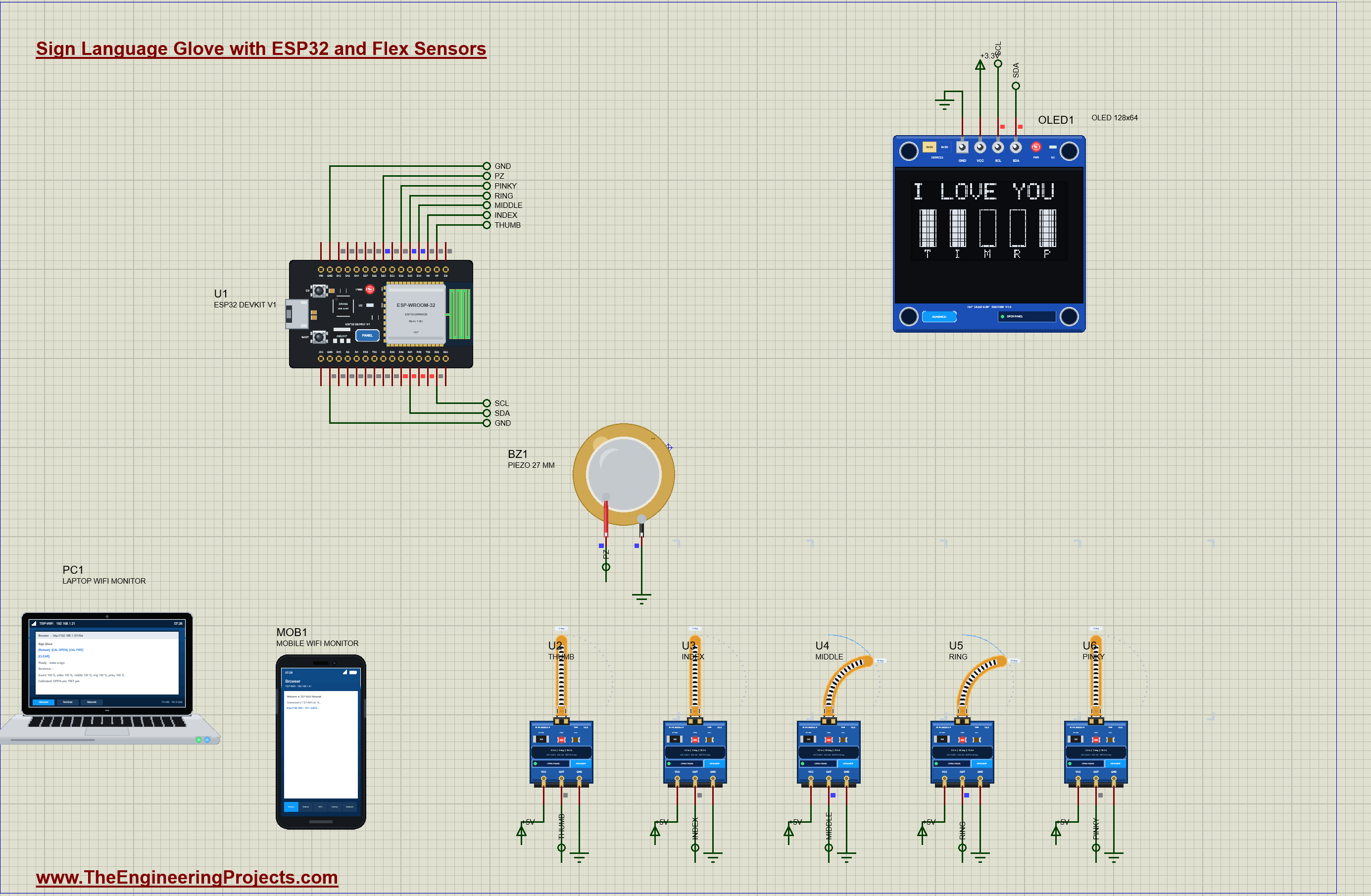
Sign Language Glove with ESP32 and Flex Sensors - Proteus Simulation V1.0
Sign Language Glove with ESP32 and Flex Sensors - Proteus Simulation V1.0 comes as a ZIP archive of 18 files (3.8 MB, 8.6 MB unpacked) holding Proteus library files, simulation model DLLs, a Proteus simulation, an Arduino sketch and compiled HEX firmware.
- LIBProteus library
- DLLProteus model
- DSNProteus simulation
- INOArduino sketch
- HEXHEX firmware
Description
Sign-Language-Glove-ESP32-Flex-Sensors-Proteus-Simulation-v1.0.zip: the complete Proteus simulation project (ESP32 DevKit V1, five flex sensor modules, an SSD1306 128x64 OLED, a piezo disc, the Laptop and Mobile WiFi Monitors), the Arduino sketch ESP32_Sign_Glove.ino with its .hex, every LIB and DLL and a README.

File Structure
 File Structure
11.4 KB36.6 KB313.4 KB39.5 KB13.1 KB112.4 KB13.4 KB388.5 KB3.0 MB342.5 KB288.5 KB28.3 KB108.4 KB388.5 KB3.0 MB342.5 KB288.5 KB8.4 KBGallery12 images from the tutorialOpen the tutorial
 Gallery12 images from the tutorial
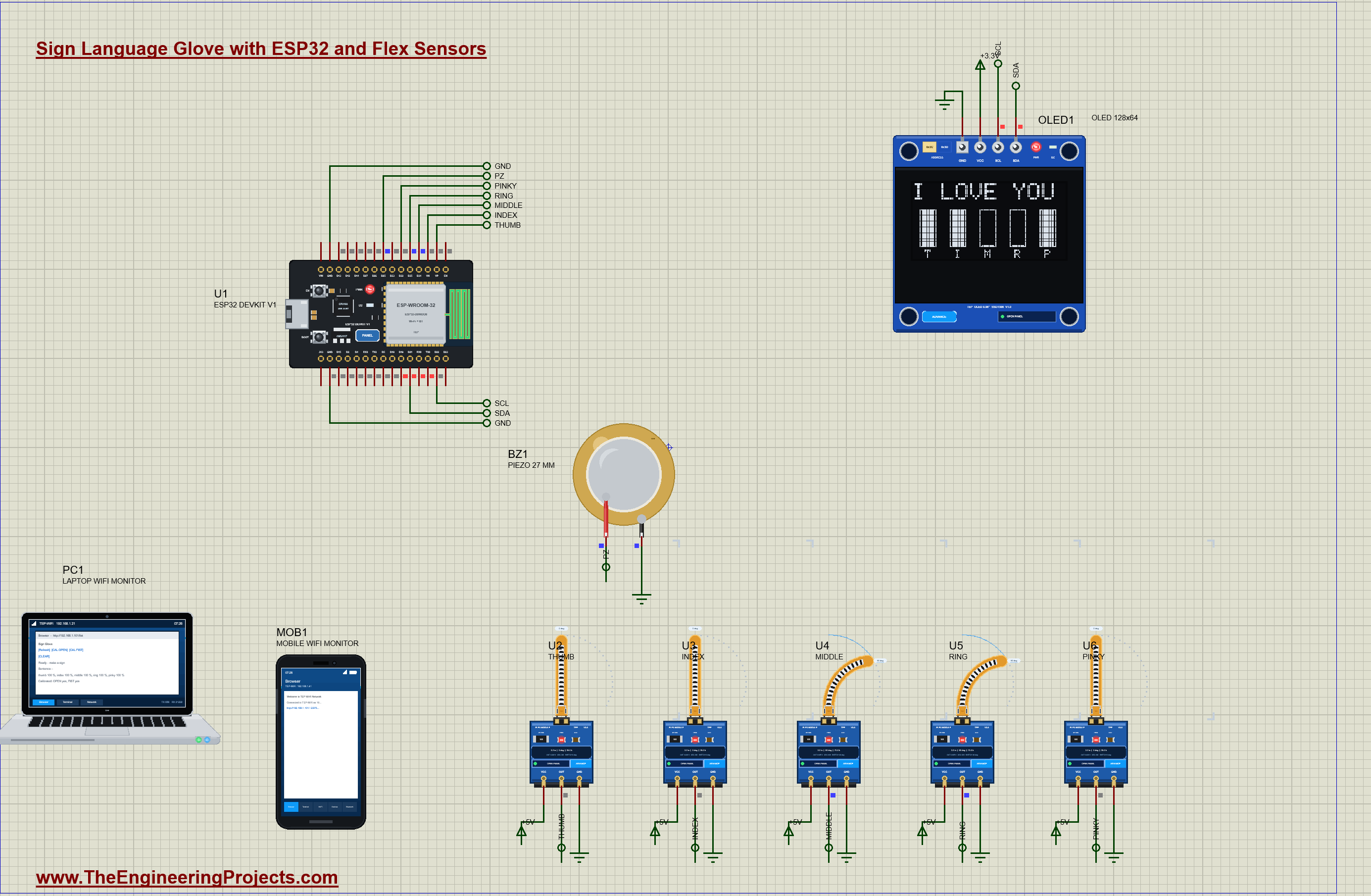
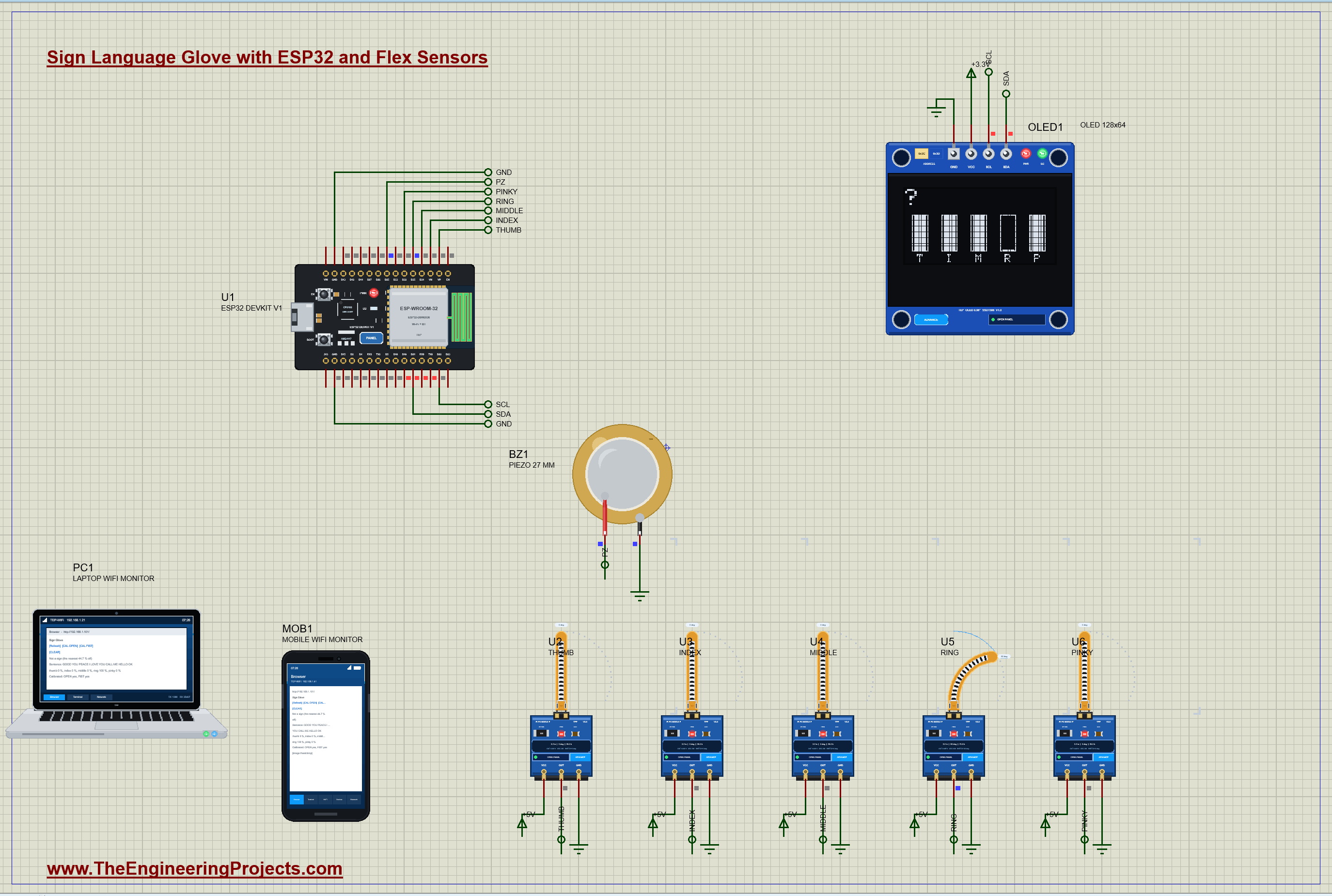
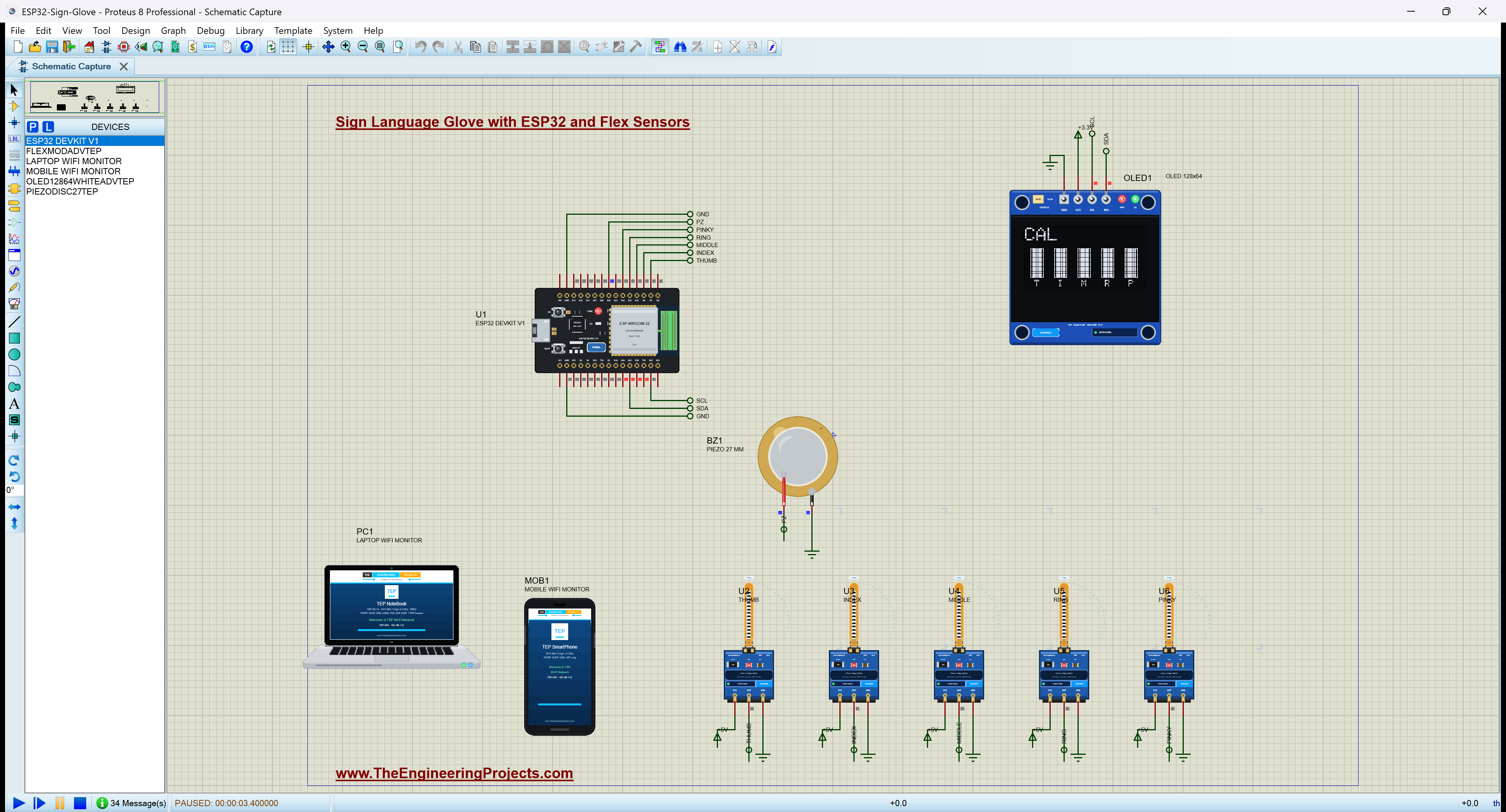
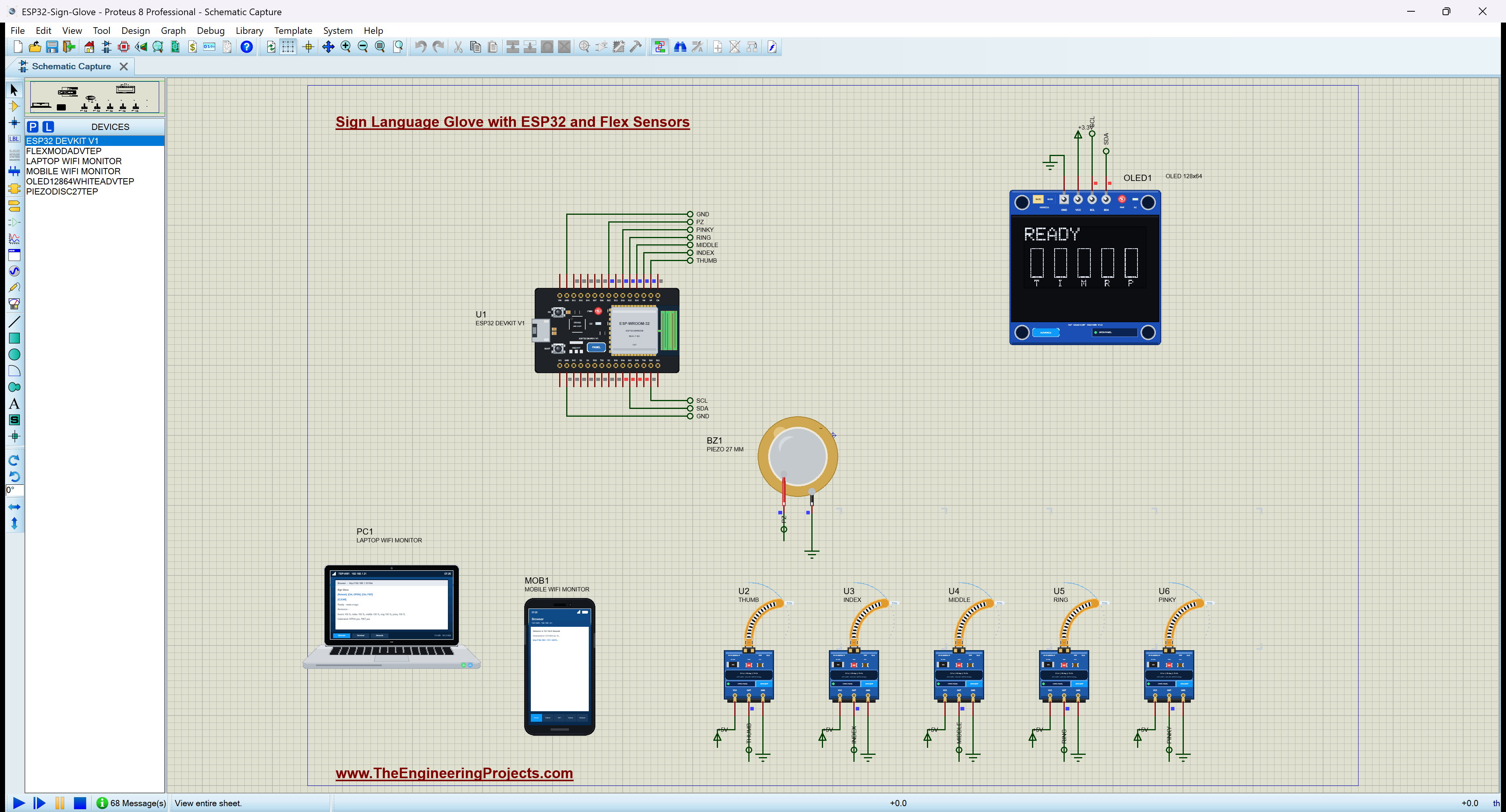
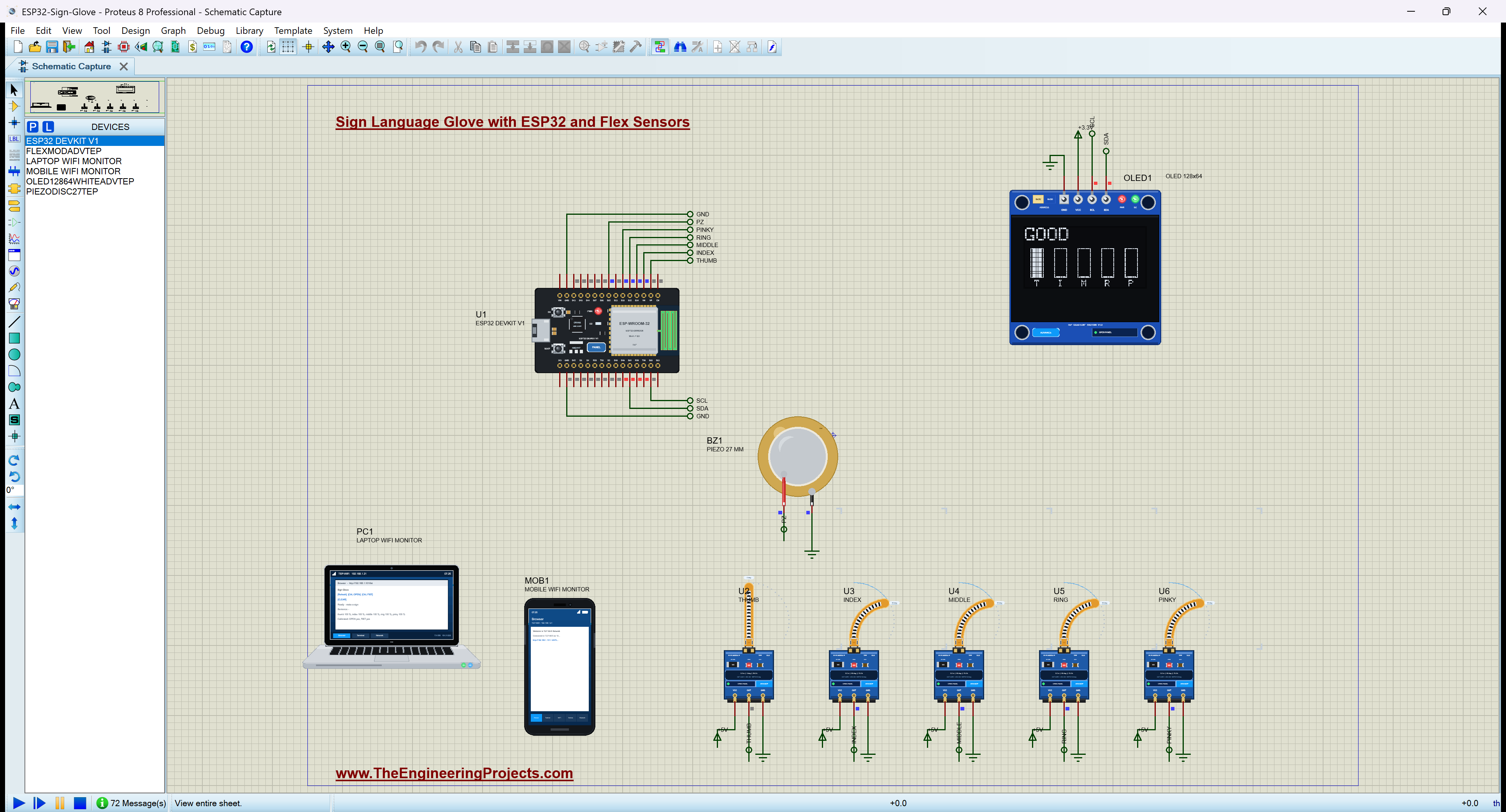
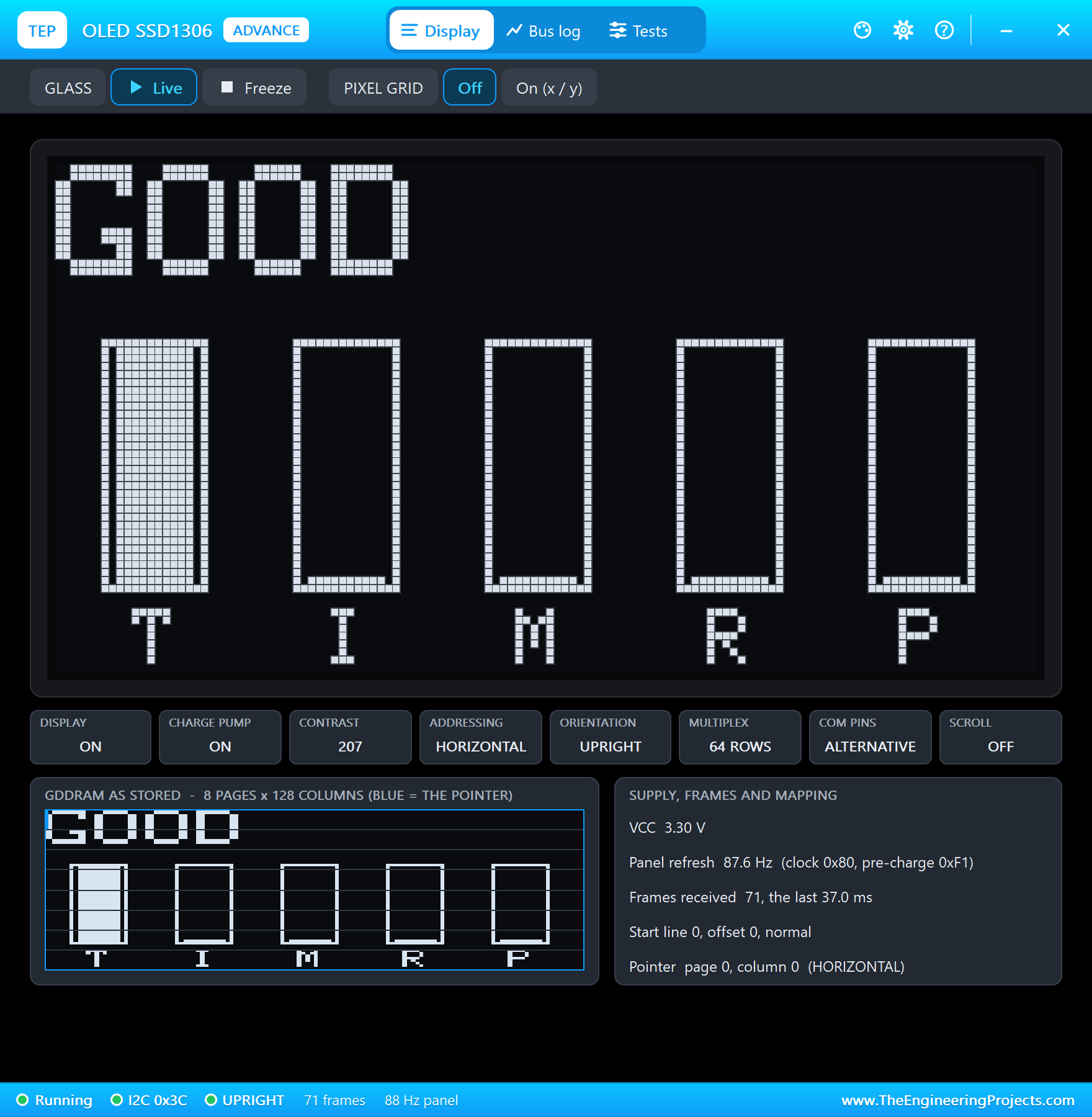
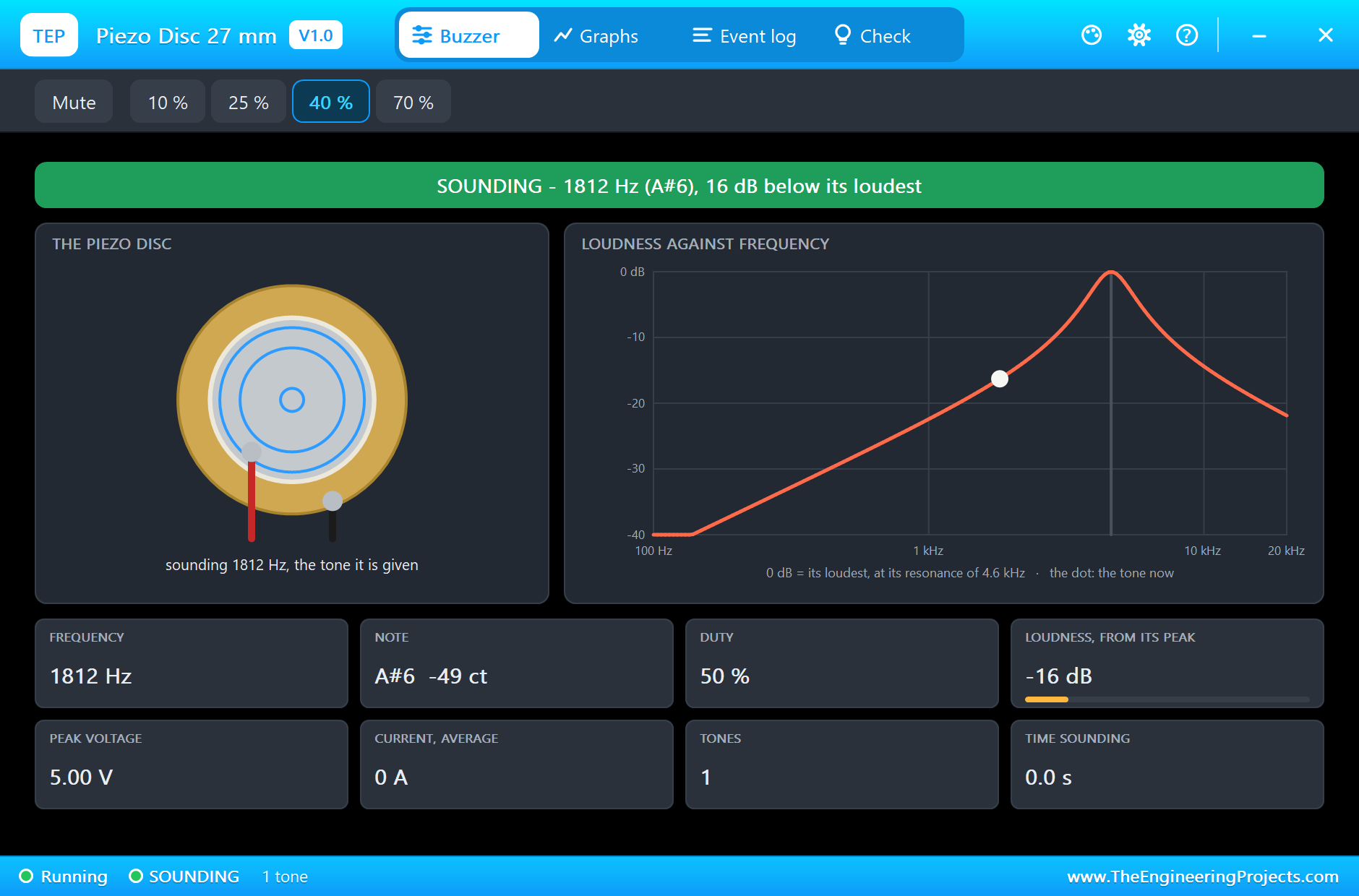
The circuit, the board and the results as they appear in Sign Language Glove with ESP32 and Flex Sensors - Proteus Simulation. Open an image for its full size.
README
 README
===============================================================================================================
  Sign Language Glove with ESP32 and Flex Sensors - Proteus Simulation - Project V1.0
  The Engineering Projects - www.TheEngineeringProjects.com
===============================================================================================================

IMPORTANT LINKS
  The project tutorial (circuit, code, simulation results):
  https://www.theengineeringprojects.com/2026/11/sign-language-glove-esp32-flex-sensors-proteus-simulation.html
  The libraries this project is built from (each post has its own full download and tutorial):
    ESP32 DevKit V1 board:
      https://www.theengineeringprojects.com/2026/10/esp32-devkit-v1-library-for-proteus-v2-0.html
    Flex sensor:
      https://www.theengineeringprojects.com/2026/10/flex-sensor-library-for-proteus-v3-0.html
    OLED SSD1306:
      https://www.theengineeringprojects.com/2026/10/oled-ssd1306-library-for-proteus-v1-0.html
    Passive buzzer (piezo disc):
      https://www.theengineeringprojects.com/2026/11/passive-buzzer-library-for-proteus.html
    Laptop WiFi Monitor:
      https://www.theengineeringprojects.com/2026/10/laptop-wifi-monitor-library-for-proteus.html
    Mobile WiFi Monitor:
      https://www.theengineeringprojects.com/2026/10/mobile-wifi-monitor-library-for-proteus.html
  Support our free work: https://www.theengineeringprojects.com/donate

FILE STRUCTURE
ESP32-Sign-Glove-TEP-v1.0/
|-- Proteus Library Files/
|   |-- TEPESP32V1.LIB                                 36.6 KB   a part of the project -> LIBRARY folder
|   |-- TEPFLEX.LIB                                   313.4 KB   a part of the project -> LIBRARY folder
|   |-- TEPLAPTOP.LIB                                  39.5 KB   a part of the project -> LIBRARY folder
|   |-- TEPMOBILE.LIB                                  13.1 KB   a part of the project -> LIBRARY folder
|   |-- TEPOLED12864.LIB                              112.4 KB   a part of the project -> LIBRARY folder
|   |-- TEPPASSIVE.LIB                                 13.4 KB   a part of the project -> LIBRARY folder
|-- Proteus Model Files/
|   |-- TEPFLEX.DLL                                   388.5 KB   a model -> MODELS folder
|   |-- TEPNET.DLL                                     2.99 MB   a model -> MODELS folder
|   |-- TEPOLED.DLL                                   342.5 KB   a model -> MODELS folder
|   |-- TEPPASSIVE.DLL                                288.5 KB   a model -> MODELS folder
|-- Proteus Simulation/
|   |-- ESP32_Sign_Glove.hex                          108.4 KB   the firmware
|   |-- ESP32-Sign-Glove.pdsprj                        28.3 KB   the project simulation
|   |-- TEPFLEX.DLL                                   388.5 KB   copy of the model
|   |-- TEPNET.DLL                                     2.99 MB   copy of the model
|   |-- TEPOLED.DLL                                   342.5 KB   copy of the model
|   |-- TEPPASSIVE.DLL                                288.5 KB   copy of the model
|-- Arduino Code/
|   |-- ESP32_Sign_Glove/ESP32_Sign_Glove.ino          11.4 KB   the sketch (source of the .hex)
|-- README.txt                                         ~8.9 KB   this file
Total: 8.64 MB (unzipped). The C++ source code of the models is not included.

WHAT IS IT?
  A glove with a flex sensor on the back of each finger that turns hand signs into words: the ESP32 reads how far
  each finger bends, recognises the hand shape, shows the word on an OLED, chirps, and adds it to a sentence on a
  dashboard.
    * U1 ESP32 DEVKIT V1 runs ESP32_Sign_Glove.hex on TEP-WiFi at 192.168.1.101 (port 80).
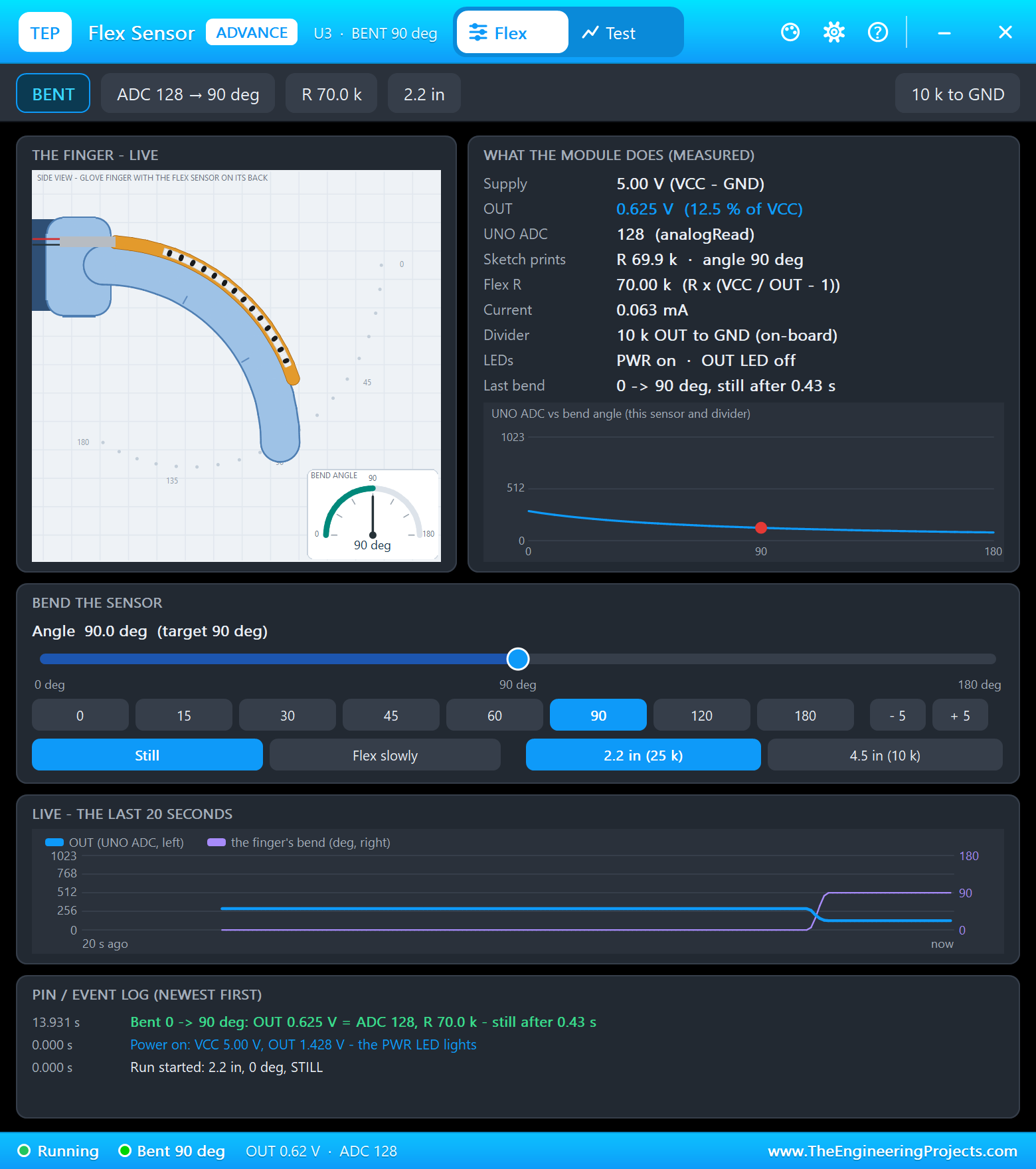
    * U2 .. U6 five flex sensor modules (FLEXMODADVTEP, 2.2 in strips, 25 k flat, 70 k at 90 deg, each with its 10k
      divider): VCC on +5V (OUT stays under 1.43 V - safe for the ESP32), OUT to the ADC1 pins: thumb VP (GPIO36),
      index VN (GPIO39), middle D34, ring D35, pinky D32.
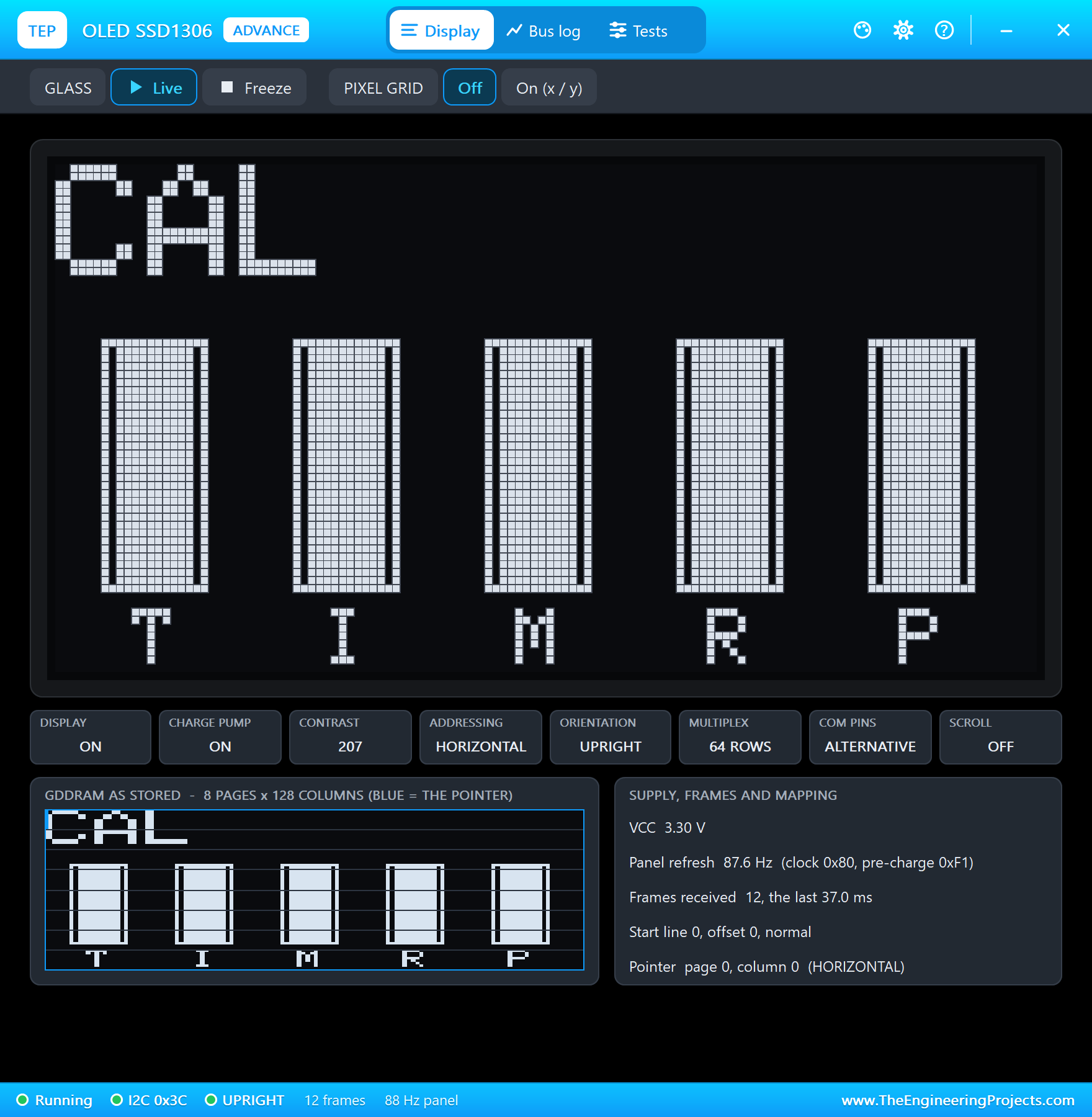
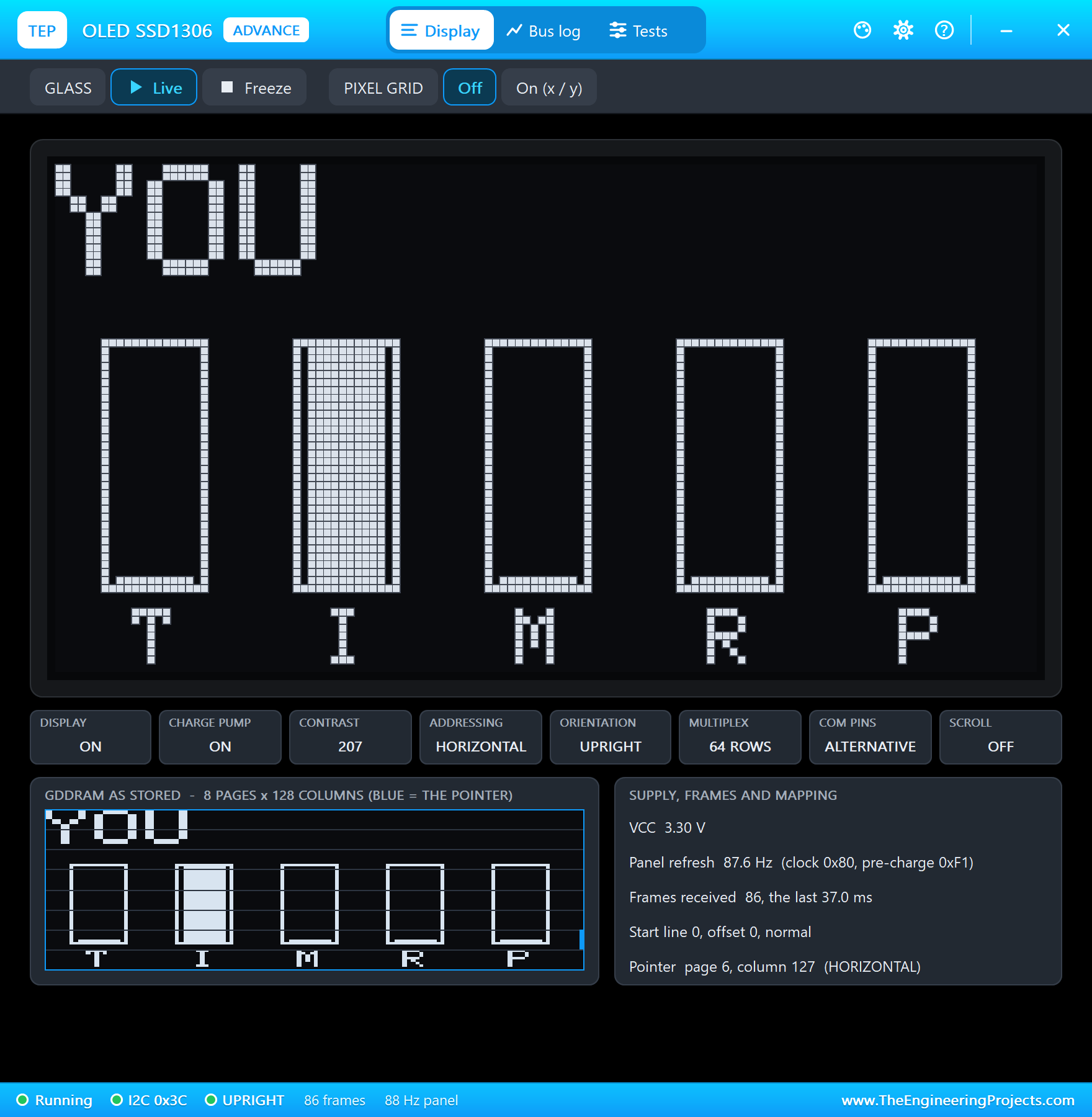
    * OLED1 an SSD1306 128x64 OLED (OLED12864WHITEADVTEP, 0x3C) on I2C D21 / D22, VCC +3.3V: the sign and five bars.
    * BZ1 a 27 mm piezo disc (PIEZODISC27TEP) from D25 to GND: 1.8 kHz for a sign, 400 Hz for an unknown shape.
    * Laptop WiFi Monitor (PC1) and Mobile WiFi Monitor (MOB1) open http://192.168.1.101/.
  How it reads a finger: OUT = 5 V x 10k / (10k + R), so R = 10k x (5 V / OUT - 1); the bend is where R sits between
  the hand open (0 %) and a fist (100 %) - both measured with CAL OPEN / CAL FIST on the dashboard. The resistance is
  linear in the angle; the voltage is not.
  The signs (bends of thumb, index, middle, ring, pinky): HELLO open hand; YES fist; YOU pointing; GOOD thumb up;
  PEACE index + middle; I LOVE YOU thumb + index + pinky; CALL ME thumb + pinky; OK thumb and index curled (67 %).
  A sign counts when the hand is still for 1.5 s and its RMS distance to a shape is under 25 %; once per pose.
  The pages:
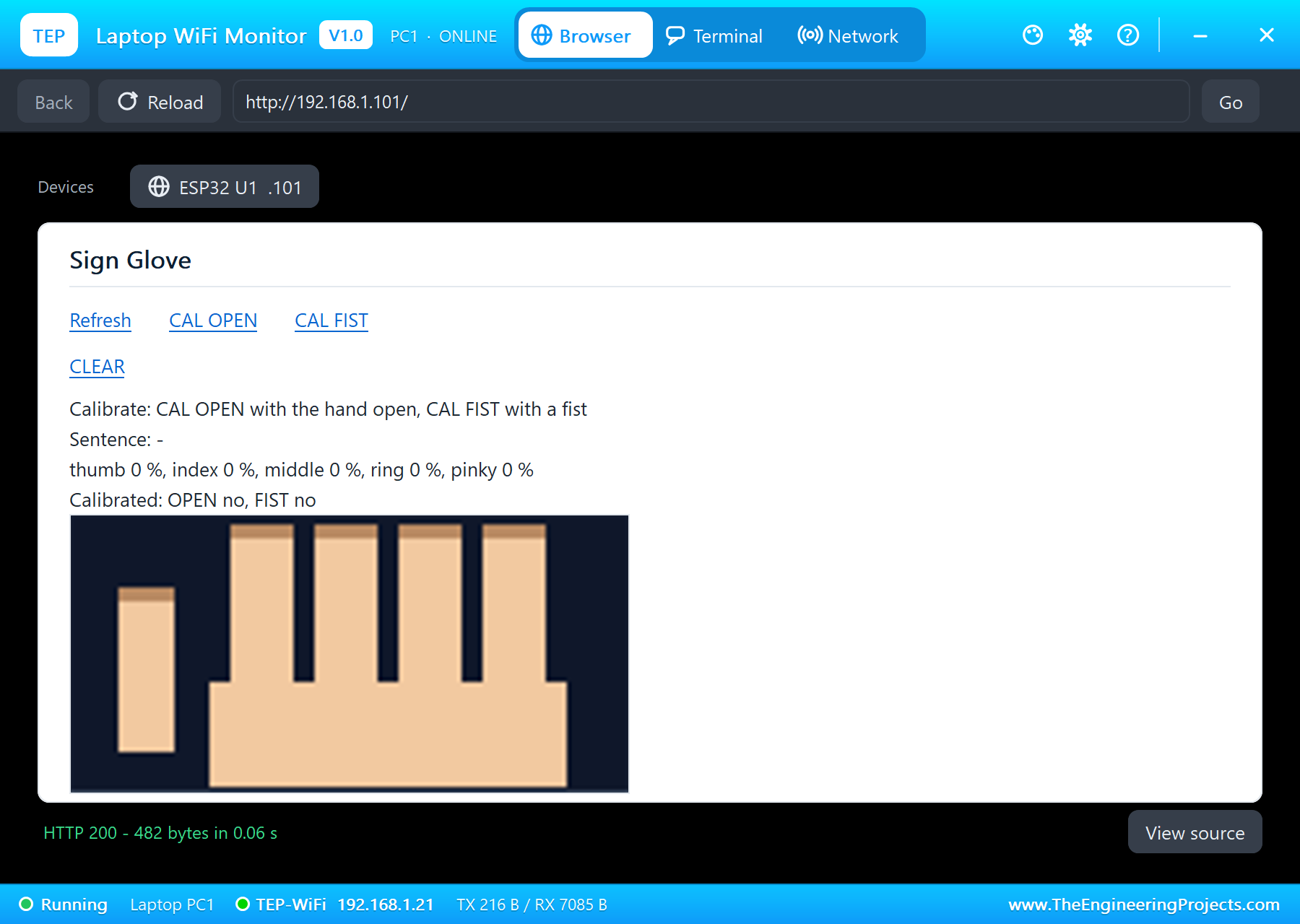
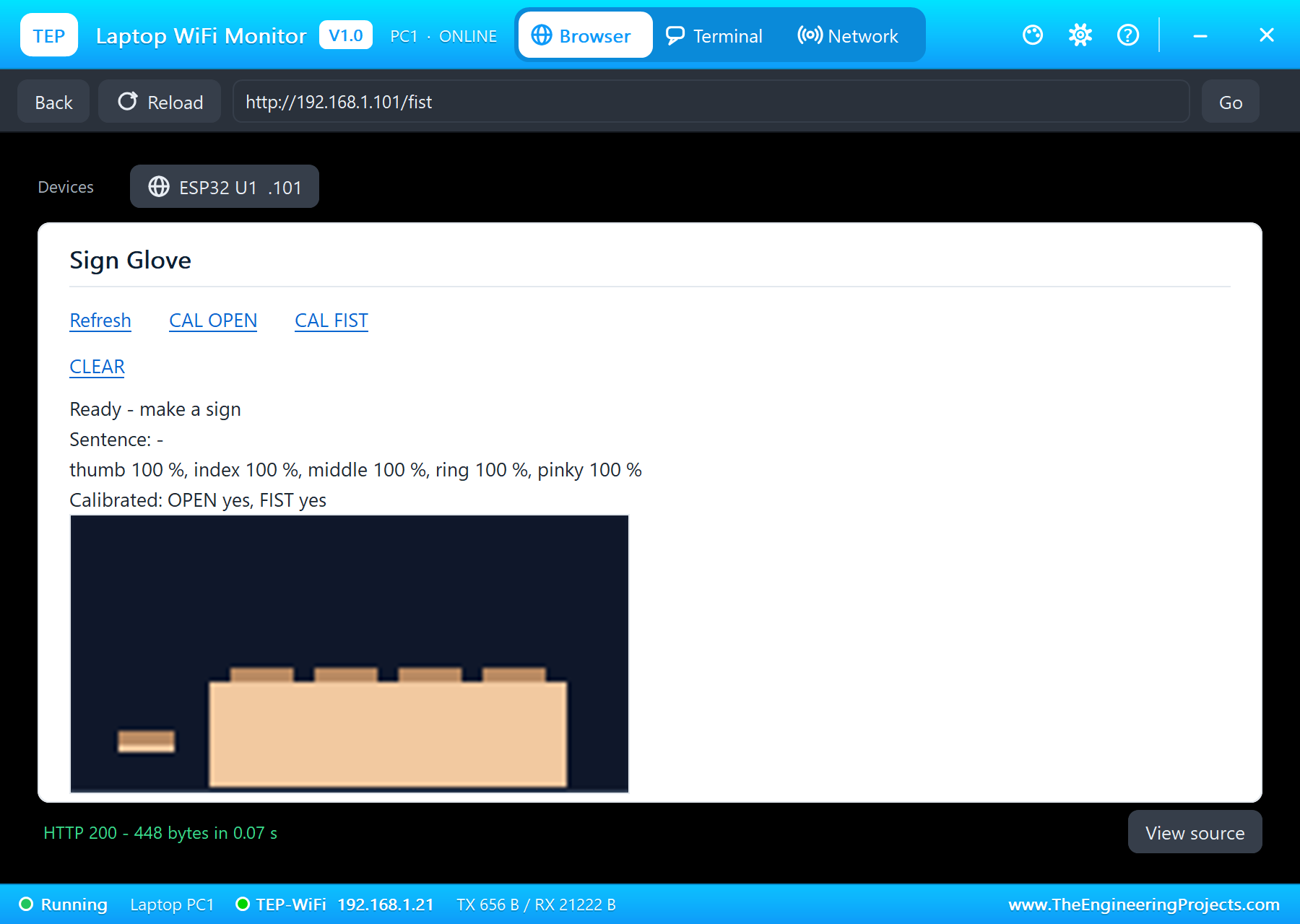
    /          the dashboard: the sign, the sentence, the fingers, the calibration, a picture of the hand
    /open      /fist      /clear     the calibration and the sentence          /hand.bmp    /data    JSON
  Libraries: WiFi and WebServer (part of the ESP32 core), Wire, Adafruit SSD1306 and Adafruit GFX.

TEST STATUS
  Tested in Proteus 8 Professional on Windows 11, the run that made the tutorial's screenshots (the sketch's times):
  - 2.3 s "ready - CAL OPEN with the hand open, then CAL FIST with a fist".
  - CAL OPEN at 9.7 s: 25.0 k on all five strips; a fist (90 deg on every pop-up), CAL FIST at 17.4 s: 70.0 k.
  - The signs: 23.9 s GOOD, 29.3 s YOU, 32.8 s PEACE, 38.7 s I LOVE YOU, 46.5 s CALL ME, 51.1 s HELLO - each 0.0 %
    off its shape; 56.6 s OK (thumb and index at 60 deg = 55.0 k = 67 %; 0.1 % off). The piezo: 1812 Hz (A#6).
  - Only the ring finger bent: 62.0 s "not a sign (... the nearest 44.7 % off)", 401 Hz (G4).
  - The sentence: GOOD YOU PEACE I LOVE YOU CALL ME HELLO OK. 72 s of simulation in 601 s.

INSTALLATION
  1. Close Proteus. Extract the WHOLE zip file, for example to your Desktop.
  2. Copy the files from "Proteus Library Files" into the LIBRARY folder of Proteus, for example
     C:\Program Files (x86)\Labcenter Electronics\Proteus 8 Professional\LIBRARY
  3. Copy the files from "Proteus Model Files" into the MODELS folder (next to LIBRARY).
  4. Start Proteus. Press P in the schematic and search for ESP32 DEVKIT V1, FLEXMODADVTEP or PIEZODISC27TEP to check
     that the parts are there.

RUN THE SIMULATION
  1. Open "Proteus Simulation\ESP32-Sign-Glove.pdsprj". Keep the HEX file and the DLL files beside it.
  2. Press Play. The OLED shows CAL. Open the Laptop WiFi Monitor (PC1), press Go, then CAL OPEN (all fingers 0 deg).
  3. On each flex sensor's pop-up (U2 thumb .. U6 pinky) press 90, then CAL FIST on the dashboard.
  4. Make a sign: set each finger on its pop-up (0 = straight, 90 = bent, 60 for OK) and hold still for 1.5 s.
  Your own sketch: compile it, export the compiled binary and set U1's PROGRAM to the new file.

PROPERTIES USED IN THIS PROJECT
  U1 ESP32 DEVKIT V1           PROGRAM=ESP32_Sign_Glove.hex, AUTOOPEN=YES (TEP-WiFi, 192.168.1.101)
  U2 .. U6 FLEXMODADVTEP       SIZE=2.2, ANGLE=0 (FLATR / BENDR AUTO = 25 k / 70 k, DIVR 10k)
  OLED1 OLED12864WHITEADVTEP;  BZ1 PIEZODISC27TEP
  PC1, MOB1                    HOMEPAGE=http://192.168.1.101/

TROUBLESHOOTING
  * Every finger reads 0 %: the modules need VCC; OUT to VP / VN / D34 / D35 / D32.
  * The bends are off: CAL OPEN with the hand open and CAL FIST with a fist - on a real glove, every time it is put on.
  * Nothing is recognised: the hand must be still for 1.5 s; the dashboard shows the nearest shape and how far off.
  * The OLED stays blank: SDA / SCL on D21 / D22, address 0x3C.
  * No chirp: the piezo between D25 and GND.

LICENCES
  * The project, the sketch, the parts (LIB files) and the models (DLL files) are made by The Engineering
    Projects and are free for learning and for your own projects. The models use only standard Windows libraries.
    The C++ source code of the models is not included; the source code is not included for any model.
  * Proteus is a product of Labcenter Electronics and is not included. ESP32 is a product of Espressif Systems.
    This project is not made or endorsed by them. The signs are a small teaching set, not a sign language.

VERSION
  V1.0 - the first release of the project.
===============================================================================================================Development1 release
 Development1 release
-
V1.0Sign Language Glove with ESP32 and Flex Sensors - Proteus Simulation V1.0this page
V1.0 is the only release in the Download Center so far. When a newer version is published, it appears above with its own download page.
Installation8 steps
 Installation8 steps
From the download to a working project, in order. The steps follow what the package contains.
You will need
- Proteus Design SuiteProteus 8 or newer (Labcenter), on Windows
- Arduino IDE1.8 or 2.x, with the board of the tutorial chosen under Tools → Board
- Any archive toolWindows, macOS and Linux extract ZIP files on their own
Steps
- 1
Extract the archive
Right-click 93d29a53719e4d6f8645efb53c0689e6.zip and choose Extract All (or open it with 7-Zip or WinRAR) into a folder you can find again. Keep its folder structure (ESP32-Sign-Glove-TEP-v1.0) as it is.
- 2
Copy the library files into Proteus
Move TEPESP32V1.LIB, TEPFLEX.LIB and TEPLAPTOP.LIB and 3 more and the files into the LIBRARY folder of your Proteus installation: C:\Program Files (x86)\Labcenter Electronics\Proteus 8 Professional\LIBRARY for Proteus 8, or the matching Proteus 7 folder. Older versions keep it under ProgramData\Labcenter Electronics. If Proteus is open, close it first.
- 3
Add the simulation model
Copy TEPFLEX.DLL, TEPNET.DLL and TEPOLED.DLL and 1 more into the MODELS folder next to LIBRARY, so the component can run, not only be drawn.
- 4
Restart Proteus and place the component
Start Proteus, open a schematic, press P (Pick Devices) and search for the component by the name used in the tutorial. It appears with its pins ready to wire.
- 5
Open the sketch in the Arduino IDE
Open ESP32_Sign_Glove.ino, select your board and port under Tools, then Verify. Sketch → Export Compiled Binary writes the HEX file a simulation needs.
- 6
Load the HEX file
In Proteus double-click the microcontroller, set Program File to ESP32_Sign_Glove.hex and run the simulation. For real hardware, flash the same file with your programmer.
- 7
Open the example simulation
Open ESP32-Sign-Glove.pdsprj in Proteus to see the wiring exactly as in the tutorial. Check the controller's Program File path, then press Play.
- 8
Follow the tutorial
Sign Language Glove with ESP32 and Flex Sensors - Proteus Simulation explains every connection and setting in order; keep it open beside the files while you build.
FAQs9 questionsContact TEP
 FAQs9 questions
How do I download Sign Language Glove with ESP32 and Flex Sensors - Proteus Simulation V1.0?
Wait for the 30-second guest countdown on this page, then press the download button; the file comes straight from our storage. Members who are logged in skip the wait. If the browser opens the file instead of saving it, use its Save as option. The download link is made for you when the countdown ends and works for 15 minutes; a saved or shared link stops working, so share this page instead.
What is inside the archive?
Sign Language Glove with ESP32 and Flex Sensors - Proteus Simulation V1.0 comes as a ZIP archive of 18 files (3.8 MB, 8.6 MB unpacked) holding Proteus library files, simulation model DLLs, a Proteus simulation, an Arduino sketch and compiled HEX firmware. Open the File Structure tab for the full list of 18 files.
What should I do if the download does not start?
Check the browser's download list first; an ad blocker or a company firewall can also hold it back, so try another browser or network. If the file arrives incomplete, download it again. For an installation problem, read the Install tab or tell us in the comments with your software version and the exact error message.
Is this file free?
Yes. Every file in the TEP Download Center is free for learning, personal and student projects. If you share it, link back to this page or the tutorial so others find the latest version.
How do I check that the file arrived complete?
Compare its SHA-256 with the one on this page, d338a18a26b886c59948eeb183e51ab9d95bdd53a20da58f6521a59ac2ff377b. In PowerShell run Get-FileHash "93d29a53719e4d6f8645efb53c0689e6.zip"; on macOS or Linux run shasum -a 256 "93d29a53719e4d6f8645efb53c0689e6.zip". The same value means the file is exactly the one in our storage; a different one means the download broke off, so download it again.
Do I need WinRAR to open the ZIP file?
No. Windows, macOS and Linux open ZIP archives on their own (Extract All, or double-click). WinRAR and 7-Zip work too. Extract the whole archive before using the files.
Where do I put the LIB and IDX files?
Both files go into the LIBRARY folder of your Proteus installation (Proteus 8: C:\Program Files (x86)\Labcenter Electronics\Proteus 8 Professional\LIBRARY; Proteus 7 has the same folder under its own name). Restart Proteus afterwards and search for the component with P.
Which Proteus version does the library need?
The tutorial names the Proteus version the library was made and tested with. Most TEP libraries work in Proteus 7 and Proteus 8; if the component does not appear after a restart, check that both the LIB and the IDX file were copied and that Proteus was fully closed while copying.
How do I get the HEX file into the simulation?
Compile the sketch in the Arduino IDE (Sketch → Export Compiled Binary gives you the HEX next to the sketch), then in Proteus double-click the board, set Program File to that HEX and run.
Members skip the wait. Log in or join TEP.

- 0Total downloads
- 4%Popularity
- ESP32 ProjectsCategory
- 0Comments
- ssyedzainnasirUploaded by
- 23 Nov 2026Uploaded at


 SHA-256
d338a18a26b886c59948eeb183e51ab9d95bdd53a20da58f6521a59ac2ff377b


 Need help with this file?
 Tags
Related ESP32 Projects
All ESP32 Projects tutorials



More ESP32 project files
All ESP32 tutorials


Comments
0