


Project Files of ESP32 4-20 mA Gas Detector with an MQ-4 Sensor - Proteus Simulation
 Libraries
 Code
 Projects
 Simulation
2e93ed4ac4c7409786ec97992621fb47.zip
ESP32 4-20 mA Gas Detector with an MQ-4 Sensor - Proteus Simulation V1.0
ESP32 4-20 mA Gas Detector with an MQ-4 Sensor - Proteus Simulation V1.0 comes as a ZIP archive of 33 files (5.3 MB, 11.8 MB unpacked) holding Proteus library files, simulation model DLLs, a Proteus simulation, an Arduino sketch and compiled HEX firmware.
- LIBProteus library
- DLLProteus model
- DSNProteus simulation
- INOArduino sketch
- HEXHEX firmware
Description
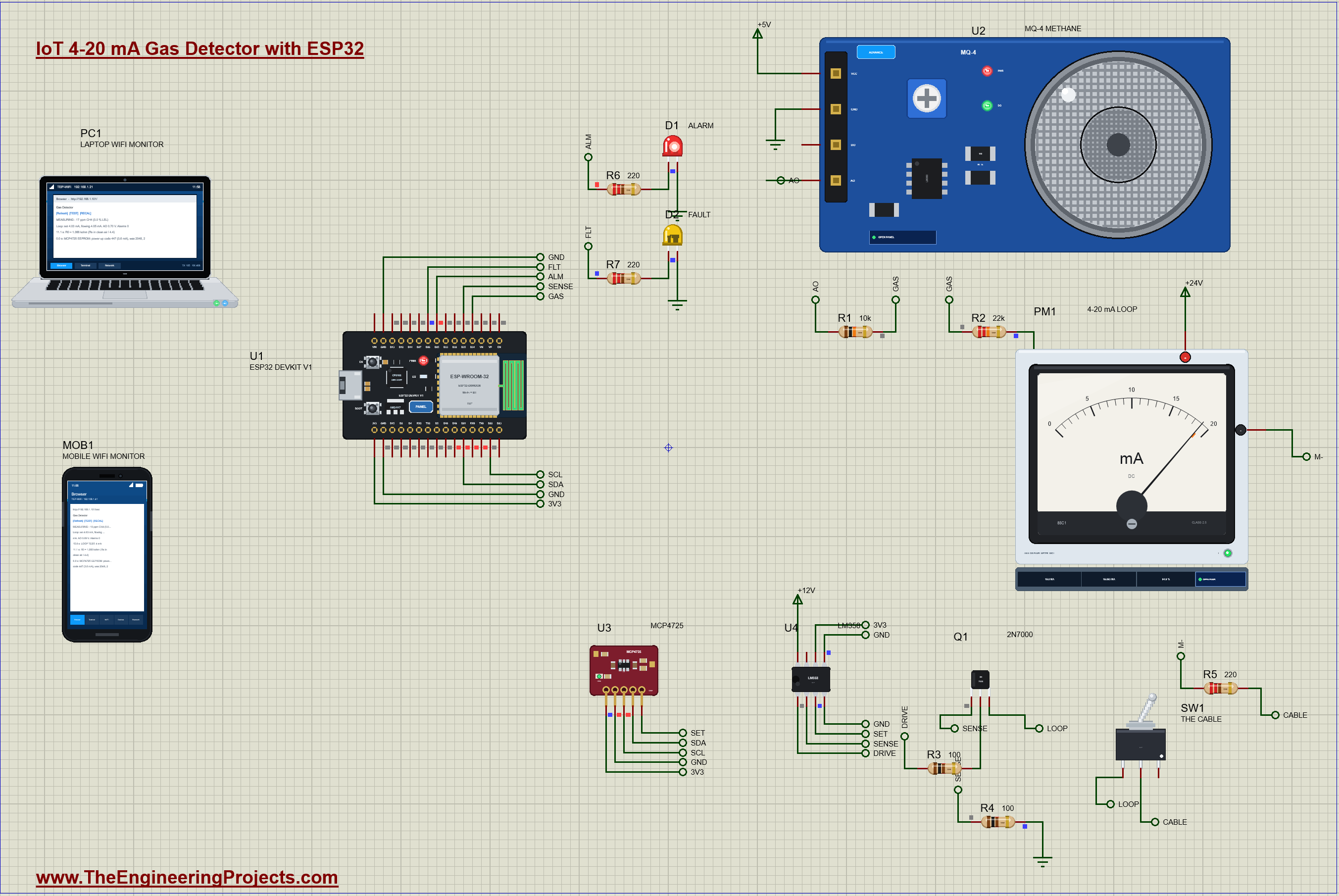
IoT-4-20mA-Gas-Detector-ESP32-Proteus-Simulation-v1.0.zip: the complete Proteus simulation project (ESP32 DevKit V1, MQ-4 methane sensor, MCP4725 DAC, LM358, 2N7000, a 4-20 mA analog panel meter, a toggle switch, LEDs, resistors, the Laptop and Mobile WiFi Monitors), the Arduino sketch and its HEX file, every LIB and DLL the simulation needs and a README.

File Structure
 File Structure
10.5 KB36.6 KB39.5 KB21.8 KB12.1 KB13.8 KB78.1 KB13.1 KB553 KB17.9 KB306.9 KB18.2 KB289.5 KB311.5 KB301 KB325 KB328.5 KB2.9 MB295 KB311 KB276.5 KB45.9 KB78.5 KB289.5 KB311.5 KB301 KB325 KB328.5 KB2.9 MB295 KB311 KB276.5 KB11.8 KBGallery12 images from the tutorialOpen the tutorial
 Gallery12 images from the tutorial
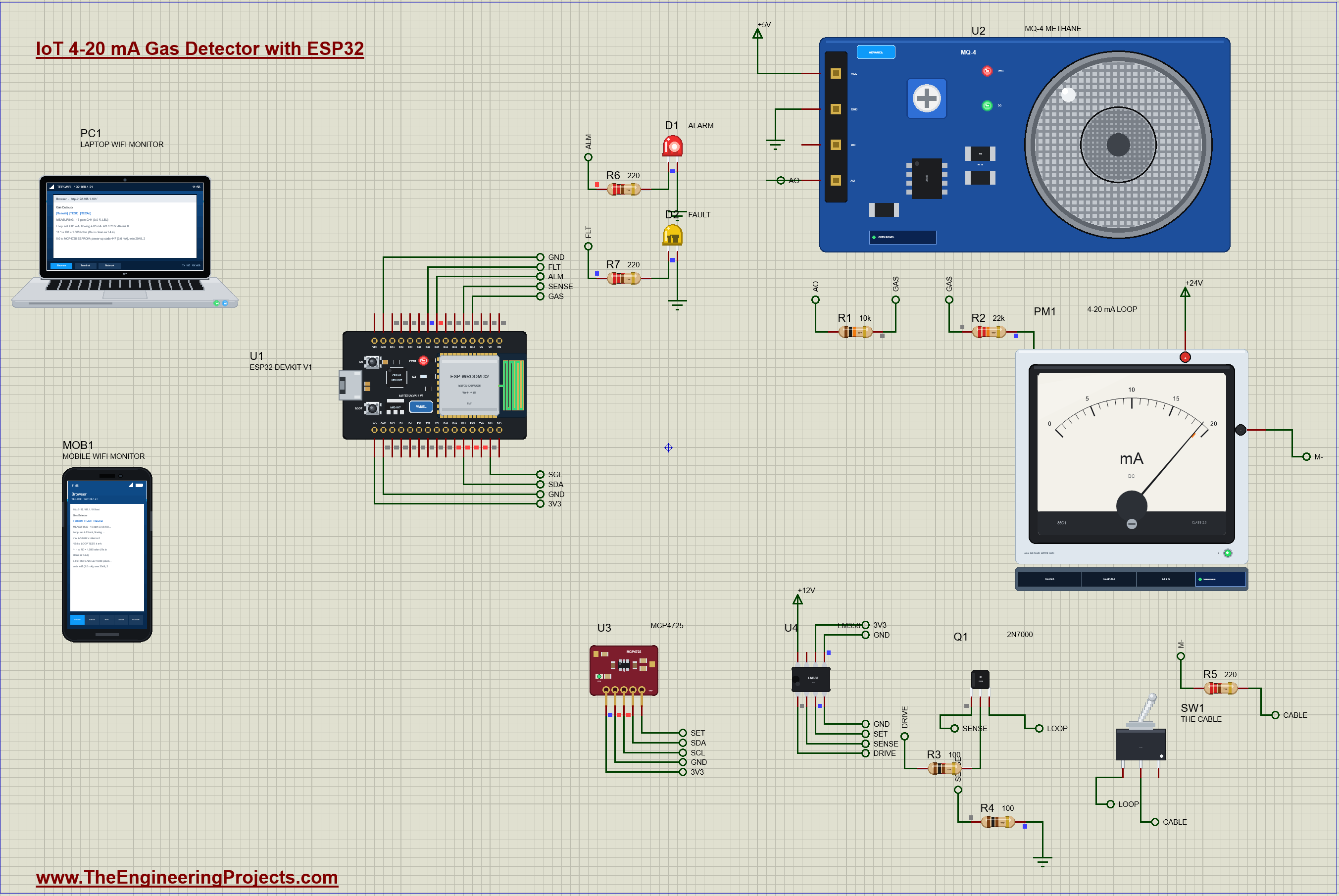
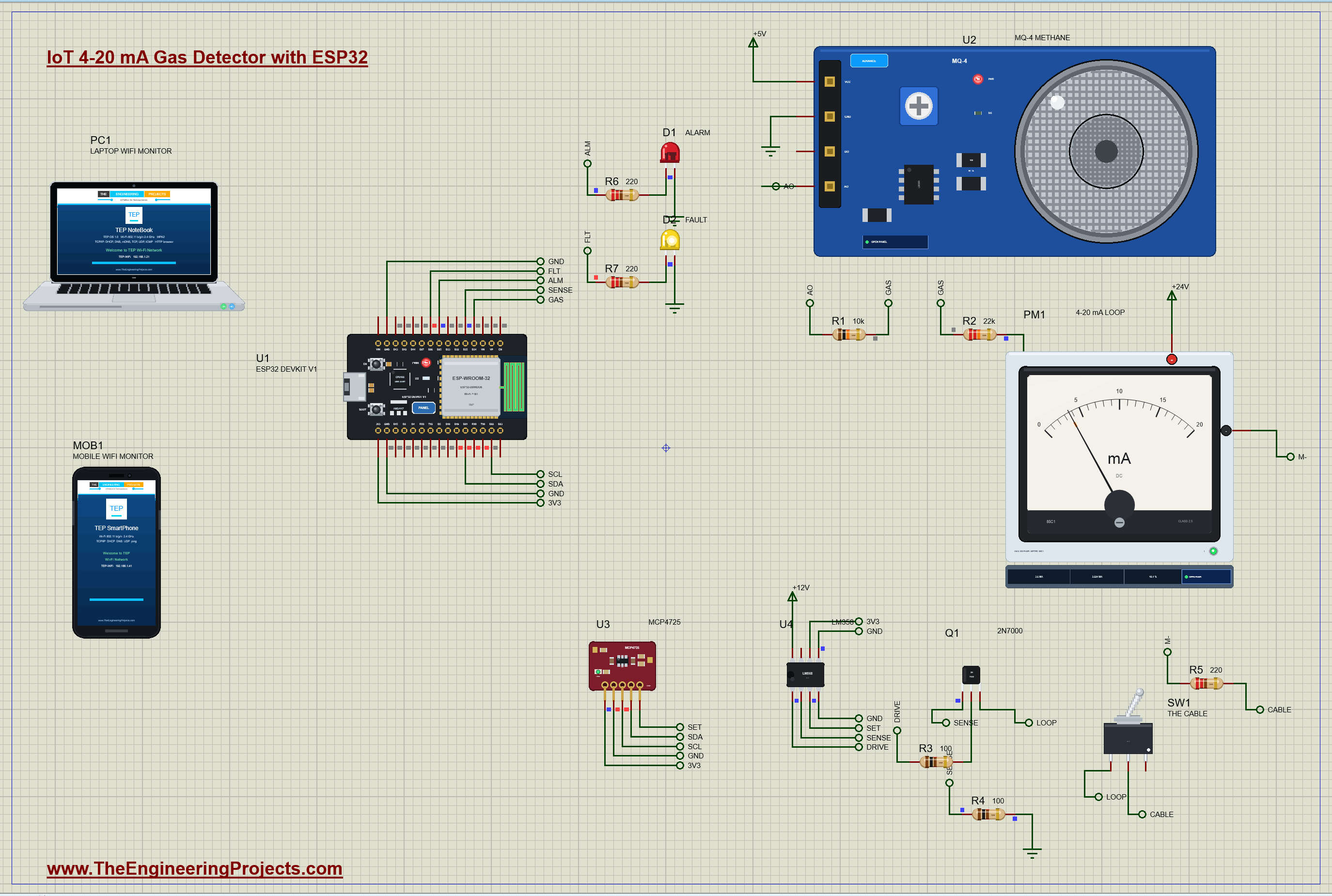
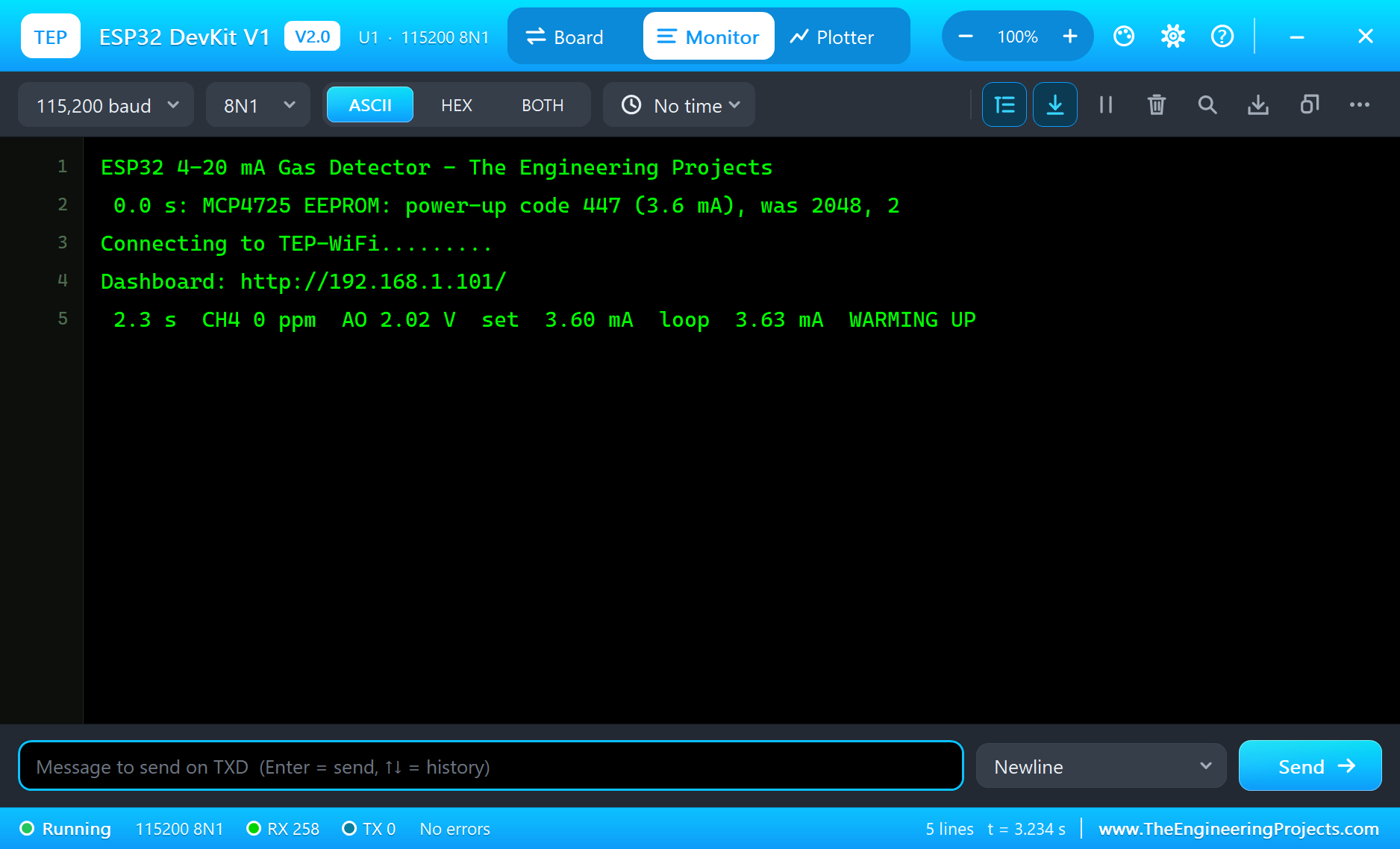
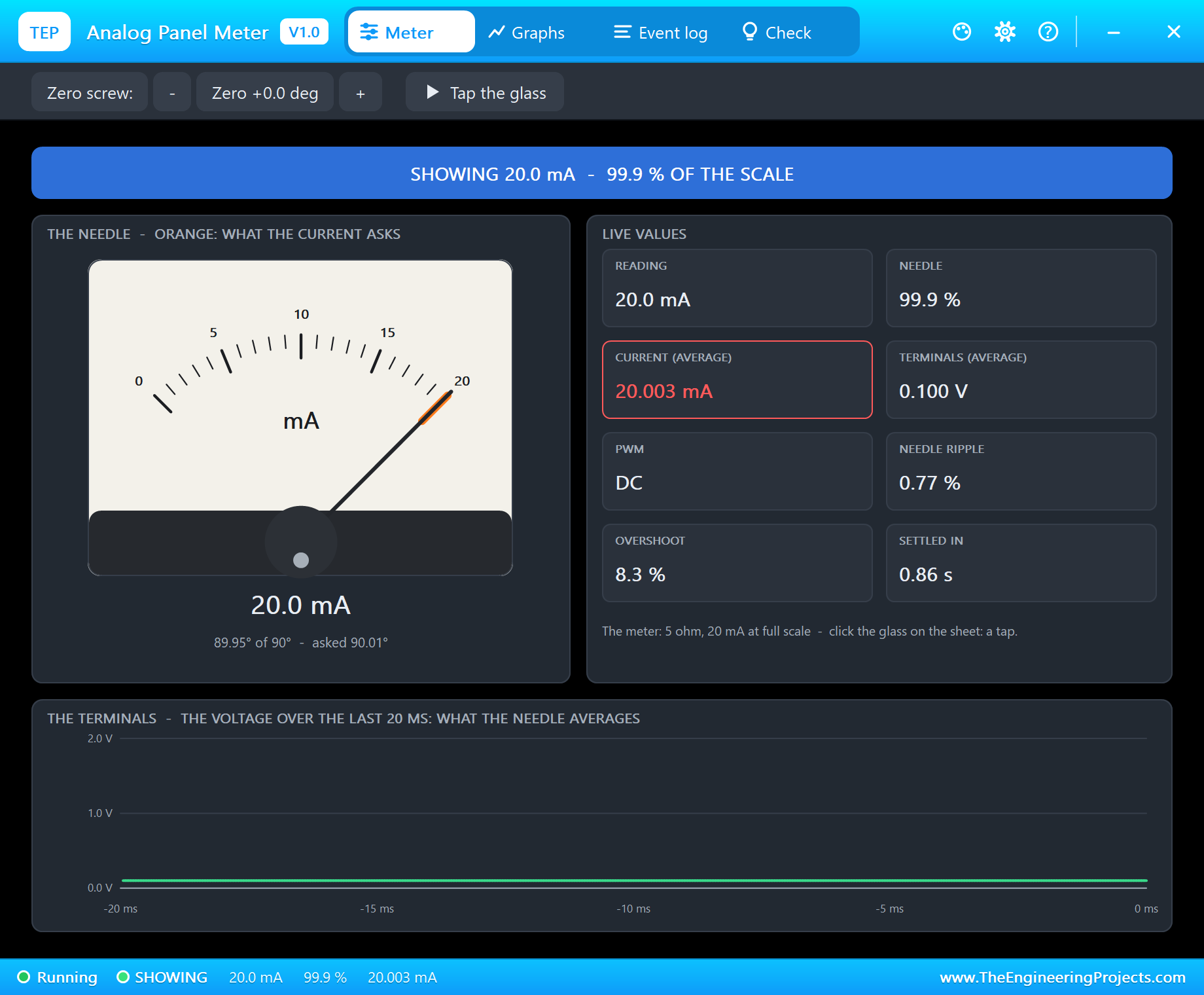
The circuit, the board and the results as they appear in ESP32 4-20 mA Gas Detector with an MQ-4 Sensor - Proteus Simulation. Open an image for its full size.
README
 README
===============================================================================================================
  ESP32 4-20 mA Gas Detector with an MQ-4 Sensor - Proteus Simulation Project V1.0
  The Engineering Projects - www.TheEngineeringProjects.com
===============================================================================================================

IMPORTANT LINKS
  The project tutorial (circuit, code, simulation results):
    https://www.theengineeringprojects.com/2026/11/iot-4-20ma-gas-detector-esp32-proteus-simulation.html
  The libraries this project is built from (each post has its own full download and tutorial):
    ESP32 DevKit V1 board:
      https://www.theengineeringprojects.com/2026/10/esp32-devkit-v1-library-for-proteus-v2-0.html
    MQ gas sensors (the MQ-4):
      https://www.theengineeringprojects.com/2026/10/mq-gas-sensor-library-for-proteus-v1-0.html
    MCP4725 DAC module:
      https://www.theengineeringprojects.com/2026/11/mcp4725-dac-module-library-for-proteus.html
    LM358 dual op-amp:
      https://www.theengineeringprojects.com/2026/11/lm358-dual-op-amp-library-for-proteus.html
    N-MOSFET (the 2N7000):
      https://www.theengineeringprojects.com/2026/11/n-mosfet-library-for-proteus.html
    Analog panel meter:
      https://www.theengineeringprojects.com/2026/10/analog-panel-meter-library-for-proteus-v1-0.html
    Toggle switch:
      https://www.theengineeringprojects.com/2026/11/toggle-switch-library-for-proteus.html
    5 mm LED:
      https://www.theengineeringprojects.com/2026/11/5mm-led-library-for-proteus.html
    Resistor:
      https://www.theengineeringprojects.com/2026/11/resistor-library-for-proteus.html
    Laptop WiFi Monitor:
      https://www.theengineeringprojects.com/2026/10/laptop-wifi-monitor-library-for-proteus.html
    Mobile WiFi Monitor:
      https://www.theengineeringprojects.com/2026/10/mobile-wifi-monitor-library-for-proteus.html
  Support our free work: https://www.theengineeringprojects.com/donate

FILE STRUCTURE
ESP32-4-20mA-Gas-Detector-TEP-v1.0/
|-- Proteus Library Files/
|   |-- TEPESP32V1.LIB                                 36.6 KB   a part of the project -> LIBRARY folder
|   |-- TEPLAPTOP.LIB                                  39.5 KB   a part of the project -> LIBRARY folder
|   |-- TEPLED5MM.LIB                                  21.8 KB   a part of the project -> LIBRARY folder
|   |-- TEPLM358.LIB                                   12.1 KB   a part of the project -> LIBRARY folder
|   |-- TEPMCP4725.LIB                                 13.8 KB   a part of the project -> LIBRARY folder
|   |-- TEPMETER.LIB                                   78.1 KB   a part of the project -> LIBRARY folder
|   |-- TEPMOBILE.LIB                                  13.1 KB   a part of the project -> LIBRARY folder
|   |-- TEPMQGAS.LIB                                  553.0 KB   a part of the project -> LIBRARY folder
|   |-- TEPNMOS.LIB                                    17.9 KB   a part of the project -> LIBRARY folder
|   |-- TEPRESISTOR.LIB                               306.9 KB   a part of the project -> LIBRARY folder
|   |-- TEPTOGGLE.LIB                                  18.2 KB   a part of the project -> LIBRARY folder
|-- Proteus Model Files/
|   |-- TEPLED5MM.DLL                                 289.5 KB   a model -> MODELS folder
|   |-- TEPLM358.DLL                                  311.5 KB   a model -> MODELS folder
|   |-- TEPMCP4725.DLL                                301.0 KB   a model -> MODELS folder
|   |-- TEPMETER.DLL                                  325.0 KB   a model -> MODELS folder
|   |-- TEPMQGAS.DLL                                  328.5 KB   a model -> MODELS folder
|   |-- TEPNET.DLL                                     2.89 MB   a model -> MODELS folder
|   |-- TEPNMOS.DLL                                   295.0 KB   a model -> MODELS folder
|   |-- TEPRESISTOR.DLL                               311.0 KB   a model -> MODELS folder
|   |-- TEPTOGGLE.DLL                                 276.5 KB   a model -> MODELS folder
|-- Proteus Simulation/
|   |-- ESP32_Gas_Detector.hex                         78.5 KB   the firmware
|   |-- ESP32-4-20mA-Gas-Detector.pdsprj               45.9 KB   the project simulation
|   |-- TEPLED5MM.DLL                                 289.5 KB   copy of the model
|   |-- TEPLM358.DLL                                  311.5 KB   copy of the model
|   |-- TEPMCP4725.DLL                                301.0 KB   copy of the model
|   |-- TEPMETER.DLL                                  325.0 KB   copy of the model
|   |-- TEPMQGAS.DLL                                  328.5 KB   copy of the model
|   |-- TEPNET.DLL                                     2.89 MB   copy of the model
|   |-- TEPNMOS.DLL                                   295.0 KB   copy of the model
|   |-- TEPRESISTOR.DLL                               311.0 KB   copy of the model
|   |-- TEPTOGGLE.DLL                                 276.5 KB   copy of the model
|-- Arduino Code/
|   |-- ESP32_Gas_Detector/ESP32_Gas_Detector.ino      10.5 KB   the sketch (source of the .hex)
|-- README.txt                                        ~10.9 KB   this file
Total: 11.77 MB (unzipped). The C++ source code of the models is not included.

WHAT IS IT?
  A methane (natural gas) detector with the analog output of industry, a 4-20 mA current loop, that you can run in
  Proteus: an ESP32 reads an MQ-4 sensor, turns the gas into a loop current with a DAC, an op-amp and a MOSFET, reads
  that current back to find a cut cable, and serves a web dashboard; a panel meter in the "control room" shows it.
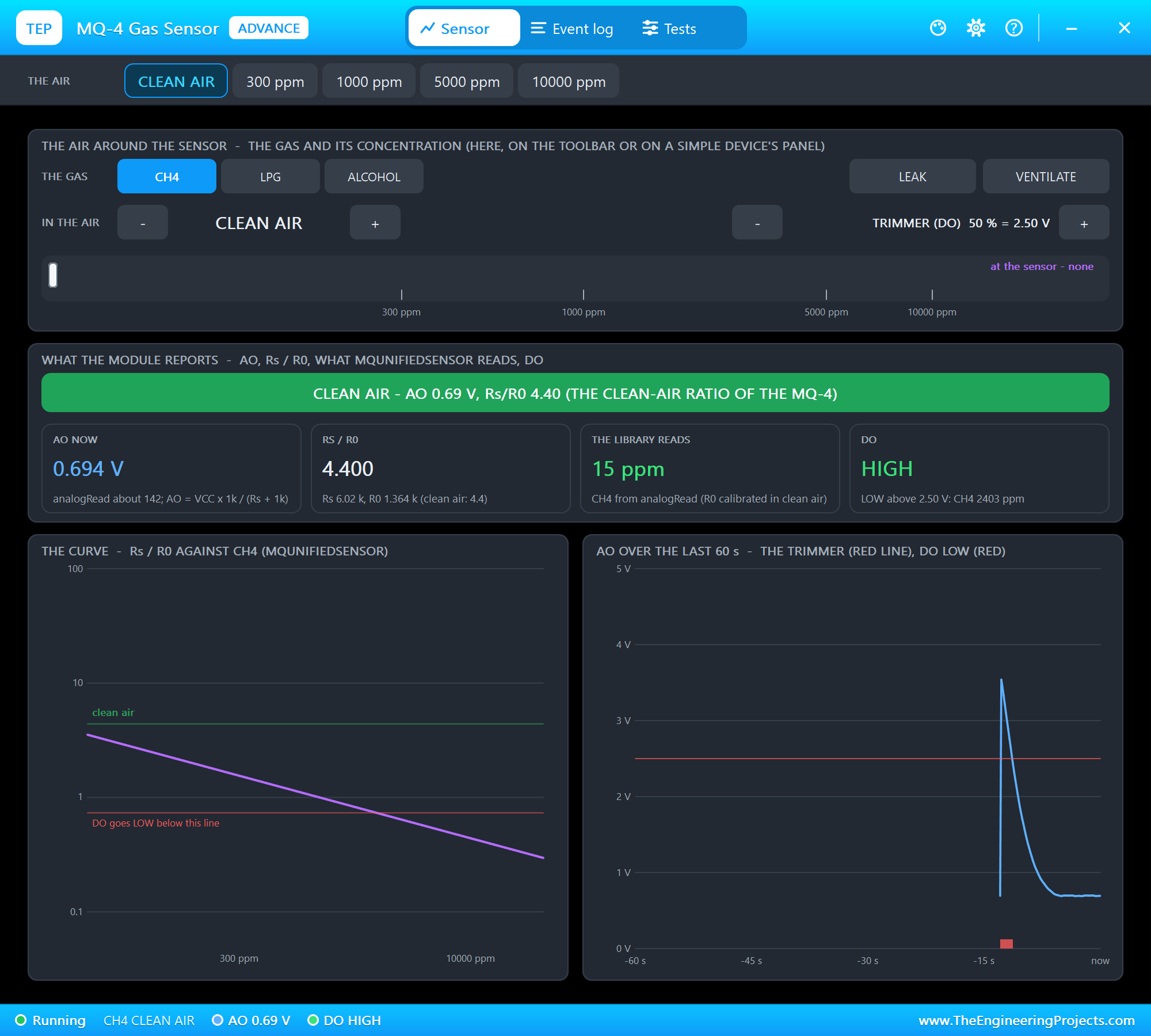
    * MQ-4 methane module (MQ4ADVTEP, U2) on +5V: AO through R1 10 kohm and R2 22 kohm (the net GAS) to D34.
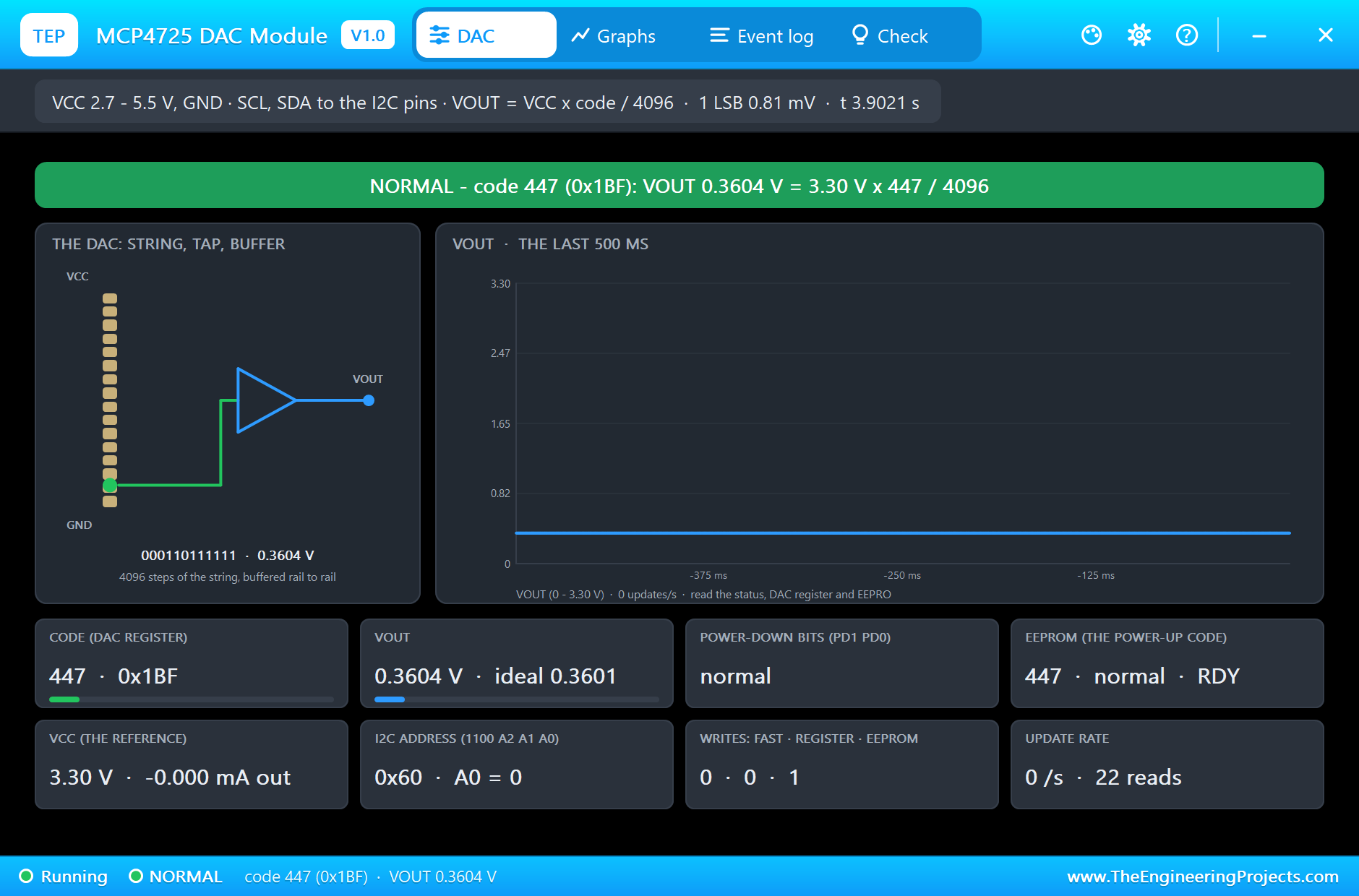
    * MCP4725 DAC (MCP4725TEP, U3) on I2C at 0x60: VCC on the ESP32's 3.3 V pin (its reference), SCL D22, SDA D21,
      VOUT = the net SET (0.40 V for 4 mA ... 2.00 V for 20 mA).
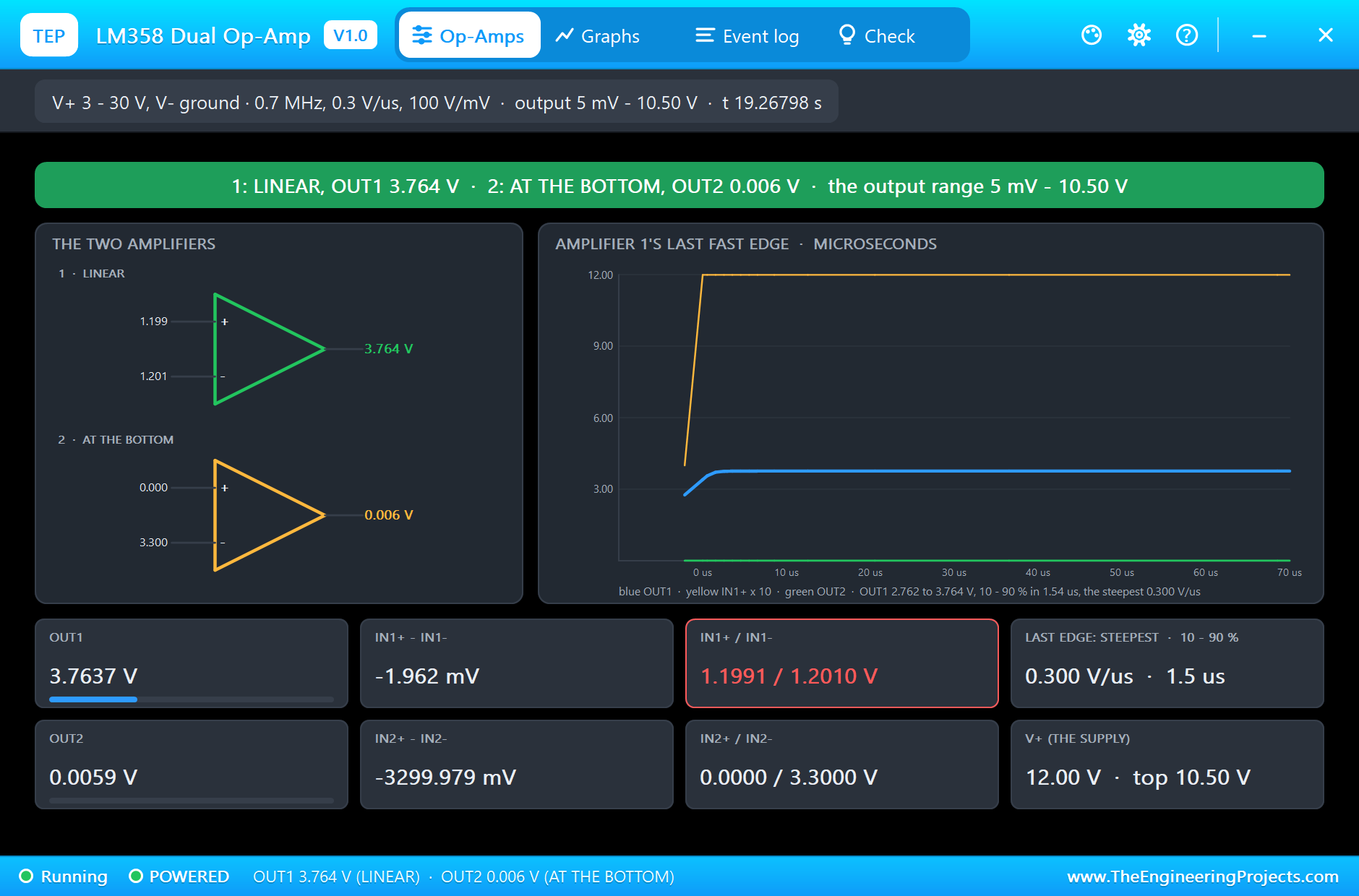
    * LM358 (LM358TEP, U4) on +12V: amplifier 1 holds IN1- (the net SENSE) at IN1+ (SET), its OUT1 drives the gate of
      Q1 (Q2N7000TEP, the 2N7000) through R3 100 ohm; Q1's source = SENSE with R4 100 ohm to GND: the loop current
      = SET / 100 ohm. Amplifier 2 is a follower of GND (not left floating).
    * The loop: +24V - PM1 (PANELMETERTEP, RANGE 20, UNIT mA: the 4-20 mA indicator) - R5 220 ohm (the receiver's
      input) - SW1 (SWITCHTOGGLETEP: the cable; C to 1 closes it) - Q1's drain.
    * D35 reads SENSE back: the current that really flows. LEDs: D1 red ALARM (D25, R6 220 ohm), D2 yellow FAULT
      (D26, R7 220 ohm).
    * ESP32 DEVKIT V1 (U1) runs ESP32_Gas_Detector.hex on TEP-WiFi at 192.168.1.101 (port 80).
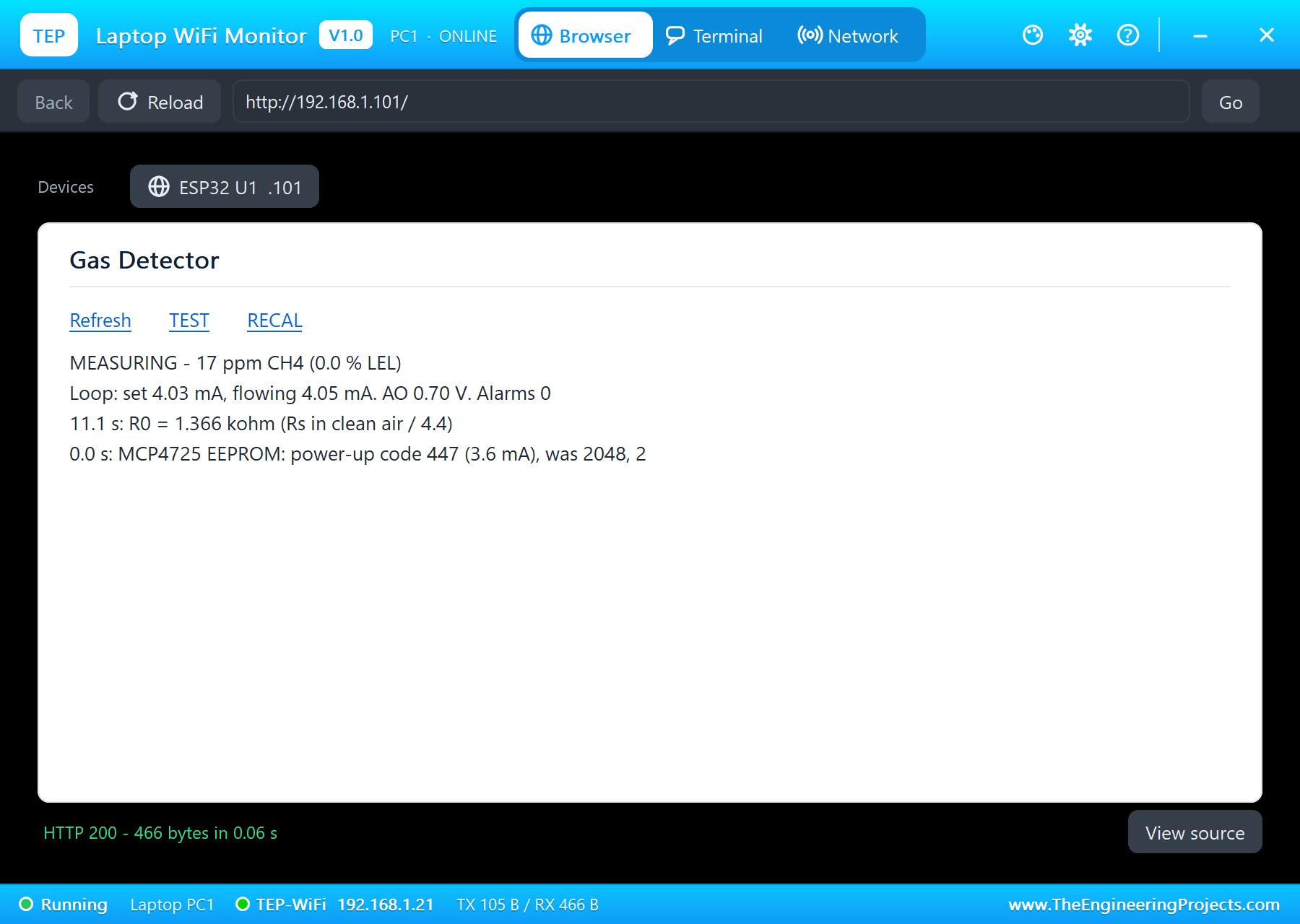
    * Laptop WiFi Monitor (PC1) and Mobile WiFi Monitor (MOB1) open http://192.168.1.101/.
  The rules (at the top of the sketch):
    * the gas: Rs from AO (AO = 5 V x RL_EFF / (Rs + RL_EFF), RL 1 kohm with the divider across it = 0.970 kohm);
      after the warm-up R0 = Rs in clean air / 4.4; ppm CH4 = 1012.7 x (Rs / R0)^-2.786 (the MQUnifiedsensor curve);
    * the output (NAMUR NE43): 0 - 10,000 ppm (0 - 20 % LEL) = 4 - 20 mA, over the range 20.5 mA; 3.6 mA while the
      sensor warms up (10 s) and on a sensor fault; the MCP4725's EEPROM holds the 3.6 mA code for power-up;
    * ALARM at 5,000 ppm (10 % LEL), cleared below 4,000 ppm; LOOP OPEN when 3.5 mA or more is set but under 1 mA
      flows for 0.3 s (the FAULT LED; it blinks while the sensor warms up).
  Its pages:
    /          the dashboard: the controls, the state, the gas in ppm and % LEL, the loop current set and flowing
    /test      a loop test: 4, 12 and 20 mA for 2 s each
    /recal     calibrate R0 again (in clean air only)
    /data      everything as JSON
  No extra library: plain Wire writes to the MCP4725.

TEST STATUS
  Tested in Proteus 8 Professional on Windows 11, the run that made the tutorial's screenshots (the sketch's times):
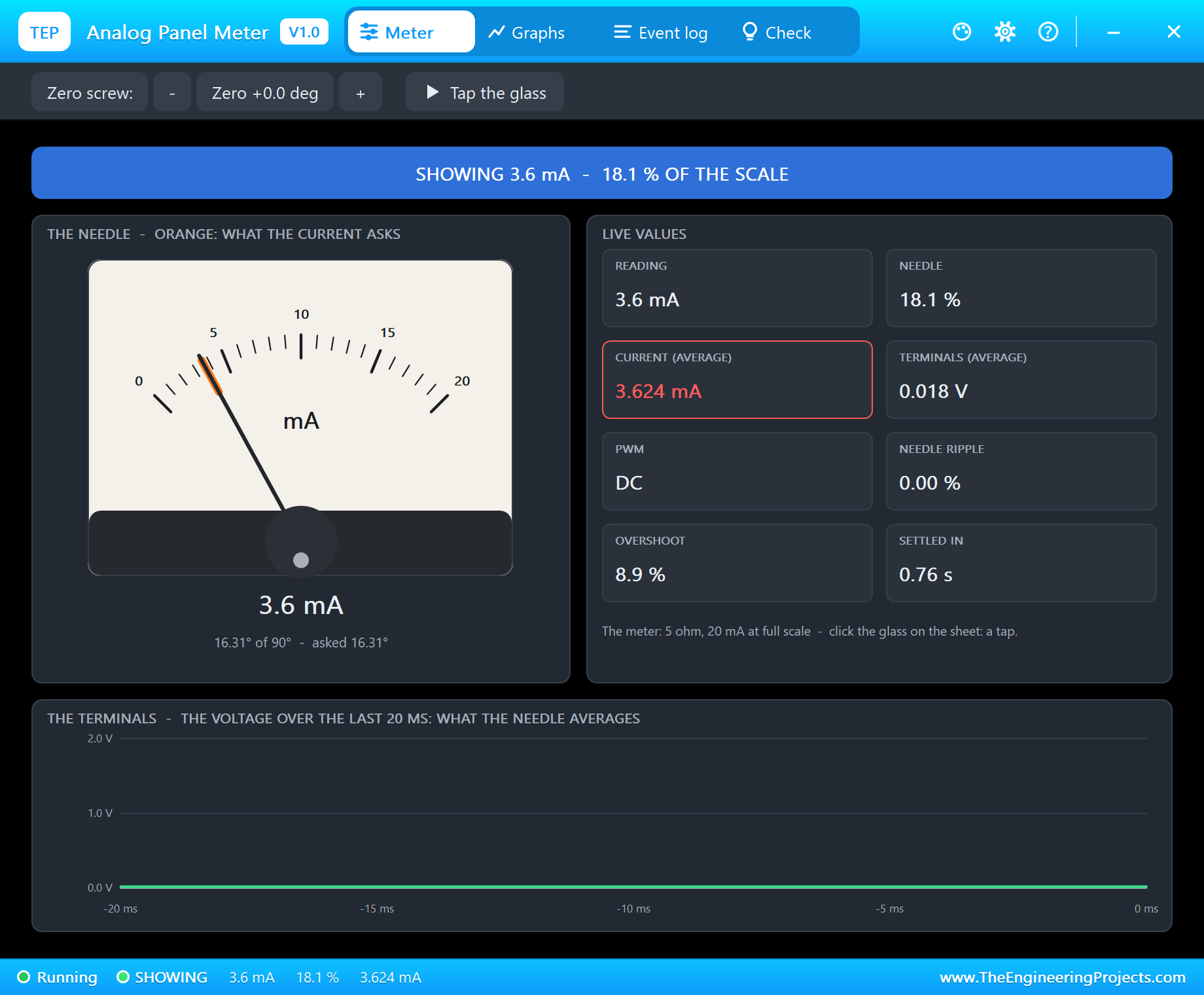
  - 0 s: "MCP4725 EEPROM: power-up code 447 (3.6 mA), was 2048"; the warm-up: AO 2.02 V at 2.3 s falling to 0.70 V,
    the loop at 3.60 mA set / 3.63 mA flowing, the FAULT LED blinking.
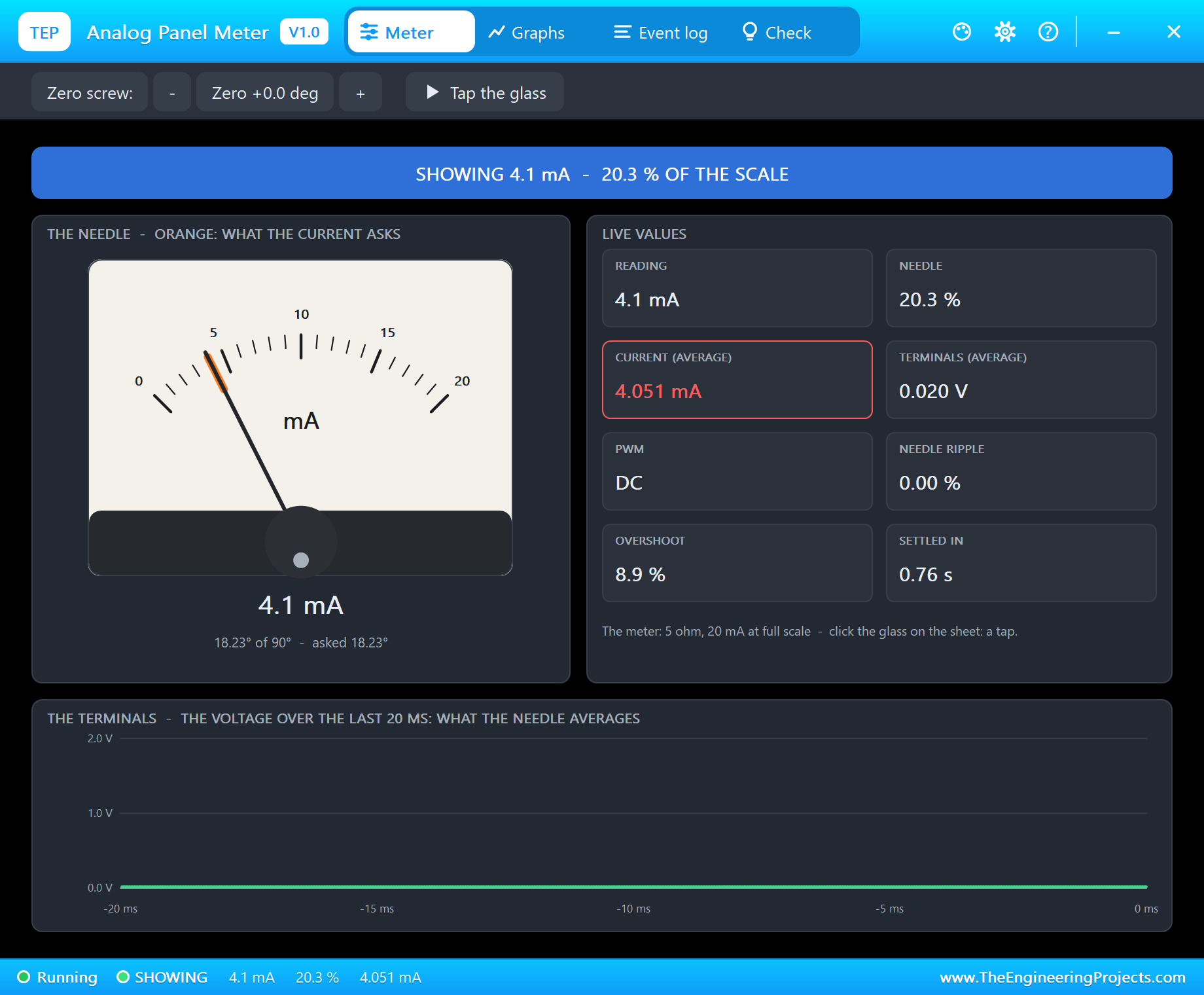
  - 11.1 s: "R0 = 1.366 kohm (Rs in clean air / 4.4)"; clean air 16 ppm CH4: 4.03 mA set, 4.05 mA flowing (the LM358's
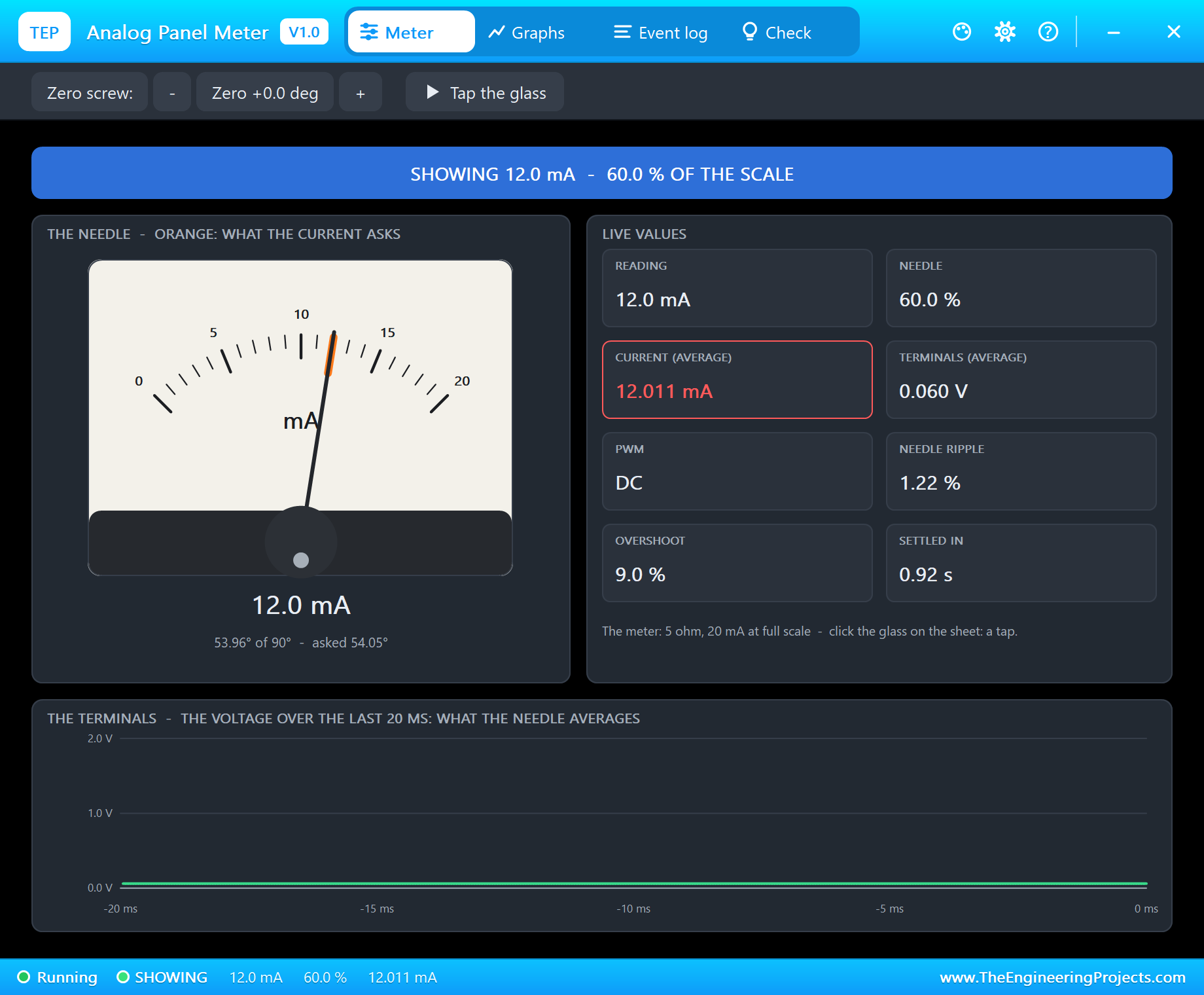
    2 mV offset); the panel meter 4.05 mA.
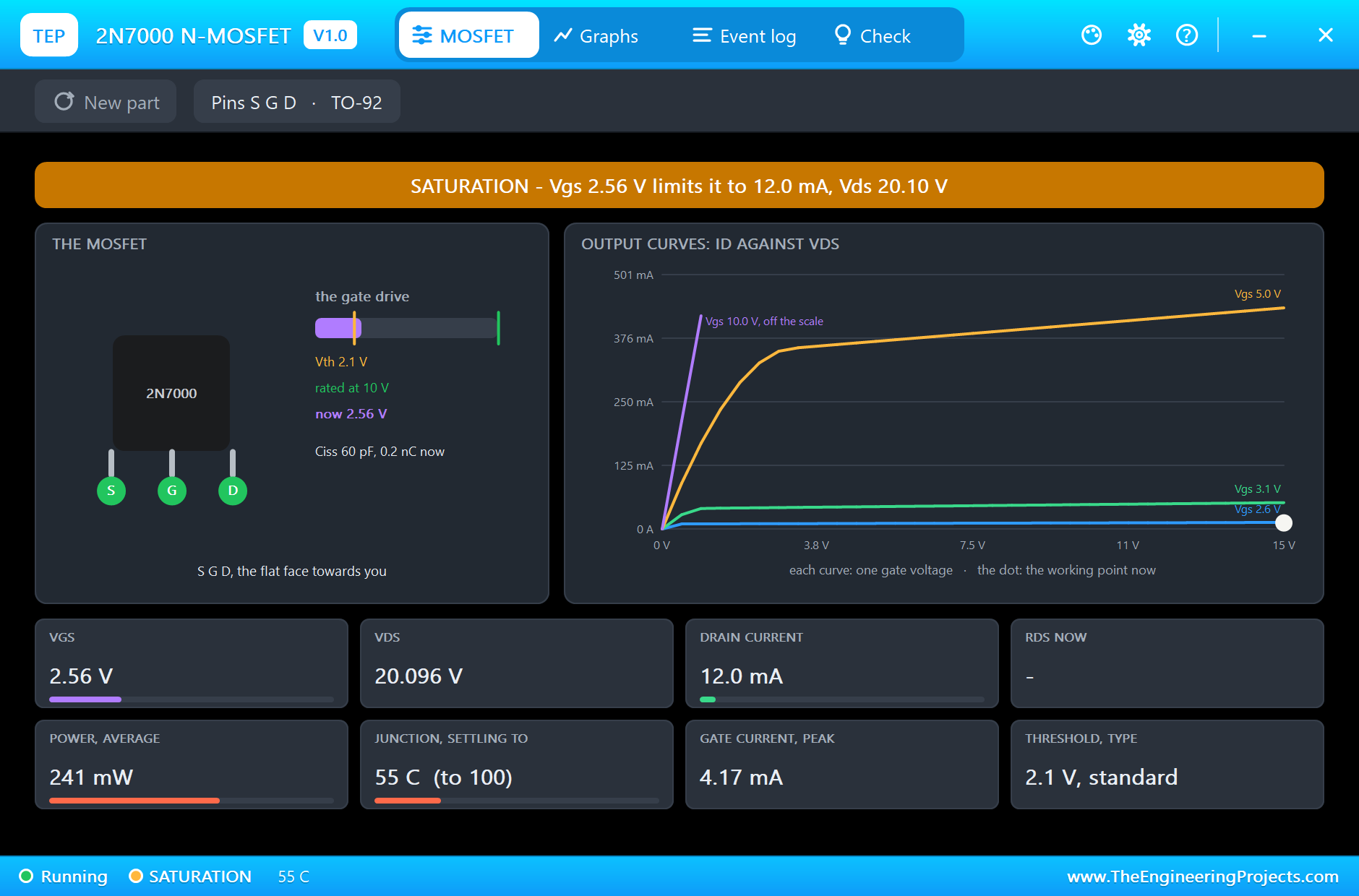
  - 15.8 s: the loop test from the phone: 4.00 / 4.02 mA, 12.00 / 12.01 mA (the 2N7000: Vgs 2.56 V, Vds 20.1 V,
    241 mW), 20.00 / 20.00 mA, 2 s each.
  - 23.1 s: 10000 ppm CH4 in the MQ-4's pop-up; 25.1 s: "GAS ALARM - 5212 ppm CH4 (10 % LEL)", the red LED; 32.1 s:
    9559 ppm, 19.29 mA set, the needle near 19 mA.
  - 32.6 s: VENTILATE; 36.1 s: "alarm cleared - 3888 ppm CH4".
  - 38.2 s: SW1 flipped (the cable cut): 38.6 s "LOOP OPEN - set 7.39 mA, 0 mA flows", the FAULT LED on, the meter
    NO CURRENT; 41.1 s SW1 back: "loop closed - 5.90 mA flows".
  - 43.8 s of simulation in 559 s.

INSTALLATION
  1. Close Proteus. Extract the WHOLE zip file, for example to your Desktop.
  2. Copy the files from "Proteus Library Files" into the LIBRARY folder of Proteus, for example
     C:\Program Files (x86)\Labcenter Electronics\Proteus 8 Professional\LIBRARY
  3. Copy the files from "Proteus Model Files" into the MODELS folder (next to LIBRARY).
  4. Start Proteus. Press P in the schematic and search for ESP32 DEVKIT V1, MQ4ADVTEP, MCP4725TEP or PANELMETERTEP
     to check that the parts are there.

RUN THE SIMULATION
  1. Open "Proteus Simulation\ESP32-4-20mA-Gas-Detector.pdsprj". Keep the HEX and the DLL files beside it.
  2. Press Play. The MQ-4 warms up (the FAULT LED blinks, the loop at 3.6 mA), then the detector measures: clean air
     is about 4.03 mA on the panel meter.
  3. In the MQ-4's pop-up choose a preset (1000, 5000 or 10000 ppm CH4) or LEAK; VENTILATE clears the air.
  4. Click SW1 to cut the cable: LOOP OPEN; click it again to close the loop.
  5. Open the Laptop WiFi Monitor (PC1) or the Mobile WiFi Monitor (MOB1) and press Go: TEST, RECAL.
  Your own sketch: compile it, export the compiled binary and set U1's PROGRAM property to the new file.

PROPERTIES USED IN THIS PROJECT
  U1 ESP32 DEVKIT V1           PROGRAM=ESP32_Gas_Detector.hex, AUTOOPEN=YES (TEP-WiFi, 192.168.1.101)
  U2 MQ4ADVTEP                 GAS=CH4, CONC=0 (clean air), POT=50, WARMUP=8 (s: a real MQ-4 needs minutes), NOISE=1
  U3 MCP4725TEP                (no changes: A0=0 = 0x60, EEPROM=2048 - the sketch stores the 3.6 mA code)
  U4 LM358TEP, Q1 Q2N7000TEP   (no changes)
  PM1 PANELMETERTEP            RANGE=20, UNIT=mA (5 ohm: 100 mV at full scale)
  SW1 SWITCHTOGGLETEP          (no changes: the handle right joins C to 1)
  R1 10k, R2 22k, R3 100, R4 100 (the sense resistor), R5 220 (the receiver), R6 / R7 220
  PC1, MOB1                    HOMEPAGE=http://192.168.1.101/

TROUBLESHOOTING
  * The loop stays at 3.6 mA: the sensor is still warming up, or AO reads 0 V (SENSOR FAULT - check the divider).
  * LOOP OPEN with the switch closed: no +24V, or the panel meter / R5 not in the loop.
  * The current is not the one set: SET and SENSE swapped at the LM358, or R4 is not 100 ohm.
  * The ppm is far off in clean air: RECAL only in clean air - R0 is taken from the air at that moment.

LICENCES
  * The project, the sketch, the parts (LIB files) and the models (DLL files) are made by The Engineering Projects
    and are free for learning and for your own projects. The models use only standard Windows libraries.
    The C++ source code of the models is not included; the source code is not included for any model.
  * Proteus is a product of Labcenter Electronics and is not included. ESP32 is a product of Espressif Systems; the
    MCP4725 of Microchip Technology; the LM358, the 2N7000 and MQ sensors are made by several companies.
    This project is not made or endorsed by them.

VERSION
  V1.0 - the first release of the project.
===============================================================================================================Development1 release
 Development1 release
-
V1.0ESP32 4-20 mA Gas Detector with an MQ-4 Sensor - Proteus Simulation V1.0this page
V1.0 is the only release in the Download Center so far. When a newer version is published, it appears above with its own download page.
Installation8 steps
 Installation8 steps
From the download to a working project, in order. The steps follow what the package contains.
You will need
- Proteus Design SuiteProteus 8 or newer (Labcenter), on Windows
- Arduino IDE1.8 or 2.x, with the board of the tutorial chosen under Tools → Board
- Any archive toolWindows, macOS and Linux extract ZIP files on their own
Steps
- 1
Extract the archive
Right-click 2e93ed4ac4c7409786ec97992621fb47.zip and choose Extract All (or open it with 7-Zip or WinRAR) into a folder you can find again. Keep its folder structure (ESP32-4-20mA-Gas-Detector-TEP-v1.0) as it is.
- 2
Copy the library files into Proteus
Move TEPESP32V1.LIB, TEPLAPTOP.LIB and TEPLED5MM.LIB and 8 more and the files into the LIBRARY folder of your Proteus installation: C:\Program Files (x86)\Labcenter Electronics\Proteus 8 Professional\LIBRARY for Proteus 8, or the matching Proteus 7 folder. Older versions keep it under ProgramData\Labcenter Electronics. If Proteus is open, close it first.
- 3
Add the simulation model
Copy TEPLED5MM.DLL, TEPLM358.DLL and TEPMCP4725.DLL and 6 more into the MODELS folder next to LIBRARY, so the component can run, not only be drawn.
- 4
Restart Proteus and place the component
Start Proteus, open a schematic, press P (Pick Devices) and search for the component by the name used in the tutorial. It appears with its pins ready to wire.
- 5
Open the sketch in the Arduino IDE
Open ESP32_Gas_Detector.ino, select your board and port under Tools, then Verify. Sketch → Export Compiled Binary writes the HEX file a simulation needs.
- 6
Load the HEX file
In Proteus double-click the microcontroller, set Program File to ESP32_Gas_Detector.hex and run the simulation. For real hardware, flash the same file with your programmer.
- 7
Open the example simulation
Open ESP32-4-20mA-Gas-Detector.pdsprj in Proteus to see the wiring exactly as in the tutorial. Check the controller's Program File path, then press Play.
- 8
Follow the tutorial
ESP32 4-20 mA Gas Detector with an MQ-4 Sensor - Proteus Simulation explains every connection and setting in order; keep it open beside the files while you build.
FAQs9 questionsContact TEP
 FAQs9 questions
How do I download ESP32 4-20 mA Gas Detector with an MQ-4 Sensor - Proteus Simulation V1.0?
Wait for the 30-second guest countdown on this page, then press the download button; the file comes straight from our storage. Members who are logged in skip the wait. If the browser opens the file instead of saving it, use its Save as option. The download link is made for you when the countdown ends and works for 15 minutes; a saved or shared link stops working, so share this page instead.
What is inside the archive?
ESP32 4-20 mA Gas Detector with an MQ-4 Sensor - Proteus Simulation V1.0 comes as a ZIP archive of 33 files (5.3 MB, 11.8 MB unpacked) holding Proteus library files, simulation model DLLs, a Proteus simulation, an Arduino sketch and compiled HEX firmware. Open the File Structure tab for the full list of 33 files.
What should I do if the download does not start?
Check the browser's download list first; an ad blocker or a company firewall can also hold it back, so try another browser or network. If the file arrives incomplete, download it again. For an installation problem, read the Install tab or tell us in the comments with your software version and the exact error message.
Is this file free?
Yes. Every file in the TEP Download Center is free for learning, personal and student projects. If you share it, link back to this page or the tutorial so others find the latest version.
How do I check that the file arrived complete?
Compare its SHA-256 with the one on this page, 764bda1cddfa9710258a51544a41a62aec0ea430c44bead2188b8a187472bde4. In PowerShell run Get-FileHash "2e93ed4ac4c7409786ec97992621fb47.zip"; on macOS or Linux run shasum -a 256 "2e93ed4ac4c7409786ec97992621fb47.zip". The same value means the file is exactly the one in our storage; a different one means the download broke off, so download it again.
Do I need WinRAR to open the ZIP file?
No. Windows, macOS and Linux open ZIP archives on their own (Extract All, or double-click). WinRAR and 7-Zip work too. Extract the whole archive before using the files.
Where do I put the LIB and IDX files?
Both files go into the LIBRARY folder of your Proteus installation (Proteus 8: C:\Program Files (x86)\Labcenter Electronics\Proteus 8 Professional\LIBRARY; Proteus 7 has the same folder under its own name). Restart Proteus afterwards and search for the component with P.
Which Proteus version does the library need?
The tutorial names the Proteus version the library was made and tested with. Most TEP libraries work in Proteus 7 and Proteus 8; if the component does not appear after a restart, check that both the LIB and the IDX file were copied and that Proteus was fully closed while copying.
How do I get the HEX file into the simulation?
Compile the sketch in the Arduino IDE (Sketch → Export Compiled Binary gives you the HEX next to the sketch), then in Proteus double-click the board, set Program File to that HEX and run.
Members skip the wait. Log in or join TEP.

- 0Total downloads
- 4%Popularity
- ESP32 ProjectsCategory
- 0Comments
- ssyedzainnasirUploaded by
- 16 Nov 2026Uploaded at


 SHA-256
764bda1cddfa9710258a51544a41a62aec0ea430c44bead2188b8a187472bde4


 Need help with this file?
 Tags
Related ESP32 Projects
All ESP32 Projects tutorials





More ESP32 project files
All ESP32 tutorials



Comments
0