Hello friends, I hope you all are doing great. In today's tutorial, we will have a look at How to Create ViewModels in ASP.NET Core. It's our 9th tutorial in ASP.Net Core series. We have already covered Controllers, Models & Views in our previous lectures and now it's time to understand this fourth pillar of MVC architecture.
ViewModel is not an integral part of MVC architecture and can be ignored in simple projects but in complex applications, we have to use ViewModel as it adds flexibility in the project. So, let's have a look at ViewModels in ASP.NET Core:
ViewModels in ASP.NET Core
ViewModels in ASP.NET Core ( also called Data Transfer Objects [DTO] ) are used to send Models data from Controll ...
Hello friends, I hope you all are doing great. In today's tutorial, we will have a look at How to Create Views in ASP.NET Core MVC. It's our 8th tutorial in ASP.NET Core series. In our 6th lecture, where we have set up MVC architecture, we have also created Controller & Model, but we haven't yet created any View to display this data properly.
We have also seen Dependency Injection and have successfully injected Model Interface in our Home Controller. So, now it's time to add a View in our project and communicate it with Controller & Model. So, let's get started with Views in ASP.NET Core MVC:
Views in ASP.NET Core MVC
View in ASP.NET Core ( File Extension: .cshtml ) is a simple HTTP template, which displays the Model data, provided by ...
Hello friends, I hope you all are doing great. In today's tutorial, we will have a look at How to setup MVC in ASP.NET Core. It's our 6th tutorial in ASP.NET Core series. So far, we have covered all the basic concepts in ASP.NET Core and are now ready to get our hands on MVC.
If you remember, when we were creating this project in Introduction to ASP.NET Core, we have selected Empty Template as we want to build our application from scratch. But if you want, you can also select MVC template and all these files, which we are going to create, will automatically be created in it. So, let's see How to setup MVC in ASP.NET Core:
How to setup MVC in ASP.NET Core ???
MVC in ASP.NET Core is an architectural design pattern, implemented by Microsoft.AspNet ...
Hello friends, I hope you all are doing great. In today's tutorial, we will have a look at Dependency Injection in ASP.NET Core. It's our 7th tutorial in ASP.NET Core series. In previous versions of ASP.NET, dependency injection was not its core element, although we could have achieved it using third party packages i.e. Ninject, StructureMap etc.
As ASP.NET Core is built from scratch so it was made sure that Dependency Injection should become its essential part. In our previous lecture, we have created Controller & Model for our core project. Now there's a need to connect them together and that will be done by Dependency Injection. So, let's get started with Dependency Injection in ASP.NET Core:
Dependency Injection in ASP.NET Core
Dependen ...
Hello friends, I hope you all are doing great. In today's tutorial, we will have a look at How to use Environment Variables in ASP.NET Core. It's our 5th tutorial in ASP.NET Core series. In our Startup.cs file, you must have seen that we have an IF Condition at the start and this IF Condition has IsDevelopment in it.
This condition is actually checking the environment of our web application. So, here we will first discuss them and then will see why we need them. So, let's get started:
Environment Variables in ASP.NET Core
ASP.NET Core has 3 builtin Environments, which decides the Run-time operating environment of the web application, which are:
Development.
Staging.
Production.
In order to set this Environment Variable, we need to ...
Hello friends, I hope you all are having fun. In today's tutorial, we are going to have a look at How to handle Static Files in ASP.NET Core. It's our 4th tutorial in ASP.NET Core series. If you inspect your localhost page displaying Hello World, then you will see that there isn't any HTML code in it. Instead, it's just displaying Hello World in text format.
In today's tutorial, we will have a look at How to add HTML, JavaScript, CSS or any other static file in ASP.NET Core. In our previous tutorial, we have discussed Middleware in ASP.NET Core, so if you haven't studied that then have a look at it first, as we are gonna use some new middleware components today. So, let's get started:
How to handle Static Files in ASP.NET Core
By default, ASP.N ...
Hello friends, I hope you all are doing great. In today's tutorial, we are going to have a look at what are Middleware in ASP.NET Core. It's our 3rd tutorial in ASP.NET Core series. In order to understand the Middleware, we have to open the Startup.cs file present in Solution Explorer.
In our previous lecture, we have discussed the Code in Startup.cs and I have told you thhat we will discuss the Configure method later, so now we have to understand that code first. So, first let's define middleware components and then have a look at that code:
Middleware in ASP.NET Core
Middleware in ASP.NET Core are simple software components used to control HTTP requests and handle both incoming requests as well as outgoing responses.
Each middleware is a se ...
Hello friends, I hope you all are having fun. In today's tutorial, we will create our First Web Application in ASP.NET Core. It's our 2nd tutorial in ASP.NET Core series and in our previous tutorial, we have had a detailed Introduction to ASP.NET Core.
We have also installed Microsoft Visual Studio Community Edition 2019 in our previous tutorial and today we will create our first web application in it. After creating this web application, we will also have a look at its files and will understand the contents. So, let's create our First Web Application in ASP.NET Core:
Creating Web Application in ASP.NET Core
First of all, start your Visual Studio which we have installed in previous tutorial.
A pop up window will open up, where you can open yo ...
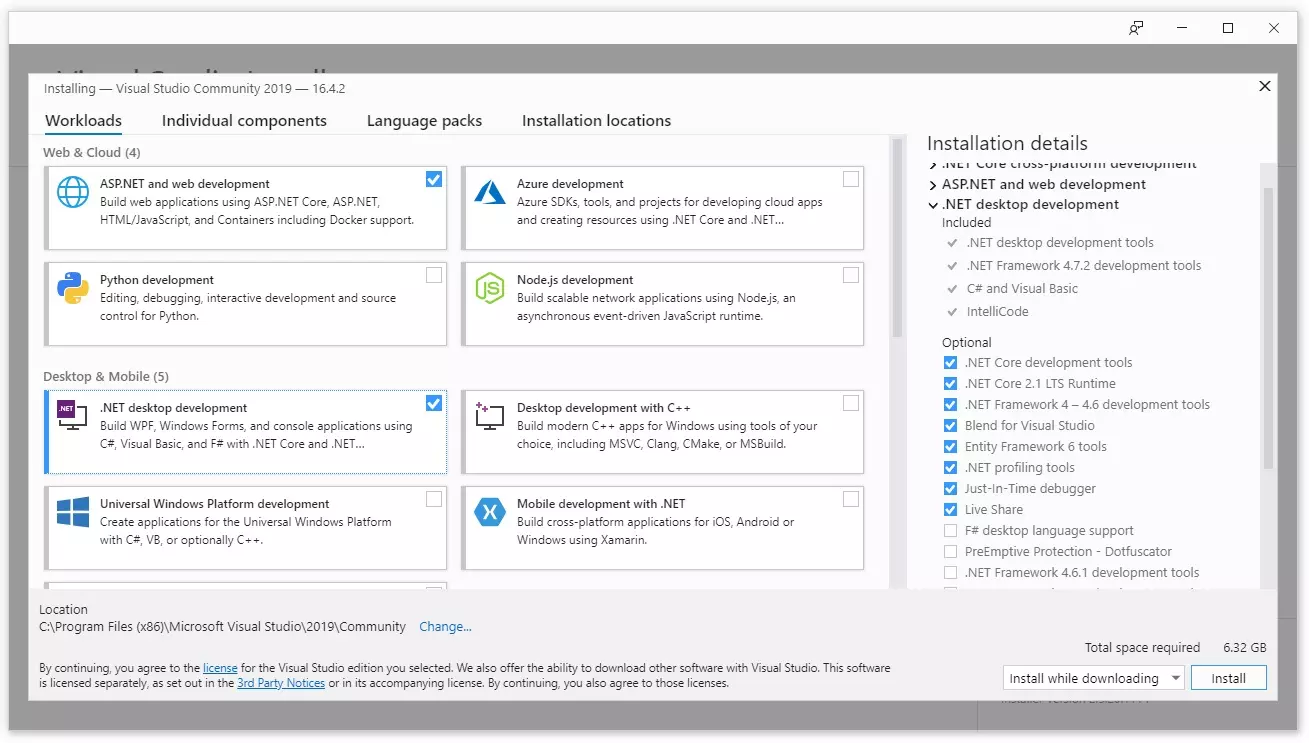
Hello everyone, I hope you all are doing great. Today, I am going to start this new series on ASP.NET Core and it's our first tutorial in this series. I will start from basics and will slowly move towards complex concepts. So, if you haven't worked on ASP.NET then you don't need to worry about that but you must have some basic knowledge of C# and object oriented programming.
I will use Visual Studio 2019 for these tutorials, it's community version is free to use and I will use C# language for developing ASP.NET Core web applications. So, let's first have a look at what is ASP.NET Core:
Introduction to ASP.NET Core
ASP.NET Core (originally deemed as ASP.NET xNext & was going to named as ASP.NET 5) is ...
Hello friends, I hope you all are doing great and having fun with your lives. In today's tutorial, we will discuss in detail about NuGet Package Management in ASP.NET MVC. It's 15th tutorial in ASP.NET MVC series. Today's tutorial is not about programming, instead we are gonna discuss this pre installed tool NuGet Package Management in ASP.NET MVC.
NuGet Package Management is use to install packages and libraries, which you want to use in your project. It downloads the files online and then installs it. So, let's discuss this ASP.NET MVC tool in detail:
NuGet Package Management in ASP.NET MVC
NuGet Package Management is a package manager for ASP.NET MVC, which is used for downloading and installing different packages & Libraries online.
I ...