Hi Guys! Hope you’re well today. I welcome you on board. In this post, I’ll walk you through How to Optimize a PCB Panel Layout.
PCB panels are used in the manufacturing process to produce PCBs in large numbers. This not only reduces the overall cost but also makes the manufacturing process more efficient and reliable. PCB panelization is a manufacturing technique where multiple PCB designs are replicated on a single large board called a PCB panel. Then these individual boards are removed and depanelized from the panel to install them in the final product.
The number of panels is directly related to the overall manufacturing cost. To produce more panels, more cost will be required. However, it also depends on the shape of the board. If ...
Hey learners! Welcome to another exciting lecture in this series of signals and systems. We are learning about the transform in signals and systems, and in the previous lectures, we have seen a bulk of information about the Laplace transform. If you know the previous concepts of signal and system, then this lecture will be super easy for you to learn, but if your concepts are not clear, do not worry because we will revise all the basic information from scratch for our new readers. So, without wasting time, have a look at the topics of today.
What is z transform?
What is the region of convergence of z transform?
What are some of the important properties of the region of convergence?
How to solve the z transform?
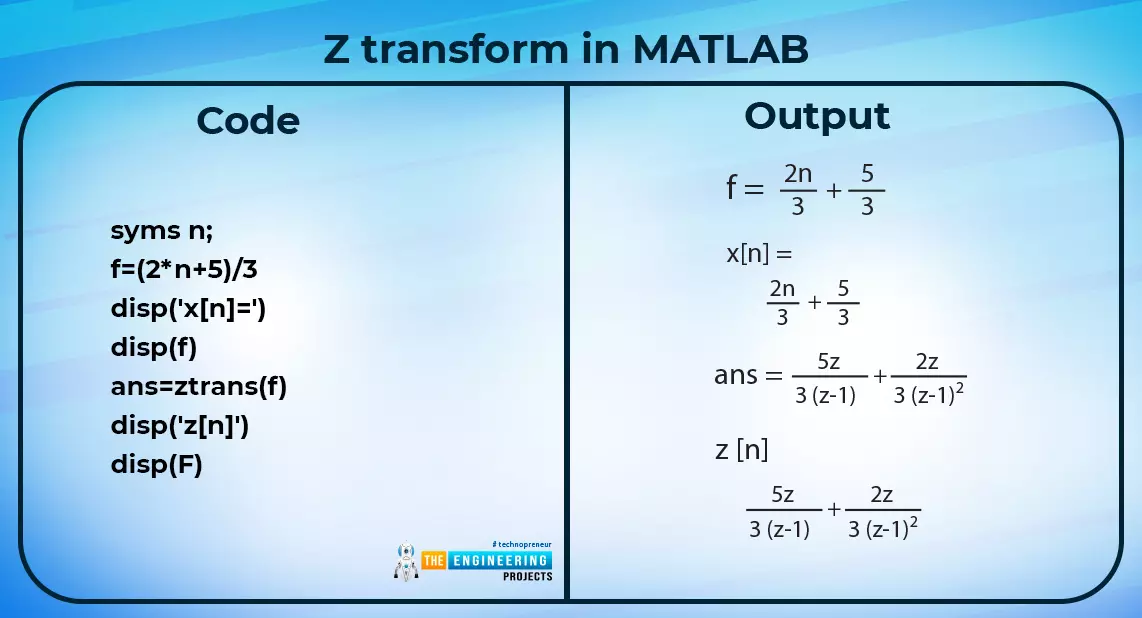
What is an example of the z transform in MATLAB?
What are the methods fo ...
Welcome to the next tutorial of our Raspberry Pi programming course. Our previous tutorial taught us to how to print from a Raspberry pi. We also discussed some libraries to create a print server in our raspberry pi. We will learn how to take screenshots on Raspberry Pi using a few different methods in this lesson. We will also look at how to take snapshots on our Raspberry Pi using SSH remotely.
Why should you read this article?
This article will assist you when working with projects that require snapshots for documenting your work, sharing, or generating tutorials.
So, let us begin.
Screenshots are said to be the essential items on the internet today. And if you have seen these screenshots in tutorial videos or even used them in regular commu ...
Abstract: This paper is written to represent a web-server based real-time weather monitoring system implemented using the ESP32 module. The system is designed to measure the weather conditions like temperature, pressure, humidity etc, in its vicinity. This system continuously provides real-time data (weather conditions) over limited or controlled areas, for example, agriculture fields, homes or a particular room, industries etc. Although we have satellites for weather monitoring but to perform research over a particular area, the data observed should be highly accurate which is not possible with satellites. To implement an IoT network we need to use a webserver to continuously store and display the real-time data which can be accessed globally. ’T ...
Internet of Things is a system of multiple inter-related computing devices. The factor ‘thing’ in IoT is designated to an entity capable of communicating data over a network (IOT), which can be a digital machine, sensor, human being, animals etc. Each component that is included in IoT network is assigned with an unique identity called UID and the ability to communicate data over IoT network without any external human or computer intervention.
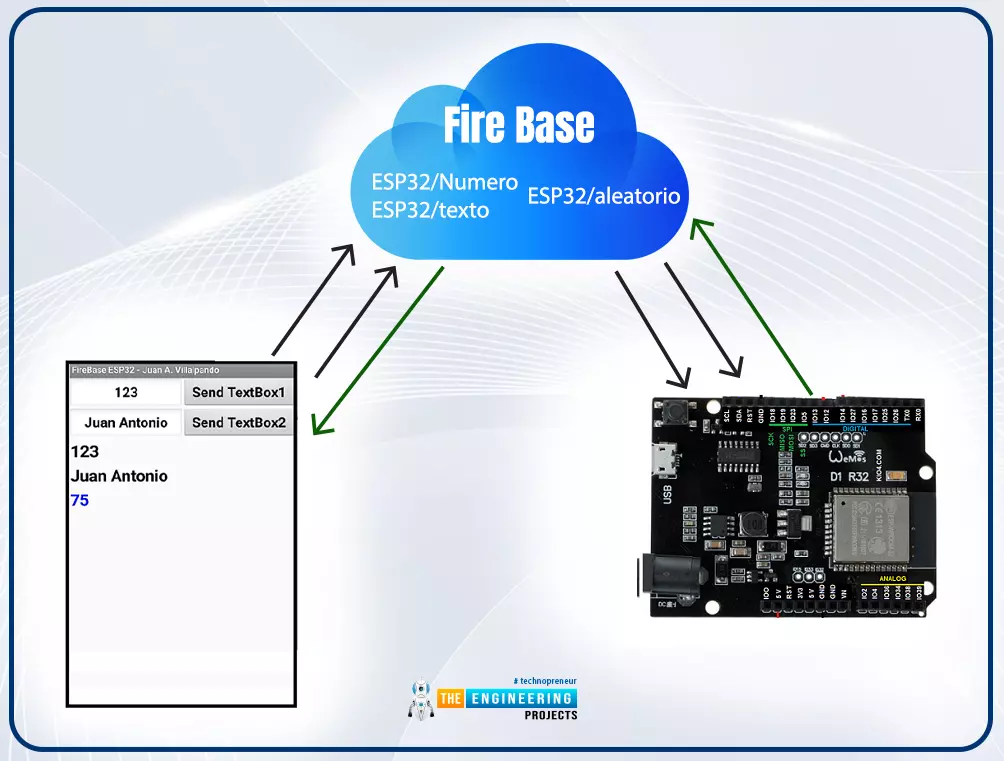
Hello readers, I hope you all are doing great. In our previous tutorial, we discussed how to upload data to Firebase Real-time Database using ESP32. In this tutorial, we will learn how to read the data stored on the Firebase Database with ESP32.
We can access the data stored in Firebase database from anywhere in the world, which makes this preferable ...
Hello readers, I hope you all are doing great. In this tutorial, we will learn how to access Firebase (a real-time database) to store and read values or data with ESP32.
It is Google’s mobile application development platform that can be used to can access, monitor and control ESP32 from anywhere in the world with its (firebase) real-time database.
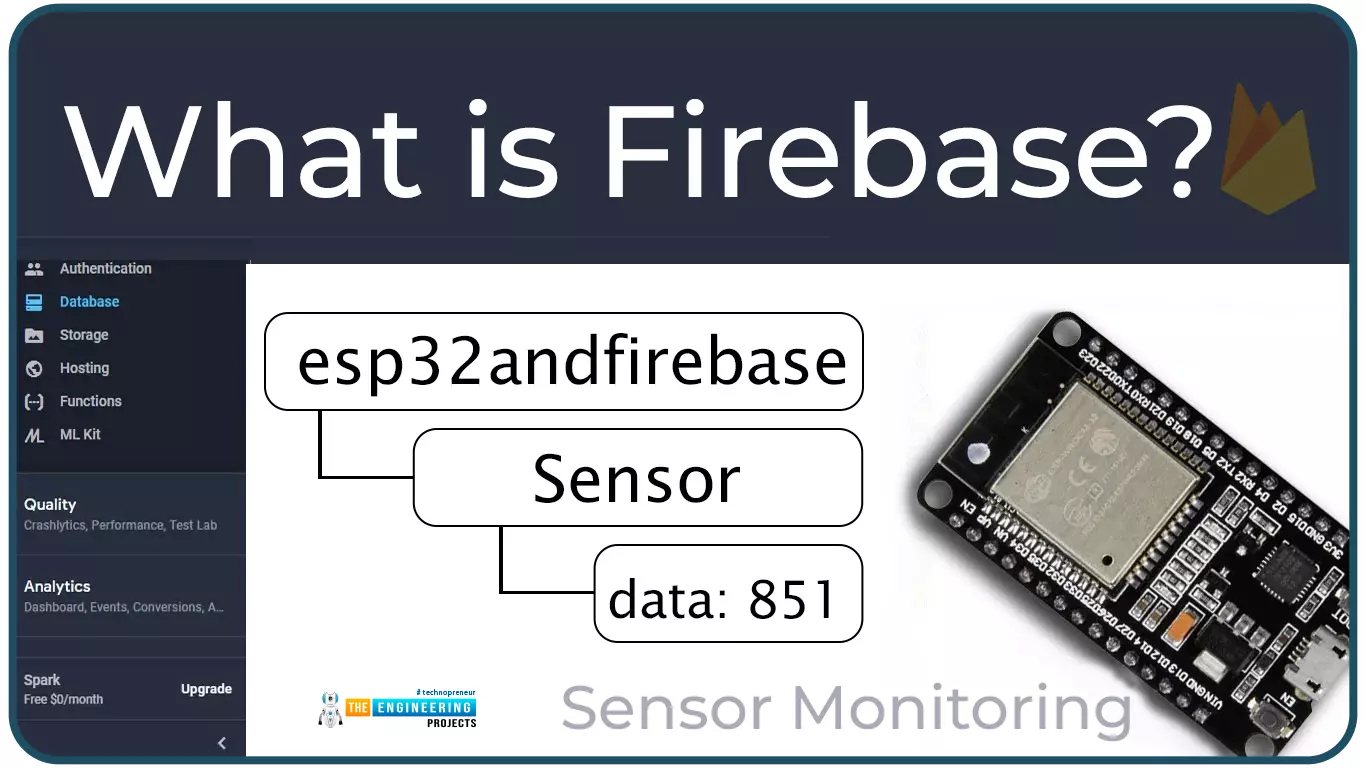
What is Firebase?
Firebase real-time database is a development platform provided by Google which included multiple services to manage and authenticate data.
Firebase is basically a mobile and web app development platform I as works great with Android APIs) that includes features like firebase cloud, real-time data and Firebase authentication etc.
As per Firebase’s official documentation (https://firebase.google.com/docs/database), whenever a us ...
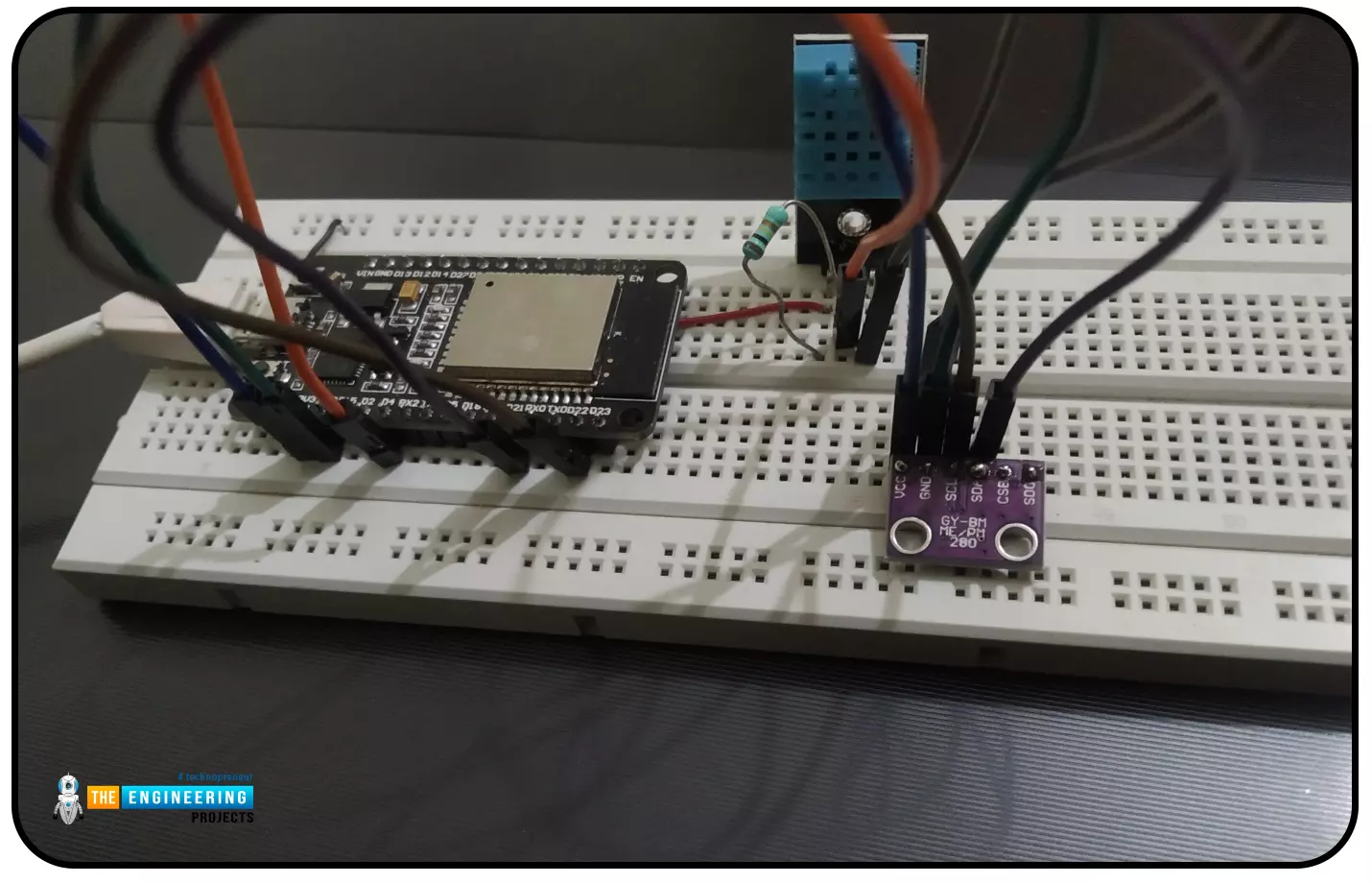
Hello readers, I hope you all are doing great. In this tutorial, we will learn how to interface the BMP280 sensor with the ES32 module to get temperature, pressure and altitude readings. Later, in this tutorial, we will also discuss how to upload these sensor readings to a web server.
BMP280
BMP280 or Barometric pressure sensor is a module used to measure temperature pressure and altitude. The small size and low power consumption feature of this sensor makes it feasible for battery-powered devices, GPS modules and mobile applications etc.
Fig. 1 BMP280 Sensor
The BMP280 is the product of BOSCH which is based on Bosch’s proven Piezo-resistive pressure sensor technology featured with high accuracy, long term stability, linearity and high EMC robus ...
Hello readers, I hope you all are doing great.
ESP32 is a powerful chip for Internet of Things applications. This tutorial is also based on one of the ESP32 applications in the field of IoT.
Project Overview
In this tutorial, we will learn how to update LCD display with new data or input using a web server created with ESP32.
Fig. 1
To achieve the target, we will be using an HTML (Hypertext Markup Language) form to provide web input and then update the text displayed on LCD. The values or input received from the webserver will be further stored inside a variable in the code for further use (to display on LCD).
We have already posted a tutorial on LCD (Liquid Crystal Display) interfacing with ESP32. In that tutorial, we demonstrated how to displa ...
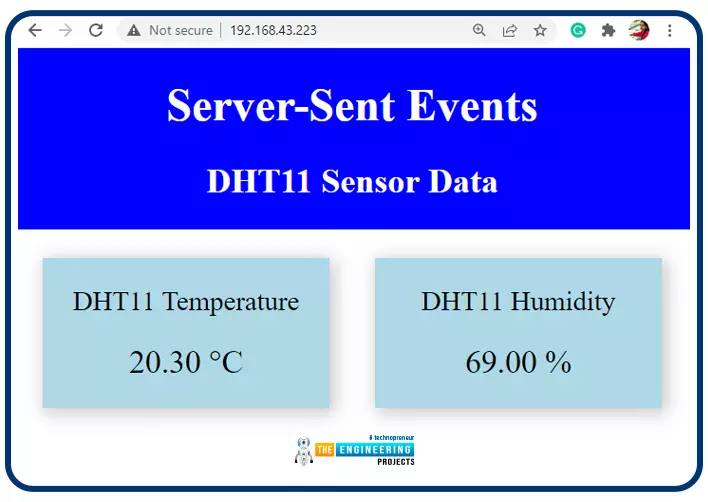
Hello readers, I hope you all are doing great. In this tutorial, we will learn how to update a webpage using Server-Sent Events and the ESP32 web server.
What is Server-Sent Events (SSE)?
It is a server push technology that enables the client devices to receive automatic updates from a server over HTTP (Hypertext Transfer Protocol) connection. SSE also describes how the server can initiate data transmission towards the client once an initial connection with the client has been established.
We have already posted a tutorial on how to implement Web socket protocol with ESP32 which is also a protocol used to notify events to a web client. Both the Server-Sent Events (SSE) and Web-Socket technologies seem to be quite similar but they are not.
The major difference between the two is that SSE ...
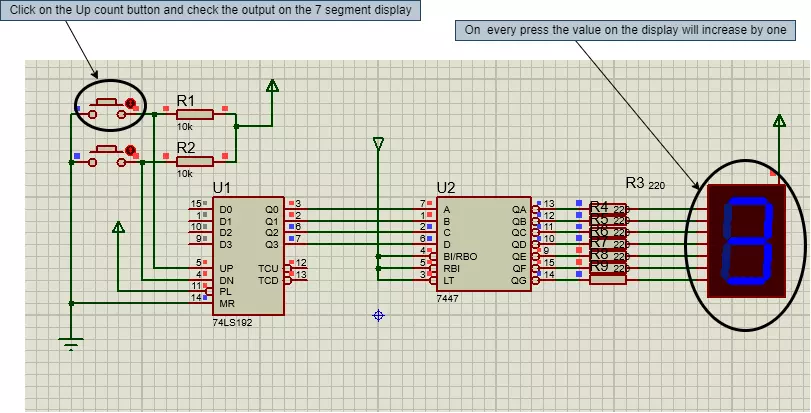
Hello geeks, welcome to our new project. In this project, we are going to make a very interesting project. I think most of us have seen the scoreboards in sports, after looking at that, have you ever wondered about the working of it. Therefore, this time, we will be making something like that only with some extra features. So basically that score board is nothing but a counter which counts the scores. Most of the geeks who have an electronics background or have ever studied digital electronics must have heard about the counter.
Here, in this project, we are going to make an Up-Down counter. A simple counter counts in increasing or decreasing order but the Up-Down counter counts in increasing and decreasing order, both depending upon the input it h ...