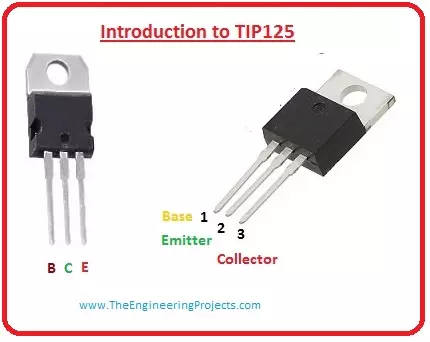
Hello friends, I hope you all are doing great. In today's tutorial, we are gonna have a look at detailed Introduction to TIP125. It is a bipolar PNP transistor, which is created for swapping and intensification submissions. It is the corresponding of transistor TIP121. The transistor is such a constituent which shows a very significant imperative on diverse electrical and electronic constituents and circuits.
There is no electronic expedient which doesn't have a transistor in its circuitry. The transistor is available in NPN and PNP configuration according to their uses. These instruments also show a significant regulation in the adaptation of current and intensification of an input signal. In today’s post, we will have a look at its protection, d ...
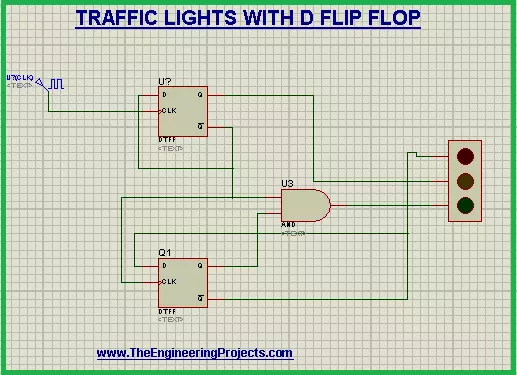
Hi Mentees! we hope you are doing great. Welcome to a super easy yet useful project based upon the simulation in Proteus. We are working on the Traffic Lights project that will work with the help of D Flip Flop. In this simple tutorial, you will be aware of the following concepts:
What are the Traffic Lights using D Flip Flop?
What is the role of D Flip Flop?
How does the circuit of D Flip Flop work in the Traffic Lights?
How can you simulate the circuit of Traffic Lights with D Flip Flop in Proteus?
In addition, you will find some important information about the Traffic Lights circuit in the DID YOU KNOW Sections. Let's start learning.
Traffic Lights with D Flip Flop
Who is not aware of the traffic lights? we all observe and use the Traf ...
Internet of Things is a system of multiple inter-related computing devices. The factor ‘thing’ in IoT is designated to an entity capable of communicating data over a network (IOT), which can be a digital machine, sensor, human being, animals etc. Each component that is included in IoT network is assigned with an unique identity called UID and the ability to communicate data over IoT network without any external human or computer intervention.
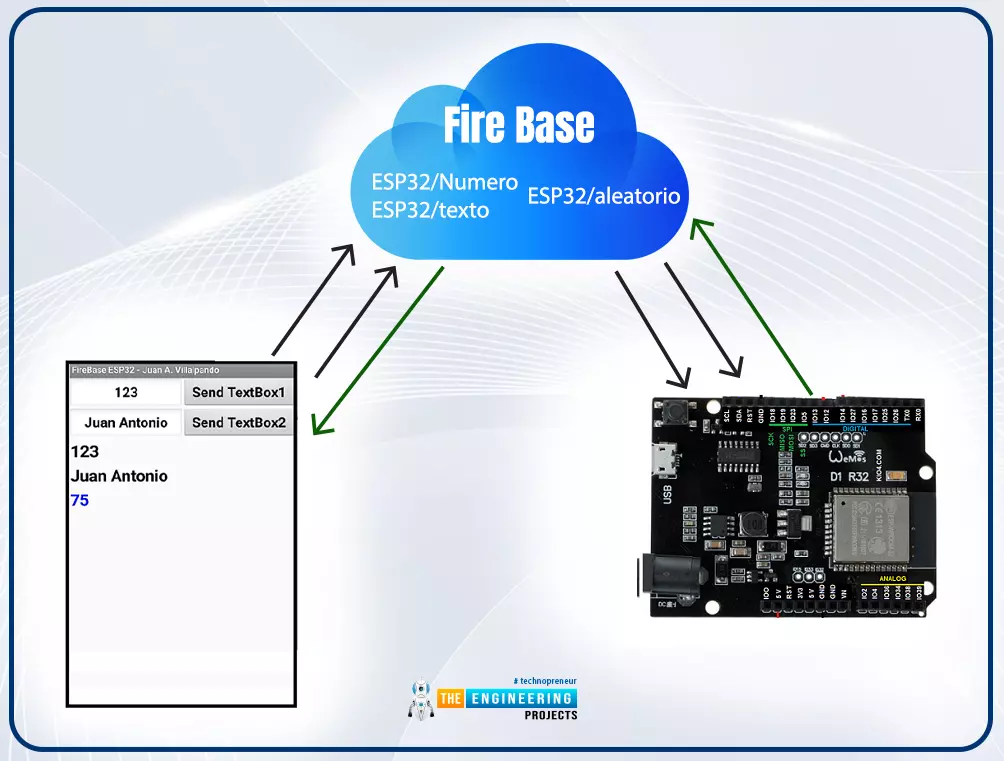
Hello readers, I hope you all are doing great. In our previous tutorial, we discussed how to upload data to Firebase Real-time Database using ESP32. In this tutorial, we will learn how to read the data stored on the Firebase Database with ESP32.
We can access the data stored in Firebase database from anywhere in the world, which makes this preferable ...
Hello student! Welcome to The Engineering Projects. We hope you are doing good. We are glad to introduce and use the Solar Panel Library in Proteus. We work day and night to meet the trends in technology. This resulted in the design of new libraries in Proteus Software by TEP and today we'll talk about the project based upon one of our library i.e, Solar Panel.
Solar Panels work very great in this era when all of the scientists are working to have a power source that is cheap, environmentally friendly, and clean. Solar energy fits in all these dimensions. We are designing a solar inverter in our today's experiment. This inverter is the best idea for the engineering project because it has endless scope, it is easy and trouble-free. In this report, y ...
Hey Fellas! Hope you are getting along with life pretty well. This post is another addition in this Arduino Tutorial for Beginners series. Today, I'll discuss How to use analogWrite in Arduino? The analogWrite is mainly used to update the status of analog pins and is also used to map the analog values on the PWM (Pulse Width Modulation) pins.
You can check the article that I have posted previously on How to use analogRead in the Arduino - this command addresses the analog pins on the board and reads its status, while today's one does the exact opposite.
In this post, I'll try to break down each and everything related to analogWrite in simple steps, so you can grab the main idea pretty well. Let's jump right in.
How to use analogWrite in Arduino?
...
ESP32 module comes with multiple inbuilt features and peripheral interfacing capability is one of those features. ESP32 module also consists of an inbuilt temperature sensor, but that can only measure the temperature of the ESP32 core not the temperature of the surrounding environment. So it is required to use a peripheral sensor to measure the temperature of the surrounding environment like home, garden, office etc.
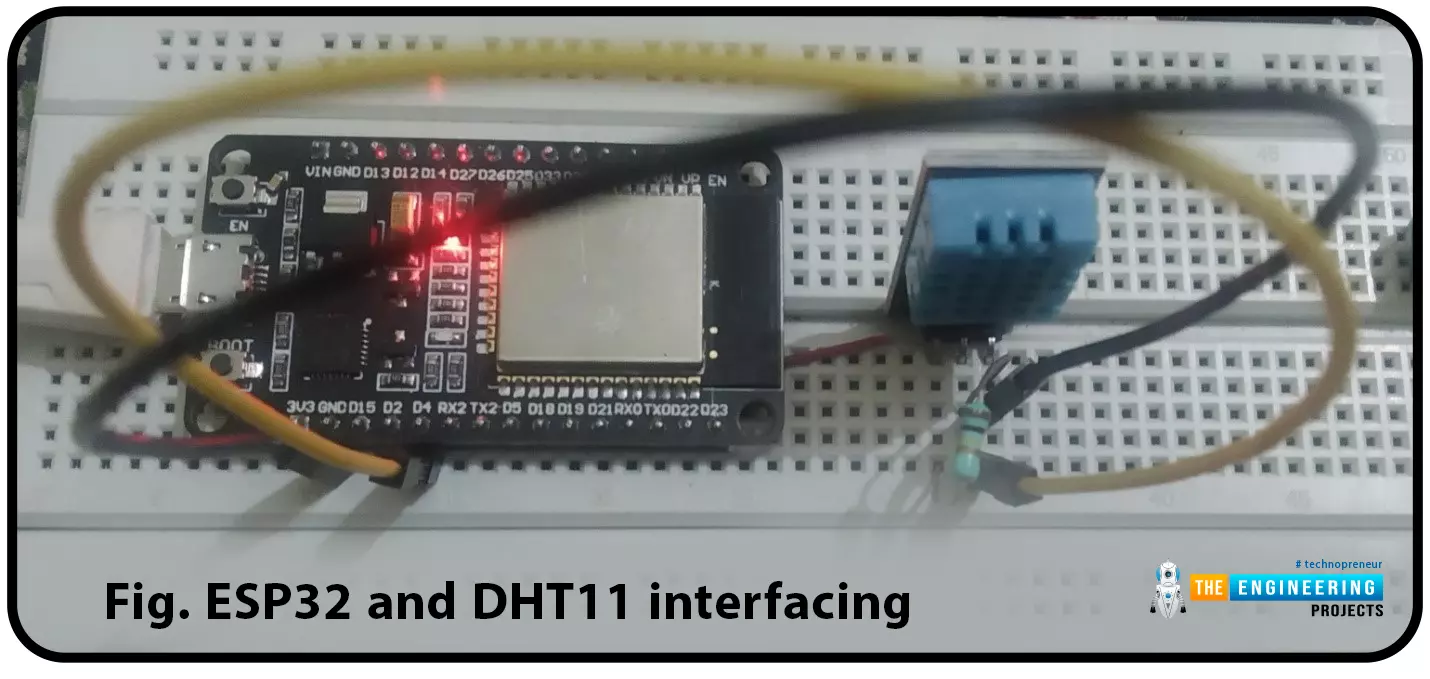
Hello readers. I hope you all are doing great. In this tutorial, we will learn how to interface DHT11 (temperature and humidity sensor) with the ESP32. Later in this tutorial, we will discuss how to share the sensor readings obtained from the DHT11 sensor to a web server.
Before moving towards the interfacing and programming part, let’s have a short introduction to the DHT11 ...
Hello friends, I hope you all are doing great. In today's tutorial, we are gonna have a look at detailed Introduction to MPR121. MPR121 is a touch sensor controller, its working is like the capacitor's working principle. This module has twelve electrodes points, it communicates via I2C protocol. When any objects come closer to an electrode point, we can observe the presence of an object by variation in capacitance of an electrode. It's working voltage should be between 2.5 to 3.6 VDC.
MPR121 is used in different industrial projects and electronic devices such as mobile phone and remote control systems. In today's post, we will have a look at its working, pinout, protocol, applications, etc. I will also share some links where I have interfaced it with other microcontrollers. If you have ...
Buy This Project
Hello everyone, I hope you all are doing great. Today, I am going to share a new Project which is Smart Blind Stick using Arduino in Proteus ISIS. I have designed its complete Simulation which I am gonna share today. We have designed this Proteus simulation off Smart Blind Stick after quite a lot of effort that's why its not free. We have placed a small amount on it and you can buy it from our shop via PayPal. You need to click on above button in order to buy this project's code and Simulation. If you have any problem in understanding this project, then you can ask in comments and I will try my best to resolve your issues.
Smart Blind Stick project is designed quite a lot in engineering universities. That's why, I thought of sha ...
Hello everyone! I hope you will be fine and having fun. Today, I am going to give a detailed Introduction to Relay. In this tutorial, we will learn the basics of relays, the working principle of relays, the types of relays and their applications in detail. A relay is a simple automatic switch that opens and closes the circuit(either electronically or mechanically) based on its input signal. A relay is an electromechanical switch that uses electromagnetism from a small current or voltage to switch higher current or voltage for different appliances. When a relay is in a Normally Open (NO) state, no current passes through it and when the relay is energized, the current starts to flow and we can say the relay is in a Normally Closed state. You should also have a look at Relay Interfacing with ...
Hello friends, I hope you all are doing great. In today's tutorial, I am going to share new Magnetic Reed Switch Library for Proteus. We are quite proud to share it as its not been designed before. Our TEP Team has designed it and I think they need a little appreciation. :P You can interface it with any Microcontroller like Arduino, PIC or 8051 Microcontroller etc.
As Proteus is a simulation software so we can't produce magnetic field in it. That's why, we have placed a TestPin and when you provide HIGH Signal to that TestPin then it will act as it has magnet around. Similarly, if you provide LOW Signal to that TestPin then it will behave normal and will sense no magnet around. Rite now, we have just designed two Magnetic Reed Switches but soon we ...