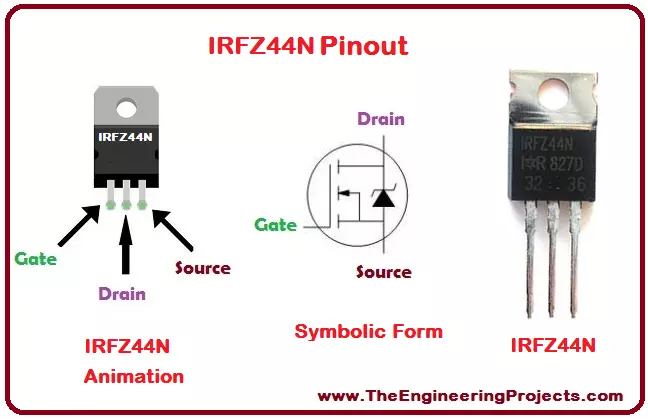
Hello everyone! I hope you all will be absolutely fine and having fun. Today, I am going to provide you a detailed Introduction to IRFZ44N.
IRFZ44N belongs to the family of Metal Oxide Semiconductor Field Effect Transistor (MOSFET). It is a power MOSFET. There are two types of MOSFET i.e. N-channel and P-channel. IRF-Z44N belongs to the N-channel family. It uses "Trench" technology and is enveloped in a plastic structure. It has very low on state resistance. It has zener diode, which provides ESD protection up to 2 kilo-volt. It is a low cost device and provides higher efficiency. It is easily available in the market these days and is mostly known because of its vast applications. IRF-Z44N has modern features i.e. advance processing technology, ...
Hello friends! I hope you will be absolutely fine and having fun. Today, I will give you an elaboration on Introduction to SG3524. I have already shared articles on Introduction to 74HC245, 74HC595, CD4051, L293D, L298, LF351 and LF411. You should also go through all of these tutorials in order to have a better understanding. SG 3524 consists of all the important functions necessary to design inverters.
Moreover, using SG-3524 we can also design regulation power supplies as well as switching regulators. This all design is based on a single chip. High power applications can also be controlled through this device. SG-3524 is especially designed for voltage doublers without transformers, transformer coupled DC to DC converters. Their design was als ...
Hello everyone! I hope you all will be absolutely fine and having fun. Today I am going to given elaboration on Introduction to L293D. L 293D is basically a high current dual motor driver/controller Integrated Circuit (IC). It is able to drive load having current up to 1A at the voltage ranging from 4.5V to 36V. Motor driver usually act as current amplifier because they receive a low current signal as an input and provides high current signal at the output.
Motors usually operates on this higher current. L-293D has to builtin H-Bridge driver circuits and is able to control two DC motors at a time in both clockwise and counter clockwise direction. It has two enable pins and they should be kept high in order to control the motor. By changing the p ...
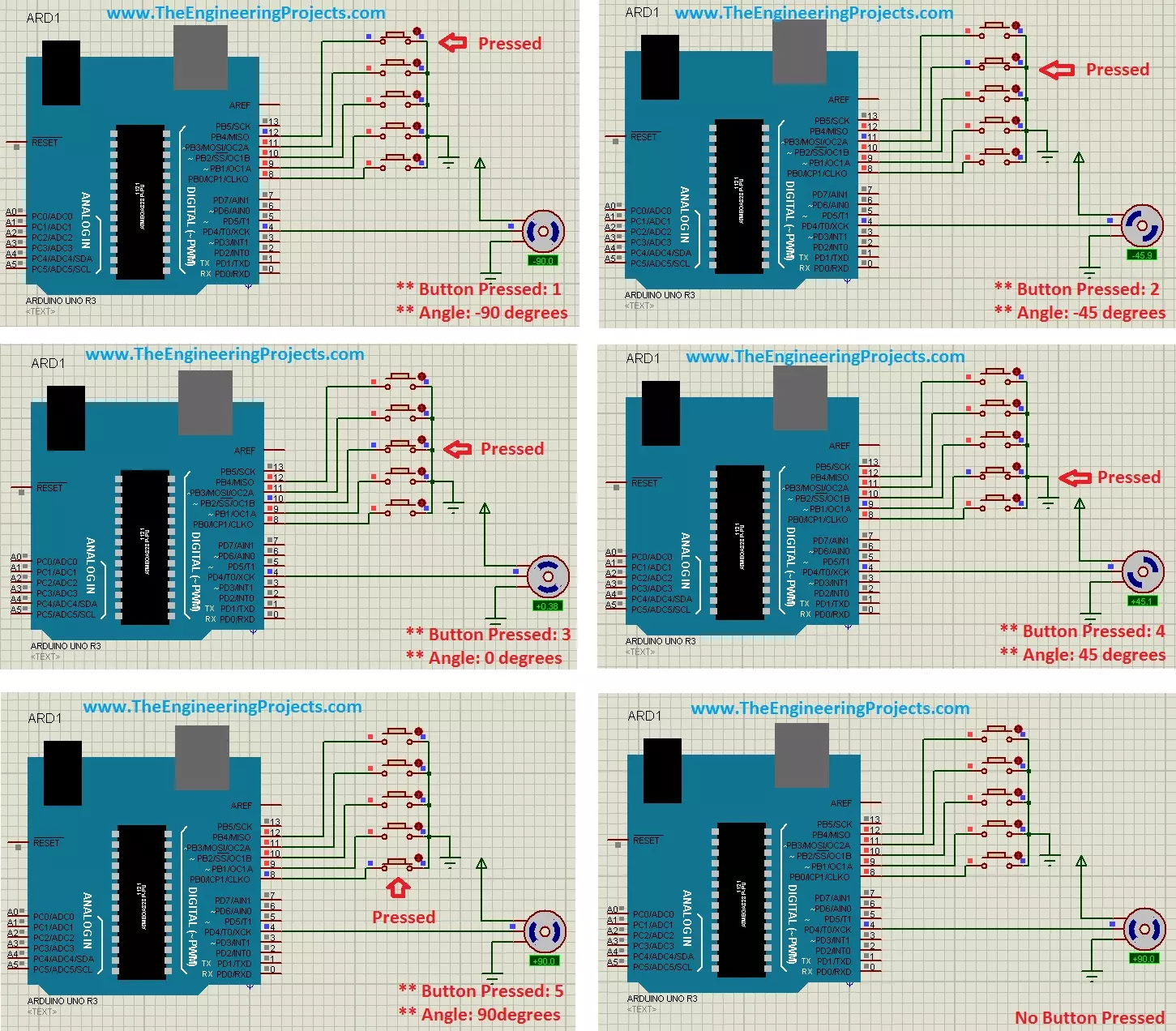
Hello friends, hope you all are fine and having fun with your lives. Today's post is about the Controlling of Servo Motor with Arduino in Proteus ISIS. Servo Motor is a common motor used in engineering projects for precise circular motion. We can move the servo motor at any desired angle, which is not possible in the case of other motors i.e. Stepper or DC.
For example, suppose I want to move an antenna at a precise angle of 47.5 degrees then if I use DC Motor, I have to use an encoder. So, in such cases instead of using a DC motor, I will prefer Servo Motor.
I have already posted Angle Control of Servo Motor using 555 Timer in which I have controlled servo motor using 555 timer and another tutorial about Controlling of Servo Motor using PIC Micro ...
Hello everyone, I hope you all are doing great. In today's article, I am going to show you How to Control Raspberry Pi 3 from Laptop or Computer. In our previous tutorial, we have seen How to setup 7 inch HDMI LCD with Raspberry Pi 3 and you must have noticed that designing your code on TFT LCD is quite difficult. So, either you have the LCD or not, its always better to work on your Laptop.
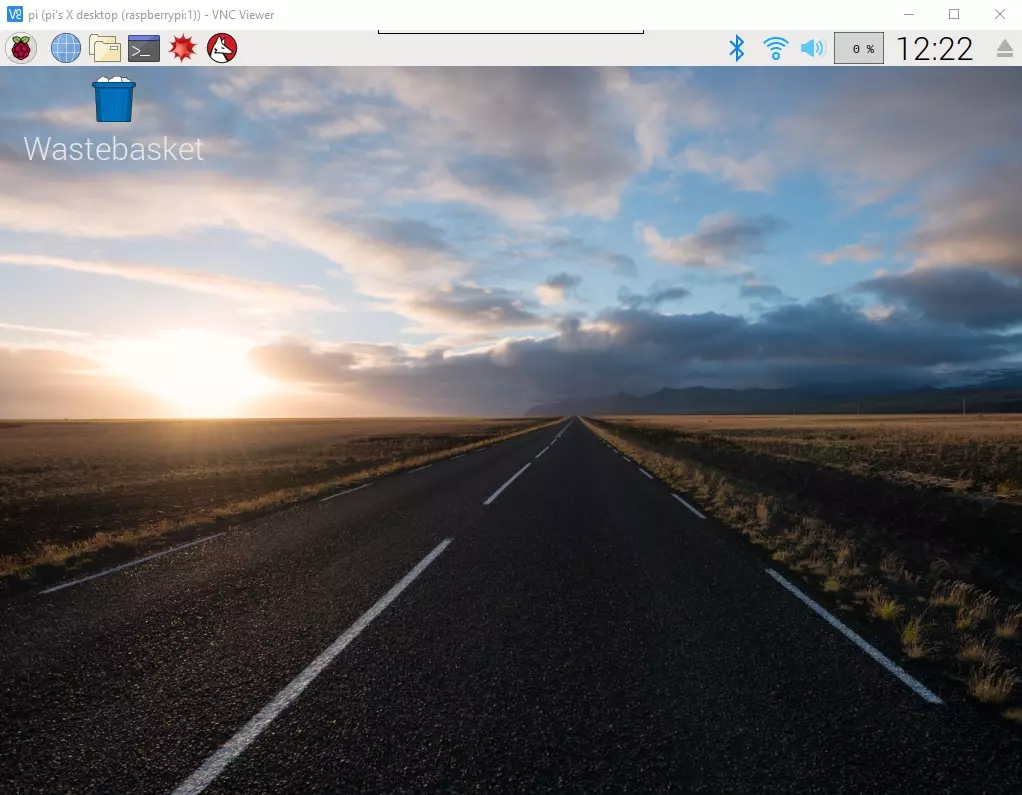
In order to control our raspberry Pi 3 from Laptop, we have to use VNC server & client. It's a third party tool designed by RealVNC. We have to install VNC server on the raspberry Pi and VNC viewer on our laptop & after that we can quite easily control our VNC Server from VNC Viewer (Client). So, let's get started with How to Control Raspberry Pi 3 from ...
Engineering is one of the areas in your life that you really enjoy. Taking on new projects, getting them working, and then getting them operating as they should is what you are passionate about. For as long as you can remember, you have been passionate and interested in engineering, but have you ever thought seriously about turning it into a career? Engineering careers, whether in the consumer sector or in the B2B sector, are highly sought-after roles. Getting qualified and developing your skills along the way is important to make the transition from hobby to career, but what else should you be thinking about?
Turning Your Passion into a Career
When you turn your passion, or your hobby, into a career, it can feel fantastic, but it can also feel l ...
Parts Pre-order Service provides customers order components and saves them for their JLCPCB SMT service. Consumers prepay for the parts and buy the required components in advance to ensure sufficient components are ready anytime. Meanwhile, they can immediately arrange the supply of parts through the advance sale for their electronic products. The parts save in their own library, safe and easy.
Pre-order service accumulates different demands from people all around the world, is making parts need more clear and easier, therefore JLCPCB cooperates with customers to help complete orders, the order in large quantities, help win more discounts, and create maximum value and benefits for customers.
JLCPCB Parts Pre-order build up supply amid a global s ...
Hello friends, I hope you all are doing great. In today's tutorial, we are gonna Create a New Controller in ASP.NET MVC. It's 6th tutorial in our ASP.Net MVC series. We have already had a look at basic Introduction to Controllers in ASP.NET MVC and they are used to communicate between Views & Models.
So, now we are gonna have a look at How to Create a New Controller in ASP.NET MVC. It's a very quick tutorial, as there's not much to do with Controller rite now, we will just create one. So, let's get started with it:
Create a New Controller in ASP.NET MVC
In order to Create a New Controller in ASP.NET MVC, you have to right click on the Controllers folder in Solution Explorer.
Now click on the Add and then click on Controllers as shown in ...
Welcome to the next tutorial of our raspberry pi 4 tutorial. In the previous tutorial, we learnt how to interface a gas sensor with a pi 4. However, in this tutorial will cover how to automate your home with a Raspberry Pi and Bluetooth Low Energy. To automate a home means to mechanize its environment, including the appliances within it. To that end, we've designed an intelligent lamp whose functionality can be adjusted from afar via a companion mobile app.
Using your smartphone, you'll be able to manage a variety of household gadgets. The following code demonstrates using a mobile device as a remote controller for a Raspberry Pi's GPIO pins. (Or another BleuIO Dongle).
Instructions Requirements
The recently introduced Raspberry Pi 4 will serve ...
Following up on our Raspberry Pi programming course is the next lesson. In the previous post, we learned how to construct an FM radio using a Raspberry Pi. Analog FM broadcasting's circuit construction was also studied in detail. How to use a Raspberry Pi as an internet speed meter and save the data in Grafana or Google Drive is the subject of this article.
You can use this article if you want to keep track of how your downloads, uploads, and ping speeds change over time, and it's easy to use. In addition, you can use this to determine when your internet is at its busiest or if your internet speed has deteriorated. We'll demonstrate how to use Ookla's Internet speed test command-line interface in conjunction with Python code to create an internet speed meter.
...