Hello friends, I hope you all are doing great. Today, I am going to share the Thunderboard BG22 Library for Proteus, so you can run a Bluetooth LE sensor simulation of Silicon Labs' coin-cell development board. The Thunderboard BG22 carries the EFR32BG22, one of the most power-efficient Bluetooth LE chips, together with sensors for temperature, humidity, light and motion, a yellow LED, a push button and a holder for a CR2032 battery. With this library it runs your Arduino sketch in Proteus 8.5, reads its sensors from a Sensors window, talks Bluetooth LE to a phone, and its LED and buttons work with a click.
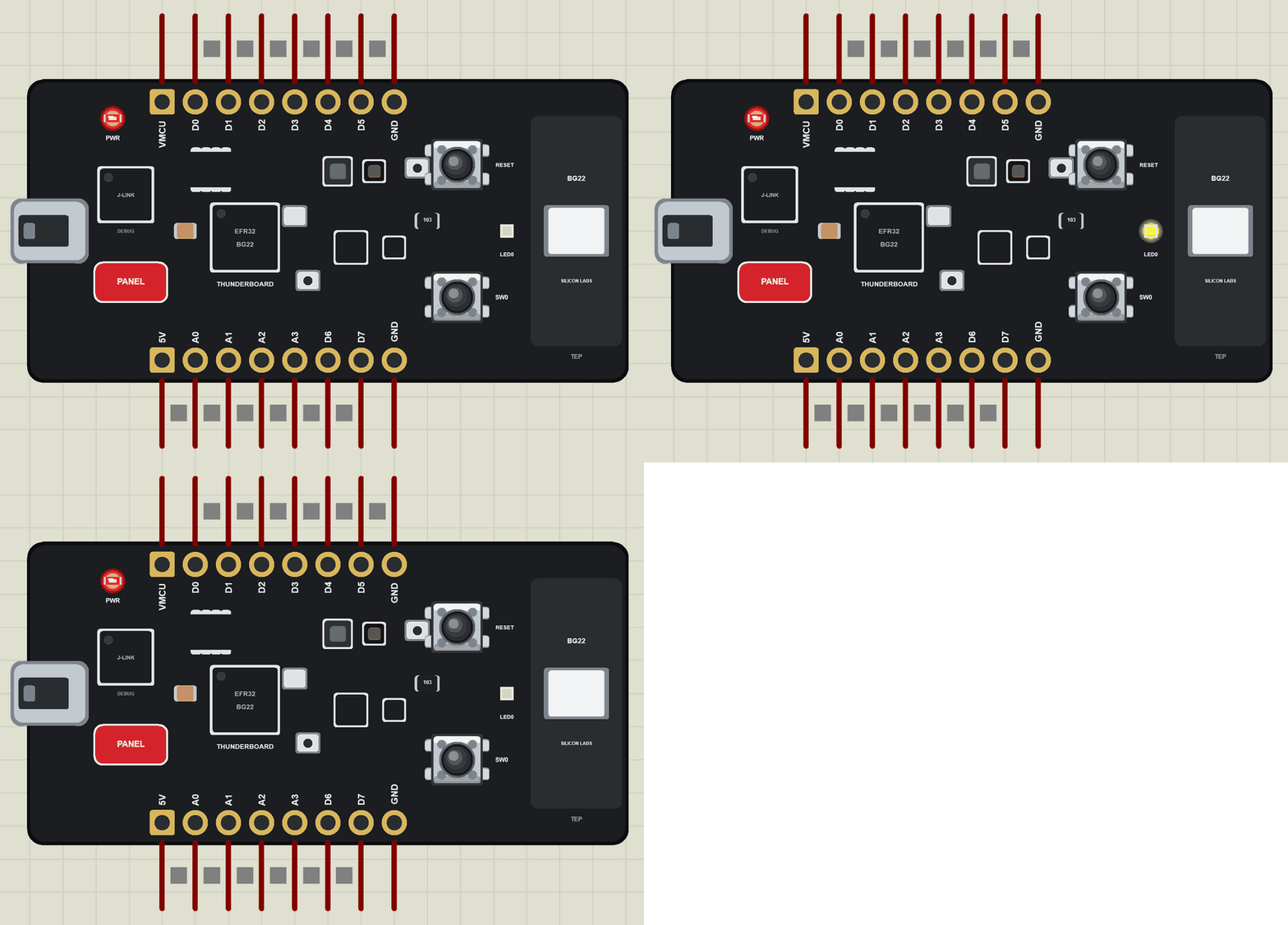
Thunderboard BG22 Library for Proteus
Latest version: V1.0 (November 2026, this tutorial)
Other new Arduino boards: UNO R4 WiFi · Nano ESP32 · UNO WiFi Rev2 · Nano 33 IoT · UNO Q · UNO R4 Minima · Nano Every · MKR WiFi 1010 · Nano RP2040 Connect · STM32 Black Pill · Nucleo-F401RE · STM32 Blue Pill · Teensy 4.1 · Arduino Due · Arduino Leonardo · Arduino Micro · BBC micro:bit V2 · GIGA R1 WiFi · MKR WAN 1310 · Nano 33 BLE Sense · XIAO nRF52840 Sense · RAK4631 WisBlock · Nano Matter · nRF52840 DK · nRF5340 DK · nRF9151 DK · nRF7002 DK · Nordic Thingy:53 · xG24 Dev Kit · xG24 Explorer Kit
RF modules: nRF24L01 · nRF24L01 PA LNA · CC1101 · RFM69HCW · HC-12 · 433MHz RF · XBee
Temperature and weather sensors: DHT11 / DHT22 · DS18B20 · BME280 · BMP280 · SHT31 · AHT20 · BME680 · MLX90614 · MAX6675
Helping Tools
- Laptop WiFi Monitor: a laptop on the Wi-Fi of your design: a browser, a TCP / UDP terminal and ping
- Mobile WiFi Monitor: a smartphone that opens the pages of your board and sends it commands
- Serial Monitor Advance: a serial terminal window for the UART of your board
For the demo we built a sun exposure badge: a small tag worn on a bag or a cap that counts how long its wearer has been in the sun, lights its LED when the day's dose is reached, warns about heat, and reports everything to a phone over Bluetooth LE.
NOTICE: Proteus has no EFR32BG22 model and no model of the board's sensors, so our team has put a lot of effort into building this board ourselves: the pins, the LED, the buttons, the sensors and Bluetooth LE are all our own model, and your sketch compiles with our free TEP Boards for Proteus add-on. Your feedback is the fuel that keeps us going, so please tell us what you think in the comments below. And if our free libraries help you, you can buy us a coffee. So, let's get started with the Thunderboard BG22 Library for Proteus:
What is the Thunderboard BG22?
The Thunderboard BG22 (SLTB010A) is Silicon Labs' small, low-cost board for the EFR32BG22 Blue Gecko, a Bluetooth LE SoC built for products that must run for years on a coin cell. The chip is an Arm Cortex-M33 running up to 76.8 MHz, with 512 kB of flash and 32 kB of RAM. Around it the board has an on-board J-Link debugger with a USB port and a virtual COM port, a temperature and humidity sensor, an ambient light sensor, a 6-axis IMU, a Hall-effect sensor, two microphones, an SPI flash, a yellow LED, a push button, a 2.4 GHz ceramic antenna and a CR2032 holder on the back, with an automatic switch-over between USB and battery power.
| Part | The real Thunderboard BG22 | In the library |
|---|---|---|
| SoC | EFR32BG22: Arm Cortex-M33, Bluetooth LE | your Arduino sketch, ArduinoBLE |
| Temperature, humidity | Si7021 | Arduino_HS300x calls, from the Sensors window |
| Ambient light | VEML6035 | Arduino_APDS9960 calls |
| Motion | ICM-20648 6-axis IMU | Arduino_BMI270_BMM150 calls |
| Hall effect, microphones | Si7210, two PDM microphones | drawn |
| On the board | LED0 (yellow), SW0, RESET, J-Link with USB | all of them, animated; the USB opens the monitor |
| Power | USB or a CR2032 coin cell | drawn (the holder is on the back) |
| Memory | 512 kB flash, 32 kB RAM | about 256 KB of flash, 8 KB of RAM |
Why a Coin-Cell Board?
A CR2032 holds about 220 mAh. A product that must last a year on it may use only a few tens of microamps on average, which means its chip has to sleep almost all the time and wake up only to measure, decide and send a short Bluetooth packet. The EFR32BG22 was made for exactly that: very low sleep and radio currents, fast wake-up and a radio that needs little energy per packet. The Thunderboard puts that chip on a board that can run from the coin cell on its back, so a team can measure the real battery life of an idea, not just guess it, and then try changes such as a longer sleep or a slower advertising interval and see what each one is worth.
Bluetooth Direction Finding
The EFR32BG22 also supports Bluetooth direction finding. With an antenna array on the receiver, the angle of arrival of a packet can be measured, so a tag like this board can be located inside a building. That makes the BG22 a popular chip for asset tracking, indoor positioning research and smart labels in hospitals and warehouses. A wheelchair, an infusion pump or a pallet carries a tag, a few receivers on the ceiling measure the angles, and a server shows where everything is, so staff stop searching and start using the equipment.
How a Light Sensor Sees the Sun
An ambient light sensor such as the VEML6035 measures how bright the light is, in counts that the sketch can turn into lux. A living room is a few hundred lux, an office about five hundred, an overcast day outside several thousand, and direct summer sun can pass a hundred thousand lux. That huge range is what makes a simple threshold work so well: the jump from a room to direct sun is so large that the badge does not confuse the two, and the near-darkness of a pocket or a bag is just as easy to tell apart. In the simulation the Sensors window's DARK, ROOM and SUN buttons give the three typical readings.
Thunderboard BG22 or xG24 Dev Kit?
Both are small Silicon Labs boards with sensors and an on-board debugger, but they aim at different products. The Thunderboard BG22 is about the lowest power and the lowest cost: Bluetooth LE only, a smaller memory and a coin cell, the right choice for tags, beacons and wearables that must last for months. The xG24 Dev Kit has a bigger chip with an AI/ML accelerator, more memory, a pressure sensor and a radio that also speaks Thread, Zigbee and Matter, for smart-home devices and edge AI. A sketch that only uses Bluetooth LE and the common sensor calls moves between the two with few changes.
Where Is It Used?
Research groups and product teams use the Thunderboard BG22 for wearables, beacons, sensor tags and asset trackers, for battery-life studies, and as a first step towards a custom coin-cell product. Our demo is a typical wearable: a badge that measures, decides and tells the phone. A bigger sister with more sensors and a pressure sensor is the xG24 Dev Kit; see our xG24 Dev Kit Library for Proteus.
A simulation cannot measure microamps, but it lets you build and test the whole logic of such a device first: the sensor readings, the counting, the LED, the button and the Bluetooth service. When the logic works in the Proteus simulation, moving it to the real board is much quicker.
How Bluetooth LE Notifications Work
A Bluetooth LE device offers services, and each service holds characteristics, small values with a UUID that a phone can read. Our badge has one service with four characteristics: the light, the sun dose, the temperature and the place (SUN, SHADE or POCKET). A phone subscribes once, and the board sends a notification every time a value changes. Our Mobile WiFi Monitor is that phone in Proteus.
Features of the Thunderboard BG22 Library for Proteus
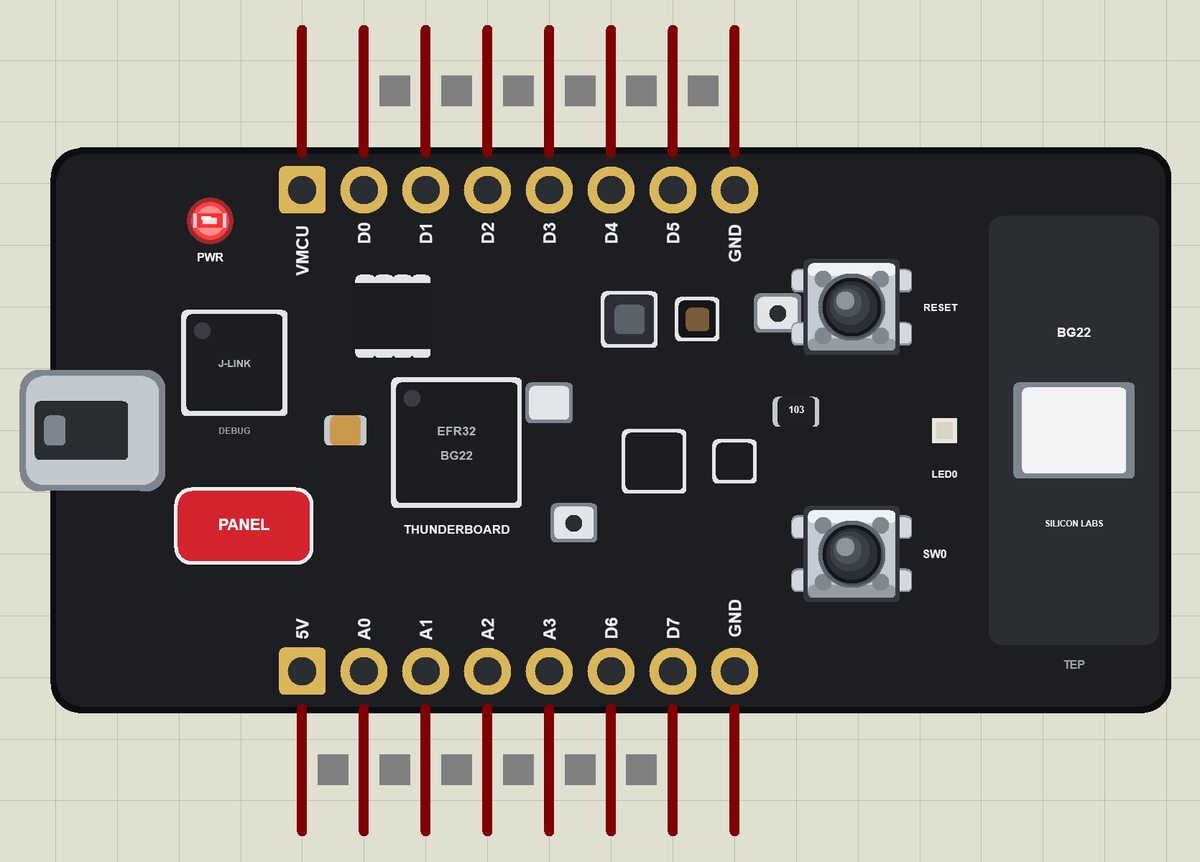
- The board as it looks: the black PCB with the USB port, the J-Link debugger, the EFR32BG22, the sensors, the yellow LED0, SW0 and RESET, the ceramic antenna, the breakout pads and the PANEL pad, drawn compact, with our small TEP signature.
- Your sketch: a .hex for "Silicon Labs Thunderboard BG22 (TEP Proteus)" with the pin names D0 to D7, A0 to A3, LED0 and SW0.
- The sensors: temperature, humidity, light and motion through the board package's sensor libraries, set from the Sensors window.
- Bluetooth LE: ArduinoBLE, with our phone as the central: scan, connect, read, write and notifications.
- A real LED and buttons: LED0 lights yellow when HIGH; SW0 and RESET are clicked on the board.
- A complete package: about 3.3 MB with the part, the add-on, the phone and the demo, without the source code of the models.
The Thunderboard BG22 in Proteus Simulation
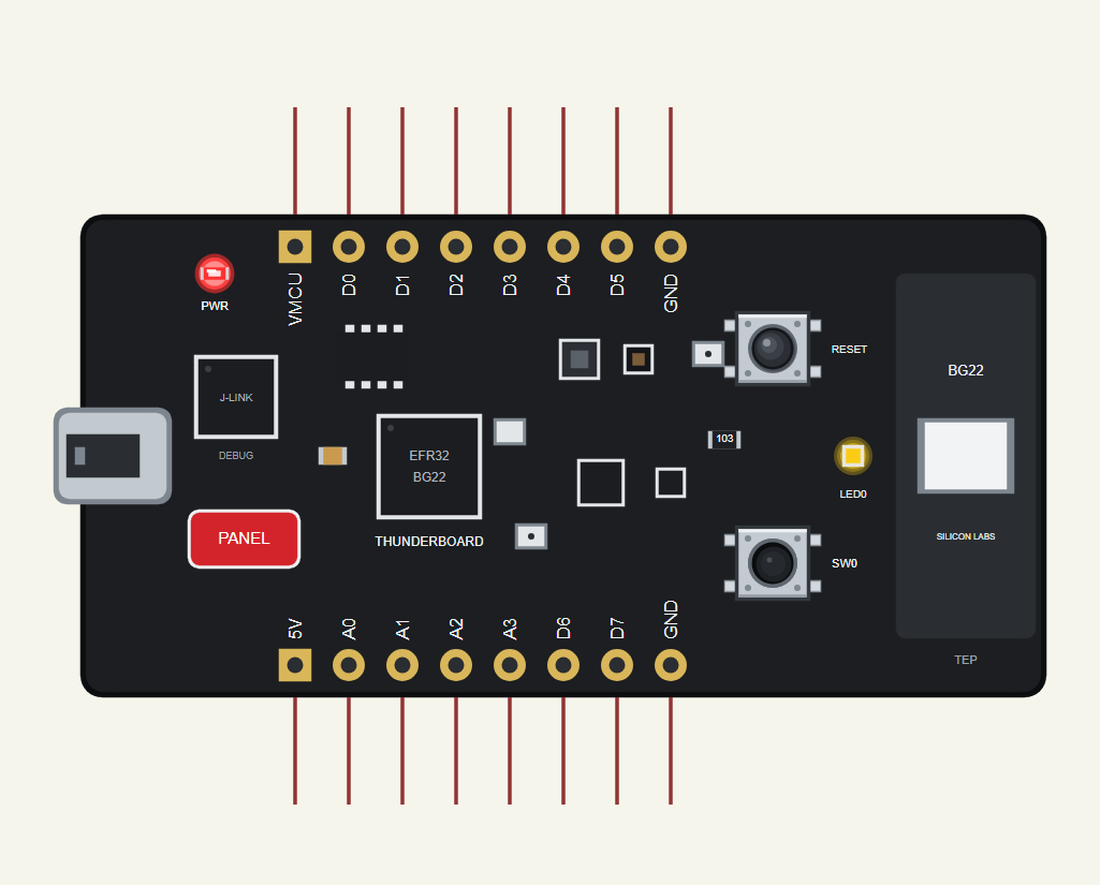
Search THUNDERBOARD in Pick Devices; the device is in TEPTBG22.LIB (Microprocessor ICs, Bluetooth Boards), with the prefix U. Click the USB port for the serial monitor and the PANEL pad for the Sensors window. The sensor calls are the same as on our Arduino Nano 33 BLE Sense Library for Proteus.
The Pins
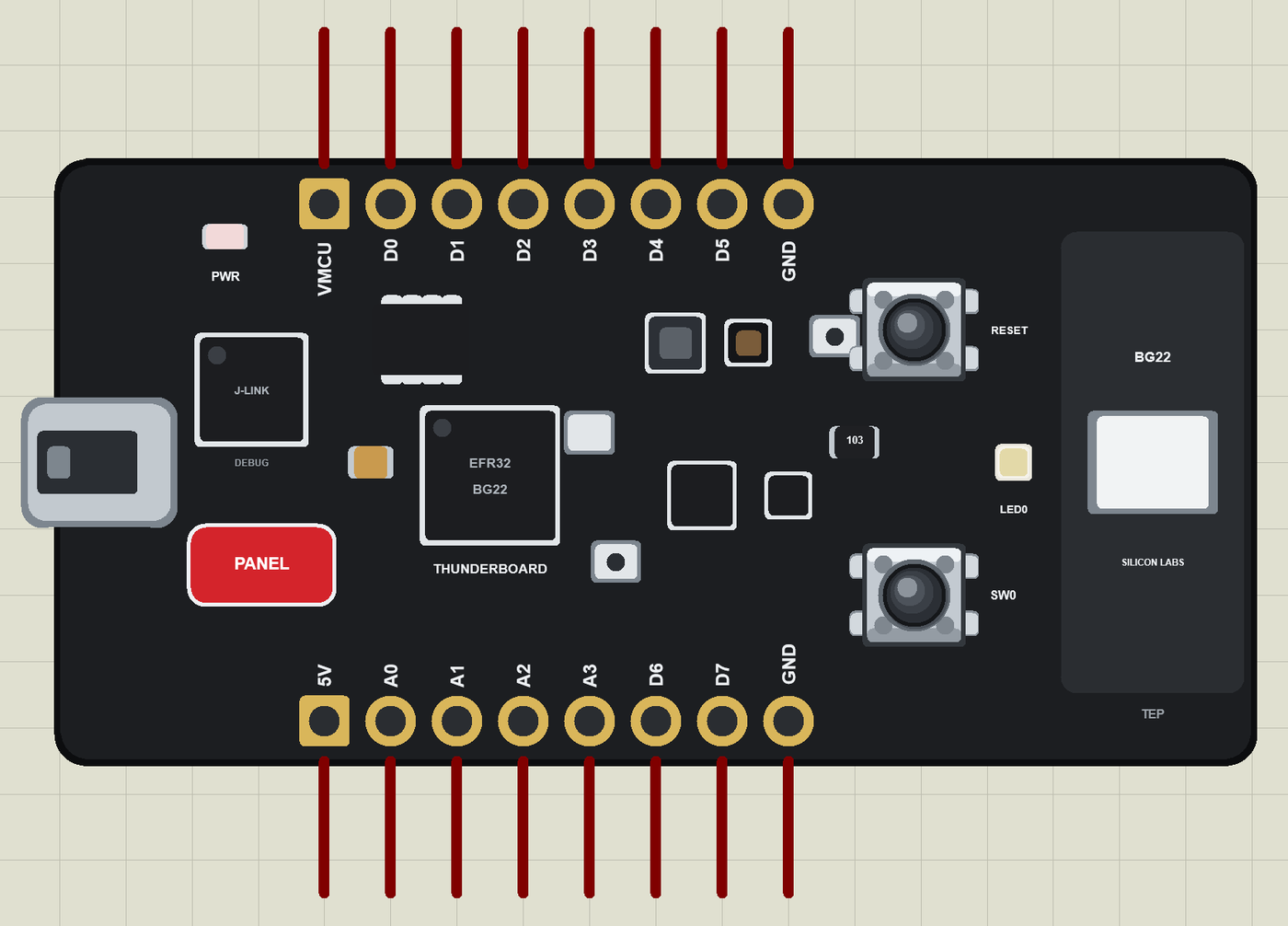
The Silicon Labs Arduino core does not include the Thunderboard BG22, so the library gives the breakout pads simple names of its own:
| Pins | What the library does with them |
|---|---|
| D0 to D7 | GPIO, PWM with analogWrite, attachInterrupt; D0 / D1 Serial1, D2 to D5 SPI, D6 SDA, D7 SCL |
| A0 to A3 | analogRead 0 to 1023 for 0 to 3.3 V, or GPIO |
| LED0 | the yellow LED (12), lit when HIGH |
| SW0 | the push button (13), LOW when pressed |
| VMCU, 5V, GND | the supply |
The Sensors Window
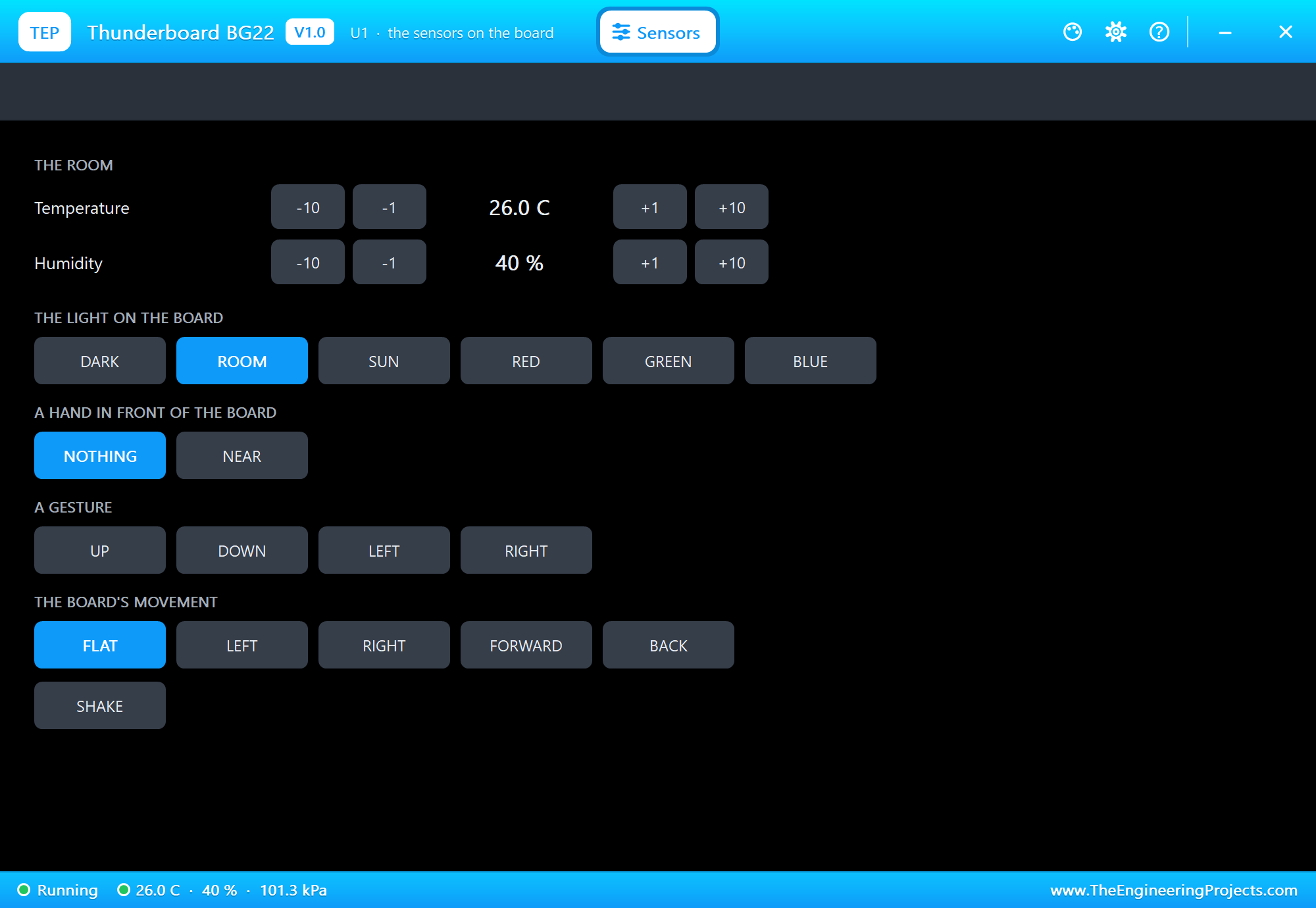
The PANEL pad opens the Sensors window: the temperature and the humidity with -10, -1, +1 and +10 buttons, the light (DARK, ROOM, SUN or a colour), a hand, a gesture, a tilt and a shake. This board has no pressure sensor, so there is no pressure row.
Download Thunderboard BG22 Library for Proteus
Click the button below to download Thunderboard-BG22-Library-for-Proteus-v1.0.zip (about 3.3 MB, without the source code of the models):
Thunderboard BG22 Library for Proteus V1.0- README.txt: installation, the demo, the pins, the properties, troubleshooting and the limits.
- Proteus Library Files:
TEPTBG22.LIBand the phone and laptop:TEPMOBILE.LIBandTEPLAPTOP.LIB. - Proteus Model Files:
TEPNET.DLL. - Arduino Code: the demo sketch and the TEP Boards for Proteus add-on 1.67.0, with ArduinoBLE and the sensor libraries.
- Proteus Simulation: the demo project, its HEX file and a copy of the DLL.
No Proteus yet? Read How to Download and Install Proteus 7 and 8. New to libraries? Follow How to Install a New Library in Proteus.
How to Install Thunderboard BG22 Library for Proteus
- Close Proteus and extract the whole zip file, for example to your Desktop.
- Copy the files from Proteus Library Files into the LIBRARY folder of Proteus.
- Copy
TEPNET.DLLfrom Proteus Model Files into the MODELS folder, replacing an older one. - Delete
TEPTBG22.IDXfrom the LIBRARY folder if it is there. - For your own sketches, copy Arduino Code\TEP Boards for Proteus\hardware into your Arduino sketchbook (Documents\Arduino) and restart the Arduino IDE; the board is Silicon Labs Thunderboard BG22 (TEP Proteus).
- Start Proteus, press P and search for THUNDERBOARD.
Demo: a Sun Exposure Badge in Simulation
Too much sun is a health risk for outdoor workers, children and anyone on a long day out, and people rarely notice how long they have really been in it. A small badge that counts the time in direct sun and gives a clear signal at the limit is a simple, useful wearable, and exactly the kind of coin-cell device the Thunderboard BG22 is made for.
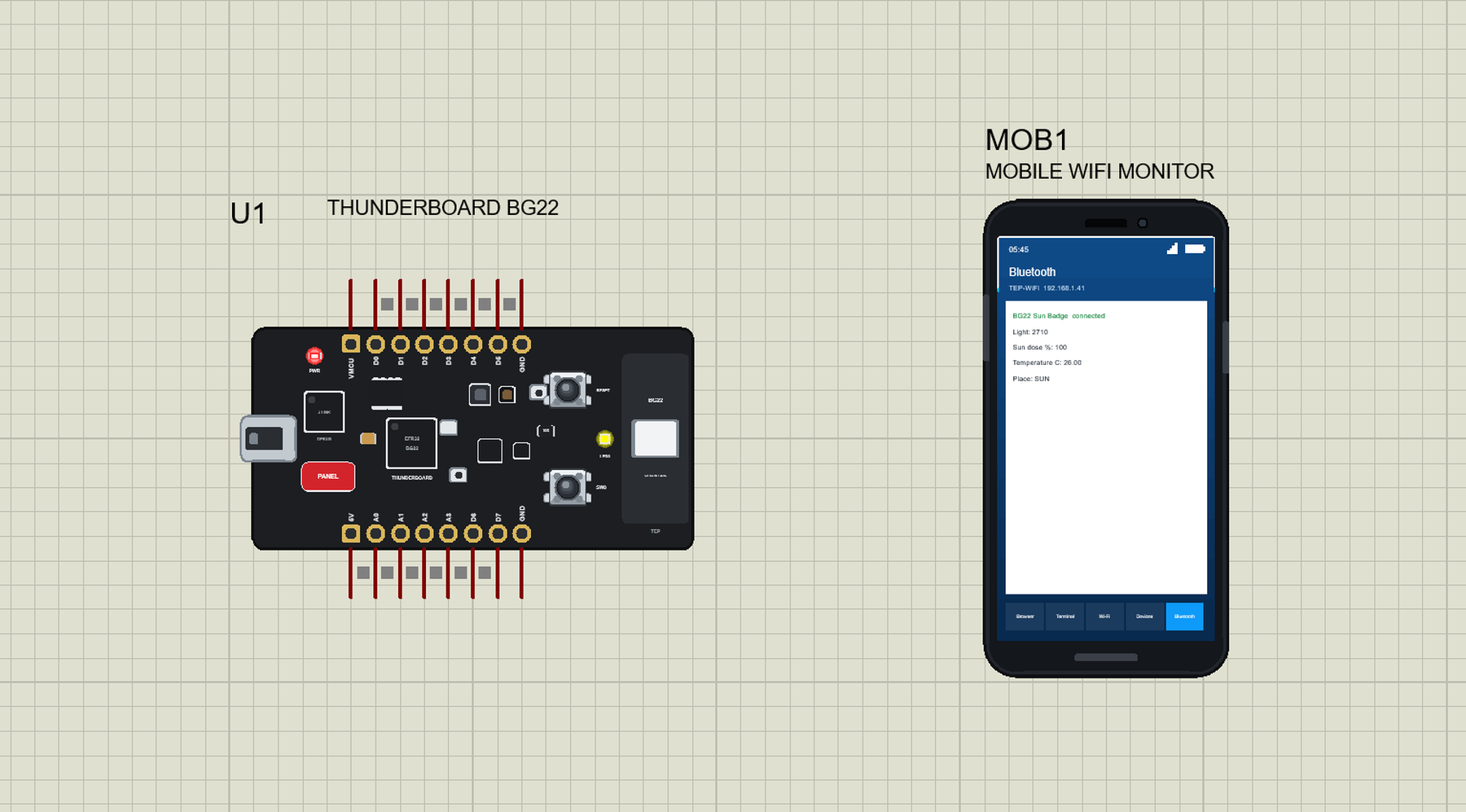
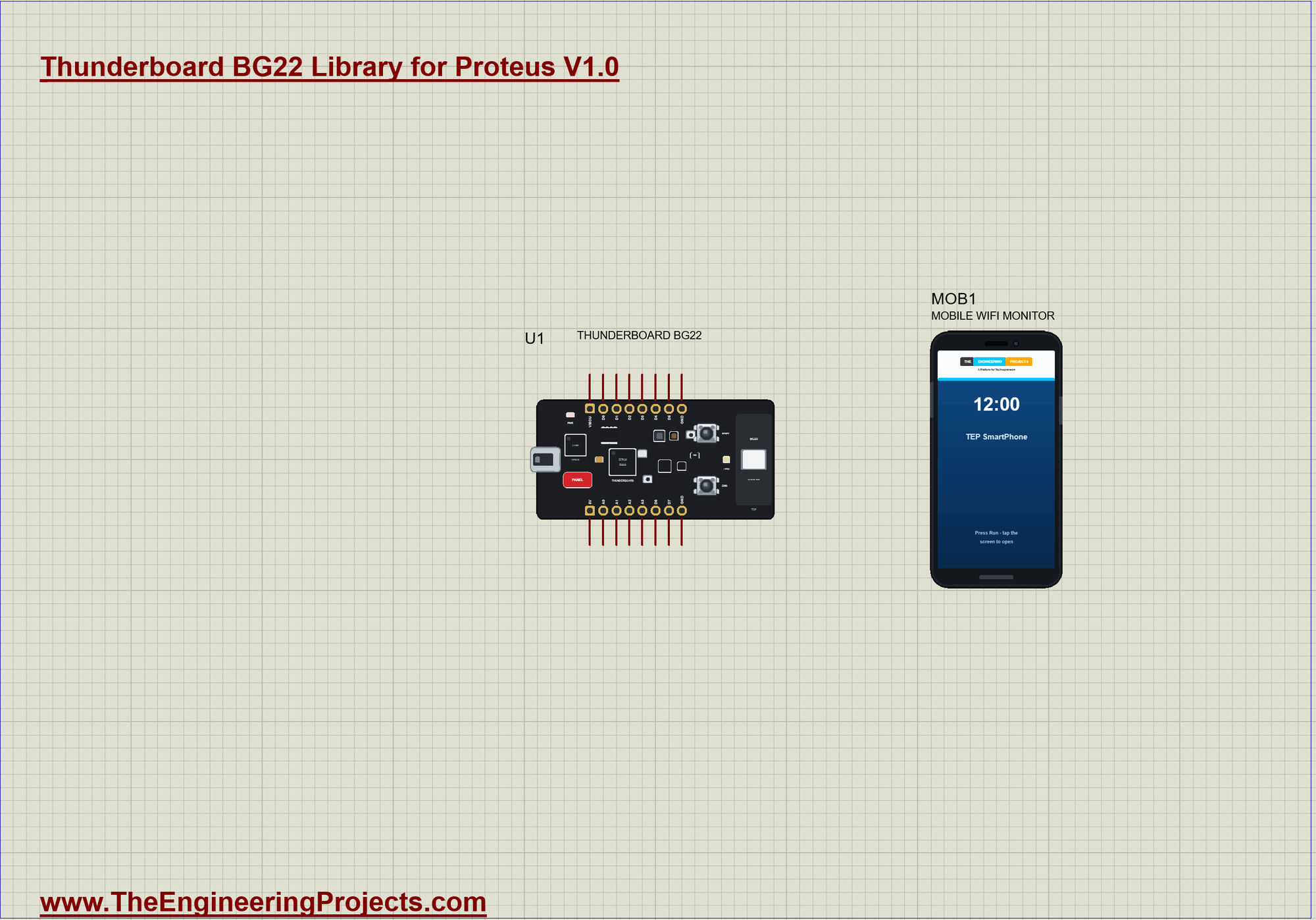
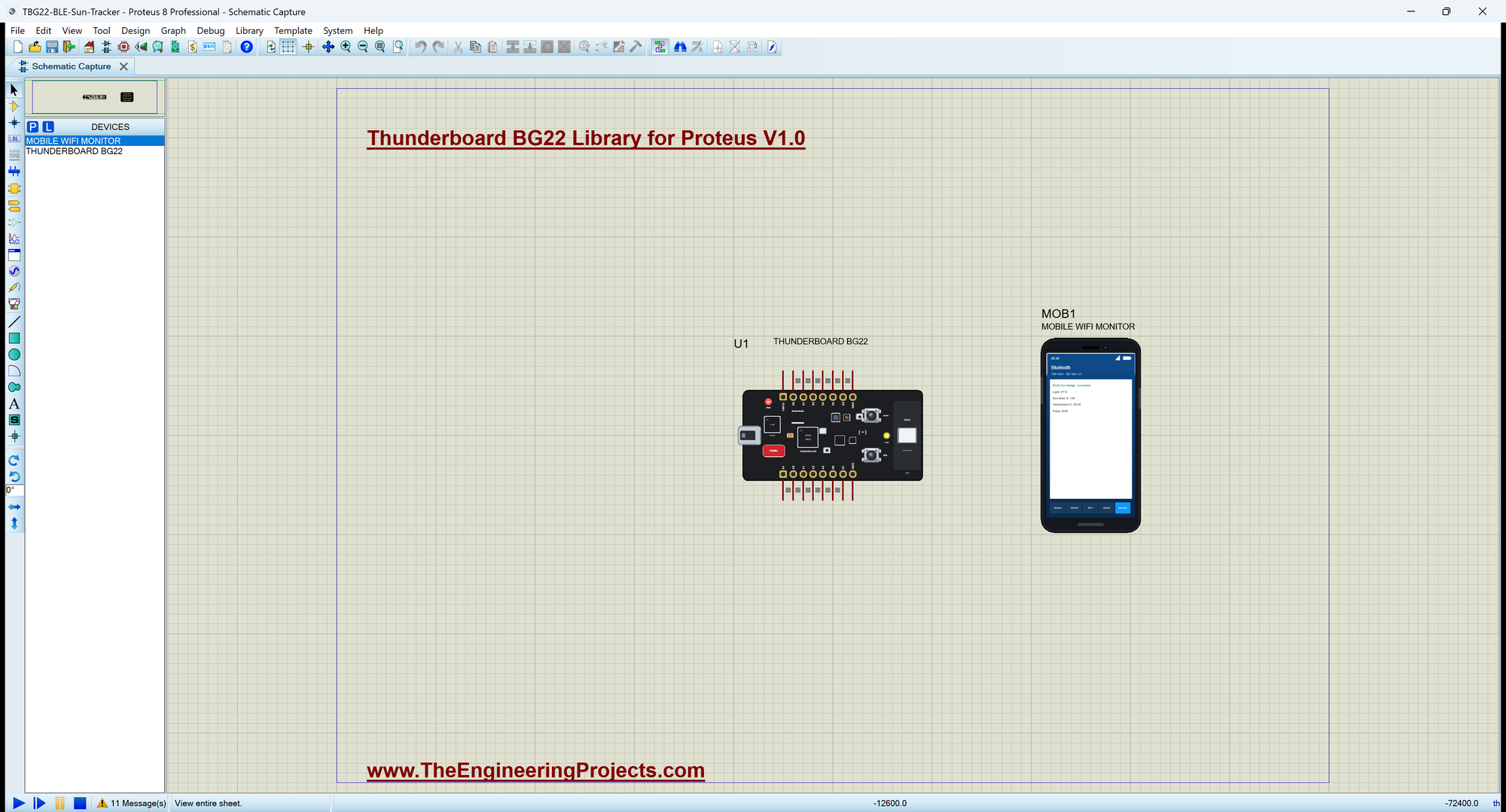
Open TBG22-BLE-Sun-Tracker.pdsprj. U1 runs TBG22_Sun_Tracker.hex, and MOB1 is the phone, whose Bluetooth app connects to the board. There are no wires on this sheet. The serial monitor is the same window as our TEP Serial Monitor Advance for Proteus.
Sun, Shade or Pocket
The light sensor tells three places apart: direct sun is far brighter than a room, and a pocket or a bag is almost dark. newPlace() reports a change of place only once:
void newPlace(const String &p) {
  if (p == place) return;
  place = p;
  placeChar.writeValue(place);
  if (place == "SUN") Serial.println(F(">> In the sun - counting the dose"));
  else if (place == "POCKET") Serial.println(F(">> In a pocket - paused"));
  else Serial.println(F(">> In the shade"));
}
Counting the Dose
Once a second, while the badge is in the sun, the dose goes up. At the limit LED0 lights and stays on for the rest of the day. In the demo the limit is 15 seconds so you can see it; in a real badge each step would be a minute:
  if (place == "SUN" && sunSeconds < LIMIT_S) {
    sunSeconds++;
    doseChar.writeValue(dosePercent());
    if (sunSeconds >= LIMIT_S && !limitReached) {
      limitReached = true;
      digitalWrite(LED0, HIGH);                             // LED0: today's dose is reached
      Serial.println(F(">> SUN LIMIT reached - find some shade"));
    }
  }
A New Day
SW0 reads LOW while it is pressed. handleButton() acts only on the change to LOW and starts a new day: the dose back to 0 and LED0 off:
void handleButton() {
  const bool now = digitalRead(SW0);
  if (now == lastButton) return;
  lastButton = now;
  if (now != LOW) return;                                   // act on the press
  sunSeconds = 0;
  limitReached = false;
  digitalWrite(LED0, LOW);
  doseChar.writeValue(0);
  Serial.println(F(">> SW0: a new day, the dose is 0 %"));
}
The Bluetooth Service
The service holds the four values, each with BLERead | BLENotify; the temperature uses the standard UUID 0x2A6E:
BLEService sunService("19B10070-E8F2-537E-4F6C-D104768A1214");
BLEIntCharacteristic lightChar("19B10071-E8F2-537E-4F6C-D104768A1214", BLERead | BLENotify);
BLEIntCharacteristic doseChar("19B10072-E8F2-537E-4F6C-D104768A1214", BLERead | BLENotify);
BLEFloatCharacteristic tempChar("2A6E", BLERead | BLENotify);
BLEStringCharacteristic placeChar("19B10073-E8F2-537E-4F6C-D104768A1214", BLERead | BLENotify, 8);
Run the Simulation
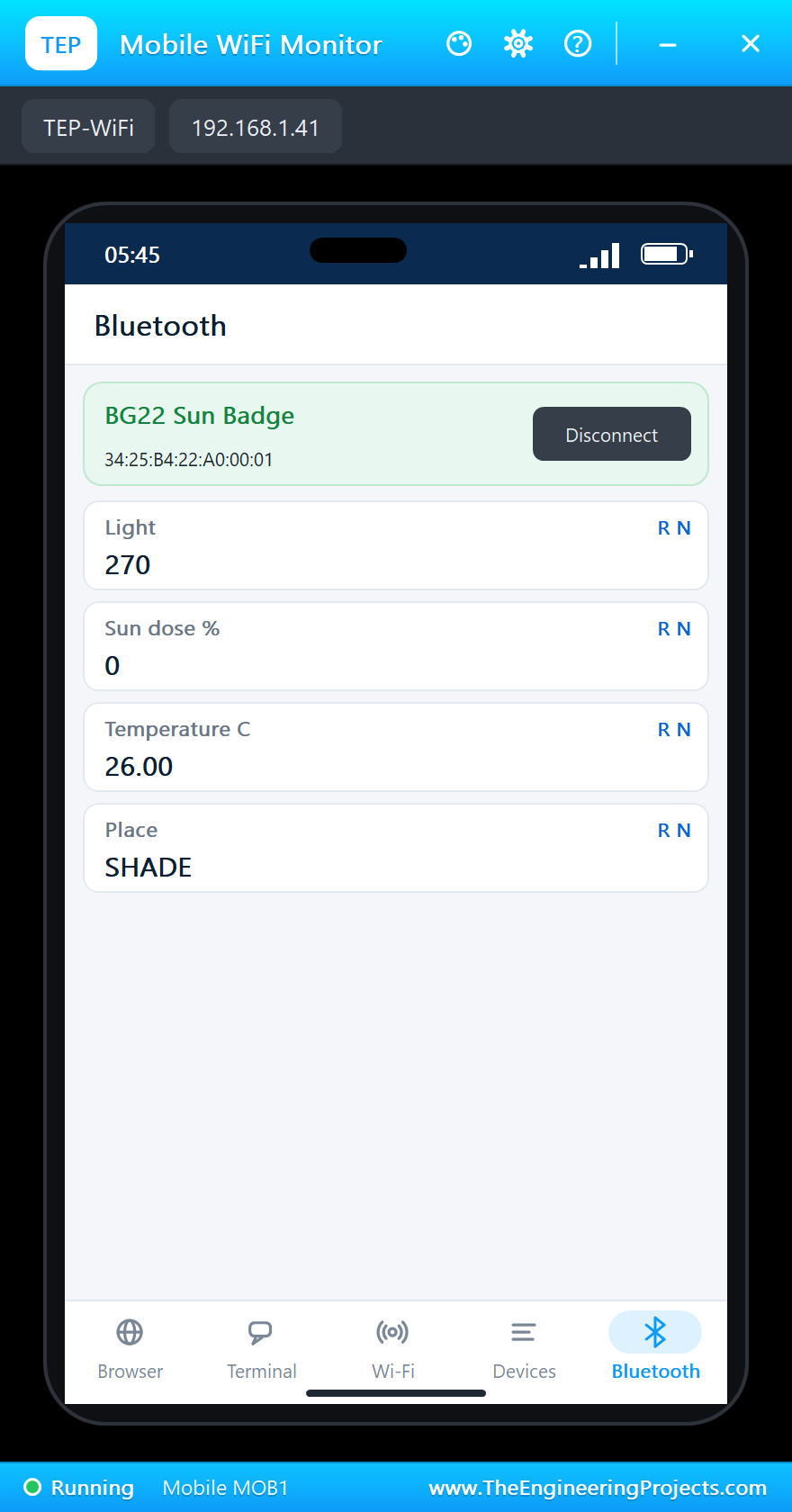
Press Run. The badge starts advertising as "BG22 Sun Badge". The light is a normal room, so it is in the shade:
Thunderboard BG22 Bluetooth Sun Exposure Tracker - The Engineering Projects
Advertising as "BG22 Sun Badge", address 34:25:B4:22:A0:00:01
SW0 = a new day (the dose back to 0)
>> In the shade
Light 270  SHADE  dose 0 %  26.0 C  40 %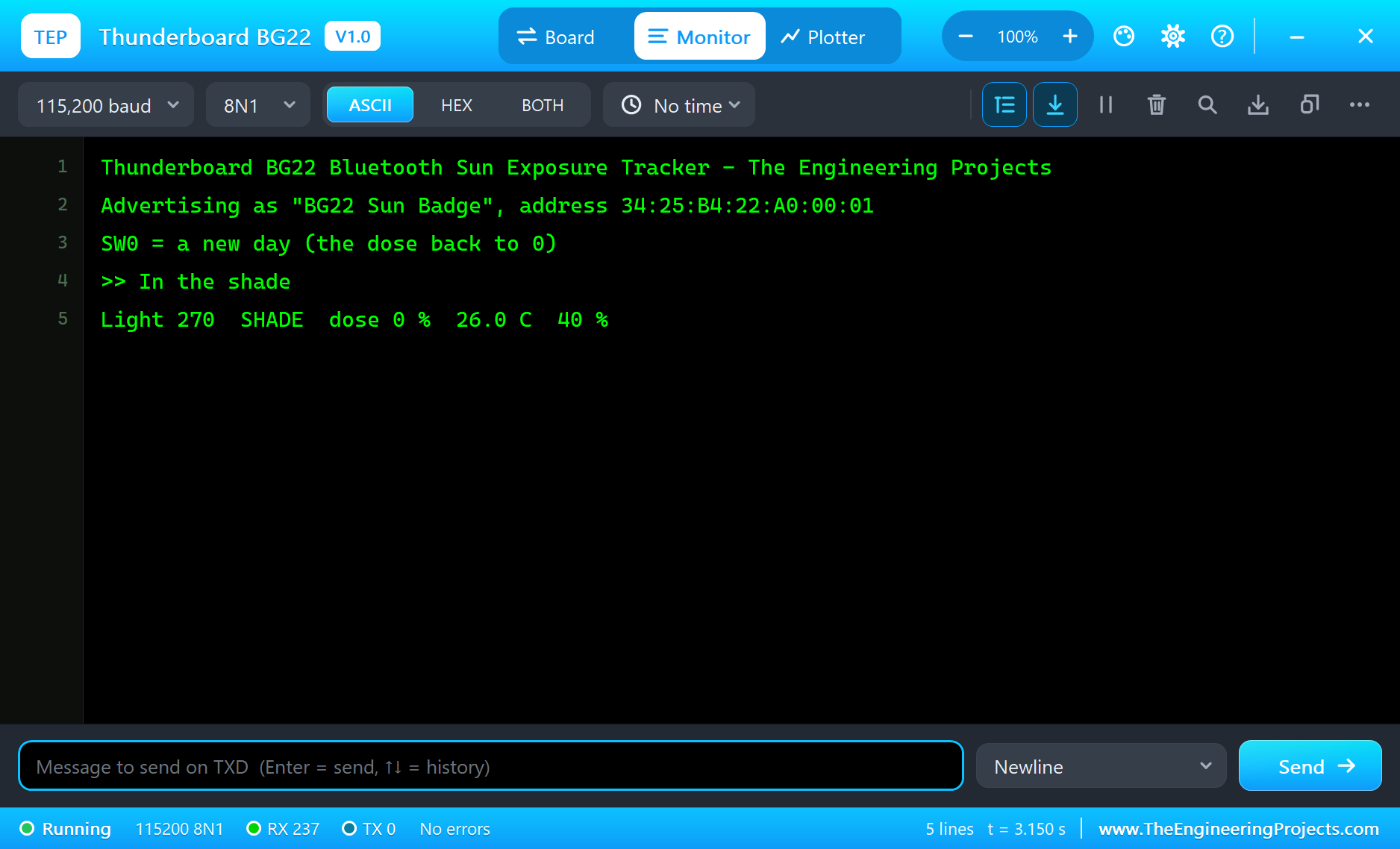
Connect the Phone
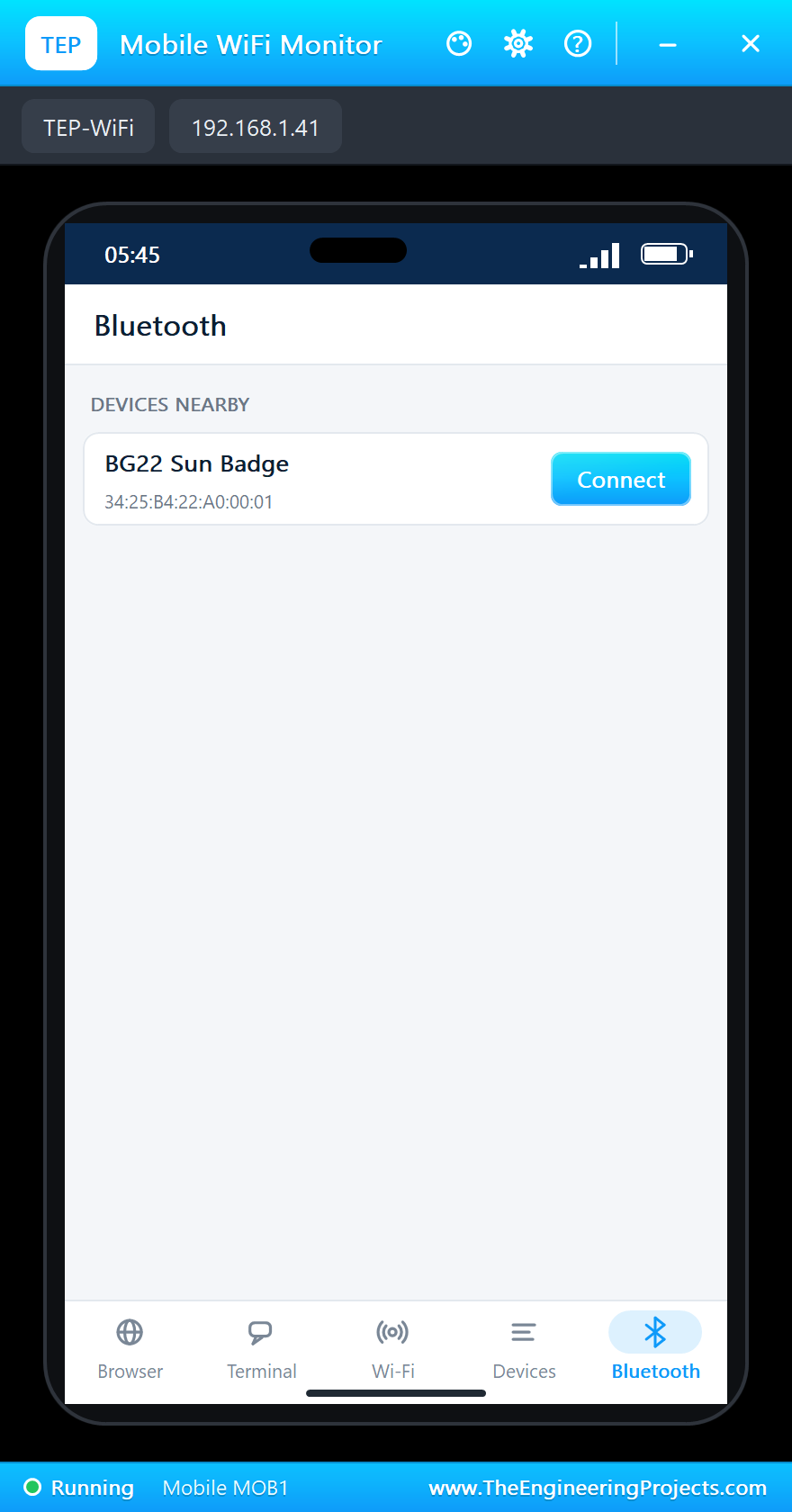
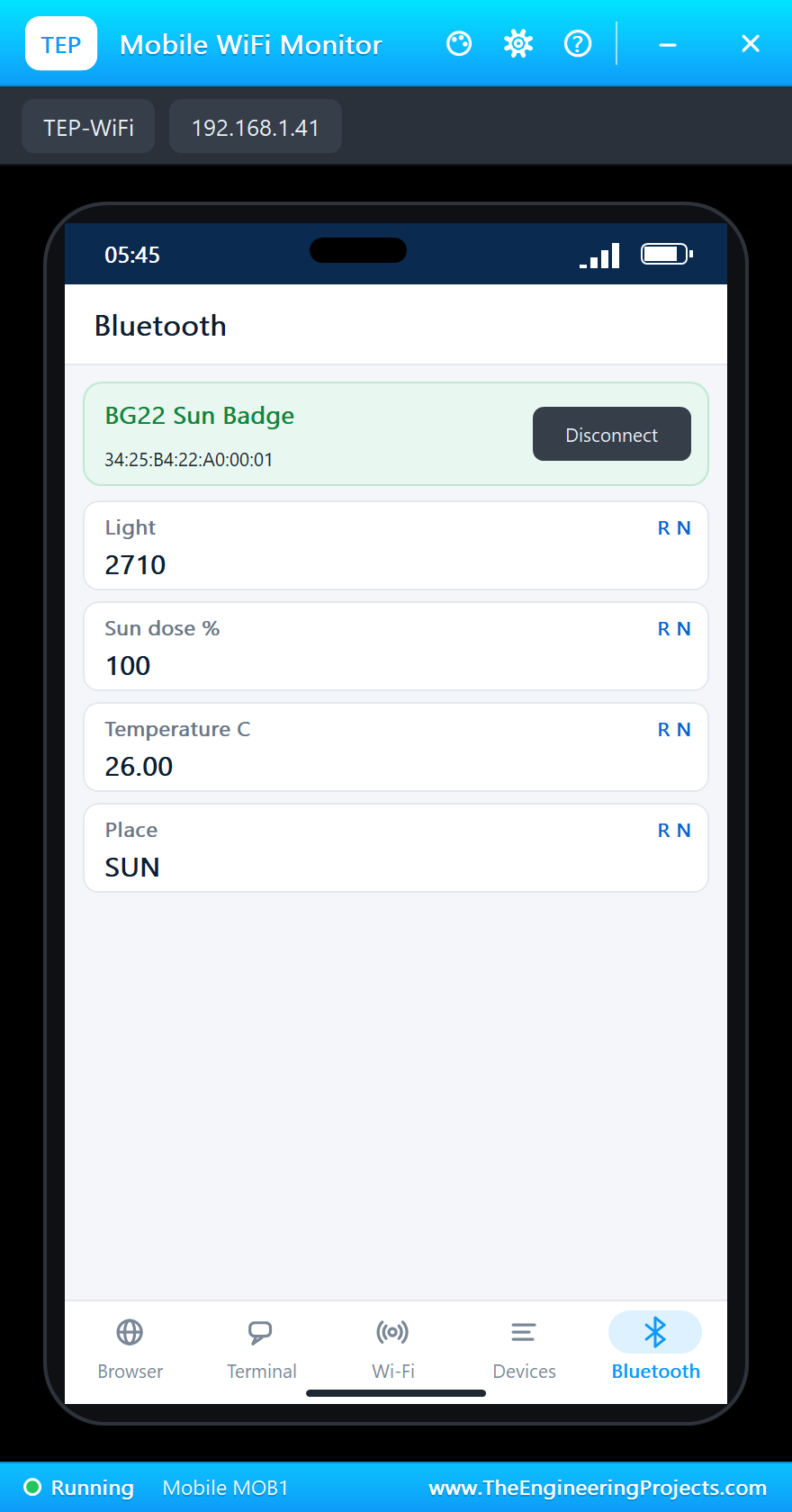
Click the phone, open its Bluetooth app, press SCAN and then Connect to "BG22 Sun Badge":
Out in the Sun
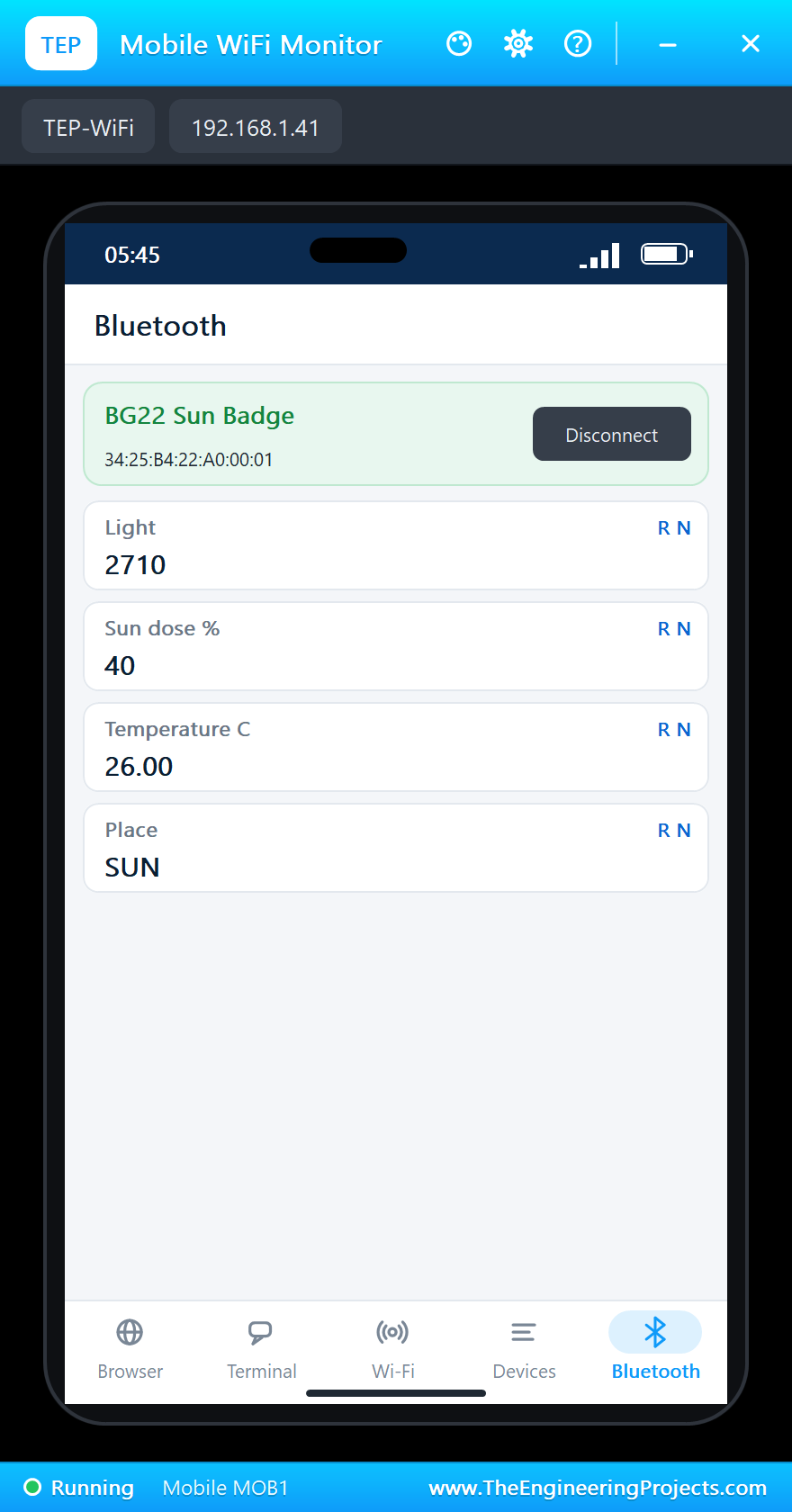
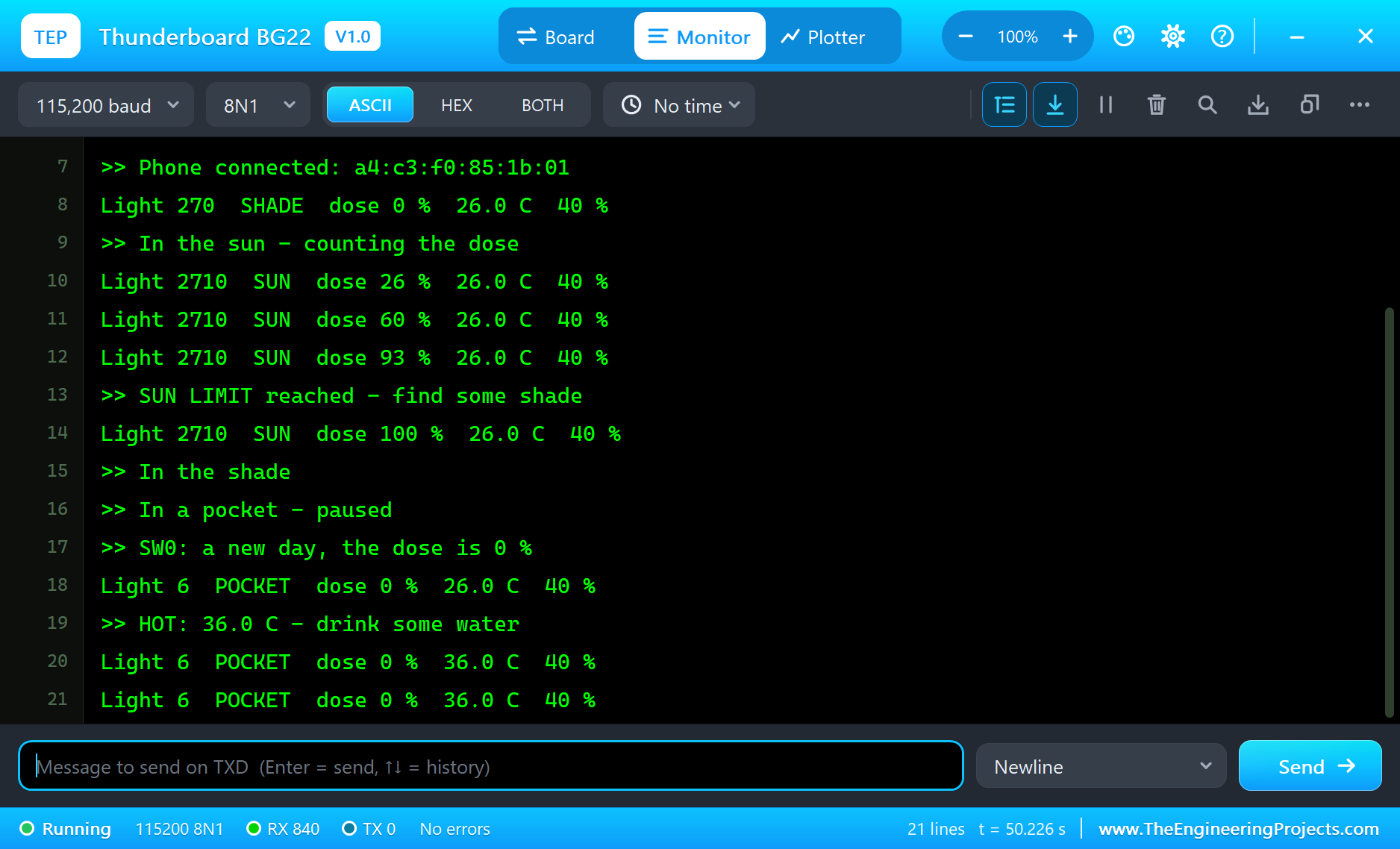
Click SUN in the Sensors window. The badge counts the dose every second, and after 15 seconds of sun the limit is reached and LED0 lights:
>> In the sun - counting the dose
Light 2710  SUN  dose 26 %  26.0 C  40 %
Light 2710  SUN  dose 60 %  26.0 C  40 %
Light 2710  SUN  dose 93 %  26.0 C  40 %
>> SUN LIMIT reached - find some shade
Light 2710  SUN  dose 100 %  26.0 C  40 %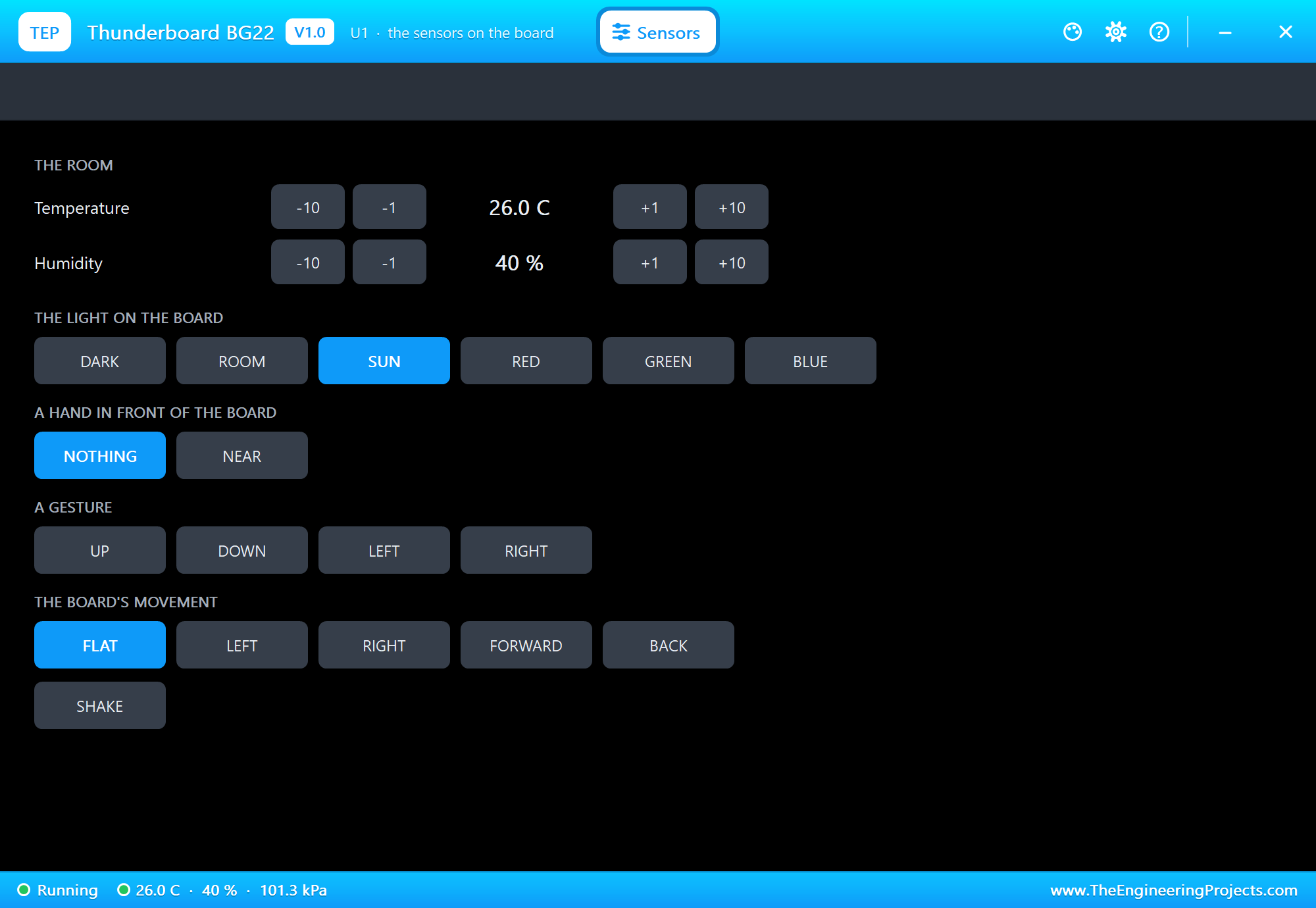
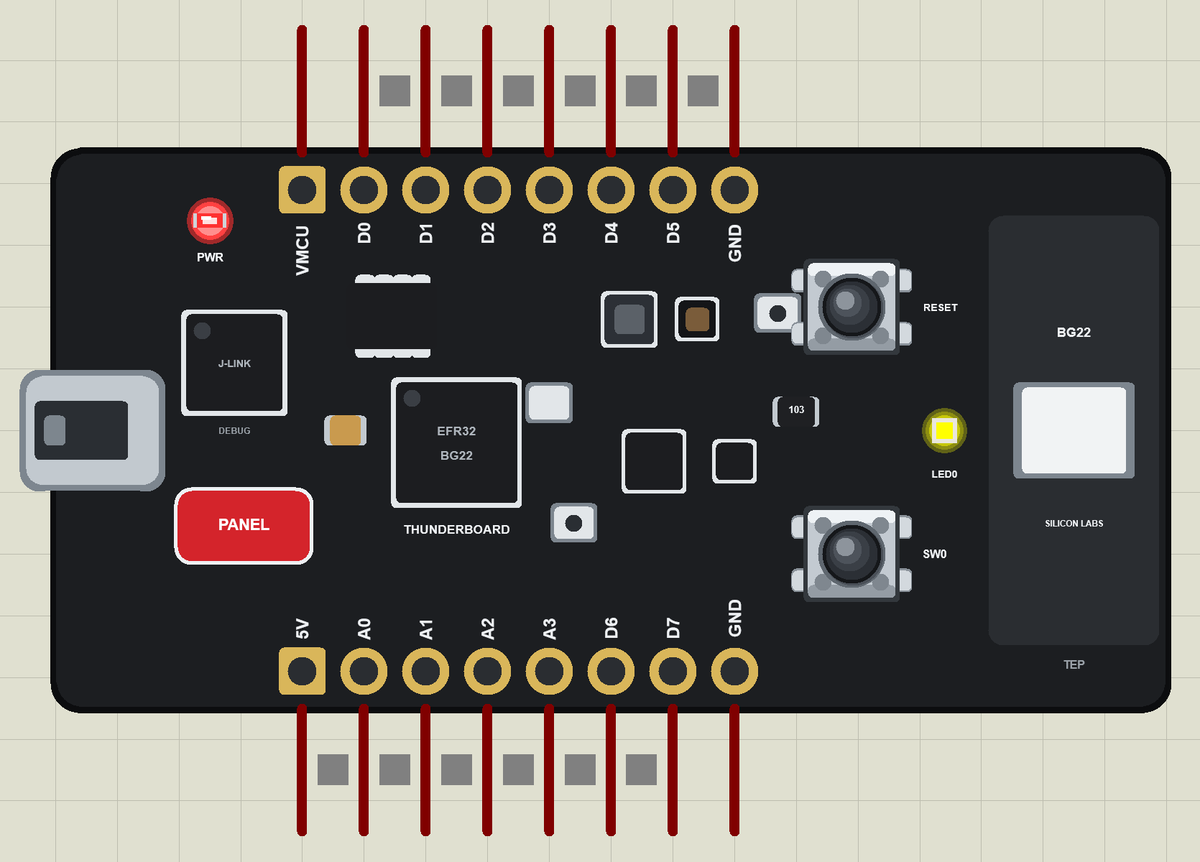
Here is the complete circuit while the simulation runs:
Shade, a Pocket and a New Day
Click ROOM: back in the shade. DARK: the badge is in a pocket and pauses. Press SW0 on the board for a new day: the dose goes back to 0 % and LED0 goes out:
>> In the shade
>> In a pocket - paused
>> SW0: a new day, the dose is 0 %
Light 6  POCKET  dose 0 %  26.0 C  40 %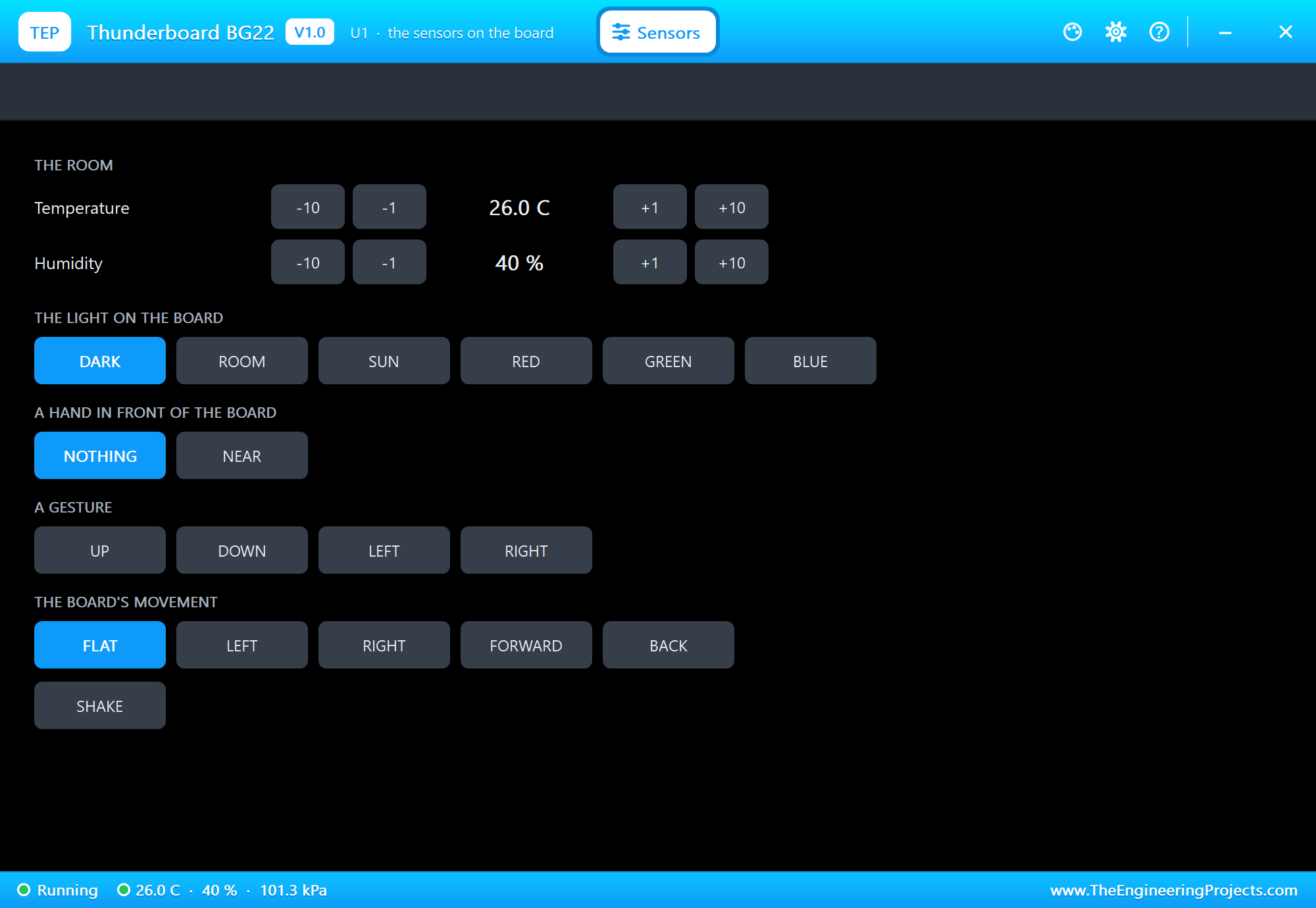
A Hot Afternoon
Click +10 next to the temperature: 36 C, above the 32 C limit, and the badge warns once:
>> HOT: 36.0 C - drink some water
Light 6  POCKET  dose 0 %  36.0 C  40 %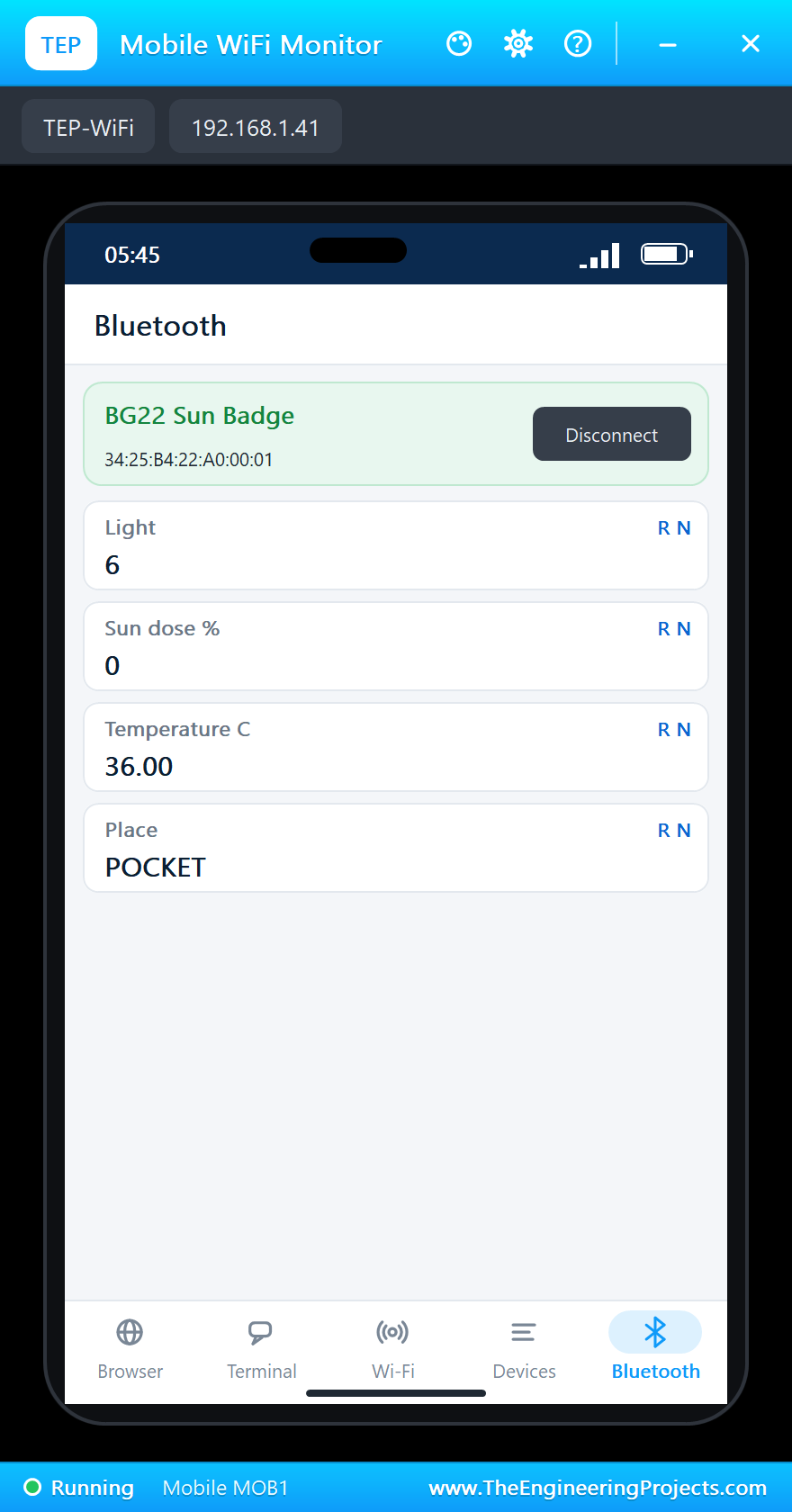
Try It Yourself
- Change
LIMIT_Sto 60 and count minutes instead of seconds. - Make LED0 blink while the badge is counting in the sun, and stay on at the limit.
- Use the IMU to count steps, and send them to the phone as a fifth characteristic.
- Add a writable characteristic so the phone can set the limit for children or adults.
Ideas to Extend the Badge
- Weight the dose by the light level: bright noon sun counts more than a cloudy morning.
- Keep a week of daily doses in the SPI flash and show them as a chart on the phone.
- Use the Hall sensor and a small magnet as a clip that switches the badge on and off.
- Send a reminder to drink water every 30 minutes of heat.
Your Own Sketches
Write the sketch in the Arduino IDE with the board Silicon Labs Thunderboard BG22 (TEP Proteus), use Sketch > Export Compiled Binary and set the part's PROGRAM property to the .hex. On the real board, Silicon Labs' Simplicity Studio and Bluetooth SDK give you the sensor drivers and the Bluetooth stack; the structure of your program, read, decide, show, report, stays the same.
Things to Know Before Using a Real Thunderboard BG22
- Coin-cell budget: a CR2032 gives about 220 mAh, so let the chip sleep between readings.
- Sensor power: the real board has power enable switches for its sensors, so switch on only what you need.
- 3.3 V logic: the breakout pads are not 5 V tolerant.
- Two board versions: BRD4184A and BRD4184B use different pins for the LED and the button, and different light sensors.
- The radio needs room: keep the ceramic antenna end away from metal and from the wearer's skin.
Properties of the Thunderboard BG22
| Property | What it does |
|---|---|
| PROGRAM | the sketch: a .hex from TEP Boards for Proteus (board "Silicon Labs Thunderboard BG22") |
| MONITOR, BAUD, AUTOOPEN | the built-in serial monitor: on, its baud rate (115200), open at Run |
| TEMPERATURE, HUMIDITY | the room at Run (the demo: 26 C, 40 %) |
Troubleshooting
- The phone finds nothing: press SCAN after "Advertising as" is printed; the sketch must call
BLE.advertise(). - A sensor reads 0: call its
begin()first. - The pressure reads 0: this board has no pressure sensor.
- The LED looks inverted: on this board it lights when the pin is HIGH.
- A number goes wrong above 32767: int is 16 bits in the simulation - use long.
Limitations of the Simulation
- Bluetooth LE works as a peripheral only; direction finding is not modelled.
- The Hall-effect sensor, the microphones, the SPI flash and the coin-cell power are drawn, not modelled.
- Your sketch gets 8 KB of RAM in the simulation, and int is 16 bits there.
- Thunderboard, EFR32 and Silicon Labs are names of Silicon Laboratories Inc., Arduino of Arduino, and the Bluetooth word mark belongs to Bluetooth SIG; this library is not made or endorsed by them or by Labcenter.
- Tested in Proteus 8.5 in November 2026 (the demo as shipped, about 50 s of simulation). Proteus 7 is not supported.
So, that was all about the Thunderboard BG22 Library for Proteus. I hope it helps you try your coin-cell Bluetooth ideas in a simulation before you buy the board - the sensors, the LED, the button and the phone, all on one sheet. If you have any questions, ask in the comments and I will help you out. Till the next tutorial, take care and have fun!