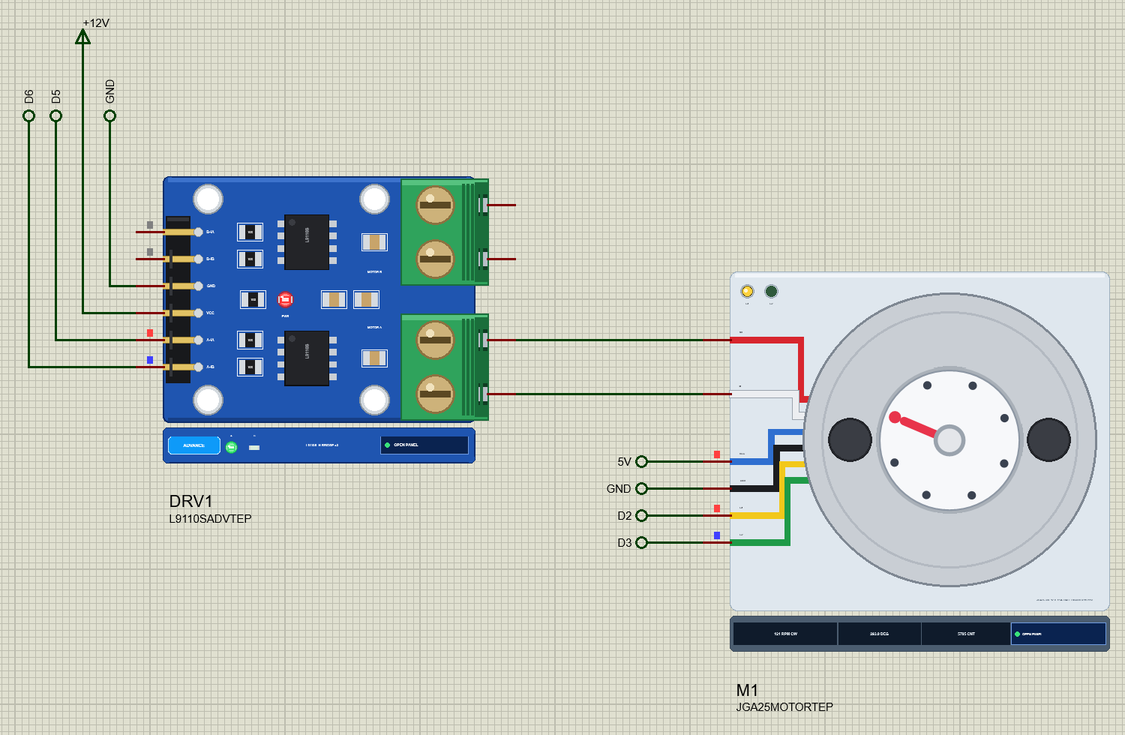
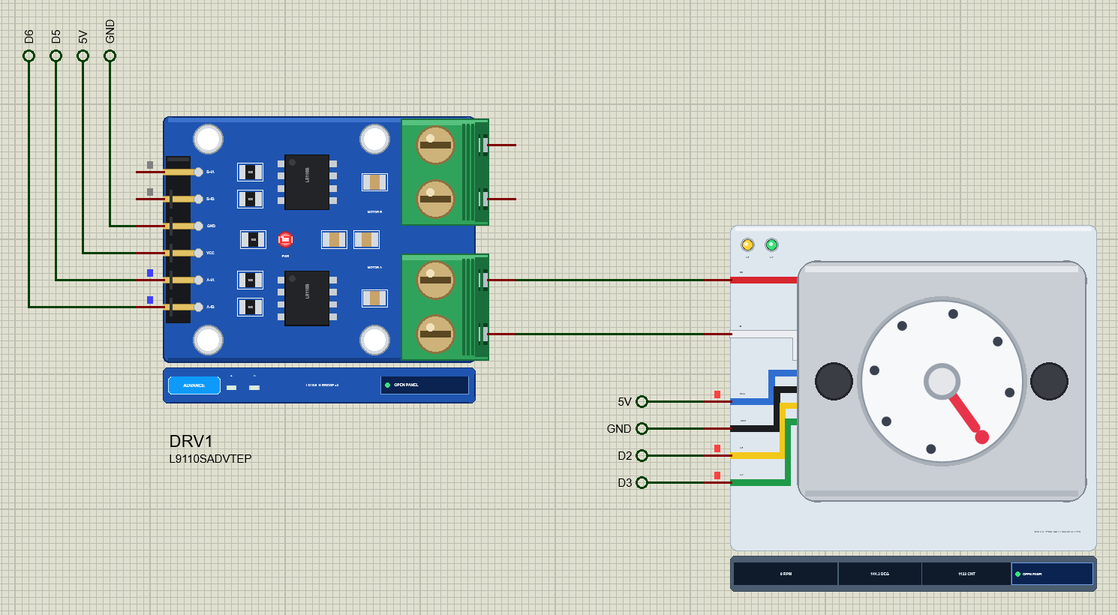
Hello friends, I hope you all are doing great. Today, I am going to share the new JGA25-370 Encoder Gear Motor Library for Proteus V1.0 . If the N20 is the motor of small robots, the JGA25-370 is the motor of the next size up: robot cars that carry a battery pack, two-wheel balancing robots, small conveyors and camera sliders. A 370-size motor behind a round 25 mm metal gearbox, 12 V, and on its back a Hall encoder that tells your Arduino exactly how far and how fast the shaft has turned. Updates JGA25-370 Encoder Gear Motor Library for Proteus Latest version: V1.0 (October 2026, this tutorial) Other motors: SG90 Servo · TT Gear Motor · 28BYJ-48 Stepper · NEMA 17 Stepper · MG996R Servo · N20 Encoder Motor · FS90R 360 Servo · 130 DC Motor · A2212 Brushless · X27.168 Gauge · Analog Panel Met ...
Hello friends, I hope you all are doing great. Today, I am going to share the new N20 Encoder Gear Motor Library for Proteus V1.0 . The N20 is the tiny metal gear motor of line followers, small robot arms and balancing toys: a motor no bigger than a sugar cube with a gearbox in front and, in the version everybody wants for projects, a small encoder board on its back. That encoder is what turns a plain motor into something your Arduino can steer to an exact angle or hold at an exact speed, and it is the part that matters most in this library. Updates N20 Encoder Gear Motor Library for Proteus Latest version: V1.0 (October 2026, this tutorial) Other motors: SG90 Servo · TT Gear Motor · 28BYJ-48 Stepper · NEMA 17 Stepper · MG996R Servo · JGA25-370 Encoder Motor · FS90R 360 Servo · 130 DC Moto ...
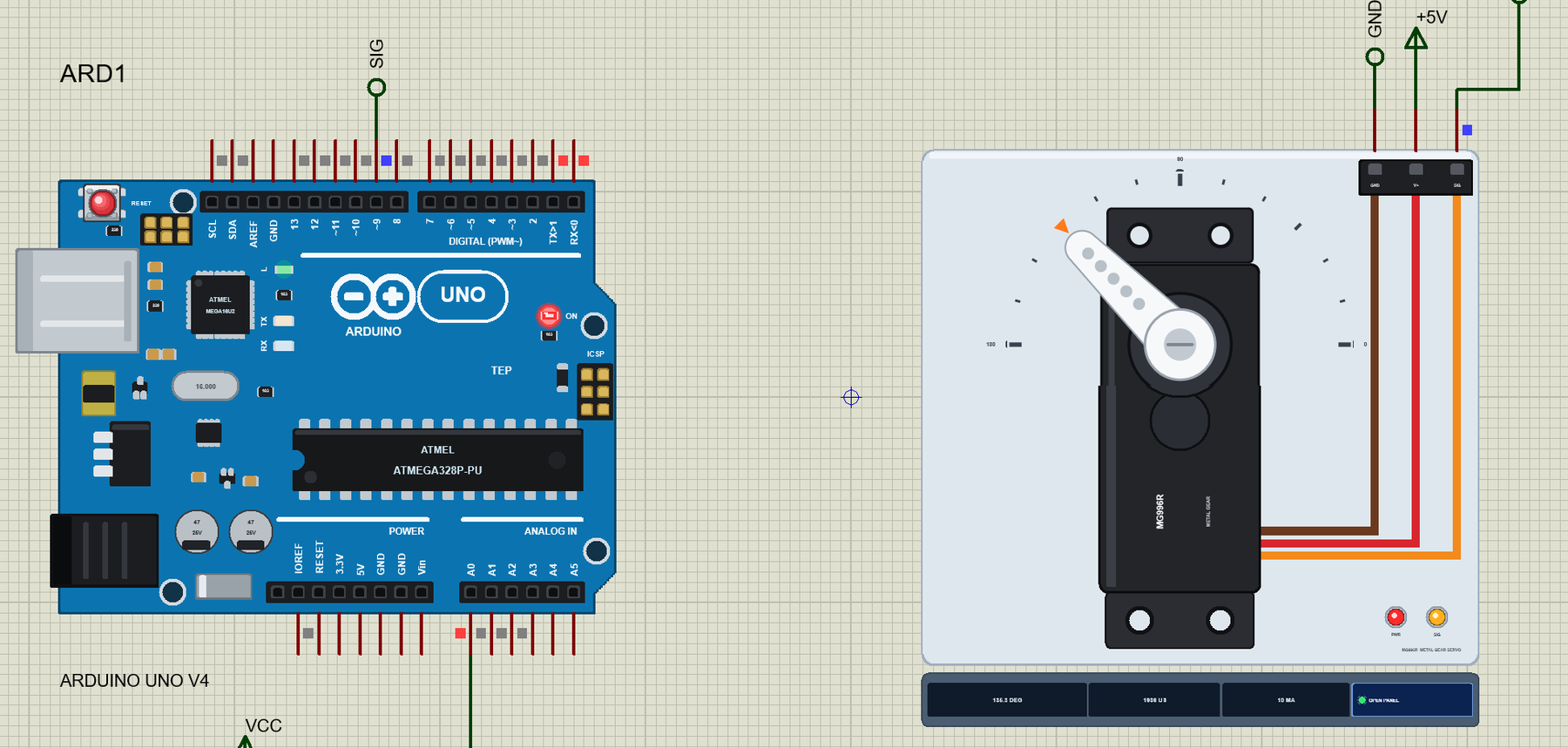
Hello friends, I hope you all are doing great. Today, I am going to share the new MG996R Servo Motor Library for Proteus V1.0 . When a little SG90 is not strong enough - a robot arm that lifts something, the steering of an RC car, a pan-tilt head with a camera on it - makers reach for the black MG996R. It is a standard-size servo with metal gears and about five times the torque of a micro servo, and it is probably the most used servo in hobby robotics after the SG90. Updates MG996R Servo Motor Library for Proteus Latest version: V1.0 (October 2026, this tutorial) Other motors: SG90 Servo · TT Gear Motor · 28BYJ-48 Stepper · NEMA 17 Stepper · N20 Encoder Motor · JGA25-370 Encoder Motor · FS90R 360 Servo · 130 DC Motor · A2212 Brushless · X27.168 Gauge · Analog Panel Meter · DC Tachogenerato ...
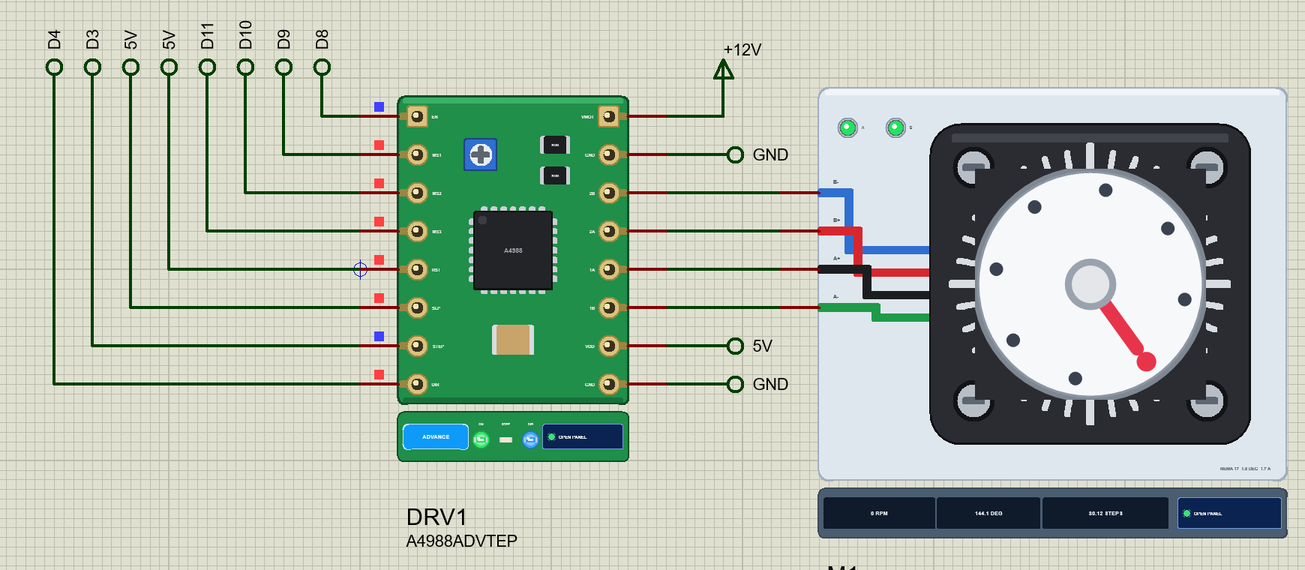
Hello friends, I hope you all are doing great. Today, I am going to share the new NEMA 17 Stepper Motor Library for Proteus V1.0 . The NEMA 17 is the black square stepper that moves almost every hobby 3D printer, laser engraver, CNC router and camera slider. It turns in exact 1.8 degree steps, holds its position with real force and, with a modern driver, moves in microsteps so fine that it glides. Updates NEMA 17 Stepper Motor Library for Proteus Latest version: V1.0 (October 2026, this tutorial) Other motors: SG90 Servo · TT Gear Motor · 28BYJ-48 Stepper · MG996R Servo · N20 Encoder Motor · JGA25-370 Encoder Motor · FS90R 360 Servo · 130 DC Motor · A2212 Brushless · X27.168 Gauge · Analog Panel Meter · DC Tachogenerator · LM393 Speed Sensor · MG90S Servo · DS3218 Servo · L12 Linear Servo ...
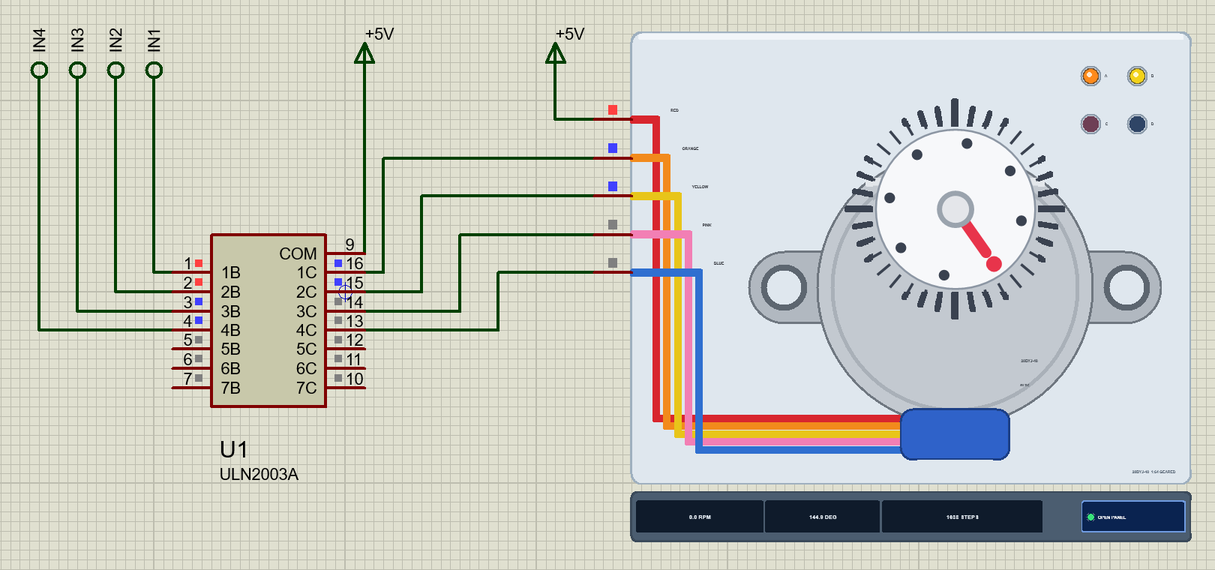
Hello friends, I hope you all are doing great. Today, I am going to share the new 28BYJ-48 Stepper Motor Library for Proteus V1.0 . The 28BYJ-48 is the little silver stepper with the blue cable that comes in almost every Arduino starter kit. It costs less than a coffee, runs from 5 V and turns its shaft in tiny, exact steps, which makes it the first motor most of us use for a pointer, a clock hand, a camera turntable or a smart blind. Updates 28BYJ-48 Stepper Motor Library for Proteus Latest version: V1.0 (October 2026, this tutorial) Other motors: SG90 Servo · TT Gear Motor · NEMA 17 Stepper · MG996R Servo · N20 Encoder Motor · JGA25-370 Encoder Motor · FS90R 360 Servo · 130 DC Motor · A2212 Brushless · X27.168 Gauge · Analog Panel Meter · DC Tachogenerator · LM393 Speed Sensor · MG90S Se ...
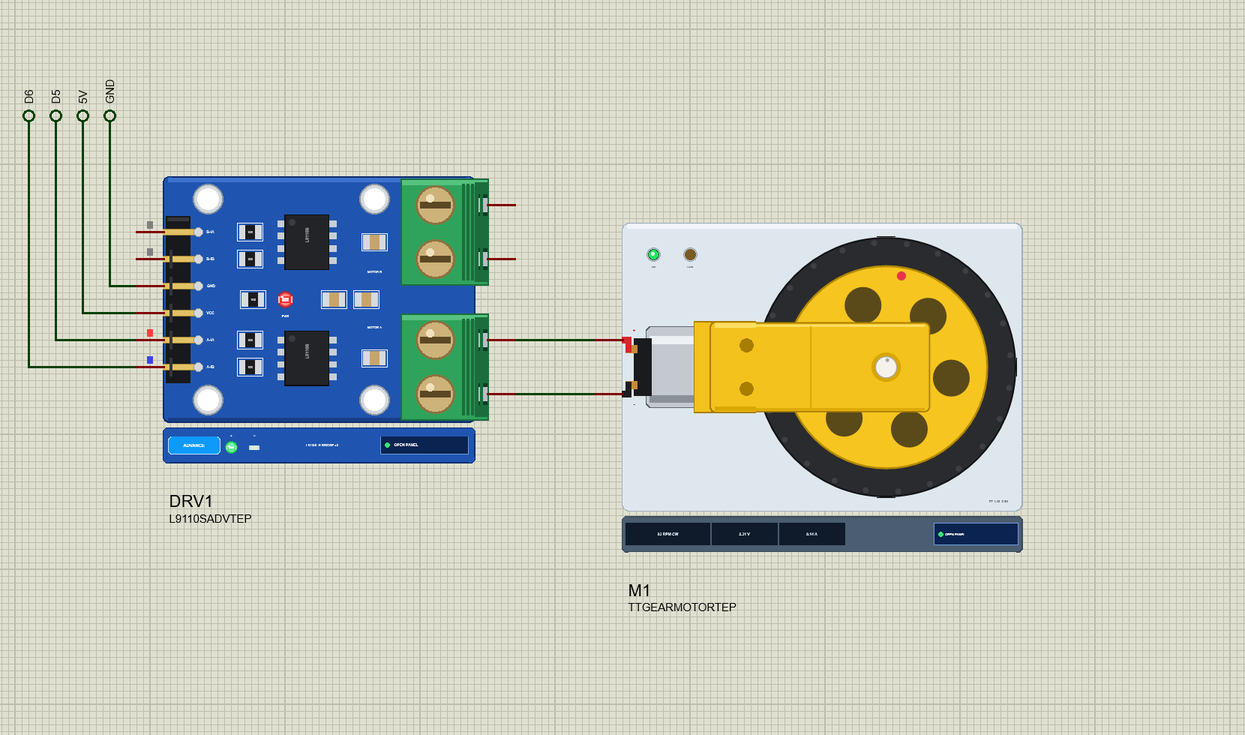
Hello friends, I hope you all are doing great. Today, I am going to share the new TT Gear Motor Library for Proteus V1.0 . If you have ever built a robot car from a kit, you know this motor: the yellow plastic gearbox with a small silver motor at its back and a shaft sticking out of both sides for a fat 65 mm wheel. It is cheap, it is everywhere, and it is the first motor most students ever drive from an Arduino. Until now it only came along with our L9110S driver library; from today it is a library of its own, with a wheel that turns on your schematic and a pop-up window that shows what the motor gets and what it does. Updates TT Gear Motor Library for Proteus Latest version: V1.0 (October 2026, this tutorial) Other motors: SG90 Servo · 28BYJ-48 Stepper · NEMA 17 Stepper · MG996R Servo · ...
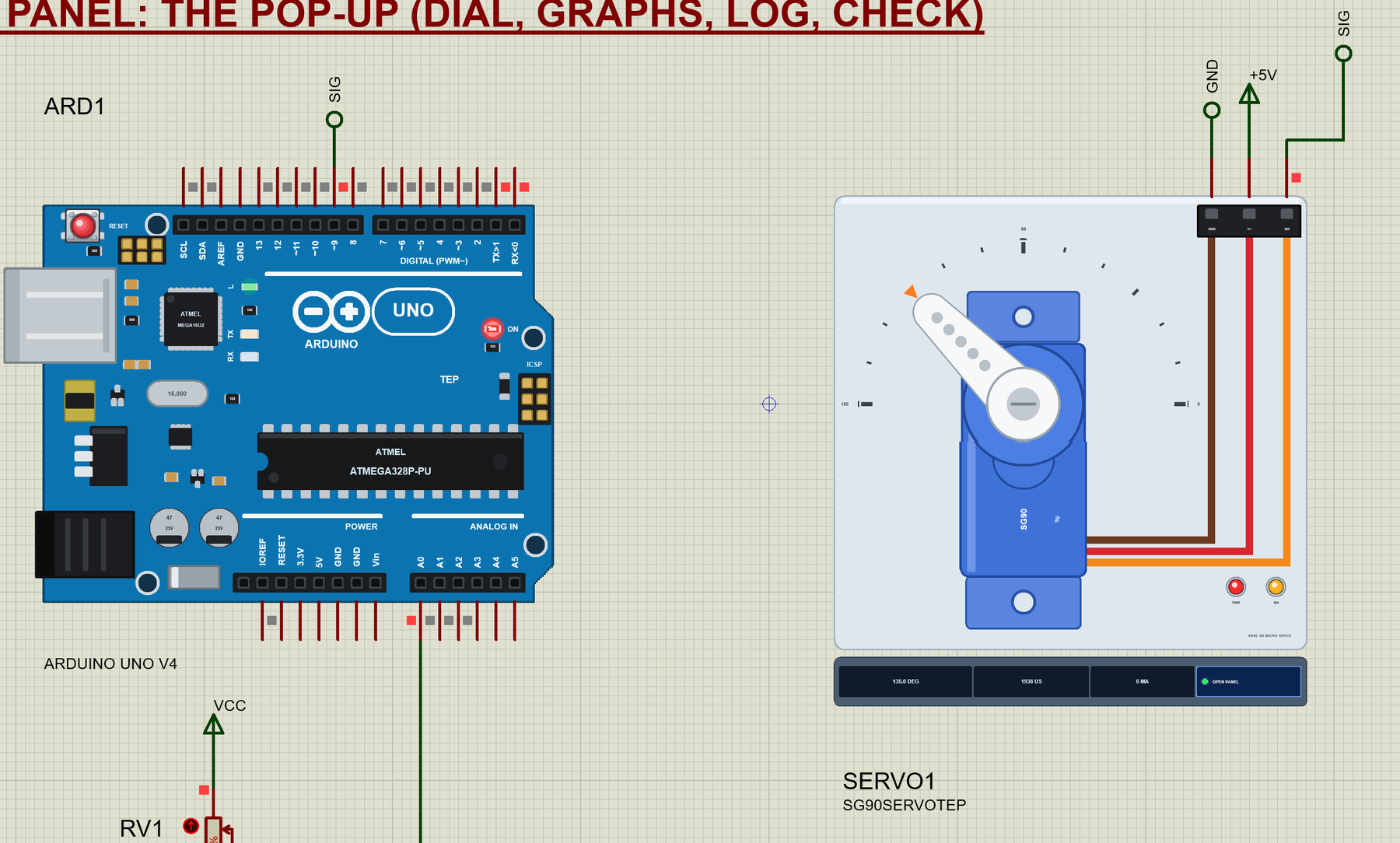
Hello friends, I hope you all are doing great. Today, I am going to share the new SG90 Servo Motor Library for Proteus V1.0 . The little blue SG90 is the first servo almost everyone meets: it comes in every Arduino starter kit, it moves the arms of small robots, the rudders of paper planes and the pointers of a hundred weather gauges. Until now it was only a part of our servo driver library; from today it is a library of its own, with a horn that turns on your schematic and a pop-up window that tells you what the servo gets and what it does. Updates SG90 Servo Motor Library for Proteus Latest version: V1.0 (October 2026, this tutorial) Other motors: TT Gear Motor · 28BYJ-48 Stepper · NEMA 17 Stepper · MG996R Servo · N20 Encoder Motor · JGA25-370 Encoder Motor · FS90R 360 Servo · 130 DC Mot ...
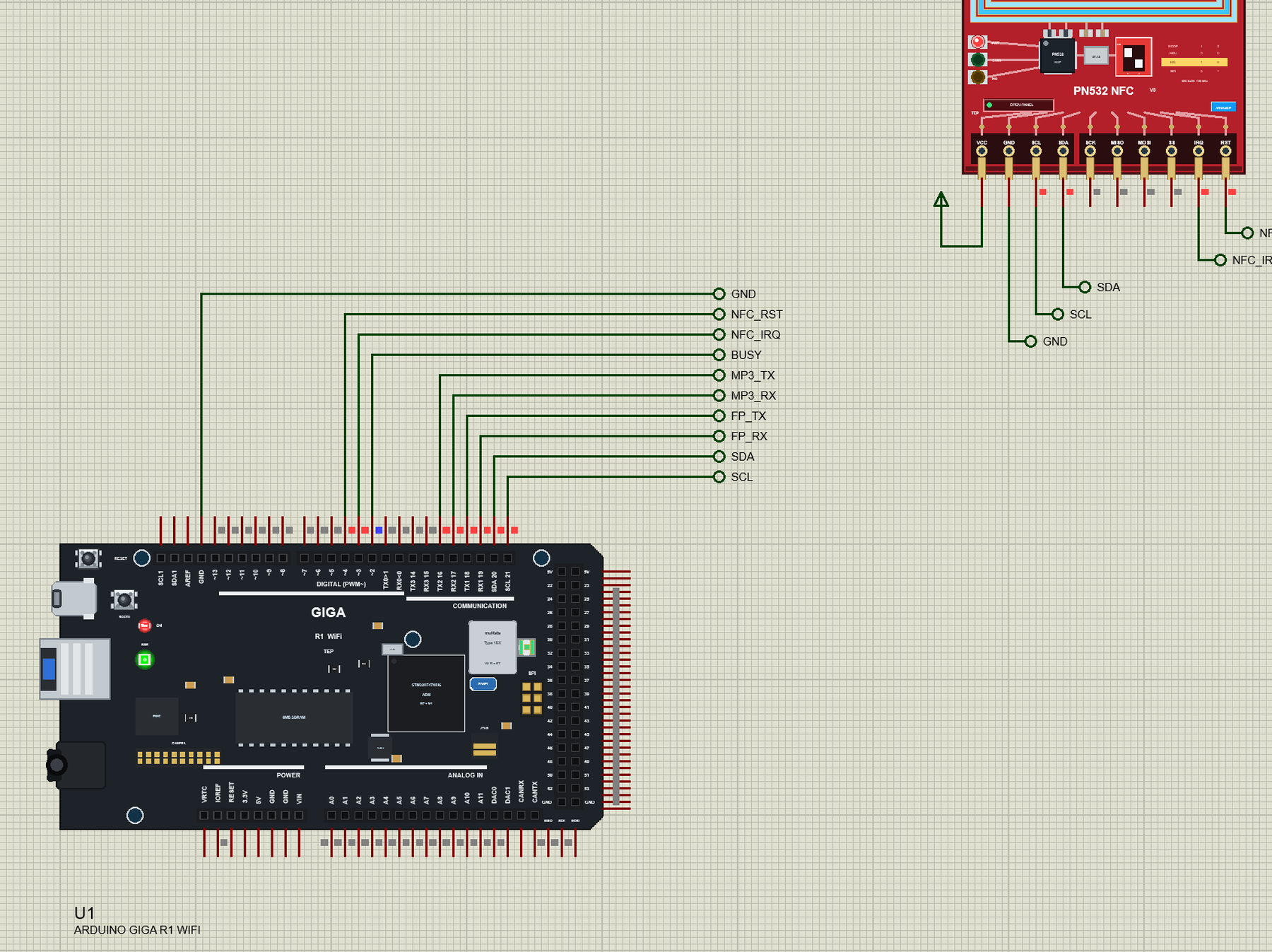
Hello friends, I hope you all are doing great. Today, I am going to share the Arduino GIGA R1 WiFi Library for Proteus . The GIGA R1 WiFi is the biggest board Arduino makes today: the Mega's familiar shape and headers, but with a dual-core STM32H747 inside - a Cortex-M7 and a Cortex-M4 on one chip - plus Wi-Fi, 8 MB of SDRAM and a pile of connectors. With this library your GIGA sketches run in Proteus 8.5, and not just one of them: the M7 core runs your main sketch while the M4 core runs a second one, and the two talk to each other through RPC , exactly as on the real board. Updates Arduino GIGA R1 WiFi Library for Proteus Latest version: V1.0 (October 2026, this tutorial) Other new Arduino boards: UNO R4 WiFi · Nano ESP32 · UNO WiFi Rev2 · Nano 33 IoT · UNO Q · UNO R4 Minima · Nano Every ...
Hello friends, I hope you all are doing great. Today, I am going to share the Raspberry Pi Pico W MicroPython Library for Proteus . Most people who buy a Pico W never touch C or the Arduino IDE: they plug it in, open Thonny and write MicroPython . Until now Proteus had nothing for them - every Pico model ran compiled code. With this library the Pico W runs your main.py in Proteus 8.5: machine.Pin , PWM , ADC , I2C , network.WLAN and socket work on the pins and modules of your circuit, and the terminal gives you the >>> REPL when the program stops. Updates Raspberry Pi Pico W MicroPython Library for Proteus Latest version: V1.0 (October 2026, this tutorial) Other Raspberry Pi boards: Pico · Pico W · Pico 2 W · Pico 2 · Pi Model B · Pi 1 B+ · Pi 2 Model B · Pi 3 Model B · Pi 3 Model B+ · Pi ...
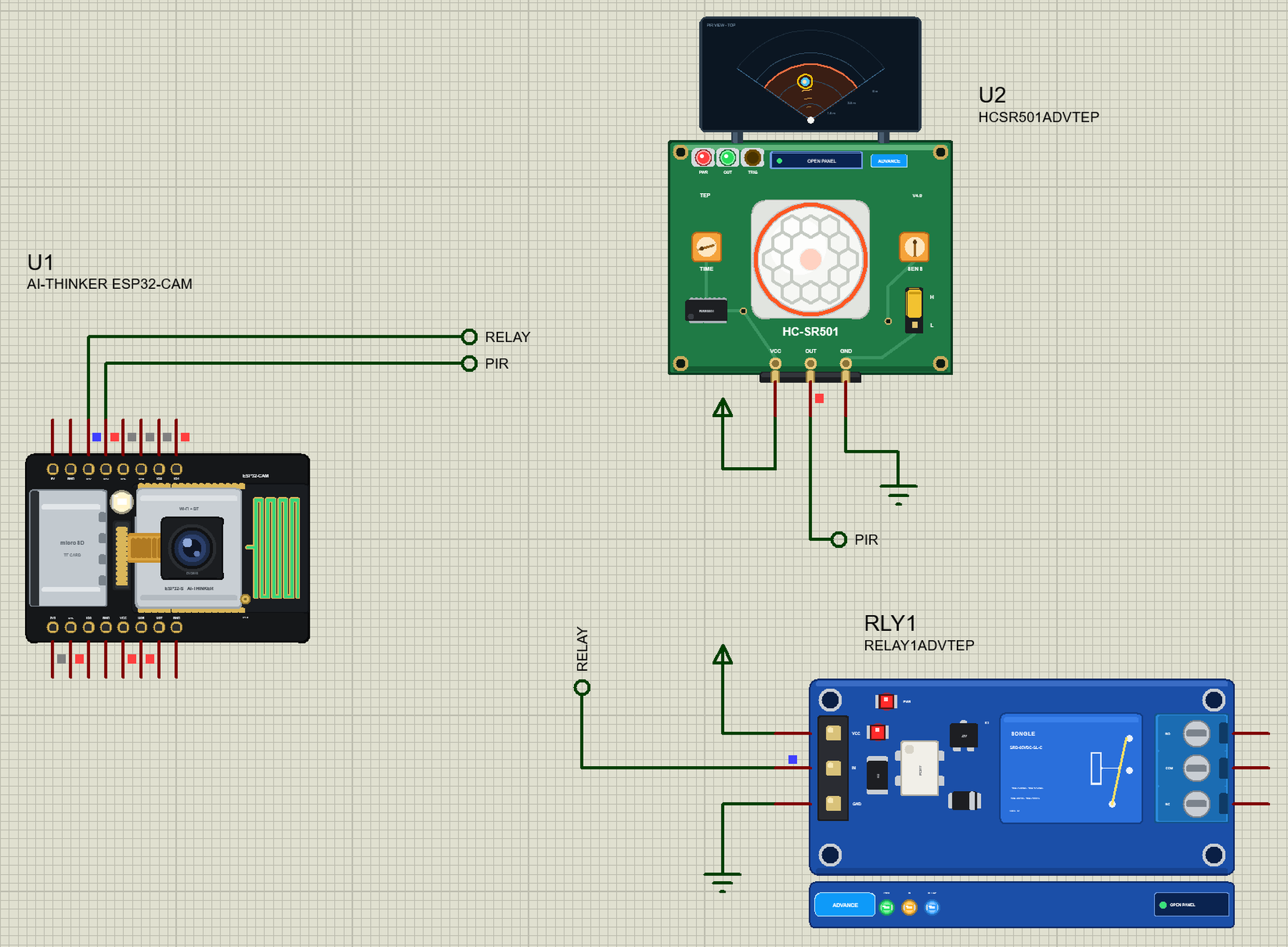
Hello friends, I hope you all are doing great. Today, I am going to share the ESP32-CAM Library for Proteus . The ESP32-CAM is the little board that turned the ESP32 into a Wi-Fi camera for about ten dollars: an OV2640 camera, a microSD slot and a bright flash LED on a board the size of a matchbox. Until now a camera was the one thing you could not simulate. With this library your ESP32-CAM sketch runs in Proteus 8.5, esp_camera_fb_get() takes a real JPEG picture, the photo goes to the card, and our laptop and phone show it in their browsers. Updates ESP32-CAM Library for Proteus Latest version: V1.0 (October 2026, this tutorial) Other ESP32 boards and modules: ESP32 DevKit V1 · ESP32-DevKitC V4 · ESP32-S3 DevKitC-1 · ESP32-C3 SuperMini · ESP32-C6 DevKitC-1 · TTGO T-Display · T-Display S3 ...