Hello friends, I hope you all are doing great. Today, I am going to share the new I2C LCD 16x2 Library for Proteus V1.0 . The I2C LCD 16x2 is the same blue or yellow-green 1602 character LCD you know, with a small black I2C backpack soldered to its back. Instead of six or more wires, it needs only four: GND, VCC, SDA and SCL. That is why it is the LCD most of us use with an Arduino today. With this I2C LCD 16x2 Library for Proteus , your sketch talks to an LCD that behaves like the real module: the I2C address, the contrast trimmer on the backpack, the backlight jumper, and the real HD44780 behind it. Updates I2C LCD 16x2 Library for Proteus Latest version: V1.0 (October 2026, this tutorial) Other LCDs: LCD 16x2 · LCD 20x4 · I2C LCD 20x4 All four LCDs in one package: LCD Library for Proteu ...
… TEPLCD.DLL , and the same LCD. They differ in the glass colour and in where you see the extras: The four devices (search "LCD16X2" in Pick Devices; category Optoelectronics > Alphanumeric LCDs) Device Name in Pick Devices Glass Extras LCD16X2BLUETEP LCD 16x2 …
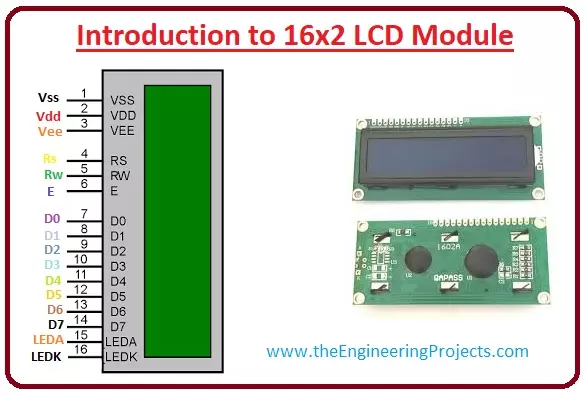
Hello friends, I hope you all are doing great. In today’s tutorial, we will have a look at Introduction to 16x2 LCD Module. LCD stands for liquid crystal display it is mostly used in different electronic projects and devices to display different values. LCD uses liquid crystals for the generation of visible images. 16 x 2 liquid crystal display is a basic LCD module used in DIY electronic projects and circuits. In this LCD module, there are two rows every row consists of sixteen numbers. Libraries LCD 16x2 Simulation Libraries Latest library: LCD 16x2 Library for Proteus V3.0 (October 2026) Other LCDs: LCD 20x4 · I2C LCD 16x2 · I2C LCD 20x4 All four LCDs in one package: LCD Library for Proteus V3.0 Helping Tools Serial Monitor Advance : a serial terminal window for the UART of your board S ...
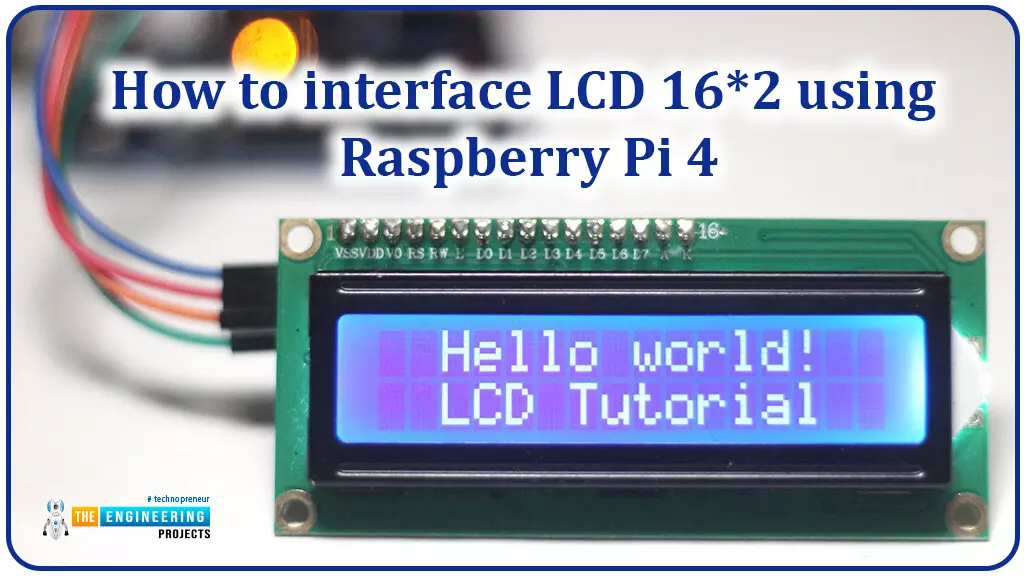
Hello friends, I hope you all are doing great. Today, I am going to share the 6th lecture in the Raspberry Pi 4 Programming series. We're glad you could join us for another lesson in our comprehensive Raspberry Pi programming guide. In today's guide, I'll show you how to interface a 16x2 LCD screen with Raspberry Pi 4. So, let's get started: Interface LCD 16x2 with Raspberry Pi 4 Today, we are going to interface a 16x2 LCD screen with Raspberry Pi 4. At first, we will print the "Hello World" text on the LCD, and in the last section, we will implement the scrolling and blinking of text on the LCD. Here's the video tutorial on LCD interfacing with Raspberry Pi 4: Components Required We will need the following components for today's project: Raspberry Pi 4. Micro SD Card. 16x2 LCD. Breadboard ...
Hello friends, I hope you all are doing great. Today, I am going to share the new LCD Library for Proteus V3.0 . It brings all our character LCDs together in one library: the LCD 16x2 and the LCD 20x4 on their 16-pin header, and the I2C LCD 16x2 and the I2C LCD 20x4 with the black PCF8574 backpack. You get one LIB file with 16 parts , one model file that runs them all, and a new demo in which a single Arduino UNO drives all four LCDs at the same time. Updates LCD Library for Proteus Latest version: V3.0 (October 2026, this tutorial) Earlier versions: V2.0 (2023) · V1.0 (2016) One LCD only? LCD 16x2 · LCD 20x4 · I2C LCD 16x2 · I2C LCD 20x4 Other displays: OLED · Nokia 5110 · LCD 128x64 · ST7735 · ST7789 · ILI9341 · TFT Shield 2.4 inch · TFT Shield 3.5 inch · E-Paper Helping Tools Serial Mon ...
Hello everyone, I hope you all are fine and having fun with your lives. Today, I am going to share a new LCD Library for Proteus. We all know about LCDs, used for displaying data in embedded projects i.e. sensor values or indications etc. Proteus already have LCDs in it but they are not much good-looking. So, I designed two new LCDs in Proteus that look identical to real-world LCDs. Updates LCD Library for Proteus Latest version: LCD Library for Proteus V3.0 (October 2026): LCD 16x2, LCD 20x4 and both I2C LCDs in one library, with our own HD44780 model and an Arduino demo Earlier versions: V2.0 (2023) · V1.0 (2016, this tutorial) One LCD only? LCD 16x2 · LCD 20x4 · I2C LCD 16x2 · I2C LCD 20x4 Helping Tools Serial Monitor Advance : a serial terminal window for the UART of your board Serial ...
Hello friends, I hope you all are doing great. Today, I am going to share the new LCD Keypad Shield Library for Proteus V1.0 . The LCD keypad shield is one of the most popular first boards for the Arduino UNO: a 16x2 LCD, five buttons and a contrast trimmer on one board that simply plugs onto the UNO. No wiring, no breadboard, and your project has a display and a small keyboard. With this LCD Keypad Shield Library for Proteus , you get the same shield in your simulation: the LCD shows what your sketch prints, and you press the buttons with the mouse. Updates LCD Keypad Shield Library for Proteus Latest version: V1.0 (October 2026, this tutorial) Other LCDs: LCD 16x2 · LCD 20x4 · I2C LCD 16x2 · I2C LCD 20x4 All four LCDs in one package: LCD Library for Proteus V3.0 Helping Tools Serial Moni ...
Hi learners! I hope you are doing great. Today, I am going to share the second version(V2.0) of the LCD library for Proteus. We have already shared the LCD V1.0 Library on our blog. Along with appreciation, we also get some complaints/suggestions about that library. So, we have designed a better version of the LCD library by keeping the suggestions in mind. Updates LCD Library for Proteus Latest version: LCD Library for Proteus V3.0 (October 2026): LCD 16x2, LCD 20x4 and both I2C LCDs in one library, with our own HD44780 model and an Arduino demo Earlier versions: V2.0 (2023, this tutorial) · V1.0 (2016) One LCD only? LCD 16x2 · LCD 20x4 · I2C LCD 16x2 · I2C LCD 20x4 Helping Tools Serial Monitor Advance : a serial terminal window for the UART of your board Serial Monitor Expert : the seria ...
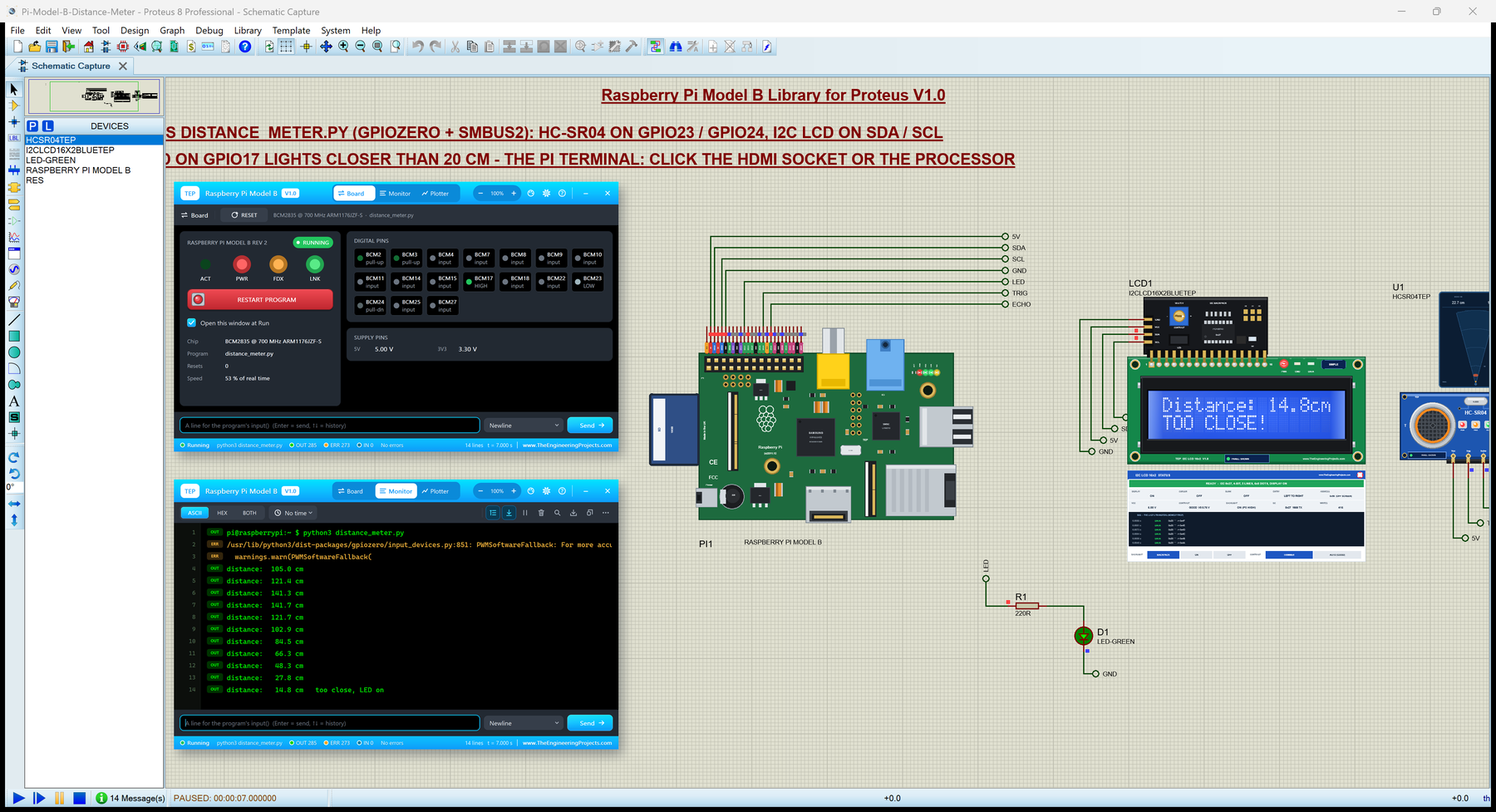
Hello friends, I hope you all are doing great. Today, I am going to share the Raspberry Pi Model B Library for Proteus . The Raspberry Pi Model B is the board that started it all in 2012: a credit-card sized computer with a 700 MHz BCM2835, 512 MB of RAM, Ethernet and a 26-pin GPIO header. With this library you can test a Pi project in Proteus 8.5: the board runs your Python program against the circuit on the sheet, with RPi.GPIO, gpiozero, I2C, SPI, the UART, 1-Wire and the network. Updates Raspberry Pi Model B Library for Proteus Latest version: V1.0 (October 2026, this tutorial) Other Raspberry Pi boards: Pico · Pico W · Pico 2 W · Pico 2 · Pico W MicroPython · Pi 1 B+ · Pi 2 Model B · Pi 3 Model B · Pi 3 Model B+ · Pi 3 Model A+ · Pi 4 Model B · Pi 5 · Pi Zero W · Pi Zero 2 W · Pi 400 ...
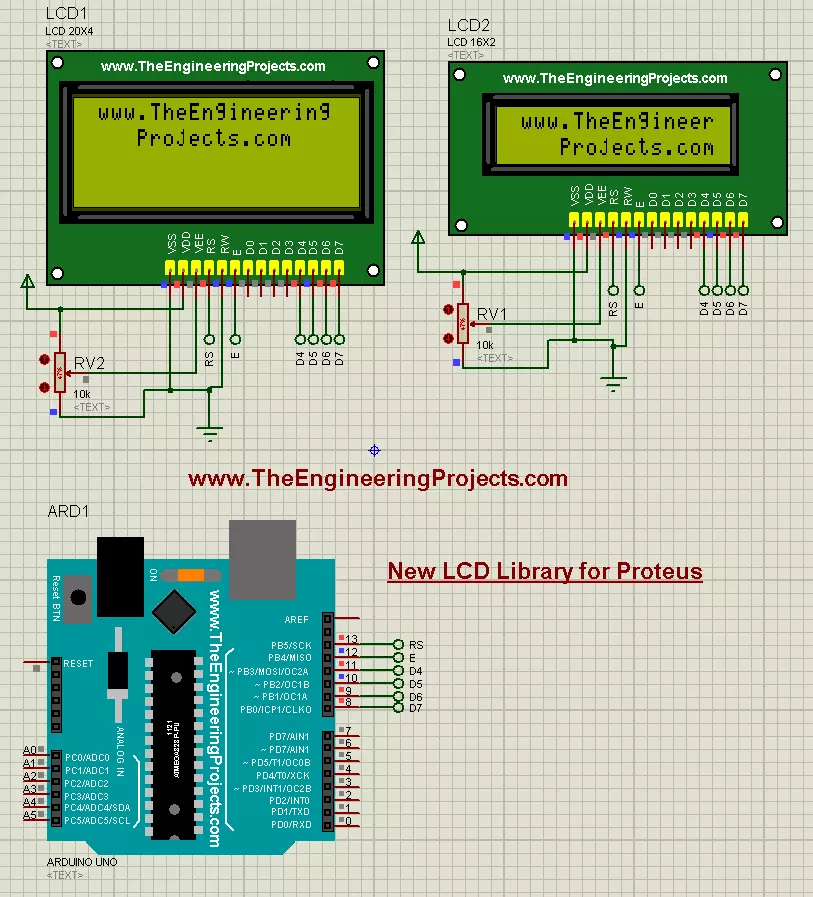
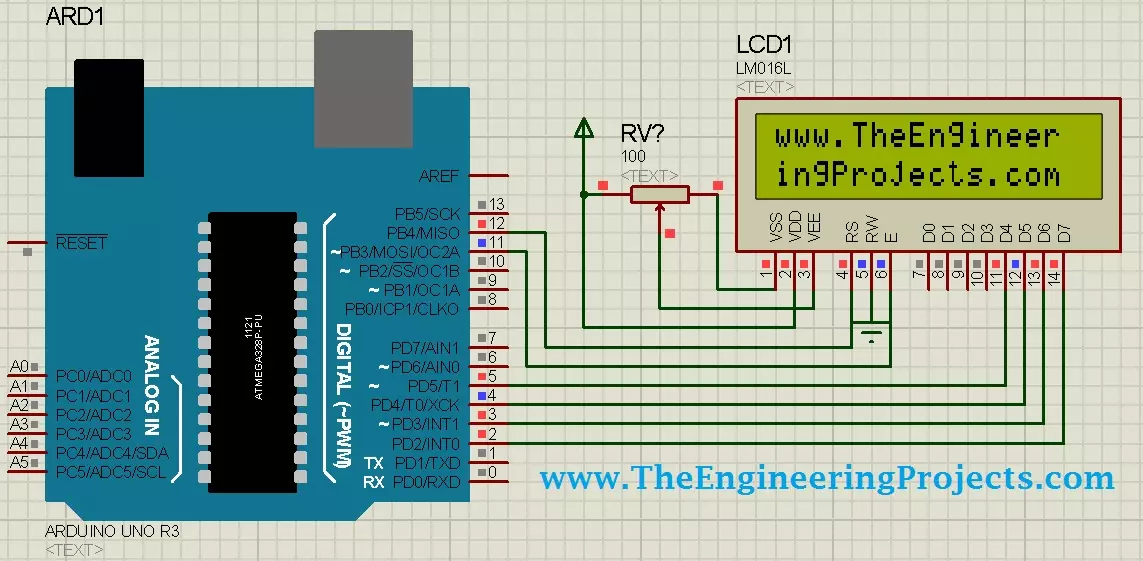
Hello friends! Today, we will design a circuit containing an Arduino UNO and a 16 × 2 character LCD in Proteus ISIS. We will connect the display, write a small Arduino sketch, compile it and load the resulting program into the simulated UNO. Our first result will be the website name displayed across two rows. Libraries LCD Simulation Libraries Latest library: LCD Library for Proteus V3.0 (October 2026): LCD 16x2, LCD 20x4 and both I2C LCDs in one library, with our own HD44780 model and an Arduino demo One LCD only? LCD 16x2 · LCD 20x4 · I2C LCD 16x2 · I2C LCD 20x4 Helping Tools Serial Monitor Advance : a serial terminal window for the UART of your board Serial Monitor Expert : the serial monitor with extra debugging tools This is a useful beginner project because the visible result is simp ...