Hello friends, I hope you are doing well. This is the twelfth tutorial in our series on how to create a Proteus library. In the previous tutorial, How to Edit and Update an Existing Component in Proteus , we changed our Traffic Light Module after it was in use and brought the design up to version 1.1. The part is complete as a drawing, with pins, properties and a footprint, but when we press Run, Proteus still stops with "No model specified". Today, we look at what is missing. Our topic is Proteus simulation models explained . Updates Proteus Component Designing This course: Part 12 of 20, Proteus Simulation Models Previous part: Editing and Updating a Part Next part: Adding a SPICE Model Course start: How a Proteus Library Works Add libraries to Proteus: How to Add a New Library in Proteu ...
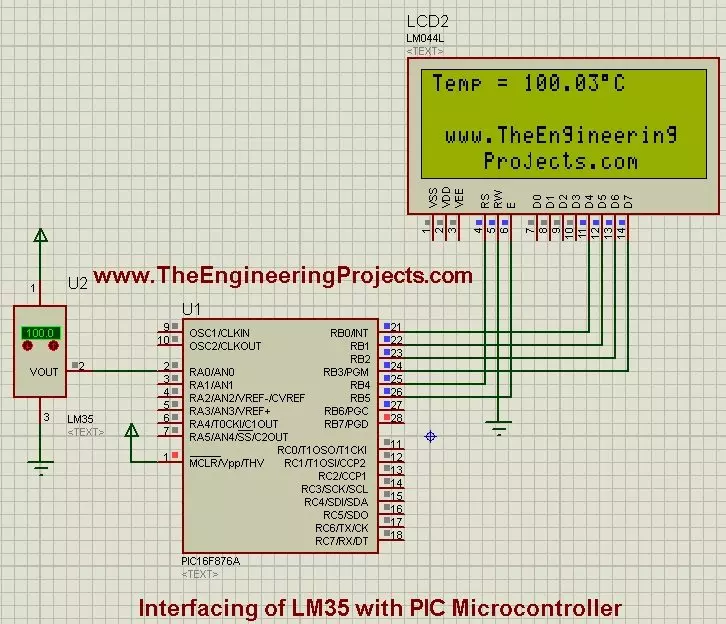
Hello friends! Today, we will interface an LM35 temperature sensor with a PIC16F876A microcontroller and display the measured temperature on an LCD. We will build the circuit in Proteus, write the program in mikroC PRO for PIC and work through the conversion from sensor voltage to degrees Celsius. Libraries LCD Simulation Libraries Latest library: LCD Library for Proteus V3.0 (October 2026): LCD 16x2, LCD 20x4 and both I2C LCDs in one library, with our own HD44780 model and an Arduino demo One LCD only? LCD 16x2 · LCD 20x4 · I2C LCD 16x2 · I2C LCD 20x4 Helping Tools Serial Monitor Advance : a serial terminal window for the UART of your board Serial Monitor Expert : the serial monitor with extra debugging tools The LM35 produces an analog voltage, so this project is also a useful introducti ...
Hello friends! Today we will read analog voltages with an Arduino Uno and display both the ADC readings and calculated voltages on a 20 × 4 LCD. We will build the circuit in Proteus, connect the display, write the sketch and work through the conversion from a digital count to volts. Libraries LCD Simulation Libraries Latest library: LCD Library for Proteus V3.0 (October 2026): LCD 16x2, LCD 20x4 and both I2C LCDs in one library, with our own HD44780 model and an Arduino demo One LCD only? LCD 16x2 · LCD 20x4 · I2C LCD 16x2 · I2C LCD 20x4 Helping Tools Serial Monitor Advance : a serial terminal window for the UART of your board Serial Monitor Expert : the serial monitor with extra debugging tools The central idea is simple: analogRead() returns a number that represents the input relative to ...
Hello friends, I hope you all are doing great. Today, I am going to share the Raspberry Pi 5 Earthquake Detector - Proteus Simulation , the eighteenth project of our IoT Projects series. If you have searched for a Proteus simulation of an earthquake detector with a Raspberry Pi and an accelerometer, here is a complete one. A Raspberry Pi 5 reads an ADXL345 accelerometer fixed to a floor or a wall; it tells a real shake from a single knock, rates every earthquake on the intensity scale seismologists use, warns when the building tilts or the sensor falls, and shows it all on an LCD, an RGB LED, a buzzer and a live web dashboard. Seismometers in observatories are large and expensive, but the same idea works on a small scale with a MEMS accelerometer: measure the acceleration many times a seco ...
Hello friends, I hope you all are doing great. Today, I am going to share the new Trimmer Potentiometer Library for Proteus . A trimmer, or trimpot, is the small cousin of the potentiometer. It has no knob and no shaft for your fingers; you turn it with a small screwdriver, once, while you calibrate the circuit, and then you leave it alone. Look closely at almost any module on your bench, and you will find one: it sets the contrast of an LCD, the threshold of a sensor board, or the output of a power supply. Updates Trimmer Potentiometer Library for Proteus Latest version: V1.0 (November 2026, this tutorial) Other component libraries: C945 Transistor · PC817 Optocoupler · Relay Module · Resistor · 5 mm LED · Designer Colour LED · Push Button · Active Buzzer · Electrolytic Capacitor · Cerami ...
Hi readers! I hope you are doing great. Today, I am going to share the second version of the top embedded libraries designed for the proteus. Before this, we shared the first version of many libraries that engineering students are using in their projects. The interest of the students in these libraries has motivated us to design even better versions of them. These versions have a more realistic design and error-free working and are ideal for engineering students to use in their simulation in Proteus. Updates Proteus Libraries for Engineering Students Latest list: 30 New Proteus Libraries for Engineering Students (October 2026): GSM, GPS, Wi-Fi, Bluetooth, RF, LoRa, RFID and I2C sensor libraries with Arduino examples Earlier lists: Top Embedded V2.0 (2023, this list) · Top Embedded V1.0 (20 ...
Hello friends, I hope you all are doing great. Today, I am going to share the Raspberry Pi 5 Water Meter and Leak Detector - Proteus Simulation , the twentieth project of our IoT Projects series. If you have searched for a Proteus simulation of a smart water meter or a water leak detector with a Raspberry Pi, here is a complete one. A Raspberry Pi 5 counts the pulses of a YF-S201 water flow sensor on the pipe into a house, works out the flow and the litres, logs every use of water, and shuts a 12 V solenoid valve through a relay when the water behaves like a leak or a burst pipe. An LCD, a buzzer and a live web dashboard show what it sees. A dripping tap is easy to notice, but a running toilet cistern, a pinhole in a pipe behind a wall or a hose left on in the garden can waste thousands of ...
Hello friends, I hope you all are doing great. Today, I am going to share the new OLED SSD1306 Library for Proteus V1.0 . The small 0.96" OLED display is everywhere in Arduino projects: 128 x 64 sharp, bright pixels, no backlight, and only four wires, GND, VCC, SCL and SDA. It shows text, numbers, graphs, icons and little animations, so it is the display to pick when a character LCD is not enough. With this OLED SSD1306 Library for Proteus , your sketch draws on an OLED that behaves like the real module, pixel by pixel. Updates OLED SSD1306 Library for Proteus Latest version: V1.0 (October 2026, this tutorial) Other OLEDs: 128x32 0.91 inch · SH1106 1.3 inch All three OLEDs in one package: OLED Library for Proteus V1.0 Helping Tools Serial Monitor Advance : a serial terminal window for the ...
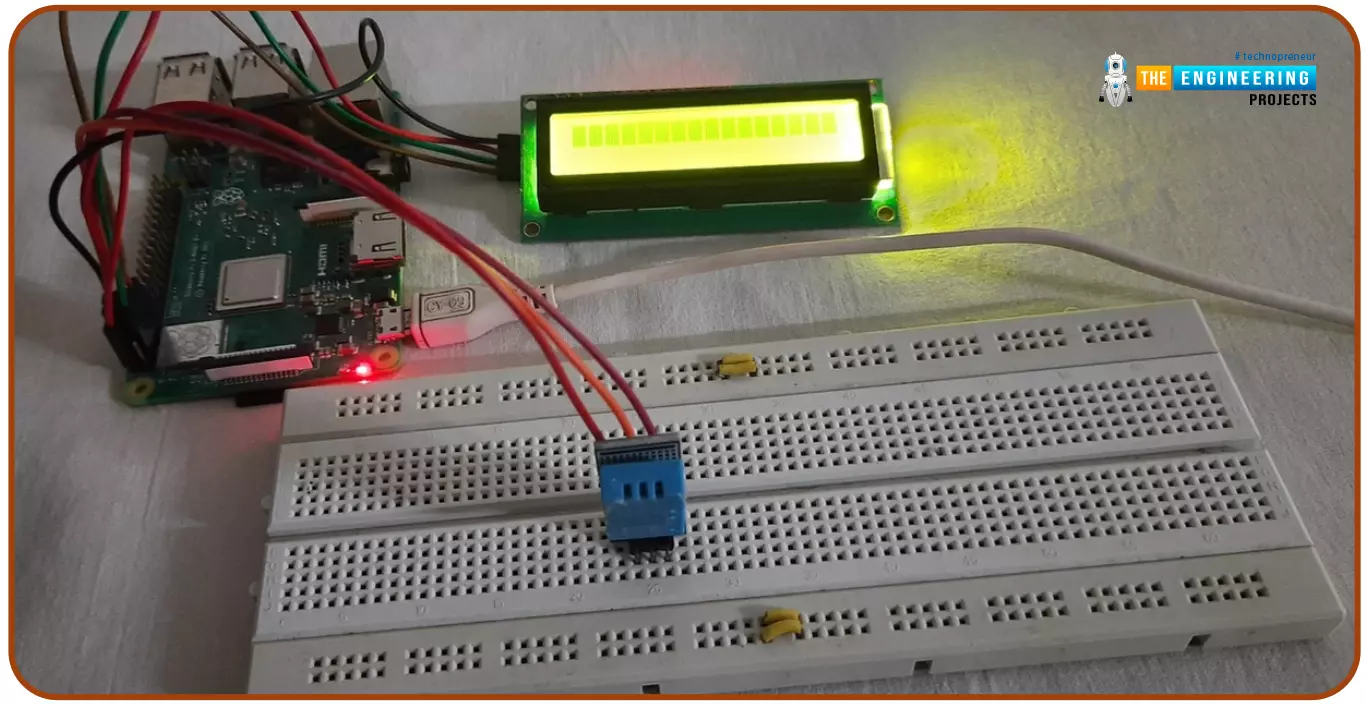
Hello friends, I hope you all are doing great. Today, I am going to share the 6th tutorial of Section-III in the Raspberry Pi Programming Course. In our previous tutorial, we have seen how to interface an Ultrasonic Sensor with Raspberry Pi 4 and used Python to perform its calculations. In today's tutorial, we'll discuss how to interface a DHT11 temperature and humidity sensor to a Raspberry Pi. So, let's get started: Components Here's the list of components, we are going to use in today's circuit: LCD display DHT11 sensor Raspberry pi Breadboard Male-to-female jumper wires What is a DHT11 sensor? DHT11 is a low-cost digital sensor, used to measure temperature and humidity in the surroundings. DHT sensor has three main components i.e. A resistive-type sensor(used to measure humidity) NTC T ...
Hello friends, I hope you all are doing great. Today, I am going to share the Raspberry Pi 5 RFID Door Access - Proteus Simulation , the fourth project of our IoT Projects series. If you have searched for a Proteus simulation of an RFID door lock with a Raspberry Pi, here is a complete one. A Raspberry Pi 5 reads RFID cards with an MFRC522 reader, opens a solenoid lock through a relay for the cards it knows, shows each event on an I2C LCD, and keeps a log on a web page. From a phone or a laptop you can read the log, enrol a new card, lock the door down, or open it remotely. Access control is a classic IoT project: offices, labs, hostels and homes all use cards to open doors and need to know who came in and when. In this tutorial, we will go through the circuit, learn how the MFRC522 finds ...