Hello friends, I hope you all are doing great. Today, I am going to share Circuit Designing of LCD with Arduino in Proteus ISIS. In my previous tutorial, I have posted a tutorial on How to use Arduino Library in Proteus. Using that library, we can easily test Arduino code in Proteus to check whether its working or not. If you haven't read that post then before starting it, first read it, as without adding the arduino library we can't use Arduino in Proteus.
Coming to today's post, as we have done adding the Arduino Library in Proteus, so I thought to do some projects on it and the first one I chose is quite simple one i.e. Circuit Designing of LCD with Arduino in Proteus ISIS. So we will have a look on how to show some characters on LCD using Ardu ...
Hey Guys! Hope you are getting along with life pretty well. Welcome you onboard. Today, I'll unlock the details on the Introduction to Arduino Micro. It is a Micro board, based on the ATmega32U4 microcontroller and comes with built-in USB, making it easily compatible with the computer.
Arduino Micro, as the name suggests, is the smallest board in the Arduino Community. It is comparable to its counterparts like Arduino Nano and Arduino Promini.
In this tutorial, I'll discuss each and everything related to Micro board including its main features, pinout, pin description, the software used and applications. Let's dive in and explore everything you need to know about this tiny board.
Introduction to Arduino Micro
Arduino Micro is the smallest boa ...
Hi Friends! Hope you’re well today. Happy to see you around. In this post, I’ll detail the Introduction to Arduino UNO REV3.
Arduino Uno REV 3 is an Arduino board based on the microcontroller ATmega328P. It carries 14 digital I/O pins out of which 6 can be used as PWM outputs. Moreover, 6 analog input pins are available on the board and the clock frequency is 16MHz.
Arduino UNO is one of the most used boards from the Arduino family. The robust and clean design helps you shape your ideas into reality.
Know that Arduino UNO REV3 is an advanced version of Arduino UNO. The new version includes four solder pads JP2 attached with the pins PB4 to PB7 of the USB ATmega.
Uno stands for one in Italian and this name was picked for the release of Arduino ...
Hi Friends! Hope you are doing well. In this post, I'll uncover the details on How to use pinMode Arduino Command. The pinMode defines the Arduino Pins, if they are used as an input or output. The INPUT_PULLUP is another option achieved by pinMode, that is mainly used to place a virtual pull-up resistor to the input pins.
We have started Arduino Tutorials for Beginners quite a while now for the newbies, who are really interested to get a hands-on experience with Arduino. Generally, Arduino is known as a Microcontroller, but it is a step ahead of it. The PIC microcontrollers require some basic circuit to start with but Arduino brings revolution in the automation industry by removing the need of developing any basic circuit. Although Atmega328 is th ...
Hello everyone! I hope you all will be fine and having fun. Today I am going to tell you that how can you make a simple program for Interfacing Flame Sensor with Arduino. Flame sensor is used in offices, home and at different places to detect the fire. First of all I would like to tell you about the working principle of the flame sensor. Flame sensor is a device designed for the detection of the fire and to respond it. They are usually designed for the detection of most frequently used industrial fuel e.g. diesel, gasoline, karosene, ethylene, hydrogen etc. They are designed in way to distinguish between the radiations from the sunlight and the actual flames.
There different types of flame sensors e.g. Ultraviolet (UV) detectors, Infrared (IR) f ...
Buy This Project
Hello everyone, I hope you all are doing great. Today, I am going to share a new Project which is Smart Blind Stick using Arduino in Proteus ISIS. I have designed its complete Simulation which I am gonna share today. We have designed this Proteus simulation off Smart Blind Stick after quite a lot of effort that's why its not free. We have placed a small amount on it and you can buy it from our shop via PayPal. You need to click on above button in order to buy this project's code and Simulation. If you have any problem in understanding this project, then you can ask in comments and I will try my best to resolve your issues.
Smart Blind Stick project is designed quite a lot in engineering universities. That's why, I thought of sha ...
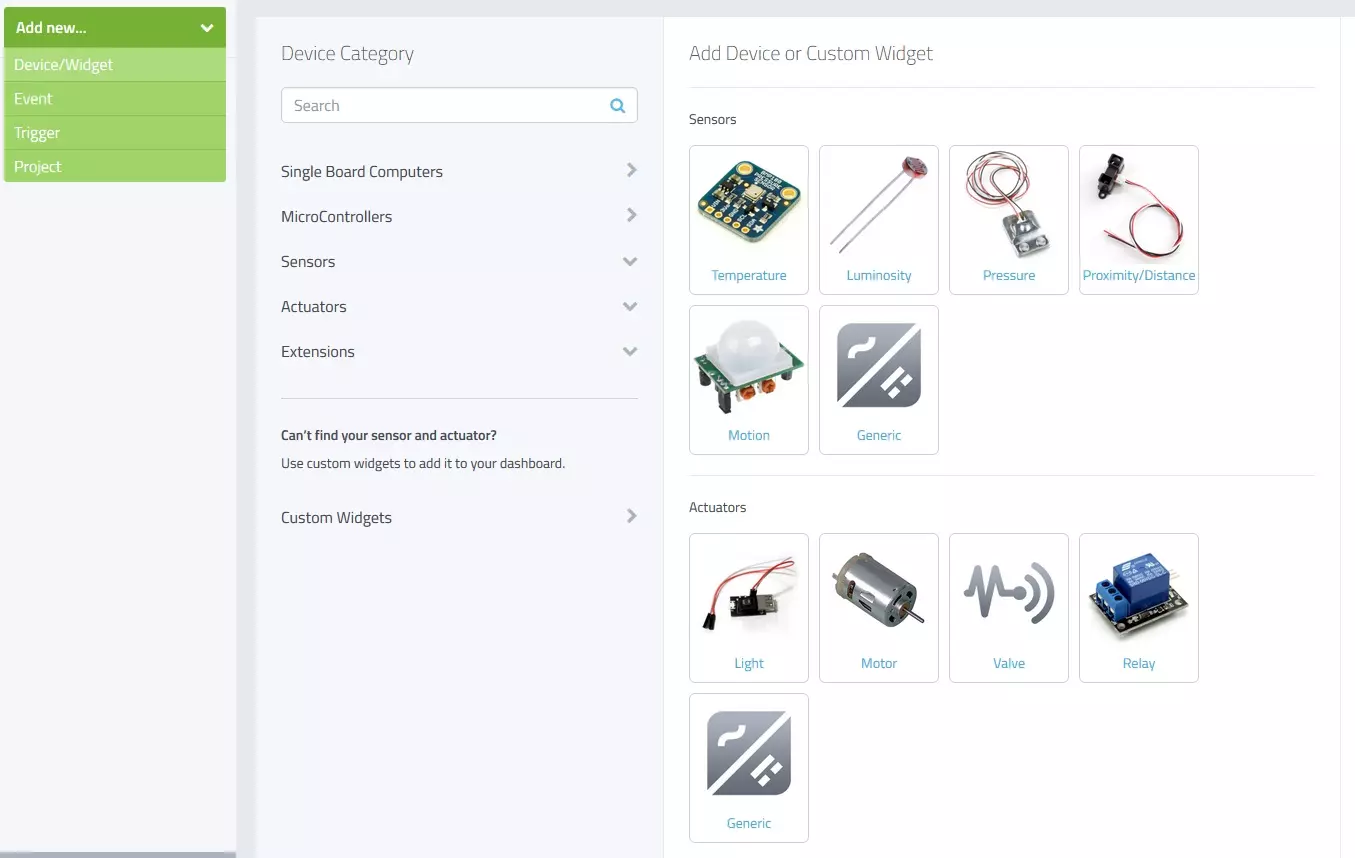
Hello friends, I hope you all are fine and having fun with your lives. Today, I am going to share a new and very exciting service with you guys which is named as myDevices Cayenne, we will have a look at getting started with Cayenne. Its really an awesome platform for students and hobbyist who wants to work on embedded systems but are afraid of programming codes.
Cayenne is an online project building platform using drag and drop. Currently it supports Arduino and Raspberry Pi. In simple words, you can design any of your Arduino or Raspberry Pi project simply by drag and drop different components. You don't need to write any code, you just need to place your blocks and upload it to your Arduino board. Its also known as the Graphical coding.
I came ...
Hello friends, I hope you all are fine and having fun with your lives. Today, I am going to share a new Home Automation Project using XBee & Arduino. Home Automation Project is a most commonly designed project by the engineering students. So, that's why I have thought to create a complete Home Automation Project so that engineering students can get benefit out of it.
We all know about automation which is originated from automate or automatic. In automation the task is done automatically and you don't need to control it. In normal Home automation project, there are few sensors which are displayed wirelessly to user and there are few controls like user can ON or OFF Lights, Fans etc via remote or mobile App.
In this Project, I have used Arduino ...
Hello everyone, I hope you all are fine and having fun with your lives. In today's tutorial, I am going to share How to do Arduino Serial Communication in detail. Recently, I have shared a lot of tutorial on Arduino Serial Communication which contains everything you need for Arduino Serial Communication. So, in today's tutorial, I am actually gonna combine them all and give you a whole picture of How you can easily do the Arduino Serial Communication. I hope you guys are gonna enjoy this. You should also have a look at DC Motor Speed Control using Arduino in which I have controlled the DC Motor via Arduino Serial Communication.
I will also share some more tutorials on Arduino Serial Communication in the near future so I will also add their links i ...
Hello everyone! I hope you all will be absolutely fine and having fun. Today, I am going to give you an elaboration about Introduction to Pixy Camera. It is basically is an electronic device or sensor having fast vision. It is also known as fast vision sensor most of the time. Using this device we can teach to find objects in a very less time duration. It is an image sensor having a very powerful processor. Pixy is easy to interface with the micro-controllers e.g. Arduino. We can make different programs only to send the desired data from the device to micro-controller. In this way micro-controller can not overwhelm.
Pixy camera is able to communicate with the micro-controller in several different ways e.g. serial communication, I2C protocol, dig ...