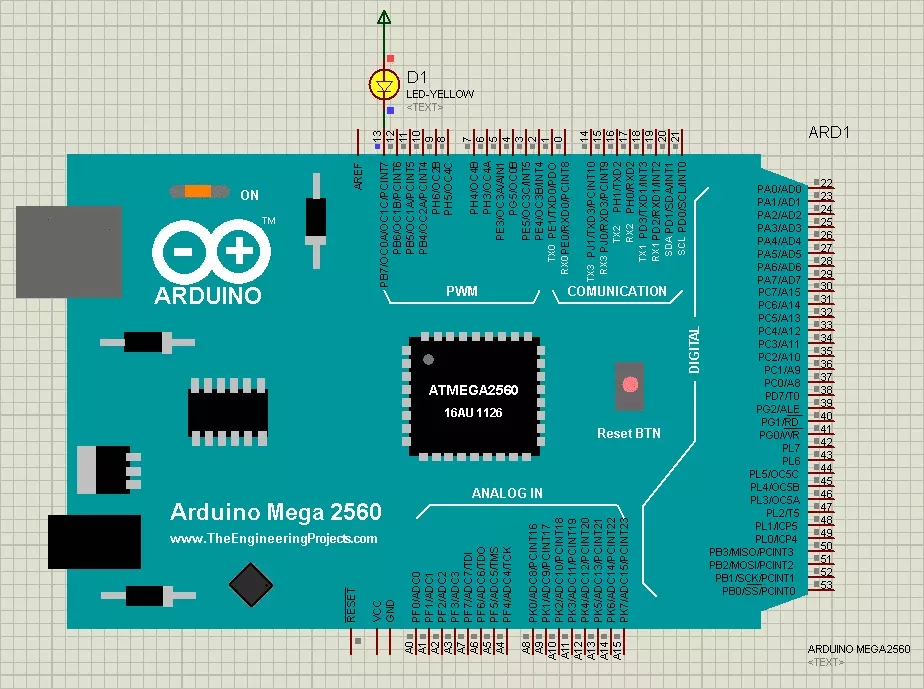
Hello friends, hope you all are fine. In today's post, I am going to share Arduino Mega 2560 Library for Proteus. In the previous post, I have shared the Arduino UNO Library for Proteus and I have mentioned that I am gonna share more Arduino Libraries soon. Actually these days I am quite excited about this Proteus component designing and I am designing the Arduino boards as a starter. So, till now I have designed two Arduino boards in Proteus. First one was Arduino UNO which I have provided for download in previous post and today, I am going to share Arduino Mega 2560 Library for Proteus . Updates Arduino Mega 2560 Library for Proteus Latest version: Arduino Mega 2560 Library for Proteus V4.0 (October 2026), with working LEDs, a RESET button and a built-in serial monitor Earlier versions: ...
]Hello friends, hope you all are fine. In today's post, I am going to share the Arduino UNO Library for Proteus . I designed this library by myself in Proteus, it was quite difficult and literally, it took me weeks to figure out How to add functionality of a new component in Proteus. First, I used Proteus VSM but it was quite difficult so I left it and finally, I used Microsoft Visual Studio C++ Language to design this Arduino library for Proteus. Updates Arduino UNO Library for Proteus Latest version: Arduino UNO Library for Proteus V4.0 (October 2026), with working LEDs, a RESET button and a built-in serial monitor Earlier versions: V3.0 (2023) · V2.0 (2021) · V1.0 (2015, this tutorial) Other boards: Mega 2560 · Mega 1280 · Nano · Pro Mini · Mini (V4.0) All six V4.0 boards in one package ...
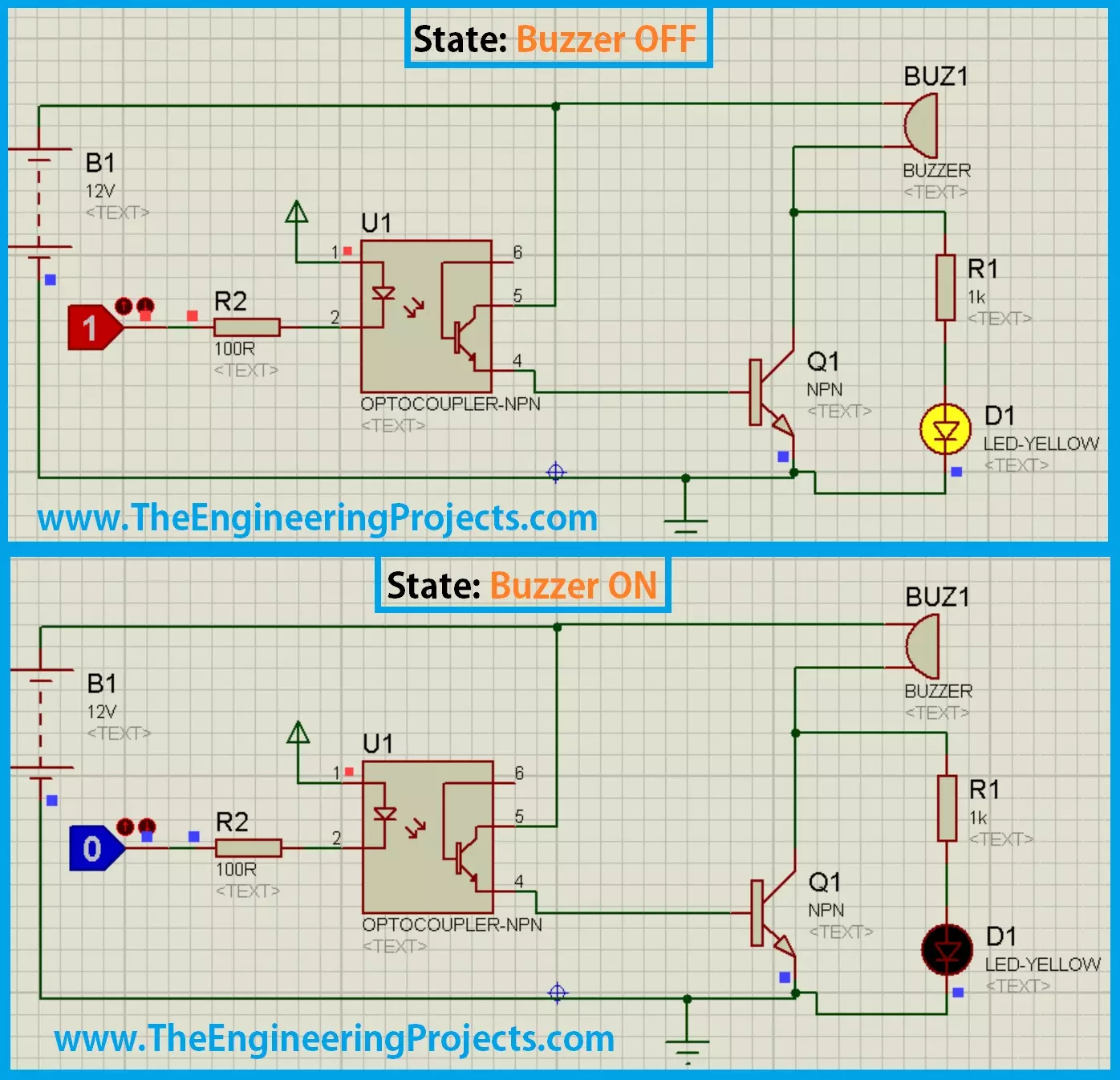
Hello friends, hope you all are having fun and enjoying life. Today's post is quite a simple one and is about designing of circuit diagram of buzzer in Proteus ISIS . Buzzer is quite a common electrical component which is used in almost every Embedded Systems project. For example, you have seen a simple UPS, it gives a beep each time the light goes off or it has depleted its battery. Buzzer is normally used for given some indication and normally this indication is kind of a warning. Proteus has a builtin component for buzzer and its an animated component means it gives a sound (beep) when its turned ON. So, I am gonna use that one and will give you an actual beep on it. So, it won't be much difficult and quite a simple procedure. In this post, I am not gonna interface it with any Microcont ...
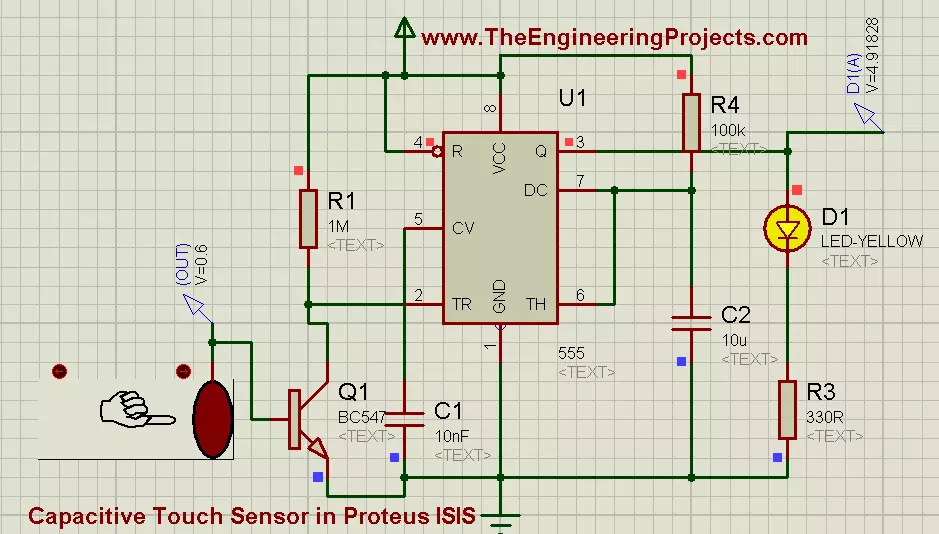
Hello friends! Today we will explore a capacitive-touch demonstration in Proteus and use its output to trigger a 555 timer. The timer will drive an LED, allowing us to follow the signal from the interactive sensor model through a transistor interface to a visible response. We will also separate the simulated touch control from the physics of a real electrode. A real capacitive sensor measures a change in capacitance; a finger does not simply generate a universal 0.6 V signal. The model's output is a convenient representation of detection behavior. The original circuit, images, video and download remain below. We will correct the 555 threshold explanation, add a base-current limiter to the transistor interface, and explain why a timed output can remain active after the touch input changes. ...
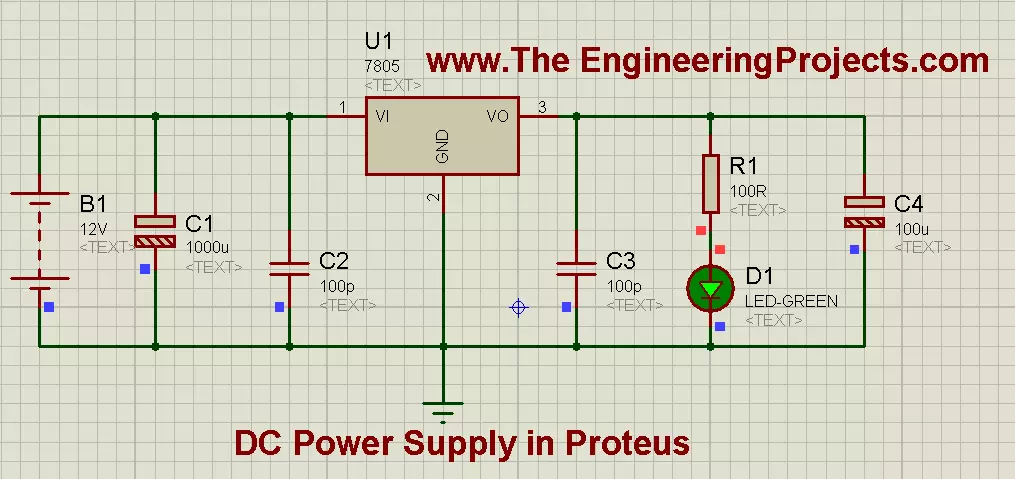
Hello friends! Today we will design a regulated 5 V DC supply in Proteus using a 7805 regulator. We will connect the input, bypass capacitors, indicator and load, then calculate the current and heat so that the simulation becomes a useful starting point for hardware. A regulated supply is often the first circuit a project needs, but the required voltage depends on the actual components. Some circuits use 5 V, others 3.3 V or different rails. Batteries also come in many voltages; the original article's statements that all batteries are 12 V and all electronics operate at 5 V were incorrect. For this exercise, we will deliberately choose a suitable 12 V DC source and a modest 5 V load. The original diagrams and download remain below, with corrections to capacitor values and LED current limit ...
Hello friends! Today we will build an adjustable DC supply using an LM317 voltage regulator in Proteus. We will calculate the output-setting resistors, check the available voltage range, and see why load current and temperature matter as much as the potentiometer setting. Our earlier 5 V supply using a 7805 provides a fixed output. The LM317 uses an external resistor network to set its output, making it useful when a project needs a different low-voltage supply. It does not, however, provide every voltage from zero to the input voltage. The original motor demonstration, images, video and download remain in this tutorial. We will explain the historical readings while correcting its missing LED current limiter, capacitor choices and assumptions about the maximum output. Start with a resistiv ...
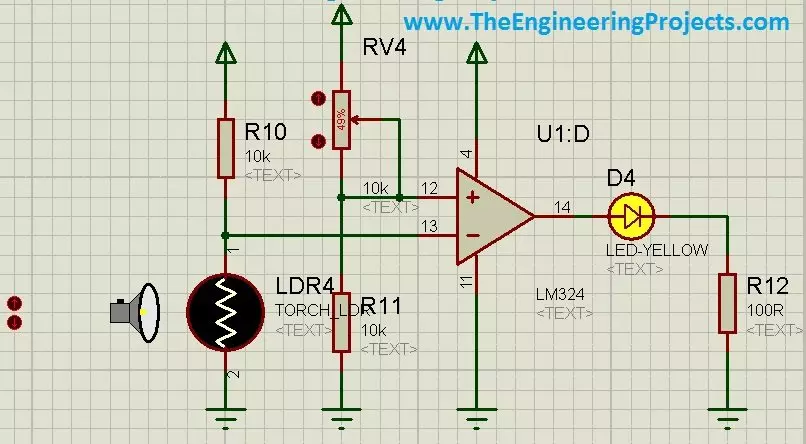
Hello friends! Today we will use an LDR sensor in Proteus to make a light-controlled LED circuit. We will begin with the photoresistor itself, convert its changing resistance into a voltage, and then compare that voltage with a reference to decide when the LED should illuminate. The original project demonstrates both a numeric light control and an animated torch control in Proteus. We will retain those illustrations and the project download while explaining what the circuit actually measures. A simulator control value is not automatically a measured voltage, and a photoresistor does not directly produce a calibrated lux reading. If you are new to the schematic editor, our Proteus ISIS and ARES tutorial collection covers the basic workflow. Here we will concentrate on the sensor, threshold ...
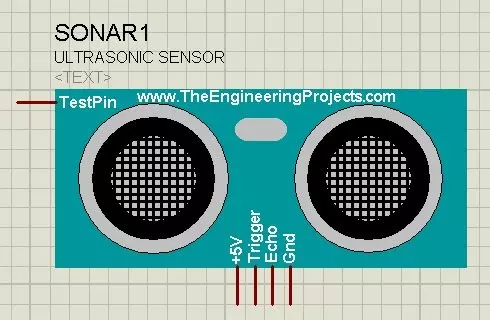
Hello friends! Today I will show you how to install our Ultrasonic Sensor Library for Proteus and use it with an Arduino Uno. We will begin with the library files, place the sensor on a schematic, connect its simulation input and then read the distance through the Virtual Terminal. This is the original HC-SR04-style library introduced in this tutorial. Updates Ultrasonic Sensor Library for Proteus Latest version: Ultrasonic Sensor Library for Proteus V2.0 (October 2026): HC-SR04 with real TRIG and ECHO timing, Simple and Advance devices, test tools and an Arduino demo Earlier versions: V1.0 (2015, this tutorial) Other distance and motion sensors: JSN-SR04T · Sharp IR · TF-Luna LiDAR · VL53L0X · PIR HC-SR501 · RCWL-0516 · IR Obstacle FC-51 Helping Tools Serial Monitor Advance : a serial ter ...
Hello friends! In our previous tutorial, we installed the Arduino LilyPad library for Proteus . Now we will use that board in a small circuit with three LEDs and a pushbutton, then extend the same project to an analog level indicator. The basic behaviour is easy to observe: when the button is released, all three LEDs are on; when it is pressed, they turn off. This gives us a useful first exercise in input configuration, output arrays and the relationship between a circuit and its program. The original article described a button demonstration but supplied code that read an analog input and mapped it to an LED count. We will explain that difference and provide separate versions for the two behaviours. The original screenshots and project download are retained, with the revised wiring and cod ...
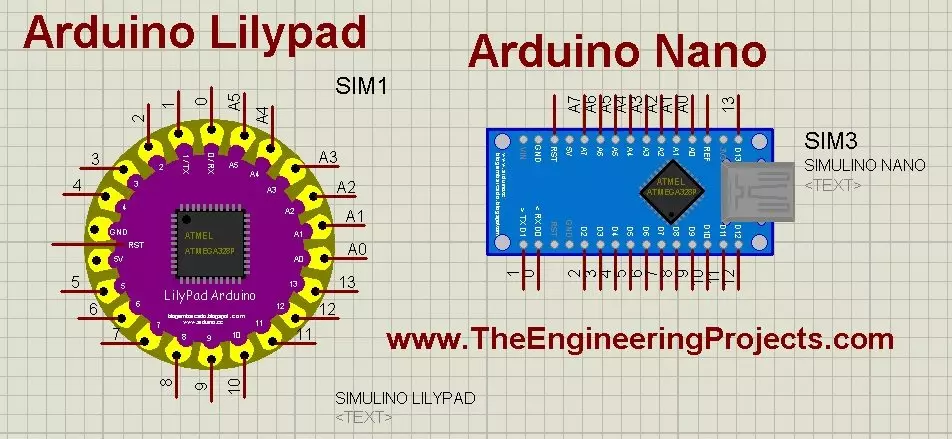
Hello friends! Today, we will install the Arduino LilyPad library for Proteus and prepare a small simulation to check the installation. This article continues our earlier Arduino library tutorial , with particular attention to the LilyPad and Nano parts included in this older library package. Updates Arduino Lilypad Library for Proteus Latest version: V1.0 (December 2014, this tutorial) Other Arduino boards: UNO · Mega 2560 · Mega 1280 · Nano · Pro Mini · Mini (V4.0) All six V4.0 boards in one package: Arduino Library for Proteus V4.0 Helping Tools Serial Monitor Advance : a serial terminal window for the UART of your board Serial Monitor Expert : the serial monitor with extra debugging tools LCD Library for Proteus V3.0 : 16x2, 20x4 and I2C LCDs to show your readings We will start by iden ...