Hello friends, I hope you all are doing great. In today's tutorial, we are gonna have a look at detailed Introduction to Namespaces in C#. Namespaces are considered as libraries in C#. If you have worked on any other programming language then you must be aware of the term library which contains all classes & methods etc. In C#, this functionality is performed by namespaces. In 12th tutorial, we have seen Introduction to Methods and in 13th part, we have seen Classes in C# . Methods are simple storage units and stores code only, Classes are slightly bigger storage units and can store methods. Now Namespaces are giant storage units, which can save anything in them i.e. classes, methods, namespaces etc. So, let's have a look at them in detail: Introduction to Namespaces in C# Namespaces are g ...
Hello friends, I hope you all are doing great. In today's tutorial, we are gonna have a look at detailed Introduction to Classes in C#. It's my 13th tutorial in C# series and now we are ready to understand this slightly complex subject in C#. In our previous tutorial, we have seen Introduction to Methods in C# which are used for organizing the code and we can add some code in separate methods to make the Main method simple. Classes are slightly bigger storage capacities than methods. Methods can store code, classes can store methods. So, let's discuss classes in detail: Introduction to Classes in C# Classes in C# are referred as storage units for different methods, fields, objects etc. and are used for organizing the code. In our previous lessons in C#, we have always taken an example of a ...
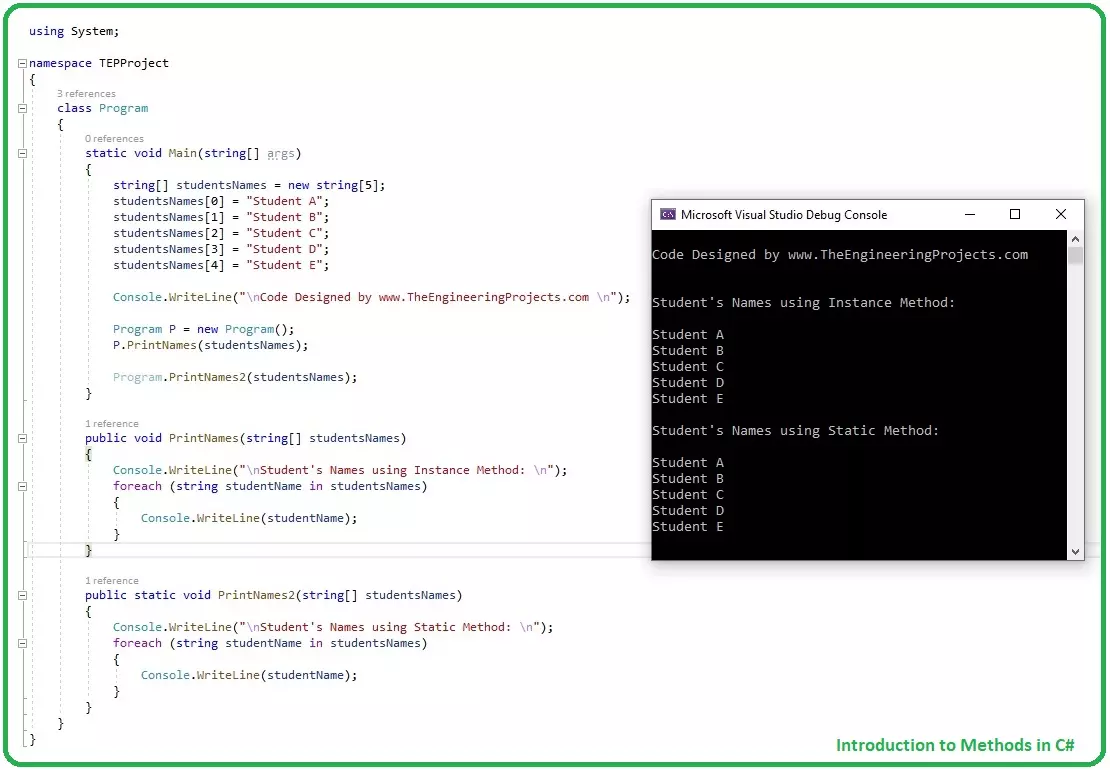
Hello friends, I hope you all are doing great. In today tutorial, I am going to give you a detailed Introduction to Methods in C#. It's our 12th tutorial in C# series. So far, we have covered all the basic concepts in C# and now it's time to move forward and have a look at some complex concepts. Methods have an important role in C# programming and if you want to be an efficient programmer then you must set your method controls correctly. Some methods have secret codes in them, which you don't want to give access to your developers, then you can set it private. We will cover such things in detail later, let's first have a look at Introduction to Methods in C#: Introduction to Methods in C# Methods in C# , also called Functions, are extremely useful in optimizing the code, normally used to c ...
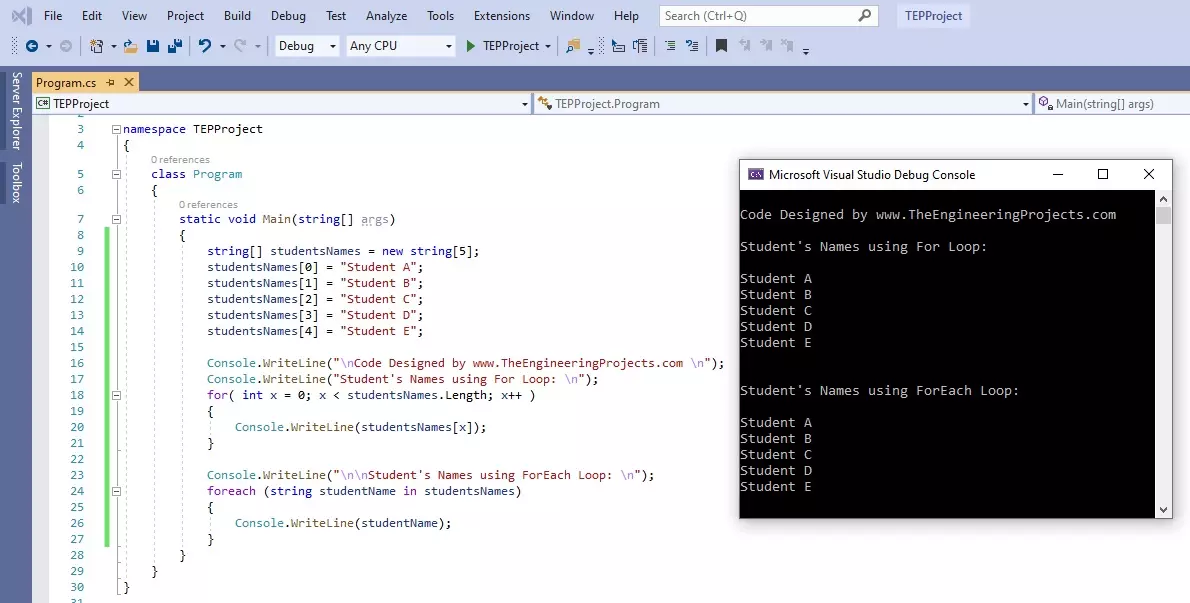
Hello friends, I hope you all are doing great. In today's tutorial, we are gonna have a look at How to use For Loop in C#. It's our 11th tutorial in C# series. Till now, we have seen two loops in C# which are IF Loop and while Loop and today we are gonna have a look at for Loop. For Loop is most commonly used loop in any programming language and if you have worked on any other language then you must be aware of its syntax. It is used to create repeated loop with specified number. Let's have a look at it in detail: How to use for Loop in C# For loop in C# takes an integer variable as a Controlling agent, initialized at value V1 and ends at value V2 , and the travel from value V1 to V2 depends on the Condition specified in () brackets. In both IF loop & while loop, the small brackets just ha ...
Hello friends, I hope you all are great. Today, I am posting 10th tutorial in C# series and its about How to use while Loop in C#. It's gonna be a quick tutorial, as there's not much to discuss. In our 8th tutorial in C# series, we have had a look at How to use IF Loop in C# and we have seen that IF loop takes a Boolean expression and if it's TRUE then it allows the compiler to enter in it just once. While loop is quite similar to IF loop as it takes a Boolean expression as well but it will keep on executing again & again, so let's have a look at it in detail: How to use while Loop in C# While Loop in C# takes a Boolean expression as a condition and it will keep on executing as long as the conditional expression returns true, we can say Execute while condition is TRUE. Here's the syntax of ...
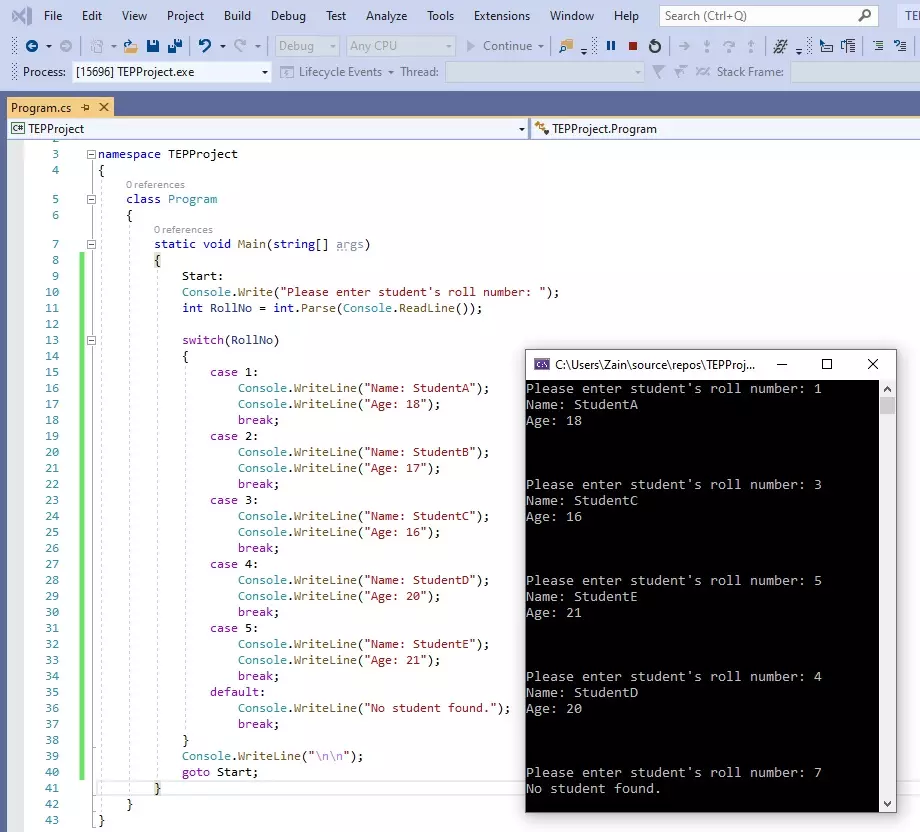
Hello friends, I hope you all are doing great. In today's tutorial, we are gonna have a look at How to use switch Statement in C# and its our 9th tutorial in C# series. In our previous tutorial, we have seen IF Loop in C# and this switch statement is also a loop but works slightly different than IF loop and it totally depends on your application, which one you want to use. First we will have a look at How to use switch statement in C# and after that we will also study goto statement, because switch and goto statements are normally used together. So, let's get started with it: How to use switch Statement in C# Switch Statement is a loop in C# which takes a variable as a condition, and then creates its different cases and we can deal each case separately. We need to use break Statement after ...
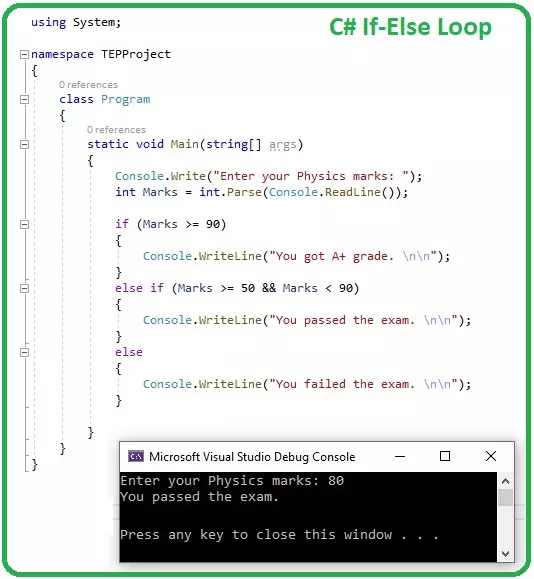
Hello everyone, I hope you all are doing great. Today, we are gonna have a look at IF Loops in C# and it's 8th tutorial in C# series. So far, we have discussed some basic concepts in C# and now we are ready to get our hands on Loops in C#. C#, as any other programming language, supports a lot of loop structures, we will discuss each one of them separately in our coming tutorials. Today, we will discuss the simplest of them all, which is IF loop, so let's get started with How to use IF Loop in C#: How to use IF Loop in C# IF Loop in C# takes a Boolean expression as a condition and if this condition is TRUE, the compiler executes the code inside IF loop { } and if the condition is wrong, the compiler simply ignores the code. Here's the syntax of IF Loop in C#: if (boolean-expression) { // Co ...
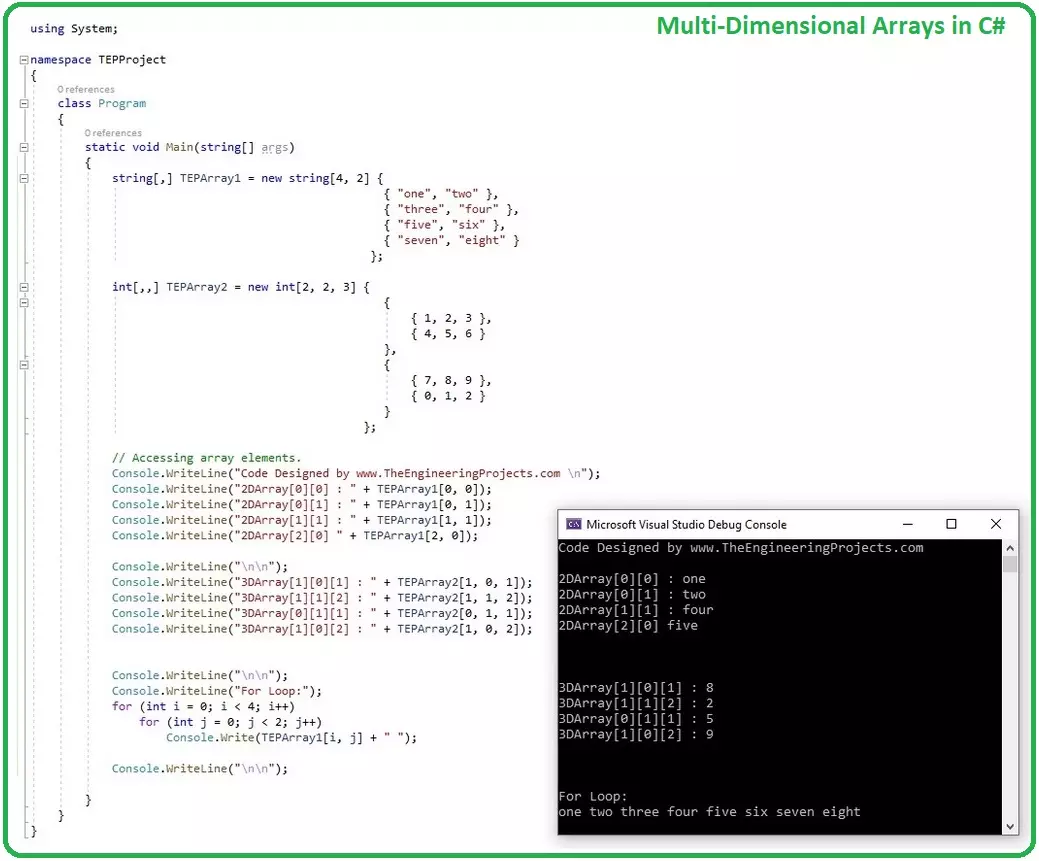
Hello friends, I hope you all are having fun. In today's tutorial, we are going to discuss How to use Arrays in C# . It's our 6th tutorial in C# series and currently we are focusing on basic concepts in C#. Without understanding these simple concepts, we can't move forward. So, let's get started with Arrays in C#: How to use Arrays in C# ??? An array (base type System.Array ) is a collection of similar (like-typed) data types, called by a common name. Each data item is referred as an element of array and is assigned an index starting from 0. As C# array is an object so we can find its length using member length, which is actually a count of total number of data items in that array. Arrays are reference types and implement IEnumerable that's why, we have to use new keyword for new instance ...
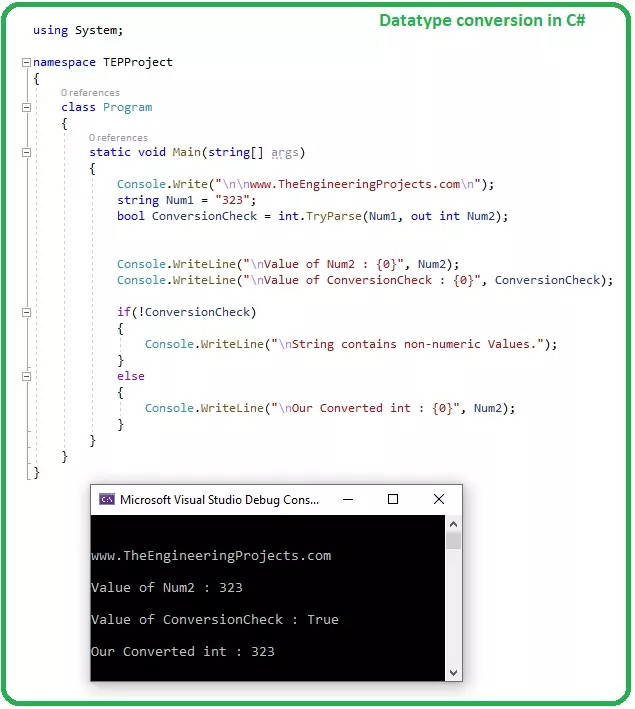
Hello friends, I hope you all are doing great. In today's tutorial, we are gonna have a look at Datatype Conversions in C#. We have discussed C# Data Types in our 3rd tutorial and today we will discuss How to convert one datatype into another. If you are working on some complex project, then you have to convert one form of data into another i.e. let's say you are getting bill value from barcode reader, this value must be a string and if you want to apply any arithmetic operation on it then you need to convert that string into integer or float. So, let's get started with Datatype Conversions in C#: Datatype Conversions in C# If you are working on some data driven application, then there's always a need to convert one form of data into another and that's where Datatype Conversions are requir ...
Hello friends, I hope you all are doing great. In today's tutorial, we are going to have a look at few Common Operators in C#. It's 4th tutorial in C# series and before going forward, we have to first understand the working operation of these C# operators. We have a lot of operators in C# but I have discussed few of them, which are most commonly used. If you got into any trouble then ask in comments. So, let's get started with Common Operators in C#: Common Operators in C# Operators are used to create a link, relation or operation between two entities/variables. Few of these C# operators are as follows: Assignment Operator ( = ) Arithmetic Operators ( + , - , * , / , % ) Comparison Operators ( == , != , > , < , >= , <= ) Conditional Operators ( && , | | ) Ternary Operator ( ? : ) Null Coal ...