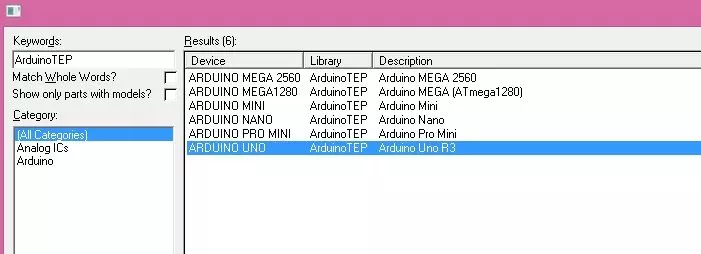
Hello friends! In this tutorial, we will install the Arduino Library for Proteus and use it to simulate a small Arduino circuit. This package brings several classic Arduino board components together, so you can choose a board that matches your project without installing each original library separately. We will begin with the included boards, then install the library and prepare a compiled program. Our first example uses an Arduino UNO and an LED. After that, we will discuss how to move the same source code to another board without overlooking processor, clock or pin differences. The original download, screenshots and demonstration video remain attached. This is the V1.0 tutorial; newer versions are linked below. The goal is to understand the complete workflow, including what a board libra ...
Hello friends! In this tutorial, we will install the Arduino Pro Mini Library for Proteus and build a simple blinking-LED simulation. We will start with the library files, prepare a program for the correct board variant and then load its HEX file into the simulated microcontroller. The Pro Mini is a useful choice when you want a compact Arduino board without a permanently attached USB interface. That makes the finished assembly smaller, but it also means you must think about voltage, clock speed and the programming connection when you build the physical project. We will explain those differences as we go. This article retains the original V1.0 library download and simulation images. The basic installation and firmware workflow remains useful, while the newer releases linked below provide t ...
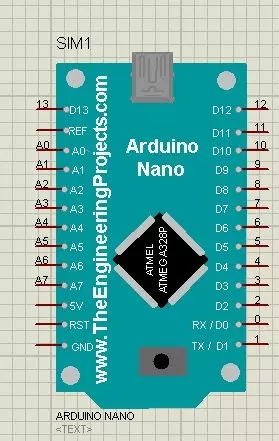
Hello friends! In this tutorial, we will install the Arduino Nano Library for Proteus, load a compiled Arduino program and run an LED-blinking simulation. We will follow the same sequence you would use for a larger project: identify the board, install its model, check the basic circuit and then add your application. The Nano is useful when an Arduino UNO would take too much space. In the project described in the original article, I used a Nano with an inertial measurement unit on a cricket bat. The smaller board helped keep the electronics compact. That example illustrates the reason for choosing the Nano: board size and connections matter alongside the processor's capabilities. This page explains the original V1.0 Proteus library and retains its download and screenshots. Newer library ver ...
Hello friends! This page organizes our Arduino projects into a practical learning path. We will begin with board setup and a first sketch, then move through displays, sensors, communication and combined applications. The aim is to help you choose the next useful exercise instead of searching through an unrelated collection of links. Work through the projects actively. Read the circuit, predict the result, run a small example and explain any difference you observe. You can also explore our Arduino projects for beginners and the corresponding PIC microcontroller project guide when comparing learning paths. The collection includes historical boards, software and simulation packages. Keep each tutorial's exact hardware and version requirements in mind. An example written for a classic Uno or a ...
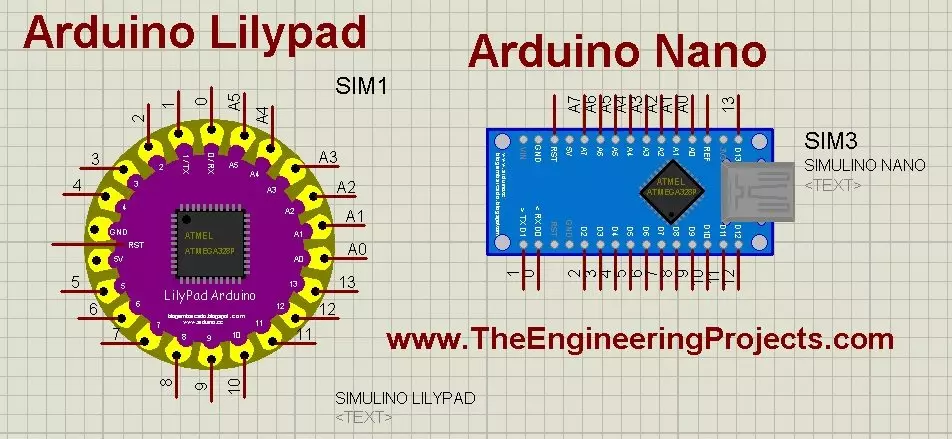
Hello friends! Today, we will install the Arduino LilyPad library for Proteus and prepare a small simulation to check the installation. This article continues our earlier Arduino library tutorial , with particular attention to the LilyPad and Nano parts included in this older library package. Updates Arduino Lilypad Library for Proteus Latest version: V1.0 (December 2014, this tutorial) Other Arduino boards: UNO · Mega 2560 · Mega 1280 · Nano · Pro Mini · Mini (V4.0) All six V4.0 boards in one package: Arduino Library for Proteus V4.0 Helping Tools Serial Monitor Advance : a serial terminal window for the UART of your board Serial Monitor Expert : the serial monitor with extra debugging tools LCD Library for Proteus V3.0 : 16x2, 20x4 and I2C LCDs to show your readings We will start by iden ...
Hello friends! In this guide, we will learn how to use Proteus ISIS and ARES, starting with a simple circuit and gradually moving toward microcontroller simulations and PCB design. I have kept the original tutorial collection so that you can follow a lesson in detail whenever you reach that stage. Our goal is to understand the complete development process. We will draw a circuit, calculate what it should do, simulate its behavior, examine signals with instruments and then prepare a physical board layout. Each stage answers a different question, so a successful simulation is one step in the process rather than the final proof of a finished product. If you are new to Proteus, follow the sections in order. If you already use it, choose the topic you need from the linked lessons. Some screensh ...