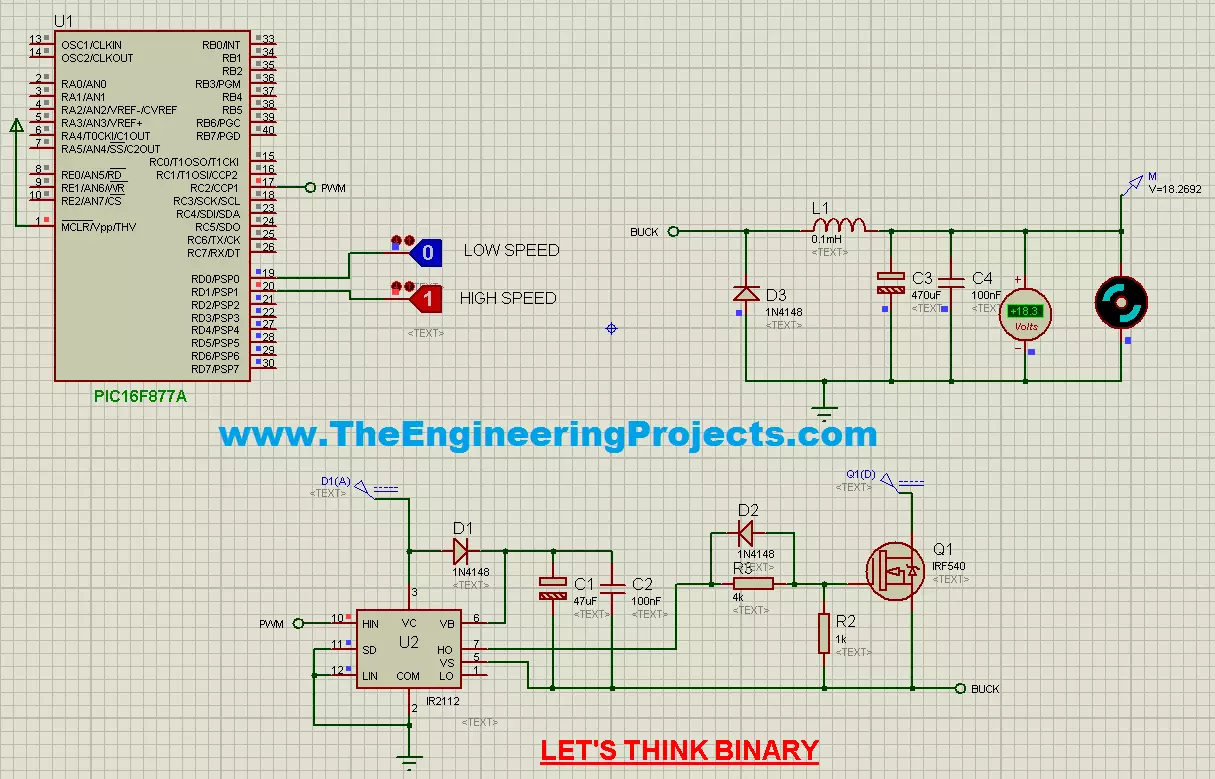
Hello friends, hope you all are fine and having fun with your lives. Today's tutorial is about speed control of DC Motor using PIC Microcontroller. I haven't written this tutorial by myself. Instead this tutorial is written by one of my very good friend Salah Dahouathi. We had an interaction through his awesome Facebook group Let's Think Binary and I would suggest you guys to join it as well, because he posted many projects in his group. So, after having a look at his work, I asked him to write for our blog which he gladly accepted and here's his first post. :) I hope you guys are gonna enjoy this one and will get knowledge out of it. So let's get started with this speed control of DC Motor using PIC Microcontroller tutorial.
Many applications in ...
Hello friends, I hope you all are fine and having fun with your lives. Today, I am going to share a tutorial on new board and as you can see in the title, this new board is named as Myrio. So, today, we are gonna have a look at getting started with Myrio. NI myRIO is a combination of dual-core ARM Cortex™-A9 real-time processing and Xilinx FPGA customizable I/O. It is specially designed for engineering students by National Instruments and is a cheap as well as an awesome piece for building your dream projects.
Recently I got a chance to work on this NI Myrio board and I really enjoyed while working on them as they not only awesome but also easy in programming. Moreover, because of its awesome speed you can ask it to do any kind of embedded work. Y ...
Hello everyone, hope you all are fine and having fun with your lives. In today's tutorial, we are gonna have a look at How to use C# Array. C# array is quite a simple concept but students normally got confused while using C# array that's why I am gonna explain it in a detail. C# array is used to store similar data in a single variable. Let me explain this with an example. Suppose you have 10 integer variables then what you need to do is to save all of these 10 variables in separate C# Int variables which will not only increase the size of your code but will also make it quite complex. So, instead of creating 10 separate C# Int variables you can simply create a single C# array and can add all of them in it.
Let's take an example for C# arrays from ...
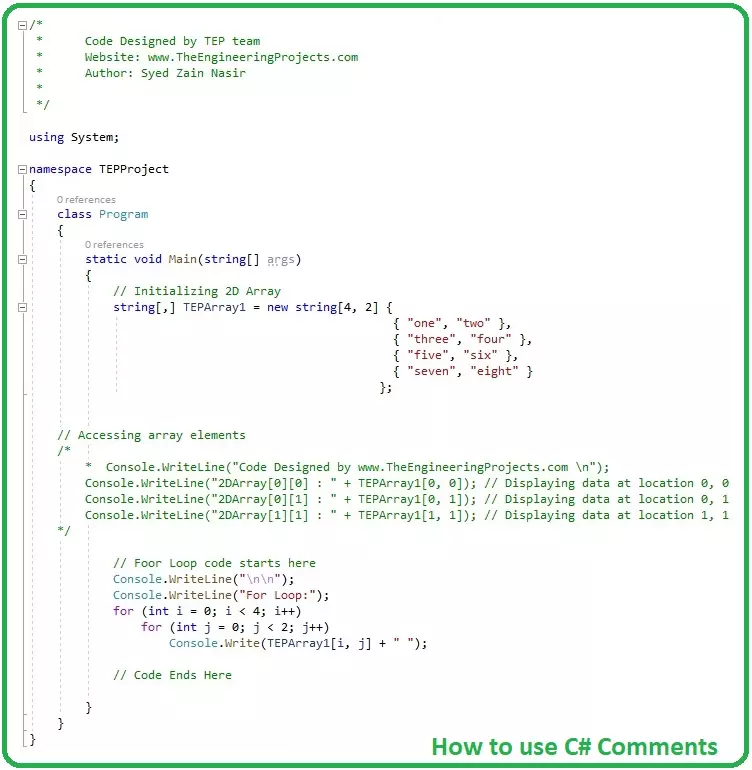
Hello everyone, I hope you all are fine and having fun. Today's tutorial is a quick one and is about how to use C# Comments. Comment is an important part of any programming language, although its not a directly part but they indirectly help a lot especially in complex projects.
I have also shared a tutorial on How to use comments in c++, you should read that post as well because I have explained few basic concepts in it. You guys are also welcome to give us feedback about this new C# tutorial series. If you have any suggestions about it then do let us know in comments.
How to use C# Comments ???
Comments are simple documented text lines, completely ignored by the compiler and are used to explain or provide any additional information about codi ...
Hello friends, I hope you all are fine and having fun with your lives. In today's tutorial, we are gonna have a look at How to use C# String Variables in your C# Projects. In the previous tutorials, we have a look at How to use C# Int Variables and also have seen How to use C# Double Variable. So, now today we are gonna see how to use C# String Variable.
We have already discussed the variables in detail so I hope that you must have the idea of what variables are and if you don't then you must read the previous tutorials first. The code is also given below in the tutorial. So, let's get started with How to use C# String Variables:
How to use C# String Variables ???
C# also supports string variable, a string variable can save anything in it in t ...
Hello friends, hope you all are fine and having fun with your lives. Today, I am going to show you guys How to use C# Double Variable in your projects. In our previous tutorial, we have seen How to use C# Int Variable and we have also discussed about the term Variables in detail. So, I am not gonna discuss it again and gonna come straight to our topic C# Double variable.
It's my second C# tutorial in the series of C# variables. In the coming tutorials, I will discuss the remaining C# variables in detail. I have also provided the project code below but I would suggest you to do it on your own so that you get most out of it. Moreover, you should also have a look at Introduction to C# Windows Forms and How to use C# Control in Widows Forms as I am ...
Hello friends, hope you all are fine and having fun with your lives. Today, I am going to share a new tutorial on C# language which is How to use C# Int variables. In our previous C# tutorials, we have designed a small project in C# which prints Hello World on the screen. Then we have seen Introduction to C# Windows Form, in which we have designed our first Windows form in C#. Then we have added the C# controls on that windows form.
Now, in today's tutorial, I am gonna introduce you to a new concept which is variables. Variables are used in every programming language and without variables we can't design even a simple code. There are different types of variables available in C# language and today among these variables we are gonna focus on C# Int ...
Hello everyone, I hope you all are fine and having fun with your lives. Today, I am going to share the list of all the C# tutorials, which I have posted on my blog till now. So, this post will be like a complete C# tutorial, which will have all the small and big C$ tutorials, I have posted on my blog. This list is quite small right now but I will post more C# tutorials soon and will add their links here. Actually, the C# tutorials are quite random on the blog so I am kind of compiling the list and pasting them all here so that readers won't get into much trouble finding them.
Till now, I have mostly posted the project on our blog in which I don't teach any language but provide you the code for that project. But now I have thought of writing comple ...
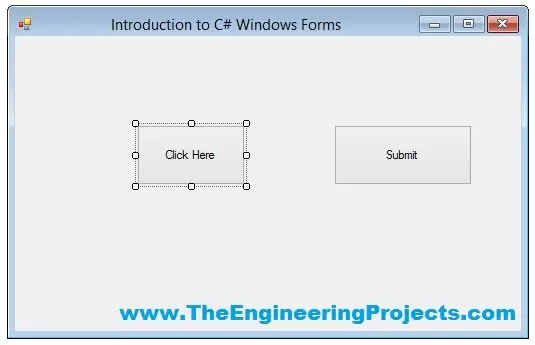
Hello everyone, I hope you guys are having fun with your lives. In today's tutorial, we are gonna have a look at How to use Button in C# Windows Form. In our previous tutorials, we have first discussed the Introduction to C# Windows Forms in which we have created our first C# Windows Forms Project. After that we have discussed How to add C# Controls in Windows Form, in which we have added different C# controls in that Windows form.
So, now we are gonna add back end programming in those Controls one by one. In today's tutorial, I am gonna add the code for the Buttons and you will see that it won't be any difficult to use them in your projects. So, let's get started with How to use Button in C# Windows Form.
How to use Button in C# Windows Form ??? ...
Hello everyone, hope you all are fine and having fun with your lives. Today, I am going to show you How to add C# Controls in your project. In our previous tutorial, we have seen an Introduction to C# Windows Forms in which we have created our first project and then we have discussed all about its different features like How to use Properties etc. and if you haven't read it yet then I would suggest you to read that one first as I am gonna continue from that tutorial onward.
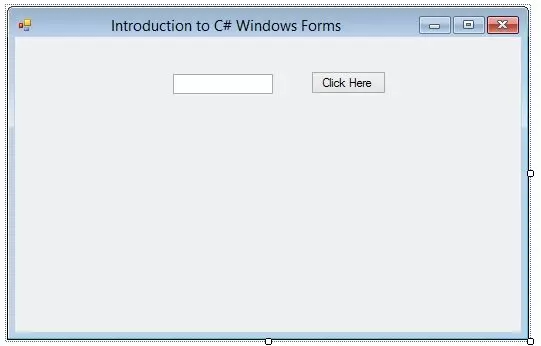
So, I am assuming that you have read Introduction to C# Windows Forms and you have your first project created and ready to use. So, if you have dne exactly as I have shown in my previous tutorial then you have a for as shown in the below figure:
...