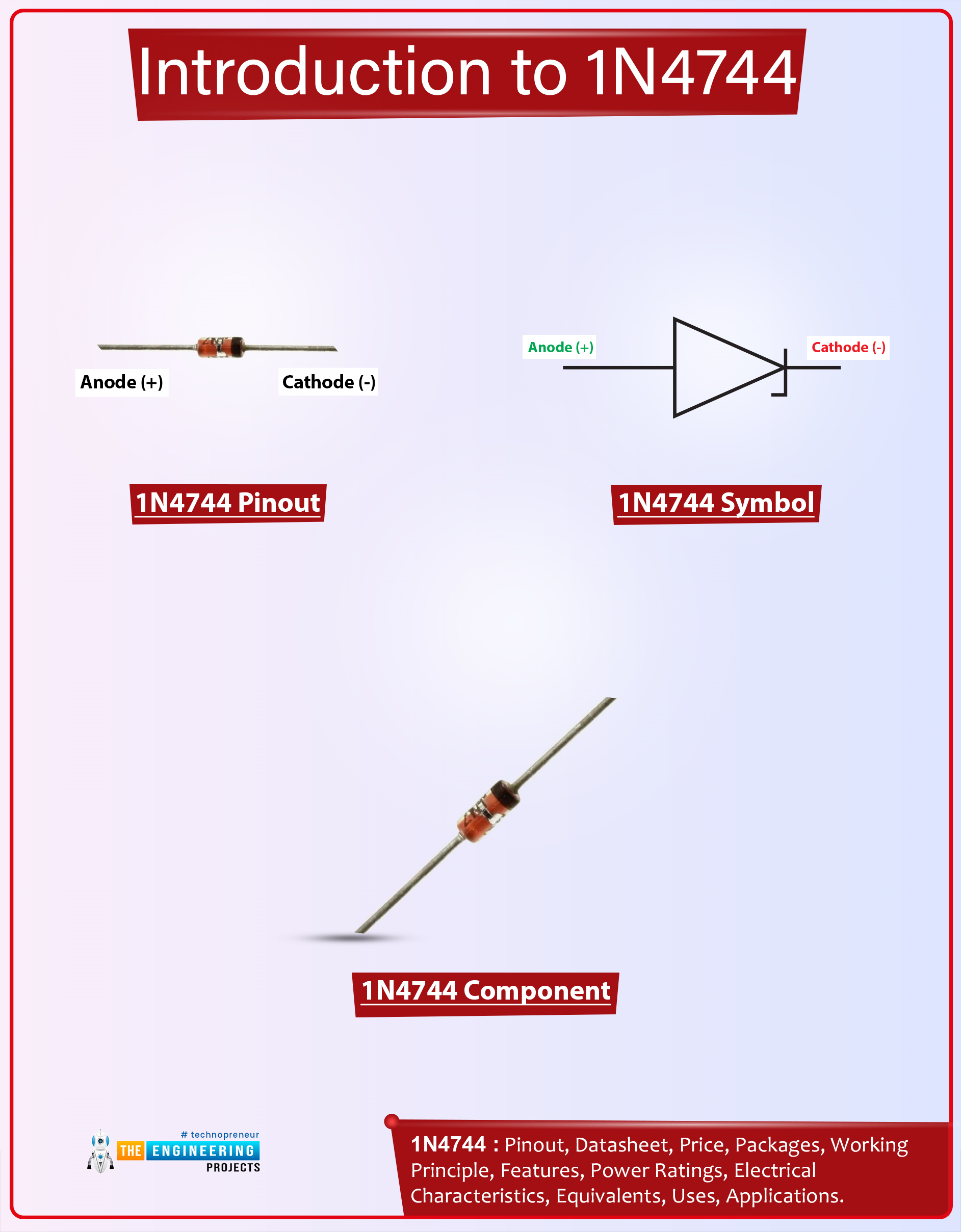
Hello Guys! I welcome you on board. In this post today, I’ll document the detailed Introduction to 1n4744.
The 1n4744 is a Zener diode that comes with a total power dissipation of 1W. It is used in high-power rating circuits for clipping purposes. This component is composed of silicon material and comes with a forward voltage drop of 1.2V. This Zener diode is a bit different than a regular diode in terms of current conduction. The 1n4744 conducts in both directions i.e. forward-biased and reverse-biased conditions. While the regular diode conducts in forward-biased condition only. Zener diodes are also employed to prevent the electrical circuits from overvoltage.
Read the entire post as I’ll detail the datasheet, pinout, features, and applications of 1n4744. Keep reading.
Introduc ...
Hello Everyone! I welcome you on board. Hope you’re well today. In this post today, I’ll detail the Introduction to FR106.The Fr106 is a fast recovery diode mainly employed in fast-switching applications. It supports loads under 1A and carries a peak inverse voltage of 800 V.
I suggest you read this post all the way through as I’ll walk you through the complete Introduction to FR106 covering datasheet, pinout, features, characteristics, and applications. Let’s jump right in.
Introduction to FR106
Fr106 is commonly known as a fast recovery diode mainly employed in fast-switching applications. This is a two-terminal device named anode and cathode.
The gray-colored band at one side of the diode indicates the cathode side while the other side is the anode terminal.
...
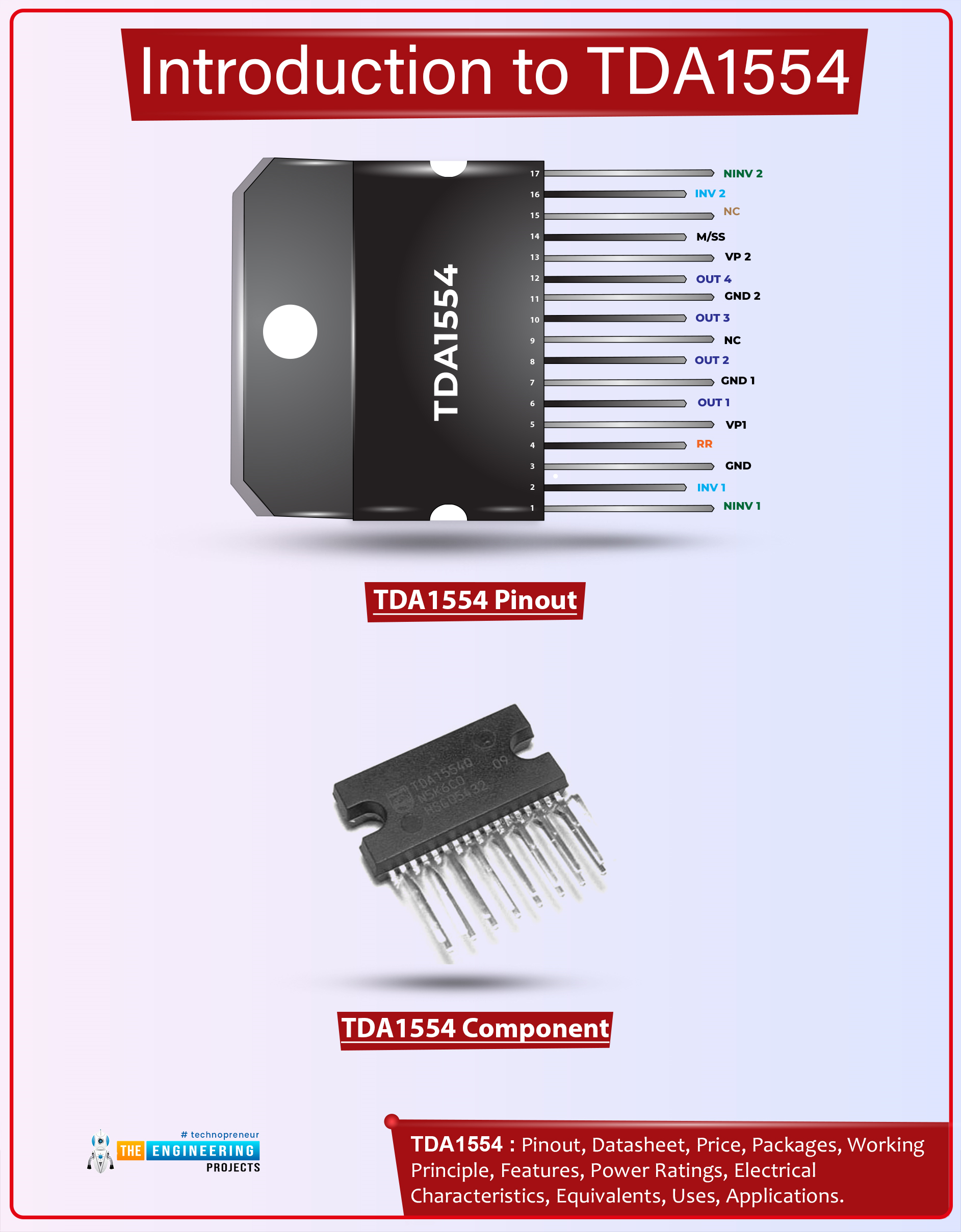
Hi Guys! Hope you’re well today. I welcome you on board. In this post today, I’ll walk you through the Introduction to TDA1554.The TDA1554Q is an integrated class-B output amplifier mainly used for car radio applications. This device features 4 x 11 W single-ended or 2 x 22 W bridge amplifiers. It comes in a 17-lead single-in-line (SIL) plastic power package.
I suggest you buckle up and read this entire post till the end as I’ll discuss the complete Introduction to TDA1554 covering datasheet, pinout, features, and applications.
Let’s get started.
Introduction to TDA1554
TDA1554 is a 4*11W single-ended or 2*22W power amplifier IC which means the internal circuitry features a 4*11W single-ended or 2*22W bridge amplifier.
It is an integrated class-B output amplifier that comes ...
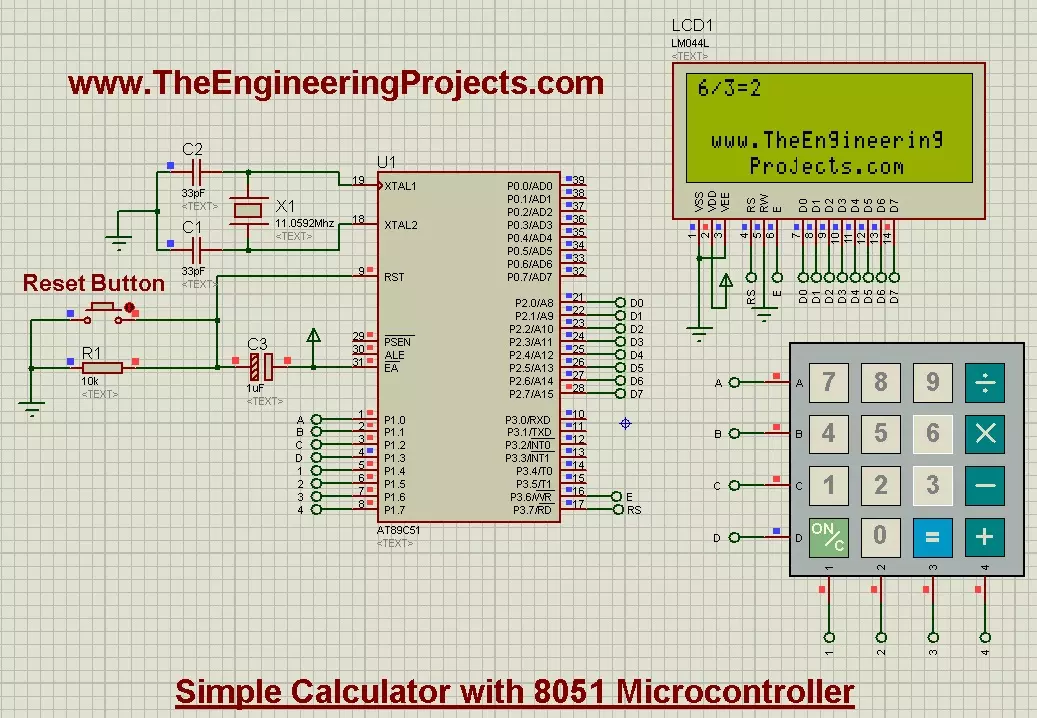
Hello friends, today's post is about designing a simple calculator with 8051 Microcontroller. In our previous post, we have seen How to Interface keypad with 8051 Microcontroller in Proteus ISIS. Moreover, we have also worked on Interfacing of LCD with 8051 Microcontroller in Proteus ISIS. If you haven't read these two posts then my suggestion is to read them first before going into the details of this post, as we are going to use both keypad and LCD in order to design the simple calculator with 8051 Microcontroller.
Actually we have already understood the working of both keypad and LCD so I thought to share this small project as it will give you the practical application of both keypad and LCD. And if you are new to 8051 Microcontroller then its ...
Hi friends! I hope you are having a good day. Today, I am presenting the Arduino UNO library for Proteus V3.0. You should have a look at the previous versions of this library i.e. Arduino UNO library for Proteus(V2.0) and the Arduino UNO library for Proteus(V1.0). The warm response of the students to these libraries has motivated them to upgrade the library. The latest version of this library has better design and functionality, which I will discuss in detail with you.
In this article, we will discuss the basic introduction to the Arduino UNO library, its simulation, and its working. Moreover, we will discuss a small project to show you the functionality of this library. Here is the introduction to the library:
What is the Arduino UNO?
The Arduino UNO was released in 2010 by Arduino. c ...
Hey Geeks! Welcome to The Engineering Projects. We hope you are having a reproductive day. We know that sirens are the special sounds that are the symbol that something unusual is occurring or about to occur. You may have experienced the Siren of the Walkthrough Gates at the airport when a person having the knife or other forbidden material pass through it. Or you have heard the Siren of the ambulance and seen that all the traffic gives the way to the ambulance when they hear the special Siren of the Ambulance. The same is the case with the police Siren.
The Police sirens are the special sound and it is set with the help of 555 Timer Integrated Circuit. You will learn how can one design a Police siren using the 555 Timer circuit in this tutorial. ...
Hi Friends! Hope you are doing great. Today, I am going to give you a detailed Introduction to Arduino Uno. It is a microcontroller board developed by Arduino.cc and is based on Atmega328 Microcontroller. The first Arduino project was started in Interaction Design Institute Ivrea in 2003 by David Cuartielles and Massimo Banzi with the intention of providing a cheap and flexible way for students and professionals to learn embedded programming.
Arduino UNO is a very valuable addition in electronics that consists of a USB interface, 14 digital I/O pins(of which 6 Pins are used for PWM), 6 analog pins and an Atmega328 microcontroller. It also supports 3 communication protocols named Serial, I2C and SPI protocol. You should also have a look at this vid ...
Hi Guys! Hope you’re well today. I welcome you on board. In this post, I’ll walk you through How to Install PCBWay Plugin for FreeCAD PCB Software.
Before we move further and help you with the installation of the plugin, let’s get a brief introduction to the FreeCAD software.
FreeCAD is a free and open-source parametric 3D modeler used to design real-life objects. With parametric modeling, you can easily modify your design and change its parameters. The tool is mainly used in mechanical engineering for product design and also proves to be handy in electrical engineering for electronic board designs. It supports Windows, Linux and macOS operating systems. Python programming language is primarily used to extend the overall functioning of the software.
Hope you’ve got an ...
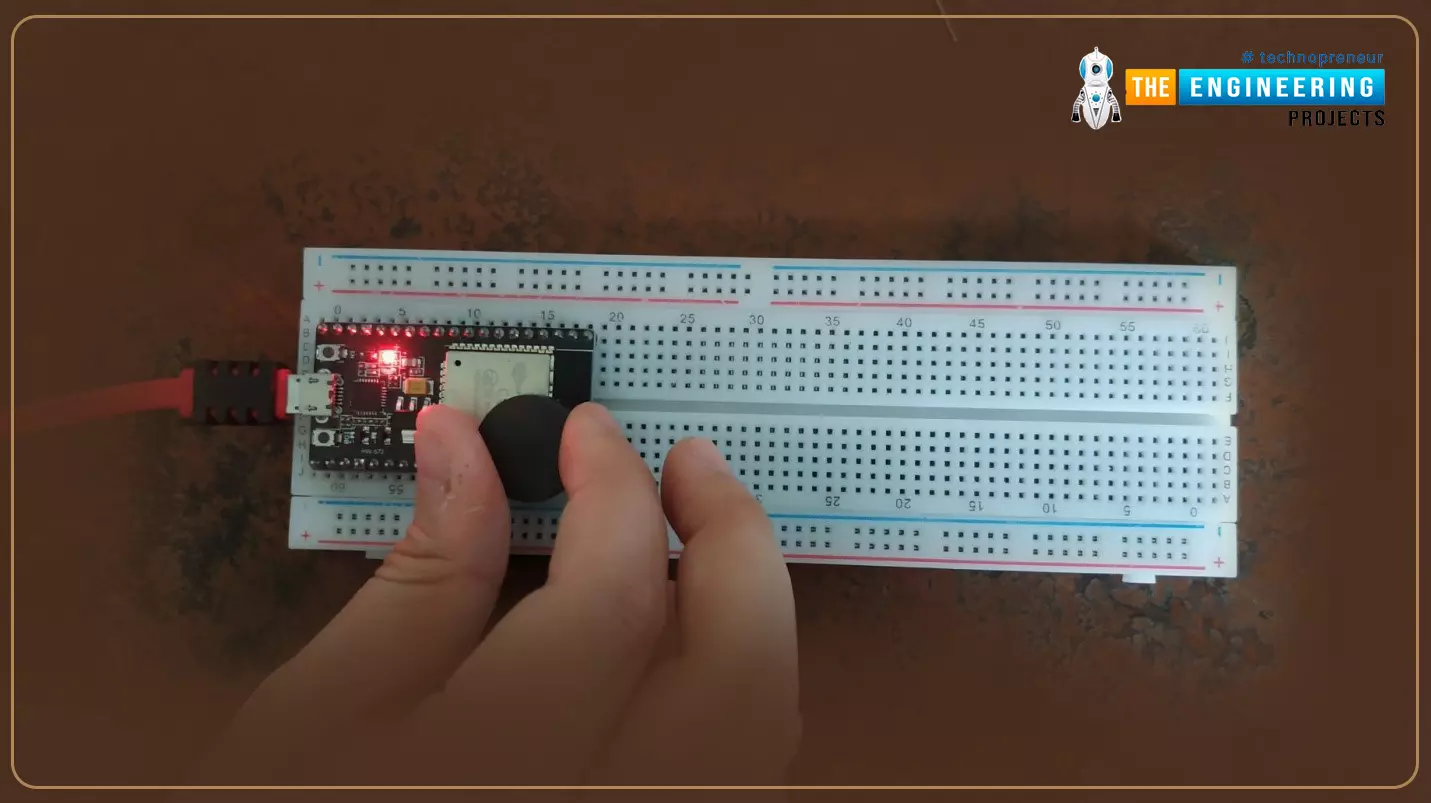
Hello readers, I hope you all are doing great. Welcome to Section 5 of the ESP32 Programming Series. In this section, we are going to interface different Embedded Sensors with the ESP32 Microcontroller Board. ESP32 development board is featured with some inbuilt sensors(i.e. hall effect sensor, capacitive touch sensor) so, in the initial tutorials of this section, we will explore these built-in ESP32 sensors and in the later lectures, we will interface third-party sensors with the ESP32.
In today's lecture, we will discuss the working/operation of the ESP32 built-in Hall Effect Sensor. Hall Effect sensor is used to detect the variation in the magnetic field of its surroundings. So, let's first understand What's Hall Effect:
What is the Hall Effect?
The Hall Effect phenomenon was fir ...
Hello friends, hope you all are fine and having fun with your lives. Today, I am going to share a tutorial on DC Motor Speed Control using Arduino in Proteus ISIS. In my previous post, we have seen How to design a DC Motor Direction Control Project using Arduino in Proteus ISIS and if you haven't checked it out then I would recommend you to have a look at it first. Because, in today's tutorial, I am gonna extend that tutorial and will add the DC Motor Speed Control in it. So, today, we will control both the direction as well as speed of the DC Motor. Moreover, you should also have a look at How to use Arduino PWM Pins if you are not much familiar with PWM control.
In the previous tutorial, we have seen How to control the direction of a DC Motor, w ...