… 4 LCDs on one UNO: 2 on the 4-bit bus, 2 on I2C I2C LCD at 0x27: found I2C LCD at 0x3F: found Type HELP for the commands SCAN I2C devices: 0x27 0x3F BAR 75 OK - bars 75% STATUS LCD1 LCD 16x2, 4-bit bus: LCD1 16x2 4-bit LCD2 LCD 20x4, 4-bit bus: LCD2 20x4 4-bit …
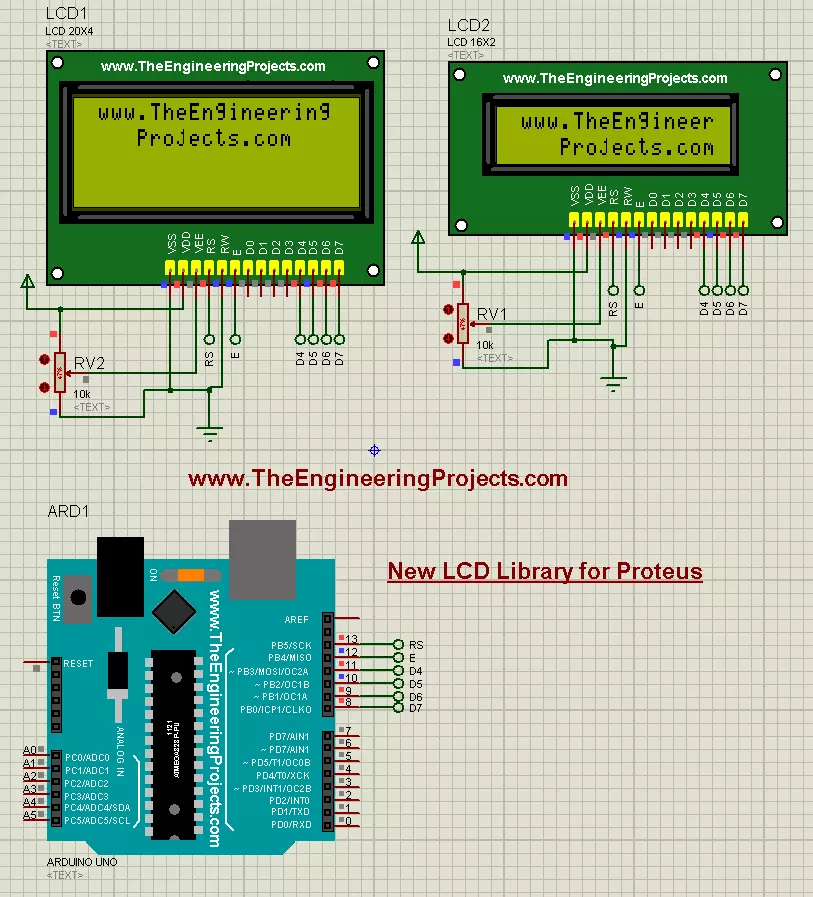
… The whole circuit running, without the pop-up windows: LCD1 shows "Hello, TEP!" and the clock, LCD2 "Hello, World!" over a 75 % bar graph. Wiring Demo wiring (the same on both UNOs, except A) LCD pin Arduino / supply Why RS, E D2, D3 Command or character, and …
… whole circuit running, without the pop-up windows: LCD1 shows the dashboard with "LCD 20x4 - 4-bit bus", LCD2 with "Yellow-green 20x4" and a 75 % bar. Wiring Demo wiring (the same on both UNOs, except A) LCD pin Arduino / supply Why RS, E D2, D3 Command or …
… LCDs in it but they are not much good-looking. So, I designed two new LCDs in Proteus that look identical to real-world LCDs. Updates LCD Library for Proteus Latest version: LCD Library for Proteus V3.0 (October 2026): LCD 16x2, LCD 20x4 and both I2C LCDs in …
… LCD Library for Proteus V3.0 (October 2026): LCD 16x2, LCD 20x4 and both I2C LCDs in one library, with our own HD44780 model and an Arduino demo Earlier versions: V2.0 (2023, this tutorial) · V1.0 (2016) One LCD only? LCD 16x2 · LCD 20x4 · I2C LCD 16x2 · I2C …
… a coffee . So, let's get started with the LCD 12864 Library for Proteus V1.0: Figure: The LCD 12864 demo in Proteus 8.5: LCD1 (Simple, blue, serial bus) shows the dashboard with its STATUS panel; the pop-up of LCD2 (Advance, yellow-green, 8-bit parallel) shows …
… Press Run . Both UNOs' monitor windows and LCD2's pop-up open; move them aside. The LCDs show "LCD Keypad V1.0", then the key tester. Hold the buttons of LCD1 with the mouse and watch the values (V1.0); press LCD2's keys from its Keypad tool (V2.0). Hold …
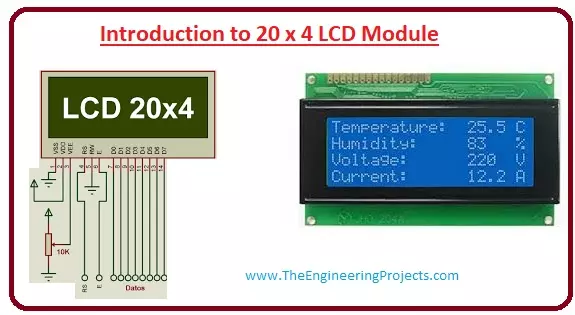
… of LCD and you can see it on your mobile, laptop, computer and television screen. Libraries LCD 20x4 Simulation Libraries Latest library: LCD 20x4 Library for Proteus V3.0 (October 2026) Other LCDs: LCD 16x2 · I2C LCD 16x2 · I2C LCD 20x4 All four LCDs in one …
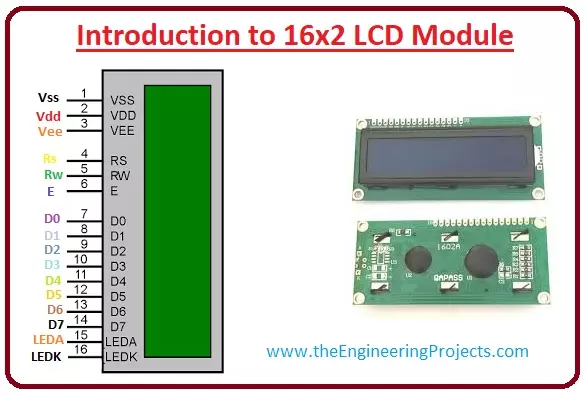
… LCD module, there are two rows every row consists of sixteen numbers. Libraries LCD 16x2 Simulation Libraries Latest library: LCD 16x2 Library for Proteus V3.0 (October 2026) Other LCDs: LCD 20x4 · I2C LCD 16x2 · I2C LCD 20x4 All four LCDs in one package: LCD …
… on the board opens it again. I2C LCD 16x2 Advance: The Pop-Up Window The Advance LCD keeps only the module on the schematic. Here is LCD2, the yellow-green Advance LCD; its chip says PCF8574AT and 0x3F : Figure: LCD2 (yellow-green, Advance) at 0x3F: "Hello …