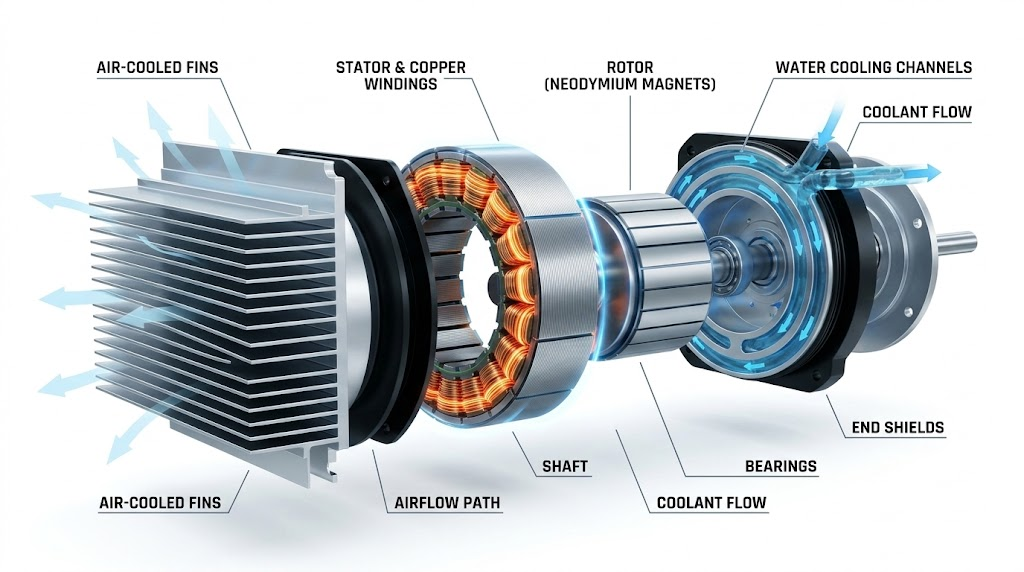
Selecting the right BLDC motor for electric vehicle applications involves more than comparing specs — cooling method is one of the most consequential decisions in EV powertrain design. Most guides tell you water cooling is "better." That's not wrong — but it's also not useful. This guide gives you the actual decision boundaries: what each cooling method handles, where it fails, and how to match your choice to your specific vehicle and duty cycle. Why Cooling Is a System-Level Decision The cooling method isn't just a motor spec — it affects your entire drivetrain. It determines weight distribution, maintenance intervals, IP rating requirements, and total system cost over three to five years. Choosing based on motor specs alone is one of the most common mistakes in EV design. A BLDC motor ma ...
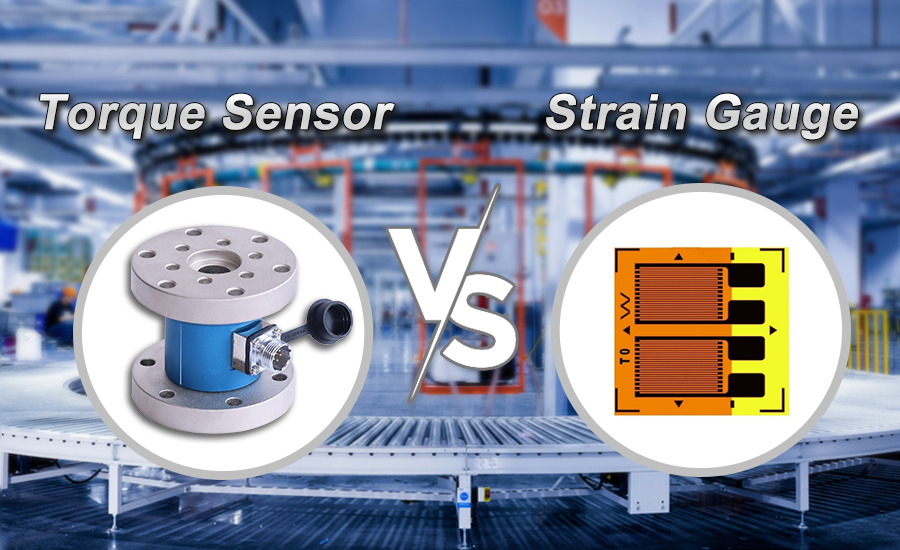
I still remember the first time I had to choose between a strain gauge and a torque sensor. It was a cramped motor lab. Old bench. Coffee gone cold. The project manager wanted answers by Friday. On paper the choice looked simple. In the real world it never is. Every project has its own personality. Speed. Budget. Accuracy. Abuse level. And usually a deadline that doesn’t care about any of that. If you have spent time around test stands and factory motors you know this dilemma well. Torque measurement sounds straightforward until you actually have to do it. That is when questions start piling up. How accurate do we really need to be. Will this thing survive vibration. Can we install it without tearing the whole setup apart. And the big one. Will it still read the same after six months of he ...
In the fast-paced world of engineering, small mistakes can snowball into massive complications — especially when it comes to component identification, labeling, and documentation. Whether you’re managing an electrical system, a mechanical setup, or an IoT prototype, clear and accurate identification is the unsung hero that keeps everything running smoothly. Yet, many projects suffer from avoidable identification errors that lead to maintenance delays, compliance issues, and even costly rework. The good news? Each of these mistakes can be prevented with a few simple best practices. Let’s look at six of the most common identification mistakes engineers make — and how to fix them efficiently. 1. Using Inconsistent or Unreadable Labels One of the most frequent mistakes is inconsistent labeling ...
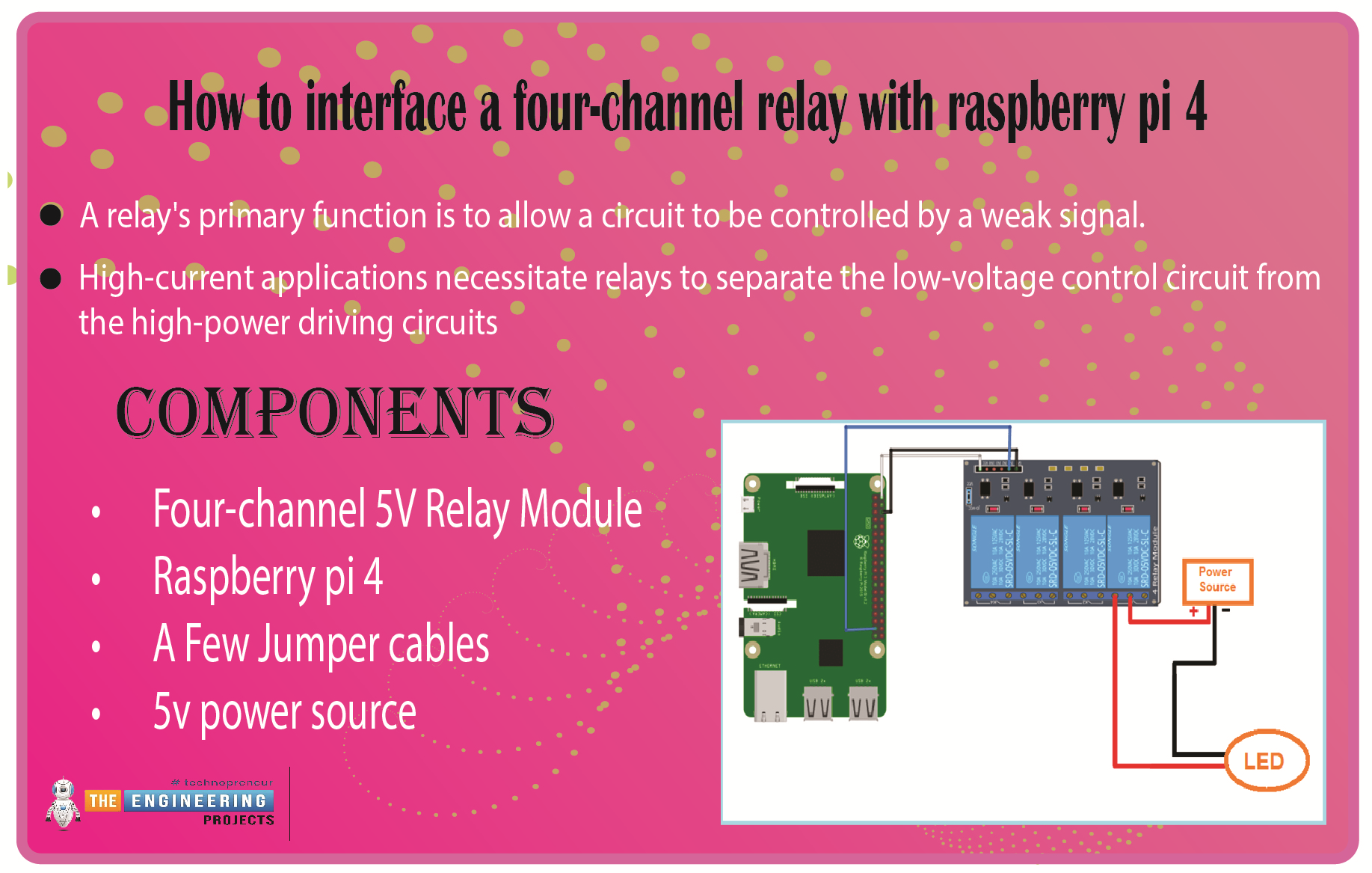
We learned in the previous tutorial how to connect a joystick to a Raspberry Pi 4 using an mcp3008 and an op-amp IC, the LM324A. For each of the interface methods we studied, we created a python script allowing us to interact with the circuit. This tutorial will show you how to connect a 4-channel relay module with a Raspberry Pi to carry out switching. A relay's primary function is to allow a circuit to be controlled by a weak signal. High-current applications necessitate relays to separate the low-voltage control circuit from the high-power driving circuits. Because of this, understanding it is crucial for those interested in industrial or household automation. If you've been tinkering with a raspberry pi for a while, consider the various ways in which you might put it to use. So let’s d ...
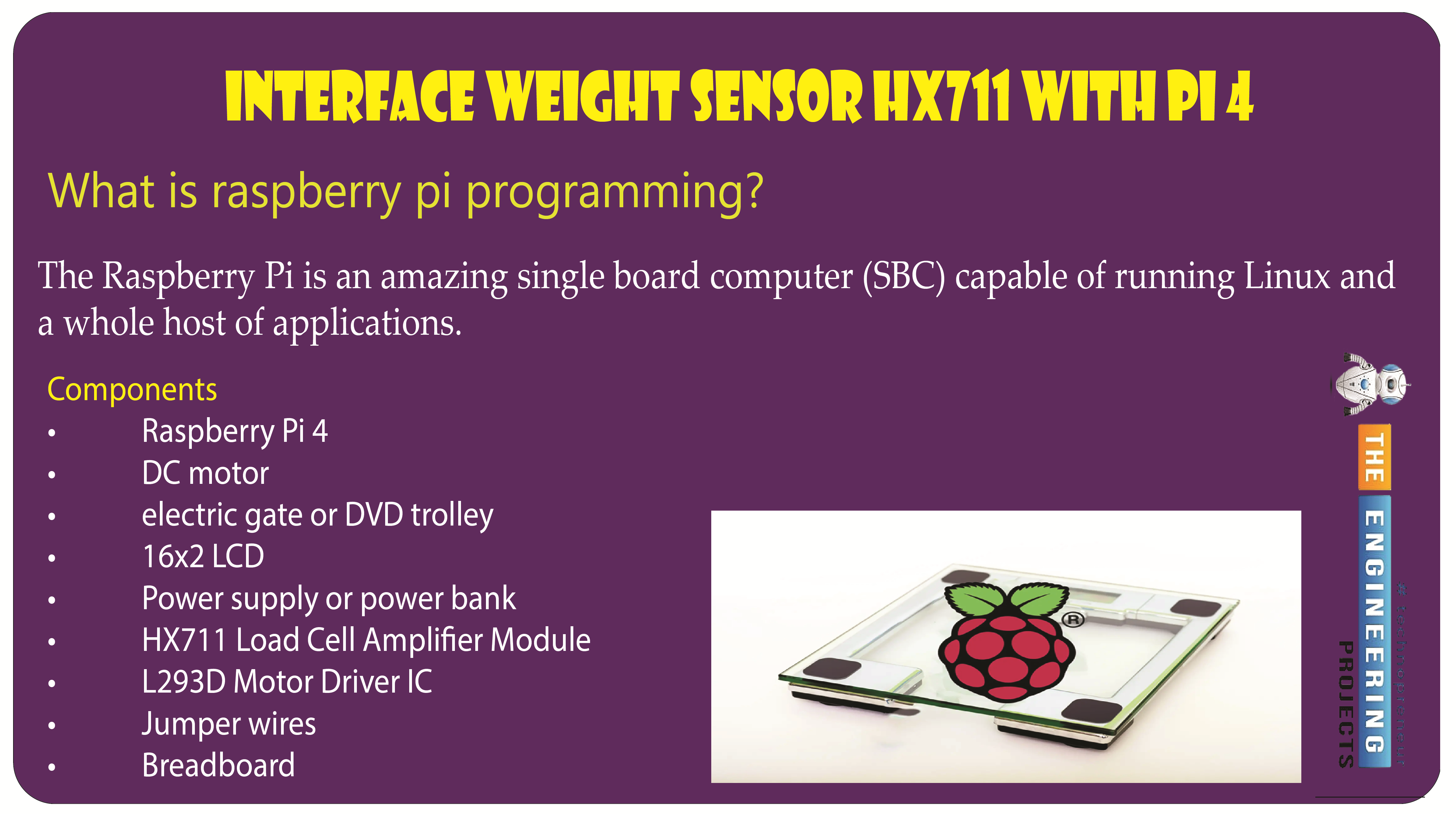
Welcome to the next tutorial of our raspberry pi programming tutorial. The previous tutorial showed us how to set up a weather station using the Internet of Things (IoT) on a Raspberry Pi 4. First, we studied how a weather station works on a fundamental level. Then we developed a Python script to collect data from the station. In contrast, we'll construct an automatic gate using a Raspberry Pi, a load cell, and an HX711 weight sensor. These pressure-sensitive gates are common in shopping centers and showrooms; they open when someone is in the immediate vicinity and close again when the person is out of sight. Like the Automatic Gate, we just made, this one will open in response to weight or pressure and stay that way until the force is removed. If you remove the load from this gate, it wil ...
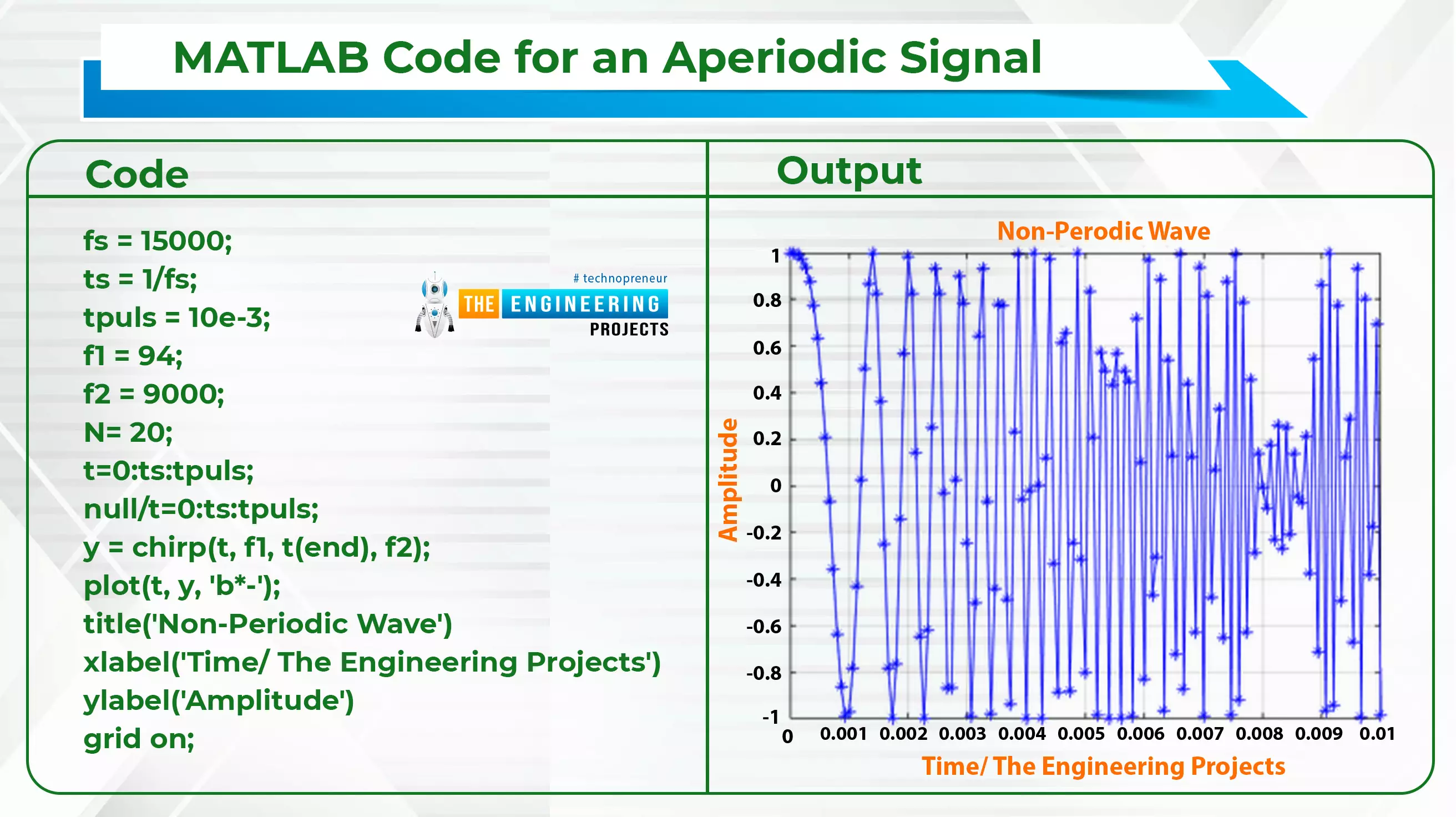
Hello! Welcome to the engineering projects. This is the second part of the signal and system series in which we will discuss some essential classifications of simple signals. In the previous session, we discussed the introduction of signals and systems and also ran some simple codes on MATLAB for the implementation of some simple codes. In this session, we are discussing some essential types of signals, and the best part is that we will implement all the signals in MATLAB for the best understanding. Here is a quick glance at all the topics that we will discuss today: Continuous-Time Signals Discrete-Time Signals Periodic Signals Aperiodic Signals Even Signals Odd Signals Deterministic Signals Non-Deterministic Signals Energy Signals Power Signals What are functions? Some examples of signal ...
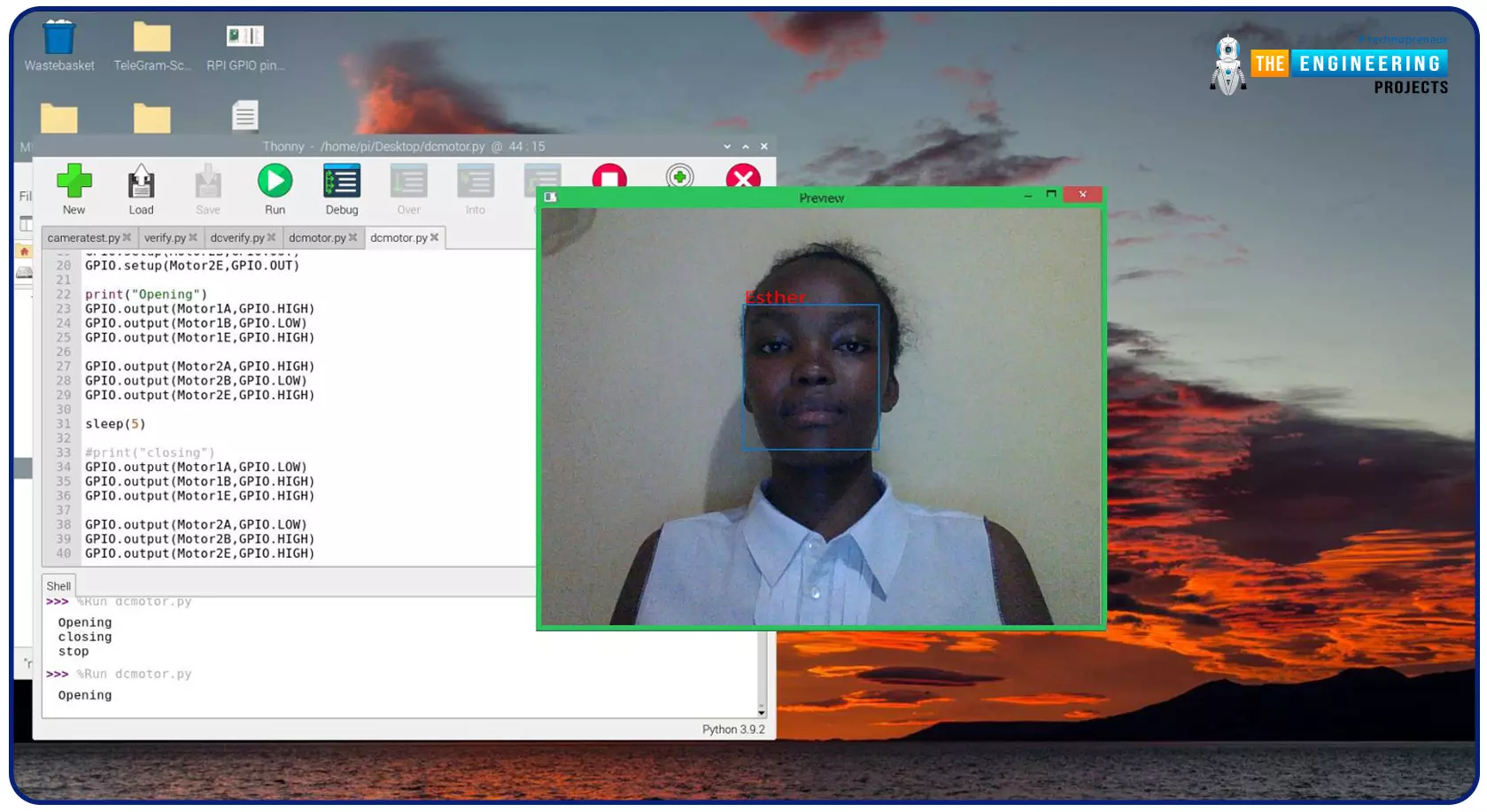
Greeting, and welcome to the next tutorial of our raspberry programming tutorial. In the previous tutorial, we learned how to build a smart attendance system using an RFID card reader, which we used to sign in students in attendance in a class. When it comes to building a face-recognition program on a Raspberry Pi, this tutorial will show you how. Two Python programs will be used in the lesson, one of which is a Training program that analyzes a collection of photographs of a certain individual and generates a dataset. (YML File). The Recognizer application uses the YML script to detect a face and afterward utters the person's name when the face is detected. Components Raspberry Pi Breadboard L293 or SN755410 motor driver chip Jumper wires DC motor 5v power supply A growing number of us alr ...
Hello readers, I hope you all are doing great. In our previous tutorial, we discussed the implementation of pulse width modulation (PWM) in Raspberry Pi Pico using the MicroPyton programming example. We also implemented the LED brightness control program to demonstrate an application of the pulse width modulation technique. In this tutorial, we are going to implement another application of pulse width modulation technique which is ‘Direction and position control of a servo motor’ with Raspberry Pi Pico module and MicroPython programming language. Later in this tutorial, we will also discuss how to control the position of a servo motor with push buttons (to be used as control inputs) and also to use LEDs for indication purposes. What is Servo Motor? Before interfacing the servo motor with t ...
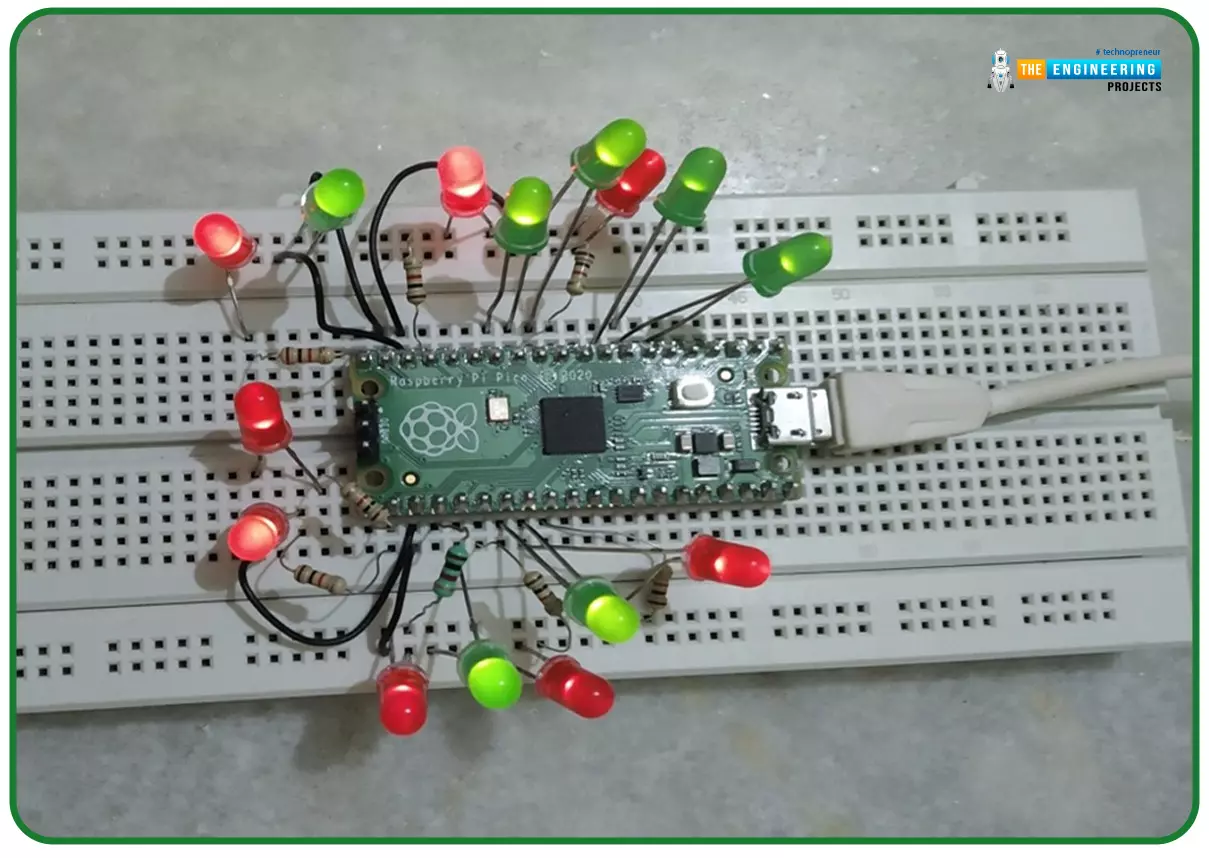
Hello readers, I hope you all are doing great. In our previous tutorial, we discussed the implementation of LED interfacing and blinking program with Raspberry Pi Pico using MicroPython programming language. So continuing with our previous tutorial, in this tutorial we will learn how to control the LED brightness using PWM (pulse width modulation technique). As we mentioned above, in our previous tutorial we implemented the LED blinking program with a Raspberry Pi Pico board. Blinking an LED means turning ON and OFF and thus the process involves only two states that are ‘1’ (HIGH) and ‘0’ (LOW). But, sometimes it is required to change the digital output between these two (ON and OFF states) for example changing the LED brightness. PWM or Pulse Width Modulation technique is used to change t ...
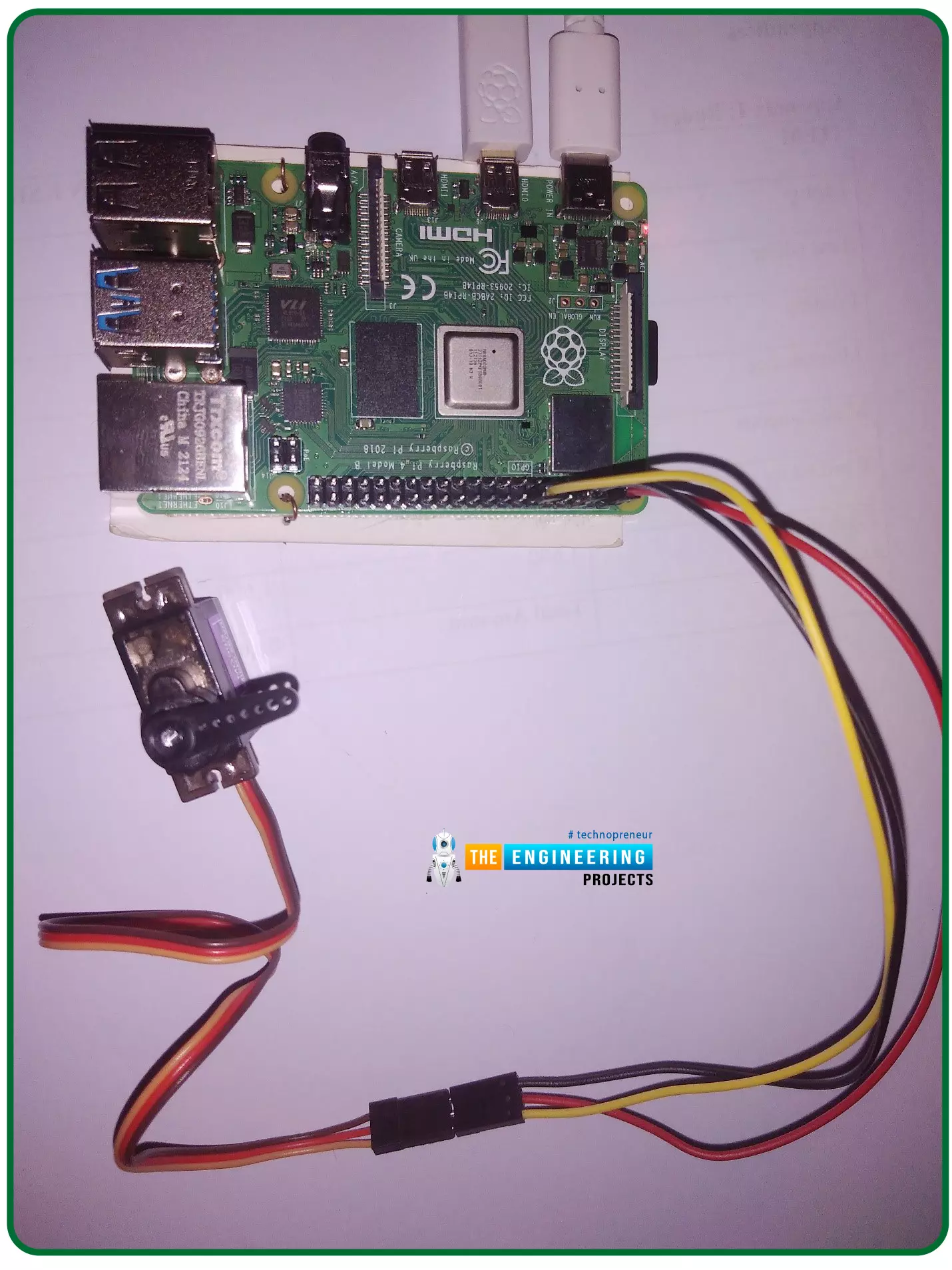
Hello friends, I hope you all are doing well. Welcome to the 11th tutorial of our Raspberry Pi programming course. In the previous chapter, we have seen how to regulate the speed of a Stepper motor with Raspberry Pi 4 . Today, we'll work on the servo motor and will control it with RPi4. So, let's get started: Components Required: We will need the following components to control Servo Motor with Raspberry Pi 4: Raspberry Pi 4. Servo Motor. Male-to-female jumper wires. What is a servo motor? A Servo Motor is a simple DC motor with a position feedback Control System and a gearbox. A Servo Motor's primary advantage is its ability to maintain its shaft's angular position at any desired angle i.e. if we want to keep our shaft at 67 degrees, we can easily achieve that with a servo motor. In most ...