Hello friends, I hope you all are doing great. Today, we will create a wifi temperature monitoring system. For reading, we will use the DS18B20 sensor. For data processing and webpage creation, we will use our already known ESP8266.
The project will be built as follows:
Circuit assembly
Code for reading the DS18B20 sensor (we will use Serial for tests).
Creation of the webpage (we will use SPIFFS to store in FLASH).
But first, let's know a little about the sensor and the communication model it uses.
Materials
For this project, we will need the following items: For this project, we will need the following items:
1 x ESP8266
1x DS18B20 Sensor
1x Breadboard
1x 4k7 Ohms resistor
DS18B20
DS18B20 is a digital temperature sensor with good precision, good customization, pr ...
Hello friends, hope you all are fine and having fun with your lives. In today's post, I am going to share Interrupt based Digital clock with 8051 Microcontroller. In the previous post, I have explained in detail How to use Timer Interrupt in 8051 Microcontroller. We have seen in that post that we can use two timers in 8051 Microcontroller which are Timer0 and Timer1. Using these timers we can easily generate interrupts. So, before going into details of this post, you must read that timer post as I am gonna use these timer interrupts in today's post.
After reading this post, you will also get the skilled hand on timer interrupt and can understand them more easily. In today's post, I am gonna design a digital clock which will increment after every o ...
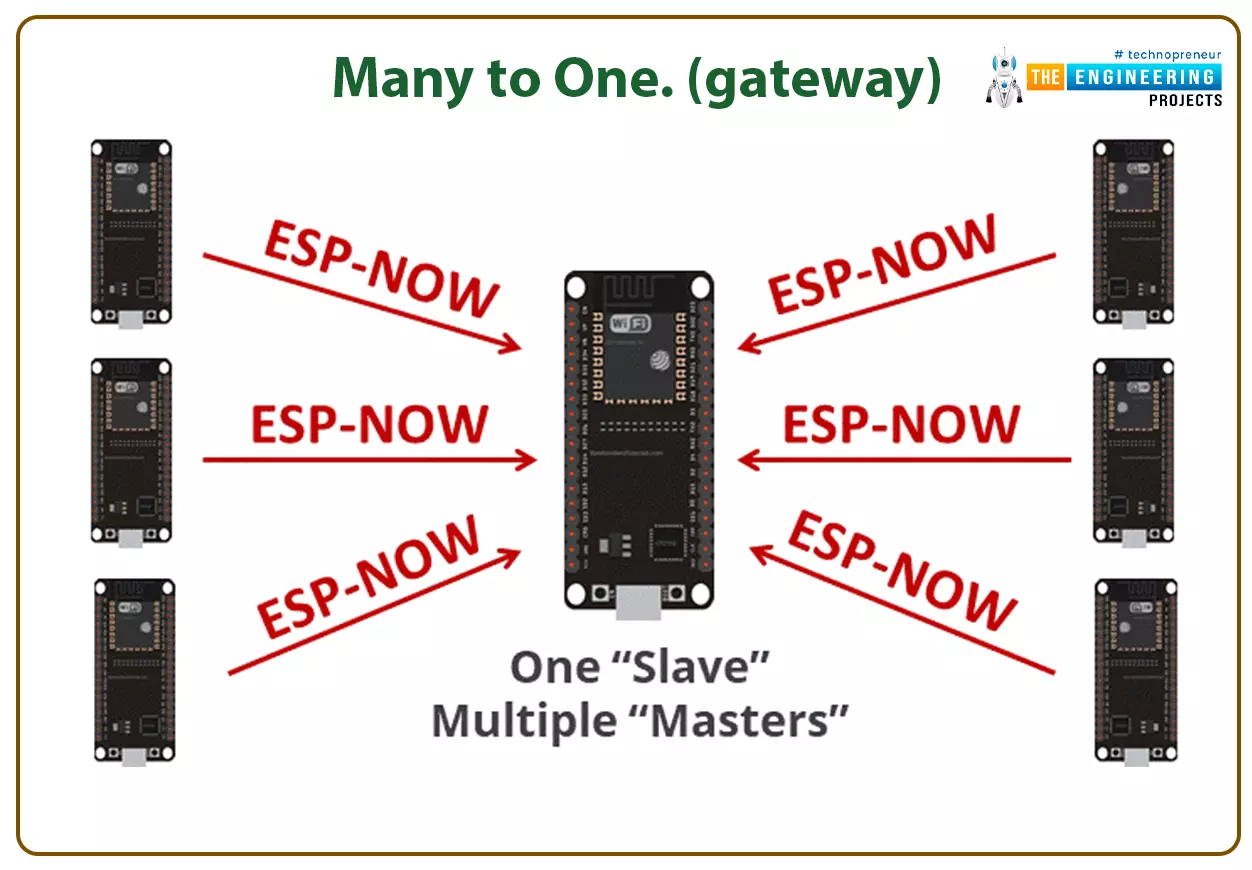
Hello readers, I hope you all are doing great. In this tutorial, we will learn about the ESP-NOW protocol and how to communicate data between two ESP modules through ESP-NOW protocol and that is too without Wi-Fi connectivity.
What is ESP-NOW Protocol?
Fig. 1: ESP-NOW Protocol
ESP–NOW is a connectionless communication protocol that is used for sharing small data packets between two ESP boards. This protocol is developed by Espressif.
Features of ESP-NOW Protocol:
It is a low-power wireless protocol, which makes two or more ESP devices communicate directly with each other without using Wi-Fi.
ESP-NOW protocol does not require a handshake for establishing a connection but, they require pairing and once the devices are paired they can exchang ...
Hi Friends! Happy to see you here. Thank you for viewing this read. Hope you’re well today. In this post, I’m going to discuss the Analog Flex Sensor Library for Proteus. You should also have a look at Digital Flex Sensor Library for Proteus.
I’ve been adding them over the last few days intending to design and share brand new libraries that are not a part of the proteus library database already. I’m adding both simple simulation and simulation with the Arduino board to help you better understand these libraries with microcontrollers and Arduino devices.
Before I go further and walk you through on how to download and simulate Analog Flex Sensor Library for Proteus, let’s get to know what’s Flex sensor first.
Simply put, a flex sensor is used to ...
Hi Folks! Hope you’re well today. Happy to see you around. In this post today, I’ll detail the Introduction to SB5100.
The SB5100 is a Schottky diode used in electrical circuits to avoid overvoltage. It is also known as a hot-carrier diode and comes with low forward drop voltage. It is capable of high surge current and is used in power management and automotive applications.
You can go through the Introduction to 1n5822 and Introduction to 1n5821 that I have uploaded recently.
Read this entire post till the end as I’ll walk you through the datasheet, pinout, features, and applications of this tiny component SB5100.
Introduction to SB5100
The SB5100 is a Schottky diode, also known as a hot-carrier diode, mainly employed for extremely fast swi ...
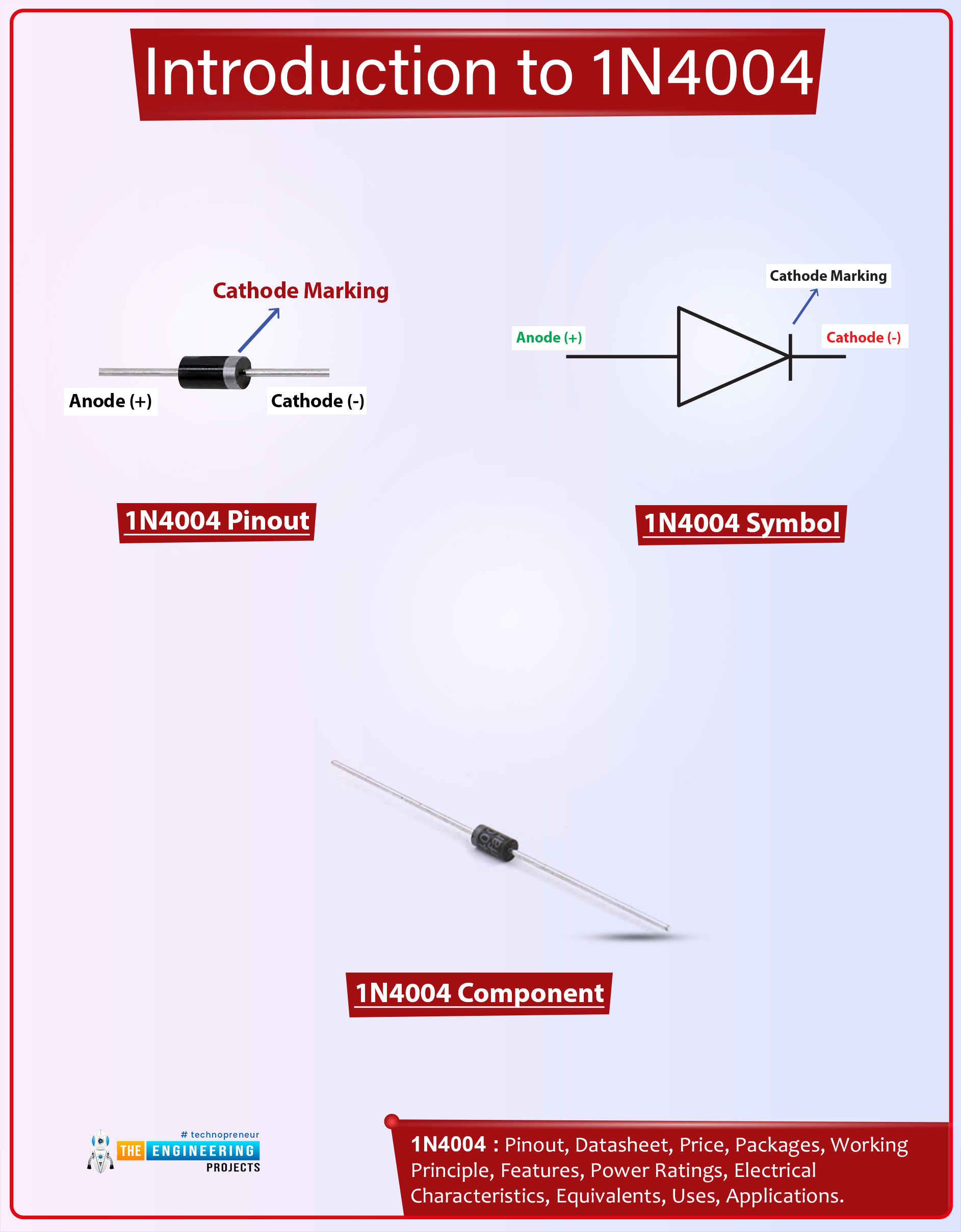
Hi Guys! I welcome you on board. Happy to see you around. In this post today, I’ll walk you through the Introduction to 1n4004.The 1n4004 is a diode that allows the current to flow in one direction only. It blocks the flow of current in the opposite direction. It comes with two terminals called anode and cathode and current always flows from the anode terminal to the cathode terminal. This device comes with a reverse peak voltage of around 400V and it can support loads under 1A.
I’d recommend reading the Introduction to 1n4007 that I’ve uploaded previously. This diode is almost similar to the device 1n4004 that I’m going to stretch in this post.
I suggest you buckle up as I’ll discuss the complete introduction to 1n4004 covering datasheet, pinout, features, equivalents, and applicati ...
Hello everyone! I hope you all will be absolutely fine and having fun. Today, I am going to give you an elaboration about Introduction to Pixy Camera. It is basically is an electronic device or sensor having fast vision. It is also known as fast vision sensor most of the time. Using this device we can teach to find objects in a very less time duration. It is an image sensor having a very powerful processor. Pixy is easy to interface with the micro-controllers e.g. Arduino. We can make different programs only to send the desired data from the device to micro-controller. In this way micro-controller can not overwhelm.
Pixy camera is able to communicate with the micro-controller in several different ways e.g. serial communication, I2C protocol, dig ...
Hello everyone I hope you all will be absolutely fine and having fun. Today, I am going to share my knowledge on Introduction to TL494. It supports all of the functions that are necessary for the Pulse Width Modulation (PWM) control circuits. Power supply control is the basic purpose of the TL494 device. It has an output control circuit, a flipflop, dead time comparator, two different error amplifiers, 5V reference voltage, oscillator and a PWM comparator. TL 494 operates properly between the frequency of 1kHz to 300kHz.
The Dead Time Comparator (DTC) provides around 5% of dead time. Both of the error amplifiers display a common-mode voltage from -0.3V to (Vcc-2)V. If we provide a sawtooth wave at the CT terminal and terminate RT to the referenc ...
Hello Engineers! Welcome to the board. We hope you are having a good day. In this tutorial, we teach you about Pulse Width Modulation. We'll discuss some important points about the topic. Let's have a look at the Topics of the tutorial:
What is Pulse Width Modulation?
What is 555 Timer?
how does 555 Timer is used in the Pulse Width modulation circuit?
How do we design the circuit of Pulse Width Modulation in Proteus ISIS?
In addition, you will have some useful information bout Pulse Width Modulator in DID YOU KNOW section.
Pulse Width Modulation
Pulse width Modulation is a useful technique in the world of Modern Electronics. Let's have a look at the information about Pulse Width Modulation.
Abbreviation of Pulse Width Modulation
The Abb ...
Hi folks! Hope you’re well today. I welcome you on board. In this post today, I’ll detail the complete Introduction to BC517.
BC517 is an NPN bipolar junction transistor made up of silicon material and comes in a TO-92 package. It carries collector-current 1A, projecting it can drive loads under 1A. Total power dissipation is 625mW, indicating it releases power around 625mW while working. Collector-emitter and collector-base voltages are 30 and 40 respectively. The emitter-base voltage is 10V which means it requires only 10V to trigger the electron action inside the transistor.
Read this post all the way through as I’ll be documenting pinout, working, power ratings, alternatives, applications, and physical dimensions of transistor BC517.
Let’s ...