Hello everyone! I hope you will be absolutely fine and having fun. Today, I am going to give you a detailed Introduction to ULN2003. We will also discuss the ULN2003 Datasheet, Pinout, Circuit Diagram & Proteus Simulation . If you have ever controlled any motor (i.e. DC Motor, Stepper Motor etc.) with a microcontroller (i.e. PIC, Arduino etc.), then you must have heard about drivers. Why do we need to use drivers? We use drivers (to control motors) because of two reasons. Libraries ULN2003 Simulation Libraries Latest library: 28BYJ-48 Stepper Motor and ULN2003 Driver Library for Proteus V1.0 (October 2026) Other motor drivers: L298 · L9110S · TB6612FNG · BTS7960 · A4988 / DRV8825 · PCA9685 Servo · Relay Module · 30A Brushless ESC · TB6600 Stepper Driver Motors: SG90 Servo · TT Gear Motor · ...
Hi Friends, I hope you are fine. I have another topic on embedded systems that I am going to share with you. Today, I am gonna tell you about Embedded Systems Software Development Tools . I have already told you about the hardware tools you need for developing embedded systems. You can find them in this article 6 necessary embedded tools . If you are new to Embedded Systems then you should first have a look at What is Embedded Systems? and then you must read What is Embedded Computer because these two tutorials will give a detailed overview of Embedded Systems. Moreover, if you are interested in Learning Embedded System Programming then today's tutorial will help you in choosing the right tools among Embedded Systems Software Development Tools. I have also shared Examples of embedded syste ...
Hello everyone, I hope you all are fine and having fun with your lives. Today, I am going to share a new Capacitive Touch Sensor Library for Proteus , which is designed for the first time by our team. :) Capacitive Touch Sensor is used to sense the presence of a human finger on the sensor. Updates Touch Sensor Library for Proteus Latest version: Touch Sensor Library for Proteus V2.0 (October 2026): TTP223 with four jumper modes, real response times, test tools and an Arduino touch lamp Earlier versions: V1.0 (2016, this tutorial) Other input modules: Joystick · Rotary Encoder · Membrane Keypad · TTP229 Keypad · IR Remote · Fingerprint R307 Helping Tools Serial Monitor Advance : a serial terminal window for the UART of your board Serial Monitor Expert : the serial monitor with extra debuggi ...
Hello friends! In this tutorial, we will interface a matrix keypad with Arduino Uno and show each pressed key on a 20x4 LCD in Proteus. We will begin with the keypad's internal connections, then build the circuit and write a sketch that keeps the displayed text within a defined area. A keypad is useful when a project needs several related buttons, such as digits for a calculator or commands for a menu. A matrix arrangement reduces the number of controller connections compared with giving every button its own dedicated input. Our example uses twelve keys arranged in four rows and three columns. We will preserve the original circuit's pin assignments, explain how the Keypad library scans them, and check common mistakes such as reversed connector order, repeated characters and LCD overflow. F ...
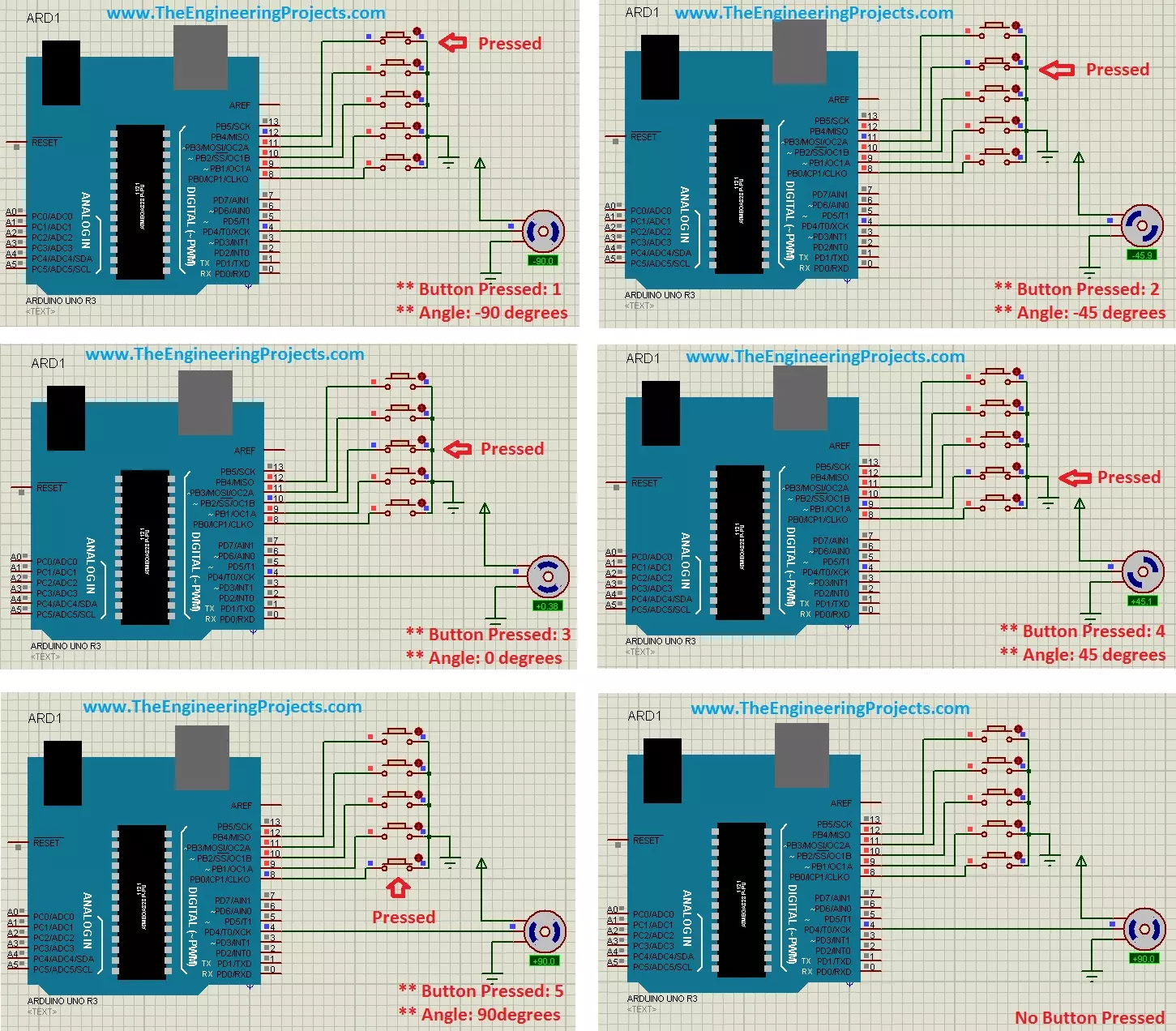
Hello friends! In this tutorial, we will control a servo motor with Arduino in Proteus. We will begin with a simple sweep, understand the signal that commands the position, and then add five push buttons so we can select individual positions. Libraries Libraries used in this tutorial Arduino UNO Library for Proteus: V1.0 (2015, used in this tutorial) · latest version: V4.0 (October 2026) Helping Tools Serial Monitor Advance : a serial terminal window for the UART of your board Serial Monitor Expert : the serial monitor with extra debugging tools LCD Library for Proteus V3.0 : 16x2, 20x4 and I2C LCDs to show your readings A positional hobby servo is convenient because its motor, gearbox and position controller are assembled in one unit. Arduino supplies a command signal while the servo's in ...
Hello friends! If you are developing an embedded project and need help with its firmware, The Engineering Projects can discuss your microcontroller programming requirements with you. Your project may involve a new prototype, a circuit that is not responding correctly or an existing program that needs a clearly defined improvement. Useful programming work starts with understanding the hardware and the required behaviour. A sentence such as “control a motor with a sensor” describes an idea, but it does not yet define a complete system. We need to know which motor, which sensor, how quickly the controller must respond and what should happen when a signal disappears. This page explains the types of work you can discuss with us, the information to prepare and the deliverables to agree before de ...
Hello friends! Today we will control a servo motor with the PIC16F877A and observe its movement in Proteus ISIS. We will begin with the three servo connections, understand the command waveform, and then write a small program that selects positions using two pushbuttons. In the previous tutorials, we explored DC motor direction control and stepper motor sequencing . A positional hobby servo is different because the motor, gearbox, position sensor, and controller are already assembled together. Our PIC requests a position rather than switching the motor windings itself. We will keep the original PIC and button arrangement, but use a repeated control pulse with a sensible frame period. Along the way, we will separate what the simulated angle display tells us from what a physical servo must be ...
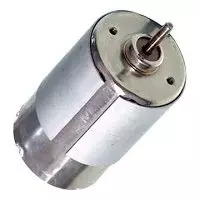
Hello everyone, I hope you are doing well. In this tutorial, we will compare DC and AC motors from their operating principles to their speed control, maintenance and applications. Both convert electrical energy into mechanical energy through electromagnetic force, but those broad labels contain several different motor families. The first important correction is that an AC motor is not simply a DC motor with continuous slip rings. Most industrial AC motors create a rotating stator field and use either induction or synchronous interaction to produce rotor torque. We will therefore compare common brushed DC motors, brushless DC motors, induction motors and synchronous AC motors. Figure: A small DC motor introduces the comparison of DC and AC motor operation. DC and AC Motor Comparison Feature ...