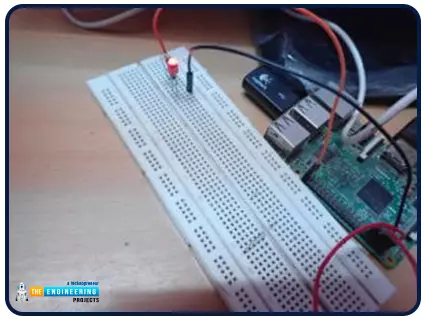
Hello friends, I hope you all are doing great. It's the 8th tutorial in our Raspberry Pi programming course. In the previous lectures, we interfaced LCD 16x2 and Keypad 4x4 with Raspberry Pi 4 . In this chapter, we are not going to interface any external module with Pi, instead, we'll create a PWM signal in the raspberry pi using Python. Let's get started: Components Required We are going to use the below components in today's PWM project: Raspberry Pi 4. LED. A resistor of 330 ohms. Breadboard. Jumper wires. Before going forward, let's first understand what is PWM: What is PWM? In PWM(Pulse Width Modulation) , we simply turn on and off our power supply at regular intervals and thus reduce the average power of the signal. We have shared a detailed tutorial on Introduction to PWM(Pulse Widt ...
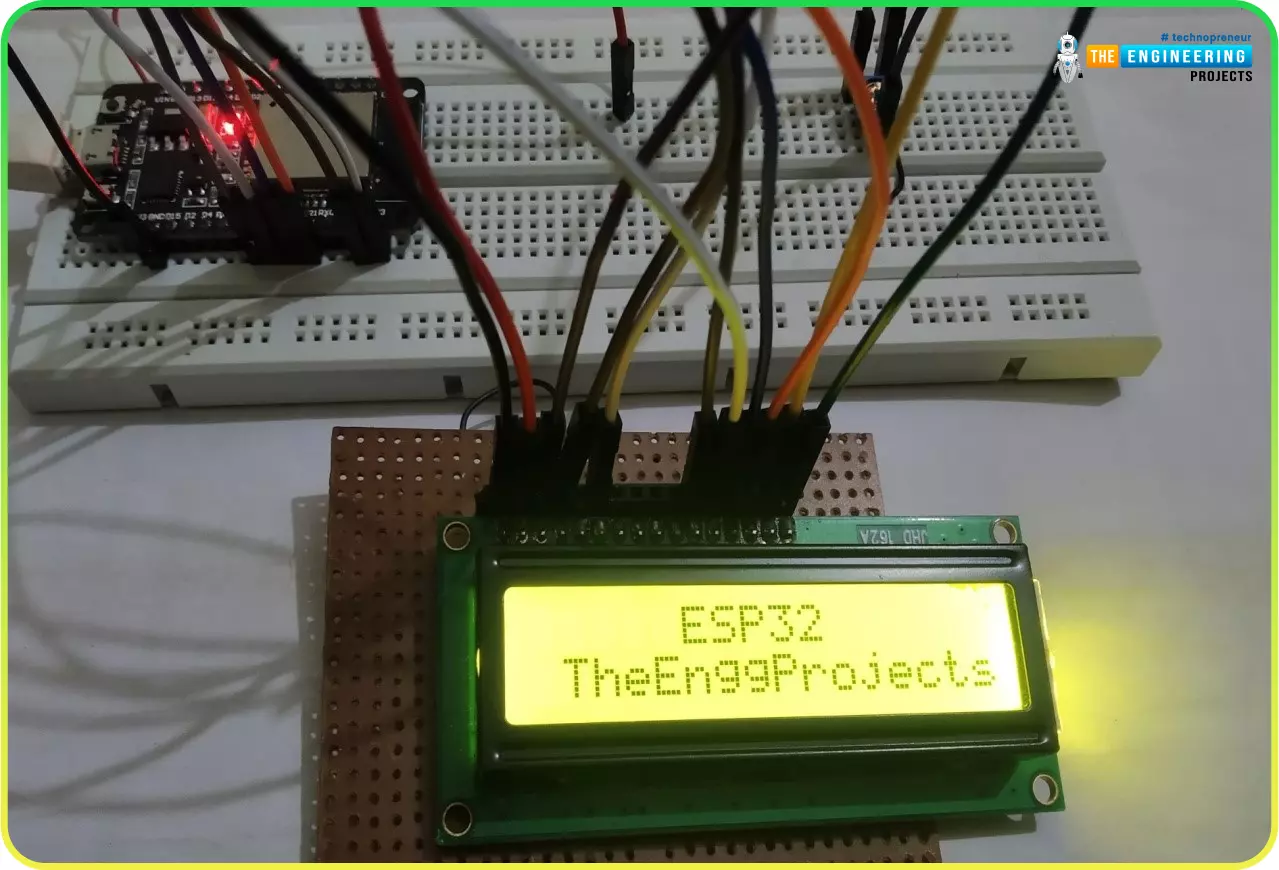
Hello readers, we hope you all are doing great. Welcome to the 1st lecture of Section 4 in the ESP32 Programming Series. In this section, we will interface the ESP32 module with common Embedded modules(i.e. LCD, Keypad, RTC etc.). In today's tutorial, we will interface ESP32 with a 16x2 LCD and will display data using both Data Mode and I2C Mode. LCD is the most commonly used embedded module in IoT Projects. It is used to display different types of data i.e. sensor readings, warning messages, notifications etc. Before going forward, let's first have a look at what is LCD and How it works: 16x2 LCD Module LCD(Liquid Crystal Display) is a type of electronic display module that is used in a wide variety of applications and devices such as calculators, computers, mobile phones, TVs, etc. There ...
Hello geeks, I hope you all are doing well and looking forward to making something new yet interesting. So, today we have come up with our new project which is a calculator using Arduino. Libraries Libraries used in this project Arduino Library for Proteus: V2.0 (2021, used in this project) · latest version: V4.0 (October 2026) LCD Library for Proteus: V1.0 (2016, used in this project) · latest version: V3.0 (October 2026) Helping Tools Serial Monitor Advance : a serial terminal window for the UART of your board Serial Monitor Expert : the serial monitor with extra debugging tools We all use calculators in our daily life, whether you are working in an office or counting money at the bank, you are buying your daily grocery or doing shopping online, you will find calculators in different for ...
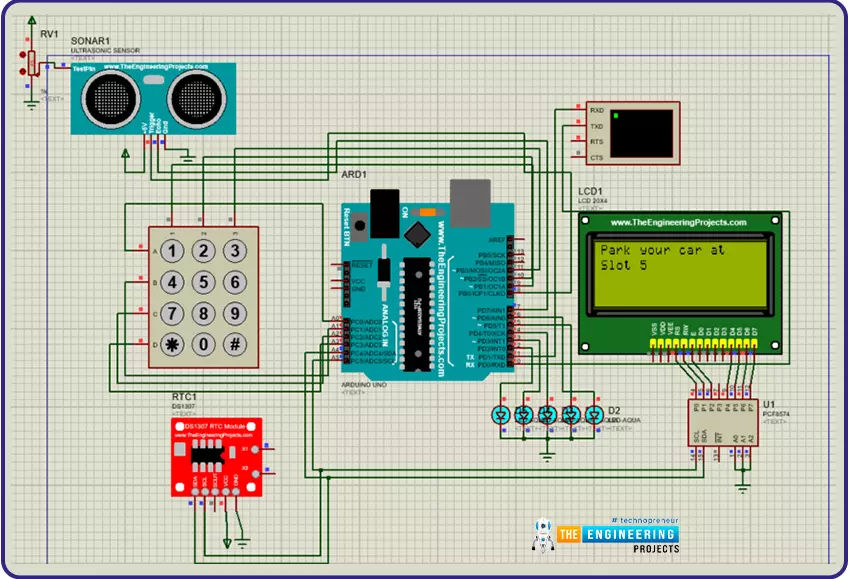
Hi Geeks, welcome to our new project. Our new project is one of the most common issues you’ve seen in your cities. In this project, we are going to make a car parking system with automatic billing. In the entire world, there are an estimated 1.4 billion cars on the road, which is absolutely great news if we are considering the development of the Automobile industry. But the most serious issue is that the number of cars exceeds the number of available parking places, resulting in traffic congestion. Damaged cars due to this lack of space, fewer parking locations, lack of parking signage, informal parking, and overcharging for parking are just a few of the issues. Libraries Libraries used in this project Arduino Library for Proteus: V2.0 (2021, used in this project) · latest version: V4.0 (O ...
Hello friends, I hope you all are in good health. Today we will discuss a detailed overview of flexible PCB, its definition, types, advantages and manufacturing. We will also discuss why we need flexible PCB? We will discuss its uses and the reason for its high price, as it's expensive than other PCB types. I will try to deliver you my best knowledge about flexible PCB so you will clear understanding of flexible PCB. So let’s try to absorb everything about flexible PCB. Flexible PCB overview For irregular-shaped locations, it was difficult to place hard substrate PCBs. So, as necessity is the mother of invention similarly difficult locations and irregular surfaces are the mother of flexible PCB invention. Before the 1950s flexible PCBs are not in common use but now they are used everywhere ...
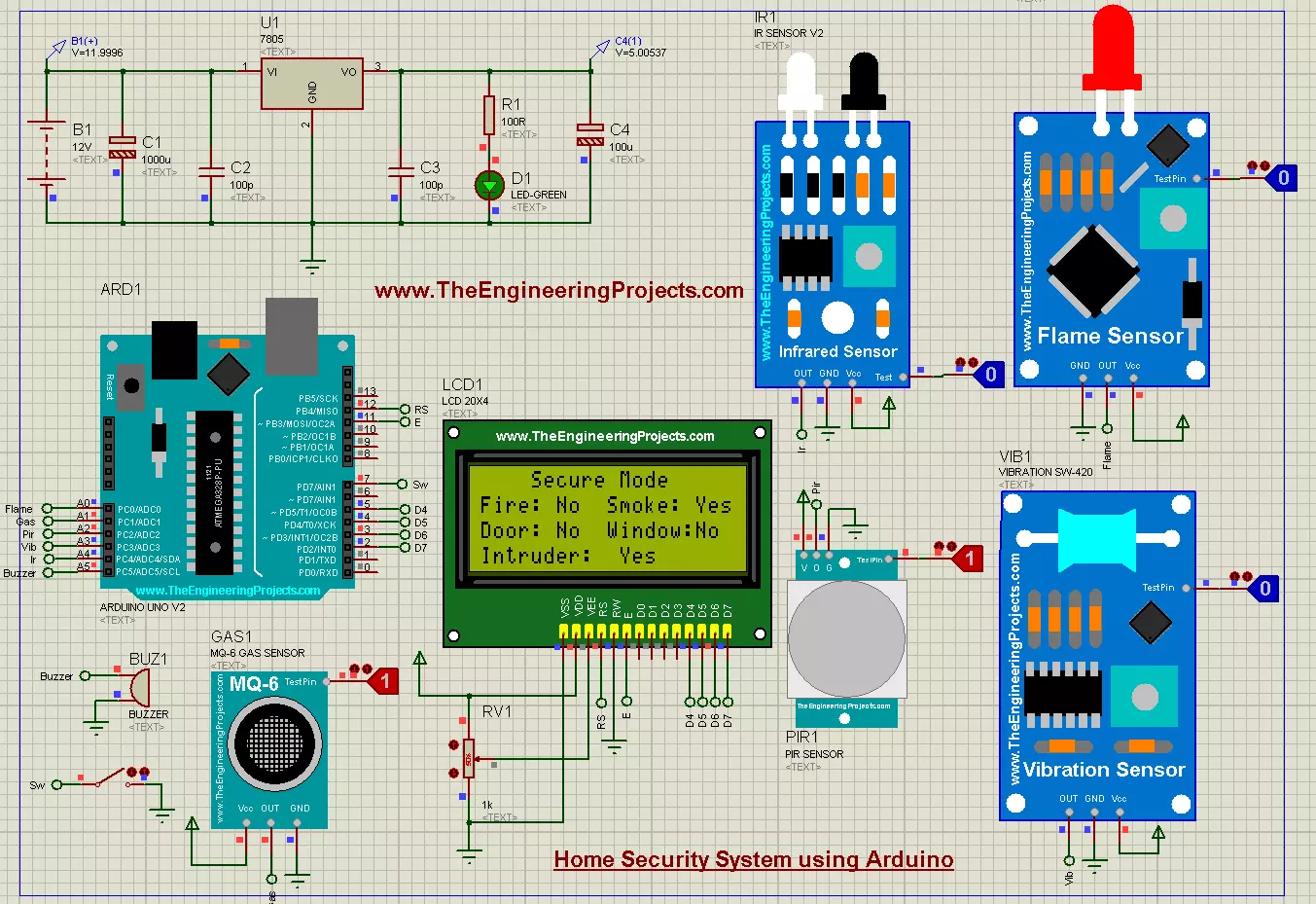
Hello friends, I hope you all are doing well. In today's tutorial, we are going to design a Home Security System using Arduino UNO in Proteus software. It's the most commonly designed engineering project, especially in electrical, electronics and mechatronics engineering. Normally engineering students design it as a semester project during their engineering course. So, today we will design a home security system from scratch in Proteus software. I have given the complete project below to download but I would suggest you to design it on your own so that you could understand it better. So, let's get started: Libraries Libraries used in this project Arduino Library for Proteus: V2.0 (2021, used in this project) · latest version: V4.0 (October 2026) Flame Sensor Library for Proteus: V1.0 (2016 ...
Hello friends, I hope you all are doing great. In today's tutorial, we are gonna have a look at detailed Introduction to MPR121 . MPR121 is a touch sensor controller, its working is like the capacitor's working principle. This module has twelve electrodes points, it communicates via I2C protocol. When any objects come closer to an electrode point, we can observe the presence of an object by variation in capacitance of an electrode. It's working voltage should be between 2.5 to 3.6 VDC. Libraries Touch and Keypad Simulation Libraries Input modules: Joystick · Rotary Encoder · Membrane Keypad · TTP229 Keypad · TTP223 Touch · IR Remote · Fingerprint R307 Helping Tools Serial Monitor Advance : a serial terminal window for the UART of your board Serial Monitor Expert : the serial monitor with e ...
Hi Fellas! I hope you all are having fun. Today, we will have a detailed overview of Flexible PCB . We will also understand why we need to use Flex PCB? What are its advantages & disadvantage? What kind of material is used? and How to manufacture flexible PCB? etc. Flexible PCB is the most advanced type of PCB , thus quite expensive and is normally used in industrial electronic products. I'll try to explain everything related to flexible PCB so that you could get a clear idea of what is this about and what makes it stand out from other PCB boards? Let's dive in and explore the properties of flexible PCB one by one: What is Flexible PCB? Initially, PCBs were designed using hard substrate materials and thus were only available in hard form(board/card shaped). With the research in technology, ...
Hello friends, I hope you all are doing great. In today's tutorial, we are gonna design a project named DC Motor Control using XBee & Arduino in Proteus ISIS. I have shared the complete code and have also explained it in detail. You can also download the complete working Proteus Simulation given at the end of this tutorial. In this project, I have designed two Proteus Simulations. Libraries Libraries used in this tutorial Arduino Library for Proteus: V1.0 (2015, used in this tutorial) · latest version: V4.0 (October 2026) XBee Library for Proteus: V1.0 (2016, used in this tutorial) L298 Motor Driver Library for Proteus: V1.0 (2017, used in this tutorial) Helping Tools Serial Monitor Advance : a serial terminal window for the UART of your board Serial Monitor Expert : the serial monitor wit ...
Hello everyone! I hope you all will be absolutely fine and having fun. Today, we are going to work on Arduino Keypad Interfacing . First of all, I would like to tell you a bit about the keypad. After getting the basic idea about the keypad, we will start our discussion about Arduino Keypad Interfacing. You should also have a look at Interfacing of Keypad with PIC Microcontroller . In this tutorial, I am going to use a 4×4 keypad. It has sixteen buttons having four alphabetic characters. Let's have a look at the Arduino Keypad Interfacing: What is Keypad? The keypad consists of multiple buttons, arranged in the form of a matrix(rows & columns) and is used in embedded projects. They are cost-efficient and are easily available from online electronic stores. Keypads are normally available in a ...