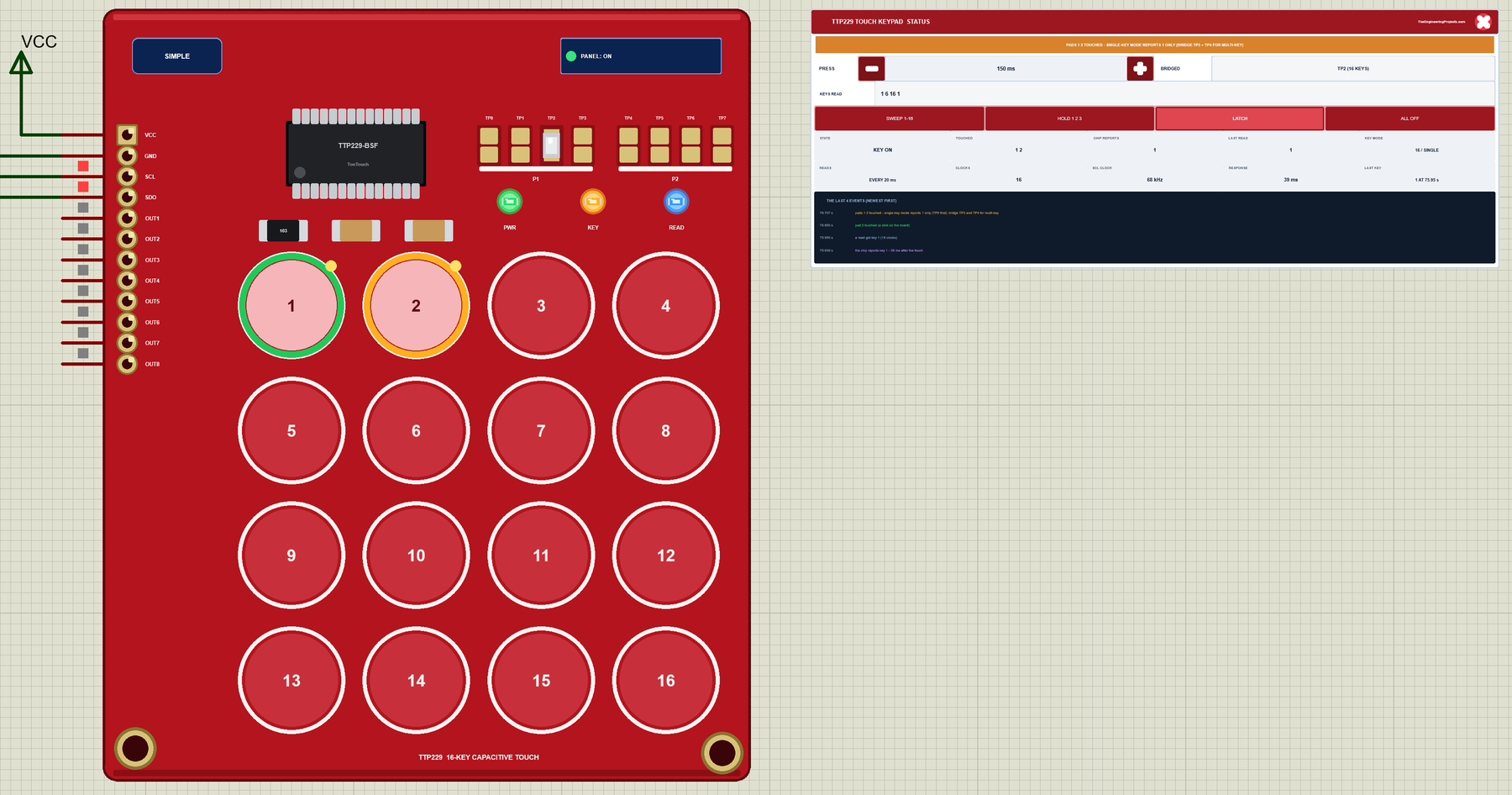
Hello friends, I hope you all are doing great. Today, I am going to share the new TTP229 Touch Keypad Library for Proteus V1.0 . The red TTP229 16-key capacitive touch keypad is the easiest way to give an Arduino project a modern, button-free front panel: sixteen round pads under a thin cover, no moving parts, nothing to wear out. It talks to the Arduino over two wires, SCL and SDO, and for a hobby board it hides a surprising number of traps: it comes with only 8 of its 16 keys switched on, it reports one key at a time unless you bridge two pads, and its serial interface is not I2C at all. Updates TTP229 Touch Keypad Library for Proteus Latest version: V1.0 (October 2026, this tutorial) Other input modules: Joystick · Rotary Encoder · Membrane Keypad · TTP223 Touch · IR Remote · Fingerprin ...
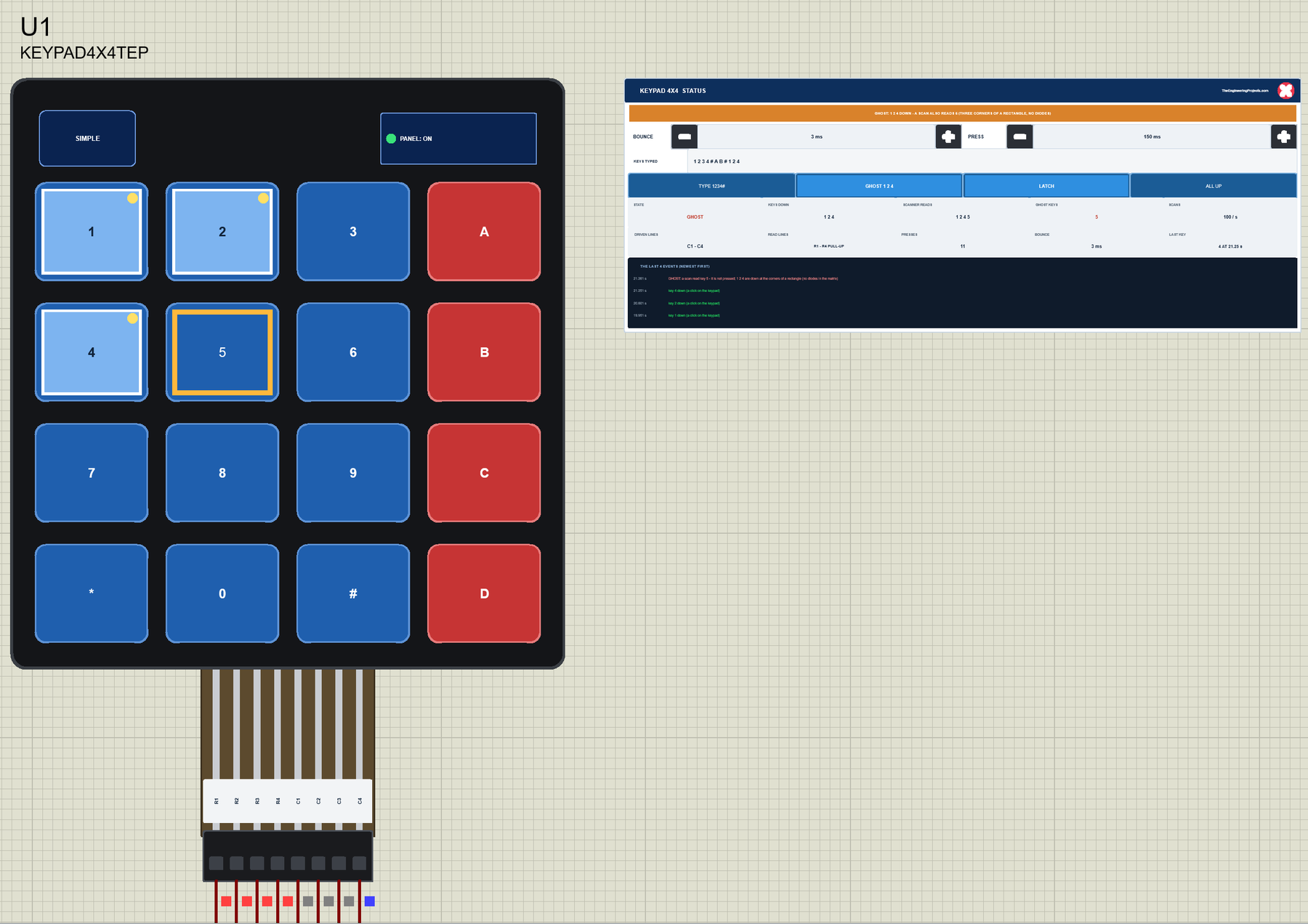
Hello friends, I hope you all are doing great. Today, I am going to share the new Membrane Keypad Library for Proteus V1.0 . The thin, self-adhesive 4x4 and 4x3 membrane keypads are the cheapest way to give an Arduino project a real keypad: a door lock with a code, a menu, a calculator, a safe, a parcel box or a machine that asks for a number. Each comes with a flat ribbon and a female 2.54 mm connector - 8 pins for the 4x4, 7 for the 4x3 - and plugs straight into the Arduino's headers. Updates Membrane Keypad Library for Proteus Latest version: V1.0 (October 2026, this tutorial) Other input modules: Joystick · Rotary Encoder · TTP229 Keypad · TTP223 Touch · IR Remote · Fingerprint R307 Helping Tools Serial Monitor Advance : a serial terminal window for the UART of your board Serial Monito ...
Hello friends, I hope you all are doing great. Today, I am going to share the new TM1637 7-Segment Display Library for Proteus V1.0 . The small blue board with a red "88:88" display is the cheapest way to put a clock, a timer or a counter on an Arduino: four digits, a colon, only two wires and one line of code with the TM1637Display library. Now this TM1637 4-digit display module is ready for your Proteus simulations too, every segment glowing as on the real board. Updates TM1637 7-Segment Display Library for Proteus Latest version: V1.0 (October 2026, this tutorial) Other LED displays: MAX7219 Matrix · MAX7219 7-Segment · TM1638 · WS2812B NeoPixel Helping Tools Serial Monitor Advance : a serial terminal window for the UART of your board Serial Monitor Expert : the serial monitor with extr ...
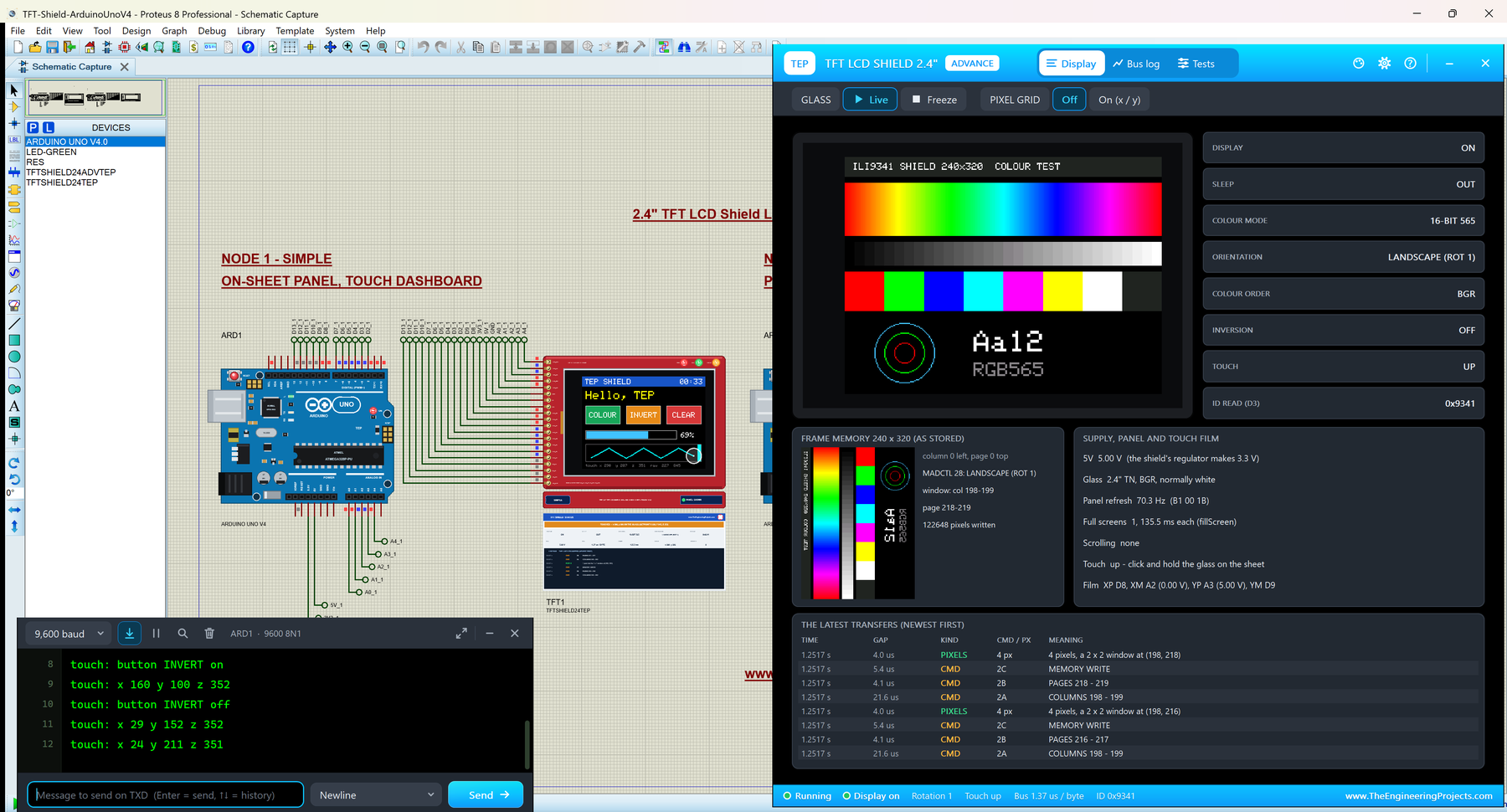
Hello friends, I hope you all are doing great. Today, I am going to share the new TFT LCD Shield Library for Proteus V1.0 . The red 2.4" TFT LCD shield is the easiest colour touch screen for an Arduino UNO: it plugs straight on the board, with no wires at all, and gives you 240 x 320 pixels, 65,536 colours and a resistive touch screen . It is the shield of countless Arduino projects: menus, games, meters, paint programs, home controls. With this TFT LCD Shield Library for Proteus , your sketch draws on a shield that behaves like the real one, and you touch it with the mouse: click and drag on the glass, and the sketch reads the point with analogRead() , exactly as on the real board. Updates TFT LCD Shield Library for Proteus Latest version: V1.0 (October 2026, this tutorial) Other displays ...
Hello friends, I hope you all are doing great. Today, I am going to share the new Nokia 5110 LCD Library for Proteus V1.0 . The Nokia 5110 LCD is the little graphic screen of the old Nokia phones: 84 x 48 pixels, a backlight, and a price that made it a favourite of Arduino beginners for years. It is still one of the cheapest ways to put text, numbers and small pictures on a project. With this Nokia 5110 LCD Library for Proteus , your sketch draws on a Nokia 5110 that behaves like the real one, including its famous contrast trouble. Updates Nokia 5110 LCD Library for Proteus Latest version: V1.0 (October 2026, this tutorial) Other displays: OLED · LCD 128x64 · ST7735 · ST7789 · ILI9341 · TFT Shield 2.4 inch · TFT Shield 3.5 inch · E-Paper Helping Tools Serial Monitor Advance : a serial term ...
Hello friends, I hope you all are doing great. Today, I am going to share the new LCD Keypad Shield Library for Proteus V1.0 . The LCD keypad shield is one of the most popular first boards for the Arduino UNO: a 16x2 LCD, five buttons and a contrast trimmer on one board that simply plugs onto the UNO. No wiring, no breadboard, and your project has a display and a small keyboard. With this LCD Keypad Shield Library for Proteus , you get the same shield in your simulation: the LCD shows what your sketch prints, and you press the buttons with the mouse. Updates LCD Keypad Shield Library for Proteus Latest version: V1.0 (October 2026, this tutorial) Other LCDs: LCD 16x2 · LCD 20x4 · I2C LCD 16x2 · I2C LCD 20x4 All four LCDs in one package: LCD Library for Proteus V3.0 Helping Tools Serial Moni ...
Hello friends, I hope you all are doing great. Today, I am going to share the new LCD Library for Proteus V3.0 . It brings all our character LCDs together in one library: the LCD 16x2 and the LCD 20x4 on their 16-pin header, and the I2C LCD 16x2 and the I2C LCD 20x4 with the black PCF8574 backpack. You get one LIB file with 16 parts , one model file that runs them all, and a new demo in which a single Arduino UNO drives all four LCDs at the same time. Updates LCD Library for Proteus Latest version: V3.0 (October 2026, this tutorial) Earlier versions: V2.0 (2023) · V1.0 (2016) One LCD only? LCD 16x2 · LCD 20x4 · I2C LCD 16x2 · I2C LCD 20x4 Other displays: OLED · Nokia 5110 · LCD 128x64 · ST7735 · ST7789 · ILI9341 · TFT Shield 2.4 inch · TFT Shield 3.5 inch · E-Paper Helping Tools Serial Mon ...
Hello friends, I hope you all are doing great. Today, I am going to share our new Rotary Encoder Library for Proteus . The KY-040 is the small black rotary encoder module you find in almost every Arduino kit: a knurled knob that turns endlessly in 20 clicks per turn, with a push switch built into the shaft. It is the knob behind many volume controls, menus and set-point inputs. With this Rotary Encoder Library for Proteus , you turn that knob in the simulation (one click, five clicks or a non-stop spin) and press it, and your Arduino reads the CLK, DT and SW pins exactly as it would read the real module, contact bounce included. Updates Rotary Encoder Library for Proteus Latest version: V1.0 (October 2026, this tutorial) Other input modules: Joystick · Membrane Keypad · TTP229 Keypad · TTP ...
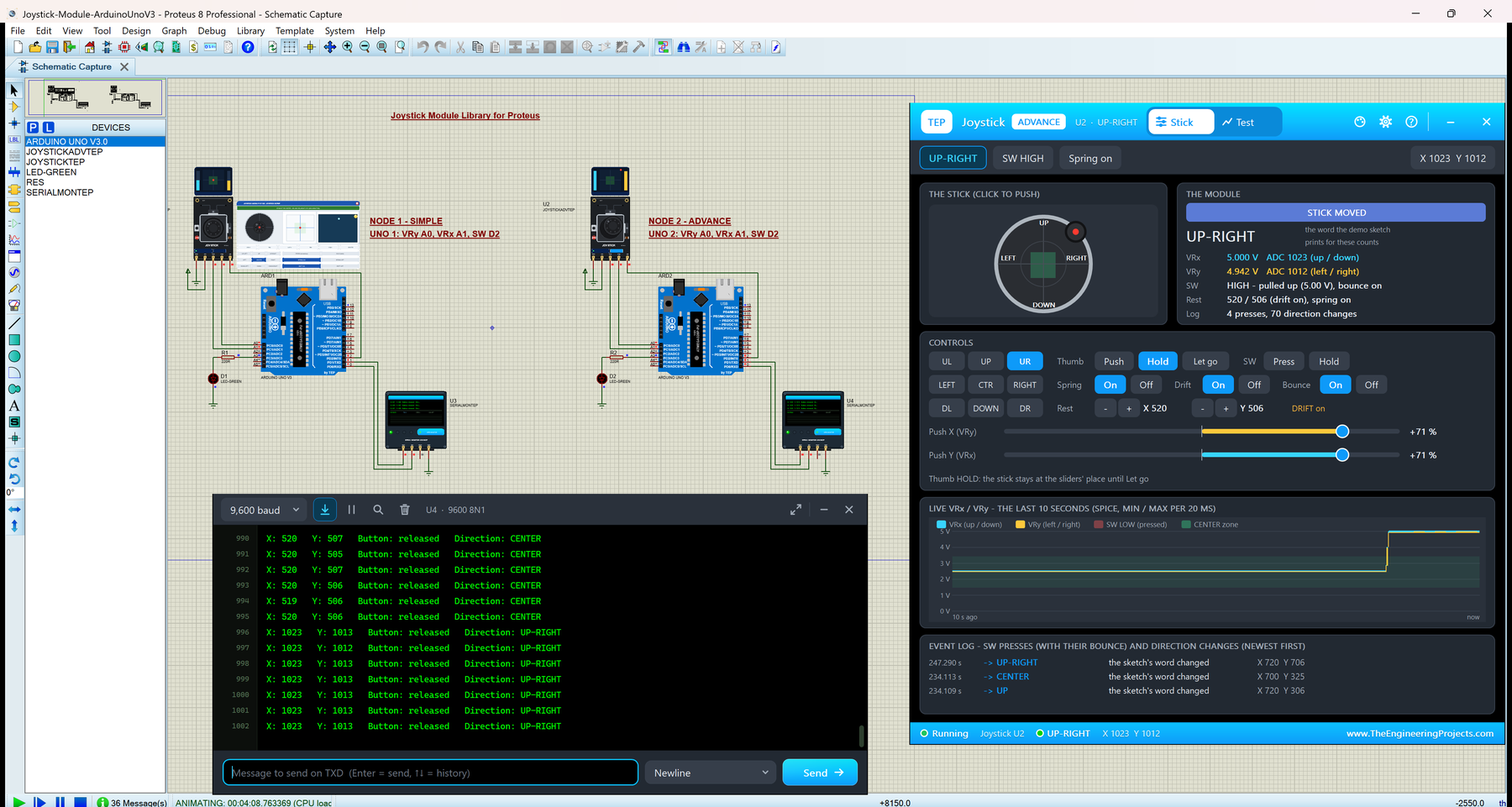
Hello friends, I hope you all are doing great. Today, I am going to share our new Joystick Module Library for Proteus . The KY-023 is the small black thumb joystick module, the same kind of stick you find on a game controller: two 10 k potentiometers measure where the stick is, and a push switch sits under it. With this Joystick Module Library for Proteus , you click or drag the stick in Proteus, and your Arduino reads it with analogRead() and digitalRead() , exactly as it reads a real board. Updates Joystick Module Library for Proteus Latest version: V1.0 (October 2026, this tutorial) Other input modules: Rotary Encoder · Membrane Keypad · TTP229 Keypad · TTP223 Touch · IR Remote · Fingerprint R307 Helping Tools Serial Monitor Advance : a serial terminal window for the UART of your board ...
Hello friends, I hope you all are doing great. Today, I am going to share the new Touch Sensor Library for Proteus V2.0 . It simulates the popular TTP223 capacitive touch module : the small red board with a round touch pad that works like a push button without any moving parts. With this Touch Sensor Library for Proteus , you touch the pad with the mouse or with buttons, and your Arduino reads the I/O pin exactly as it reads a real module: LOW while the pad is free and HIGH while a finger is on it. Updates Touch Sensor Library for Proteus Latest version: V2.0 (October 2026, this tutorial) Earlier versions: V1.0 (2016) Other input modules: Joystick · Rotary Encoder · Membrane Keypad · TTP229 Keypad · IR Remote · Fingerprint R307 Helping Tools Serial Monitor Advance : a serial terminal windo ...