Hello friends, I hope you all are doing great. Today, I am going to share the new SX1278 LoRa Library for Proteus V1.1 . The SX1278 is Semtech's long-range LoRa radio chip, and the Ai-Thinker Ra-02 board with its silver shield can and spring antenna is the most popular way to use it at 433 MHz. With this SX1278 LoRa Library for Proteus , two Ra-02 modules in one design talk over a simulated 433 MHz air, even 10 km apart, and your Arduino drives them over SPI with the same arduino-LoRa library you use on real hardware. Version 1.1 replaces the earlier version of this post. You now get two devices : SX1278 Simple , with its control panel on the schematic, and SX1278 Advance , with a pop-up window and four measured LoRa test tools . The new SX1278 Arduino Proteus demo has two Arduino UNOs tha ...
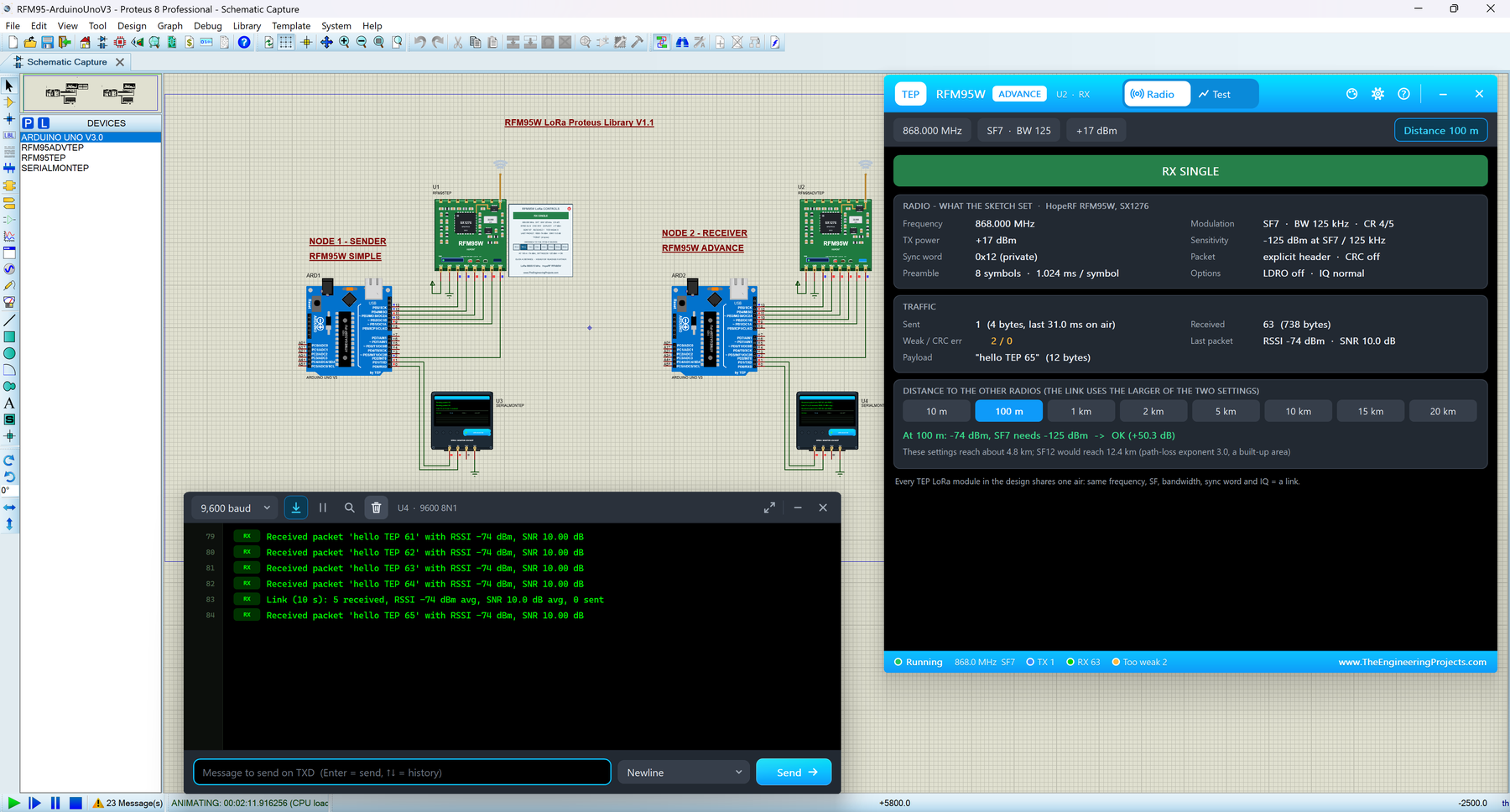
Hello friends, I hope you all are doing great. Today, I am going to share the new RFM95W LoRa Library for Proteus V1.1 . The RFM95W is HopeRF's small green LoRa module with the Semtech SX1276 chip, a favourite for long-range sensors on the 868 MHz and 915 MHz bands. With this RFM95W LoRa Library for Proteus , two modules in one design talk over a simulated 868 MHz air, and your Arduino drives them over SPI with the same arduino-LoRa library you use on real hardware. Version 1.1 replaces the first version of this post. You now get two devices : RFM95W Simple , with its control panel on the schematic, and RFM95W Advance , with a pop-up window and four measured LoRa test tools . The new RFM95W Arduino Proteus demo has two Arduino UNOs that send packets, PING each other and change the spreadin ...
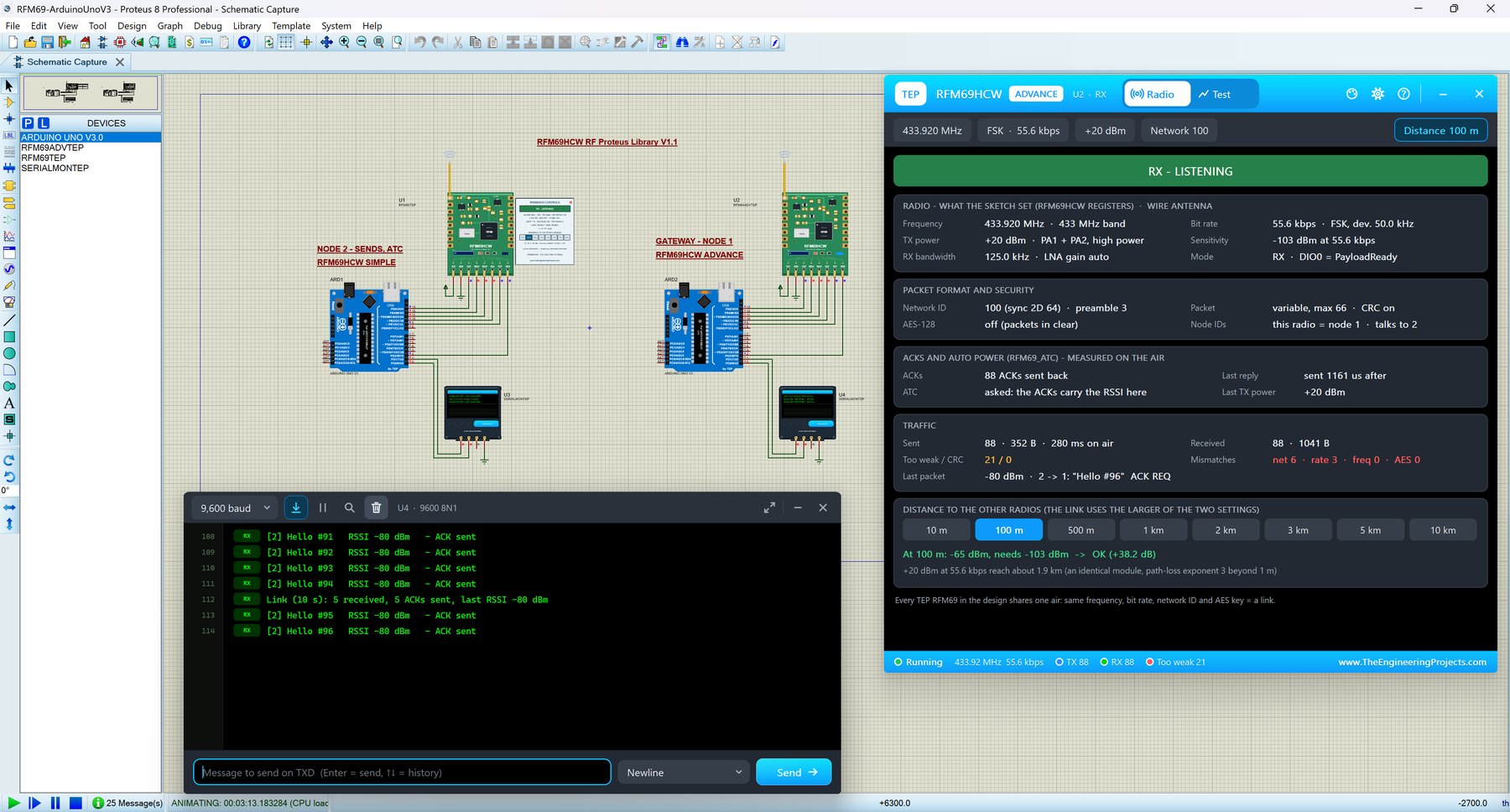
Hello friends, I hope you all are doing great. Today, I am going to share the new RFM69HCW Library for Proteus V1.1 . The RFM69HCW is HopeRF's small square sub-1 GHz radio, a favourite for wireless sensor networks because every message can be confirmed with an ACK. With this RFM69HCW Library for Proteus , two modules in one design talk over a simulated 433 MHz air, and your Arduino drives them over SPI with the same LowPowerLab RFM69 library you use on real hardware. Version 1.1 replaces the first version of this post. You now get two devices : RFM69HCW Simple , with its control panel on the schematic, and RFM69HCW Advance , with a pop-up window and four measured RF test tools . The new RFM69 Arduino Proteus demo has two Arduino UNOs, a node and a gateway, that ACK every message, PING each ...
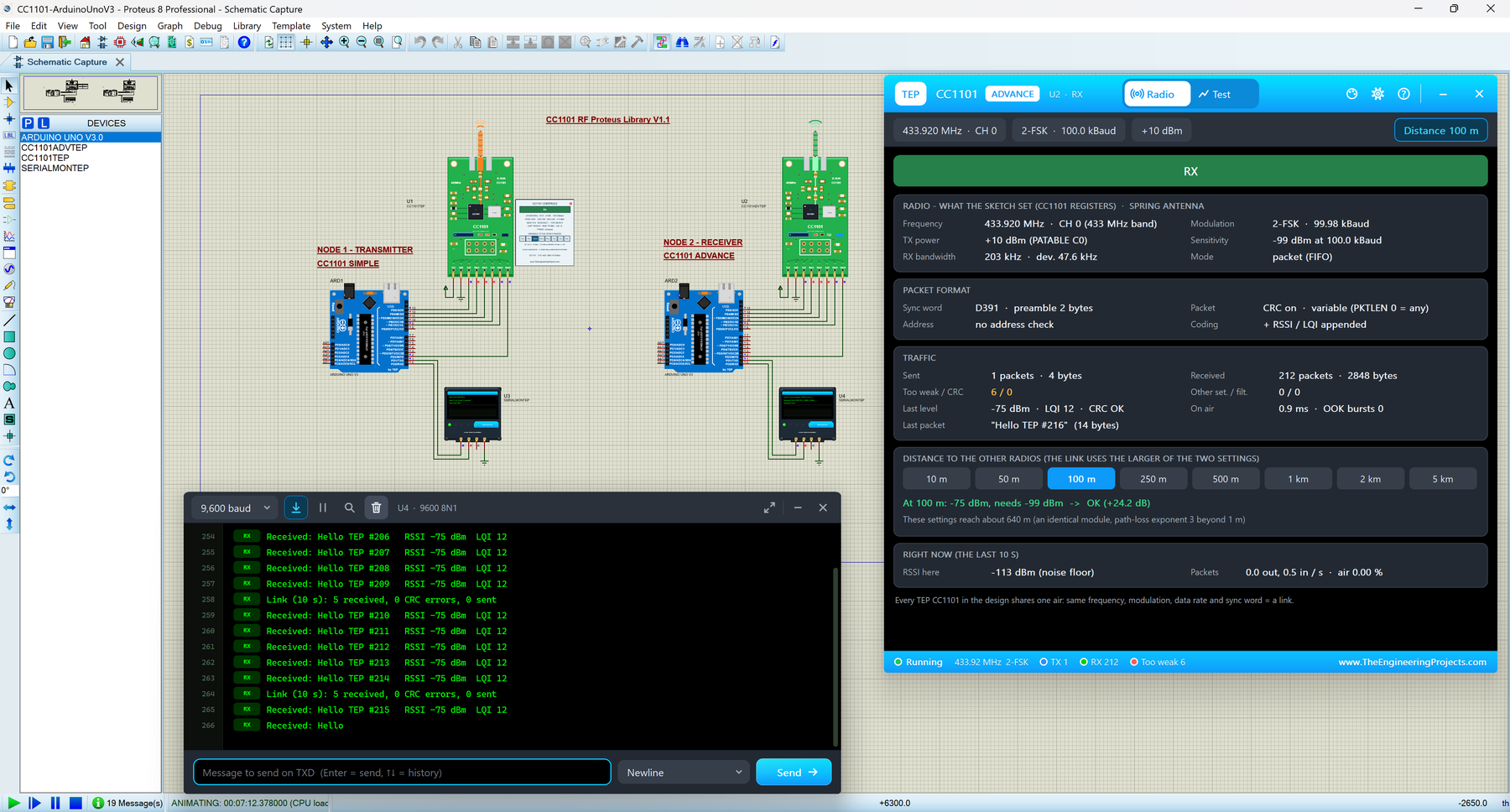
Hello friends, I hope you all are doing great. Today, I am going to share the new CC1101 Library for Proteus V1.1 . The CC1101 is Texas Instruments' small sub-1 GHz radio, and the green 433 MHz board with the copper spring antenna is a favourite for wireless sensors and 433 MHz remote controls. With this CC1101 Library for Proteus , two modules in one design talk over a simulated 433 MHz air, and your Arduino drives them over SPI with the same SmartRC-CC1101 library you use on real hardware. Version 1.1 replaces the first version of this post. You now get two devices : CC1101 Simple , with its control panel on the schematic, and CC1101 Advance , with a pop-up window and five measured RF test tools . The new CC1101 Arduino Proteus demo has two Arduino UNOs that send packets, PING each other ...
Hello friends, I hope you all are doing great. Today, I am going to share the new EM18 RFID Library for Proteus V1.1 . The EM-18 is a small black 125 kHz RFID reader: hold a card or a keyfob near it, and it sends the tag's number to your Arduino as 12 characters on a serial line. With this EM18 RFID Library for Proteus , you place tags on the reader with a click, at a distance you choose, and your Arduino reads them exactly like a real EM-18. Version 1.1 replaces the first version of this post. You now get two devices : EM18 Simple , with a tag panel on the schematic, and EM18 Advance , with a pop-up tag wallet, a tag editor and four measured RFID test tools . The new EM18 Arduino Proteus demo is a small access-control system on two Arduino UNOs, shown in the compact Simple interface of ou ...
Hello friends, I hope you all are doing great. Today, I am going to share the new MFRC522 RFID Library for Proteus V1.1 . The MFRC522 is NXP's 13.56 MHz RFID reader chip, and the blue RFID-RC522 board built around it is the first card reader most of us connect to an Arduino. With this MFRC522 Library for Proteus , you place MIFARE cards on the reader with a click, and your Arduino reads their UID and memory over SPI with the same MFRC522 Arduino library you use on real hardware. Version 1.1 replaces the first version of this post. You now get two devices : MFRC522 Simple , with a card panel on the schematic, and MFRC522 Advance , with a pop-up card wallet, a card editor and four measured RFID test tools . The new Arduino RFID Proteus demo is a small access-control system on two Arduino UNO ...
Hello friends, I hope you all are doing great. Today, I am going to share the new nRF24L01 Library for Proteus V1.1 . The nRF24L01 is Nordic Semiconductor's small 2.4 GHz radio, and the black board with the zig-zag antenna is one of the most popular ways to send data from one Arduino to another without a wire. With this nRF24L01 Library for Proteus , two modules in one design talk over a simulated 2.4 GHz air, and your Arduino drives them over SPI with the same RF24 library you use on real hardware. Version 1.1 replaces the first version of this post. You now get two devices : nRF24L01 Simple , with its control panel on the schematic, and nRF24L01 Advance , with a pop-up window and four measured RF test tools . The v1.0 range switch is gone: you now choose the distance , and the model work ...
Hello friends, I hope you are doing well. In today's tutorial, I am going to share our TCS34725 Proteus Library . With this library, we can connect a color-sensor model to an Arduino Uno, select an input color from a palette and observe the red, green, blue and clear readings on a Virtual Terminal. We can also adjust brightness and see how the program handles darkness and saturation. We will start with the sensor's working principle, install the library files and run the supplied circuit. After that, we will examine the Arduino code and calculate the readings shown in the simulation. The download includes the wired project, compiled HEX, editable sketch and supporting libraries, so you can try the example before compiling anything yourself. This tutorial uses our V1.0 package , the TEP Ard ...
Hello friends, I hope you are doing well. In today's tutorial, I am going to share our SHT31 Proteus Library . This library lets us connect a temperature and humidity sensor model to an Arduino Uno, change both inputs during simulation and read the results on a Virtual Terminal. We can also examine the communication checks that help the program distinguish a valid measurement from a failed reading. We will begin with the sensor's purpose, install the library, understand the circuit connections and run the supplied example. After that, we will go through the Arduino code and calculate how the digital readings become degrees Celsius and relative humidity. The download includes the working circuit, compiled HEX and editable source code, so you can start the simulation before setting up a comp ...
Hello friends, I hope you are doing well. In today's tutorial, I am going to share our VL53L0X Proteus Library . With this library, we can connect a distance-sensor model to an Arduino Uno, adjust the simulated target distance and display the result on a Virtual Terminal. A second control lets us remove the target and check how the program handles an unavailable measurement. We will start with the sensor's working principle, download and install the files, check the connections and run the supplied circuit. After that, we will examine the Arduino code, understand its timing and error handling, and use a few calculations to interpret the measurements. The package includes the wired project, compiled HEX and editable source, so you can try the demonstration before rebuilding the firmware. Th ...