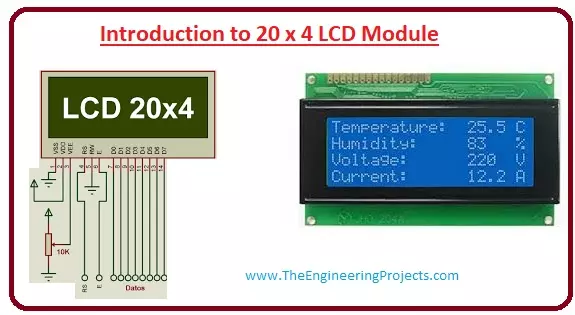
Hello friends, I hope you all are doing great. In today’s tutorial, we will have a look at the Introduction to 20x4 LCD Module. The LCD stands for liquid crystal display, which works on the light modulation features of liquid crystals. It is available in electronic visible display, video display and flat panel display. There are numerous categories and features are exist in markets of LCD and you can see it on your mobile, laptop, computer and television screen. Libraries LCD 20x4 Simulation Libraries Latest library: LCD 20x4 Library for Proteus V3.0 (October 2026) Other LCDs: LCD 16x2 · I2C LCD 16x2 · I2C LCD 20x4 All four LCDs in one package: LCD Library for Proteus V3.0 Helping Tools Serial Monitor Advance : a serial terminal window for the UART of your board Serial Monitor Expert : the ...
Hello friends, I hope you all are doing great. Today, I am going to share the new I2C LCD 20x4 Library for Proteus V1.0 . The I2C LCD 20x4 is the big brother of the 16x2: four rows of 20 characters, 80 characters in all, on a 98 x 60 mm board, with the same small black I2C backpack on its back. It still needs only four wires, GND, VCC, SDA and SCL, so it is the LCD to pick when a 16x2 is too small for your menu, your sensor readings or your status screen. With this I2C LCD 20x4 Library for Proteus , your sketch talks to an LCD that behaves like the real module, including the strange row order of every 20x4. Updates I2C LCD 20x4 Library for Proteus Latest version: V1.0 (October 2026, this tutorial) Other LCDs: LCD 16x2 · LCD 20x4 · I2C LCD 16x2 All four LCDs in one package: LCD Library for ...
… share one model and the same LCD. They differ in the glass colour and in where you see the extras: The four devices (search "LCD20X4" in Pick Devices; category Optoelectronics > Alphanumeric LCDs) Device Name in Pick Devices Glass Extras LCD20X4BLUETEP LCD …
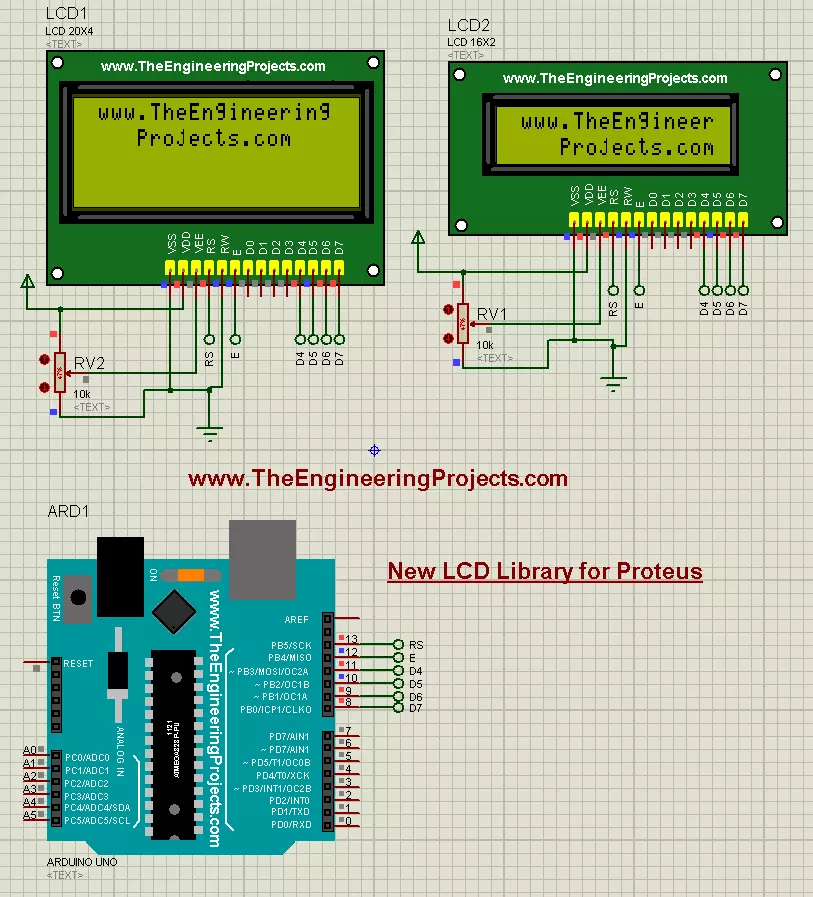
Hello friends, I hope you all are doing great. Today, I am going to share the new LCD Library for Proteus V3.0 . It brings all our character LCDs together in one library: the LCD 16x2 and the LCD 20x4 on their 16-pin header, and the I2C LCD 16x2 and the I2C LCD 20x4 with the black PCF8574 backpack. You get one LIB file with 16 parts , one model file that runs them all, and a new demo in which a single Arduino UNO drives all four LCDs at the same time. Updates LCD Library for Proteus Latest version: V3.0 (October 2026, this tutorial) Earlier versions: V2.0 (2023) · V1.0 (2016) One LCD only? LCD 16x2 · LCD 20x4 · I2C LCD 16x2 · I2C LCD 20x4 Other displays: OLED · Nokia 5110 · LCD 128x64 · ST7735 · ST7789 · ILI9341 · TFT Shield 2.4 inch · TFT Shield 3.5 inch · E-Paper Helping Tools Serial Mon ...
Hello everyone, I hope you all are fine and having fun with your lives. Today, I am going to share a new LCD Library for Proteus. We all know about LCDs, used for displaying data in embedded projects i.e. sensor values or indications etc. Proteus already have LCDs in it but they are not much good-looking. So, I designed two new LCDs in Proteus that look identical to real-world LCDs. Updates LCD Library for Proteus Latest version: LCD Library for Proteus V3.0 (October 2026): LCD 16x2, LCD 20x4 and both I2C LCDs in one library, with our own HD44780 model and an Arduino demo Earlier versions: V2.0 (2023) · V1.0 (2016, this tutorial) One LCD only? LCD 16x2 · LCD 20x4 · I2C LCD 16x2 · I2C LCD 20x4 Helping Tools Serial Monitor Advance : a serial terminal window for the UART of your board Serial ...
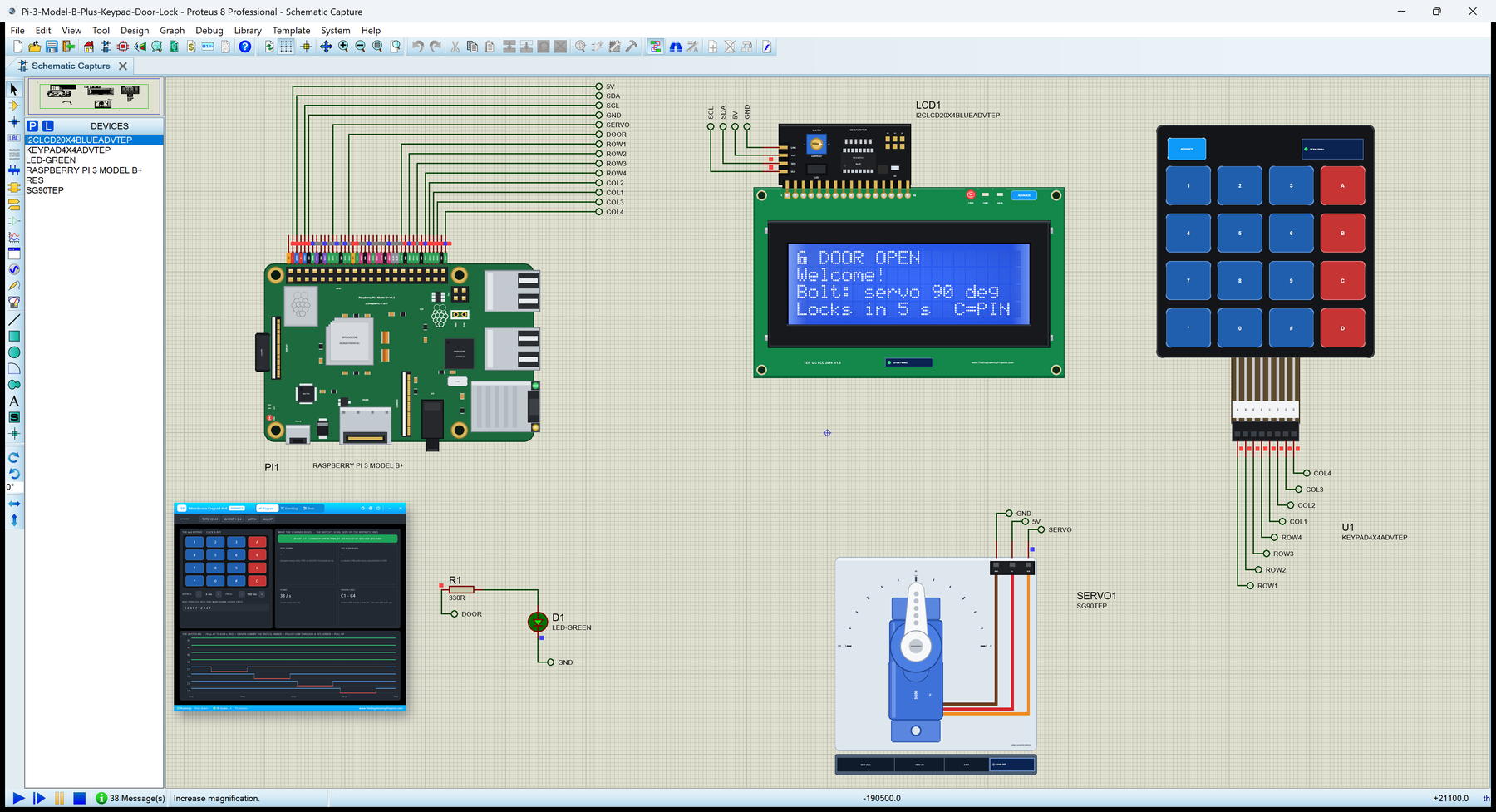
Hello friends, I hope you all are doing great. Today, I am going to share the Raspberry Pi 3 Model B+ Library for Proteus . The Raspberry Pi 3 Model B+ was the last and fastest board of the Pi 3 family: a BCM2837B0 at 1.4 GHz under a metal heat spreader, dual-band Wi-Fi , Gigabit Ethernet over USB 2.0 and a header for Power over Ethernet. With this library the board runs your Python program against the circuit in Proteus 8.5. Updates Raspberry Pi 3 Model B+ Library for Proteus Latest version: V1.0 (October 2026, this tutorial) Other Raspberry Pi boards: Pico · Pico W · Pico 2 W · Pico 2 · Pico W MicroPython · Pi Model B · Pi 1 B+ · Pi 2 Model B · Pi 3 Model B · Pi 3 Model A+ · Pi 4 Model B · Pi 5 · Pi Zero W · Pi Zero 2 W · Pi 400 · Pi 500 · Pi CM4 · Pi 2 · Pi 3 · Pi 4 · Zero W Input modul ...
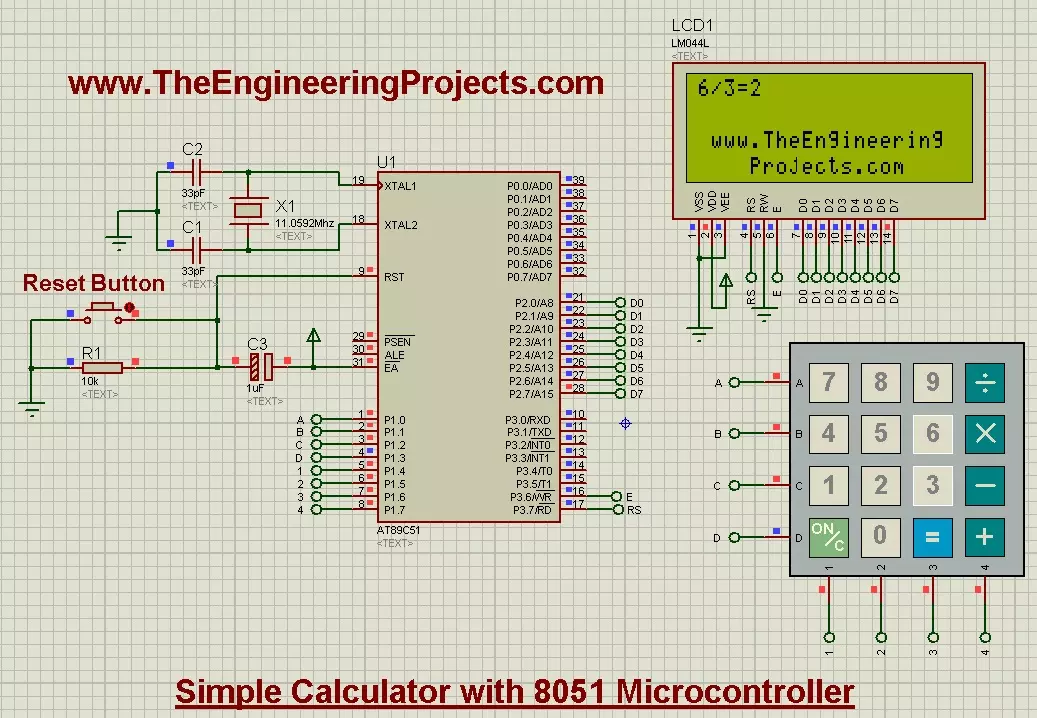
Hello friends! Today, we are going to design a simple calculator with an 8051 microcontroller in Proteus. We will combine a 4×4 keypad, a 20×4 LCD and an AT89C51 so that you can enter an arithmetic operation and see its result on the display. We have already covered LCD interfacing and keypad interfacing with the 8051 . Those lessons provide the input and output functions. Here, we will add the application logic that decides which key is valid and when a calculation should take place. This remains a single-digit calculator, like the original project. It accepts two operands from zero through nine and supports addition, subtraction, multiplication and integer division. We will also handle negative results, invalid input and division by zero explicitly. Figure: Original 8051 calculator showi ...
Hi learners! I hope you are doing great. Today, I am going to share the second version(V2.0) of the LCD library for Proteus. We have already shared the LCD V1.0 Library on our blog. Along with appreciation, we also get some complaints/suggestions about that library. So, we have designed a better version of the LCD library by keeping the suggestions in mind. Updates LCD Library for Proteus Latest version: LCD Library for Proteus V3.0 (October 2026): LCD 16x2, LCD 20x4 and both I2C LCDs in one library, with our own HD44780 model and an Arduino demo Earlier versions: V2.0 (2023, this tutorial) · V1.0 (2016) One LCD only? LCD 16x2 · LCD 20x4 · I2C LCD 16x2 · I2C LCD 20x4 Helping Tools Serial Monitor Advance : a serial terminal window for the UART of your board Serial Monitor Expert : the seria ...
Hello friends, I hope you all are doing great. Today, I am going to share the Raspberry Pi 5 Fingerprint Attendance System - Proteus Simulation , the sixteenth project of our IoT Projects series. If you have searched for a Proteus simulation of a fingerprint attendance system with a Raspberry Pi, here is a complete one. A Raspberry Pi 5 reads fingerprints with an R307 optical sensor, marks each person IN on arrival and OUT on leaving, greets them by name on a 20x4 LCD, enrols new people from a web page, and shows the whole register, with a CSV download, on your laptop and your phone. Attendance by fingerprint is everywhere now: schools, offices, factories and gyms use it because a finger cannot be forgotten at home or lent to a friend like a card. Under the hood, a fingerprint module is a ...
Hello friends, I hope you all are doing great. Today, I am going to share the IoT Smart Energy Meter with ESP32 - Proteus Simulation , the seventh project of our IoT Projects series. If you have searched for a Proteus simulation of an energy meter or a smart plug with an ESP32, here is a complete one. An ESP32 measures two 12 V loads with INA219 current sensors, switches them with relays, adds up the energy they use, works out what it costs, trips a load that draws too much, and shows everything on an LCD and on a live web dashboard for your laptop and your phone. Smart plugs and energy monitors are among the most useful IoT devices: they tell you what each appliance really uses and let you switch it from anywhere. In this tutorial, we will go through the circuit, learn how an INA219 measu ...