… not have a user interface i.e. GUI (graphical user interface). In 95% Embedded projects, GUI is available in either hardware(LCD, GLCD, TF etc.) or software(interface to control machines) form. A user interacts with the embedded system using these user …
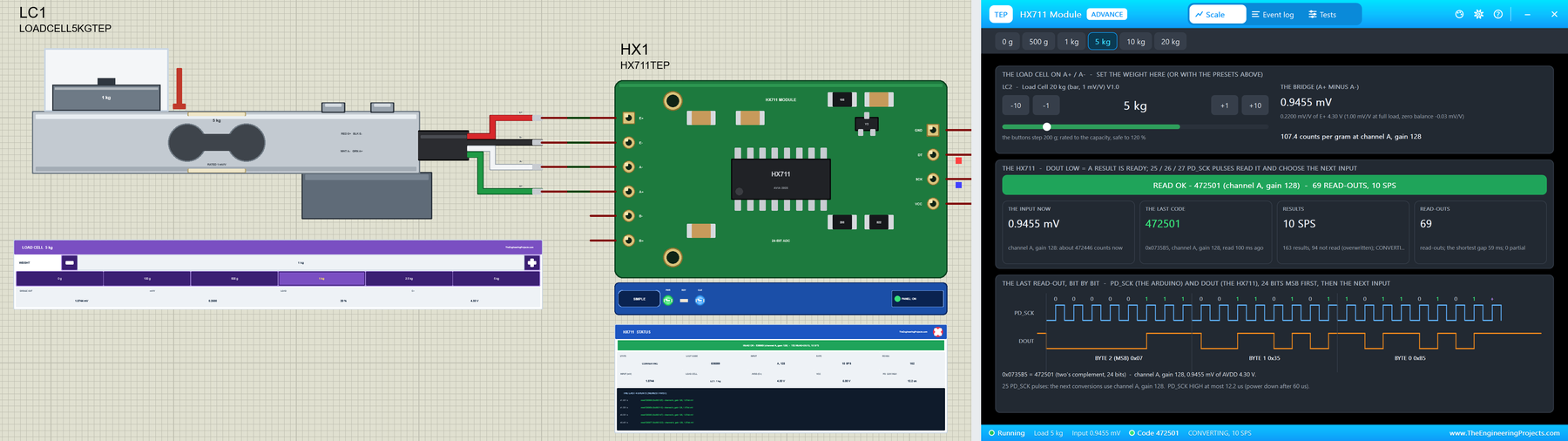
… for the UART of your board Serial Monitor Expert : the serial monitor with extra debugging tools LCD Library for Proteus V3.0 : 16x2, 20x4 and I2C LCDs to show your readings Behind the parts sit our own models , not a part that shows a number. The load cell is …
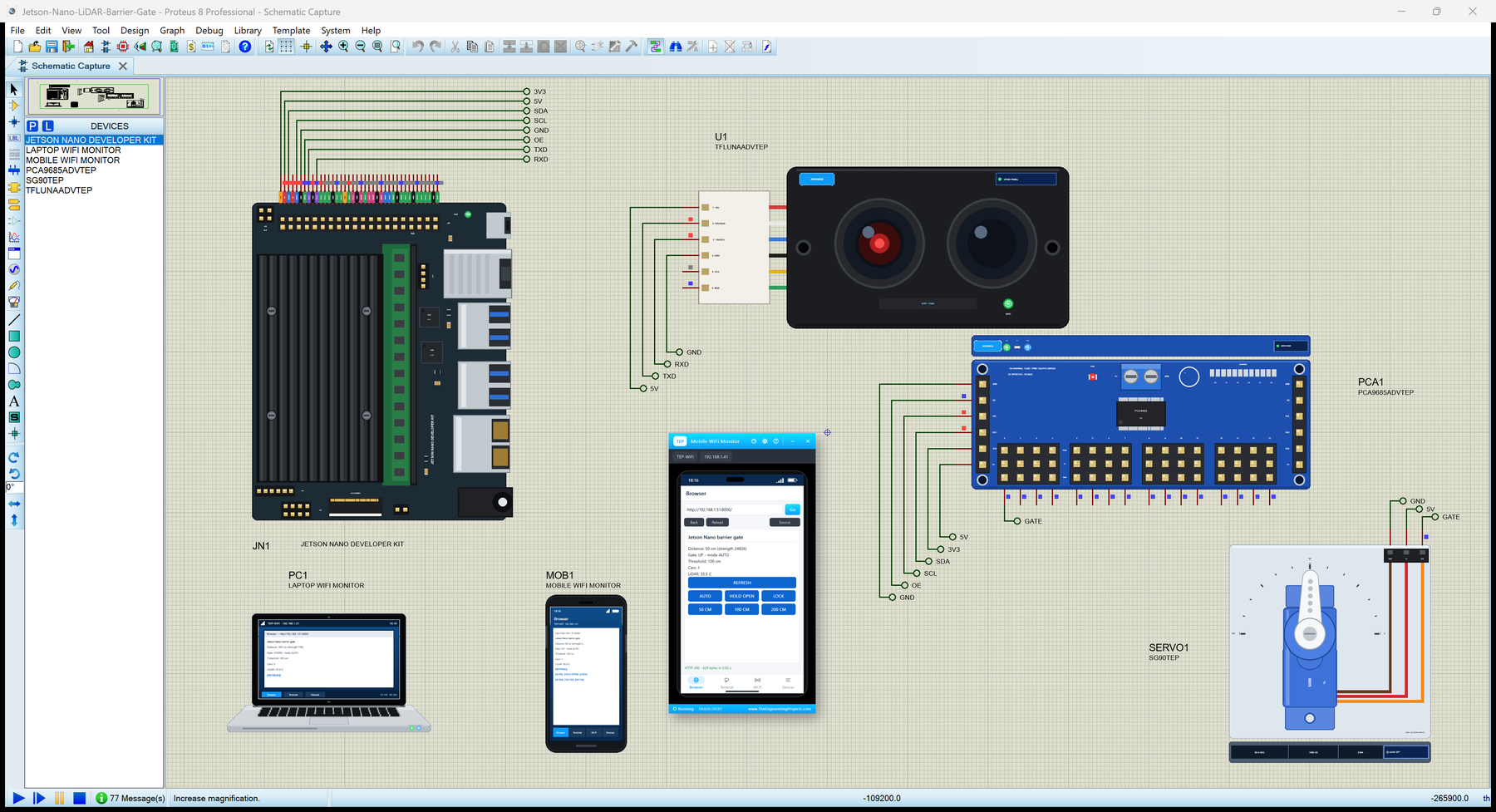
… and ping Mobile WiFi Monitor : a smartphone that opens the pages of your board and sends it commands LCD Library for Proteus V3.0 : 16x2, 20x4 and I2C LCDs to show your readings It is the twelfth board of our series of single-board computers, after eleven …
… for the UART of your board Serial Monitor Expert : the serial monitor with extra debugging tools LCD Library for Proteus V3.0 : 16x2, 20x4 and I2C LCDs to show your readings Version 1.1 replaces the first version of this post. You now get two devices : …
… and ping Mobile WiFi Monitor : a smartphone that opens the pages of your board and sends it commands LCD Library for Proteus V3.0 : 16x2, 20x4 and I2C LCDs to show your readings Every library of our board series connects the board to a different module and …
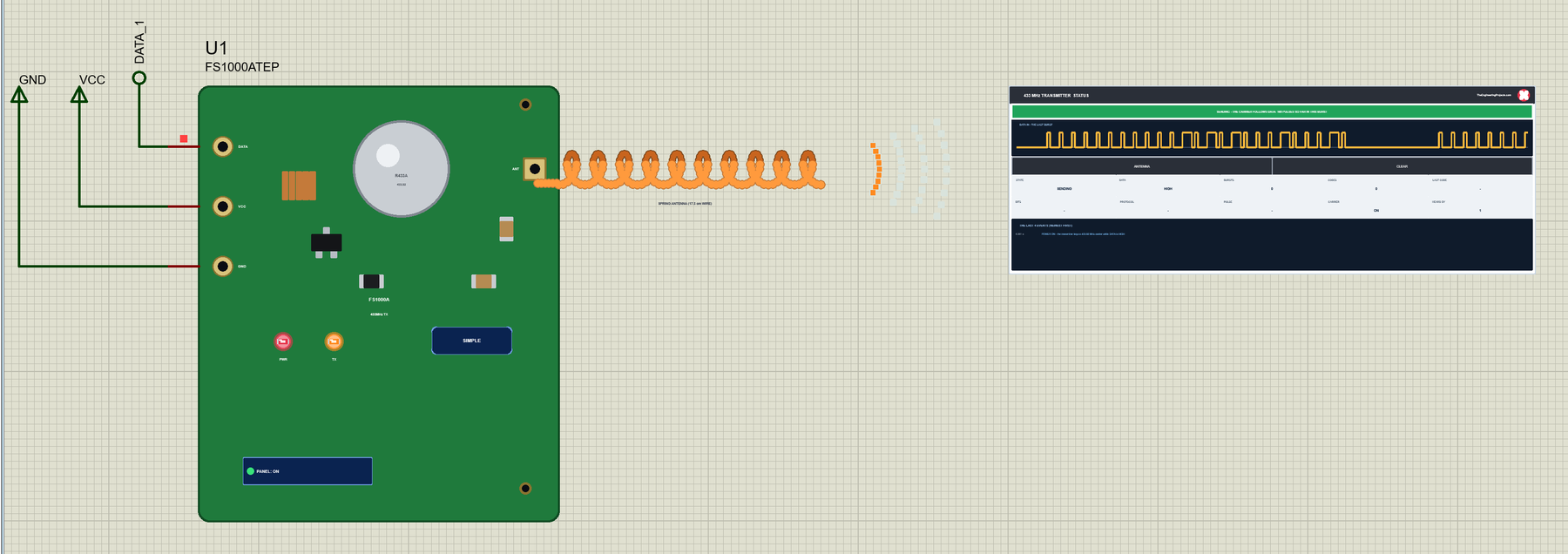
… for the UART of your board Serial Monitor Expert : the serial monitor with extra debugging tools LCD Library for Proteus V3.0 : 16x2, 20x4 and I2C LCDs to show your readings Behind the parts sits our own model of how this pair behaves. The transmitter keys its …
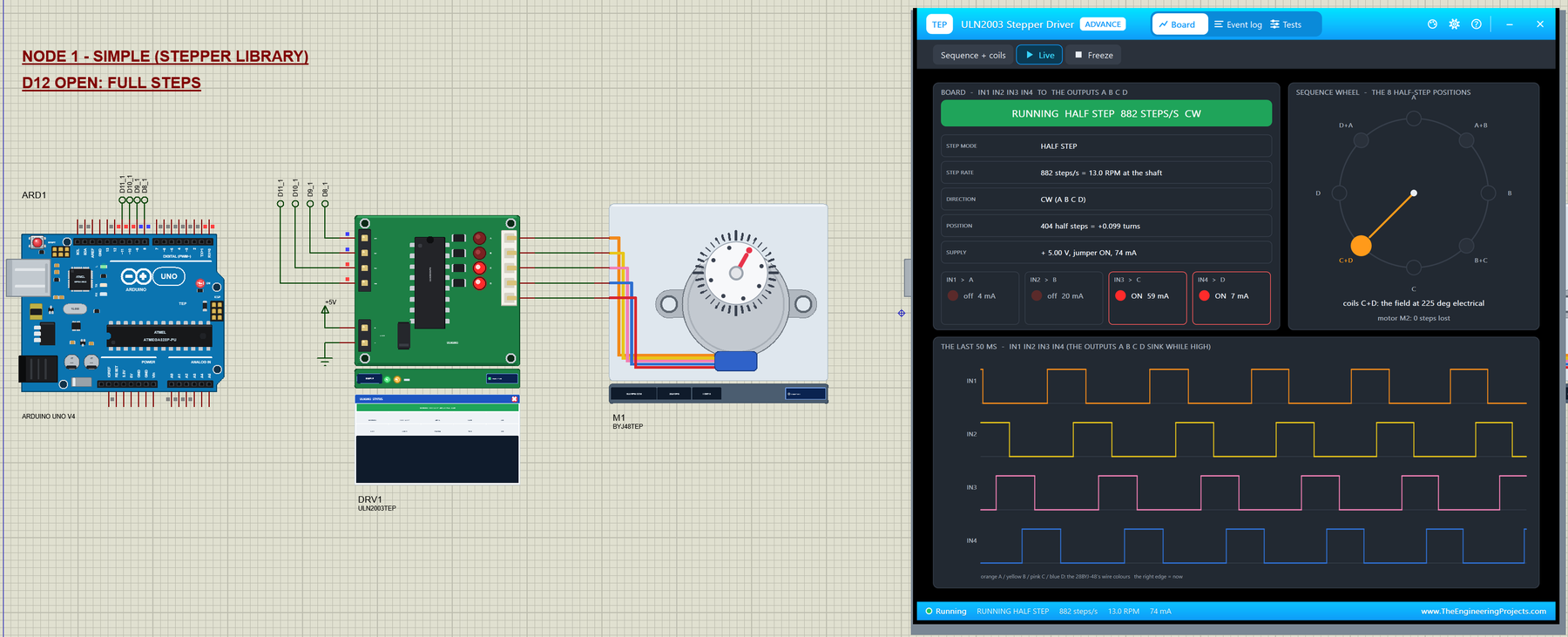
… for the UART of your board Serial Monitor Expert : the serial monitor with extra debugging tools LCD Library for Proteus V3.0 : 16x2, 20x4 and I2C LCDs to show your readings Behind the parts sit our own models . The ULN2003 board has its four Darlington …
… and ping Mobile WiFi Monitor : a smartphone that opens the pages of your board and sends it commands LCD Library for Proteus V3.0 : 16x2, 20x4 and I2C LCDs to show your readings This is the eleventh library of our Raspberry Pi series, and every library of the …
… the connected device's documentation. Connect a Simulated PIC to the Terminal We will use PIC18F452 to continue the earlier LCD tutorial's device choice. Its hardware USART transmit signal is RC6/TX, and its receive signal is RC7/RX. Check the selected …
… for the UART of your board Serial Monitor Expert : the serial monitor with extra debugging tools LCD Library for Proteus V3.0 : 16x2, 20x4 and I2C LCDs to show your readings Version 4.0 is the newest of our Arduino libraries for Proteus; the first one came out …